
How to Unplug an Electric Car Charger on Hyundai

Unplugging an electric car charger on a Hyundai EV is simple when you follow the right steps. This guide walks you through the process safely, whether you’re at home or using a public charging station, ensuring you protect both your vehicle and the charging equipment.
Key Takeaways
- Always stop charging before unplugging: Use the Hyundai app or in-car display to end the session safely and avoid electrical surges.
- Press the release button on the connector: Most Hyundai EVs use a locking mechanism that requires pressing a button to disengage the plug.
- Pull straight out, don’t yank: Gently remove the charger handle to prevent damage to the port or cable.
- Check for charging status lights: Confirm the charging light has turned off or changed color before attempting to unplug.
- Store the cable properly: Coil the charger neatly and place it back in its designated storage area to avoid tripping hazards or wear.
- Use the Hyundai Blue Link app: Remotely monitor and control charging sessions for added convenience and safety.
- Know your charging port location: Familiarize yourself with where the charge port is on your specific Hyundai model (e.g., IONIQ 5, Kona Electric).
📑 Table of Contents
- How to Unplug an Electric Car Charger on Hyundai: A Complete Guide
- Understanding Your Hyundai EV’s Charging System
- Step-by-Step Guide to Unplugging Your Hyundai EV Charger
- Using the Hyundai Blue Link App to Manage Charging
- Safety Tips When Unplugging Your Hyundai EV Charger
- Troubleshooting Common Unplugging Issues
- Best Practices for Long-Term Charging Health
- Conclusion
How to Unplug an Electric Car Charger on Hyundai: A Complete Guide
So, you’ve just finished charging your Hyundai electric vehicle (EV)—maybe it’s an IONIQ 5, Kona Electric, or the sleek new IONIQ 6—and now you’re ready to hit the road. But wait… how exactly do you safely unplug the charger? It might seem straightforward, but if you’re new to EVs or just want to make sure you’re doing it right, there are a few important steps to follow.
Unlike filling up a gas tank, unplugging an electric car charger involves more than just pulling a nozzle out of a tank. Modern Hyundai EVs come equipped with smart charging systems, safety locks, and digital controls that require a bit of know-how. Whether you’re charging at home using a Level 2 wallbox or pulling up to a public fast charger, the process is designed to be safe and user-friendly—but only if you follow the correct procedure.
In this guide, we’ll walk you through everything you need to know about how to unplug an electric car charger on Hyundai models. From understanding your vehicle’s charging port to safely disconnecting the cable and storing it properly, we’ve got you covered. We’ll also share expert tips, common mistakes to avoid, and how to use Hyundai’s Blue Link app to make the process even smoother. Let’s get started.
Understanding Your Hyundai EV’s Charging System
Visual guide about How to Unplug an Electric Car Charger on Hyundai
Image source: vehiclefixing.com
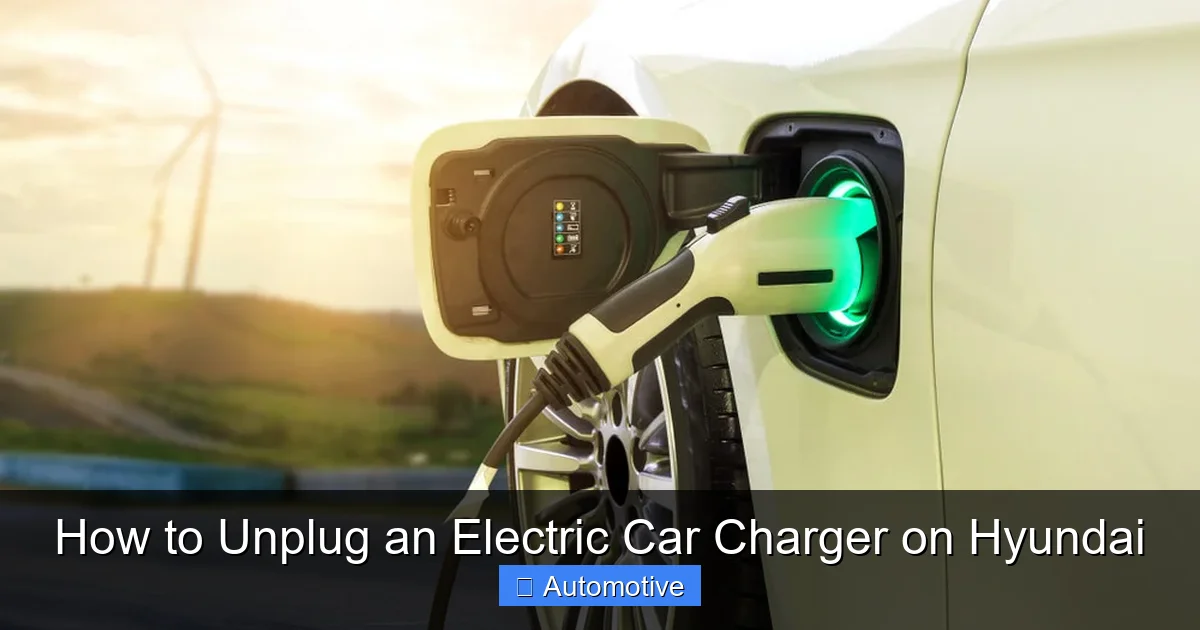
Before you even think about unplugging, it’s important to understand how your Hyundai EV’s charging system works. Hyundai’s electric vehicles—like the IONIQ 5 and Kona Electric—are designed with both convenience and safety in mind. The charging port is typically located on the front fender or rear quarter panel, depending on the model. For example, the IONIQ 5 has its charging port on the driver’s side rear fender, while the Kona Electric places it on the front left fender.
Types of Charging Ports on Hyundai EVs
Hyundai EVs support multiple charging standards, including CCS (Combined Charging System) for fast DC charging and Type 2 (Mennekes) for AC charging at home or public stations. The CCS port combines both AC and DC charging capabilities into one connector, which is what you’ll use at most public fast chargers. At home, you might use a Type 2 connector with a wallbox or even a standard household outlet (though that’s much slower).
The charging port itself is sealed with a protective flap that opens when you press a button on the key fob, use the infotainment screen, or manually press the flap. Inside, you’ll see the charging pins and a small status light that indicates whether the vehicle is charging, fully charged, or in an error state.
How Charging Works in Hyundai EVs
When you plug in your Hyundai EV, the vehicle communicates with the charger to confirm compatibility, check battery status, and begin the charging process. This handshake happens automatically, and you’ll usually see a confirmation on the dashboard or infotainment screen. The charging port light will typically turn blue, green, or white (depending on the model) to indicate active charging.
It’s important to note that the vehicle and charger remain electrically connected during charging. This means you shouldn’t attempt to unplug the charger while power is still flowing—doing so could cause arcing, damage the equipment, or even pose a safety risk.
Step-by-Step Guide to Unplugging Your Hyundai EV Charger
Visual guide about How to Unplug an Electric Car Charger on Hyundai
Image source: vehiclefixing.com
Now that you understand the basics, let’s dive into the actual process of unplugging your Hyundai EV charger. Whether you’re at home or at a public station, these steps will ensure a safe and smooth disconnection.
Step 1: Stop the Charging Session
The first and most important step is to stop the charging session before unplugging. Never pull the charger out while it’s actively delivering power. Here’s how to do it:
– If you’re using a public fast charger, use the touchscreen on the charging station to end the session. Look for options like “Stop Charging” or “End Session.”
– If you’re charging at home with a smart wallbox, use the associated app (like Hyundai’s Blue Link or the charger manufacturer’s app) to stop charging remotely.
– Alternatively, you can stop charging directly from your Hyundai’s infotainment system. Go to the “Charging” menu and select “Stop Charging” or “Pause.”
Once the session is stopped, the vehicle will disconnect electrically from the charger. You’ll usually see the charging light on the dashboard or port change color—often from green or blue to white or off.
Step 2: Wait for the Confirmation Signal
After stopping the session, give the system a few seconds to fully disconnect. The charging port light should stop blinking or change to a steady off or white light. Some Hyundai models will also display a message on the screen like “Charging Stopped” or “Ready to Unplug.”
This brief pause ensures that no current is flowing and that the locking mechanism has disengaged. Rushing this step could result in the plug remaining locked or cause damage to the connector.
Step 3: Press the Release Button on the Charger Handle
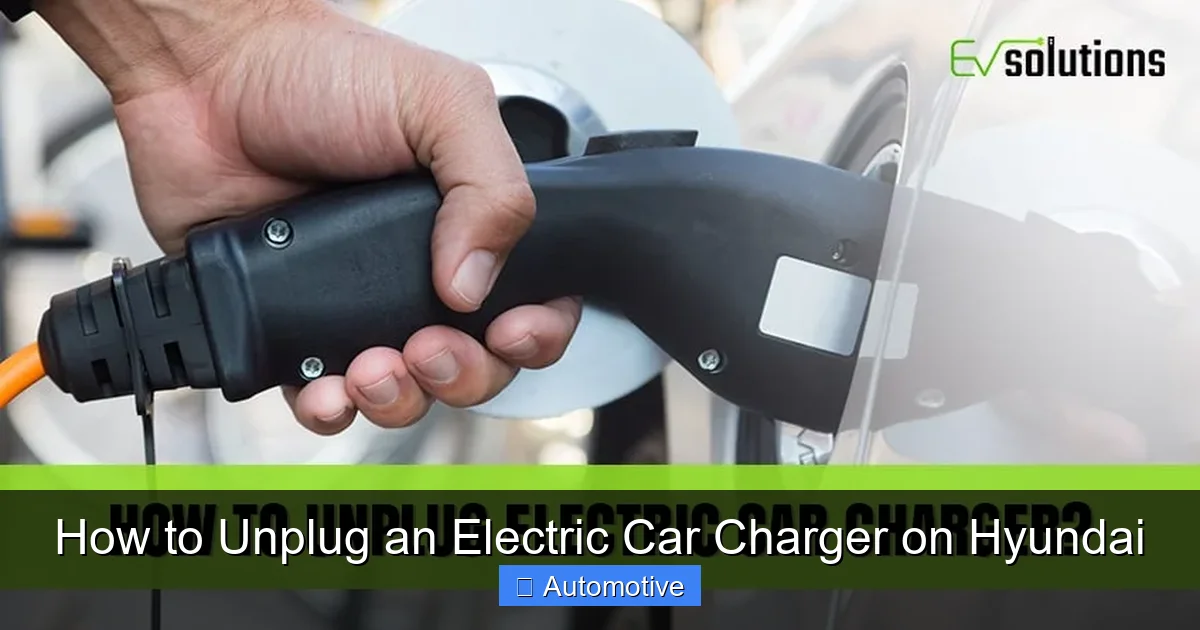
Most Hyundai EVs use a locking mechanism to keep the charger securely connected during charging. To release it, you’ll need to press a button on the charger handle.
– On CCS fast chargers, look for a small button near the top of the handle. Press and hold it while gently pulling the handle.
– On Type 2 AC chargers, the release mechanism may be a lever or a button, depending on the cable design.
Pressing the button disengages the lock, allowing you to remove the plug smoothly. If the button doesn’t work, double-check that charging has fully stopped. Never force the plug out—this could damage the port or the cable.
Step 4: Pull the Charger Straight Out
Once the lock is released, gently pull the charger handle straight out from the port. Avoid twisting, yanking, or pulling at an angle, as this can strain the connector or damage the pins inside the port.
If the plug feels stuck, don’t panic. Recheck that the release button was fully pressed and that the charging session has ended. Sometimes, a slight wiggle while pulling straight out can help, but never use excessive force.
Step 5: Close the Charging Port Flap
After removing the charger, make sure to close the charging port flap. This protects the port from dirt, moisture, and debris, which could interfere with future charging sessions. Simply push the flap until it clicks shut.
Some Hyundai models have automatic flaps that close when the charger is removed, but it’s always good to double-check.
Step 6: Store the Charger Cable Properly
Proper cable storage is essential for safety and longevity. Here’s how to do it right:
– Coil the cable loosely to avoid kinks or twists. Tight coils can damage the internal wires over time.
– Use the built-in cable holder or hook on the charging station or wallbox.
– If you’re using a portable charger, place it back in the storage compartment in your trunk or under the rear seat.
– Avoid leaving the cable on the ground where it could be a tripping hazard or get run over.
Taking a few extra seconds to store the cable properly ensures it’s ready for your next charge and prevents unnecessary wear.
Using the Hyundai Blue Link App to Manage Charging
Visual guide about How to Unplug an Electric Car Charger on Hyundai
Image source: i0.wp.com
One of the biggest advantages of owning a Hyundai EV is the integration with the Blue Link app. This smart feature lets you monitor and control your vehicle remotely, including managing charging sessions.
How to Stop Charging Remotely
If you’re away from your car but want to stop charging (maybe you’re running late or the battery is already full), you can do so from the Blue Link app:
– Open the app and select your vehicle.
– Tap on the “Charging” tab.
– Choose “Stop Charging” or “Pause Charging.”
The app will send a command to your vehicle, which will safely disconnect from the charger. You’ll receive a notification once the session has ended.
Monitoring Charging Status
The Blue Link app also shows real-time charging status, including:
– Current battery percentage
– Estimated time to full charge
– Charging speed (kW)
– Energy added (kWh)
This information helps you plan your charging and avoid overcharging, which can reduce battery lifespan over time.
Scheduling Charging Sessions
Another great feature is the ability to schedule charging. You can set your Hyundai to start charging at a specific time—like during off-peak hours when electricity is cheaper. This is especially useful if you’re charging at home with a time-of-use electricity plan.
To schedule charging:
– Open the Blue Link app.
– Go to “Charging Schedule.”
– Set your preferred start and stop times.
The vehicle will automatically begin charging at the scheduled time, even if you’re not nearby.
Safety Tips When Unplugging Your Hyundai EV Charger
Safety should always be your top priority when handling EV charging equipment. Here are some essential tips to keep in mind:
Avoid Unplugging in Wet Conditions
Never unplug your charger in the rain or on a wet surface unless absolutely necessary. Water and electricity don’t mix, and moisture can increase the risk of electric shock or short circuits. If you must unplug in wet weather, make sure your hands are dry and stand on a dry surface.
Most Hyundai EVs and charging stations are designed to be weather-resistant, but it’s still best to avoid exposure when possible.
Don’t Use Excessive Force
If the charger won’t come out, don’t force it. Forcing the plug can damage the locking mechanism, bend the pins, or crack the port. Instead, double-check that charging has stopped and the release button is pressed correctly.
If the issue persists, consult your owner’s manual or contact Hyundai customer support.
Inspect the Charger and Port Regularly
Before and after each charging session, take a quick look at both the charger connector and your vehicle’s charging port. Look for:
– Dirt or debris
– Bent or damaged pins
– Signs of overheating (discoloration, melting)
– Cracks or wear on the cable
If you notice any damage, stop using the charger immediately and have it inspected by a professional.
Keep the Area Around the Charging Port Clear
Make sure there’s nothing blocking the charging port or the area around it. This includes snow, ice, leaves, or personal items. A clear space ensures you can access the port easily and reduces the risk of tripping over the cable.
Troubleshooting Common Unplugging Issues
Even with the best practices, you might run into occasional issues when unplugging your Hyundai EV charger. Here’s how to handle some common problems.
Charger Won’t Release
If the charger won’t come out after pressing the release button, try these steps:
– Confirm that charging has fully stopped (check the dashboard or app).
– Press and hold the release button for a few seconds.
– Gently wiggle the handle while pulling straight out.
– If still stuck, restart the vehicle and try again.
In rare cases, a software glitch or faulty lock mechanism may be to blame. Contact Hyundai service if the problem continues.
Charging Light Stays On
If the charging light remains on after you’ve stopped the session, it could indicate a communication error between the vehicle and charger. Try:
– Restarting the charging session and stopping it again.
– Unplugging and replugging the charger.
– Turning the vehicle off and on.
If the light persists, check for software updates via the infotainment system or consult your dealer.
Cable Gets Stuck in the Port
This is rare but can happen if the cable is damaged or the port is obstructed. Never pull hard on the cable. Instead:
– Turn off the vehicle.
– Use a flashlight to inspect the port for debris.
– Gently rock the cable side to side while pulling.
If the cable remains stuck, do not attempt to remove it yourself. Contact roadside assistance or Hyundai support.
Best Practices for Long-Term Charging Health
Taking care of your charging routine doesn’t just make unplugging easier—it also helps maintain your battery and charging equipment over time.
Avoid Frequent Fast Charging
While Hyundai EVs are designed to handle fast charging, frequent use of DC fast chargers can degrade the battery faster than slower AC charging. Use fast charging when necessary (like on road trips), but rely on Level 2 home charging for daily use.
Keep the Battery Between 20% and 80%
For optimal battery health, try to keep your battery level between 20% and 80% most of the time. Charging to 100% regularly or letting the battery drop too low can stress the cells. Use the Blue Link app to set charging limits if your model supports it.
Clean the Charging Port Occasionally
Dust and grime can build up in the charging port over time. Use a soft, dry cloth to gently wipe the inside of the port every few months. Avoid using water or cleaning sprays.
Update Your Vehicle Software
Hyundai regularly releases software updates that improve charging performance, fix bugs, and enhance safety. Make sure your vehicle is running the latest software by checking for updates in the settings menu or through the Blue Link app.
Conclusion
Unplugging an electric car charger on a Hyundai EV doesn’t have to be complicated. With the right knowledge and a few simple steps, you can disconnect your charger safely and efficiently—whether you’re at home, at work, or on the road. Remember to always stop the charging session first, press the release button, and pull the handle straight out. Use the Hyundai Blue Link app to monitor and control charging remotely, and follow best practices to keep your battery and equipment in top condition.
By taking the time to understand your vehicle’s charging system and following these guidelines, you’ll enjoy a smoother, safer, and more reliable EV ownership experience. So the next time you finish charging your IONIQ 5 or Kona Electric, you’ll know exactly what to do—no guesswork, no stress, just peace of mind.
Frequently Asked Questions
Can I unplug my Hyundai EV charger while it’s still charging?
No, you should never unplug the charger while it’s actively delivering power. Always stop the charging session first using the vehicle’s display, the charging station screen, or the Blue Link app to avoid electrical hazards or damage.
What if the charger won’t come out of my Hyundai?
If the charger won’t release, make sure the charging session has fully stopped and press the release button firmly. Gently wiggle the handle while pulling straight out. If it remains stuck, restart the vehicle or contact Hyundai support.
Do I need to use the Blue Link app to unplug my charger?
No, the Blue Link app is optional but helpful. You can stop charging and unplug manually using the vehicle’s controls or the charging station interface. The app just adds convenience and remote access.
Is it safe to unplug the charger in the rain?
It’s best to avoid unplugging in wet conditions. If you must, ensure your hands and the area are dry, and stand on a non-conductive surface. Modern chargers are weather-resistant, but caution is still advised.
How often should I clean my Hyundai’s charging port?
Clean the charging port every few months with a soft, dry cloth to remove dust and debris. Avoid using liquids or harsh cleaners, as they can damage the electrical components.
Can I damage my Hyundai by unplugging the charger incorrectly?
Yes, forcing the charger out or unplugging while charging can damage the port, cable, or vehicle electronics. Always follow the proper steps to ensure safe and smooth disconnection.