
How to Unlock a 2010 Dodge Charger Without a Key

Locked out of your 2010 Dodge Charger? Don’t panic—there are several safe and legal ways to regain access without a key. From using the key fob battery trick to calling a professional locksmith, this guide walks you through step-by-step solutions that protect your vehicle and keep you compliant with the law.
Key Takeaways
- Check the key fob battery first: A dead battery is the most common reason your fob won’t unlock the car—replace it to restore functionality.
- Use the manual key hidden in the fob: Every 2010 Charger key fob contains a physical key that can unlock the driver’s door manually.
- Try the “double press” method: Pressing the unlock button twice quickly may reset the system and allow entry.
- Call a certified locksmith: Professional help ensures no damage to your vehicle’s security system or door mechanisms.
- Contact your dealership: They can reprogram a new key or provide emergency access using your VIN and ownership proof.
- Avoid DIY lockout tools unless trained: Using coat hangers or slim jims can damage window seals, wiring, or airbags—proceed with extreme caution.
- Prevent future lockouts: Keep a spare key in a secure location or use a magnetic key box under the chassis.
📑 Table of Contents
- Introduction: Why You Might Be Locked Out of Your 2010 Dodge Charger
- Understanding the 2010 Dodge Charger’s Locking System
- Step-by-Step: How to Unlock Your 2010 Dodge Charger Without a Key
- Avoiding Common Mistakes and Damaging Your Vehicle
- Preventing Future Lockouts: Smart Tips and Best Practices
- Conclusion: Stay Calm, Stay Safe, and Know Your Options
Introduction: Why You Might Be Locked Out of Your 2010 Dodge Charger
We’ve all been there—rushing to get somewhere, juggling groceries, coffee, and your phone, only to realize your keys are still inside the car. Or worse, you’ve misplaced them entirely. If you’re driving a 2010 Dodge Charger, a sleek and powerful sedan known for its bold styling and reliable performance, being locked out can feel especially frustrating. Unlike newer models with advanced keyless entry systems or smartphone apps, the 2010 Charger relies on a traditional key fob and mechanical backup system. That doesn’t mean you’re out of options—it just means you need to know the right steps to take.
The good news? The 2010 Dodge Charger was designed with user safety and convenience in mind, even in emergency situations. Dodge included several fail-safes to help drivers regain access without causing damage to the vehicle. Whether your key fob battery died, you accidentally locked the keys inside, or the electronic system is acting up, there are proven methods to unlock your Charger safely and legally. This guide will walk you through each option, from simple DIY fixes to professional assistance, so you can get back on the road with confidence.
Understanding the 2010 Dodge Charger’s Locking System
Visual guide about How to Unlock a 2010 Dodge Charger Without a Key
Image source: tffn.net
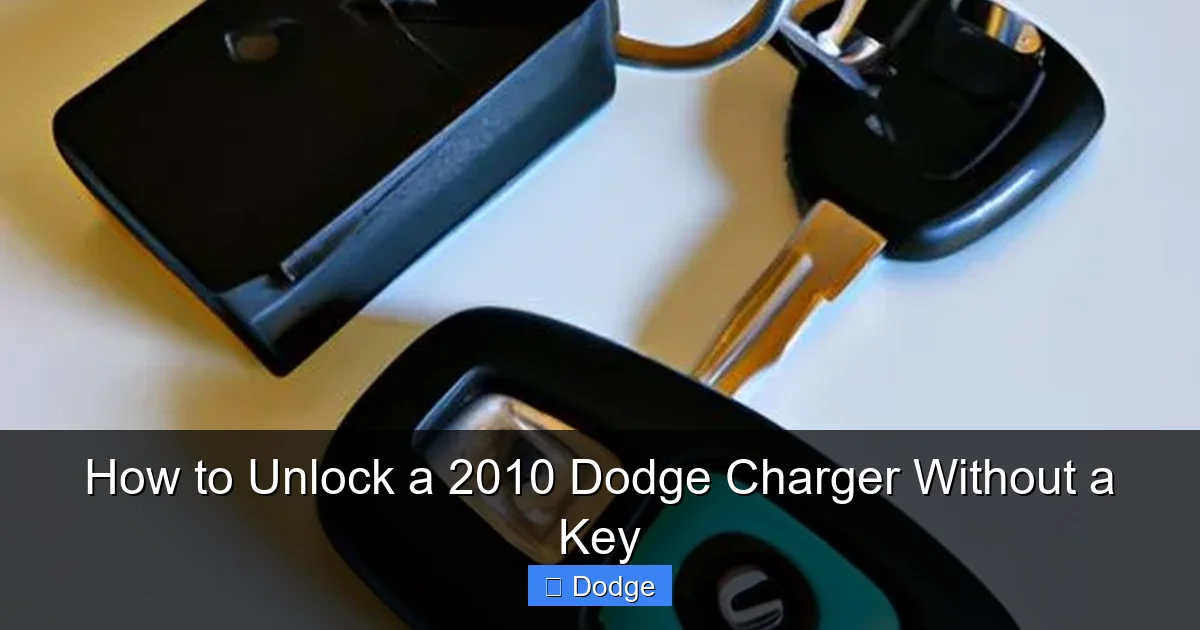
Before diving into solutions, it’s important to understand how the 2010 Dodge Charger’s locking system works. This model uses a combination of electronic and mechanical components to secure the vehicle. The primary method of entry is the key fob, which communicates with the car’s immobilizer system via radio frequency. When you press the unlock button, the fob sends a signal to the car’s computer, which then disengages the door locks.
However, the Charger also includes a physical key hidden inside the fob as a backup. This mechanical key is designed to unlock the driver’s door manually in case the electronic system fails. The key fob itself is powered by a small coin-cell battery (typically a CR2032), which can die over time—especially if the fob is dropped, exposed to moisture, or used infrequently. When the battery dies, the fob can no longer send signals to the car, leaving you locked out even if the fob is right next to the door.
Another feature of the 2010 Charger is its central locking system, which locks all doors simultaneously when you press the lock button. This means that if one door is locked, all are—unless you use the manual key or a specific override method. The car also has a security system that may trigger an alarm if someone attempts to force entry, so it’s crucial to use only approved methods to avoid setting off the alarm or damaging the vehicle.
How the Key Fob Works
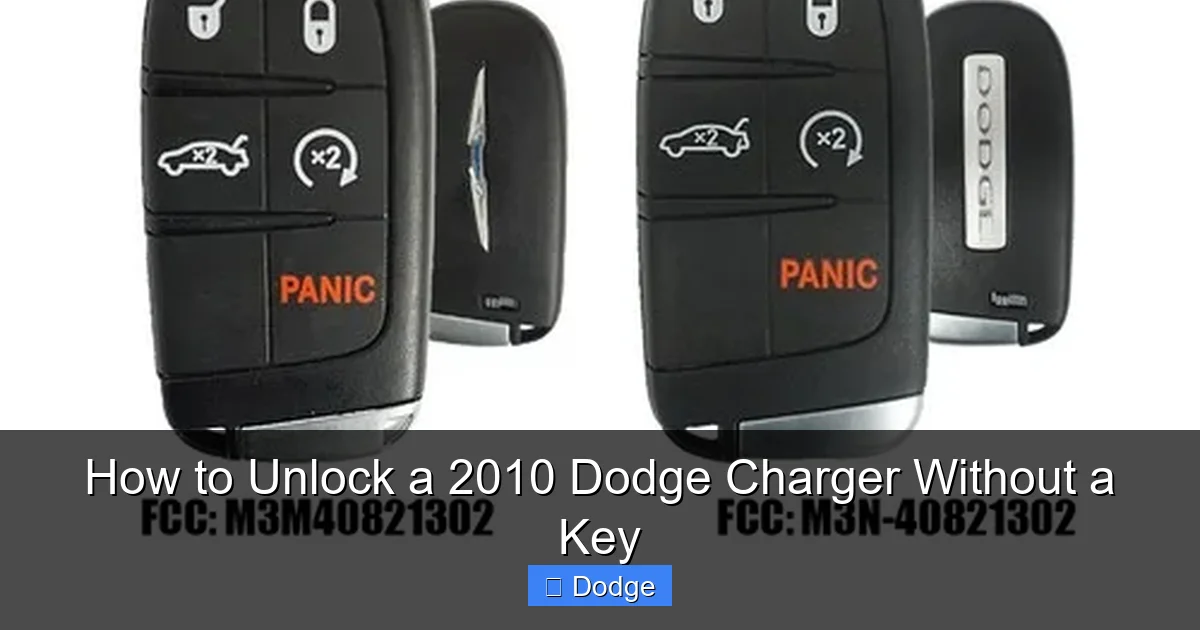
The key fob for the 2010 Dodge Charger is a compact, handheld device with buttons for lock, unlock, trunk release, and panic alarm. It uses a rolling code system, meaning each time you press a button, it sends a unique signal to prevent unauthorized access. This system is secure but can be disrupted if the fob’s battery is low or if the fob is damaged.
One common issue is that the fob may appear to work—buttons light up or make noise—but still fail to unlock the car. This usually indicates a weak battery. Even if the fob has some power, it may not transmit a strong enough signal to reach the car’s receiver, especially if you’re standing far away or there’s interference from other electronics.
The Role of the Immobilizer System
The 2010 Charger is equipped with an immobilizer system that prevents the engine from starting unless the correct key is present. This system uses a transponder chip embedded in the key or fob. When you insert the key into the ignition or press the start button (if equipped), the car’s computer reads the chip’s unique code. If the code matches, the engine will start. If not, the car will remain immobilized.
While the immobilizer system is excellent for security, it can complicate lockout situations. For example, if you’re locked out and only have a non-programmed spare key, you won’t be able to start the car even if you manage to unlock the door. This is why it’s important to use the original key fob or a properly programmed spare.
Step-by-Step: How to Unlock Your 2010 Dodge Charger Without a Key
Visual guide about How to Unlock a 2010 Dodge Charger Without a Key
Image source: mykeysupply.com
Now that you understand how the system works, let’s explore the most effective ways to unlock your 2010 Dodge Charger without a key. We’ll start with the simplest and safest methods and work our way up to professional solutions.
Method 1: Use the Hidden Mechanical Key
Every 2010 Dodge Charger key fob contains a physical key that can be used to manually unlock the driver’s door. This is the most reliable backup method and should be your first step.
To access the key:
1. Hold the key fob with the Dodge logo facing up.
2. Locate the small release button on the side of the fob (usually near the top).
3. Press the button and pull the key out from the slot.
4. Insert the key into the driver’s door lock cylinder (located on the door handle).
5. Turn the key clockwise to unlock the door.
Once inside, you can start the car using the ignition key slot. If your Charger has a push-button start, you’ll need to place the fob inside the car (even with a dead battery) and press the brake pedal while pressing the start button. The car’s system can often detect the fob’s chip through proximity, allowing you to start the engine.
Tip: Keep the mechanical key accessible. If you frequently lose your fob, consider attaching the key to a lanyard or keeping it in a small pouch.
Method 2: Replace the Key Fob Battery
If your key fob isn’t working at all, a dead battery is the most likely culprit. Replacing the battery is quick, inexpensive, and can restore full functionality.
Here’s how:
1. Use a small flathead screwdriver or a coin to pry open the key fob along the seam.
2. Carefully remove the old battery (usually a CR2032).
3. Insert a new CR2032 battery, ensuring the positive (+) side is facing up.
4. Snap the fob back together.
5. Test the fob by pressing the unlock button near the car.
After replacing the battery, the fob should work immediately. If it doesn’t, try pressing the button multiple times or standing closer to the car. Sometimes the system needs a moment to recognize the fob again.
Note: Always use a high-quality battery from a reputable brand. Cheap batteries may not last as long or provide consistent power.
Method 3: Try the “Double Press” Unlock Trick
Some Dodge owners have reported success with a simple trick: pressing the unlock button twice in quick succession. This method can reset the fob’s signal or override a temporary glitch in the system.
To try it:
1. Stand within 10–15 feet of the car.
2. Press the unlock button once—don’t wait for a response.
3. Immediately press it again.
4. Listen for the doors to unlock.
This method works best if the fob battery is still partially charged. It’s not guaranteed, but it’s worth a try before moving on to more involved solutions.
Method 4: Use a Spare Key or Keyless Entry Code
If you have a spare key, now is the time to use it. Keep a spare in a secure location—like a locked drawer at home, with a trusted friend, or in a magnetic key box under the car (though this is less secure).
Some 2010 Chargers also came with a keyless entry keypad on the driver’s side door (optional feature). If your car has this, you can enter a 5-digit code to unlock the doors. The code is usually found in the owner’s manual or on a sticker in the glove box. If you’ve forgotten the code, you may need to contact Dodge or a locksmith to retrieve it.
Method 5: Call a Professional Locksmith
If none of the above methods work, it’s time to call a professional. A certified automotive locksmith has the tools and expertise to unlock your Charger without damaging the door, window, or security system.
When calling a locksmith:
– Verify they are licensed and insured.
– Confirm they have experience with Dodge vehicles, especially 2010 models.
– Ask for an estimate before they arrive.
Most locksmiths can unlock your car in under 30 minutes using specialized tools like a long-reach rod or a decoder. They may also be able to program a new key on the spot if needed.
Tip: Keep the number of a trusted locksmith saved in your phone or written in your wallet for emergencies.
Method 6: Contact Your Dodge Dealership
Your local Dodge dealership can assist with lockouts, especially if you need a new key or fob. They can verify your ownership using your VIN (Vehicle Identification Number) and registration, then program a replacement key.
To contact the dealership:
1. Call the service department and explain the situation.
2. Provide your VIN, proof of ownership, and driver’s license.
3. Schedule an appointment or ask if they offer emergency service.
Dealerships can be more expensive than locksmiths, but they offer the advantage of OEM (original equipment manufacturer) parts and guaranteed compatibility. They can also update your vehicle’s software if there’s a system issue causing the lockout.
Avoiding Common Mistakes and Damaging Your Vehicle
Visual guide about How to Unlock a 2010 Dodge Charger Without a Key
Image source: lihpao.com
While it’s tempting to try DIY methods like using a coat hanger or slim jim to unlock your car, these can cause serious damage—especially on a 2010 Dodge Charger. The door panels contain delicate wiring, airbag sensors, and window regulators that can be easily broken.
For example, forcing a coat hanger through the window seal can tear the rubber gasket, leading to water leaks and rust. It can also trigger the side airbag system, which is costly to repair. Similarly, using a slim jim on power locks can damage the internal mechanisms, requiring expensive repairs.
Another mistake is assuming that all lockout tools are safe. Some “universal” car unlock kits are designed for older vehicles and may not work on modern systems like the Charger’s. Always research tools before use, and when in doubt, call a professional.
When to Avoid DIY Methods
Avoid DIY lockout attempts if:
– You’re not confident in your ability to use tools safely.
– The car is parked in a high-traffic or unsafe area.
– You suspect the lock mechanism is already damaged.
– The weather is extreme (e.g., freezing rain or high heat), which can affect tool performance and safety.
In these cases, waiting for professional help is the best option.
Preventing Future Lockouts: Smart Tips and Best Practices
Once you’ve regained access to your Charger, take steps to prevent future lockouts. A little preparation can save you time, stress, and money.
Keep a Spare Key in a Safe Place
The simplest prevention method is to have a spare key. Store it in a secure location, such as:
– A locked drawer at home.
– With a trusted family member or friend.
– In a biometric key safe (a small, lockable box that opens with a fingerprint or code).
Avoid hiding keys under floor mats, in wheel wells, or in fake rocks—these are common spots that thieves know to check.
Use a Key Finder or Bluetooth Tracker
Attach a Bluetooth tracker like Tile or Apple AirTag to your keychain. These devices connect to your smartphone and allow you to locate your keys using an app. Some even have a “ring” feature that makes the tracker beep when you’re nearby.
Develop a Routine
Make it a habit to check for your keys before locking the car. Say a quick mental checklist: “Phone, wallet, keys.” This simple routine can prevent most accidental lockouts.
Upgrade to a Keyless Entry System (Optional)
If you frequently lose your keys or want added convenience, consider upgrading to an aftermarket keyless entry system. These systems allow you to unlock and start your car using a smartphone app or a keypad. However, ensure the system is compatible with your 2010 Charger and installed by a professional to avoid electrical issues.
Conclusion: Stay Calm, Stay Safe, and Know Your Options
Being locked out of your 2010 Dodge Charger can be stressful, but it’s rarely a permanent problem. With the right knowledge and tools, you can regain access quickly and safely. Start with the simplest solutions—like using the hidden mechanical key or replacing the fob battery—and escalate to professional help only when necessary.
Remember, your safety and the integrity of your vehicle come first. Avoid risky DIY methods that could cause damage or set off the alarm. Instead, rely on proven techniques and trusted professionals. And once you’re back inside, take steps to prevent future lockouts by keeping a spare key and developing good habits.
Your 2010 Dodge Charger is a reliable and stylish vehicle—don’t let a lockout ruin your day. With this guide, you’re prepared for whatever comes your way.
Frequently Asked Questions
Can I unlock my 2010 Dodge Charger with a smartphone app?
No, the 2010 Dodge Charger does not support smartphone apps for remote unlocking. This feature was not available on this model year. You’ll need to use the key fob, mechanical key, or professional assistance.
Will a dead key fob battery prevent me from starting the car?
Not necessarily. If the fob is inside the car, the immobilizer system may still detect it and allow you to start the engine using the ignition key or push-button start. However, you won’t be able to unlock the doors remotely.
How much does it cost to replace a 2010 Dodge Charger key fob?
A replacement key fob typically costs between $100 and $250, depending on whether you buy it from a dealership or an aftermarket supplier. Programming the fob may require additional fees unless you do it yourself with a compatible tool.
Can I program a new key fob myself?
Some 2010 Chargers allow DIY programming if you have two working keys. However, if you only have one or no working keys, you’ll need a professional locksmith or dealership to program a new fob using specialized equipment.
Is it legal to use a slim jim on my own car?
Yes, it’s legal to use a slim jim on your own vehicle, but it’s not recommended. These tools can damage internal components, trigger airbags, or void your warranty. Always consider safer alternatives first.
What should I do if my Charger’s alarm goes off during a lockout?
If the alarm activates, wait a few minutes—it may stop on its own. If not, use the key fob (if functional) or the mechanical key to unlock the door. Once inside, the alarm should silence. If it continues, disconnect the battery for 10 seconds to reset the system.
