
How to Turn on Forward Collision Warning on a Jeep Compass

Forward Collision Warning (FCW) in your Jeep Compass is a vital safety feature that helps prevent accidents by alerting you to potential frontal collisions. Activating it is simple through the Uconnect system’s settings menu. This guide walks you through enabling, customizing, and troubleshooting FCW to ensure it’s always ready to protect you and your passengers.
Key Takeaways
- FCW uses radar to detect vehicles ahead and provides visual/audio alerts. It’s a warning system, not an autonomous braking feature, so you must remain alert.
- Activation is done via Uconnect settings under Driver Assistance. The exact menu path can vary slightly by model year and Uconnect version.
- You can customize FCW sensitivity and alert type. Options typically include early, medium, or late alert timing, and beeps or seat vibrations.
- The system may not function perfectly in heavy rain, snow, or fog. It also requires a clear front grille area; dirt, snow, or damage can block the radar sensor.
- FCW is often bundled with other features like Lane Departure Warning. Understanding your Compass’s full safety suite helps you manage all alerts effectively.
- If FCW is disabled or malfunctioning, a warning light will appear on your dash. Simple fixes include cleaning the sensor or restarting the vehicle; persistent issues need a dealer.
- Regular maintenance of the front grille area is essential. During car washes or winter, ensure the radar behind the Jeep emblem is clean and undamaged.
📑 Table of Contents
- What is Forward Collision Warning and Why It Matters for Your Jeep Compass
- Understanding Your Jeep Compass’s Safety Technology Suite
- Step-by-Step: How to Turn On Forward Collision Warning
- Customizing Your FCW Settings for the Best Experience
- Troubleshooting: When Your FCW Isn’t Working Properly
- FCW in the Context of Your Compass’s Full Safety Ecosystem
- Conclusion: Making the Most of Your Compass’s Safety Tech
What is Forward Collision Warning and Why It Matters for Your Jeep Compass
Let’s talk about a feature that could literally save your life: Forward Collision Warning, or FCW. If you own a Jeep Compass from the last few years, this smart system is probably sitting in your dashboard, quietly waiting to be activated. FCW uses a radar sensor, usually hidden behind the front grille’s Jeep emblem, to constantly scan the road ahead. It measures the distance and relative speed of the vehicle in front of you. If it detects that you’re approaching something too quickly without braking, it jumps into action with a clear alert—usually a loud beep and a visual warning on your instrument cluster or touchscreen. Think of it as an extra pair of eyes always watching the traffic ahead, giving you that crucial extra second or two to react.
Why is this such a big deal for your Compass? Well, the Compass is a fantastic SUV for adventures, but its size means it needs a good stopping distance. FCW helps combat distracted driving, which is a leading cause of rear-end collisions. According to safety studies, systems like FCW can significantly reduce the likelihood of crashes. It’s not about taking control; it’s about warning you. You’re still the driver, but now you have a high-tech assistant that doesn’t get tired or glance at a phone. For a vehicle like the Compass, which often sees family duty and highway cruising, having FCW active is a no-brainer. It’s one of those features you hope you never need, but you’ll be incredibly grateful it’s there if a situation arises.
How FCW Differs from Automatic Emergency Braking (AEB)
It’s really important to understand what FCW is and what it isn’t. Many people confuse it with Automatic Emergency Braking. FCW is only a warning system. It beeps and flashes. AEB, sometimes called Autonomous Emergency Braking, takes the next step: if you don’t react to the warning, AEB can automatically apply the brakes to mitigate or avoid a collision. In many Jeep Compass models, FCW and AEB come as a package, often under a name like “Forward Collision Warning with Active Braking.” But the core FCW function is the alert. Always check your owner’s manual to see if your specific Compass has AEB as well. Knowing the difference sets the right expectation: FCW alerts you to brake; it does not brake for you unless your model is equipped with the active braking add-on.
Understanding Your Jeep Compass’s Safety Technology Suite
Before we dive into buttons and menus, let’s get familiar with the brain behind the operation. Your Jeep Compass uses the Uconnect infotainment system as the central hub for most vehicle settings, including driver-assist features like FCW. The exact layout and options depend heavily on your model year and whether you have Uconnect 3, 4, or 5.
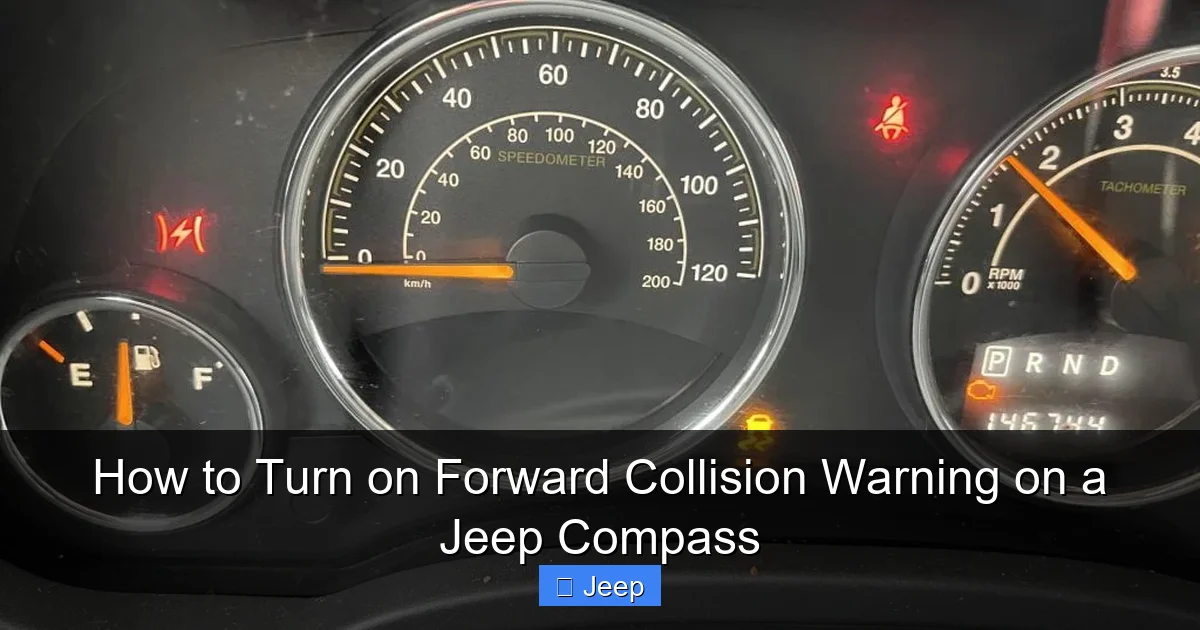
Visual guide about How to Turn on Forward Collision Warning on a Jeep Compass
Image source: vehiclers.com
For instance, a 2018 Compass with Uconnect 4 will have a different menu structure than a 2023 Compass with the latest Uconnect 5 system. Generally, FCW became standard or widely available on Compass models starting around the 2017-2018 redesign, but it’s always best to confirm by checking your vehicle’s specifications in the owner’s manual or window sticker. Look for terms like “Forward Collision Warning,” “Collision Mitigation,” or “Safety Group.”
The physical hardware is the radar sensor. You can’t see it, but it’s located in the center of the front grille, right behind the Jeep badge. This sensor emits radio waves that bounce off vehicles ahead. For it to work correctly, this area must be clean and undamaged. A cracked grille, a big layer of mud, or even a thick layer of snow can block the signal and cause the system to malfunction or shut off. This is why you might see a “FCW Disabled” or “Radar Obstructed” message on your dash after a rough off-road adventure or a heavy snowstorm.
Where to Find Your Vehicle’s Specific Information
The absolute best resource is your Jeep Compass owner’s manual. It has the definitive word on your vehicle’s capabilities and the exact menu paths. If you don’t have the physical book, Jeep often provides digital copies on their website. You can usually search by your VIN. Additionally, if your Compass is equipped with a Uconnect account, you might be able to access some settings remotely or find guides within the app’s support section. When in doubt, the manual is your friend.
Step-by-Step: How to Turn On Forward Collision Warning
Alright, let’s get to the heart of the matter. Turning on FCW is a process you complete through the Uconnect touchscreen. It’s not a physical button you press; it’s a setting you enable. Don’t worry; it’s straightforward. Grab your key fob, start your Compass, and let’s begin.
Visual guide about How to Turn on Forward Collision Warning on a Jeep Compass
Image source: carglassadvisor.com
Step 1: Power Up and Access the Main Menu
First, make sure your Compass is started. You don’t need to be moving; you can do this while parked. Press the “Start/Stop” button with your foot on the brake (if you have keyless entry) or turn the key. Wait for the Uconnect system to boot up fully. You should see the home screen with icons for Radio, Phone, Navigation, etc. Look for an icon that says “Settings” or a gear symbol. This is your gateway. Tap it.
Step 2: Navigate to the Driver Assistance Menu
Inside the Settings menu, you’ll see a list of categories. These might include “Display,” “Sound,” “Bluetooth,” and crucially, “Driver Assistance” or “Safety & Driver Assistance.” The name can vary. On older Uconnect systems, it might be under “Vehicle.” On newer ones, it’s often clearly labeled. Tap on the Driver Assistance option. This menu is where Jeep houses all its smart safety features, like Blind Spot Monitoring, Rear Cross Path Detection, and our friend, Forward Collision Warning.
Step 3: Locate and Enable Forward Collision Warning
Scroll through the Driver Assistance menu. You should see an entry for “Forward Collision Warning” or “FCW.” It might also be listed as “Forward Collision Warning with Active Braking” if your Compass has the braking feature. The setting will likely show as “Off” with a toggle switch next to it. Simply tap the toggle to switch it to “On.” You might get a brief pop-up message explaining what the system does. Read it if you like, then confirm. In some model years, FCW might be enabled by default when you start the car, but this setting ensures it’s active and not accidentally turned off.
Step 4: Confirm Activation and Check for Warnings
Once you toggle it on, exit back to the main screen. Start driving cautiously. After a few seconds, you should see a small icon appear on your instrument cluster behind the steering wheel. It often looks like a car with a star or lines emitting from it, or simply the letters “FCW.” This is your confirmation that the system is powered up and scanning. If you see a yellow or red warning light instead, like a car with an exclamation point or a message saying “FCW Unavailable,” that means there’s an issue. Don’t panic; we’ll cover troubleshooting in the next section. For now, if you see the normal FCW icon, you’re all set! Take a moment to test it gently. Find a safe, empty road or parking lot. Have a friend drive another car slowly ahead of you, or use a stationary object. As you approach, you should hear a beep and see a visual alert before you get too close. This confirms it’s working.
Model Year Variations to Be Aware Of
While the general process is the same, here are a few quirks:
- 2017-2018 Compass (Uconnect 4): The path is Settings > Vehicle > Forward Collision Warning.
- 2019-2022 Compass (Uconnect 4/4C): Often under Settings > Driver Assistance > Forward Collision Warning.
- 2023+ Compass (Uconnect 5): The menu is more graphical. Tap the “Apps” icon on the bottom bar, then “Settings,” then “Safety & Driver Assistance.” FCW is usually near the top.
If you can’t find it, your Compass might not be equipped with FCW. In that case, the menu option simply won’t exist. You can also check the vehicle’s build sheet or consult your dealer.
Customizing Your FCW Settings for the Best Experience
Great, FCW is on! But you’re not done. The system is designed to be adjustable because not every driver has the same following distance or reaction time. Jeep gives you control over how aggressive the warnings are. Let’s fine-tune it to match your driving style.
Visual guide about How to Turn on Forward Collision Warning on a Jeep Compass
Image source: vehiclers.com
Adjusting Alert Timing (Sensitivity)
Back in that same Forward Collision Warning menu, you’ll likely see an option for “Alert Sensitivity” or “Timing.” You usually have three choices:
- Late: The system waits until you’re very close to the vehicle ahead before alerting you. This is for drivers who prefer a larger buffer and find early alerts annoying on highways.
- Medium (or Normal): The factory default. A balanced approach that works for most drivers in mixed traffic.
- Early: The system is more cautious, alerting you at a greater distance. Ideal for stop-and-go traffic, new drivers, or those who want maximum warning time.
I recommend starting with “Medium.” Drive for a week. If you find the alerts are happening too late, making you slam on the brakes, switch to “Early.” If you feel like it’s beeping at you every time you approach a car on the highway because you’re maintaining a safe distance, try “Late.” Experiment safely. The goal is to have alerts that are helpful, not distracting.
Choosing Your Alert Type
Some Compass models also let you choose how the system gets your attention. In the same FCW settings menu, look for “Alert Type” or “Warning.” Options may include:
- Beep Only: A simple audible tone.
- Seat Vibration: The driver’s seat will pulse. This is great if you often drive with loud music or in a noisy cabin where a beep might get lost.
- Both: A combination of beep and vibration for maximum effectiveness.
If your Compass has this option, test both. See which one you notice more intuitively without causing a startle reaction. For many, the seat vibration is surprisingly effective and less startling than a sudden loud beep.
Understanding the Interaction with Other Systems
Your FCW doesn’t work in a vacuum. It’s part of an ecosystem. If your Compass has Adaptive Cruise Control (ACC), FCW is integral to its function—ACC uses the same radar. Also, FCW often works alongside Lane Departure Warning (LDW). In some models, if FCW is turned off, LDW might also be disabled, or vice versa. When you’re in the Driver Assistance menu, take a moment to glance at all the available features. You might see options for “Blind Spot Monitoring,” “Rear Cross Path Detection,” and “ParkSense.” Understanding what each icon means helps you manage your overall safety suite. If you ever need to turn off LDW for a specific reason, you’d do it in this same area. For guidance on managing similar systems in other vehicles, resources on how to turn off lane departure warning on a Honda Civic can offer a comparative perspective, though the menu locations will differ.
Troubleshooting: When Your FCW Isn’t Working Properly
So you followed all the steps, but the FCW icon isn’t lit on your dash, or you’re getting a warning message. Don’t assume it’s broken. There are several common, often simple, reasons for this. Let’s diagnose.
The Most Common Culprit: A Dirty or Obstructed Radar
This is number one by a mile. The radar sensor behind the front grille emblem needs a clear line of sight. Check for:
- Bug Splatter: A thick layer of dead insects can block the signal. Give the grille area a good wash.
- Snow and Ice: During winter, ice can build up behind the grille slats. Carefully clear it away. Avoid using hot water, which can crack plastic.
- Mud and Dirt: An off-road adventure or driving on a muddy road can coat the sensor. Rinse thoroughly with a low-pressure hose.
- Aftermarket Accessories: A large front license plate bracket, a bug deflector, or even a poorly fitted front bra can obstruct the radar. Remove or reposition it.
After cleaning, drive for a few minutes. The system often needs to recalibrate. If the warning clears, you’ve solved it.
Electronic Glitches and System Resets
Sometimes, the car’s computer just needs a refresh. If FCW was working and suddenly stopped without any physical obstruction:
- Power Cycle: Turn the vehicle completely off, remove the key (or press the start button twice without the brake), wait 2-3 minutes, then restart. This can reset the Uconnect module.
- Check Fuses: In rare cases, a blown fuse for the radar or Uconnect system can disable FCW. Consult your owner’s manual fuse box diagram. If you’re not comfortable, let a mechanic check.
- Software Updates: Jeep occasionally releases Uconnect software updates that fix bugs. Check with your dealer if your system is up-to-date.
When to Be Concerned: Persistent Warning Lights
If you see a persistent red or yellow FCW warning light, or a message like “FCW Unavailable—Service Required,” it’s time for professional help. This indicates a potential hardware failure—the radar sensor itself might be faulty, or there’s a wiring issue. A dealership technician has the diagnostic tools to read the system’s error codes and pinpoint the problem. They can also perform a calibration if the radar has been knocked out of alignment, which can happen after a front-end collision. Don’t ignore a persistent warning; your safety margin is reduced until it’s fixed.
Environmental Limitations
Remember, FCW has limits. It may not detect:
- Pedestrians or cyclists (unless your system specifically includes pedestrian detection).
- Vehicles cutting in very sharply from adjacent lanes.
- Objects that are very low to the ground, like a stalled car’s bumper.
- In heavy rain, snow, fog, or direct sunlight that blinds the radar.
This isn’t a bug; it’s a design limitation. FCW is an aid, not a replacement for your eyes and judgment. If the system seems “off” during a storm, it’s likely due to weather interference, not a malfunction.
FCW in the Context of Your Compass’s Full Safety Ecosystem
Activating FCW is a fantastic step, but it’s just one piece of your Compass’s protective shield. To truly maximize safety, it helps to understand how it interacts with other systems. Your Compass likely has a collection of features under a marketing name like “Jeep Active Safety Group” or simply listed as optional packages.
Lane Departure Warning (LDW): This uses a camera (usually behind the rearview mirror) to detect lane markings. If you drift out of your lane without signaling, it alerts you. Like FCW, it’s often customizable for sensitivity. You might find that both FCW and LDW are toggled in the same menu area. Some drivers choose to turn off LDW on very twisty roads where the camera gets confused, but keeping FCW on is almost always recommended. If you’re curious about how these systems are managed in other brands, guides on how to turn off lane departure warning on a Honda Civic can provide insight into the general concept of customizing these alerts, even if the steps are different.
Blind Spot Monitoring (BSM): This uses radar sensors on the rear bumper to detect vehicles in your blind spots. A small icon on your side mirror illuminates when a car is there. It’s a fantastic complement to FCW, covering the sides while FCW covers the front.
Rear Cross Path Detection (RCP): When backing up, this system warns you of traffic crossing behind you. It uses the same BSM sensors. It’s invaluable in parking lots.
Think of your safety suite as a team. FCW watches ahead. BSM watches the sides. RCP watches behind. When all are active and properly maintained, they create a significant safety net. It’s worth taking the time to learn what each icon on your dash means so you understand what the car is telling you in any given situation.
Conclusion: Making the Most of Your Compass’s Safety Tech
You’ve now got the knowledge to activate, customize, and care for the Forward Collision Warning system in your Jeep Compass. This isn’t just about following a few menu steps; it’s about embracing a technology designed to make every journey safer for you, your passengers, and everyone else on the road. The process is intentionally simple because Jeep wants you to use it. A quick tap in the Uconnect settings, a little cleaning of the grille now and then, and you have a vigilant co-pilot.
Remember, FCW is an assistant, not a chauffeur. It gives you warnings; you make the decisions. So keep your eyes on the road, your hands on the wheel, and your FCW system powered on and properly tuned. Take a moment today to check your settings. If you have a family who rides in your Compass, enabling this feature is a simple, profound act of care. Now, you’re not just driving a capable SUV; you’re driving a smarter, safer one. Enjoy the peace of mind that comes with that extra layer of protection on every trip, whether it’s a commute to work or a weekend adventure off the beaten path.
Frequently Asked Questions
What does the Forward Collision Warning light look like on my Jeep Compass dash?
It’s typically a small icon resembling a car with radiating lines or a star in front of it. It’s usually green or white when the system is active and scanning. If there’s a problem, it may turn yellow or red, often with an exclamation point.
Why isn’t my FCW activating even though I turned it on in the menu?
The most common reason is an obstructed radar sensor behind the front grille. Clean the area thoroughly. Also, FCW may automatically disable at very low speeds (below 5-10 mph) or if the system detects a fault. A simple vehicle restart can sometimes clear temporary glitches.
Can I permanently turn off FCW if I find the alerts annoying?
Yes, you can toggle it off through the Uconnect Driver Assistance menu. However, for safety, it’s generally recommended to keep it on. You can also adjust the sensitivity to “Late” to reduce the frequency of alerts while still maintaining some warning capability.
Does Forward Collision Warning work in heavy rain or snowstorms?
Its effectiveness is reduced in severe weather conditions. Heavy precipitation can interfere with the radar signal. The system may disengage itself and show a warning message if it detects poor conditions. Always rely on your own driving judgment in such weather.
How often should I clean the radar sensor behind the grille?
Incorporate it into your regular car wash routine, especially during seasons with lots of bugs or road salt. Inspect it visually every few weeks. If you notice the FCW icon flashing or a “Radar Obstructed” message, clean it immediately.
Is FCW the same as the system that automatically brakes for me?
Not exactly. FCW is the warning-only part. Some Jeep Compass models include “Active Braking” as an add-on to FCW, which can automatically apply the brakes if a collision is imminent and you don’t react. Check your owner’s manual to see if your specific vehicle has this capability.
