
How to Turn Off Front Radar Obstruction on a Nissan Armada

If your Nissan Armada shows a “Front Radar Obstruction” warning, don’t panic—it’s often a simple fix. This guide walks you through diagnosing the issue, cleaning the radar sensor, and resetting the system so your safety features work like new.
Key Takeaways
- Understand the cause: Dirt, snow, or debris blocking the front radar sensor triggers the warning.
- Locate the radar sensor: It’s usually behind the Nissan emblem on the grille or near the front bumper.
- Clean the sensor gently: Use a soft cloth and mild cleaner—avoid harsh chemicals or pressure washers.
- Check for physical damage: Cracks or misalignment can interfere with radar signals and require professional repair.
- Reset the system: Turn the ignition on and off, or use the vehicle’s menu to clear the warning.
- Test drive after cleaning: Drive at moderate speeds to allow the system to recalibrate automatically.
- Seek professional help if needed: Persistent warnings may indicate electrical or module issues requiring a technician.
📑 Table of Contents
- What Is Front Radar Obstruction in a Nissan Armada?
- Why Does the Front Radar Obstruction Warning Appear?
- How to Locate the Front Radar Sensor on a Nissan Armada
- Step-by-Step Guide to Cleaning the Front Radar Sensor
- How to Reset the Front Radar System
- When to Seek Professional Help
- Preventing Future Radar Obstruction
- Conclusion
What Is Front Radar Obstruction in a Nissan Armada?
If you’ve ever been driving your Nissan Armada and suddenly seen a warning light on the dashboard that says “Front Radar Obstruction” or “Radar Blocked,” you’re not alone. This message appears when the vehicle’s advanced driver-assistance systems (ADAS) detect that the front radar sensor isn’t functioning properly. The radar is a key part of features like Forward Emergency Braking, Intelligent Cruise Control, and Blind Spot Warning. When it’s blocked or malfunctioning, these safety systems may shut down or behave unpredictably.
The good news? In most cases, this issue isn’t serious. It’s usually caused by something simple—like dirt, ice, or snow covering the sensor. But ignoring it can compromise your safety and prevent important features from working when you need them most. That’s why knowing how to turn off front radar obstruction on a Nissan Armada is essential for every owner. Whether you’re dealing with winter grime or just a buildup of road film, this guide will help you get your Armada back to full functionality quickly and safely.
Why Does the Front Radar Obstruction Warning Appear?
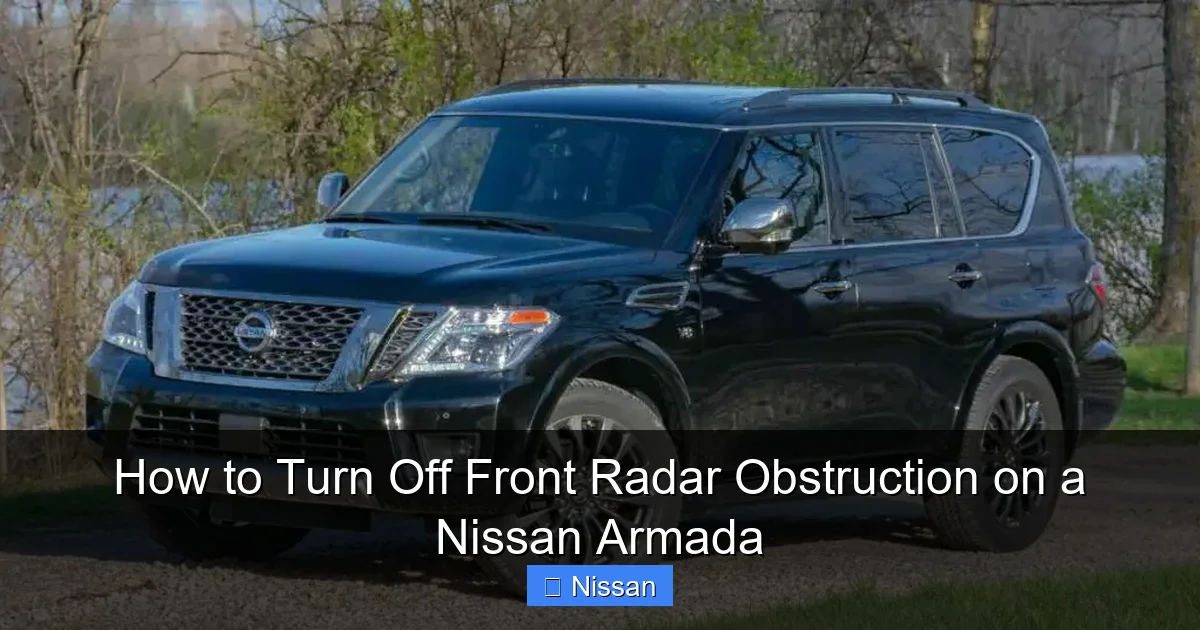
The “Front Radar Obstruction” warning isn’t random—it’s your vehicle’s way of telling you that the radar sensor can’t send or receive signals properly. This sensor uses radio waves to detect objects in front of your vehicle, measuring distance and speed to help with automatic braking and cruise control. When something interferes with those signals, the system triggers a warning to alert you.
Visual guide about How to Turn Off Front Radar Obstruction on a Nissan Armada
Image source: vehiclesauthority.com
Common Causes of Radar Obstruction
Several everyday factors can block the radar sensor. The most frequent culprit is dirt, mud, or grime building up on the front grille. Over time, road salt, bug splatter, and dust can coat the sensor area, especially if you drive on unpaved roads or in wet conditions. In colder climates, ice or snow accumulation is a major issue. Even a light dusting of snow can cover the sensor and trigger the warning.
Another common cause is aftermarket accessories. If you’ve installed a new grille, bull bar, or front license plate frame, it might be positioned too close to the radar sensor and interfere with its signal. Similarly, a damaged or misaligned grille—perhaps from a minor fender bender—can shift the sensor out of place. Even a loose Nissan emblem can cause problems, since the radar is often embedded behind it.
Less commonly, the issue could be electrical or software-related. A faulty radar module, damaged wiring, or a glitch in the vehicle’s computer system might cause persistent warnings even after cleaning. In these cases, a diagnostic scan tool is needed to pinpoint the problem.
How the Radar Sensor Works
To understand why obstruction matters, it helps to know how the radar system functions. The front radar sensor emits high-frequency radio waves that bounce off objects in front of the vehicle. By measuring the time it takes for the waves to return, the system calculates how far away an object is and how fast it’s moving. This data is used by features like:
- Intelligent Cruise Control: Maintains a set distance from the vehicle ahead.
- Forward Emergency Braking: Applies the brakes if a collision is imminent.
- Forward Collision Warning: Alerts you with sounds or lights if you’re too close.
- Blind Spot Monitoring: Some models use radar for side detection as well.
When the sensor is blocked, it can’t send or receive these signals accurately. The vehicle’s computer interprets this as a malfunction and disables the affected systems to prevent unsafe operation. That’s why you’ll see the warning light and may notice that cruise control or automatic braking no longer works.
How to Locate the Front Radar Sensor on a Nissan Armada
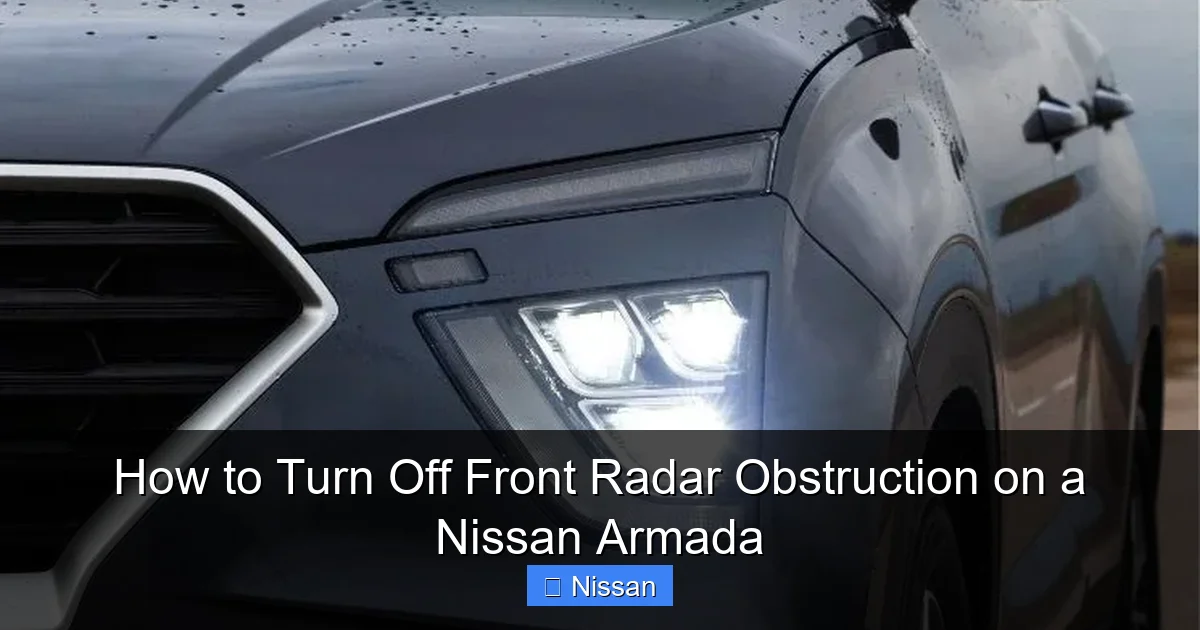
Before you can fix the problem, you need to know where the radar sensor is located. On most Nissan Armada models from 2017 onward, the front radar sensor is mounted behind the Nissan emblem on the front grille. This placement keeps it protected while still allowing it to scan the road ahead.
Visual guide about How to Turn Off Front Radar Obstruction on a Nissan Armada
Image source: nissannationpodcast.com
Step-by-Step Location Guide
To find the sensor, stand in front of your Armada and look at the center of the grille. You’ll see the iconic Nissan logo. The radar sensor is typically embedded just behind this emblem, often in a small rectangular or circular housing. It’s not always visible, but you can usually feel a slight depression or a different texture in that area.
On some trims, especially those with a more aggressive front fascia, the sensor might be located lower on the bumper, near the fog lights or air intake. If you’re unsure, consult your owner’s manual or look for a small, flat panel about the size of a credit card. Avoid touching or prying at the emblem unless you’re certain it’s removable—some are secured with clips and can break easily.
Tips for Accessing the Sensor
If you need to clean or inspect the sensor, you may need to remove the Nissan emblem. Here’s how:
- Check for clips: Most emblems are held in place by plastic clips. Use a trim removal tool or a flathead screwdriver wrapped in cloth to gently pry it off.
- Disconnect wiring (if applicable): Some emblems have integrated lighting or sensors. If yours does, disconnect the wiring harness before removing it.
- Store safely: Place the emblem in a clean, dry spot to avoid scratching or losing it.
Once the emblem is off, you’ll see the radar sensor housing. It’s usually a smooth, dark plastic surface. Avoid using sharp tools or abrasive materials—this surface must remain clean and unobstructed for the radar to work properly.
Step-by-Step Guide to Cleaning the Front Radar Sensor
Cleaning the radar sensor is often all it takes to resolve the “Front Radar Obstruction” warning. The process is simple, but it requires care to avoid damaging the sensor or its housing.
Visual guide about How to Turn Off Front Radar Obstruction on a Nissan Armada
Image source: nissannationpodcast.com
What You’ll Need
Gather these supplies before you begin:
- Soft microfiber cloth
- Mild soap (like dish soap) or isopropyl alcohol (70% or less)
- Lukewarm water
- Spray bottle (optional)
- Compressed air (optional, for dust removal)
Avoid using pressure washers, steam cleaners, or harsh chemicals like brake cleaner or acetone. These can damage the sensor’s surface or degrade the adhesive holding it in place.
Cleaning Process
Follow these steps to clean the sensor safely:
- Turn off the engine: For safety, make sure the vehicle is off and the key is removed or in the “off” position.
- Remove the emblem (if necessary): If the sensor is behind the Nissan logo, carefully remove it as described earlier.
- Brush off loose debris: Use a soft brush or compressed air to remove dust, leaves, or loose dirt.
- Prepare cleaning solution: Mix a few drops of mild soap with lukewarm water, or use isopropyl alcohol diluted with water (50/50).
- Spray or dab the solution: Lightly moisten your microfiber cloth—don’t spray directly onto the sensor.
- Gently wipe the surface: Use light, circular motions to clean the sensor. Don’t press hard—this isn’t a scrub job.
- Dry thoroughly: Use a dry part of the cloth to wipe away any moisture. Let it air dry for a few minutes.
- Reattach the emblem: Once dry, carefully snap the emblem back into place.
After cleaning, start the vehicle and check the dashboard. In many cases, the warning will disappear immediately. If it doesn’t, proceed to the next step: resetting the system.
Special Considerations for Winter Conditions
In cold weather, ice and snow are the biggest threats to radar functionality. If you live in a snowy area, make it a habit to check the front grille after every snowfall or freezing rain. Use a soft brush to remove snow, and avoid using hot water—it can cause cracking due to rapid temperature changes.
For icy buildup, let the vehicle warm up in a garage or use a de-icing spray designed for windshields. Never use a metal scraper or sharp object near the sensor. If ice is stubborn, gently pour lukewarm (not hot) water over the grille to melt it.
How to Reset the Front Radar System
Even after cleaning, the warning light may stay on because the vehicle’s computer hasn’t recognized that the obstruction is gone. Resetting the system tells the computer to recheck the sensor and clear the error.
Method 1: Ignition Cycle Reset
The simplest way to reset the system is to turn the ignition on and off. Here’s how:
- Turn the ignition to the “ON” position (but don’t start the engine).
- Wait 10–15 seconds.
- Turn the ignition back to “OFF.”
- Wait another 10–15 seconds.
- Start the engine and check the dashboard.
This process reboots the vehicle’s electronic control units (ECUs), including the one that monitors the radar sensor. In many cases, the warning will disappear after one or two cycles.
Method 2: Using the Vehicle Menu
Some Nissan Armada models allow you to reset ADAS warnings through the infotainment system. Here’s how:
- Turn on the ignition.
- Press the “Menu” or “Settings” button on the dashboard or touchscreen.
- Navigate to “Vehicle Settings” or “Driver Assistance.”
- Look for an option like “Reset ADAS” or “Clear Warnings.”
- Confirm the reset and wait for the system to complete.
Note: Not all trims have this feature. If you don’t see the option, use the ignition cycle method instead.
Method 3: Test Drive Recalibration
After cleaning and resetting, take your Armada for a short drive. Drive at speeds between 25–50 mph on a straight, clear road for 5–10 minutes. This allows the radar system to recalibrate and confirm that the sensor is working properly. During this time, avoid sudden braking or lane changes, as the system is learning.
If the warning returns during the drive, there may be a deeper issue—such as a damaged sensor or wiring problem—that requires professional diagnosis.
When to Seek Professional Help
While most front radar obstruction issues can be resolved at home, some problems require expert attention. If you’ve cleaned the sensor, reset the system, and driven the vehicle, but the warning persists, it’s time to visit a Nissan dealership or certified mechanic.
Signs You Need a Technician
Watch for these red flags:
- The warning light returns immediately after cleaning.
- You notice cracks, scratches, or discoloration on the sensor housing.
- The Nissan emblem or grille is loose or misaligned.
- Other ADAS features (like lane departure warning) are also malfunctioning.
- The vehicle’s computer shows error codes related to the radar module.
A technician can perform a diagnostic scan using specialized tools to read fault codes and test the radar sensor’s output. They can also check wiring harnesses, connectors, and the radar control module for damage.
Cost Considerations
The cost of professional repair varies. A simple cleaning or recalibration might be free under warranty or cost $50–$100. If the sensor needs replacement, expect to pay $300–$800, including parts and labor. Always ask for a detailed estimate before authorizing work.
Preventing Future Radar Obstruction
Once you’ve resolved the issue, take steps to prevent it from happening again. Regular maintenance and smart driving habits can keep your radar sensor clear and your safety systems active.
Maintenance Tips
Make radar care part of your routine:
- Wash the front grille weekly: Use a gentle car wash soap and soft sponge.
- Inspect after off-road trips: Mud and debris can hide in hard-to-reach areas.
- Check in winter: Clear snow and ice from the grille daily if needed.
- Avoid parking under trees: Sap, leaves, and bird droppings can accumulate on the sensor.
Driving Habits to Adopt
Your driving style can also impact sensor performance:
- Keep a safe following distance: This reduces the chance of debris hitting the grille.
- Avoid driving through deep puddles: Splash can coat the sensor with muddy water.
- Use cruise control wisely: Only engage it on clear, dry roads where the sensor can function properly.
Aftermarket Accessories to Avoid
Be cautious with modifications:
- Bull bars and grille guards: Choose models designed for radar-equipped vehicles.
- Front license plate frames: Ensure they don’t block the sensor area.
- Custom emblems: Stick to OEM or radar-compatible replacements.
Conclusion
Dealing with a “Front Radar Obstruction” warning on your Nissan Armada doesn’t have to be stressful. In most cases, it’s a simple matter of cleaning the sensor and resetting the system. By understanding how the radar works, where it’s located, and how to maintain it, you can keep your Armada’s advanced safety features running smoothly year-round.
Remember: regular cleaning, careful driving, and prompt attention to warnings are the keys to avoiding repeat issues. And if the problem persists, don’t hesitate to seek professional help. Your safety—and the safety of others on the road—depends on these systems working correctly. With the tips in this guide, you’re well-equipped to handle front radar obstruction like a pro.
Frequently Asked Questions
Why does my Nissan Armada keep saying “Front Radar Obstruction”?
This warning appears when dirt, snow, or debris blocks the radar sensor, usually located behind the front grille. It can also be triggered by a damaged sensor or electrical issue. Cleaning the sensor often resolves the problem.
Can I drive my Armada with a radar obstruction warning?
Yes, you can drive, but safety features like cruise control and automatic braking may not work. It’s best to fix the issue as soon as possible to restore full functionality.
How often should I clean the front radar sensor?
Clean it weekly during regular car washes, or more often if you drive in muddy, snowy, or dusty conditions. A quick wipe with a microfiber cloth is usually enough.
Will a car wash remove radar obstruction?
Standard car washes may help, but they often miss the sensor area. For best results, manually clean the sensor with a soft cloth and mild cleaner.
Can I disable the front radar system permanently?
No, you shouldn’t disable it. The radar is essential for safety features. If it’s malfunctioning, repair or replace it instead of turning it off.
Does the radar sensor need recalibration after cleaning?
Usually not. Most systems recalibrate automatically during a test drive. However, if you’ve replaced the sensor or grille, professional recalibration may be required.