
How to Turn Off Downhill Assist on a Toyota 4runner

Turning off downhill assist on your Toyota 4Runner gives you more control during steep descents, especially when off-roading or driving in low-traction conditions. This guide walks you through the process step by step, explains when it’s safe to disable the system, and offers expert tips for safer driving.
If you’re behind the wheel of a Toyota 4Runner, you’re driving one of the most capable and rugged SUVs on the market. Whether you’re navigating mountain trails, cruising through snowy backroads, or simply descending a steep driveway, the 4Runner is built to handle it. One of the key features that helps in these situations is the Downhill Assist Control (DAC) system. This electronic aid is designed to make steep descents safer and less stressful by automatically controlling your speed. But what if you want more control? What if you’re off-roading and need to manage your own throttle and braking? That’s when knowing how to turn off downhill assist on a Toyota 4Runner becomes essential.
The DAC system is a smart piece of engineering. It uses the vehicle’s anti-lock braking system (ABS) and electronic sensors to maintain a low, steady speed—usually between 2 to 5 mph—without you having to constantly press the brake pedal. This is especially helpful on icy, rocky, or uneven terrain where maintaining consistent pressure on the brake could lead to skidding or loss of control. However, there are times when full driver control is preferred. For example, if you’re crawling through deep mud, climbing over obstacles, or driving in deep snow, you might want to modulate the throttle yourself. In those cases, turning off DAC gives you the freedom to respond more dynamically to changing conditions.
In this guide, we’ll walk you through exactly how to turn off downhill assist on your Toyota 4Runner. We’ll cover the different methods depending on your model year, explain when it’s safe—and smart—to disable the system, and share practical tips from off-road enthusiasts and mechanics. Whether you’re a seasoned trail rider or a weekend adventurer, understanding this feature will help you get the most out of your 4Runner. Let’s dive in.
Key Takeaways
- Downhill Assist Control (DAC) helps manage speed on steep declines. It automatically applies brakes to maintain a low, steady speed without driver input.
- You can turn off DAC using the dashboard switch or button. The exact location varies slightly by model year and trim level.
- Disabling DAC is useful for off-roading, mud, snow, or when you need more throttle control. It allows for greater driver input and vehicle responsiveness.
- Always assess road conditions before turning off DAC. It’s safest to disable it only when necessary and reactivate it for controlled descents.
- The system may reactivate automatically after ignition cycles. Check the dashboard light to confirm DAC status before driving.
- Understanding your 4Runner’s 4WD system enhances DAC use. Low-range 4WD works best with DAC for technical terrain.
- Regular maintenance ensures DAC functions properly. Have your braking and electronic systems inspected during routine service.
📑 Table of Contents
What Is Downhill Assist Control (DAC)?
Before we get into how to turn off downhill assist on a Toyota 4Runner, it’s important to understand what this system actually does. Downhill Assist Control, or DAC, is an electronic driver aid designed to help you maintain a safe and controlled speed when driving down steep inclines. Think of it as a kind of “cruise control for downhill driving.” When activated, DAC automatically applies the brakes in short pulses to keep your vehicle moving at a slow, steady pace—typically between 2 and 5 miles per hour—without you needing to press the brake pedal.
This system is especially useful in situations where constant braking could cause wheel lockup, overheating, or loss of traction. For example, if you’re descending a snowy mountain road or navigating a rocky trail, your feet might get tired from holding the brake, and your brakes could overheat. DAC prevents that by doing the work for you. It uses data from wheel speed sensors, the ABS system, and the vehicle’s stability control to modulate braking force across all four wheels. The result? A smoother, safer descent with less driver fatigue.
DAC is standard on most 4Runner trims, especially those equipped with four-wheel drive (4WD). It’s often paired with other off-road features like Crawl Control and Multi-Terrain Select, which work together to give you maximum control in challenging environments. However, while DAC is helpful in many scenarios, it’s not always the best choice. In some off-road conditions—like deep mud, sand, or when you need to “walk” your vehicle over obstacles—having full throttle and brake control is more effective. That’s why Toyota designed the system to be easily turned on and off.
How DAC Works in Real-World Scenarios
Let’s say you’re driving down a steep, rocky trail in your 4Runner. The path is uneven, with loose gravel and large boulders. If you try to descend manually, you might accidentally brake too hard, causing the wheels to skid, or not brake enough, leading to a loss of control. With DAC engaged, the system takes over. It senses the steep angle and begins pulsing the brakes, keeping your speed low and steady. You can focus on steering and avoiding obstacles while the electronics handle the speed.
Another common use case is winter driving. Imagine descending a snow-covered hill in a residential area. Without DAC, you might pump the brakes to avoid locking the wheels, but that takes skill and can be tiring. With DAC, the system does the pumping for you, maintaining traction and preventing skids. It’s especially helpful for drivers who aren’t experienced with winter driving techniques.
But here’s the catch: DAC isn’t perfect for every situation. If you’re in deep mud, for instance, the system might interpret wheel slip as a loss of control and apply the brakes when you actually want to keep moving. Similarly, in sand, you often need to maintain momentum to avoid getting stuck. In those cases, turning off DAC allows you to manage your own speed and throttle input, giving you better control over the vehicle’s behavior.
Why You Might Want to Turn Off Downhill Assist
Visual guide about How to Turn Off Downhill Assist on a Toyota 4runner
Image source: i.ytimg.com
Now that you understand what DAC does, let’s talk about why you might want to disable it. While the system is helpful in many situations, there are times when having full control over your vehicle is more important than relying on electronics. Knowing when and how to turn off downhill assist on a Toyota 4Runner can make a big difference in your driving experience, especially if you spend time off the pavement.
One of the most common reasons to disable DAC is off-roading. When you’re crawling over rocks, navigating through mud, or driving in deep snow, you often need to modulate the throttle carefully. DAC is designed to maintain a constant low speed, but that can be counterproductive when you need to accelerate slightly to get over an obstacle or maintain momentum in slippery conditions. For example, if you’re stuck in mud and need to “rock” the vehicle back and forth, DAC might interfere by applying the brakes when you want to move forward. Turning it off gives you the freedom to control your speed manually.
Another scenario is driving in sand. Sand requires a different approach than rock or snow. To avoid getting stuck, you typically want to maintain a steady speed and avoid sudden braking or acceleration. DAC can be too aggressive in sand, pulsing the brakes and causing the vehicle to slow down too much. This can lead to getting bogged down. By turning off DAC, you can use gentle throttle inputs to keep moving smoothly.
Winter driving is another area where DAC might not always be ideal. While it’s great for controlled descents on icy roads, it can be less effective on packed snow or when you need to make quick adjustments. For instance, if you’re descending a hill and suddenly encounter a patch of ice followed by dry pavement, you might want to ease off the brake and let the vehicle accelerate slightly. DAC won’t allow that—it will keep braking to maintain its set speed. In such cases, manual control is safer and more responsive.
When to Keep DAC On
That said, DAC is a valuable tool, and you shouldn’t disable it all the time. There are plenty of situations where it shines. For example, if you’re driving down a long, steep mountain road with switchbacks, DAC can reduce brake wear and prevent overheating. It’s also helpful for drivers who are nervous about downhill driving or who have limited experience with off-road conditions.
DAC is especially useful in low-traction environments like ice, wet rock, or loose gravel. In these cases, the system’s ability to apply gentle, consistent braking helps prevent wheel spin and skidding. It’s also a great feature for towing. If you’re pulling a trailer down a steep grade, DAC can help manage the extra weight and reduce the strain on your brakes.
Ultimately, the decision to turn off downhill assist on a Toyota 4Runner comes down to the terrain, your driving style, and your comfort level. If you’re unsure, start with DAC on and only disable it if you feel the system is interfering with your control. As you gain experience, you’ll develop a better sense of when to use it and when to go manual.
How to Turn Off Downhill Assist on a Toyota 4Runner
Visual guide about How to Turn Off Downhill Assist on a Toyota 4runner
Image source: diycarexpert.com
Now for the main event: how to turn off downhill assist on a Toyota 4Runner. The process is straightforward, but it varies slightly depending on your model year and trim level. Most 4Runners from 2010 onward have a dedicated DAC button or switch, usually located on the dashboard or center console. Here’s a step-by-step guide to help you disable the system quickly and safely.
First, make sure your vehicle is in a safe, level area. You don’t want to be on a steep incline when you’re learning how to operate the controls. Start the engine and allow the vehicle to idle for a moment. This ensures all electronic systems are active and ready.
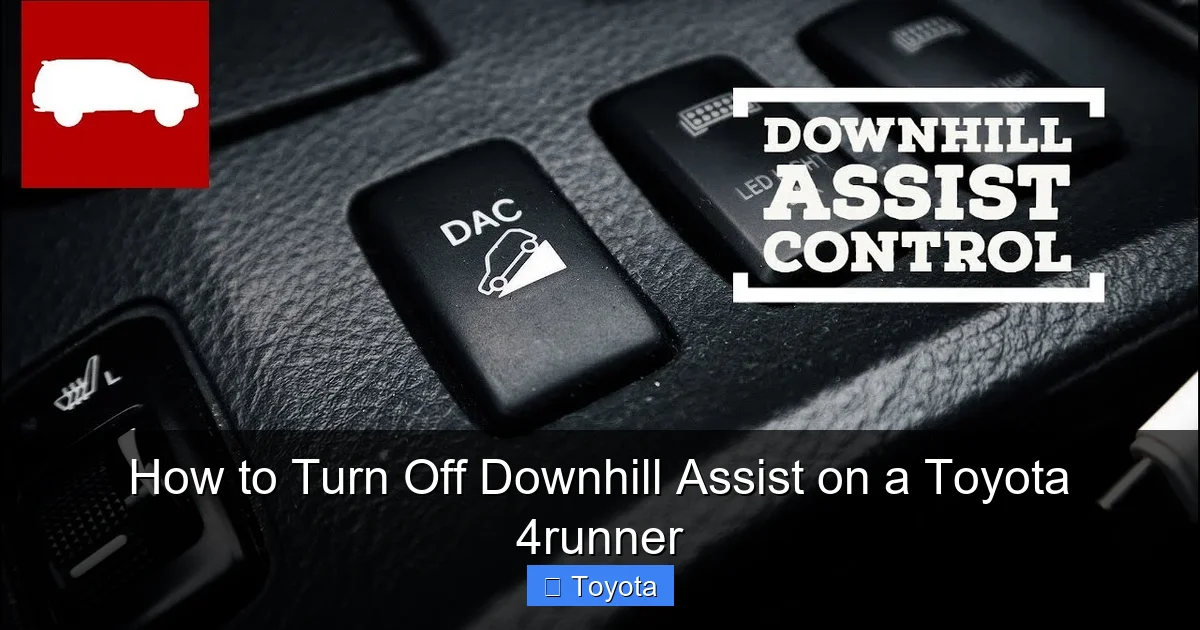
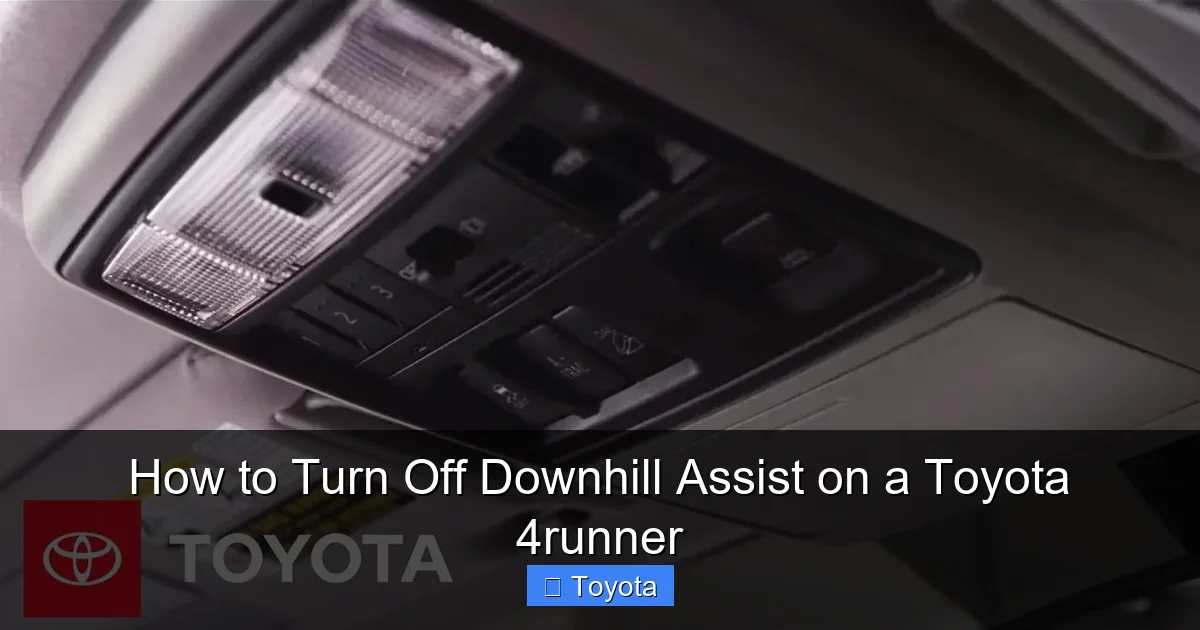
Next, locate the DAC button. On most 4Runners, you’ll find it on the center console, near the gear shifter or climate controls. It’s typically labeled “DAC” or “Downhill Assist.” Some models have a button with an icon that looks like a car going downhill. If you can’t find it, check your owner’s manual—Toyota often includes a diagram of the dashboard and controls.
Once you’ve found the button, press it once. You should see a light on the dashboard turn off. This indicates that DAC has been disabled. On some models, the light will flash briefly before turning off, which is normal. If the light remains on, press the button again to ensure it’s fully deactivated.
Alternative Methods for Older or Different Models
If your 4Runner doesn’t have a physical DAC button, don’t worry—there may still be a way to turn it off. Some older models or base trims require you to use the vehicle’s multi-information display (MID) or settings menu. To access this, press the “Menu” or “Info” button on your steering wheel or dashboard. Navigate to the “Vehicle Settings” or “Driver Assist” section. Look for an option labeled “Downhill Assist” or “DAC.” From there, you can toggle it off.
Another method involves using the 4WD system. On some 4Runners, DAC is automatically disabled when you shift into 2WD or high-range 4WD. However, this isn’t always reliable, so it’s best to use the dedicated button if available. Also, keep in mind that turning off 4WD reduces traction and should only be done on dry, paved roads.
Confirming DAC Is Off
After disabling DAC, it’s important to confirm it’s actually off. The easiest way is to check the dashboard light. If the DAC indicator is no longer illuminated, the system is disabled. You can also test it by driving down a gentle slope. Without DAC, you’ll need to use the brake pedal to control your speed. If the vehicle accelerates freely and doesn’t slow down on its own, DAC is off.
One common mistake is assuming DAC is off when it’s still active. This can lead to confusion, especially if you’re expecting manual control. Always double-check the dashboard light before heading into challenging terrain.
Tips for Safe Driving Without Downhill Assist
Visual guide about How to Turn Off Downhill Assist on a Toyota 4runner
Image source: m.media-amazon.com
Turning off downhill assist on a Toyota 4Runner gives you more control, but it also increases your responsibility as a driver. Without the electronic aid, you’ll need to manage your speed manually using the brake and throttle. Here are some tips to help you stay safe when driving without DAC.
First, use engine braking whenever possible. On steep descents, shift into a lower gear (like “L” or “2” on the gear selector) to let the engine slow the vehicle. This reduces wear on your brakes and gives you more consistent control. Engine braking is especially effective in 4WD Low, where the gear reduction provides even more resistance.
Second, avoid riding the brake. Constant pressure on the brake pedal can cause overheating, which leads to brake fade—a dangerous condition where the brakes lose effectiveness. Instead, use short, firm applications of the brake, followed by brief periods of coasting. This technique, known as “pump braking,” helps maintain brake temperature and performance.
Third, keep your speed low. Even without DAC, you should descend steep hills slowly. A good rule of thumb is to keep your speed under 10 mph on technical terrain. This gives you time to react to obstacles and reduces the risk of losing control.
Fourth, stay focused on the path ahead. Without DAC, you’ll need to pay close attention to the terrain and adjust your speed accordingly. Look for smooth lines, avoid sudden turns, and anticipate changes in slope or surface conditions.
Finally, know when to reactivate DAC. If you’re on a long, steep descent and your brakes are getting hot, it’s smart to turn DAC back on. The system can help cool the brakes by reducing the need for constant pedal input. You can always disable it again when conditions change.
Common Mistakes and Troubleshooting
Even experienced drivers can make mistakes when dealing with DAC. Here are some common pitfalls and how to avoid them.
One mistake is forgetting to turn DAC back on after off-roading. Many drivers disable it for a trail run and then forget to reactivate it for the drive home. This can be dangerous on highways or steep roads where controlled descent is important. Make it a habit to check the DAC status before every trip.
Another issue is assuming DAC works in all conditions. While it’s great for snow and rock, it’s not designed for sand or mud. Using DAC in these environments can actually make things worse by slowing you down too much. Always assess the terrain before deciding whether to use the system.
Some drivers also confuse DAC with Crawl Control. While both are off-road aids, they serve different purposes. Crawl Control manages both speed and throttle, acting like an automatic transmission for off-roading. DAC only controls braking. Don’t assume one replaces the other.
If you press the DAC button and nothing happens, check your 4WD mode. DAC only works in 4WD Low. If you’re in 2WD or 4WD High, the system won’t activate—and the button may not respond. Shift into 4WD Low and try again.
Finally, if the DAC light stays on even after you press the button, there may be a system fault. This could be due to a sensor issue, low brake fluid, or a problem with the ABS. Have your vehicle inspected by a qualified technician if the light won’t turn off.
Conclusion
Knowing how to turn off downhill assist on a Toyota 4Runner is a valuable skill for any driver, especially those who venture off the beaten path. While DAC is a helpful tool for managing speed on steep descents, there are times when full driver control is better. Whether you’re navigating mud, sand, snow, or rocky trails, being able to disable DAC gives you the flexibility to respond to changing conditions.
The process is simple: locate the DAC button, press it to turn the system off, and confirm the dashboard light is extinguished. Always assess the terrain before deciding whether to use DAC, and remember to reactivate it when needed. With practice, you’ll learn when to rely on electronics and when to take control yourself.
Your 4Runner is built for adventure, and understanding its features—like Downhill Assist Control—helps you get the most out of every journey. So the next time you’re heading down a steep hill, you’ll know exactly what to do.
Frequently Asked Questions
Can I drive my 4Runner without downhill assist?
Yes, you can safely drive your 4Runner without downhill assist. The system is an aid, not a requirement. Many drivers disable it for off-roading or when they prefer manual control.
Does turning off DAC affect other systems?
No, turning off DAC only disables the downhill speed control. It does not affect ABS, traction control, or 4WD functionality. Other safety systems remain active.
Will DAC turn back on automatically?
Yes, in most cases, DAC will reactivate after you restart the vehicle. Always check the dashboard light to confirm its status before driving.
Is it safe to turn off DAC in the snow?
It can be, depending on conditions. DAC helps on icy descents, but in deep snow, manual control may be better. Use your judgment and reactivate DAC if needed.
Why won’t my DAC button work?
The DAC button only works in 4WD Low. If you’re in 2WD or 4WD High, the system won’t activate. Shift into 4WD Low and try again.
Can I disable DAC permanently?
There’s no factory setting to disable DAC permanently. You must turn it off manually each time. Some aftermarket modules claim to do this, but they may void your warranty.
