
How to Reset the Maintenance Required Light on a Toyota Camry

Contents
- 1 Key Takeaways
- 2 📑 Table of Contents
- 3 Understanding Your Camry’s Maintenance Required Light System
- 4 Preparing to Reset Your Camry’s Light
- 5 Reset Procedures for Different Camry Generations
- 6 Troubleshooting: When the Reset Won’t Work or the Light Returns
- 7 Beyond the Reset: Essential Maintenance Practices for Your Camry
- 8 Conclusion: A Simple Act of Care
- 9 Frequently Asked Questions

Windshield Washer Fluid

Side Window Sunshade

Anti-Slip Dashboard Mat

LED Indicator Light
The maintenance required light on your Toyota Camry is a helpful reminder for scheduled service, not a warning of immediate danger. You can typically reset it yourself after completing the necessary maintenance like an oil change. The process varies slightly by model year, often using the odometer button or a menu on the digital display. Always address the underlying service need before resetting the light to keep your Camry running reliably.
That little wrench icon glowing on your Toyota Camry’s dashboard can be a nuisance. You know you just changed the oil, so why is it still there? Don’t worry, you’re not alone. This common little light is simply your car’s way of saying, “Hey, it’s time for our check-up!” But once you’ve actually done the work—the oil change, the tire rotation, the filter swap—it’s perfectly reasonable to want to turn that reminder off yourself. Resetting the maintenance required light on a Toyota Camry is a straightforward DIY task that saves you a trip to the dealer. The process is different depending on your Camry’s model year, but it’s almost always something you can do in under a minute from the driver’s seat. This guide will walk you through every method, for every generation, so you can silence that wrench and get back to enjoying your smooth, reliable ride.
First, let’s get one critical thing straight: you should never reset this light without first performing the required maintenance. That wrench is your friend. It’s based on a complex algorithm that tracks your driving conditions, engine revolutions, and mileage to determine when your engine oil and other components are most likely needing service. Ignoring it or faking a reset is like ignoring your own “check-up” reminder—it might seem fine for a while, but problems can build up unseen. So, before you touch any buttons, make sure you’ve actually completed the service your owner’s manual calls for at that interval. Once that’s done, grab your key fob, sit in the driver’s seat, and let’s get that light off.
Key Takeaways
- The light is a mileage-based reminder: It illuminates after a set distance (usually 5,000 miles) since the last reset, signaling it’s time for routine maintenance like an oil change or tire rotation.
- Always perform the required service first: Resetting the light without doing the actual maintenance is unsafe and can lead to engine damage or void warranties. The light is a tool for your vehicle’s health.
- The reset method depends on your Camry’s generation: Older models (pre-2012) use a physical odometer button trick, while newer models (2012+) use the steering wheel controls or menu system on the multi-information display.
- A “Check Engine” light is different: The maintenance required light (usually a wrench icon) is separate from the check engine light (usually an engine icon). Do not confuse the two; the check engine light requires a diagnostic scan.
- If the light returns quickly, investigate further: A reset that won’t stay off often indicates the maintenance wasn’t completed properly, a sensor issue, or a more serious problem that needs a professional mechanic.
📑 Table of Contents
- Understanding Your Camry’s Maintenance Required Light System
- Preparing to Reset Your Camry’s Light
- Reset Procedures for Different Camry Generations
- Troubleshooting: When the Reset Won’t Work or the Light Returns
- Beyond the Reset: Essential Maintenance Practices for Your Camry
- Conclusion: A Simple Act of Care
Understanding Your Camry’s Maintenance Required Light System
Before we dive into button-pushing, it helps to understand what you’re dealing with. The maintenance required light (often called the “service reminder indicator”) is not an “idiot light” that comes on for a single, specific problem. It’s a sophisticated, software-driven timer. Toyota’s system, sometimes called the “Maintenance Required” or “Service Required” system, counts down from a preset mileage or time interval—commonly 5,000 miles or 6 months—after you or a technician last reset it.
How It Knows When to Illuminate
The system doesn’t just count miles. It monitors engine operating conditions. Severe driving (short trips, extreme temperatures, dusty conditions) can cause the light to come on sooner because the engine oil degrades faster. Conversely, consistent highway driving might allow for slightly longer intervals. This is why the manual provides both a time and mileage interval. The light will flash for a few seconds when you start the car once the service interval is due, and then it will stay solid until you reset it after completing the work.
Not to Be Confused With the Check Engine Light
This is a crucial distinction. The maintenance required light is a scheduled service reminder. The check engine light (usually an outline of an engine) is an emissions or engine fault warning. The check engine light comes on when the car’s computer detects a problem with the engine, transmission, or emissions system—like a loose gas cap, a failing oxygen sensor, or a misfire. Resetting a check engine light without fixing the problem is illegal in many places and will cause the light to return almost immediately. The maintenance light reset is a simple acknowledgment that service was performed. If your check engine light is on, you need to use a diagnostic scanner to read and address the trouble codes first.
Preparing to Reset Your Camry’s Light
Getting ready is simple, but a few checks will ensure a smooth process.
Visual guide about How to Reset the Maintenance Required Light on a Toyota Camry
Image source: wikihow.com
- Complete the Service: This is non-negotiable. At a minimum, this is an oil and filter change. Check your owner’s manual for the specific “B” or “A” service codes for your model year and mileage. It may also include tire rotation, brake inspection, fluid top-offs, etc.
- Gather Your Tools: For all methods, you only need your Camry’s key fob. For some older models, you might need a pen and paper to note the trip meter reading.
- Position the Car: Park your Camry on a level surface. Start the engine and let it idle for about 30 seconds to ensure all systems are powered and the computer is awake. You can also perform this with the ignition in the “ON” position (all dash lights on, engine off) for most methods.
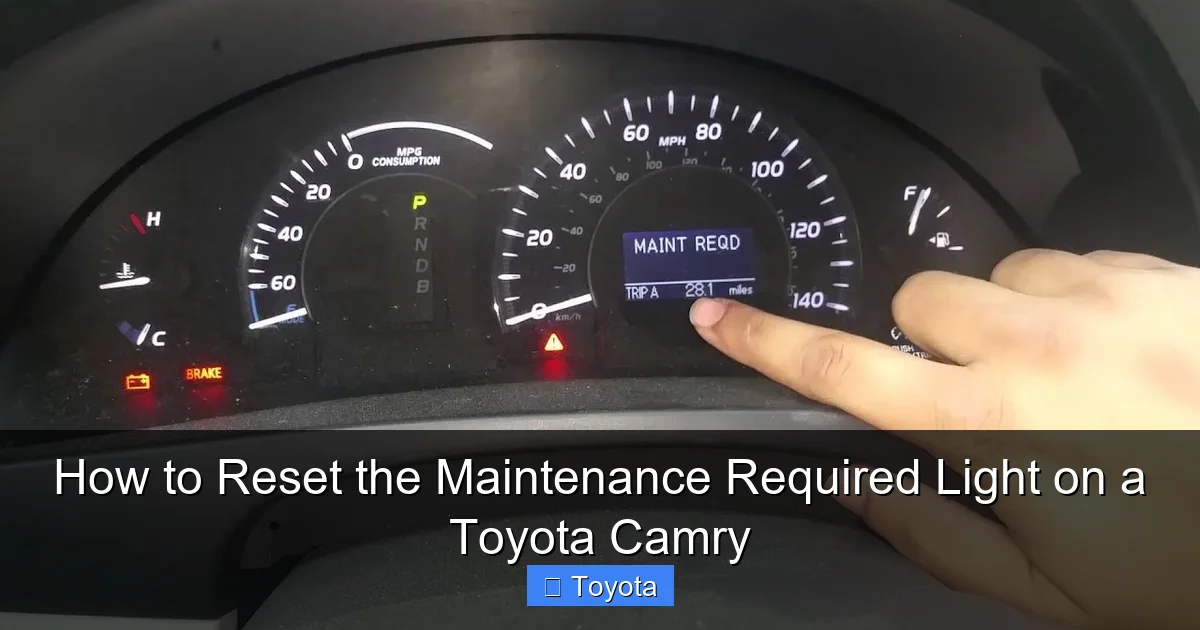
- Know Your Model Year: The reset procedure changed dramatically around the 2012 model year with the introduction of the digital multi-information display. Identify your approximate generation to follow the correct steps. A quick visual cue: Does your Camry have a large, single analog speedometer with a small digital screen in the center (pre-2012), or a full digital display behind the steering wheel (2012+)?
Reset Procedures for Different Camry Generations
Here is the breakdown. Find your Camry’s era and follow the steps carefully.

Visual guide about How to Reset the Maintenance Required Light on a Toyota Camry
Image source: i.ytimg.com
For 2007-2011 Toyota Camry (XV40 Generation)
These models use a classic “trip meter” button sequence. It feels a bit like a secret code, but it’s easy.
- Turn the ignition to the “ON” position (all dash lights on, engine off). Do not start the engine.
- Press the “ODO/TRIP” button on the instrument cluster until the odometer display shows the total odometer reading, not a trip meter (A or B).
- Turn the ignition key to the “OFF” position.
- Now, press and hold the “ODO/TRIP” button down.
- While continuing to hold the button, turn the ignition key back to the “ON” position (do not start).
- Continue holding the button. The odometer display will show dashes “—–” that count down for about 5-7 seconds.
- Release the button. The maintenance required light should blink a few times and then go out. The odometer will return to its normal reading.
Pro Tip: If it doesn’t work the first time, repeat the sequence. Ensure you start from the total odometer screen and that you hold the button through the entire key cycle.
For 2012-2017 Toyota Camry (XV50 Generation)
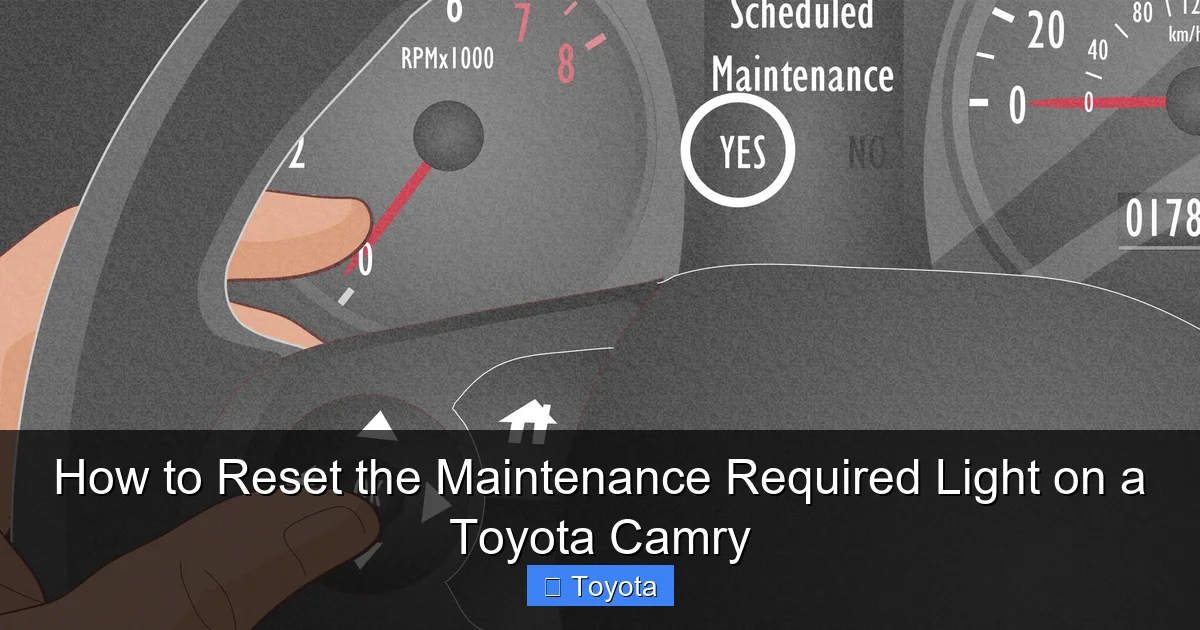
These models use the steering wheel-mounted “Menu” buttons to access the service reset menu on the digital display.
- Turn the ignition to the “ON” position (engine off or on).
- Use the “MENU” button on the right side of the steering wheel to navigate the display on the instrument cluster.
- Scroll through the menu until you see “SETTINGS” and press the “ENTER” button (the center button on the steering wheel).
- In Settings, scroll to find “MAINTENANCE” or “MAINTENANCE REQUIRED” and press ENTER.
- You should see a screen showing the next service mileage. Select “SET” or “RESET” using the menu buttons.
- The system will ask you to confirm. Select “YES” or “DONE.” The wrench icon should disappear, and the display will show the new service interval (e.g., “5000 MILES”).
If your 2012-2017 Camry has a slightly different menu structure, look for “Vehicle Settings” or a wrench icon directly in the main menu. The process is very similar to resetting the trip meter on later models, just navigating to a different submenu.
For 2018-2024 Toyota Camry (XV70 Generation)
The latest generations have a refined menu system but the same core steps. The process is identical whether you have the standard or hybrid model.
- With the car in “ON” mode (engine running or off), press the “MENU” button on the steering wheel.
- Navigate to the “SETTINGS” menu and select it.
- Scroll down to “MAINTENANCE” or “VEHICLE MAINTENANCE”.
- You will see options for “Oil” and “Other.” Select “Oil” if you just changed the oil, or “Other” for a general reset. For a standard oil change reset, choose “Oil.”
- Select “SET” or “RESET”.
- A confirmation screen will appear. Select “YES” to confirm. The wrench light will go out, and the display will show the new mileage until next service.
Note: Some 2022+ models with the 12.3-inch digital display may have the maintenance reset under “Vehicle” -> “Maintenance” in the central touchscreen infotainment system. Consult your owner’s manual for the exact path if the steering wheel method doesn’t reveal it.
Troubleshooting: When the Reset Won’t Work or the Light Returns
So you followed the steps perfectly, but the wrench is still glaring at you. Don’t panic. Here’s what to check.

Visual guide about How to Reset the Maintenance Required Light on a Toyota Camry
Image source: i.ytimg.com
Common Reasons for a Failed Reset
- Incorrect Starting Point: For older models, you must start from the total odometer screen, not trip A or B. Double-check this.
- Ignition Sequence Error: The key cycle (OFF -> hold button -> ON) must be precise. Try it again slowly.
- Service Not Fully Completed: Did the technician forget to reset it? If you had a shop do the work, they should have reset it. Call them. If you did it yourself, ensure the oil was filled to the correct level. An oil pressure switch issue can sometimes prevent the reset.
- Faulty Sensor or System Glitch: Rarely, the maintenance reminder module or a sensor can fail. A persistent light after multiple correct reset attempts needs professional diagnosis.
If the Light Comes Back Immediately or Very Soon
This is a red flag. It means the computer is still detecting a condition that triggers the reminder. Possible causes include:
- The oil level is critically low.
- The oil quality sensor (if equipped) is detecting degraded oil.
- The service was not done correctly (e.g., filter not changed, wrong oil type).
- There is an underlying electrical issue.
In this case, do not keep resetting it. Check your oil level with the dipstick. If it’s fine, take your Camry to a trusted mechanic. They can use a professional scan tool to see what specific parameter is causing the light to trigger and check for any related fault codes. This is similar to diagnosing a stubborn airbag light, which also requires a scan tool if the underlying issue isn’t a simple reset.
Beyond the Reset: Essential Maintenance Practices for Your Camry
Resetting the light is the final step, not the first. Treating the symptom without the cure is how major repairs happen. Here’s what the light is truly reminding you to do, based on Toyota’s recommended service intervals.
The Standard “B” Service (Most Common)
This is the service that usually triggers the light every 5,000 miles. It includes:
- Oil and filter change (synthetic oil is standard for modern Camrys).
- Tire rotation and pressure check.
- Multi-point inspection: brakes, fluid levels, belts, hoses, and battery.
- Brake fluid check/replacement (often every 2 years).
The More Involved “A” and “C” Services
As your Camry ages, the intervals expand. The “A” service is a basic oil change and inspection every 5,000 miles. The “B” service is more comprehensive every 10,000 miles. Later, “C” and “D” services include major items like spark plugs, transmission fluid, coolant, and timing belt/chain inspections (though Camrys typically use a timing chain). Your owner’s manual has a detailed mileage-based chart. Following it religiously is why Camrys can easily surpass 300,000 miles.
Keeping Your Own Records
Even with the digital reminder, keep a physical or digital log of all services—date, mileage, what was done, and where. This is invaluable for your own knowledge and dramatically increases your car’s resale value. A well-documented maintenance history is a Camry’s best selling point.
Conclusion: A Simple Act of Care
Resetting the maintenance required light on your Toyota Camry is a empowering little DIY task. It connects you to your vehicle and reinforces the habit of regular service. Remember the golden rule: service first, reset second. By understanding your car’s reminder system, identifying your model year, and following the precise steps—whether it’s the button sequence for a 2010 model or the menu dive for a 2023—you take control of your Camry’s upkeep. That glowing wrench doesn’t have to be an annoyance; it’s a helpful prompt from your car, asking for the care it deserves. A few minutes of your time to reset it properly after good work is all it takes to keep that reliable Camry humming down the road for years to come. If you ever feel unsure, your owner’s manual is the ultimate authority, and a quick call to your dealer’s service department can clarify any step.
Frequently Asked Questions
Will the light reset itself if I just drive enough miles?
No. The maintenance required light is a manual reset system. It will stay illuminated indefinitely after the service interval is reached until you or a technician actively resets it through the vehicle’s menu or button sequence. Driving more miles will not turn it off.
Can I reset the light without changing the oil to make it go away temporarily?
Technically, yes, you can perform the reset steps without doing the work. However, this is strongly discouraged. You are then driving a car that needs critical service with a false sense of security. You risk severe engine damage and will likely fail to get the true reminder when the oil actually does degrade, creating a dangerous gap in maintenance.
My Camry has a “Check Engine” light on, not the wrench light. Can I still use these steps?
No. These steps are only for the maintenance required (wrench) light. A check engine light (engine icon) indicates a diagnosed problem with the engine or emissions system. It requires a professional scan tool to read the trouble codes and address the underlying issue before it can be cleared. Resetting a check engine light without repair is temporary and often illegal.
I reset the light, but it came back on after only 1,000 miles. What’s wrong?
This is not normal and indicates a problem. First, check your engine oil level immediately with the dipstick. If it’s low, top it off. If the level is fine, the light may be triggered by a faulty oil level/pressure sensor, an issue with the maintenance reminder module itself, or the service may not have been completed correctly (e.g., wrong oil filter, low oil). Have a mechanic diagnose the system with a scan tool.
Do I need any special tools or a diagnostic scanner to reset this light?
For the methods described in this guide, no tools are needed. The reset is done using the vehicle’s own buttons and ignition. A diagnostic scanner is only required for the check engine light or if the maintenance light will not reset through the standard procedure, indicating a deeper electronic issue.
I have a 2015 Camry and followed the steps, but only get “—” on the screen and the light stays on. Help!
On some 2012-2017 models, the reset path is slightly different. Instead of “Maintenance,” try navigating to “Settings” -> “Vehicle Settings” -> “Maintenance” -> “Oil” -> “Set.” If that fails, consult your specific owner’s manual’s index for “maintenance reset” or “service reminder.” The exact menu wording can vary by trim level and software version. If the manual doesn’t help, a quick YouTube search for “2015 Toyota Camry maintenance light reset” can provide a visual guide.







