
How to Reset the Check Hybrid System on a Toyota Prius

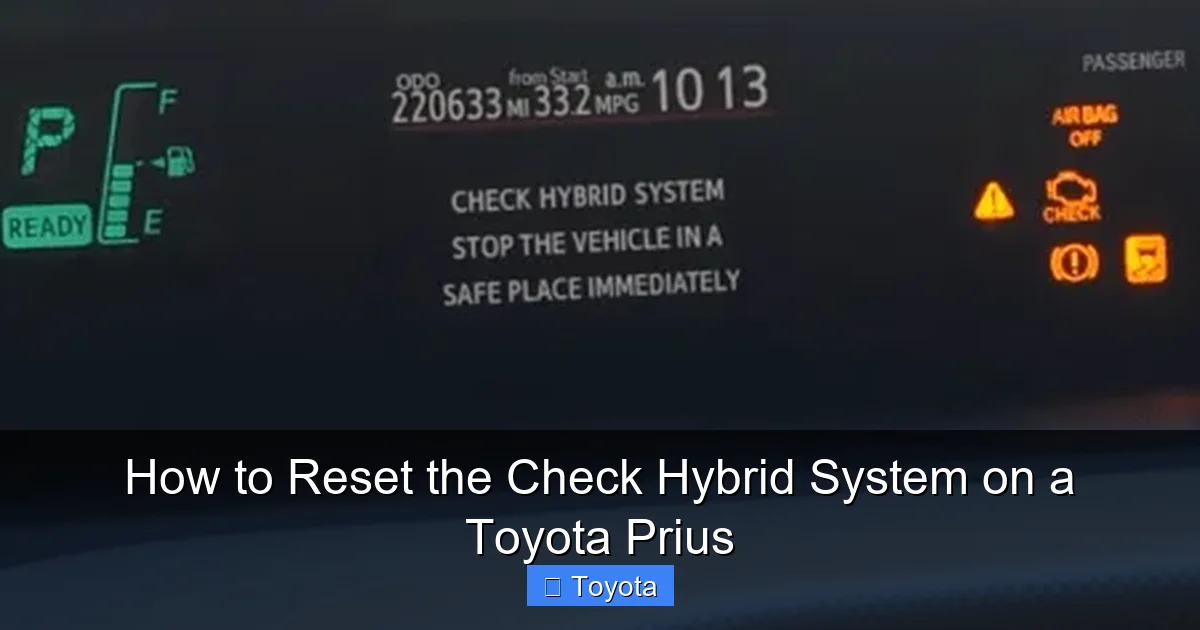
Seeing the “Check Hybrid System” warning on your Prius dashboard can be alarming, but it doesn’t always mean a major repair. This warning indicates the car’s computer has detected an issue with the hybrid powertrain. Often, a simple system reset after addressing a minor problem or a temporary glitch can clear the light. This guide provides detailed, safe methods to attempt a reset, crucial precautions, and clear guidance on when the problem requires a professional technician with specialized hybrid vehicle knowledge.
That familiar, slightly unsettling moment: you start your Toyota Prius, and instead of the usual clean dashboard, a bright yellow triangle with an exclamation point and the words “CHECK HYBRID SYSTEM” are glaring back at you. Your heart might skip a beat. Is my hybrid battery dead? Is the car unsafe? How much is this going to cost? Take a deep breath. While this warning should never be ignored, it is not always a catastrophic failure. Often, it’s the car’s sophisticated computer system alerting you to a minor glitch, a sensor that needs cleaning, or a problem that was already fixed but the warning needs to be manually cleared. This comprehensive guide will walk you through understanding the warning, the safe and correct procedures to attempt a reset, and, most importantly, knowing when it’s time to call in the hybrid experts.
Key Takeaways
- The warning is a signal, not a diagnosis: The “Check Hybrid System” light means the Hybrid Vehicle Control System (HVCS) has logged a fault. Resetting clears the stored code but does not fix the underlying mechanical or electrical problem that triggered it.
- Safety is paramount with high-voltage systems: The Prius hybrid battery operates at over 200 volts. Never attempt to service orange-high voltage components. Incorrect handling can cause severe injury or death.
- A true reset often requires a scan tool: While a battery disconnect can sometimes clear the light, a proper reset usually needs an OBD2 scanner capable of accessing the hybrid-specific control modules and clearing Diagnostic Trouble Codes (DTCs).
- Address the cause before resetting: Resetting a persistent warning without fixing the root cause is ineffective and dangerous. The light will return, and you may be driving with a serious, unrecognized fault.
- Not all warnings are equal: A steady light may indicate a less urgent issue, while a flashing warning light or a complete loss of power requires immediate, safe shutdown and professional towing.
📑 Table of Contents
- Understanding the “Check Hybrid System” Warning
- Essential Precautions Before You Begin
- Method 1: The 12-Volt Battery Disconnect Reset
- Method 2: Using an OBD2 Scanner with Hybrid Capabilities
- Post-Reset: What to Do Next
- When a Reset is NOT Enough: Signs of a Serious Problem
- Conclusion: A Reset is a Diagnostic Step, Not a Cure
Understanding the “Check Hybrid System” Warning
Before we touch any wrenches or scan tools, we need to understand what this warning truly means. Your Prius is not a conventional car. It’s a complex ballet of a gasoline engine, one or two electric motor-generators, a high-voltage hybrid battery pack, and a myriad of sensors and computers all managed by the Hybrid Vehicle Control System (HVCS).
What Triggers the Warning?
The HVCS constantly monitors dozens of parameters: voltage from each hybrid battery cell, temperatures throughout the system, the state of charge, motor speeds, and communication between modules. When any sensor reads out of its specified range, or if a component fails to respond, the system logs a Diagnostic Trouble Code (DTC) and illuminates the check hybrid system warning. Common, less severe triggers include:
- A loose or corroded 12-volt battery terminal: The 12V battery powers all the car’s computers. A voltage drop can cause communication errors between the HVCS and other modules, falsely triggering the hybrid warning.
- A faulty sensor: Sensors monitoring hybrid battery temperature or coolant flow can fail or give erratic readings.
- A temporary glitch: Like any computer, the car’s main computers can have a momentary software hiccup, especially after a jump-start or a deep battery discharge.
- An issue already repaired: If you recently had hybrid system work done, the technician may have forgotten to clear the stored code.
More serious triggers involve the actual high-voltage components: failing hybrid battery cells, a malfunctioning inverter, or problems with the motor-generators. These require immediate professional attention.
Warning Light Variations: Steady vs. Flashing
Pay close attention to how the warning behaves. A steady, yellow “Check Hybrid System” light generally indicates a non-urgent fault that should be diagnosed soon. However, if the light is flashing, or if it’s accompanied by a red triangle or a complete loss of power and the car won’t move (often called “limp mode”), this signals a critical, potentially dangerous failure in the high-voltage system. In this case, do not attempt to drive the vehicle. Safely move it to the side of the road, turn it off, and call for professional roadside assistance and towing.
Essential Precautions Before You Begin
Working on a hybrid vehicle demands respect for its high-voltage (HV) system. The main hybrid battery pack operates at 200-274 volts DC—enough to be lethal. Follow these rules absolutely:
Visual guide about How to Reset the Check Hybrid System on a Toyota Prius
Image source: mechanicask.com
1. Never Touch High-Voltage Components
All high-voltage components and cables in a Prius are clearly marked with bright orange casings or covers. Under no circumstances should you attempt to disconnect, test, or service these components. The risk of electrocution is real. The reset procedures we discuss involve only the 12-volt system and software, not the HV battery itself.
2. Let the Car Sit
If you’ve just driven the Prius, the hybrid battery and exhaust system will be extremely hot. Wait at least 30-60 minutes for major components to cool down before opening the hood or attempting any work near the engine bay.
3. Disconnect the 12-Volt Battery (The Primary Reset Method)
The most common and effective way to clear a transient warning is to perform a full power cycle on the car’s 12-volt auxiliary battery. This battery powers all the computers, including the HVCS. By disconnecting it, you force a complete reboot of the entire vehicle’s electrical system, which can clear any stored “soft” error codes. This is the equivalent of turning your computer off and on again.
- Location: The 12V battery is typically in the trunk (trunk lid release area) on most Prius models. Consult your owner’s manual for the exact location.
- Tools Needed: You’ll need a 10mm socket or wrench (common for the negative terminal nut), and possibly a plastic trim removal tool if there’s a cover.
4. You Will Lose Settings
Disconnecting the 12V battery will reset all your radio presets, climate control settings, seat memory, and possibly the clock. Have your radio unlock code handy if applicable (it’s often in the owner’s manual or on a card in the glove box).
5. Read the Codes First (Strongly Recommended)
The smartest move before any reset is to read the stored Diagnostic Trouble Codes (DTCs). You can do this with an affordable OBD2 scanner that supports hybrid systems (more on this later). Writing down the exact code (e.g., P0A80, P3000) gives you a massive head start. You can search that specific code online to understand the likely culprit. It also confirms whether the issue is a one-time glitch or a persistent, serious problem that will immediately return after a reset. If a serious code like P0A80 (Hybrid Battery Pack Deterioration) appears, skip the reset and go straight to a professional.
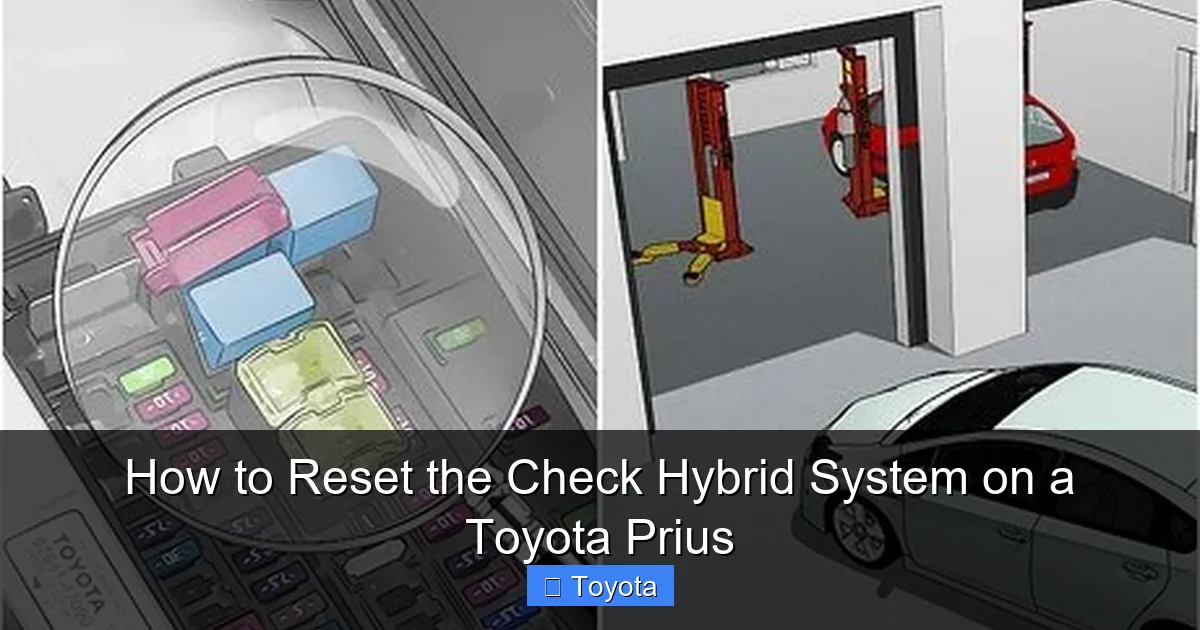
Method 1: The 12-Volt Battery Disconnect Reset
This is the most fundamental reset procedure and should be your first step if you suspect a simple glitch. It’s low-cost and safe when done correctly.
Visual guide about How to Reset the Check Hybrid System on a Toyota Prius
Image source: wikihow.com
Step-by-Step Guide
- Prepare: Ensure the Prius is parked, turned OFF, and the parking brake is set. Open the trunk and locate the 12V battery. Remove any plastic covers or trim pieces obscuring the battery terminals.
- Identify Terminals: Identify the negative (-) terminal, marked with a black cap and a minus (-) symbol. You will disconnect this one first.
- Loosen the Nut: Using your 10mm socket/wrench, loosen the nut on the negative terminal clamp. You may need to hold the bolt with a wrench while turning the nut. Once loose, carefully wiggle and lift the negative clamp off the terminal post. Tuck it safely away so it cannot accidentally touch the post.
- Wait: This is the critical step. Leave the battery disconnected for at least 10-15 minutes. Some sources recommend up to 30 minutes. This ensures all residual power drains from the vehicle’s capacitors and memory modules, guaranteeing a full system reboot.
- Reconnect: Reattach the negative clamp to the terminal post and tighten the nut securely. Do not overtighten, but ensure it’s snug and the clamp is firmly attached. A loose connection can cause new problems.
- Close Up: Replace any trim pieces or covers you removed. Close the trunk.
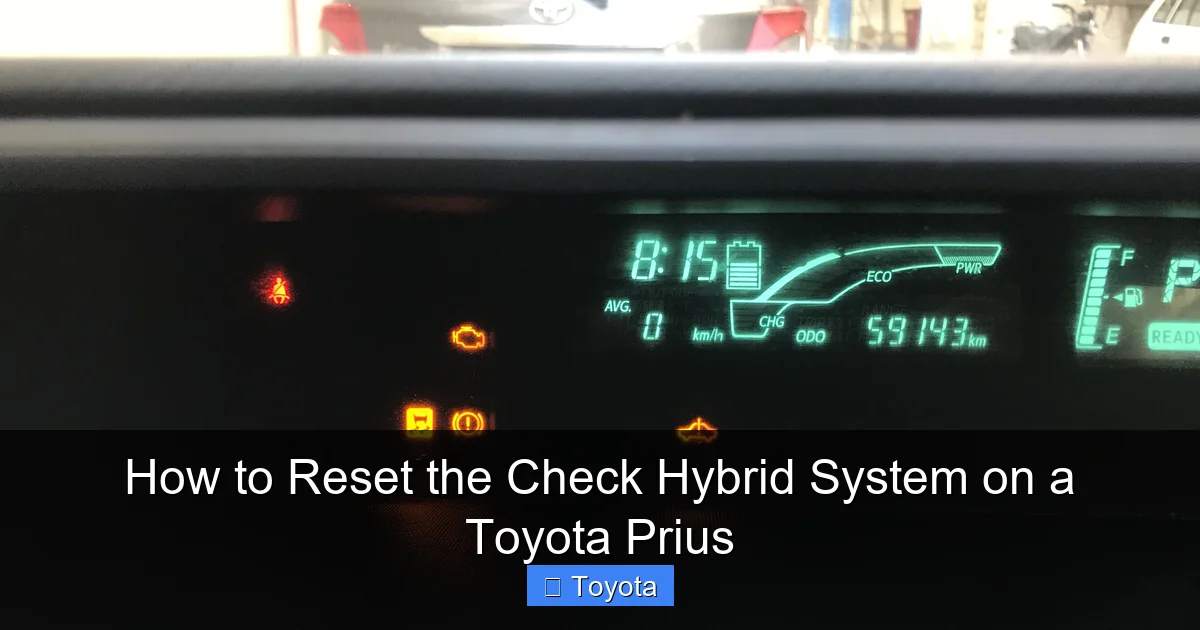
- Start the Car: Get inside the Prius. You will likely need to press the “POWER” button twice (once for ACC/ON mode, once for READY mode). The first start might be a little slower as all systems initialize. All your dashboard warning lights, including the check hybrid system light, will likely illuminate for a few seconds as the system performs its self-diagnostic check. This is normal.
- Check the Result: If the warning light goes out after the startup check and stays off, your reset was successful for a transient issue. Drive the car normally and monitor. If the light returns immediately or within a short drive, a persistent fault exists.
Important Note: On some newer Prius models (especially 2016+), disconnecting the 12V battery may also require a re-registration of the steering angle sensor or cause other systems to need recalibration. If you experience unexpected steering feel or other warnings after this reset, a dealer or specialist may need to perform a quick recalibration using their diagnostic computer. This is a key reason why reading codes first is so valuable.
Method 2: Using an OBD2 Scanner with Hybrid Capabilities
For a more precise and often more effective reset, a dedicated scan tool is the professional’s choice. Not all OBD2 scanners are created equal. The basic $20 code reader you might use on a conventional car will often not communicate with the Prius’s hybrid-specific control modules (like the Hybrid Vehicle Control ECU or the Battery Management System ECU).
Visual guide about How to Reset the Check Hybrid System on a Toyota Prius
Image source: fcache1.pakwheels.com
Choosing the Right Scanner
You need a scanner that explicitly states compatibility with Toyota hybrid systems. Some excellent options include:
- Professional-grade: Tools like the Techstream (Toyota’s official software) or high-end Autel, Launch, and Snap-on scanners.
- Enthusiast/Mid-range: The VXdiag VCX Nano for Toyota or the Carista OBD2 adapter with a paid subscription are popular for DIYers. They can access many manufacturer-specific systems, including the hybrid system on most Prius models.
- Always check compatibility for your specific Prius model year before purchasing.
The Reset Process with a Scanner
- Connect: Plug the scanner’s OBD2 connector (usually under the dash, near the steering column) into the Prius’s OBD2 port.
- Power On: Turn the Prius to the “READY” state (press the power button twice, foot on the brake). The scanner should power on and connect to the vehicle.
- Read Codes: Go through the menu to select “Diagnostics” or “Read DTCs.” Do not skip this step. First, read and document all codes from all available modules, especially the “Hybrid” or “Battery” modules.
- Clear Codes: Navigate to the “Clear DTCs” or “Erase Codes” function. A good scanner will ask you to confirm. Select yes.
- Verify: After clearing, go back and re-read the codes in all modules to ensure they are gone. Then, turn the car off, wait 30 seconds, and restart it to see if the warning light has been extinguished.
The advantage here is precision. You can clear codes from specific modules without affecting others, and you have the record of what was wrong. If the code immediately returns after a clear, it means the fault is active and present—a clear sign to stop and seek help.
Post-Reset: What to Do Next
The reset is complete, and the light is off. Your job isn’t done yet. A reset is a diagnostic tool, not a repair. You must now verify the health of your vehicle.
Monitor the Vehicle Closely
For the next few drives, pay extra attention to:
- Performance: Does the car feel sluggish? Are transitions between electric and gas power smooth? Is there any unusual vibration or noise?
- Fuel Economy: Has your MPG dropped significantly? A drop can indicate the hybrid system is not functioning optimally, possibly because one component is working harder to compensate for another.
- Battery Gauge: Watch the hybrid battery state-of-charge indicator on the multi-information display. Does it struggle to charge or discharge normally? Does it get stuck in a narrow range?
The Test Drive Protocol
Perform a varied test drive that includes:
- City driving (low speeds, frequent stops for regenerative braking).
- Highway driving (sustained higher speeds to engage the gasoline engine and check thermal management).
- Acceleration from a stop to ensure both the engine and electric motors are engaging properly.
If the warning light returns during this test drive, note the conditions (speed, acceleration, temperature) and the exact code. This information is gold for a technician.
When a Reset is NOT Enough: Signs of a Serious Problem
Attempting to reset a serious, active fault is like putting a bandage on a broken leg. It provides false confidence and can lead to dangerous breakdowns or further, more expensive damage. Here are clear indicators that you must stop driving and seek professional hybrid specialist help immediately:
Persistent or Returning Codes
If you clear the codes and the “Check Hybrid System” light returns within a day or even a single drive cycle, the fault is active and persistent. Do not keep resetting it.
Specific, Severe Diagnostic Codes
Certain codes point to major component failure. While you need a scanner to know for sure, common severe codes include:
- P0A80 – P0A9F Range: These generally indicate a failed or severely deteriorated hybrid battery pack. This is the most expensive component and requires professional diagnosis and replacement.
- P3000 series codes: Often related to the Battery Management System (BMS) or inverter issues.
- Codes for Motor-Generator (MG) malfunctions.
Physical Symptoms Accompanying the Light
- Complete loss of electric drive: The car only moves on the gasoline engine, or not at all.
- Extreme, unusual noises: Loud whining, grinding, or clunking from the engine bay or under the car.
- Overheating warnings: Any temperature-related warning lights.
- Smoke or burning smells: This is an emergency. Shut down the car immediately and move away.
- The car enters “limp mode” with severely limited power.
In any of these scenarios, the reset is not an option. The vehicle needs a tow to a reputable shop with hybrid certification and proper safety equipment.
Conclusion: A Reset is a Diagnostic Step, Not a Cure
Successfully resetting the “Check Hybrid System” warning on your Toyota Prius can be a simple and satisfying DIY victory, often resolving issues stemming from a weak 12-volt battery or a temporary software glitch. The method of disconnecting the 12V battery for 15 minutes is a safe and effective first line of defense. For more persistent issues, using a capable OBD2 scanner allows for precise code clearing and valuable diagnostic information.
However, the core lesson is this: the reset is merely the erasure of a symptom’s report. It is not the cure for the disease. Your responsibility is to be a vigilant observer after the reset. Monitor the car’s behavior, fuel economy, and for any return of the warning. If the light comes back, or if you encounter any of the severe symptoms listed, you must stop driving and consult a professional. Your Prius’s hybrid system is a marvel of engineering, but it requires informed care. By understanding the warning, respecting the high-voltage system’s dangers, and knowing the proper reset procedures, you empower yourself to make smart decisions for your car’s health and your safety on the road.
Frequently Asked Questions
Will disconnecting the 12V battery reset all warning lights?
Yes, disconnecting the 12V battery will reset most electronic control modules and clear many non-critical warning lights, including the check engine light and maintenance required light, in addition to the check hybrid system light. However, it will not address a persistent, active fault that will cause the light to return.
Can I reset the check hybrid system light without disconnecting the battery?
Yes, using an OBD2 scanner that can communicate with the hybrid vehicle control modules is the preferred professional method. Some advanced scanners have a dedicated “Reset Hybrid System” or “Clear DTCs” function that can clear the light without a full battery disconnect, which helps retain radio and other settings.
My Prius’s check hybrid system light came on after a jump-start. What should I do?
A jump-start can cause voltage fluctuations that confuse the car’s computers. First, ensure the 12V battery is fully charged and the connections are pristine. Perform the 12V battery disconnect reset procedure described above. This often resolves the issue. If the light persists, read the codes to see if a specific component was affected.
How much does it cost to have a dealer reset the check hybrid system light?
At a Toyota dealer, simply reading codes and clearing a light (with no diagnosis or repair) is often a quick procedure that might be covered under a nominal diagnostic fee (e.g., $50-$100) or sometimes waived if you’re having other work done. However, they will almost always insist on diagnosing the root cause first, which can cost $100-$200 for the initial scan and analysis.
Is it safe to drive my Prius with the check hybrid system light on?
It depends. If the light is steady and the car is driving normally (smooth power, no noises, good fuel economy), a short, cautious drive to a safe location or repair shop is *usually* acceptable to get it diagnosed. However, if the light is flashing, you have lost power, or notice any strange behavior, do not drive it. Have it towed to prevent potential damage or a dangerous breakdown.
What is the most common cause of a check hybrid system warning?
While it varies by model year and mileage, one of the most frequent culprits is a failing 12-volt auxiliary battery. As this weakens, it causes voltage drops that disrupt communication between the hybrid system computers. Replacing a old 12V battery (typically every 4-6 years) often resolves the warning. Other common causes include faulty hybrid battery cell sensors or issues with the inverter coolant pump.