
How to Reset the Maintenance Light on a 2019 Toyota Highlander

Contents
- 1 Key Takeaways
- 2 📑 Table of Contents
- 3 Why the Maintenance Light Comes On
- 4 Understanding the 2019 Toyota Highlander Dashboard System
- 5 Step-by-Step Guide to Resetting the Maintenance Light
- 6 Common Mistakes and Troubleshooting
- 7 When to Reset the Light: Best Practices
- 8 Why DIY Resetting Saves Time and Money
- 9 Conclusion
- 10 Frequently Asked Questions

Car Seat Organizer

Car Seat Cover (Universal Fit)

Octane Booster

Solar Car Battery Maintainer
Resetting the maintenance light on your 2019 Toyota Highlander is quick, simple, and can be done without visiting a dealership. This guide walks you through the exact button sequence and dashboard steps to clear the reminder and keep your SUV running smoothly.
Key Takeaways
- No special tools needed: You can reset the maintenance light using only the dashboard controls and ignition switch.
- Follow the correct sequence: The reset process involves turning the ignition on and off while pressing specific buttons in a precise order.
- Timing matters: Hold buttons for the right amount of time—too short or too long can interrupt the process.
- Confirm the reset: Always check that the maintenance light disappears and the odometer resets to ensure success.
- Regular maintenance is key: Resetting the light doesn’t replace actual service—keep up with oil changes and inspections.
- Use the trip meter: The trip A or trip B function is essential for navigating the reset menu.
- Consult your manual: If issues arise, your owner’s manual provides model-specific backup instructions.
📑 Table of Contents
Why the Maintenance Light Comes On
If you’ve recently had your 2019 Toyota Highlander serviced—maybe an oil change, tire rotation, or brake inspection—you might notice a yellow or orange wrench icon or “MAINT REQD” message glowing on your dashboard. Don’t panic. This isn’t a warning of immediate danger. Instead, it’s Toyota’s way of reminding you that scheduled maintenance is due or has been completed and the system needs to be reset.
The maintenance light is part of Toyota’s Multi-Information Display (MID) system, which tracks your vehicle’s service intervals based on mileage and time. Unlike a check engine light—which signals a potential mechanical issue—the maintenance light is purely a reminder. It’s designed to help you stay on top of routine care, which is crucial for the longevity and performance of your Highlander. Ignoring regular maintenance can lead to reduced fuel efficiency, engine wear, and costly repairs down the road.
Many drivers assume they need to visit a dealership or pay a technician to reset this light. While service centers will do it for free after an oil change, you can easily handle it yourself in under two minutes. The process uses the vehicle’s onboard computer and doesn’t require any special tools, diagnostic scanners, or technical expertise. Whether you’re a seasoned DIYer or a first-time car owner, this guide will walk you through every step with clarity and confidence.
Understanding the 2019 Toyota Highlander Dashboard System
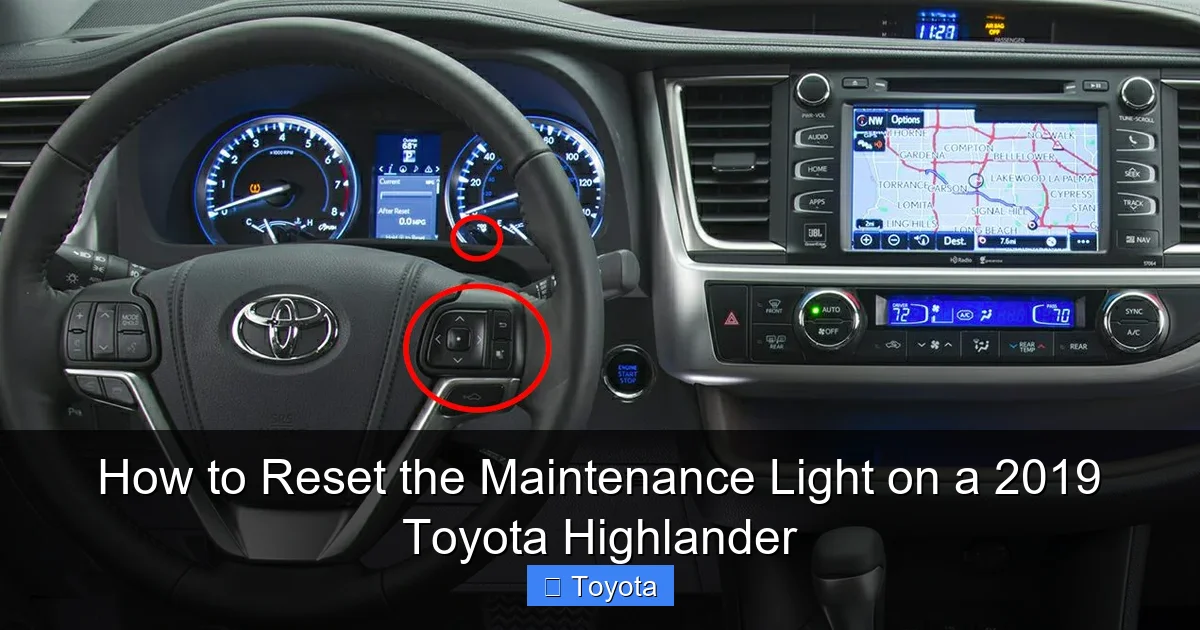
Before diving into the reset process, it’s helpful to understand how the dashboard and information display work in your 2019 Highlander. The vehicle features a digital instrument cluster with a central screen that shows trip data, fuel economy, maintenance reminders, and more. This screen is controlled by buttons on the steering wheel and the trip meter stalk on the left side of the steering column.

Visual guide about How to Reset the Maintenance Light on a 2019 Toyota Highlander
Image source: oilreset.com
Key Dashboard Components
The main elements you’ll interact with during the reset are:
- Trip Meter Stalk: Located on the left side of the steering wheel, this lever controls the trip odometer (Trip A and Trip B). You’ll use it to scroll through menu options.
- “DISP” Button: Found on the steering wheel, this button cycles through different display modes like fuel economy, range, and maintenance info.
- Instrument Cluster Screen: The digital display between the speedometer and tachometer shows the current trip mileage and maintenance status.
- Ignition Switch: Whether your Highlander has a traditional key or a push-button start, you’ll need to turn the ignition to the “ON” position (without starting the engine) to access the reset menu.
It’s important to note that the 2019 Highlander does not have a touchscreen interface for maintenance resets. Everything is done through physical buttons and the trip meter. This keeps the process simple and reliable, even in older models. The system is designed to be intuitive, but the exact sequence can be tricky if you’ve never done it before.
How the Maintenance Interval Is Calculated
Toyota’s maintenance reminder system uses a combination of mileage and time to determine when service is due. For most 2019 Highlanders, the standard interval is every 5,000 miles or 6 months, whichever comes first. However, this can vary based on driving conditions. If you frequently drive in stop-and-go traffic, extreme temperatures, or dusty environments, Toyota recommends more frequent service—sometimes as often as every 3,000 miles.
The system tracks your odometer reading and automatically triggers the maintenance light when you approach or reach the next service milestone. Once the service is completed, the light must be manually reset to start the countdown for the next interval. This ensures you don’t miss future appointments and helps maintain your vehicle’s resale value.
Step-by-Step Guide to Resetting the Maintenance Light
Now that you understand the system, let’s get to the main event: resetting the maintenance light. Follow these steps carefully. Even small mistakes—like turning the ignition too early or holding a button too long—can interrupt the process. Take your time, and don’t rush.

Visual guide about How to Reset the Maintenance Light on a 2019 Toyota Highlander
Image source: oilreset.com
Step 1: Turn the Ignition to the “ON” Position
Start by getting into your Highlander and closing the driver’s door. If your vehicle has a key, insert it and turn it to the “ON” position—this is the second click, where all dashboard lights illuminate but the engine does not start. If your Highlander has a push-button start, press the “Start” button once without pressing the brake pedal. You should see the dashboard light up, including the maintenance reminder.
Pro Tip: Make sure the engine remains off. Starting the engine will prevent the reset sequence from working. You only need power to the electronics.
Step 2: Locate the Trip Meter Stalk
On the left side of your steering wheel, you’ll see a small lever—this is the trip meter stalk. It has two positions: up and down. Pressing it up increases the trip number (e.g., from Trip A to Trip B), and pressing it down decreases it. You’ll use this to navigate the menu.
Make sure the trip meter is set to Trip A. If it’s on Trip B, press the stalk down until it switches to Trip A. This is important because the reset function is tied to the Trip A display.
Step 3: Turn the Ignition Off
Now, turn the ignition back to the “OFF” position. If you have a key, turn it all the way back. If you have a push-button start, press the “Start” button again (still without pressing the brake).
At this point, the dashboard should be dark. Don’t start the engine. Just ensure the vehicle is fully off.
Step 4: Press and Hold the Trip Meter Stalk
Here’s the critical part: while the ignition is off, press and hold the trip meter stalk in the “down” position. Keep holding it. This button is your gateway to the reset menu.
While holding the stalk down, turn the ignition back to the “ON” position (again, without starting the engine). Continue holding the stalk. You should see the trip meter display begin to change.
Step 5: Watch for the Reset Sequence
After a few seconds, the trip meter will start to count down from “000000” or flash “——”. This indicates the system is preparing to reset. Keep holding the stalk until the display shows “000000” and stays solid (not flashing).
Once the display stabilizes at “000000”, release the trip meter stalk. The maintenance light should now be off. If it’s still on, repeat the process from Step 1.
Step 6: Confirm the Reset
To double-check, turn the ignition off and then back on. The maintenance light should no longer appear. Additionally, the trip A odometer should be reset to zero, indicating the countdown to the next service has begun.
Example: Let’s say your Highlander had 48,750 miles when the light came on. After the reset, Trip A should read “0.0” and begin counting up from there. The next maintenance reminder will appear around 53,750 miles (assuming a 5,000-mile interval).
Common Mistakes and Troubleshooting
Even with clear instructions, things can go wrong. Here are some common pitfalls and how to fix them.

Visual guide about How to Reset the Maintenance Light on a 2019 Toyota Highlander
Image source: i.ytimg.com
Mistake 1: Starting the Engine
One of the most frequent errors is accidentally starting the engine during the reset. Remember: the engine must remain off throughout the entire process. If you hear the engine crank, turn everything off and start over.
Mistake 2: Not Holding the Button Long Enough
The trip meter stalk must be held continuously from the moment you turn the ignition on until the display resets. If you release it too early, the system won’t recognize the command. Hold it firmly for at least 10–15 seconds.
Mistake 3: Using the Wrong Trip Mode
Always use Trip A. If your display is on Trip B, the reset won’t work. Double-check before beginning the sequence.
Mistake 4: Ignition Timing Issues
The timing between turning the ignition on and holding the stalk is crucial. Turn the ignition on while holding the stalk down—not before or after. Practice the motion a few times if needed.
What If the Light Won’t Reset?
If you’ve followed all steps correctly and the light persists, try these fixes:
- Wait 5 minutes and try again—sometimes the system needs a cooldown.
- Check your owner’s manual for model-specific variations.
- Ensure the vehicle is in “Park” and the parking brake is engaged.
- Try disconnecting the battery for 10 minutes (advanced users only).
In rare cases, a faulty sensor or software glitch may prevent the reset. If the problem continues, visit a Toyota service center for diagnostics.
When to Reset the Light: Best Practices
Resetting the maintenance light isn’t just about clearing a warning—it’s about staying proactive with vehicle care. Here’s how to make the most of the system.
Reset After Every Service
Whether you change the oil yourself or visit a mechanic, always reset the light immediately after service. This ensures accurate tracking for the next interval. Don’t wait until the light comes on again—proactive resets prevent missed appointments.
Keep a Maintenance Log
Use the trip odometer to record service dates and mileage. For example, note “Oil changed at 48,750 miles” in a notebook or phone app. This helps you stay organized and provides proof of maintenance for resale.
Adjust for Driving Conditions
If you drive in harsh conditions—frequent short trips, towing, or extreme weather—consider resetting the light every 3,000 miles instead of 5,000. This aligns with Toyota’s severe service recommendations and protects your engine.
Don’t Ignore the Light
While the maintenance light isn’t an emergency, ignoring it can lead to bigger problems. Regular oil changes, filter replacements, and inspections keep your Highlander running smoothly and efficiently. Think of the light as your vehicle’s way of saying, “Hey, I need a little TLC.”
Why DIY Resetting Saves Time and Money
Many drivers assume they need to pay a technician to reset the maintenance light. While service centers often do it for free, visiting one just for a reset is unnecessary and time-consuming. Doing it yourself saves you a trip, wait time, and potential upsell pressure.
Plus, mastering this simple skill gives you more control over your vehicle. You’ll feel more confident handling other basic maintenance tasks, like checking tire pressure or replacing wiper blades. It’s a small step toward car ownership independence.
And let’s be honest—there’s something satisfying about pressing a few buttons and watching that pesky light disappear. It’s a quick win that makes you feel like a car expert.
Conclusion
Resetting the maintenance light on your 2019 Toyota Highlander is a straightforward process that anyone can master. With just the ignition switch and trip meter stalk, you can clear the reminder in under two minutes—no tools, no fees, no stress. By following the step-by-step guide above, you’ll keep your Highlander’s service schedule on track and avoid unnecessary trips to the dealership.
Remember, the maintenance light is there to help you, not hassle you. Use it as a reminder to stay on top of oil changes, tire rotations, and inspections. And when it’s time to reset, do it confidently. Your Highlander will thank you with reliable performance, better fuel economy, and a longer lifespan. So the next time that wrench icon appears, don’t ignore it—reset it, service it, and keep driving with peace of mind.
Frequently Asked Questions
Can I reset the maintenance light without turning the ignition on?
No, you must turn the ignition to the “ON” position (without starting the engine) to access the reset function. The dashboard needs power to communicate with the vehicle’s computer system.
What if my 2019 Highlander has a push-button start?
The process is the same. Press the “Start” button once (without pressing the brake) to turn the ignition on, and press it again to turn it off. The reset sequence remains unchanged.
Will resetting the light affect my warranty?
No, resetting the maintenance light does not affect your warranty. It’s a standard procedure recommended by Toyota and does not alter any vehicle settings or systems.
How often should I reset the maintenance light?
Reset the light after every scheduled service, typically every 5,000 miles or 6 months. If you drive in severe conditions, consider resetting every 3,000 miles.
What if the maintenance light comes back on immediately?
This could indicate a system error or that the reset wasn’t completed properly. Try the process again. If it persists, consult your owner’s manual or visit a Toyota service center.
Can I reset the light if the engine is running?
No, the engine must be off during the entire reset process. Starting the engine will interrupt the sequence and prevent the light from clearing.







