
How to Reset Odometer on Toyota

Contents
- 1 Key Takeaways
- 2 📑 Table of Contents
- 3 Understanding Your Toyota’s Odometer System
- 4 How to Reset the Trip Meter on Older Toyota Models (Analog Dashboards)
- 5 Resetting the Trip Meter on Newer Toyota Models (Digital Dashboards)
- 6 Using Trip Meters for Maintenance and Fuel Tracking
- 7 Common Mistakes and Safety Tips
- 8 When You Need Professional Help
- 9 Conclusion
- 10 Frequently Asked Questions

Tool Roll Bag

Car Armrest Cushion

Car Seat Organizer
Car Inverter
Resetting the odometer on a Toyota is simple and useful for tracking trips or maintenance. This guide covers analog and digital models, safety tips, and common mistakes to avoid.
If you’ve ever driven a Toyota—whether it’s a reliable Corolla, a spacious RAV4, or a sleek Camry—you’ve probably glanced at the odometer more times than you can count. That little number rolling up mile after mile tells a story: road trips, daily commutes, family vacations, and countless errands. But what if you want to start fresh? Maybe you’re beginning a long drive and want to track just that journey. Or perhaps you’ve just changed your oil and want to monitor how far you go before the next service. That’s where knowing how to reset odometer on Toyota comes in handy.
Resetting the odometer isn’t about erasing your car’s history—far from it. In fact, tampering with the main odometer is not only unethical but also illegal in most places. What you *can* reset is the trip meter, a secondary counter designed specifically for short-term tracking. Think of it like a notepad for your drives. You can wipe it clean and start again whenever you want. Whether you’re measuring fuel efficiency on a highway run or keeping tabs on miles between oil changes, the trip meter is your go-to tool.
In this guide, we’ll walk you through everything you need to know about resetting the odometer on a Toyota—safely, legally, and effectively. We’ll cover both older models with analog dials and newer ones with digital displays, explain the difference between the main odometer and trip meter, and share practical tips to make the most of this feature. No technical jargon, no confusing steps—just clear, friendly advice to help you get the job done right.
Key Takeaways
- Understand the difference between trip meter and main odometer: Only the trip meter can be reset; the main odometer is permanent and tampering is illegal.
- Use the odometer reset button or steering wheel controls: Most Toyotas have a physical button near the speedometer or use menu options via the steering wheel.
- Follow model-specific steps: Procedures vary slightly between Corolla, Camry, RAV4, and newer models with digital dashboards.
- Reset for maintenance tracking: Use the trip meter to monitor oil changes, tire rotations, or fuel efficiency between services.
- Avoid resetting the main odometer: Altering the main mileage is illegal and can void warranties or affect resale value.
- Consult your owner’s manual: Always refer to the official Toyota manual for your specific year and model for accurate instructions.
- Use professional tools for advanced resets: Some maintenance lights require OBD2 scanners or dealership tools to reset properly.
📑 Table of Contents
- Understanding Your Toyota’s Odometer System
- How to Reset the Trip Meter on Older Toyota Models (Analog Dashboards)
- Resetting the Trip Meter on Newer Toyota Models (Digital Dashboards)
- Using Trip Meters for Maintenance and Fuel Tracking
- Common Mistakes and Safety Tips
- When You Need Professional Help
- Conclusion
Understanding Your Toyota’s Odometer System
Before you press any buttons, it’s important to understand what you’re working with. Toyota vehicles come equipped with two types of odometers: the main odometer and the trip meter. Knowing the difference is crucial—not just for functionality, but for legal and ethical reasons.
The main odometer records the total distance your vehicle has traveled since it rolled off the assembly line. This number is permanent and cannot (and should not) be reset by the average driver. It’s used by mechanics, dealerships, and potential buyers to assess the car’s usage and condition. Tampering with this reading is considered odometer fraud and is punishable by law in the United States and many other countries. So, if you’re thinking about “resetting” your main odometer to make your car seem newer, stop right there. It’s not worth the risk.
On the other hand, the trip meter is designed for temporary use. Most Toyotas have one or even two trip meters (labeled Trip A and Trip B). These allow you to track mileage for specific purposes—like a weekend getaway, a commute, or the distance between oil changes. You can reset these at any time, and they’ll start counting from zero again. This is the feature we’ll be focusing on throughout this guide.
Toyota has evolved its dashboard designs over the years. Older models (pre-2010) typically feature analog gauges with a physical reset button near the speedometer. Newer models, especially those from 2015 onward, often have digital instrument clusters controlled via buttons on the steering wheel. The process varies slightly depending on your vehicle’s year, make, and model, but the core principle remains the same: use the trip meter for short-term tracking, and leave the main odometer alone.
How to Reset the Trip Meter on Older Toyota Models (Analog Dashboards)

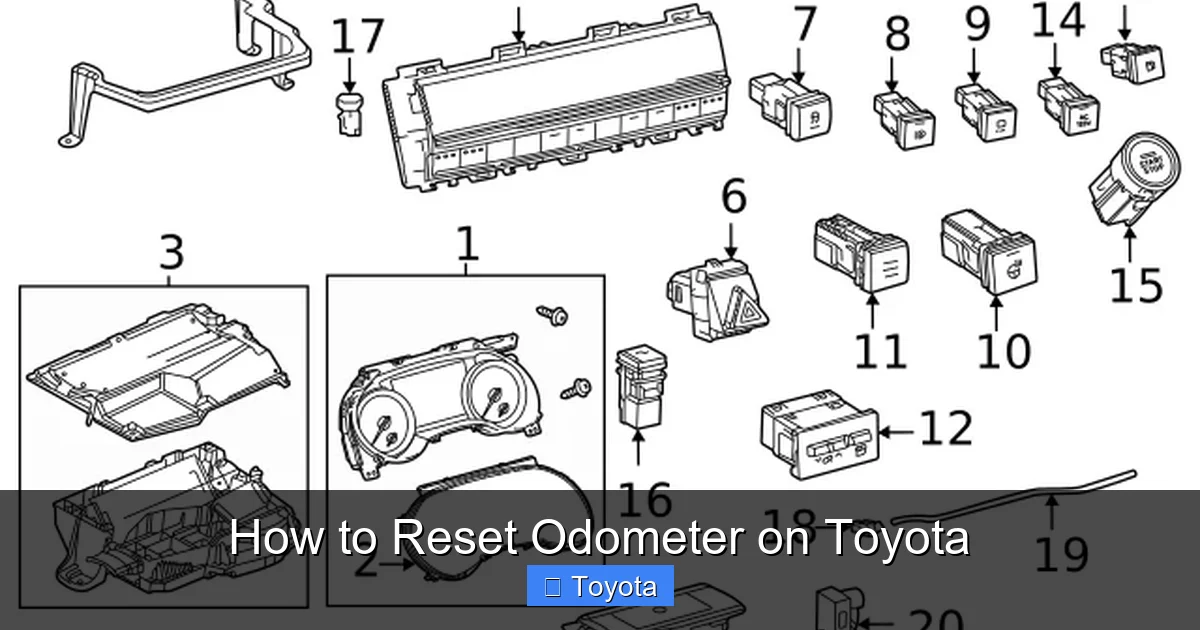
Visual guide about How to Reset Odometer on Toyota
Image source: cdn-illustrations.revolutionparts.io
If you drive a Toyota from the 1990s to the early 2010s—like a Corolla, Camry, or Highlander with a traditional analog dashboard—you’ll likely have a physical reset button near the speedometer. This is the simplest and most straightforward method for resetting your trip meter.
To begin, make sure your vehicle is turned on. You don’t need to start the engine, but the ignition should be in the “ON” position so the dashboard lights up. Locate the odometer reset button—it’s usually a small, black or gray button positioned just below or beside the speedometer. On some models, it’s labeled “RESET” or “TRIP.”
Here’s how to do it step by step:
1. Press and hold the reset button.
2. While holding it, watch the trip meter display. It should begin to count down or flash.
3. Continue holding until the trip meter resets to “0.0” or “0000.”
4. Release the button.
That’s it! Your trip meter is now reset and ready to track your next journey.
For example, let’s say you’re driving a 2008 Toyota Camry. You’ve just filled up your gas tank and want to track your fuel efficiency on the next tank. Simply press and hold the reset button near the speedometer until the trip meter reads zero. Now, the next time you fill up, you can compare the miles driven to the gallons used to calculate your MPG.
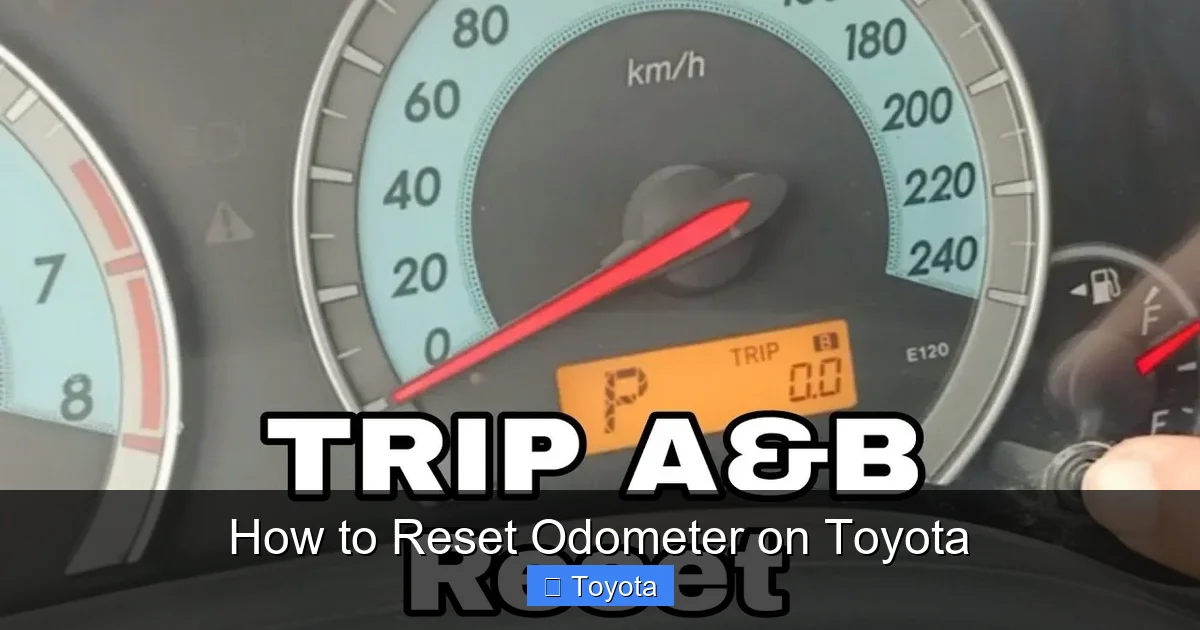
Some older models have two trip meters—Trip A and Trip B. To switch between them, press the reset button briefly. Each press cycles through the options: main odometer, Trip A, Trip B. Once you’ve selected the trip meter you want to reset, hold the button until it resets.
A quick tip: if the button feels stiff or unresponsive, don’t force it. Try turning the ignition off and on again, or gently clean around the button with a dry cloth. Dust and grime can sometimes interfere with the mechanism.
Resetting the Trip Meter on Newer Toyota Models (Digital Dashboards)
Visual guide about How to Reset Odometer on Toyota
Image source: thecarhow.com
Toyota has embraced digital technology in recent years, and many newer models—such as the 2020+ Corolla, 2021+ RAV4, and 2022+ Camry—feature sleek digital instrument clusters. These displays offer more information and customization, but they also require a slightly different approach to reset the trip meter.
Instead of a physical button near the speedometer, you’ll use the controls on your steering wheel. These buttons allow you to navigate through menus and reset various functions, including the trip meter.
Here’s how it works on most modern Toyotas:
1. Turn the ignition to the “ON” position (you don’t need to start the engine).
2. Use the “DISP” or “INFO” button on the left side of the steering wheel to cycle through the display options until you see the trip meter (Trip A or Trip B).
3. Once the trip meter is displayed, press and hold the “DISP” or “INFO” button for about 3–5 seconds.
4. The trip meter should flash and then reset to zero.
For example, if you’re driving a 2023 Toyota RAV4 Hybrid, you’ll see a high-resolution digital screen behind the steering wheel. Press the “DISP” button to scroll through options like fuel economy, trip data, and navigation. When you land on Trip A, hold the button until it resets.
Some models, like the 2022 Toyota Camry, use a different method. Instead of holding the “DISP” button, you may need to use the arrow keys on the steering wheel to navigate to the “Settings” menu, then select “Trip Meter” and choose “Reset.” This is more common in vehicles with Toyota’s Entune or newer multimedia systems.
A helpful tip: if you’re unsure which button does what, look for labels on the steering wheel or consult your owner’s manual. The manual will have a diagram showing each button’s function. Also, keep in mind that some digital systems require the vehicle to be in “Park” for safety reasons before allowing certain resets.
Using Trip Meters for Maintenance and Fuel Tracking

Visual guide about How to Reset Odometer on Toyota
Image source: rxmechanic.com
Now that you know how to reset the trip meter, let’s talk about why you’d want to. The trip meter isn’t just a fun gadget—it’s a practical tool for maintaining your Toyota and improving your driving habits.
One of the most common uses is tracking fuel efficiency. Here’s how it works: fill up your gas tank completely, then reset Trip A. Drive normally until your next fill-up. When you stop for gas, note how many miles Trip A shows and how many gallons you pumped. Divide miles by gallons to get your MPG. For example, if Trip A reads 320 miles and you added 10 gallons, your fuel economy is 32 MPG. This helps you monitor changes over time—like whether a new air filter or tire pressure adjustment made a difference.
Another great use is for maintenance scheduling. Toyota recommends oil changes every 5,000 to 10,000 miles, depending on driving conditions and oil type. Instead of guessing, reset Trip B when you get an oil change. When it hits 5,000 miles, you’ll know it’s time for the next one. The same goes for tire rotations, brake inspections, or cabin air filter replacements.
Let’s say you drive a 2019 Toyota Highlander. You just had your tires rotated at 45,000 miles. Reset Trip A to zero. When it reaches 5,000 miles, you’ll know it’s time to rotate them again. This simple habit can extend the life of your tires and improve safety.
You can also use the trip meter for trip planning. Heading out on a road trip? Reset Trip A before you leave. Now you can track exactly how far you’ve driven, estimate arrival times, and plan fuel stops. Some drivers even use it to split costs with passengers—just divide the total miles by the number of people.
Common Mistakes and Safety Tips
While resetting the trip meter is generally safe and easy, there are a few pitfalls to avoid. Let’s go over some common mistakes and how to prevent them.
First, don’t confuse the trip meter with the main odometer. As we mentioned earlier, resetting the main odometer is illegal and can lead to serious consequences, including fines and loss of warranty. Always double-check that you’re resetting Trip A or Trip B, not the total mileage.
Second, avoid resetting the trip meter while driving. While it’s technically possible on some models, it’s a distraction and can lead to accidents. Always pull over safely or wait until you’re parked.
Third, don’t rely solely on the trip meter for long-term maintenance. While it’s great for tracking intervals, it doesn’t account for time. Oil degrades over time, not just mileage. So even if you’ve only driven 3,000 miles in a year, you may still need an oil change.
Another mistake is forgetting which trip meter you reset. If you have both Trip A and Trip B, it’s easy to mix them up. To avoid confusion, use one for fuel tracking and the other for maintenance. For example, reset Trip A at every fill-up and Trip B at every oil change.
Finally, if your trip meter won’t reset, don’t panic. Check your owner’s manual first. Some models require the vehicle to be in Park, or the ignition to be in a specific position. If the button is unresponsive, it could be a sign of a faulty switch or electrical issue. In that case, visit a Toyota service center.
When You Need Professional Help
Most trip meter resets can be done at home with no tools required. But there are times when you might need professional assistance—especially when it comes to maintenance reminders.
Modern Toyotas often have service lights that illuminate on the dashboard, such as “MAINT REQD” or “OIL CHANGE.” These aren’t the same as the trip meter. They’re part of the vehicle’s maintenance minder system, which tracks engine conditions and driving habits to determine when service is needed.
Resetting these lights usually requires more than just a button press. On many models, you’ll need an OBD2 scanner or a visit to a Toyota dealership. For example, on a 2020 Toyota Prius, the oil maintenance light can be reset using a specific sequence of ignition turns and pedal presses, but it’s easy to get wrong. A professional technician can do it quickly and correctly.
Similarly, if your digital dashboard freezes or the trip meter won’t respond, it could indicate a software glitch or hardware problem. In these cases, it’s best to consult a certified Toyota mechanic.
Remember: while DIY fixes are great for simple tasks, don’t hesitate to seek help when needed. Your safety and your vehicle’s performance are worth it.
Conclusion
Knowing how to reset odometer on Toyota—specifically the trip meter—is a small skill with big benefits. It helps you track fuel efficiency, stay on top of maintenance, and make smarter driving decisions. Whether you’re driving a classic Corolla with analog gauges or a futuristic RAV4 with a digital display, the process is simple and safe when done correctly.
Always remember: only reset the trip meter, never the main odometer. Use Trip A and Trip B for different purposes to stay organized. And when in doubt, consult your owner’s manual or a Toyota professional.
With this knowledge, you’re not just a driver—you’re a smart, informed Toyota owner. So go ahead, reset that trip meter, and hit the road with confidence.
Frequently Asked Questions
Can I reset the main odometer on my Toyota?
No, you should never reset the main odometer. It records the total mileage of your vehicle and tampering with it is illegal. Only the trip meter can be reset safely and legally.
How do I reset the trip meter on a 2021 Toyota Camry?
Turn the ignition to “ON,” use the “DISP” button on the steering wheel to select Trip A or B, then press and hold the button for 3–5 seconds until it resets to zero.
Why won’t my trip meter reset?
This could be due to the ignition being off, the vehicle not being in Park, or a faulty button. Check your owner’s manual or try cleaning around the button.
Can I reset the trip meter while driving?
It’s not recommended. For safety, always reset the trip meter when the vehicle is parked and the engine is off or in accessory mode.
Do I need a special tool to reset the trip meter?
No, most Toyota models allow you to reset the trip meter using the dashboard button or steering wheel controls. No tools are required.
How often should I reset my trip meter?
You can reset it as often as you like—after every fill-up, at the start of a trip, or when performing maintenance. It’s designed for frequent use.







