
How to Reset Maintenance Required Light on 2012 Toyota Corolla

Contents
- 1 Key Takeaways
- 2 📑 Table of Contents
- 3 Understanding Your 2012 Toyota Corolla’s Maintenance Required Light
- 4 Essential Preparation Before You Begin
- 5 Step-by-Step Reset Procedures for the 2012 Corolla
- 6 Verifying the Reset and Common Pitfalls
- 7 The Critical Importance of Completing the Service First
- 8 When to Seek Professional Help: Beyond a Simple Reset
- 9 Conclusion: A Simple Task with Big Benefits
- 10 Frequently Asked Questions


The “MAINT REQD” light on your 2012 Toyota Corolla is a friendly reminder for scheduled service, not an emergency. You can reset it yourself in under 30 seconds using only your car’s odometer buttons, no tools or mechanic needed. However, you should only reset it after completing the required maintenance, like an oil change, to ensure your engine stays healthy. Ignoring the light or resetting it without servicing can lead to costly repairs down the road.
Key Takeaways
- The light is a mileage-based reminder: It illuminates after 5,000 miles from the last reset, signaling it’s time for routine maintenance like oil and filter changes.
- Two primary reset methods exist: The standard “Odometer/Trip Meter” button method works for most, while a less common “Trip A” method is for specific models.
- You must perform maintenance first: Resetting without changing oil/filters is deceptive and harms your engine; the light tracks service intervals, not just miles.
- It’s different from the Check Engine Light: The maintenance light is routine; the check engine light indicates a potential problem needing diagnosis.
- Post-reset verification is crucial: The light should turn off immediately, and the odometer should display normal mileage, not a special reset mode.
- If the light returns quickly, investigate: A persistent light after a proper reset may indicate a faulty sensor or an incomplete service procedure.
- Consult your owner’s manual: It contains the definitive procedure and maintenance schedule specific to your Corolla’s configuration.
📑 Table of Contents
- Understanding Your 2012 Toyota Corolla’s Maintenance Required Light
- Essential Preparation Before You Begin
- Step-by-Step Reset Procedures for the 2012 Corolla
- Verifying the Reset and Common Pitfalls
- The Critical Importance of Completing the Service First
- When to Seek Professional Help: Beyond a Simple Reset
- Conclusion: A Simple Task with Big Benefits
Understanding Your 2012 Toyota Corolla’s Maintenance Required Light
That little wrench icon glowing on your dashboard, often accompanied by the words “MAINT REQD,” can be a source of mild annoyance or confusion. But it’s not your enemy! In your trusty 2012 Toyota Corolla, this light is a sophisticated, yet simple, mileage-based reminder system designed by Toyota to help you stay on top of essential maintenance. Think of it as your car’s way of politely tapping you on the shoulder and saying, “Hey, it’s been about 5,000 miles since my last service. A little oil love would be great!”
Unlike the ominous, blinking Check Engine Light that warns of immediate system faults, the Maintenance Required Light is purely informational. It operates on a preset interval, typically 5,000 miles for the Corolla, and illuminates steadily to remind you that scheduled maintenance is due. It does not assess oil life quality or sensor data; it’s a simple counter. Once you (or your mechanic) perform the necessary service—primarily an oil and filter change, along with a multi-point inspection—you then reset this counter. The system then starts counting down from zero for the next 5,000-mile interval. This guide will walk you through exactly how to perform that reset safely and correctly.
What Triggers the Light?
The system is activated by the vehicle’s mileage. After your Corolla’s odometer records approximately 5,000 miles since the last manual reset (which should coincide with the last maintenance service), the computer triggers the light. It’s a fixed interval, not a dynamic one based on driving conditions. This means if you primarily do short trips or severe driving (towing, extreme temps, dusty conditions), you might need service more frequently than the light suggests. Always follow the severe service schedule in your owner’s manual for optimal engine health.
Essential Preparation Before You Begin
Before you touch any buttons, a critical step is to ensure the required maintenance has actually been performed. Resetting the light without changing the oil and filter is equivalent to erasing a to-do list without doing the work—it’s ineffective and damaging. The entire purpose of this system is to protect your engine by ensuring timely lubrication. If you’re a DIY enthusiast, have you just finished an oil change? If you took it to a shop, did they forget to reset it? This is a common oversight. If you’re unsure whether service was done, it’s best to have a professional inspect the oil level and condition first. Driving with old, degraded oil is one of the fastest ways to cause internal engine wear.
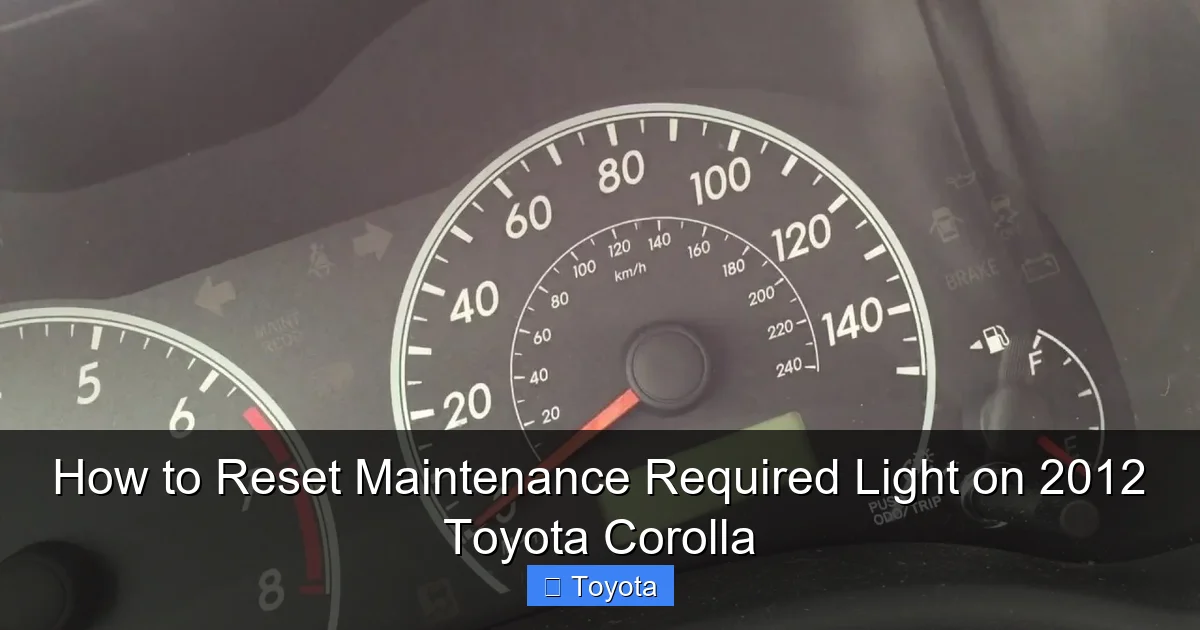
Visual guide about How to Reset Maintenance Required Light on 2012 Toyota Corolla
Image source: i.ytimg.com
Once you’ve confirmed the service is complete, park your Corolla on a level surface, engage the parking brake firmly, and ensure the ignition is in the “OFF” position. You do not need any special tools—just your fingers and the buttons on your steering column or dashboard. It’s also a good practice to have your owner’s manual handy, as the exact button layout can vary slightly between trims (LE, S, etc.) for the 2012 model year.
Gathering Your “Tools”
Your only tool is the odometer/trip meter reset button, usually located on the instrument panel near the speedometer or on the steering column stalk. On the 2012 Corolla, it’s almost always a single button or a button paired with a “trip” or “odo” switch. No wrenches, no screwdrivers, no smartphone apps are required for this procedure. This simplicity is a hallmark of Toyota’s design philosophy for maintenance reminders.
Step-by-Step Reset Procedures for the 2012 Corolla
Now, the moment you’ve been waiting for. The process involves using the car’s own computer menu system. There are two primary methods that work for the vast majority of 2012 Corollas. Method 1 is the most common and recommended. If it doesn’t work, try Method 2.
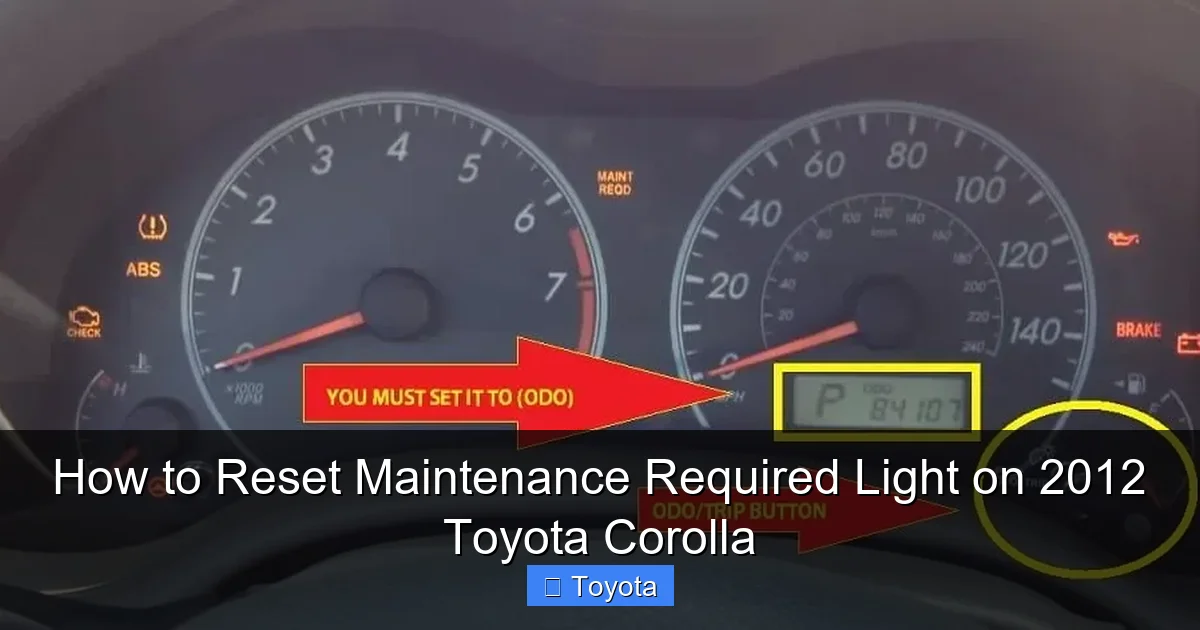
Visual guide about How to Reset Maintenance Required Light on 2012 Toyota Corolla
Image source: i0.wp.com
Method 1: The Standard Odometer/Trip Meter Reset (Most Common)
This method uses the button that toggles between your total odometer reading and your trip meters (Trip A and Trip B). Follow these steps precisely:
- Turn the ignition to the “ON” position. Do not start the engine. Simply turn the key to the position where all your dashboard lights come on, just before the engine would crank.
- Locate your odometer/trip meter display. Ensure the digital display is showing the total odometer (the cumulative miles the car has driven), not a trip meter (Trip A or Trip B). If it’s on a trip meter, press the button repeatedly until you see the total mileage number.
- Turn the ignition “OFF”. Now, turn the key completely back to the locked/off position.
- Press and hold the odometer/trip meter reset button. While holding the button down, turn the ignition back to the “ON” position (the dash lights come on again). Do not release the button.
- Continue holding the button for 5-10 seconds. You will see the odometer display change. It may show dashes “—–” or a series of numbers. After a few seconds, the “MAINT REQD” light should begin to blink.
- Release the button. The light should stop blinking and turn off completely. The odometer display will return to showing your normal total mileage. If the light remains on, repeat the process, holding the button a bit longer (up to 15 seconds).
Pro Tip: If your car has a “Trip A” display that shows miles and a small wrench icon, some models require you to have that display active (not the total odometer) before starting step 3. If the standard method fails, try having “Trip A” showing on the screen before turning the key off and holding the button.
Method 2: The Alternative “Trip A” Method
For a small subset of 2012 Corollas, the reset is tied specifically to the Trip A meter. If Method 1 did nothing, try this:
- Turn ignition to “ON”.
- Use the button to display “Trip A”. Ensure the screen shows the Trip A mileage, often with a “A” indicator.
- Turn ignition “OFF”.
- Press and hold the same button. While holding it, turn the ignition back to “ON”.
- Hold until the “MAINT REQD” light blinks several times and goes out. This may take 10-15 seconds. Release the button.
This method effectively tells the computer, “We are resetting the maintenance counter associated with this trip meter,” which is how some model years are programmed.
Verifying the Reset and Common Pitfalls
After completing either method, the proof is in the pudding. The “MAINT REQD” light should be completely extinguished. Start your engine. The light should not reappear during the bulb check (when all lights briefly illuminate at startup). Drive the car normally. If the light comes back on immediately or within a few miles, the reset was not successful. Re-attempt the procedure, ensuring you are in the correct display mode (total odometer vs. Trip A) before turning the key off.
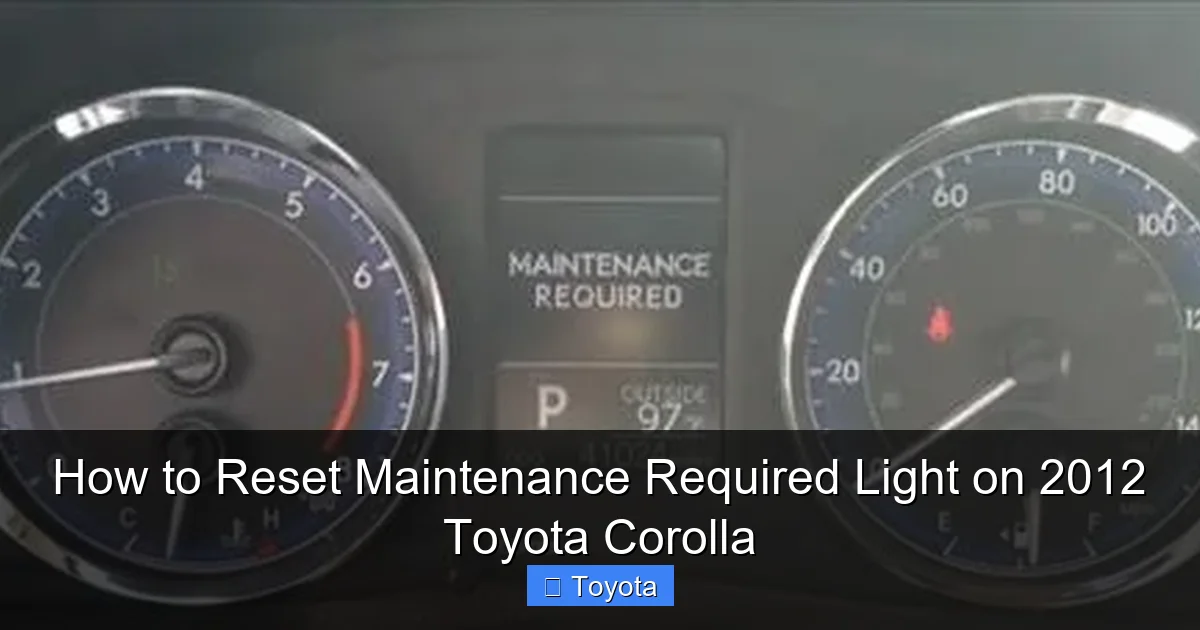
Visual guide about How to Reset Maintenance Required Light on 2012 Toyota Corolla
Image source: backyardmechanic.org
If the light returns after a few hundred miles, it could mean one of two things: either the reset was not properly saved (try again), or the maintenance was not performed to the system’s satisfaction. Some shops use a professional scan tool to reset the light, and if they forget, it will persist. More rarely, a fault in the instrument cluster or the body control module could prevent the reset, but this is uncommon. If you’ve tried both methods multiple times and the light is stubborn, it’s time to visit a Toyota dealer or a trusted mechanic with a proper diagnostic scan tool.
What If the Light Won’t Reset?
Don’t force it. If the procedures above fail after several attempts, stop. Double-check that you are using the correct button. On some models, the button is on the end of the turn signal stalk, not on the dash. Consult your owner’s manual’s instrument cluster section for the exact diagram. If you’ve recently disconnected the battery, the system may need a few drive cycles to recognize the reset. Sometimes, simply driving the car for 50-100 miles after a service will cause the light to go out on its own if the shop used a scan tool that partially reset it. However, this is not guaranteed. If the light is a constant, annoying presence, a professional reset using a diagnostic computer is the most reliable fallback.
The Critical Importance of Completing the Service First
I cannot stress this enough: resetting the light is not a maintenance procedure; it is the final administrative step after maintenance. The 5,000-mile interval for your 2012 Corolla’s 1.8L engine typically includes:
- Oil and Filter Change: The absolute core of the service. Use the oil viscosity (0W-20 for most 2012 models) and capacity specified in your manual.
- Tire Rotation: Promotes even tire wear.
- Multi-Point Inspection: Checking brakes, fluids, belts, hoses, and suspension components.
- Other Fluid Checks: Coolant, brake fluid, transmission fluid (if applicable), and washer fluid.
Skipping these services and merely hitting the reset button is a false economy. You are telling the car’s computer to forget that service is due, while your engine continues to run on potentially degraded oil. This accelerates wear on piston rings, bearings, and the valvetrain. The maintenance light is a tool for longevity, not an inconvenience to be bypassed. For more complex Toyota models, the procedure can differ, so always verify. You can find comprehensive guides for other models like the Toyota Tacoma or the 2017 Toyota Highlander on our site, highlighting how procedures vary.
When to Seek Professional Help: Beyond a Simple Reset
While resetting the light is a DIY win, there are scenarios where you should pause and consult a professional. First, if the “MAINT REQD” light is accompanied by any other warning lights—like the oil pressure warning light (a red oil can), the check engine light, or any temperature gauges in the red—stop driving immediately. These indicate active problems. Second, if you are past due for service by a significant margin (e.g., 8,000+ miles since last oil change), perform the service first before resetting. Third, if the light illuminates but your odometer reading is far less than 5,000 miles from your last service, there may be a system glitch or a previous incomplete reset. Finally, if your Corolla has other modifications or aftermarket electrical components, they can sometimes interfere with the instrument cluster’s normal function. In these cases, a dealer’s diagnostic computer can communicate directly with the vehicle’s modules to force a reset and check for stored trouble codes.
It’s also worth noting that for other Toyota models, like the Yaris or the Avalon, the button location or sequence might be slightly different, though the principle is the same. Always cross-reference with your specific model’s manual.
Conclusion: A Simple Task with Big Benefits
Resetting the maintenance required light on your 2012 Toyota Corolla is one of the most straightforward and empowering DIY tasks you can do. It takes less than a minute, requires no tools, and gives you a tangible sense of ownership over your vehicle’s upkeep. By following the clear steps outlined—ensuring service is done first, using the correct button sequence (starting with the total odometer display), and verifying the light is off—you maintain the integrity of your car’s service reminder system. This simple act helps you track your maintenance history accurately, which is invaluable for long-term reliability and resale value. Remember, the light is your car’s way of asking for help to stay healthy. By responding correctly—with proper service followed by a proper reset—you’re investing in the legendary Toyota durability that makes the Corolla such a respected vehicle. Keep that owner’s manual handy, stay on schedule, and enjoy many more miles of worry-free driving.
Frequently Asked Questions
What does the “MAINT REQD” light actually mean on a 2012 Toyota Corolla?
It is a mileage-based reminder that illuminates after approximately 5,000 miles since the last reset, signaling it’s time for routine maintenance like an oil and filter change. It is not an emergency warning.
How often should I reset the maintenance light on my Corolla?
You should only reset it immediately after completing the required 5,000-mile service. The reset itself is done once per service interval, not on a regular time schedule.
Can I drive my Corolla with the maintenance light on?
Yes, but only for a limited time and distance. The light means service is due. You should schedule and complete the oil change and inspection as soon as possible. Driving for thousands of miles with it on risks engine damage from old oil.
What’s the difference between the Maintenance Required Light and the Check Engine Light?
The Maintenance Light is a scheduled service reminder based on mileage. The Check Engine Light indicates a detected problem with the engine or emissions system that requires diagnosis. One is routine; the other is often urgent.
Do I need any special tools to reset the maintenance light?
No. You only need to use the odometer/trip meter reset button on your steering column or dashboard. The entire process is done through the vehicle’s own instrument cluster interface.
Why would the maintenance light come back on right after I reset it?
If the light returns quickly, it usually means the reset was not performed correctly (wrong display mode, not held long enough), or the maintenance was not actually completed to the system’s expectation (e.g., oil not changed). If it persists after multiple correct attempts, a professional diagnostic may be needed.






