
How to Reset the Maintenance Required Light on Toyota Tacoma

Resetting the maintenance required light on your Toyota Tacoma is simple and can be done in minutes without a mechanic. This guide walks you through the process for every model year, ensuring your dashboard stays clear and your truck runs smoothly.
Key Takeaways
- Know Your Model Year: Reset procedures vary slightly between Tacoma generations (1995–2004, 2005–2015, 2016–2023, and 2024+), so identify your truck’s year first.
- Use the Trip Odometer Method: Most Tacomas use the trip odometer button to cycle through reset options—no special tools needed.
- Turn Ignition to “ON” Position: You don’t need to start the engine—just turn the key to the second position (or press Start twice without your foot on the brake).
- Complete the Reset Within 10 Seconds: Timing matters. Follow the steps quickly to avoid having to restart the process.
- Confirm the Light Turns Off: After resetting, check that the maintenance required light disappears and doesn’t reappear after driving.
- Don’t Ignore Regular Maintenance: Resetting the light doesn’t replace oil changes or inspections—keep up with your service schedule.
- When in Doubt, Consult the Manual: Your owner’s manual has model-specific instructions and is the most reliable source.
📑 Table of Contents
Why the Maintenance Required Light Comes On
The maintenance required light on your Toyota Tacoma isn’t a warning that something is broken—it’s a friendly reminder that it’s time for routine service. Think of it like your phone’s low battery alert: it doesn’t mean the phone is damaged, just that it needs attention soon. This light typically comes on every 5,000 miles or so, depending on your driving habits and the type of oil used.
Toyota designed this system to help owners stay on top of regular maintenance, like oil changes, tire rotations, and fluid checks. Unlike a “check engine” light, which signals a potential mechanical issue, the maintenance required light is purely a service reminder. It’s part of Toyota’s scheduled maintenance program, which helps keep your Tacoma running efficiently and reliably for years.
Ignoring this light won’t cause immediate damage, but skipping regular maintenance can. Over time, old oil breaks down, filters get clogged, and fluids lose their effectiveness. That’s why it’s important to reset the light after each service—so you’ll know exactly when the next one is due. Plus, a clean dashboard just feels better, doesn’t it?
How the System Works
The maintenance required light is tied to your Tacoma’s odometer. Every time you drive, the vehicle tracks mileage and calculates when it’s time for service. Once you hit the preset interval—usually 5,000 miles—the light illuminates on your dashboard. It’s a simple, reliable system that doesn’t rely on sensors or complex electronics.
Some newer Tacomas (especially 2016 and later) may use a more advanced system that considers driving conditions, like frequent short trips or towing. These models might trigger the light earlier than 5,000 miles if the engine isn’t getting up to optimal temperature regularly. But even in these cases, the reset process remains straightforward.
It’s worth noting that this light is different from the “oil change” light found on some other vehicles. The maintenance required light covers a broader range of services, not just oil changes. That’s why it’s important to follow your owner’s manual’s recommended service schedule, even after resetting the light.
Tools and Preparation Needed

Visual guide about How to Reset the Maintenance Required Light on Toyota Tacoma
Image source: i.ytimg.com
Good news: you don’t need any special tools to reset the maintenance required light on your Toyota Tacoma. No scan tools, no diagnostic equipment—just your hands and about two minutes of your time. All you need is access to the driver’s seat and the ability to turn the ignition key or press the start button.
Before you begin, make sure your Tacoma is parked on a level surface and the engine is off. You’ll be turning the ignition to the “ON” position, but you won’t start the engine. This is important because starting the engine can interfere with the reset process.
If your Tacoma has a key ignition, turn the key to the second position—this is where all the dashboard lights come on, but the engine doesn’t start. If your truck has a push-button start, press the “Start” button twice without pressing the brake pedal. You should see all the dashboard lights illuminate, including the maintenance required light.
It’s also a good idea to have your owner’s manual nearby. While the steps are similar across most Tacoma models, your specific year might have slight variations. The manual is your best resource for model-specific instructions.
When to Reset the Light
You should reset the maintenance required light immediately after completing your scheduled service. This could be after an oil change, tire rotation, brake inspection, or any other routine maintenance task recommended by Toyota. Resetting the light ensures that the next reminder comes at the correct interval.
If you’ve just had your truck serviced at a dealership or independent shop, they may have already reset the light for you. But it’s always a good idea to double-check. If the light is still on, you can reset it yourself using the steps in this guide.
Don’t wait too long to reset the light. If you let it stay on for weeks or months, you might forget when your last service was. That could lead to missed maintenance, which defeats the purpose of the reminder system.
Step-by-Step Reset Instructions by Model Year
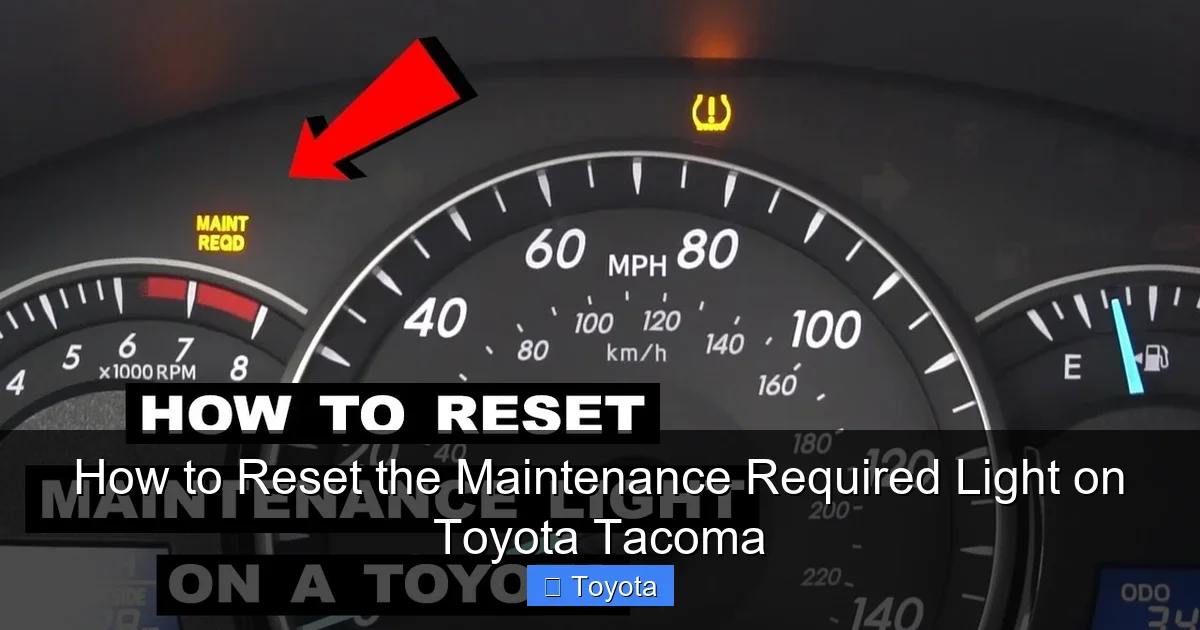
Visual guide about How to Reset the Maintenance Required Light on Toyota Tacoma
Image source: i.ytimg.com
The process for resetting the maintenance required light on a Toyota Tacoma varies slightly depending on the model year. Below, we’ve broken it down by generation to make it easy for you to find the right steps for your truck.
1995–2004 Toyota Tacoma (First Generation)
For first-generation Tacomas, the reset process is simple and involves the trip odometer button. Here’s how to do it:
1. Turn the ignition to the “ON” position (do not start the engine).
2. Press and hold the trip odometer button (usually located on the instrument cluster).
3. While holding the button, turn the ignition to the “OFF” position.
4. Continue holding the trip button and turn the ignition back to “ON.”
5. Keep holding the button until the maintenance required light begins to flash, then turns off.
This usually takes about 10 seconds. Once the light goes out, release the button and turn off the ignition. The reset is complete.
2005–2015 Toyota Tacoma (Second Generation)
Second-generation Tacomas use a slightly different method. Follow these steps:
1. Turn the ignition to the “ON” position.
2. Make sure the odometer is displaying total mileage (not trip mileage).
3. Turn the ignition back to “OFF.”
4. Press and hold the trip odometer button.
5. Turn the ignition to “ON” while continuing to hold the trip button.
6. Keep holding the button until the maintenance required light turns off (usually within 10 seconds).
After the light goes out, release the button and turn off the ignition. Your reset is successful.
2016–2023 Toyota Tacoma (Third Generation)
Third-generation Tacomas have a more modern dashboard, but the reset process is still straightforward:
1. Turn the ignition to the “ON” position.
2. Use the trip odometer button to navigate to the trip meter (Trip A or Trip B).
3. Turn the ignition to “OFF.”
4. Press and hold the trip odometer button.
5. Turn the ignition back to “ON” while holding the button.
6. Continue holding until the maintenance required light blinks and then turns off.
This usually takes about 5–10 seconds. Once the light is off, release the button and turn off the ignition.
2024 and Newer Toyota Tacoma (Fourth Generation)
The latest Tacomas may have a digital instrument cluster, but the reset process remains similar:
1. Turn the ignition to the “ON” position.
2. Use the steering wheel controls or trip button to access the trip odometer.
3. Turn the ignition to “OFF.”
4. Press and hold the trip odometer button.
5. Turn the ignition back to “ON” while holding the button.
6. Hold until the maintenance required light disappears.
If your 2024+ Tacoma has a touchscreen interface, you may also be able to reset the light through the vehicle settings menu. Look for “Maintenance” or “Service Reminder” under the settings tab.
What If the Light Doesn’t Turn Off?
If you’ve followed the steps correctly and the maintenance required light is still on, don’t panic. Sometimes the process needs to be repeated. Try the steps again, making sure to hold the button long enough and complete the sequence within 10 seconds.
If the light still won’t reset, there could be a few reasons:
– The ignition wasn’t in the correct position.
– The trip button wasn’t held long enough.
– The vehicle’s computer needs a reset (try disconnecting the battery for 10 minutes).
In rare cases, a faulty sensor or wiring issue could prevent the reset. If you’ve tried multiple times and the light remains on, consult your owner’s manual or visit a Toyota service center.
Common Mistakes to Avoid
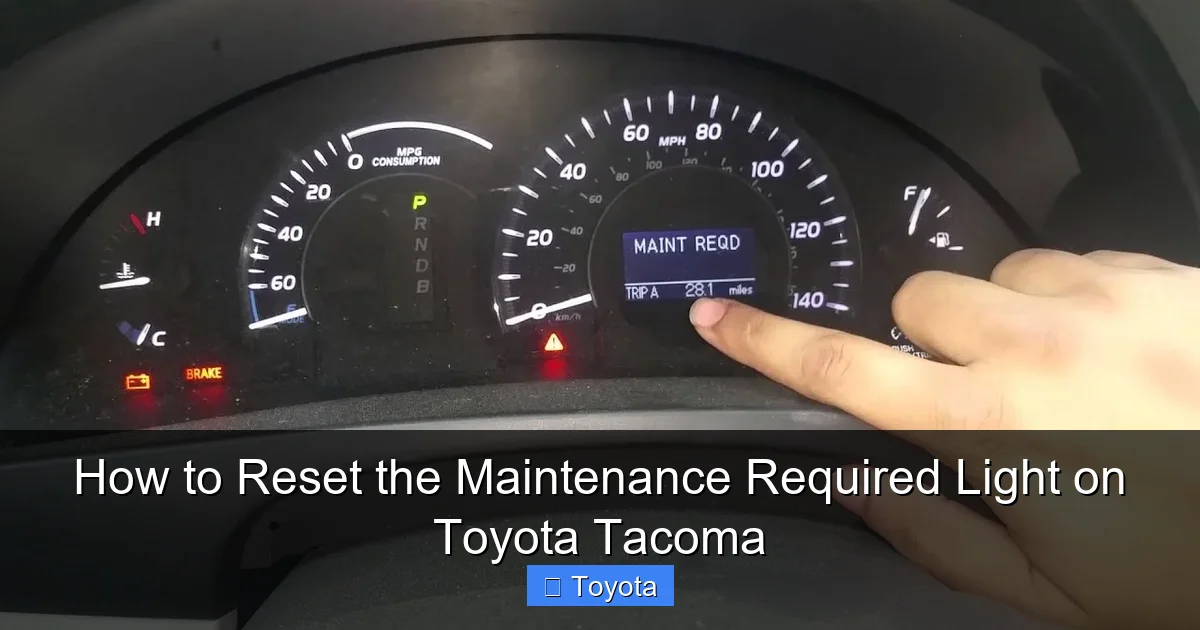
Visual guide about How to Reset the Maintenance Required Light on Toyota Tacoma
Image source: i.ytimg.com
Even though resetting the maintenance required light is simple, it’s easy to make small mistakes that prevent it from working. Here are some common pitfalls and how to avoid them.
Starting the Engine
One of the biggest mistakes is starting the engine during the reset process. You only need to turn the ignition to the “ON” position—not “START.” Starting the engine can interrupt the reset sequence and cause the light to stay on.
Not Holding the Button Long Enough
The trip odometer button must be held continuously throughout the process. If you release it too soon, the reset won’t complete. Most models require holding the button for 5–10 seconds after turning the ignition back on.
Using the Wrong Odometer Mode
On some Tacomas, you need to be in total mileage mode (not trip mode) before starting the reset. Make sure the odometer is displaying the total miles before turning the ignition off.
Rushing the Process
Timing is important. The entire reset should be completed within 10 seconds. If you take too long between steps, the system may not recognize the sequence. Work quickly but carefully.
Ignoring the Owner’s Manual
Every Tacoma model is slightly different. Your owner’s manual has the most accurate instructions for your specific year and trim. Don’t rely solely on online guides—check the manual first.
Why Regular Maintenance Matters
Resetting the maintenance required light is just one part of keeping your Toyota Tacoma in top shape. The real benefit comes from actually performing the maintenance it’s reminding you about.
Regular oil changes, for example, keep your engine clean and lubricated. Over time, oil breaks down and collects dirt, which can lead to engine wear. Changing the oil every 5,000 miles (or as recommended) helps prevent costly repairs down the road.
Tire rotations ensure even wear, which improves fuel efficiency and extends tire life. Brake inspections help you catch worn pads or rotors before they become safety hazards. And fluid checks—like coolant, brake fluid, and transmission fluid—keep all systems running smoothly.
By following Toyota’s recommended maintenance schedule, you’re not just avoiding breakdowns—you’re also protecting your investment. A well-maintained Tacoma holds its value better and can last well over 200,000 miles.
DIY vs. Professional Service
Many Tacoma owners choose to perform basic maintenance themselves, like oil changes and air filter replacements. This can save money and give you a better understanding of your vehicle.
However, some tasks—like transmission service or brake work—are best left to professionals. If you’re not comfortable doing the work yourself, don’t hesitate to visit a trusted mechanic or Toyota service center.
Either way, make sure to reset the maintenance required light after service. It’s a small step that makes a big difference in staying on top of your truck’s needs.
Final Thoughts and Tips
Resetting the maintenance required light on your Toyota Tacoma is a quick and easy task that every owner should know how to do. It takes just a few minutes, requires no special tools, and helps you stay on track with regular maintenance.
Remember to identify your model year, follow the correct steps, and avoid common mistakes like starting the engine or releasing the button too soon. And most importantly, don’t let the light be your only reminder—keep a log of your service dates and stick to Toyota’s recommended schedule.
Your Tacoma is built to last, and regular maintenance is the key to unlocking its full potential. By resetting the light and staying proactive with service, you’ll enjoy a smoother, safer, and more reliable ride for years to come.
Bonus Tip: Use a Maintenance Log
Consider keeping a simple maintenance log in your glove box or on your phone. Note the date, mileage, and services performed each time you reset the light. This helps you track your truck’s history and can be useful when selling it later.
You can also set calendar reminders on your phone to alert you when the next service is due. That way, you’ll never miss an oil change or inspection—even if the light hasn’t come on yet.
Frequently Asked Questions
How often should I reset the maintenance required light on my Toyota Tacoma?
You should reset the light after every scheduled service, typically every 5,000 miles or as recommended in your owner’s manual. This ensures the next reminder comes at the correct interval.
Can I reset the maintenance required light without going to a mechanic?
Yes, absolutely. The reset process can be done at home using the trip odometer button and ignition. No special tools or professional help is needed.
What if the maintenance required light comes back on right after I reset it?
This could mean the reset wasn’t completed properly. Try the steps again, making sure to hold the button long enough. If it persists, there may be a sensor issue—consult your manual or a technician.
Does resetting the light reset the oil life monitor?
No, the maintenance required light is separate from the oil life monitor (if your Tacoma has one). The oil life monitor uses engine data to calculate oil condition and may require a different reset procedure.
Can I drive my Tacoma if the maintenance required light is on?
Yes, you can drive safely with the light on. It’s a reminder, not a warning. However, don’t delay service for too long—follow your maintenance schedule to keep your truck in good condition.
Do I need to reset the light if I only changed the oil?
Yes, if the light was on before the oil change, you should reset it afterward. This ensures the next reminder comes at the correct mileage, even if other services aren’t due yet.