
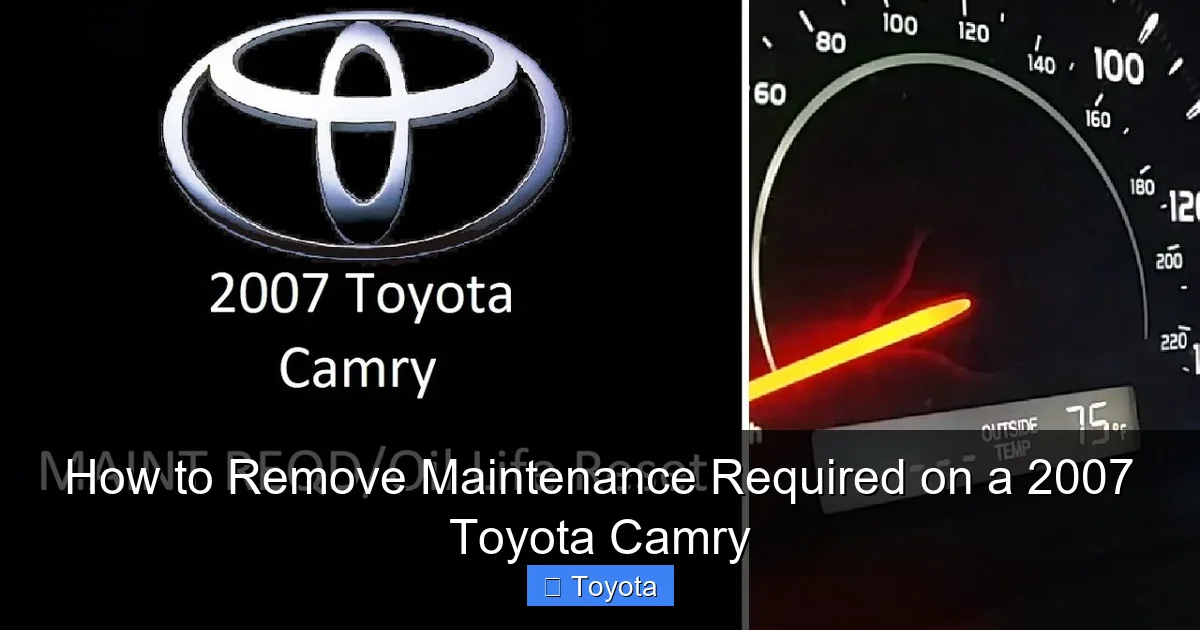
How to Remove Maintenance Required on a 2007 Toyota Camry

Contents
- 1 Key Takeaways
- 2 📑 Table of Contents
- 3 Understanding Your 2007 Toyota Camry’s “MAINT REQD” Light
- 4 Essential Preparation Before You Begin
- 5 The Step-by-Step Reset Procedure for a 2007 Toyota Camry
- 6 What to Do After the Reset: Post-Check Procedures
- 7 Troubleshooting: When the Reset Doesn’t Work or the Light Returns
- 8 Important Cautions and Best Practices
- 9 Conclusion: A Simple Task with a Big Responsibility
- 10 Frequently Asked Questions

Dash Cam

Car Shampoo Concentrate

Car Battery Charger
Foam Cannon
The “MAINT REQD” light on your 2007 Toyota Camry is a simple reminder for scheduled maintenance, not an emergency. You can reset it yourself in under 30 seconds using only the odometer button on your steering column. This guide provides the exact, foolproof method for your specific model year, plus crucial tips on when you should perform the actual oil change or service first.
Key Takeaways
- The light is a mileage-based reminder: It illuminates after 5,000 miles since the last reset, prompting for an oil change and tire rotation. It does not indicate a system fault.
- Reset only after maintenance: Always perform the required service (like an oil change) before resetting the light. Resetting without servicing defeats its purpose and can harm your engine.
- The process uses only the odometer button: No special tools or mechanic are needed. The entire procedure is done via the trip/odometer display and button on the dash.
- 2007 Camry has a specific procedure: Unlike newer models with menu systems, your 2007 uses a classic “off-on-hold” button sequence that must be done precisely.
- A persistent light may indicate a problem: If the light returns quickly or behaves erratically after a correct reset, a faulty sensor or electrical issue may be present, requiring professional diagnosis.
- Consult your owner’s manual: It contains the factory procedure and the maintenance schedule specific to your driving conditions, which is your best reference.
- Safety first: If you are unsure about performing maintenance yourself, take your Camry to a trusted mechanic. Never ignore the light long-term.
📑 Table of Contents
- Understanding Your 2007 Toyota Camry’s “MAINT REQD” Light
- Essential Preparation Before You Begin
- The Step-by-Step Reset Procedure for a 2007 Toyota Camry
- What to Do After the Reset: Post-Check Procedures
- Troubleshooting: When the Reset Doesn’t Work or the Light Returns
- Important Cautions and Best Practices
- Conclusion: A Simple Task with a Big Responsibility
Understanding Your 2007 Toyota Camry’s “MAINT REQD” Light
That little wrench icon glowing on your dashboard—the one that says “MAINT REQD”—can be a source of mild annoyance or genuine confusion. Before we dive into the “how-to,” let’s clear up exactly what it is and, more importantly, what it isn’t. This light is not a check engine light. It is not warning you of an imminent breakdown. It is, quite simply, a sophisticated mileage counter. Toyota’s maintenance reminder system is designed to illuminate after your Camry has traveled approximately 5,000 miles since the last time the reminder was manually reset. This interval typically aligns with a standard oil change and tire rotation service.
The system has no idea if your oil is actually dirty or your tires are worn. It only knows the number on the odometer. This is why the first, non-negotiable rule is this: you must complete the necessary maintenance before you reset the light. Resetting it without changing the oil or inspecting the vehicle is like tearing the page out of a calendar to skip an appointment—the work still needs to be done, and delaying it can lead to costly engine damage. For a comprehensive look at how these reminder systems work across the Toyota lineup, you can read about resetting the maintenance required light on a Toyota in general.
Essential Preparation Before You Begin
Resetting the light is the final, ceremonial step. The real work comes first. Here’s your pre-reset checklist to ensure you’re doing this the right, responsible way.

Visual guide about How to Remove Maintenance Required on a 2007 Toyota Camry
Image source: i.ytimg.com
1. Confirm the Maintenance is Actually Due
Check your owner’s manual. The standard interval is every 5,000 miles, but severe driving conditions (lots of short trips, extreme temps, dusty roads, towing) may require service more often. Has it been 5,000 miles? Has it been more than 6 months? If yes, it’s time for service.
2. Perform the Required Service
At a minimum, this means:
- Oil and Filter Change: The absolute core of the 5,000-mile service. Use the oil viscosity recommended in your manual (likely 5W-20 or 5W-30 for a 2007 Camry).
- Tire Inspection and Rotation: Check tire pressure, look for uneven wear or damage, and have them rotated to ensure even tread wear.
- Basic Inspection: Check all fluid levels (coolant, brake, windshield washer), inspect belts and hoses, and check the air filter.
You can do this yourself if you’re mechanically inclined, or you can take it to any reputable shop. The key is that the work is done.
3. Gather Your Tools (You Only Need One)
For this procedure on a 2007 Camry, you need nothing more than your finger. There is no scan tool, no special plug, no fuse to pull. The only “tool” is the trip/odometer reset button located on the instrument panel, usually on the right side of the speedometer cluster. You’ll be using it to communicate with the car’s computer.
The Step-by-Step Reset Procedure for a 2007 Toyota Camry
Now, for the main event. This procedure is specific to the 2004-2011 Camry generation. It must be followed precisely. If you mess up the sequence, just start over from step 1.

Visual guide about How to Remove Maintenance Required on a 2007 Toyota Camry
Image source: jbtools.com
- Turn the Ignition ON (Do NOT start the engine): Insert your key and turn it to the “ON” or “ACC” position. All your dashboard lights should illuminate, including the “MAINT REQD” wrench icon.
- Locate and Press the Odometer/Trip Button: Find the small button on your dash that you normally press to toggle between your total odometer reading and your trip meters (Trip A and Trip B). You will need to press and hold this button.
- The Critical Sequence – Off, On, Hold:
- While continuing to HOLD down the odometer button, turn the ignition key from the “ON” position to the “OFF” position.
- Now, while still HOLDING the button, turn the key back to the “ON” position.
- Keep holding the button. After about 5-10 seconds, you should see the “MAINT REQD” light begin to blink. It will blink a few times and then go out completely.
- Release the Button: Once the light has extinguished, you can release the odometer button. The system has been reset.
- Verify the Reset: Turn the ignition off completely for a few seconds, then turn it back on. The wrench icon should remain off. You can also cycle through your odometer display; it should now show the total mileage without the maintenance message.
Pro Tip: If the light does not go out, ensure you are holding the button through both the “off” and back to “on” transitions. The sequence must be uninterrupted. Start again from step 1. This same fundamental “button-hold” technique is used on many Toyota models, which you can see in guides for vehicles like the Toyota Yaris or Toyota Avalon, though the exact button and timing may vary slightly.
What to Do After the Reset: Post-Check Procedures
Success! The light is off. Don’t just jump in and drive away just yet. Take a moment for these important checks.

Visual guide about How to Remove Maintenance Required on a 2007 Toyota Camry
Image source: i.ytimg.com
Confirm the Trip Meter Reset
When you successfully reset the “MAINT REQD” light, it also automatically resets your Trip A odometer to zero. This is your new maintenance interval counter. Use Trip A to track your miles until the next service. If you use Trip B for other purposes, leave it as is.
Start the Engine and Listen
Crank the engine. It should start normally. There is no “chime” or special behavior expected after a reset. The absence of the warning light is the only confirmation you need.
Take a Short Test Drive
Drive for a minute or two. Accelerate, brake, and turn. Ensure there are no new, unexpected noises, vibrations, or dashboard warnings. This is just a sanity check to confirm everything is operating as it should after your service.
Record the Service
In your owner’s manual or a personal maintenance log, write down the date, current odometer reading, and the service performed (e.g., “Oil change, tire rotation, 5,000-mile service”). This creates an accurate history for future you and any potential buyer.
Troubleshooting: When the Reset Doesn’t Work or the Light Returns
Sometimes, the simple procedure doesn’t go as planned. Here’s how to handle common issues.
Scenario 1: The Light Won’t Reset After Multiple Attempts
First, double-check your procedure against the steps above. Are you holding the button through the entire “off-on” cycle? Is your ignition switch going fully to “off”? If you’ve tried 3-4 times with no success, the issue may not be your technique. It’s possible the system has logged a different fault. A weak battery can sometimes interfere with the computer’s ability to accept the reset command. Ensure your battery is healthy. If the problem persists, a scan tool may be needed to communicate with the vehicle’s Body Control Module or Combination Meter.
Scenario 2: The Light Comes Back On Very Quickly (e.g., after 50 miles)
This is a clear red flag. The maintenance reminder system should not re-illuminate for another ~5,000 miles. If it does, it indicates a fault in the system. The most common culprit is a failed Maintenance Reminder Indicator bulb or a problem with the circuit that controls it. However, it could also signal a deeper electrical issue. At this point, you need to consult a professional. They will likely scan for diagnostic trouble codes (DTCs) related to the instrument cluster or body computer. For other Toyota-specific light issues, like a persistent airbag light on a Camry, professional diagnosis is almost always required.
Scenario 3: The Light is On, But the Car Runs Fine
This is the most common and expected scenario. Remember, the light is a reminder, not a warning. The car will run perfectly fine with the light on. The only “damage” is to your engine’s longevity if you ignore the underlying need for fresh oil. So even if it’s annoying, get the service done, then reset it.
Important Cautions and Best Practices
Let’s solidify some golden rules to keep your Camry running reliably for years to come.
- Never Reset Without Servicing: This cannot be stressed enough. You are not tricking the car; you are tricking yourself. Dirty oil leads to sludge, increased wear, and potentially catastrophic engine failure. The $40 oil change is cheap insurance against a $4,000 engine rebuild.
- This Does Not Clear Check Engine Codes: The procedure above is only for the maintenance reminder light. If your “Check Engine” (MIL) light is on, that is a separate, serious issue requiring a diagnostic scan. Do not confuse the two.
- Your 2007 Camry is Different from Newer Models: Models from 2012 onward often have a multi-information display and require navigating through menu screens with the steering wheel controls to reset service reminders. Your 2007 uses the classic, simpler button method described here. If you ever work on a newer Toyota, the process will be different.
- Use the Correct Oil: Using the wrong oil viscosity can trigger other problems and affect fuel economy. Your 2007 Camry’s 2.4L 4-cylinder or 3.5L V6 engine has specific requirements. Check the oil cap or your owner’s manual.
- When in Doubt, Seek Help: If any part of the maintenance process—from changing the oil to resetting the light—is outside your comfort zone, take it to a professional. There is no shame in paying for expertise, especially when it protects a major asset like your car.
Conclusion: A Simple Task with a Big Responsibility
Resetting the maintenance required light on your 2007 Toyota Camry is one of the easiest DIY tasks you can master. It takes less than a minute and requires no tools. But this simplicity carries a weight of responsibility. That light is your car’s polite way of saying, “Hey, I need some basic care to keep running great for you.” By performing the actual service—the oil change, the tire rotation, the inspection—and then correctly resetting the reminder, you are actively participating in your vehicle’s health and longevity. You’re not just clearing a light; you’re honoring the engineering that makes your Camry one of the most reliable sedans ever built. So, get that service done, follow the button-press sequence precisely, and enjoy the satisfaction of a clear dashboard and a well-maintained machine. Your future self, and your Camry’s engine, will thank you.
Frequently Asked Questions
Will the maintenance required light reset itself if I don’t do anything?
No. The light will stay on continuously once it illuminates. It will only turn off after you manually perform the reset procedure described above, regardless of how many miles you drive after it first comes on.
What happens if I just drive with the light on and never reset it?
The light will simply remain on. The primary risk is that you will forget that the 5,000-mile service interval has passed, potentially leading to neglected oil changes. This can cause engine wear and damage over time. The light itself does not cause any harm to the car’s electrical systems.
Can I reset the light without changing the oil?
Technically, yes, you can follow the steps and the light will go out. However, this is strongly discouraged and defeats the entire purpose of the reminder system. You are then driving a car that is past its recommended service interval with an inaccurate dashboard indicator, which is a recipe for neglected maintenance.
Is the procedure the same for a 2007 Camry with a 4-cylinder and a V6?
Yes. The maintenance reminder reset procedure is identical for all 2007 Toyota Camry models, regardless of the engine (2.4L 4-cylinder or 3.5L V6). The location and function of the odometer button are the same across all trims.
My light blinked during the reset but stayed on after I released the button. What did I do wrong?
This usually means the reset sequence was not completed correctly. The most common mistake is not holding the odometer button down for the entire “off-on” transition. The button must be held down before you turn the key to off, and must still be held when you turn the key back to on. Start the process over from the beginning and ensure you hold continuously.
Can a dead battery cause the maintenance light to come on or prevent a reset?
A severely discharged or failing battery can cause all sorts of erratic electrical behavior, including illuminating random warning lights or preventing the computer from accepting a reset command. If your battery is old (over 4-5 years) or the car has been sitting, ensure the battery is fully charged before attempting the reset procedure.







