
How to Fix Key System Error on a 2020 Nissan Altima

Experiencing a “Key System Error” on your 2020 Nissan Altima can be frustrating and leave you stranded. This guide walks you through practical, easy-to-follow steps to diagnose and resolve the issue—from checking your key fob battery to resetting the system or visiting a certified technician.
Key Takeaways
- Check the key fob battery first: A weak or dead battery is the most common cause of key system errors in the 2020 Nissan Altima.
- Use the physical key blade: If the fob fails, manually unlock the door using the hidden key inside the fob.
- Try the emergency start procedure: Place the key fob in the designated slot near the steering column to start the car without signal detection.
- Reset the key fob and vehicle system: A simple reset can often restore communication between the fob and the car.
- Avoid extreme temperatures: Heat and cold can interfere with key fob performance and signal transmission.
- Visit a Nissan dealership if problems persist: Complex issues may require diagnostic tools and software updates only available at authorized service centers.
- Keep a spare key fob: Having a backup prevents being locked out during future key system failures.
📑 Table of Contents
Understanding the Key System Error on a 2020 Nissan Altima
If you’ve ever been ready to drive your 2020 Nissan Altima—only to see a “Key System Error” message flash on the dashboard—you know how alarming and inconvenient it can be. You press the start button, but nothing happens. The car won’t recognize the key. The lights may flicker, or the engine might crank but not start. It feels like your car has suddenly decided to go on strike.
This error isn’t just a minor glitch. It’s a signal that your vehicle’s advanced keyless entry and push-button start system isn’t communicating properly with your key fob. The 2020 Nissan Altima uses a smart key system that relies on wireless signals to authenticate the fob before allowing the engine to start. When that connection breaks, the car simply won’t let you drive—even if the fob is right inside the cabin.
But don’t panic. In most cases, this issue is fixable at home with a few simple steps. The good news? You don’t need to be a mechanic or spend hundreds at the dealership right away. Many key system errors stem from small, easily overlooked problems like a dying battery or a temporary glitch in the system.
In this guide, we’ll walk you through everything you need to know about diagnosing and fixing a key system error on your 2020 Nissan Altima. From quick fixes you can try in your driveway to when it’s time to call in the pros, we’ve got you covered. Whether you’re dealing with a dead fob, a weak signal, or a deeper electrical issue, this article will help you get back on the road safely and confidently.
What Causes a Key System Error in the 2020 Nissan Altima?
Visual guide about How to Fix Key System Error on a 2020 Nissan Altima
Image source: gearpatro.com
Before jumping into solutions, it helps to understand what’s actually going wrong under the hood—or rather, under the dashboard. The “Key System Error” message appears when the car’s immobilizer system can’t verify the presence or authenticity of the key fob. This system is designed to prevent theft, so it’s very strict about security. If it doesn’t “see” the key, it won’t let the engine start.
So, what could be blocking that signal? Let’s break down the most common causes.
Weak or Dead Key Fob Battery
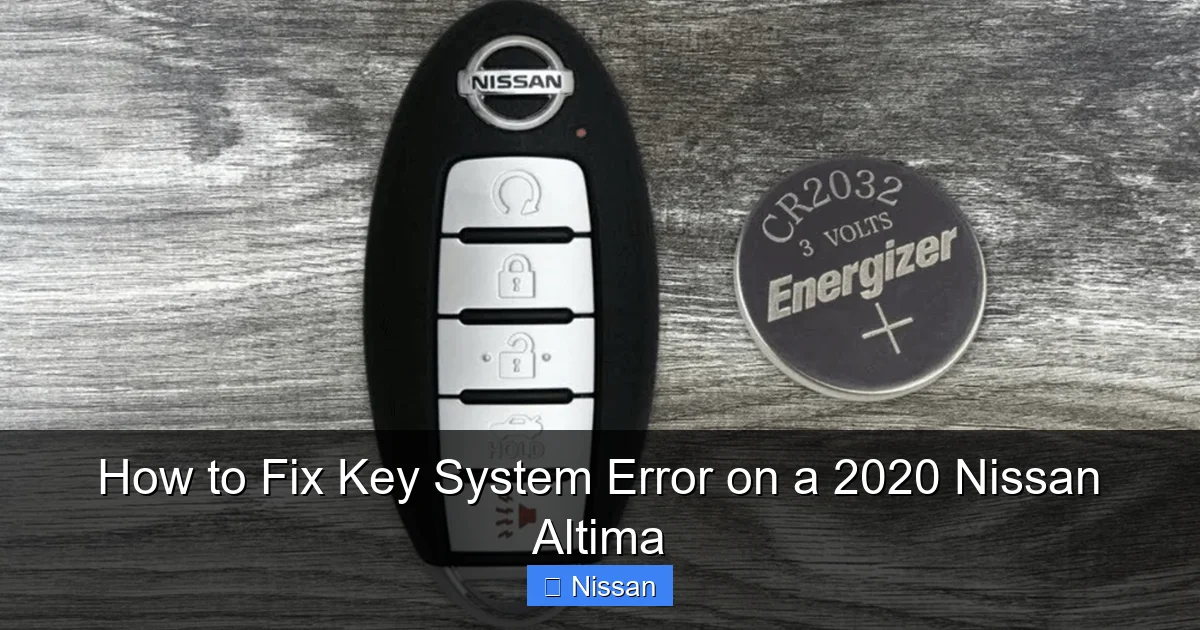
This is by far the number one culprit. The key fob in your 2020 Nissan Altima runs on a small coin-cell battery, typically a CR2032. These batteries last about 2–3 years, but heavy use, extreme temperatures, or age can shorten their lifespan. When the battery gets low, the fob can’t transmit a strong enough signal to the car—even if it’s sitting right next to the start button.
You might notice other signs of a dying battery: the remote lock/unlock buttons work intermittently, the range shortens, or the fob stops responding altogether. But sometimes, the only clue is the dreaded “Key System Error” message.
Interference from Electronic Devices
Your key fob operates on radio frequency (RF), and it can be disrupted by other electronic devices. Things like smartphones, power banks, wireless chargers, or even other key fobs in your pocket can interfere with the signal. This is especially common in urban areas with lots of electromagnetic noise.
For example, if you keep your phone in the same pocket as your keys, the phone’s Bluetooth or NFC signals might interfere with the fob’s ability to communicate with the car. Similarly, parking near high-voltage power lines or in a garage with strong Wi-Fi signals can sometimes cause temporary glitches.
Damaged or Faulty Key Fob
Physical damage can also cause problems. Dropping your key fob, exposing it to water, or cracking the internal circuit board can disrupt its function. Even if the fob looks fine on the outside, internal damage might prevent it from sending a signal.
Some owners have reported issues after replacing the battery incorrectly—such as touching the battery with bare fingers (oils can affect conductivity) or installing it upside down. Always handle the battery with clean, dry hands and double-check the polarity.
Vehicle Battery Issues
It might seem unrelated, but a weak or failing car battery can also trigger a key system error. The immobilizer system and key detection rely on stable voltage from the main battery. If the car battery is low—due to cold weather, old age, or leaving lights on—the system may not have enough power to read the key fob properly.
You might notice other symptoms like dim headlights, slow cranking, or dashboard warning lights. If your car battery is more than 3–4 years old, it’s worth testing it at an auto parts store.
Software or System Glitches
Like any modern vehicle, the 2020 Nissan Altima relies on software to manage its systems. Occasionally, a temporary glitch in the body control module (BCM) or immobilizer system can cause the key error to appear—even when everything else is working fine.
These glitches are often resolved with a simple reset, similar to restarting a computer. But in rare cases, a software update from Nissan may be needed to fix a known bug.
Faulty Antenna or Sensor
The car uses internal antennas located around the cabin—near the steering column, center console, and rear seats—to detect the key fob. If one of these antennas is damaged or disconnected, the car may not “see” the key, even if it’s right next to the start button.
This is less common but can happen after repairs, accidents, or water damage. A technician with the right diagnostic tools can check antenna continuity and signal strength.
Step-by-Step Guide to Fixing the Key System Error
Visual guide about How to Fix Key System Error on a 2020 Nissan Altima
Image source: gearpatro.com
Now that you know what might be causing the problem, let’s get into the solutions. Follow these steps in order—starting with the simplest and moving to more advanced fixes.
Step 1: Check the Key Fob Battery
Start here. It’s quick, easy, and solves the majority of key system errors.
First, locate the battery compartment on your key fob. Most 2020 Nissan Altima fobs have a small notch or button on the side. Use a flathead screwdriver or a coin to gently pry it open. Inside, you’ll see the CR2032 battery.
Remove the old battery and inspect it. If it looks corroded, swollen, or discolored, replace it immediately. Even if it looks fine, if it’s more than 2 years old, it’s probably time for a new one.
When installing the new battery, make sure the positive (+) side is facing up. Avoid touching the battery with your fingers—use gloves or a clean cloth. Reassemble the fob and test it.
Try locking and unlocking the doors from a few feet away. If it works, attempt to start the car. If the error is gone, you’re good to go!
Step 2: Use the Physical Key Blade
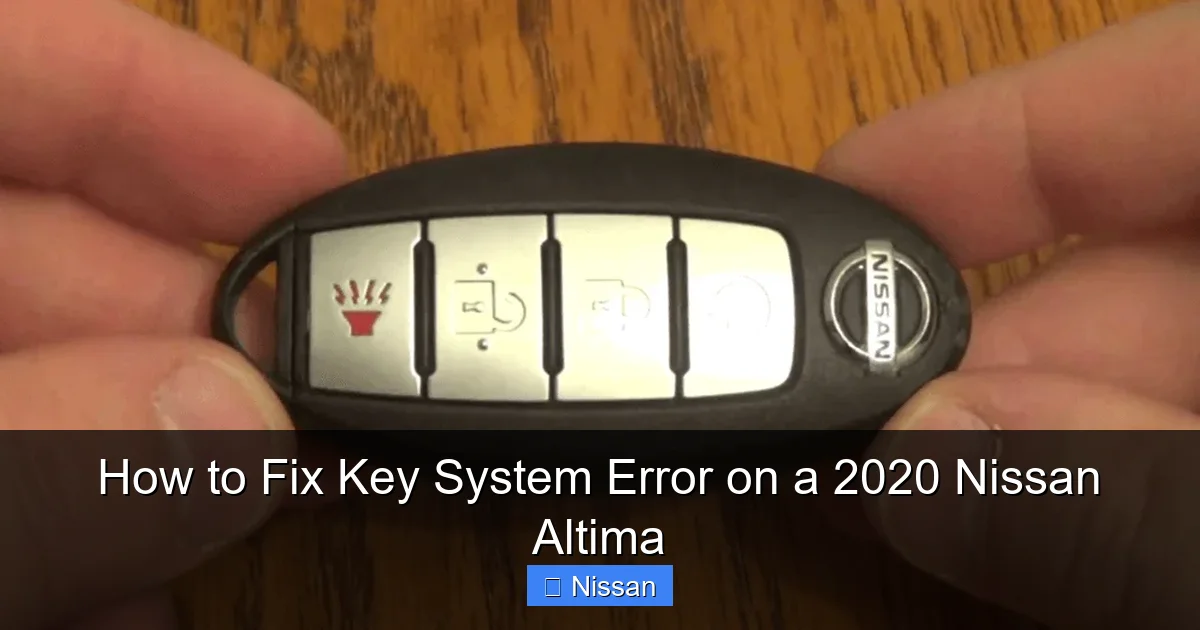
If the fob isn’t working at all, you’re not completely locked out. Every 2020 Nissan Altima key fob has a hidden physical key inside.
Look for a small release button or slider on the fob. Press it and pull out the metal key blade. Use this key to manually unlock the driver’s side door. There’s a keyhole hidden behind a small cover near the door handle—just pop it off with a flat tool.
Once inside, you can still start the car using the emergency start procedure (we’ll cover that next). This method ensures you’re not stranded, even if the fob is completely dead.
Step 3: Try the Emergency Start Procedure
If your key fob has a weak signal but isn’t completely dead, the car may still start if you place the fob in the right spot.
In the 2020 Nissan Altima, there’s a designated key fob slot located near the steering column—usually on the left side, under a small cover or marked with a key symbol. Open the cover and place the entire fob inside.
Now, press the brake pedal (for automatic transmission) and press the start button. The car should recognize the fob and start normally.
This method bypasses the need for wireless detection and forces the system to read the fob directly. It’s a lifesaver when the battery is low or the signal is weak.
Step 4: Reset the Key Fob and Vehicle System
Sometimes, a simple reset can restore communication between the fob and the car.
To reset the key fob:
– Remove the battery for 10–15 minutes.
– Reinsert it and test the fob.
To reset the vehicle’s electrical system:
– Turn off the car and remove the key fob from the cabin.
– Open the hood and disconnect the negative terminal of the car battery.
– Wait 10–15 minutes to allow the system to fully power down.
– Reconnect the battery terminal and try starting the car again.
This process clears temporary glitches in the immobilizer and body control modules. It’s like rebooting your car’s computer.
Step 5: Check for Interference and Reposition the Fob
If the error comes and goes, interference might be the issue.
Try moving the key fob away from electronic devices. Don’t keep it in the same pocket as your phone or near a wireless charger. Place it on the passenger seat or center console instead of your pocket.
Also, try starting the car with the fob in different locations—near the start button, on the dashboard, or even under your leg. Sometimes, the signal needs to be in a specific “hot zone” for the car to detect it.
If the car starts when the fob is in one spot but not another, it could indicate a weak antenna or signal issue.
Step 6: Test the Car Battery
Use a multimeter or visit an auto parts store to test your car battery’s voltage. A healthy battery should read around 12.6 volts when the car is off and 13.7–14.7 volts when running.
If the voltage is below 12.4 volts, the battery may be weak. Charge it or replace it if it’s old. A weak battery can cause all sorts of electrical issues, including key system errors.
When to Visit a Nissan Dealership or Certified Technician

Visual guide about How to Fix Key System Error on a 2020 Nissan Altima
Image source: gearpatro.com
If you’ve tried all the steps above and the “Key System Error” persists, it’s time to seek professional help. Some issues require specialized tools and expertise.
Persistent Error After Battery Replacement
If you’ve replaced the key fob battery and the error still appears, the fob itself might be damaged or faulty. Nissan dealerships can test the fob’s signal strength and internal circuitry. In some cases, the fob may need to be reprogrammed or replaced.
Multiple Key Fobs Not Working
If neither of your key fobs works—even with fresh batteries—the problem is likely in the car, not the fobs. This could indicate a failed antenna, a wiring issue, or a problem with the immobilizer module.
A technician can use a Nissan-specific diagnostic tool (like CONSULT-III or a compatible scanner) to read error codes and pinpoint the issue.
Water Damage or Physical Damage to the Fob
If your key fob has been dropped in water or shows signs of physical damage, it may need professional repair or replacement. Water can corrode internal components, and even if it seems dry, moisture may still be present.
Dealerships can often refurbish fobs or order new ones with the correct programming.
Software Updates or Recalls
Nissan occasionally releases software updates to fix known bugs in the key system. Check with your local dealership to see if there’s a recall or update for your vehicle.
For example, some 2020 Altimas were part of a service campaign to address intermittent key detection issues. A simple software flash can resolve the problem without any hardware changes.
Immobilizer System Failure
In rare cases, the immobilizer system itself may fail. This is a complex electronic system that communicates with the engine control unit (ECU). If it’s not working, the car won’t start—even with a valid key.
This requires advanced diagnostics and possibly replacement of the immobilizer module or ECU. Only a certified technician should handle this.
Preventing Future Key System Errors
Once you’ve fixed the issue, take steps to avoid it happening again.
Replace the Key Fob Battery Regularly
Don’t wait for the battery to die. Replace it every 2–3 years as part of routine maintenance. Keep a spare CR2032 battery in your glove box or emergency kit.
Keep the Fob Clean and Dry
Avoid exposing the fob to water, extreme heat, or cold. Don’t leave it in direct sunlight or in a freezing car overnight. Store it in a protective case if needed.
Avoid Signal Interference
Keep your key fob away from phones, tablets, and other electronics. Use a Faraday pouch or RFID-blocking wallet if you’re concerned about signal theft—but make sure it doesn’t block the fob’s signal when you need it.
Use the Emergency Start Slot Regularly
Even if your fob is working, occasionally use the emergency start slot to keep the contacts clean and ensure the system recognizes the fob in that position.
Keep a Spare Key Fob
If you only have one key fob, consider getting a second one programmed. This gives you a backup in case the primary fob fails. Some owners keep a spare in their office or with a trusted family member.
Schedule Regular Maintenance
Include the key system in your regular vehicle checkups. Ask your technician to test the fob signal and inspect the antennas during service visits.
Conclusion
Dealing with a “Key System Error” on your 2020 Nissan Altima can be stressful, but it’s rarely a serious or expensive problem. In most cases, the issue stems from a simple cause like a dead battery, interference, or a temporary glitch. By following the steps in this guide—starting with checking the fob battery and using the emergency start procedure—you can often resolve the issue yourself in minutes.
Remember, the key system is designed for security and convenience, but it’s not infallible. Regular maintenance, careful handling of the fob, and awareness of potential interference can go a long way in preventing future errors.
If the problem persists despite your best efforts, don’t hesitate to visit a Nissan dealership or certified technician. They have the tools and expertise to diagnose and fix complex electrical issues that go beyond DIY repairs.
With the right knowledge and a little patience, you can keep your 2020 Nissan Altima running smoothly—and avoid being stranded by a key system error ever again.
Frequently Asked Questions
Why does my 2020 Nissan Altima say “Key System Error” when the key is inside?
This usually means the car can’t detect the key fob’s signal. It could be due to a dead battery, interference, or a weak signal. Try replacing the fob battery or using the emergency start slot near the steering column.
Can I drive my Altima if the key system error appears?
No, the car won’t start if it doesn’t recognize the key. However, you can manually unlock the door with the physical key and use the emergency start procedure to get the engine running temporarily.
How much does it cost to replace a key fob for a 2020 Nissan Altima?
A new key fob typically costs between $150 and $300, including programming. Prices vary by dealership and location. Some third-party locksmiths offer cheaper options, but ensure they can program it correctly.
Will a weak car battery cause a key system error?
Yes, a weak or failing car battery can disrupt the electrical systems that detect the key fob. Test your car battery if you’re experiencing key errors along with other electrical issues.
Can I fix a key system error without going to the dealership?
In most cases, yes. Simple fixes like replacing the fob battery, resetting the system, or using the emergency start procedure can resolve the issue at home. Only complex problems require dealership tools.
How often should I replace the key fob battery?
Replace the CR2032 battery every 2–3 years, or sooner if you notice reduced range or intermittent operation. Keeping a spare battery on hand helps avoid unexpected failures.
