
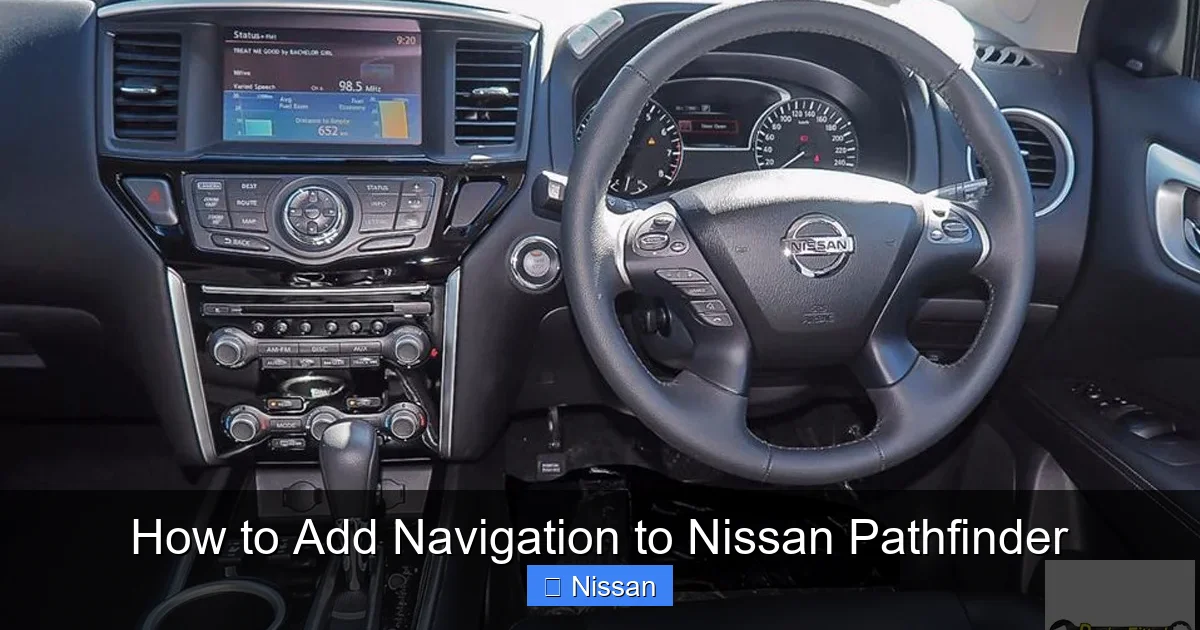
How to Add Navigation to Nissan Pathfinder

Contents
- 1 Key Takeaways
- 2 📑 Table of Contents
- 3 Why Add Navigation to Your Nissan Pathfinder?
- 4 Factory Navigation Upgrades: The OEM Route
- 5 Aftermarket Navigation Systems: More Features, More Flexibility
- 6 Retrofitting Older Pathfinders: Challenges and Solutions
- 7 Maintaining OEM Features During the Upgrade
- 8 DIY vs. Professional Installation: What’s Best for You?
- 9 Future-Proofing Your Navigation System
- 10 Conclusion
- 11 Frequently Asked Questions


Adding navigation to your Nissan Pathfinder is easier than you think—whether you’re upgrading from a basic radio or enhancing an older model. With options ranging from factory-style retrofits to modern aftermarket units, you can enjoy real-time GPS, traffic updates, and smartphone integration without buying a new vehicle.
If you own a Nissan Pathfinder—especially an older model or a base trim—you might be missing out on one of the most useful features in modern vehicles: built-in navigation. Whether you’re planning a cross-country road trip, navigating city traffic, or just trying to find the nearest coffee shop, having reliable GPS right on your dashboard makes life easier. The good news? You don’t need to trade in your trusted SUV to get it. Adding navigation to your Nissan Pathfinder is totally doable, and in this guide, we’ll walk you through every option, from factory upgrades to sleek aftermarket solutions.
The Nissan Pathfinder has evolved significantly over the years, especially in terms of tech. Early models (pre-2013) often came with basic audio systems and no navigation at all. Even some mid-tier trims skipped the nav package to keep costs down. But as smartphone integration and driver assistance features became standard, so did the demand for better in-dash technology. Today, whether you drive a 2010 Pathfinder or a 2022 model, there’s a way to add or upgrade your navigation system. The key is knowing your options, understanding your vehicle’s electronics, and choosing the right solution for your budget and tech comfort level.
In this article, we’ll break down everything you need to know about how to add navigation to your Nissan Pathfinder. We’ll cover factory retrofit kits, aftermarket head units, wiring considerations, installation tips, and even how to keep your steering wheel controls working. By the end, you’ll have a clear roadmap—pun intended—to getting GPS directions right where you need them: on your dashboard.
Key Takeaways
- Factory navigation upgrades are available: Nissan offers genuine navigation modules compatible with select Pathfinder trims and model years.
- Aftermarket systems offer more features: Brands like Pioneer, Kenwood, and Alpine provide larger screens, Apple CarPlay, Android Auto, and better sound quality.
- Professional installation is recommended: Wiring, steering wheel controls, and antenna integration often require expert help for a seamless fit.
- Check compatibility first: Not all systems work with every Pathfinder year or trim—verify fitment before purchasing.
- Retain OEM features when possible: Many upgrades allow you to keep backup cameras, climate controls, and factory safety alerts.
- Consider future-proofing: Choose systems with software updates and expandable memory for long-term usability.
- DIY is possible but risky: While some tech-savvy owners install units themselves, mistakes can damage electronics or void warranties.
📑 Table of Contents
- Why Add Navigation to Your Nissan Pathfinder?
- Factory Navigation Upgrades: The OEM Route
- Aftermarket Navigation Systems: More Features, More Flexibility
- Retrofitting Older Pathfinders: Challenges and Solutions
- Maintaining OEM Features During the Upgrade
- DIY vs. Professional Installation: What’s Best for You?
- Future-Proofing Your Navigation System
- Conclusion
Let’s start with the “why.” Why bother adding navigation when most people just use their phones? It’s a fair question, and the answer comes down to convenience, safety, and functionality.
First, built-in navigation systems are integrated into your vehicle’s dashboard. That means no fumbling with phone mounts, no glare on your screen, and no risk of your phone dying mid-commute. A dedicated GPS unit typically has a larger, higher-resolution display than a smartphone, making maps easier to read at a glance. Plus, many systems offer split-screen views, showing both map and audio controls simultaneously.
Second, factory and high-quality aftermarket navigation systems often include real-time traffic updates, lane guidance, and points of interest (POIs) like gas stations, restaurants, and parking. These features are powered by live data, so you’re not relying on outdated maps or slow phone connections. Some systems even predict traffic patterns based on historical data, helping you avoid delays before they happen.
Third, adding navigation can increase your vehicle’s resale value. A Pathfinder with a modern infotainment system is more attractive to buyers than one with a basic radio. It signals that the vehicle has been well-maintained and upgraded, which can justify a higher asking price.
Finally, there’s the safety factor. Using your phone for navigation while driving is distracting, even with voice commands. A built-in system keeps your eyes on the road and your hands on the wheel. Many units support voice control, so you can say “Navigate to the nearest hospital” without touching anything.
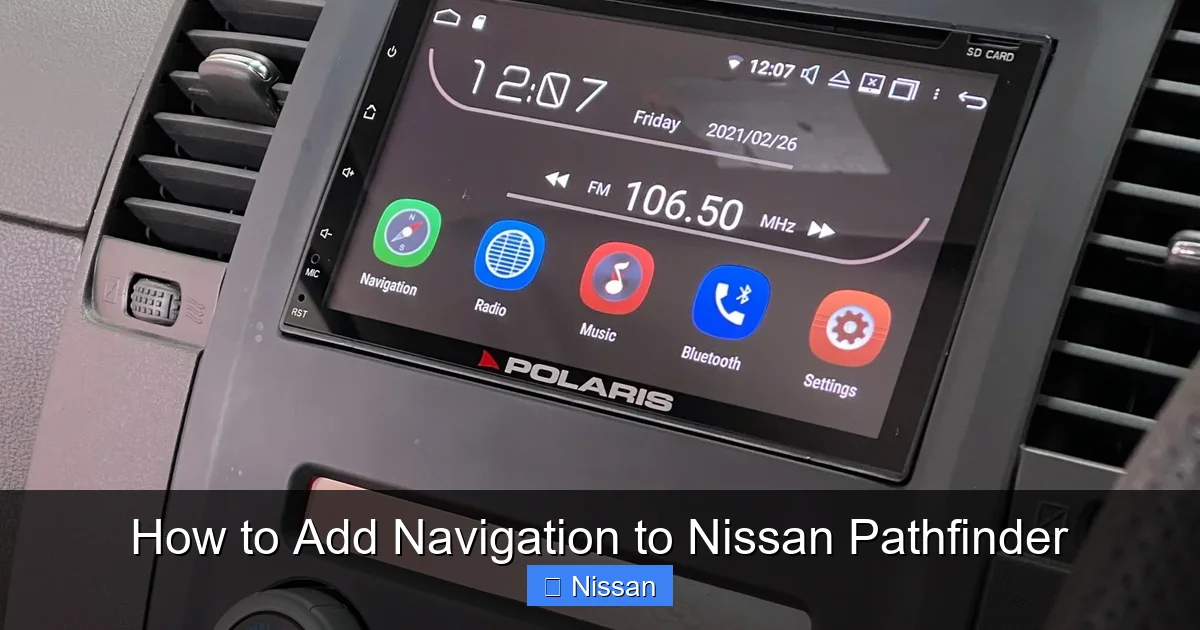
Visual guide about How to Add Navigation to Nissan Pathfinder
Image source: cdn.polarisgps.com.au
If you prefer to keep things original, Nissan offers factory navigation upgrades for many Pathfinder models. These are genuine parts designed specifically for your vehicle, ensuring compatibility and a clean, integrated look.
What Is a Factory Navigation Retrofit?
A factory retrofit involves replacing your existing head unit with a Nissan-approved navigation system. These units look and feel like they came straight from the factory—because they did. They’re built to match the dashboard design, use the same wiring harnesses, and often integrate with other vehicle systems like the backup camera and climate controls.
For example, if you have a 2013–2016 Nissan Pathfinder, you may be able to install the Nissan Connect navigation module. This system includes a 7-inch touchscreen, voice recognition, and access to real-time traffic via SiriusXM Travel Link (subscription required). It also supports Bluetooth hands-free calling and audio streaming.
Compatibility and Model Years
Not every Pathfinder can get a factory navigation upgrade. Compatibility depends on the model year, trim level, and existing infotainment system. Generally, vehicles with a color display and basic audio controls are good candidates. Older models with monochrome screens or no display may require more extensive modifications.
Here’s a quick breakdown:
– 2013–2016 Pathfinder: Compatible with Nissan Connect navigation upgrades.
– 2017–2020 Pathfinder: Many trims already include navigation, but lower trims can be upgraded.
– 2021–2024 Pathfinder: Newer models often come with standard navigation, but firmware updates can enhance functionality.
Always check with a Nissan dealership or certified technician to confirm compatibility. They can run a VIN check and tell you exactly what’s possible.
Installation Process
Installing a factory navigation system isn’t as simple as swapping out a radio. It involves:
– Removing the old head unit
– Installing the new navigation module
– Connecting to the vehicle’s CAN bus (the network that controls electronics)
– Calibrating the GPS antenna
– Updating software via Nissan’s diagnostic tool (consultant)
Because of the complexity, most owners opt for professional installation at a Nissan service center. The cost typically ranges from $800 to $1,500, including parts and labor. While it’s more expensive than aftermarket options, the result is a seamless, warranty-backed upgrade that looks factory-installed.
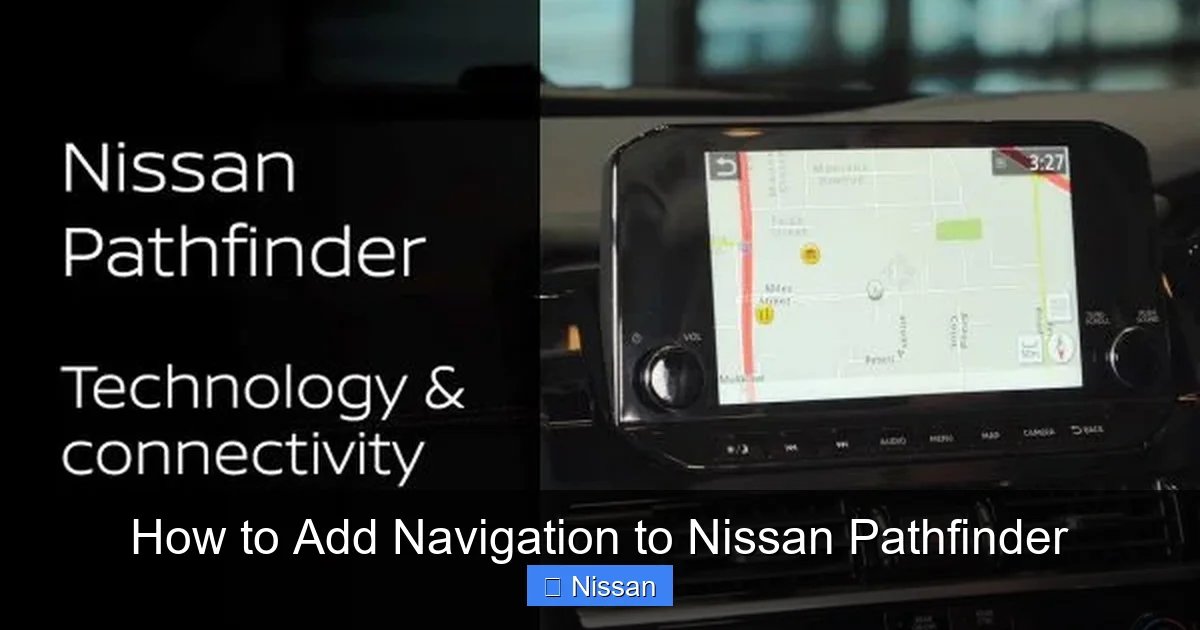
Visual guide about How to Add Navigation to Nissan Pathfinder
Image source: www-asia.nissan-cdn.net
If you’re looking for more features, better performance, or a lower price point, aftermarket navigation systems are the way to go. Brands like Pioneer, Kenwood, Alpine, and Sony offer high-quality head units that can transform your Pathfinder’s interior.
Top Aftermarket Brands and Models
Here are a few popular options that work well with the Nissan Pathfinder:
Pioneer DMH-WT7600NEX: This 9-inch floating touchscreen supports Apple CarPlay, Android Auto, and built-in navigation via Google Maps or Waze. It has a high-resolution display, wireless connectivity, and customizable home screens. The floating design gives it a modern, premium look.
Kenwood DMX907S: With a 6.95-inch capacitive touchscreen, this unit offers wireless Apple CarPlay and Android Auto, HD Radio, and dual phone Bluetooth. It also supports rear-view camera input and has a built-in amplifier for better sound.
Alpine iLX-W650: A budget-friendly option with a 7-inch screen, Apple CarPlay, Android Auto, and easy installation. It’s compact, reliable, and works well in older Pathfinders with limited dash space.
Features to Look For
When shopping for an aftermarket navigation system, prioritize these features:
– Apple CarPlay and Android Auto: These allow you to mirror your phone’s navigation apps (like Google Maps or Waze) on the screen. It’s often more accurate and up-to-date than built-in GPS.
– HD or 4K Display: A sharp, responsive screen makes maps easier to read and improves the overall experience.
– Voice Control: Look for systems that support “Hey Google” or “Siri” for hands-free operation.
– Backup Camera Compatibility: Most Pathfinders have a factory backup camera. Make sure your new unit can display it.
– Steering Wheel Control Retention: Use an interface module (like the Axxess ASWC-1) to keep your steering wheel buttons working.
– Expandable Storage: Some units support SD cards or USB drives for map updates or media.
Installation Tips
Installing an aftermarket head unit is more involved than a factory retrofit, but it’s doable with the right tools and patience. Here’s what you’ll need:
– A dash kit (like the Metra 99-7615B for Pathfinder)
– A wiring harness (Metra 70-7615)
– An antenna adapter (Metra 40-NI11)
– A steering wheel control interface (if applicable)
– Basic tools: screwdrivers, panel removal tools, wire strippers
Step-by-step:
1. Disconnect the battery to avoid electrical shorts.
2. Remove the factory radio using a trim removal tool.
3. Connect the wiring harness to the new head unit (match wire colors or use a diagram).
4. Install the dash kit to secure the new unit.
5. Reconnect the battery and test all functions.
If you’re not comfortable with wiring, hire a professional installer. Most car audio shops charge $100–$300 for installation, depending on complexity.
Retrofitting Older Pathfinders: Challenges and Solutions

Visual guide about How to Add Navigation to Nissan Pathfinder
Image source: thecarhow.com
Older Nissan Pathfinders—especially those from the 2000s—present unique challenges when adding navigation. These vehicles often lack the digital infrastructure needed for modern systems, but with some creativity, you can still upgrade.
Limited Dash Space and Wiring
Early Pathfinders have smaller dash openings and simpler wiring. You may need a custom dash kit or a single-DIN unit with a separate screen. Some owners mount a tablet or portable GPS in the center console, but this isn’t ideal for daily use.
A better solution is to use a double-DIN aftermarket head unit with a built-in screen. These fit most 2005–2012 Pathfinders with minor modifications. Brands like Boss Audio and Jensen offer affordable options with basic navigation and Bluetooth.
No Factory Backup Camera? No Problem
If your Pathfinder doesn’t have a backup camera, you can add one during the upgrade. Many aftermarket head units support aftermarket cameras, which can be mounted on the license plate frame or rear bumper. This not only improves safety but also adds value.
Power and Grounding Issues
Older vehicles may have weaker electrical systems. If your new unit flickers or shuts off, check the ground connection and ensure the battery is in good condition. Upgrading to a higher-output alternator may be necessary for power-hungry systems.
Maintaining OEM Features During the Upgrade
One of the biggest concerns when upgrading is losing factory features like the backup camera, climate controls, or safety alerts. The good news? Most modern upgrades can retain these functions—if you plan carefully.
Backup Camera Integration
If your Pathfinder has a factory backup camera, make sure your new head unit supports video input. Most do, but you’ll need a compatible adapter. The camera signal typically runs through the factory radio, so bypassing it requires a video harness.
Steering Wheel Controls
To keep your steering wheel buttons working, use a control interface module. These devices translate button presses into signals the new head unit can understand. Popular options include the Axxess ASWC-1 and the PAC SWI-RC.
Climate and Safety Systems
Some high-end aftermarket units can integrate with the vehicle’s CAN bus to display climate info or maintenance alerts. However, this requires advanced programming and may not be available on all models. For most users, basic audio and navigation functions are sufficient.
DIY vs. Professional Installation: What’s Best for You?
Deciding whether to install the navigation system yourself or hire a pro depends on your skill level, tools, and comfort with electronics.
DIY Installation: Pros and Cons
Pros:
– Saves money (no labor costs)
– Learn about your vehicle’s electronics
– Flexible scheduling
Cons:
– Risk of damaging wiring or components
– May void warranties
– Time-consuming and frustrating if you’re not experienced
If you’re tech-savvy and have basic tools, DIY can be rewarding. Watch YouTube tutorials specific to your Pathfinder model and take your time.
Professional Installation: Why It’s Worth It
A professional installer has the tools, experience, and access to diagnostic equipment. They can:
– Ensure proper wiring and grounding
– Retain factory features
– Update software and calibrate systems
– Provide a warranty on labor
For most owners, especially those upgrading to a high-end system, professional installation is the safer, smarter choice.
Technology moves fast. To get the most out of your upgrade, choose a system that can grow with you.
Software Updates
Look for units that support over-the-air (OTA) updates or USB-based map updates. This ensures your navigation stays current without buying a new device every few years.
Expandable Memory and Storage
Some systems allow you to add SD cards or external drives for storing maps, music, or videos. This is especially useful for long trips or off-grid adventures.
Smartphone Integration
Even if your unit has built-in navigation, smartphone mirroring (via CarPlay or Android Auto) gives you access to the latest apps, traffic data, and voice assistants. It’s the best of both worlds.
Conclusion
Adding navigation to your Nissan Pathfinder is a smart upgrade that enhances safety, convenience, and resale value. Whether you choose a factory retrofit for a seamless look or an aftermarket system for more features, the process is well within reach. Start by assessing your vehicle’s compatibility, set a budget, and decide whether to DIY or hire a pro. With the right system and installation, you’ll enjoy turn-by-turn directions, real-time traffic, and a more connected driving experience—all from the comfort of your trusted Pathfinder.
Frequently Asked Questions
Can I add navigation to a 2010 Nissan Pathfinder?
Yes, you can add navigation to a 2010 Nissan Pathfinder using an aftermarket head unit. While it doesn’t support factory navigation retrofits, double-DIN systems from Pioneer or Kenwood work well with a dash kit and wiring harness.
Will adding navigation void my warranty?
Installing an aftermarket system yourself may void parts of your warranty, especially if damage occurs. Professional installation at a certified shop reduces this risk and often includes a labor warranty.
Do I need a subscription for navigation?
It depends. Factory Nissan systems may require a SiriusXM or Nissan Connect subscription for live traffic. Aftermarket units often use free apps like Google Maps or Waze via CarPlay or Android Auto.
Can I keep my steering wheel controls?
Yes, with a steering wheel control interface module like the Axxess ASWC-1. These devices translate button signals so your new head unit can recognize them.
How much does it cost to add navigation?
Costs range from $300 for a basic aftermarket unit to $1,500 for a factory retrofit with professional installation. Most owners spend $500–$800 for a mid-range system with install.
Is Apple CarPlay better than built-in navigation?
For most users, yes. Apple CarPlay and Android Auto offer more accurate, up-to-date maps, real-time traffic, and seamless smartphone integration. Built-in GPS is reliable but often lacks frequent updates.



