
How Do You Reset the Tire Pressure Light on a Toyota Corolla

Resetting the tire pressure light on a Toyota Corolla is straightforward after correcting tire inflation. The process varies by model year, often using a dedicated button or steering wheel menu. Always address the root cause first to maintain safety and avoid recurring warnings.
How Do You Reset the Tire Pressure Light on a Toyota Corolla
Hey there! So that little yellow tire pressure warning light has lit up on your Toyota Corolla’s dashboard, huh? It’s a common sight, and while it can be annoying, it’s actually your car’s way of looking out for you. Resetting that light is usually a quick DIY task, but it’s important to do it right. In this guide, we’ll walk through everything you need to know about how to reset the tire pressure light on a Toyota Corolla, from understanding why it came on to the exact steps for your model. Let’s get started!
First, a quick note: the tire pressure monitoring system (TPMS) is a critical safety feature. It alerts you when tire pressure is too low or too high, which can affect handling, fuel economy, and tire wear. Never ignore it—always check your tires when the light comes on. Resetting the light is just the final step after you’ve fixed the underlying issue. If you skip that part, the light will just come back on, and you might be driving on unsafe tires.
Toyota Corollas have used TPMS since 2007 in the US, and the reset process has evolved. Don’t worry; we’ll cover methods for older and newer models. By the end, you’ll be confident in handling this yourself. And if you ever need a refresher, we’ve got a general guide on how do you reset the tire pressure light for other vehicles too.
Key Takeaways
- Check pressures first: Always verify and adjust tire pressures to the manufacturer’s recommended PSI before resetting the light.
- Model-specific methods: Reset procedures differ; some Corollas use a TPMS button, while others use the steering wheel menu system.
- Drive after resetting: After a reset, drive for 10-15 minutes to allow the TPMS to recalibrate and confirm the light stays off.
- Investigate persistent lights: If the light returns quickly, it may indicate a faulty sensor, leak, or other issue requiring professional diagnosis.
- Regular maintenance: Check tire pressures monthly and with temperature changes to prevent unnecessary TPMS activations.
- Consult your manual: Your owner’s manual provides the exact reset steps for your specific Toyota Corolla model year and trim.
📑 Table of Contents
- Understanding the Tire Pressure Monitoring System (TPMS) in Your Toyota Corolla
- Preparing to Reset the Tire Pressure Light: The Essential First Steps
- Step-by-Step Reset Procedures for Different Toyota Corolla Models
- Troubleshooting: When the Reset Doesn’t Work
- Tips for Maintaining Proper Tire Pressure and Avoiding Future TPMS Lights
- Conclusion: Keep Your Toyota Corolla Running Smoothly and Safely
Understanding the Tire Pressure Monitoring System (TPMS) in Your Toyota Corolla
Before resetting, it helps to know what you’re dealing with. TPMS isn’t just one thing; it can work in different ways. Most Toyota Corollals from the mid-2000s onward have a direct TPMS. This means each wheel has a small sensor mounted inside the valve stem. These sensors constantly measure pressure and temperature, then send that data to your car’s computer. If pressure drops 25% or more below the recommended level, the system triggers that warning light on your dash.
Some older Corollas or base models might use an indirect TPMS. Instead of physical sensors, this system uses the anti-lock brake (ABS) wheel speed sensors. It detects if one tire is rotating faster or slower than the others, which happens when pressure is off. Indirect systems often need a reset after tire rotations or pressure adjustments because they learn the normal rotation patterns.
Knowing your type matters for troubleshooting. You can usually find this in your owner’s manual under “TPMS” or “Tire Pressure.” For a deeper dive into TPMS technology across brands, check out our article on how do you reset the tire pressure light. Now, let’s look at why that light might be glowing.
Common Reasons the Tire Pressure Light Comes On
The light isn’t always about a flat tire. Here are the usual suspects:
- Temperature swings: Cold weather contracts air in tires, lowering pressure. A 10°F drop can decrease PSI by about 1. So, in winter, your light might come on even with no leak. Conversely, hot weather can increase pressure, but low pressure is more common.
- Puncture or slow leak: Nails, screws, or curb damage can cause gradual air loss. If the light comes on and pressure keeps dropping, you likely have a leak that needs repair.
- Recent tire service: After rotating tires, changing tires, or installing new sensors, the TPMS often needs a reset to recognize the new positions or sensors.
- Faulty sensor: TPMS sensors have batteries that last 7-10 years. If yours is old, it might die and trigger the light. Sensors can also get damaged from road debris or corrosion.
- Spare tire in use: If you’re using a temporary spare (donut), it usually doesn’t have a TPMS sensor. The system will detect a missing signal and light up until your regular tire is back.
- Overloading: Carrying heavy cargo can slightly compress tires, but this is rare as a sole cause.
Before any reset, always check and adjust pressures. If you’re unsure how to check them properly on your Corolla, we have a detailed guide for how to check tire pressure on a 2021 Toyota Corolla. That article covers gauge use, cold vs. hot checks, and finding your recommended PSI. Getting pressures right is step one—resetting is step two.
Preparing to Reset the Tire Pressure Light: The Essential First Steps
Resetting without correct pressures is pointless. The light will just come back on. So, let’s make sure we start on the right foot. This prep work takes only a few minutes but saves headaches later.
Visual guide about How Do You Reset the Tire Pressure Light on a Toyota Corolla
Image source: i.ytimg.com
Checking and Adjusting Tire Pressure Correctly
Here’s a foolproof method:
- Find your recommended PSI: Open the driver’s door and look for a yellow and white sticker on the door jamb. It lists pressures for front and rear tires, often around 32-35 PSI for most Corollas, but always use this number—not the max on the tire sidewall. For example, a 2020 Corolla LE might specify 33 PSI all around, while a 2015 base model could be 32 PSI. If the sticker is missing, check the owner’s manual.
- Get a good gauge: Digital gauges are affordable and accurate. Stick to reputable brands. Avoid cheap pencil gauges that can be off.
- Check when cold: Tires must be “cold,” meaning the car hasn’t been driven for at least 3 hours or driven less than 1 mile. Driving heats tires and gives falsely high readings.
- Remove valve caps: Unscrew the small caps on valve stems. Keep them safe so they don’t get lost.
- Measure and adjust: Press the gauge firmly onto the valve stem. Note the reading. If below recommended, add air at a gas station or with a home compressor. If above, press the valve core briefly to release air (use a tool or the gauge’s deflator). Recheck until correct.
- Replace caps: Screw valve caps back on tightly to keep out dirt and moisture.
- Don’t forget the spare: If your spare is a full-size one with a sensor, check its pressure too. Donuts usually don’t need checking as they’re temporary.
After adjusting, you might see the light go out on its own if pressure was just slightly low and the system rechecks after driving. But often, a manual reset is needed. Before we do that, let’s cover a couple more prep points.
Ensuring Optimal Conditions for a Successful Reset
Timing and environment matter. Here’s what to keep in mind:
- Ignition position: Most resets require the key in the “ON” or “ACC” position (dashboard lights on, engine off). Some models need the engine running. Check your manual.
- Stationary vehicle: Perform the reset with the car parked, in park (or neutral for manuals), and parking brake set. Steering wheel buttons won’t work while driving.
- All tires correct: Double-check all four tires. If one is still off, the reset will fail or the light will return quickly.
- After tire work: If you just had tires rotated or new sensors installed, the TPMS might need initialization via a scan tool. In that case, a simple button reset might not work—you may need a dealer or tire shop. But for most pressure adjustments, the manual method is fine.
- Battery health: A weak car battery can sometimes interfere with electronic resets. If your battery is old, consider checking it.
With pressures set and conditions right, you’re ready to reset. Now, let’s get into the specific steps for your Toyota Corolla.
Step-by-Step Reset Procedures for Different Toyota Corolla Models
Toyota has changed the reset interface over the years. We’ll break it down by common eras. If you’re unsure of your model year, it’s on your registration or driver’s door jamb sticker. Let’s start with the simplest method.
Visual guide about How Do You Reset the Tire Pressure Light on a Toyota Corolla
Image source: i.ytimg.com
Reset Procedure for Corollas with a Dedicated TPMS Button
Many Corollas from roughly 2006 to 2014 have a physical TPMS button. It’s usually a small, round button labeled “TPMS” or with a tire icon. Common locations:
- Under the dashboard, left of the steering column (you might need to look up or bend down).
- On the lower dashboard panel, near the hazard light switch.
- Inside the glove compartment in some models.
If you have this button, here’s the reset process:
- Ensure all tires are inflated to the correct PSI from your door jamb sticker.
- Turn the ignition key to the “ON” position (do not start the engine). All dashboard lights should illuminate, including the TPMS light.
- Press and hold the TPMS button firmly. You should feel a click. Hold it until the TPMS warning light blinks three times, then release. On some models, the light may turn off immediately after blinking; on others, it might stay on for a few seconds before going out.
- If the light doesn’t blink or turn off, try pressing again. Ensure you’re holding long enough—usually 3-5 seconds.
- Start the engine and drive normally for 10-15 minutes. The light should remain off. If it comes back on, recheck pressures or proceed to troubleshooting.
Pro tip: If the button is hard to reach, use a pen or screwdriver to press it, but be gentle to avoid damage.
For Toyota models like the Sienna, the process is nearly identical. You can see the exact steps in our guide on how to reset tire pressure light on Toyota Sienna. Now, what if your Corolla doesn’t have a button?
Reset Procedure for Corollas Using the Steering Wheel Menu (No Dedicated Button)
From about 2015 onward, most Corollas use a digital menu accessed via steering wheel buttons. This includes all 2020+ models. The exact menu names vary, but the logic is similar. Here’s a typical sequence:
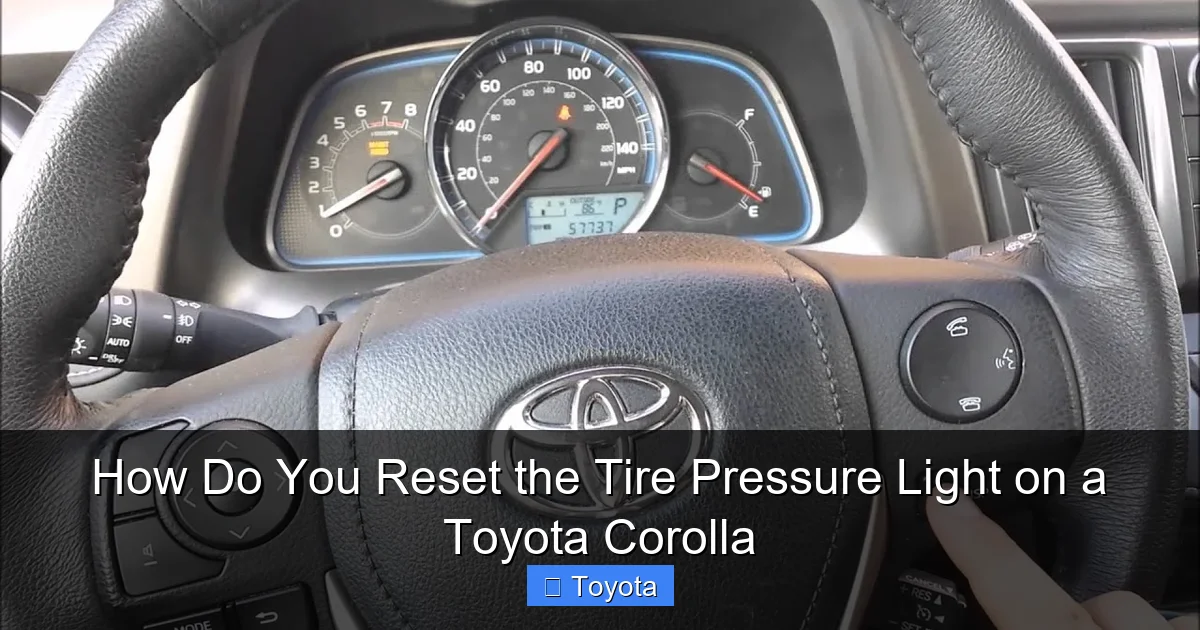
- With the car in park and ignition “ON” (engine off or on), locate the “Menu,” “Info,” or “Disp” button on your steering wheel. It’s often on the left spoke or center.
- Press the button to cycle through the multi-information display (MID) on your gauge cluster. Look for options like “Settings,” “Vehicle Settings,” “TPMS,” or “Tire Pressure.”
- Use arrow buttons (usually on the right steering wheel spoke) to navigate to the TPMS menu. On a 2018 Corolla, you might go: Menu > Settings > Vehicle Settings > TPMS.
- Select “Initialize,” “Reset,” or “Register.” Some models say “Set” or “Learn.” Highlight it and press “Enter” or “OK” (often the center button on the steering wheel).
- The display may show “TPMS initialization in progress” or a progress bar. Wait for it to complete, which usually takes 10-30 seconds. You might hear a chime.
- Once done, the TPMS light should turn off. If it stays on, repeat the steps or ensure all tires are correct.
- Drive for 15-20 minutes at various speeds (including highway) to let sensors communicate. The light should not return.
Note: On some models, you must initialize the TPMS after tire rotation or sensor replacement. This process might require driving at a specific speed (e.g., 50 mph for 10 minutes) for the system to learn sensor positions. Your manual will specify.
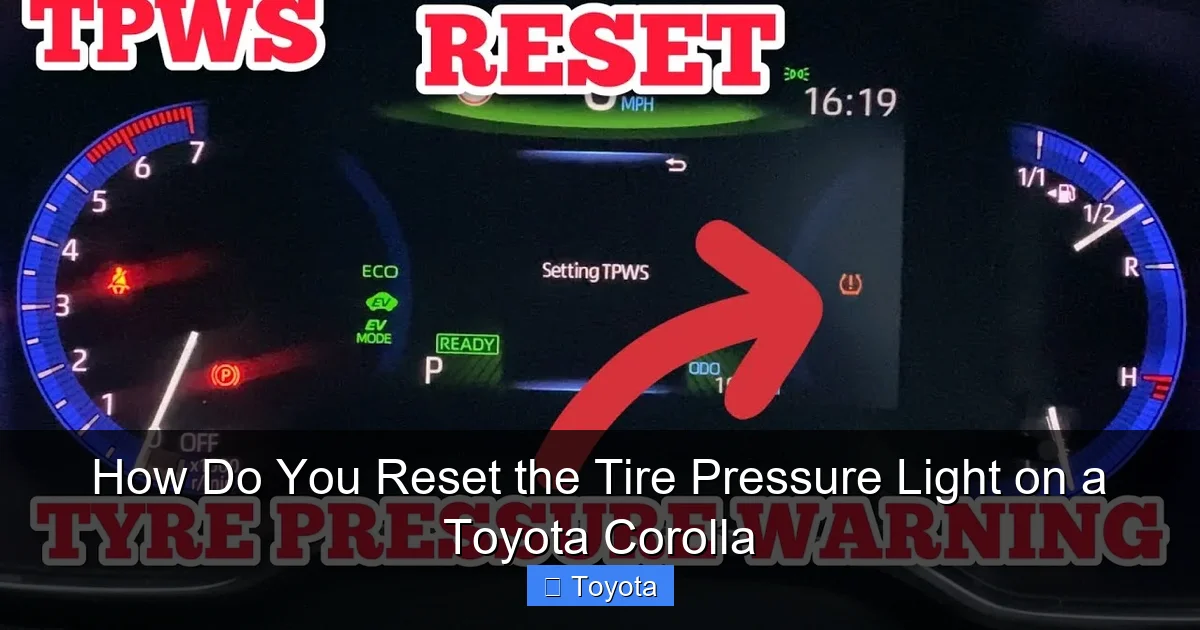
If your Corolla has a color display (like in 2021+ models), the menu might be under “Vehicle” > “TPMS” > “Reset.” Always refer to your owner’s manual for the exact path—it’s the best resource.
Reset Procedure for Older or Special Cases
For Corollas before 2007, TPMS might not be standard, but some had basic low-pressure warnings. If your older Corolla has a TPMS light, it likely uses the indirect system. Resetting often involves:
- Inflate all tires to correct pressure.
- Drive at a steady speed (around 50-60 mph) for 10-15 minutes. The system recalibrates based on wheel speeds.
- The light should go off on its own. There’s usually no button or menu.
If your Corolla has a button but the above steps don’t work, or if the light flashes repeatedly, it may indicate a sensor fault. Also, after replacing a dead sensor, you’ll need a professional to program it to the car. This isn’t a DIY reset—it requires a TPMS tool.
In all cases, if you’ve tried resets multiple times and the light persists, it’s time to seek help. Don’t keep driving with it on; your safety is at stake.
Troubleshooting: When the Reset Doesn’t Work
So you followed the steps, but the light is back on? Don’t panic. Here’s how to diagnose common issues.
Visual guide about How Do You Reset the Tire Pressure Light on a Toyota Corolla
Image source: i.ytimg.com
Possible TPMS Sensor and System Issues
Here’s a checklist:
- Re-check pressures: Use your gauge to verify all tires are exactly at the recommended PSI. Even a 1-2 PSI deviation can trigger the light. Also, check the spare if it’s a full-size with a sensor.
- Look for leaks: Apply soapy water to valve stems and tire treads. Bubbles indicate air escaping. Repair any punctures or replace damaged valve stems.
- Sensor battery dead: TPMS sensors have non-replaceable batteries. If your Corolla is over 8-10 years old, sensors might be failing. A tire shop can scan each sensor’s battery life.
- Sensor damage: Sensors can be hit by curbs or road debris. Visual inspection might show cracks or corrosion.
- Mismatched sensors: After tire replacement, if new sensors aren’t programmed to your Corolla’s computer, they won’t communicate. This requires a dealer or tire shop with a TPMS programmer.
- Incorrect reset procedure: Double-check you used the right method for your model year. Sometimes a menu option is missed.
- Faulty TPMS control module: Rare, but the car’s TPMS receiver can fail. This needs professional diagnosis.
If you suspect a sensor issue, visit a tire shop. They’ll use a scan tool to read TPMS codes, telling you which sensor (if any) is bad. Replacement sensors cost $50-$150 each, plus installation.
When to Call a Professional
Don’t hesitate to get help if:
- The light flashes rapidly before staying solid. This indicates a system malfunction, not just low pressure.
- You’ve reset multiple times, and the light returns within minutes or days.
- You’ve recently had tire work, and the light won’t go away.
- You’re uncomfortable working with tires or electronics.
A professional can also check for other dashboard warnings that might be related, like the ABS light. Sometimes, TPMS issues are linked to broader electrical problems. For Toyota-specific issues, your dealer has the latest software and tools. Many tire shops offer free TPMS checks, so it’s worth a call.
Remember, driving with the TPMS light on is risky. You could be running on under-inflated tires without knowing, leading to blowouts or poor handling. Address it promptly.
Tips for Maintaining Proper Tire Pressure and Avoiding Future TPMS Lights
Prevention is easier than cure. Here’s how to keep your TPMS happy.
Regular Checks and Seasonal Adjustments
Make tire pressure checks a habit:
- Monthly: Check all tires (and spare if applicable) at least once a month with a gauge. Don’t rely on visual inspection—tires can look fine while being 5 PSI low.
- Seasonal: In fall/winter, add 1-2 PSI as temperatures drop. In spring/summer, check for over-inflation. Recheck after major temperature swings.
- Before trips: Always check before long drives or when loading extra cargo.
- Use your TPMS as backup: The system is great for sudden drops (like a blowout), but it won’t warn for small gradual losses. Manual checks are essential.
Keep a digital gauge in your glove compartment. They’re more accurate than station gauges. And store valve caps in a safe place—they’re cheap but important for preventing debris entry.
Using the Correct Pressure Values and Understanding Load Adjustments
Never guess at pressure values. Always use the number on your door jamb sticker. That pressure is for normal driving conditions. If you’re carrying a full load of passengers or cargo, some vehicles recommend higher pressures—check your manual for “maximum load” pressures. For a Corolla, the standard pressure is usually sufficient even with a full load, but for heavy towing or extreme conditions, consult a professional.
Also, if you’ve changed your tire size or wheel type, the recommended pressure might differ. Larger tires might need slight adjustments, but stick close to the original specs. When in doubt, ask a tire expert.
Finally, remember that tire pressure affects everything: fuel economy (low pressure increases rolling resistance), tire wear (uneven wear patterns), and ride comfort. Properly inflated tires last longer and save you money at the pump.
Conclusion: Keep Your Toyota Corolla Running Smoothly and Safely
Resetting the tire pressure light on your Toyota Corolla is a simple yet vital part of car ownership. By now, you know it’s not just about pushing a button—it’s about understanding your TPMS, maintaining correct pressures, and knowing the reset procedure for your specific model year. Whether you have a dedicated TPMS button or use the steering wheel menu, the steps are straightforward once you get the hang of it.
Always remember: the light is a warning, not a nuisance. Address the cause first—check pressures, inspect for leaks, and ensure sensors are functional. If the light persists after a proper reset, don’t ignore it; get professional help. Your tires are the only thing connecting your car to the road, so their condition is non-negotiable for safety.
With regular maintenance and these reset techniques, you’ll keep your Corolla’s TPMS in check, enjoy better fuel efficiency, and extend tire life. And if you run into other dashboard lights, we’ve got you covered—check out our guides on how to reset the check engine light on a Toyota Corolla or how to reset the maintenance light on a Toyota for more DIY tips. Happy driving, and may your dash be light-free!
Frequently Asked Questions
How long does it take to reset the tire pressure light on a Toyota Corolla?
The actual reset process takes less than a minute—just a few button presses. However, you should first check and adjust tire pressures, which adds 5-10 minutes. After resetting, drive for 10-15 minutes to confirm the light stays off, so total time is about 20-30 minutes.
Will the tire pressure light reset itself after I inflate the tires?
Sometimes, if pressure was only slightly low and you drive for a few minutes, the system may auto-relearn and turn off the light. But in most cases, especially after significant adjustments or tire service, a manual reset is required. Don’t rely on auto-reset; always use the proper procedure.
Can I reset the TPMS with the engine off?
Yes, for most Toyota Corollas, the ignition must be in the “ON” position (dashboard lights on, engine off) to access the TPMS menu or button. Some models require the engine running, but typically “ON” is sufficient. Check your owner’s manual to be sure.
What if the tire pressure light keeps coming back after a reset?
This indicates an unresolved issue. Recheck all tire pressures for accuracy. Look for slow leaks with soapy water. If pressures are fine, a TPMS sensor may be faulty or need reprogramming. Have a professional scan the system to identify the problem.
Do I need to reset the TPMS after rotating tires?
Yes, absolutely. Tire rotation changes sensor positions relative to the wheel. The TPMS needs to learn the new locations. Always perform a reset after rotation to avoid false warnings. Some models require driving at speed for initialization after resetting.
Can I disable the tire pressure light if it’s malfunctioning?
Technically, you could disconnect the battery or remove the bulb, but this is illegal in many areas and unsafe. The TPMS is a federally mandated safety feature. Instead, diagnose and fix the underlying issue. If sensors are dead, replace them properly. Never disable the system.
