
How to Reset Tire Pressure Light on Toyota Sienna

Resetting the tire pressure light on your Toyota Sienna is simpler than you think. Whether you’ve just inflated your tires or replaced a sensor, this guide walks you through the process for every model year—from 2004 to 2024—using built-in dashboard controls or the TPMS reset button.
If you’ve ever been driving your Toyota Sienna and suddenly noticed that little yellow tire icon glowing on your dashboard, you’re not alone. That’s the Tire Pressure Monitoring System (TPMS) light, and it’s designed to alert you when one or more of your tires is significantly underinflated. While it’s a helpful safety feature, it can also be a bit of a nuisance—especially after you’ve already checked and filled your tires. The good news? Resetting the tire pressure light on your Toyota Sienna is usually quick, straightforward, and something you can do yourself without a trip to the dealership.
Whether you’re driving a 2004 first-generation Sienna or a brand-new 2024 hybrid model, the core principles of TPMS remain the same. However, the exact method to reset the light varies slightly depending on your vehicle’s year and trim level. Some older models use a physical reset button hidden under the dashboard, while newer Siennas rely on intuitive menu navigation through the multi-information display. Don’t worry—we’ll cover all the bases so you can confidently silence that warning light and get back to enjoying your minivan’s smooth ride.
In this comprehensive guide, we’ll walk you through every step needed to reset the tire pressure light on your Toyota Sienna. We’ll explain how the TPMS works, why the light might come on in the first place, and how to troubleshoot common issues. You’ll also learn when it’s time to seek professional help and how to maintain proper tire pressure year-round. By the end, you’ll feel like a Sienna TPMS pro—no tools required (except maybe an air pump!).
Key Takeaways
- Check tire pressure first: Always ensure all tires are inflated to the recommended PSI before attempting a reset.
- Locate the TPMS reset button: Found under the steering wheel or near the fuse panel in most Sienna models.
- Use the multi-information display (MID): Newer Siennas (2017+) allow reset via the dashboard screen using steering wheel controls.
- Drive after resetting: Most systems require a short drive (5–10 minutes) at speeds above 20 mph to complete the reset.
- Replace faulty sensors if needed: Persistent lights may indicate a dead or damaged TPMS sensor requiring professional replacement.
- Seasonal changes matter: Cold weather can lower tire pressure and trigger the light—check monthly in winter.
- Consult your owner’s manual: Model-specific instructions vary slightly; always refer to your Sienna’s manual for accuracy.
📑 Table of Contents
- Understanding the Toyota Sienna TPMS System
- Preparing to Reset the Tire Pressure Light
- How to Reset the Tire Pressure Light on Older Toyota Siennas (2004–2016)
- How to Reset the Tire Pressure Light on Newer Toyota Siennas (2017–2024)
- What to Do If the Light Won’t Turn Off
- Maintaining Proper Tire Pressure Year-Round
- Final Thoughts
Understanding the Toyota Sienna TPMS System
Before diving into the reset process, it’s helpful to understand what the Tire Pressure Monitoring System actually does. The TPMS in your Toyota Sienna continuously monitors the air pressure inside each of your four tires (and sometimes the spare, depending on the model). If the pressure drops below a certain threshold—typically around 25% below the recommended level—the system triggers a warning light on your dashboard.
There are two main types of TPMS: direct and indirect. The Toyota Sienna uses a **direct TPMS**, which means each tire is equipped with a small sensor mounted inside the wheel. These sensors measure actual air pressure and temperature, then wirelessly transmit that data to your vehicle’s computer. This method is more accurate than indirect systems, which estimate pressure based on wheel speed differences.
So why does the light come on? Common causes include:
– Natural air loss over time (tires lose about 1 PSI per month)
– Temperature drops (cold weather can reduce pressure by 1 PSI for every 10°F decrease)
– Punctures or leaks
– Recent tire rotation or replacement without resetting the system
– A dead or malfunctioning TPMS sensor
Knowing the “why” helps you avoid repeat issues. For example, if you live in a cold climate, checking tire pressure monthly in winter can prevent unnecessary light activations. Similarly, after any tire service—like rotation, balancing, or replacement—always reset the TPMS to ensure accurate readings.
Preparing to Reset the Tire Pressure Light
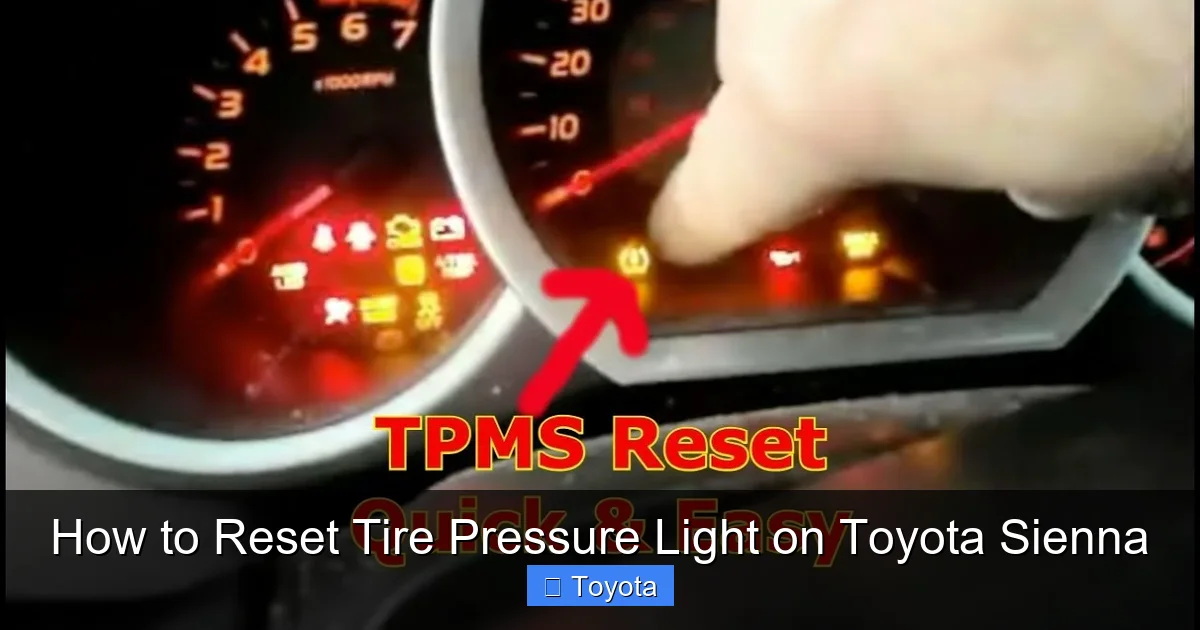
Visual guide about How to Reset Tire Pressure Light on Toyota Sienna
Image source: i.ytimg.com
Before you attempt to reset the tire pressure light, take a few minutes to prepare. This ensures the reset will work the first time and prevents frustration.
Step 1: Check All Tire Pressures
Start by verifying that all four tires (and the spare, if equipped) are inflated to the correct pressure. You’ll find the recommended PSI on a sticker inside the driver’s side door jamb or in your owner’s manual. Don’t rely on the number molded into the tire sidewall—that’s the maximum pressure, not the ideal for your vehicle.
Use a reliable digital tire pressure gauge for accuracy. Check the pressure when the tires are “cold” (i.e., the vehicle hasn’t been driven for at least 3 hours). If any tire is low, inflate it to the proper level. Overinflating can be just as problematic as underinflating, so stick to the manufacturer’s recommendation.
Step 2: Ensure the Vehicle Is in Park
For safety and system recognition, always perform the reset with the ignition on (or engine running) and the vehicle in Park. Make sure the parking brake is engaged, especially if you’re working on a slight incline.
Step 3: Locate Your Reset Method
Determine which reset method applies to your Sienna based on its model year:
– **2004–2010 models**: Use the physical TPMS reset button.
– **2011–2016 models**: May use either a button or menu-based reset, depending on trim.
– **2017–2024 models**: Primarily use the multi-information display (MID) via steering wheel controls.
If you’re unsure, check your owner’s manual or look for a small button labeled “SET” or “TPMS” under the dashboard near the steering column.
Step 4: Gather Tools (If Needed)
Most resets require no tools, but having a flashlight handy can help you locate the reset button in older models. If you’re using an OBD2 scanner for advanced diagnostics (not usually necessary for a simple reset), keep it nearby—but again, it’s rarely needed for basic TPMS resets on Siennas.
Taking these preparatory steps sets you up for success and minimizes the chance of the light coming back on immediately after reset.
How to Reset the Tire Pressure Light on Older Toyota Siennas (2004–2016)
Visual guide about How to Reset Tire Pressure Light on Toyota Sienna
Image source: seventrumpet.com
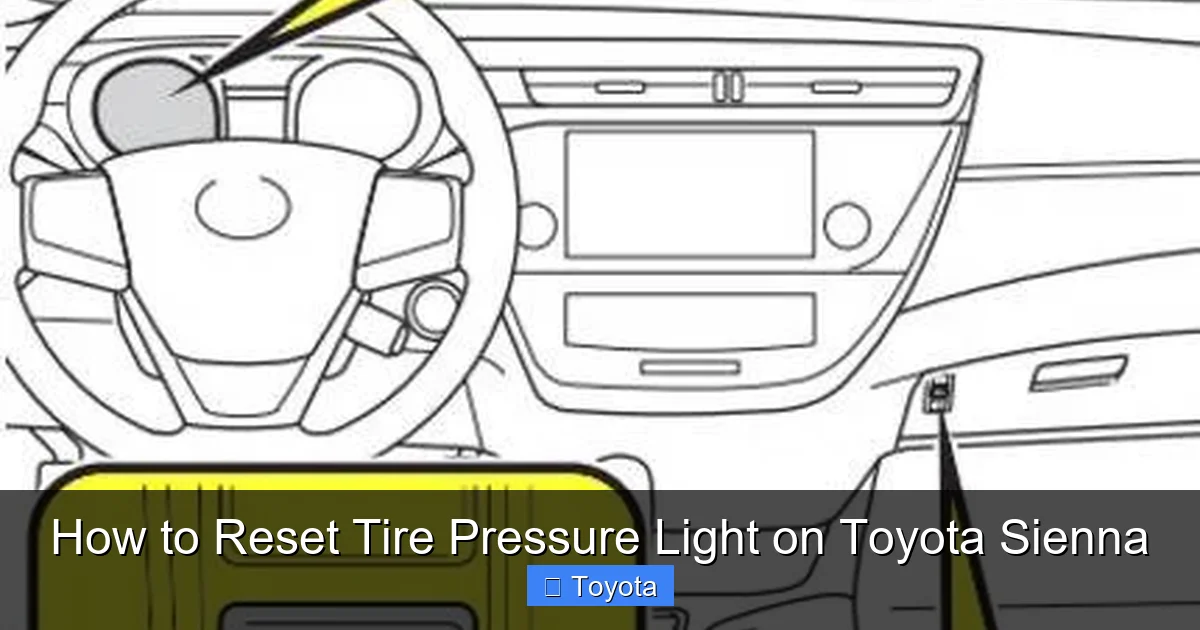
If you drive a first- or second-generation Toyota Sienna (2004–2016), you’ll likely use a physical reset button to clear the TPMS warning. This method is simple but easy to miss if you don’t know where to look.
Locating the TPMS Reset Button
The reset button is typically found under the dashboard, to the left of the steering column. It’s a small, unmarked button (sometimes labeled “SET” or “TPMS”) tucked behind the lower dash panel. You may need to crouch down or use a flashlight to spot it. In some 2011–2016 models, it’s located near the fuse box or under the glove compartment.
Step-by-Step Reset Process
Follow these steps carefully:
1. Turn the ignition to the “ON” position (do not start the engine). All dashboard lights should illuminate.
2. Press and hold the TPMS reset button until the tire pressure warning light blinks three times (usually takes 3–5 seconds).
3. Release the button.
4. Start the engine and drive the vehicle at speeds above 20 mph for at least 5–10 minutes. This allows the system to recalibrate and confirm proper tire pressure.
After driving, the light should turn off. If it remains on, double-check your tire pressures and repeat the process. In rare cases, a faulty sensor may be the culprit.
Tips for Success
– Perform the reset on a flat, level surface.
– Avoid pressing the brake pedal during the reset unless instructed.
– If the light flashes rapidly or doesn’t respond, wait 10 minutes and try again—sometimes the system needs a cooldown period.
This method works reliably for most pre-2017 Siennas. However, if your vehicle has aftermarket wheels or sensors, compatibility issues could interfere with the reset. In such cases, consult a Toyota specialist.
How to Reset the Tire Pressure Light on Newer Toyota Siennas (2017–2024)
Visual guide about How to Reset Tire Pressure Light on Toyota Sienna
Image source: wheelsjoint.com
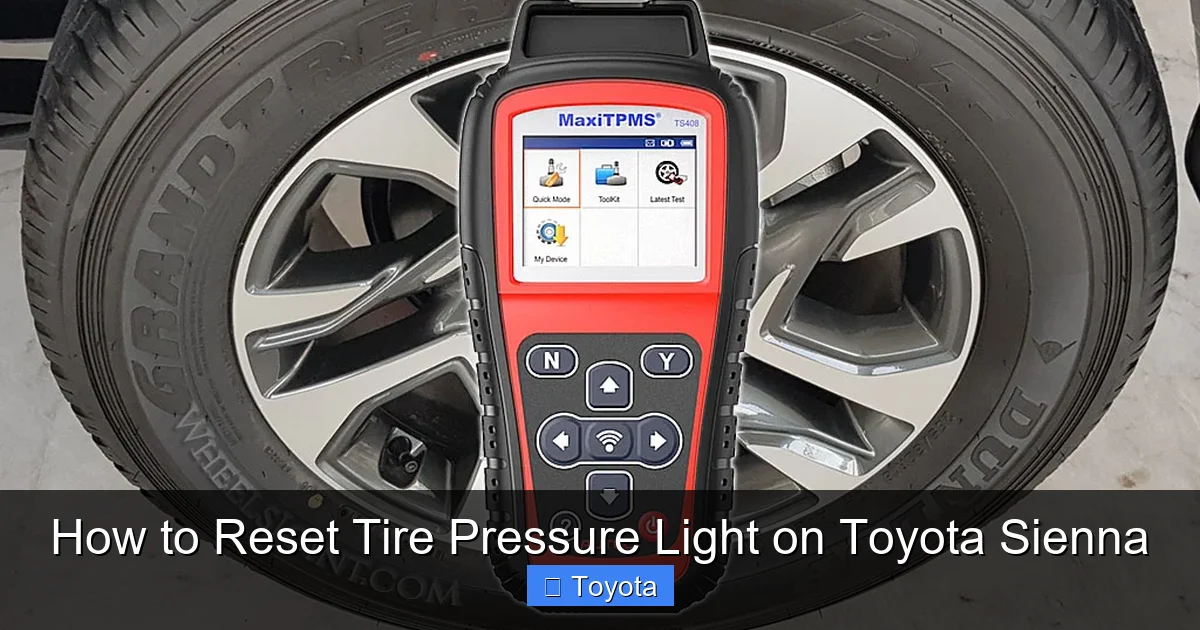
Starting with the 2017 model year, Toyota updated the Sienna’s infotainment and dashboard systems, including a more user-friendly TPMS reset process. Instead of hunting for a hidden button, you’ll use the multi-information display (MID) and steering wheel controls.
Accessing the TPMS Reset Menu
Here’s how to navigate the menu:
1. Turn the ignition to “ON” (or press the Start button without your foot on the brake).
2. Use the arrow buttons on the left side of the steering wheel to scroll through the MID options.
3. Navigate to “Vehicle Settings” or “Settings” (the exact wording may vary).
4. Select “TPMS” or “Tire Pressure.”
5. Choose “Reset” or “Initialize.”
The system will prompt you to confirm the reset. Select “Yes” or “OK.”
Completing the Reset
After confirming, the system will begin the initialization process. You’ll see a message like “Initializing…” or “Please drive the vehicle.” At this point:
– Start the engine.
– Drive at speeds above 20 mph for 5–10 minutes.
– The light should turn off once the system detects stable, correct pressures.
Troubleshooting Menu Issues
If you can’t find the TPMS option:
– Ensure your Sienna has the standard MID (some base trims may have a simpler display).
– Update your vehicle’s software via a Toyota dealer if the menu seems outdated.
– Consult your owner’s manual—Toyota occasionally changes menu layouts between model years.
This digital method is cleaner and less error-prone than the button approach. It also provides real-time feedback, so you know exactly what the system is doing.
What to Do If the Light Won’t Turn Off
Sometimes, despite following all the steps correctly, the tire pressure light remains illuminated. Don’t panic—this usually points to a deeper issue that needs attention.
Recheck Tire Pressures
It sounds obvious, but it’s worth repeating: verify all tires are at the correct PSI. Even a slight underinflation in one tire can keep the light on. Use a high-quality gauge and check when tires are cold.
Inspect for Leaks or Damage
Look for nails, screws, or cracks in the tire tread or sidewall. Listen for hissing sounds near the valve stem. If you suspect a slow leak, spray soapy water on the tire—bubbles will form at the leak site.
Test the TPMS Sensors
Each sensor has a battery that lasts 5–10 years. If a sensor dies, it can’t transmit data, causing the light to stay on. A professional scan tool can diagnose which sensor is faulty. Replacement sensors cost $50–$150 each, plus labor.
Consider a Professional Reset
Some advanced TPMS issues—like sensor ID mismatches after tire rotation—require specialized equipment to reprogram. Toyota dealerships and reputable tire shops have these tools. They can also perform a “relearn” procedure if you’ve installed new sensors.
Check for Software Glitches
Rarely, a software bug in the vehicle’s computer can cause persistent warnings. A dealership can check for Technical Service Bulletins (TSBs) related to your Sienna’s TPMS and apply updates if needed.
Maintaining Proper Tire Pressure Year-Round
Resetting the light is only half the battle—keeping it off requires ongoing care. Proper tire maintenance improves safety, fuel efficiency, and tire lifespan.
Check Monthly
Make it a habit to check tire pressure at least once a month. Set a calendar reminder or tie it to another routine, like filling up your gas tank.
Adjust for Seasons
In winter, check pressure more frequently—cold temps cause natural pressure drops. In summer, avoid overinflation on hot days, as heat expands air inside the tire.
Don’t Forget the Spare
If your Sienna has a full-size spare, include it in your checks. A flat spare is useless in an emergency.
Use a Quality Gauge
Cheap analog gauges can be inaccurate. Invest in a digital gauge with a backlit display for easy reading.
Rotate Tires Regularly
Follow Toyota’s recommended rotation schedule (usually every 5,000–7,500 miles). After rotation, always reset the TPMS to ensure sensors are recognized correctly.
By staying proactive, you’ll rarely see that pesky tire light—and your Sienna will ride smoother, safer, and more efficiently.
Final Thoughts
Resetting the tire pressure light on your Toyota Sienna doesn’t have to be a mystery. Whether you’re using a hidden button or navigating a digital menu, the process is designed to be user-friendly. The key is preparation: check your pressures, know your model year, and follow the steps carefully.
Remember, the TPMS light is there to protect you. Ignoring it can lead to poor handling, reduced fuel economy, and even tire failure. But with the knowledge from this guide, you’re equipped to handle it like a pro.
So next time that yellow icon pops up, take a deep breath, grab your tire gauge, and reset with confidence. Your Sienna—and your peace of mind—will thank you.
Frequently Asked Questions
Why does my Toyota Sienna tire pressure light keep coming on?
The light may reappear due to underinflated tires, temperature changes, a faulty TPMS sensor, or recent tire service without a reset. Always check tire pressures first and ensure they match the recommended PSI on the door jamb sticker.
Can I drive with the tire pressure light on?
You can drive short distances cautiously, but prolonged driving with low tire pressure risks tire damage, poor handling, and blowouts. Inflate your tires immediately and reset the system.
Do I need a special tool to reset the TPMS on my Sienna?
No—most Siennas allow resetting via a physical button or the dashboard menu. Only advanced diagnostics or sensor replacements require professional tools.
How long does it take for the tire pressure light to turn off after resetting?
After a proper reset, drive at 20+ mph for 5–10 minutes. The light should turn off once the system confirms correct pressures.
What if my Sienna doesn’t have a TPMS reset button?
Newer models (2017+) use the multi-information display. Use steering wheel controls to navigate to Vehicle Settings > TPMS > Reset.
Can I reset the TPMS light without driving?
No—the system requires motion to verify sensor signals and pressure stability. A short drive is essential for completion.