
How Do You Reset the Maintenance Required Light on a 2015 Toyota Camry

The maintenance required light on your 2015 Toyota Camry is a friendly reminder that scheduled service is due, not an emergency. You can reset it yourself using the odometer button on your steering column or with a basic OBD2 scanner after the work is complete. However, it is crucial to only reset the light after the necessary maintenance, like an oil change, has been performed to keep your engine healthy and avoid potential damage.
Key Takeaways
- The light is a mileage-based reminder: It illuminates after a set interval (typically 5,000 miles) to remind you of scheduled maintenance like oil changes, tire rotations, and inspections.
- Two primary reset methods: You can reset it manually using the odometer/trip meter button or by using an OBD2 scanner tool that connects under the dashboard.
- Reset only after maintenance: Never reset the light without performing the required service. Doing so is like erasing a to-do list without doing the chores, leading to engine wear.
- Manual method is free and quick: The button-press method takes less than 30 seconds and requires no tools, making it ideal for most owners after a DIY oil change.
- OBD2 method is versatile: A scanner is useful if the manual method fails or for resetting other dashboard lights, and it’s a good tool to own for any vehicle owner.
- Consult your owner’s manual: Your manual has the definitive procedure and maintenance schedule for your specific Camry, ensuring you reset correctly and know what service is due.
- A persistent light may indicate a problem: If the light returns immediately after a proper reset or flashes, it could signal an issue with the maintenance reminder system itself.
📑 Table of Contents
- Understanding Your Camry’s Maintenance Required Light
- Preparing for the Reset: Safety First & Gathering Info
- Method 1: The Manual Reset Using the Odometer Button
- Method 2: Resetting with an OBD2 Scanner
- Why You Should Never Just “Turn Off the Light”
- Maintenance Schedule: What’s Actually Due When the Light Comes On?
- Troubleshooting: What If the Light Won’t Reset or Comes Back?
- Conclusion: A Simple Task with Big Importance
Understanding Your Camry’s Maintenance Required Light
That little wrench icon glowing on your dashboard isn’t trying to stress you out—it’s your 2015 Toyota Camry’s way of saying, “Hey, it’s time for a check-up!” Unlike the ominous check engine light, which warns of a current malfunction, the maintenance required light is a proactive, mileage-based reminder. It’s part of Toyota’s sophisticated onboard diagnostic system, designed to help you stay on top of regular service and keep your car running smoothly for years. Think of it as a helpful calendar alert from your car itself. This system calculates when maintenance is due based on your driving habits and mileage intervals, typically triggering every 5,000 miles for an oil change and tire rotation on most Camry models. Ignoring it doesn’t cause immediate harm, but postponing the suggested service can lead to increased engine wear, reduced fuel efficiency, and potentially costly repairs down the road. Understanding its purpose is the first step to proper car care.
How the Maintenance Reminder System Works
The system isn’t just a simple timer. Your Camry’s computer, the Engine Control Unit (ECU), monitors various parameters, including engine run time, vehicle speed, and engine temperature, to estimate oil degradation. After your last reset, it starts counting down. Once it determines the oil life has dropped to a predetermined threshold (or you’ve hit the fixed mileage interval, depending on your settings), the wrench icon illuminates. It’s a closed-loop system: you perform the maintenance, you reset the counter, and the cycle begins anew. This tech, once a luxury, is now standard because it works. It takes the guesswork out of “when” and tailors the reminder to your actual driving, whether that’s mostly short city trips or long highway commutes. For a deeper dive into how these systems function across different models, you can read our general guide on how to reset the maintenance required light on a Toyota.
Preparing for the Reset: Safety First & Gathering Info
Before you start pushing buttons, a little prep goes a long way. First, confirm that the required maintenance has actually been completed. This usually means an oil and filter change, but it may also include tire rotation, fluid checks, and a multi-point inspection. Resetting the light without doing the work is a serious mistake that voids the benefits of the reminder system. Second, grab your owner’s manual. While the process is standard for 2015 Camrys, your manual is the ultimate authority and has the exact procedure and maintenance schedule tailored to your vehicle’s specific engine (the 2.5L 4-cylinder or the 3.5L V6). It will also tell you what service items are due at this interval. Finally, ensure your car is parked safely, the parking brake is set, and the engine is off but the ignition is in the “ON” position (all dash lights on, engine not running). This is your starting point for both reset methods.
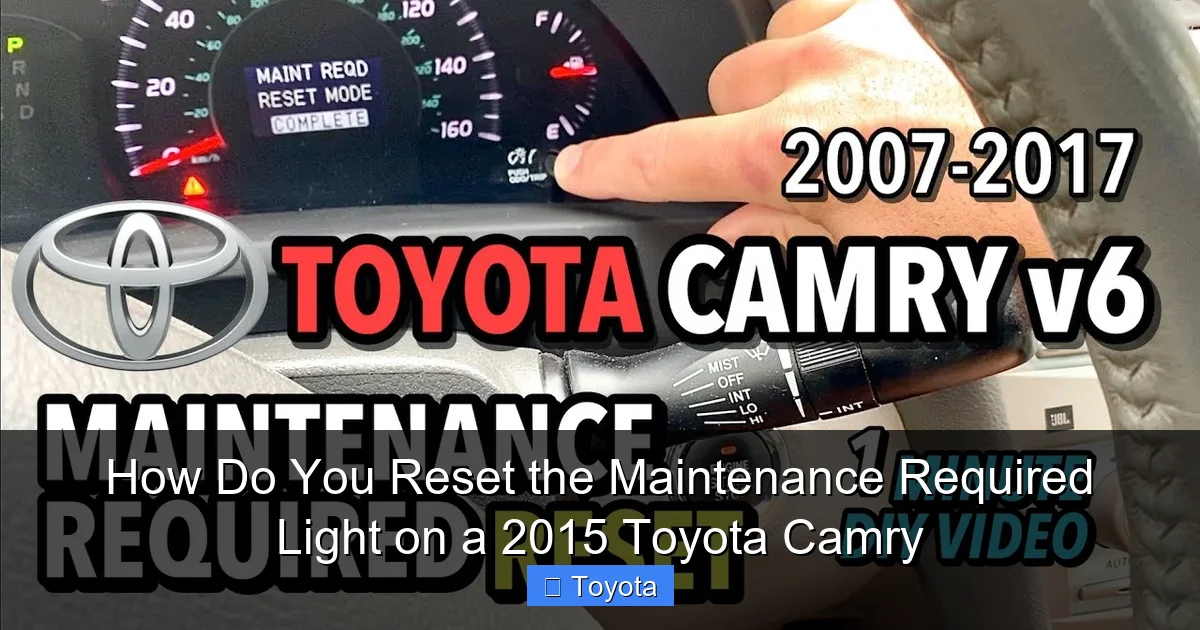
Visual guide about How Do You Reset the Maintenance Required Light on a 2015 Toyota Camry
Image source: i.ytimg.com
Essential Tools: You Might Already Have What You Need
The beauty of the manual reset is that it requires zero tools—just your finger and a bit of patience. However, if you prefer or if the manual method doesn’t work, you’ll need an OBD2 (On-Board Diagnostics) scanner. This is a small electronic device that plugs into the OBD2 port, located under the dashboard, just below the steering column. Any basic OBD2 scanner that supports “maintenance reset” or “oil reset” functions will work. You don’t need an expensive, professional-grade tool. Models like the Autel, Launch, or even budget-friendly options from Amazon will suffice. If you own a smartphone, you can even get a Bluetooth OBD2 adapter and use a compatible app, though these can sometimes be less reliable for specific manufacturer resets compared to a dedicated tool. Having one of these scanners is a smart investment for any car owner, as it can also read and clear check engine codes.
Method 1: The Manual Reset Using the Odometer Button
This is the classic, no-tool-required method that works perfectly on your 2015 Camry. It uses the trip meter/odometer reset button on your steering column. The key is to follow the sequence precisely. The entire process should take about 15-20 seconds. Here is the step-by-step breakdown:
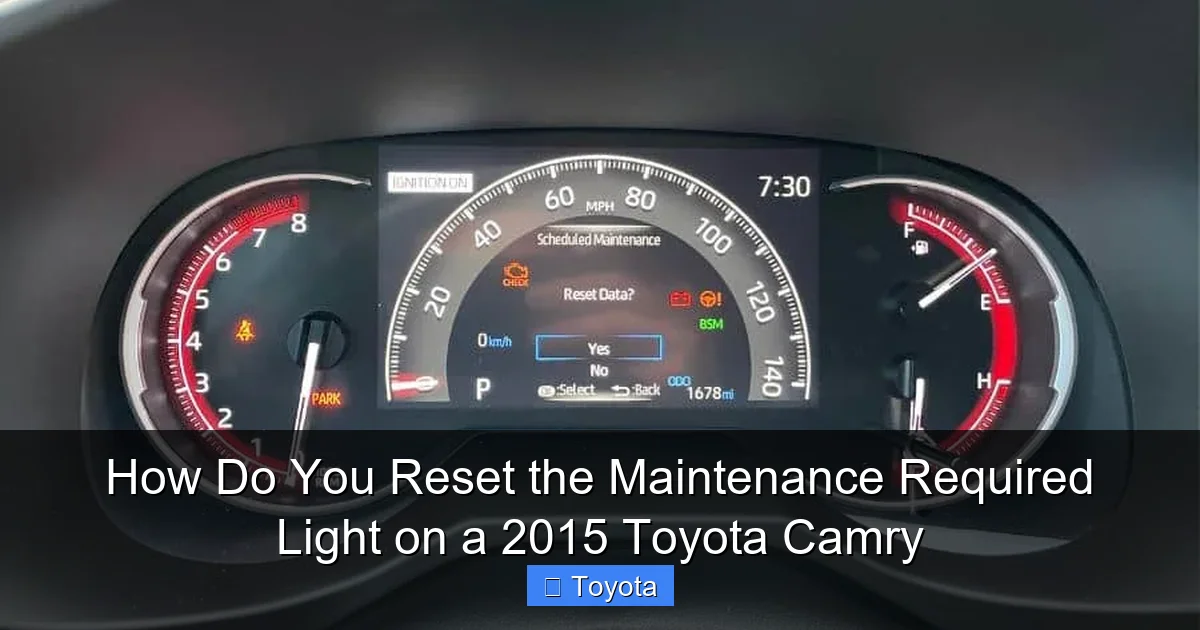
Visual guide about How Do You Reset the Maintenance Required Light on a 2015 Toyota Camry
Image source: rav4hub.com
Step-by-Step Manual Reset Process
- Step 1: Turn the ignition to the “ON” position. Do not start the engine. You should see all the dashboard lights illuminate, including the maintenance required wrench.
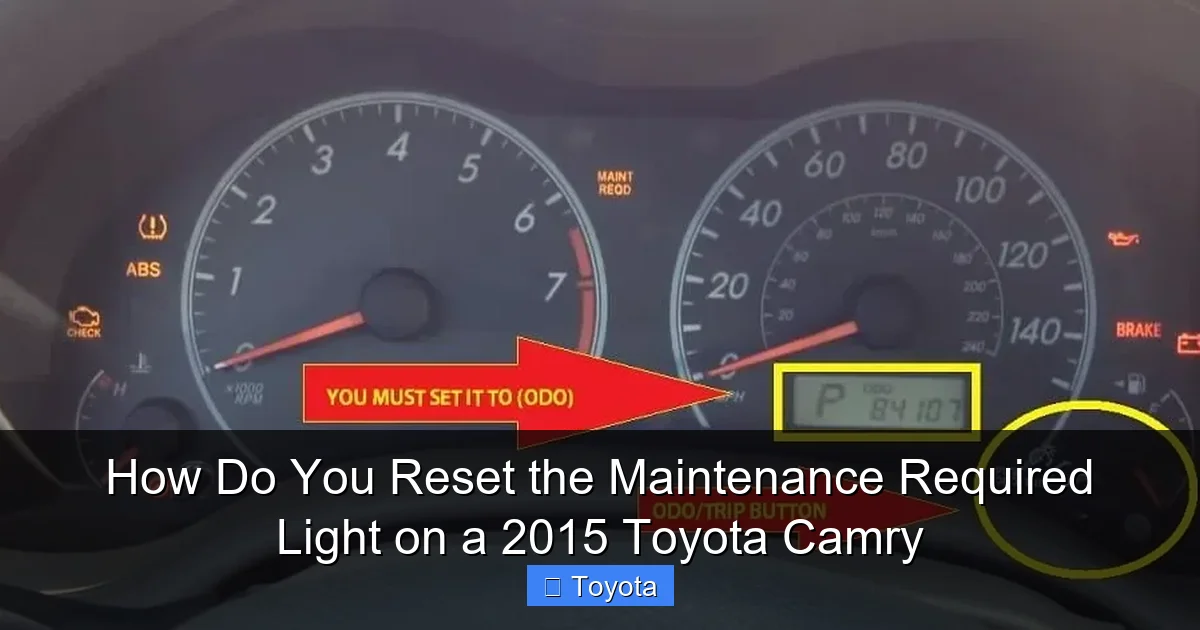
- Step 2: Press the “ODO/TRIP” button on your instrument cluster until the display shows the total odometer reading (not the trip A or B meters). You may need to press it a few times to cycle through.
- Step 3: Now, turn the ignition key to the “OFF” position. The dash lights will go out.
- Step 4: While holding down the “ODO/TRIP” button, turn the ignition key back to the “ON” position. Keep holding the button. The odometer display will change.
- Step 5: Continue holding the button. After a few seconds, the display will show a series of dashes “—–” that will count down to zero. Once it reaches zero and the wrench icon begins to blink, you can release the button.
- Step 6: The light should now be off. Turn the ignition off and then back on to confirm the wrench icon is no longer illuminated. If it is, repeat the process carefully.
Pro Tip: If the light doesn’t reset, ensure you are starting from the total odometer display in Step 2. Also, make sure you are pressing and holding the correct button—it’s the one used to switch between odometer and trip meter readings, usually on the end of the turn signal stalk.
Method 2: Resetting with an OBD2 Scanner
If the manual method feels tricky or doesn’t work (which can occasionally happen due to a minor system glitch), an OBD2 scanner is your backup plan. This method is also useful if you want to reset other maintenance reminders or if your vehicle’s system has been updated and requires a scanner. The process is generally straightforward but varies slightly by scanner brand.
Visual guide about How Do You Reset the Maintenance Required Light on a 2015 Toyota Camry
Image source: i0.wp.com
Connecting and Navigating Your Scanner
First, locate the OBD2 port under your driver’s-side dashboard. It’s a trapezoidal-shaped connector. Plug your scanner’s cable firmly into it. Turn your ignition to the “ON” position (do not start the car). Your scanner will power on and communicate with the car’s computer. You’ll navigate through the menu. Look for options labeled “Maintenance Reset,” “Oil Reset,” “Service Reset,” or “Wrench Icon Reset.” The exact wording differs. Select that option. The scanner will then guide you, often asking you to confirm the vehicle make, model, and year. Follow the on-screen prompts, which will typically ask you to confirm you’ve performed the service. Once you confirm, the scanner will send the command to the ECU to reset the maintenance counter. The wrench light on your dash should extinguish immediately. Disconnect the scanner and turn the ignition off/on to verify. For Camry owners who also deal with other dashboard alerts, knowing how to use a scanner is invaluable. For instance, if you ever need to reset the airbag light on a Toyota Camry, a scanner is almost always required.
Why You Should Never Just “Turn Off the Light”
This bears repeating: the reset is the final step in a maintenance process, not a shortcut. The maintenance required light illuminates because your car’s engineering team determined that after a certain amount of use, engine oil loses its lubricating effectiveness, filters get clogged, and other fluids degrade. Driving with old oil is like running a marathon without water—it causes excessive friction, heat, and wear on internal components like piston rings, bearings, and camshafts. This wear is often silent until it’s too late, leading to a seized engine or failed components that cost thousands to repair. The $50 oil change you postpone could turn into a $5,000 engine rebuild. Furthermore, many modern engines have specific procedures for oil consumption and emission control systems that rely on fresh oil and filters to function correctly. Skipping service and just resetting the light disrupts this delicate balance and can trigger more serious warning lights, like the check engine light, later on. Always perform the manufacturer-recommended service first.
Maintenance Schedule: What’s Actually Due When the Light Comes On?
For your 2015 Toyota Camry, the standard maintenance schedule that triggers the wrench light is every 5,000 miles or 6 months, whichever comes first. This is considered “normal” driving. If you have “severe” driving conditions (lots of short trips, extreme temperatures, dusty roads, heavy loads), the interval may be shorter. At this 5,000-mile mark, the service typically includes:
- Oil and filter change: The most critical item. Use the oil viscosity specified in your manual (likely 0W-20).
- Tire rotation: Promotes even tire wear and extends tire life.
- Multi-point inspection: A mechanic will check brakes, fluids, belts, hoses, and suspension components.
- Other fluid checks: Including coolant, brake fluid, power steering fluid, and windshield washer fluid.
At other intervals (30k, 60k, 90k miles), much more extensive service is required, including spark plugs, air filters, cabin filters, and transmission fluid changes. The maintenance required light is your cue to check your owner’s manual and see exactly what milestone you’re at. Keeping a record of all services performed, whether done at a dealership, independent shop, or by yourself, is excellent practice for resale value and vehicle health.
Troubleshooting: What If the Light Won’t Reset or Comes Back?
Sometimes, you do everything right, but the wrench icon is stubborn. First, double-check your manual reset procedure. Did you start from the total odometer? Did you hold the button long enough to see the dashes count down? If it still won’t reset, try the OBD2 scanner method. If a scanner also fails to reset it, there could be a few issues. One possibility is that the system has detected a fault unrelated to the maintenance counter, and a separate diagnostic trouble code (DTC) is preventing the reset. In this case, a scanner can read the codes and point you to the problem. Another possibility is a weak or disconnected battery. A severe voltage drop can sometimes corrupt the ECU’s memory. Try resetting with a fully charged battery or after a short drive to ensure the alternator is charging. Finally, if the light comes back on shortly after a reset (say, within 100-200 miles), it means the system’s internal counter did not properly clear or there is an underlying electrical issue. At this point, a visit to a trusted mechanic or dealership is warranted. They have more advanced diagnostic tools to communicate directly with the vehicle’s systems.
Conclusion: A Simple Task with Big Importance
Resetting the maintenance required light on your 2015 Toyota Camry is a simple, five-minute task that empowers you as a vehicle owner. Whether you use the manual odometer button method or an OBD2 scanner, the process is designed to be user-friendly. But with this power comes responsibility. That light is a direct line of communication from your car’s computer, based on years of engineering data. Heed its message, perform the actual maintenance it prompts, and then reset it to start the cycle anew. This disciplined approach is the single most effective way to ensure your Camry delivers the legendary reliability, fuel efficiency, and longevity it’s known for. It protects your investment, ensures your safety, and saves you money by preventing minor wear from becoming major repairs. So next time that wrench glows, see it as a helpful friend, not a nuisance, and take the two steps: service, then reset. Your future self, and your Camry, will thank you.
Frequently Asked Questions
Can I drive my Camry with the maintenance required light on?
Yes, you can drive it for a limited distance, typically a few hundred miles, to get the service done. However, it’s not advisable to ignore it for long, as driving with severely degraded oil can cause engine damage. The light is a reminder, not an immediate “stop” signal like a red oil pressure warning.
How often should I expect the maintenance light to come on?
For a 2015 Camry under normal driving conditions, the maintenance required light will illuminate approximately every 5,000 miles or 6 months. This interval can be shorter if your driving is considered “severe” (frequent short trips, extreme temperatures, etc.). Always check your owner’s manual for your specific schedule.
Is the maintenance required light the same as the check engine light?
No, they are completely different. The maintenance required light (a wrench icon) is a scheduled service reminder. The check engine light (an engine-shaped icon) warns of an active problem with the engine or emissions system that needs immediate diagnosis. One is preventative; the other is reactive.
Do I need a special tool to reset the light?
No, for the 2015 Camry, you do not need any special tools for the standard reset. The manual method using the odometer button on your steering column works perfectly. An OBD2 scanner is an optional alternative that can also be useful for resetting other lights.
What if the maintenance light comes back on right after I reset it?
If the light returns immediately or very soon after a proper reset, it indicates a problem. The system’s counter may not have cleared correctly, or there could be an underlying electrical fault. You should have the vehicle scanned for diagnostic trouble codes by a professional.
Will resetting the light affect my warranty or car’s computer?
No, resetting the maintenance light after the service is performed is the normal, intended procedure and will not affect your warranty or the car’s computer. It simply tells the system the service interval has been completed. The problem would only arise if you reset it without doing the required work.
