How Do You Reset the Maintenance Light on a Toyota Highlander?

Contents
- 1 Key Takeaways
- 2 📑 Table of Contents
- 3 Understanding Your Highlander’s Maintenance Light: More Than Just an Oil Change Reminder
- 4 Reset Methods: A Tale of Two Generations
- 5 Step-by-Step Guides for Popular Model Years
- 6 Common Mistakes and Troubleshooting Tips
- 7 When to Reset vs. When to See a Professional
- 8 Frequently Asked Questions (FAQs)
- 9 Conclusion: Taking Control of Your Highlander’s Care
- 10 Frequently Asked Questions


The maintenance light on your Toyota Highlander is a helpful reminder for scheduled service, not an emergency. Resetting it is a simple process you can do yourself after an oil change or other maintenance. However, it’s crucial to only reset it after the required service is actually completed. The method varies slightly depending on your Highlander’s model year, typically using either the dashboard buttons or the OBD-II port.
So, that little wrench icon or “MAINT REQD” message has popped up on your Toyota Highlander’s dashboard. Don’t panic! It’s not a check engine light screaming for immediate attention. It’s your vehicle’s polite—and sometimes persistent—way of saying, “Hey, it’s time for our scheduled check-up.” Knowing how to reset the maintenance light on a Toyota Highlander is a simple yet essential skill for any owner. It saves you a trip to the dealer for a five-second task and gives you a better understanding of your vehicle’s service schedule. This guide will walk you through everything you need to know, from what that light really means to the exact steps for your specific model year.
We’ll break it down clearly. First, we’ll demystify the purpose of the maintenance required light. Then, we’ll dive into the two main reset procedures, clearly separating the instructions for older (typically pre-2014) and newer (2014+) Highlanders. We’ll cover common mistakes to avoid, when you should actually seek professional help, and answer the burning questions you might have. By the end, you’ll be confidently resetting that light yourself, knowing you’ve done right by your SUV. Let’s get started.
Key Takeaways
- The light is a reminder, not a diagnosis: It signifies that scheduled maintenance is due based on mileage or time, not that something is necessarily wrong.
- Two primary reset methods exist: The “Button Method” (using the odometer/trip meter button) is common on older models, while the “OBD-II Method” (using a scanner or a paperclip) is standard on newer models.
- Model year matters: The exact steps differ between pre-2014 and post-2014 Highlanders. Always verify your specific model year’s procedure.
- Never reset without servicing: Resetting the light without performing the necessary oil change or maintenance is unsafe and can lead to engine damage.
- A persistent light may indicate an issue: If the light returns shortly after a proper reset and service, there may be a fault with the sensor or another underlying problem needing a professional.
- The process is quick and tool-free for most: For many Highlander owners, resetting the light takes less than 30 seconds and requires no special tools.
📑 Table of Contents
- Understanding Your Highlander’s Maintenance Light: More Than Just an Oil Change Reminder
- Reset Methods: A Tale of Two Generations
- Step-by-Step Guides for Popular Model Years
- Common Mistakes and Troubleshooting Tips
- When to Reset vs. When to See a Professional
- Frequently Asked Questions (FAQs)
- Conclusion: Taking Control of Your Highlander’s Care
Understanding Your Highlander’s Maintenance Light: More Than Just an Oil Change Reminder
Before we start pushing buttons, it’s important to understand what this light actually represents. Many drivers mistakenly call it the “oil change light,” and while oil changes are the most common trigger, it’s officially the “Maintenance Required” or “Service Required” light. This light is part of Toyota’s sophisticated maintenance reminder system. It’s not based on a simple mileage counter; it’s an algorithm that considers both mileage and the engine’s operating conditions, including engine revolutions, temperature, and drive time. This system, often called the Maintenance Management System (MMS), calculates when specific maintenance items are due according to the severe or standard service schedule in your owner’s manual.
What Triggers the Light?
The light will illuminate when your Highlander’s computer determines that a set interval has been reached. This is typically every 5,000 to 7,500 miles for an oil and filter change under normal driving conditions, but it could also signal other time or mileage-based services like tire rotation, air filter replacement, or cabin filter replacement. The system tracks multiple service items. When you take your Highlander in for service, the technician will perform the required tasks and then reset the light to start the countdown for the next interval. If you perform the service yourself, like a DIY oil change, you must manually reset it.
Why You Should Never Ignore or Blindly Reset It
Resetting the light without performing the actual service is like erasing a to-do list without doing the work. You’re simply masking a reminder that your engine oil is likely degraded, your filters are clogged, or other critical components are overdue for inspection. Fresh oil is the lifeblood of your engine; running old oil can cause excessive wear, sludge buildup, and potentially catastrophic engine failure. The light is a proactive tool designed to prevent costly repairs. Always perform the necessary maintenance first. If you’re unsure what service is due, your owner’s manual will have a detailed maintenance schedule table, or you can check the vehicle’s service history menu if equipped.
Reset Methods: A Tale of Two Generations
The procedure for resetting the maintenance light on a Toyota Highlander changed significantly around the 2014 model year, when Toyota introduced its current “A”-series platform. The core principle is the same—telling the computer the service has been done—but the user interface is different. Don’t worry, we have you covered for both. First, identify your model year. If you have a 2013 or older Highlander, you’ll likely use the Button Method. If you have a 2014 or newer, you’ll use the OBD-II Port Method, which is what guides for specific years like the 2017 Highlander will detail.
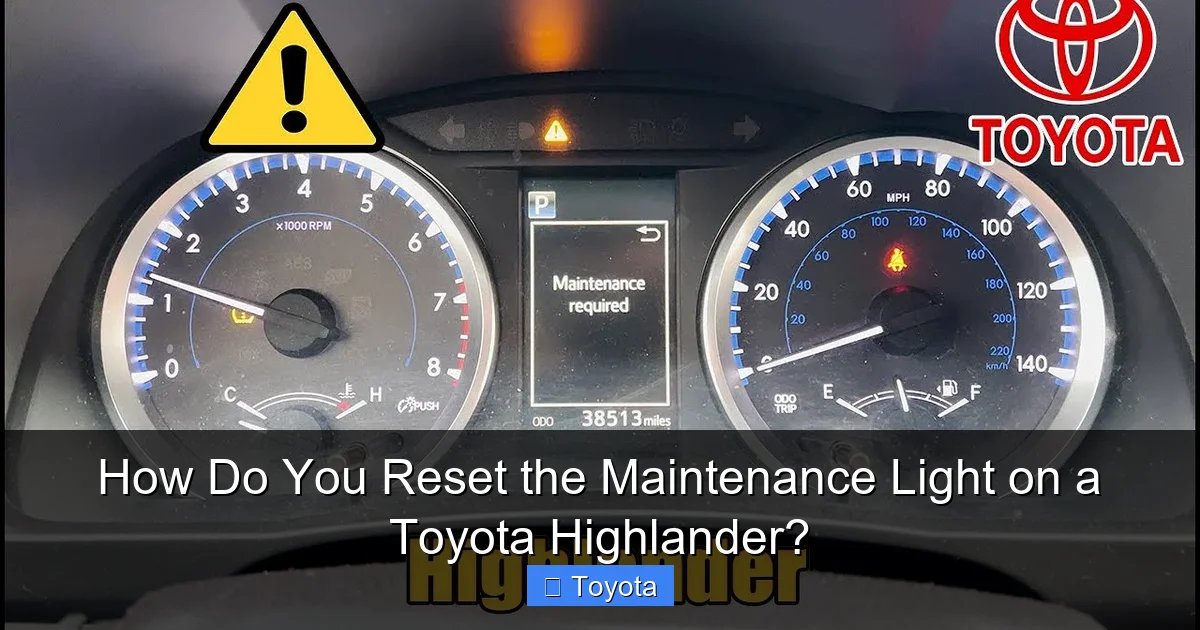
Visual guide about How Do You Reset the Maintenance Light on a Toyota Highlander?
Image source: i.ytimg.com
The “Button Method” (For 2013 and Earlier Models)
This method is beautifully simple because it uses the controls already on your steering column or dashboard. It relies on the odometer/trip meter display. The goal is to turn off the “MAINT REQD” light by accessing a hidden reset menu. Here’s the universal sequence that works for most pre-2014 Highlanders:
- Step 1: Turn the ignition to the “ON” position. Do not start the engine. You should see all dashboard lights illuminate, including the maintenance light.
- Step 2: Using the button on your odometer/trip meter (usually on the instrument cluster or the end of the turn signal stalk), turn the display to show the “ODO” (odometer) reading. It must not be on a trip meter (A or B). If it’s on a trip meter, press the button until you see the total mileage.
- Step 3: Turn the ignition key to the “OFF” position.
- Step 4: Now, press and hold the odometer reset button (the same one you used in Step 2). While holding it, turn the key back to the “ON” position (the position before starting). Continue holding the button.
- Step 5: After about 5-10 seconds, you should see the odometer display change. It may show dashes “—–” or the word “DONE.” The maintenance light will blink and then go out.
- Step 6: Release the button and turn the ignition off. Start the engine to verify the light stays off.
If the light comes back on immediately, repeat the process. Sometimes it takes a couple of tries to get the timing just right. This is the same basic procedure you’d find in a guide for a 2013 Toyota Highlander.
The “OBD-II Port Method” (For 2014 and Newer Models)
With the redesigned 2014+ Highlander, Toyota moved the reset function into the vehicle’s infotainment and menu system. However, the most reliable and universal method for these models uses the OBD-II (On-Board Diagnostics) port, located under the dashboard near the steering column. This method mimics what a scan tool does. You don’t need an expensive scanner; you can use a simple OBD-II ELM327 adapter connected to a smartphone app, or in a pinch, a carefully bent paperclip to short two specific pins. The steps using a basic OBD-II adapter are:
- Step 1: Locate the OBD-II port. It’s a trapezoidal 16-pin connector usually within arm’s reach of the driver’s seat under the dash.
- Step 2: Plug your OBD-II adapter (paired with your phone via Bluetooth/Wi-Fi) into the port.
- Step 3: Turn the ignition to the “ON” position (do not start).
- Step 4: Open your OBD-II app (like Torque, OBD Fusion, etc.). Connect to the adapter.
- Step 5: Look for a menu option called “Maintenance Reset,” “Service Reset,” or “Oil Reset.” The exact wording varies by app and vehicle.
- Step 6: Select “Toyota” as the make and “Highlander” as the model/year if prompted. The app will communicate with the car’s computer.
- Step 7: Follow the on-screen prompts. It will typically ask you to confirm the reset. You’ll see a confirmation message like “Reset Successful” on your phone.
- Step 8: The maintenance light on your dash should extinguish immediately. Disconnect the adapter and turn the ignition off/on to confirm.
For the paperclip method (use with caution), you would locate pins 4 (ground) and 13 (or sometimes 9 for certain models) in the OBD-II port, briefly connect them with the ignition on, and wait for the light to blink and go out. However, using a proper adapter is safer and more reliable. This is the standard process covered in a 2022 Highlander reset guide.
Step-by-Step Guides for Popular Model Years
While the methods above are general, let’s look at the specifics for some common Highlander years to eliminate any doubt. These are the years we get the most questions about. If your year isn’t listed, refer back to the generation-based methods above.

Visual guide about How Do You Reset the Maintenance Light on a Toyota Highlander?
Image source: images.squarespace-cdn.com
How to Reset on a 2010-2013 Toyota Highlander
These are pre-redesign models. The button method is your go-to. It’s quick and requires no tools. Ensure your trip meter is set to “ODO.” Turn the key off, hold the button, turn the key on, and wait for the dashes. This procedure is nearly identical to what you’d do for a 2010 Highlander’s oil maintenance light. The light will go out, and you’re done. Start the car to verify.
How to Reset on a 2014-2018 Toyota Highlander
This is the first generation of the current design. The OBD-II method is most consistent. While some early 2014 models had a menu option in the instrument cluster (“Settings” > “Vehicle” > “Maintenance”), it was inconsistent. The OBD-II adapter method works on every single one. Plug in, connect your app, find the maintenance reset option, and confirm. The light should extinguish. You can also try the instrument cluster menu if your vehicle has it, but the port method is foolproof.
How to Reset on a 2019-Present Toyota Highlander
For the latest Highlanders, including hybrids, the process is firmly established via the OBD-II port. The infotainment system does not have a direct user-accessible reset menu for the maintenance light. You will need an OBD-II adapter and a compatible app. The steps are identical to the general OBD-II method described earlier. It’s a one-minute process. The system is smart enough to know if you try to reset it too soon before the actual service interval, though this is rare if you’re doing it after proper maintenance.
Common Mistakes and Troubleshooting Tips
Even with clear instructions, things can go wrong. Here’s how to avoid the most common pitfalls and what to do if your reset fails.
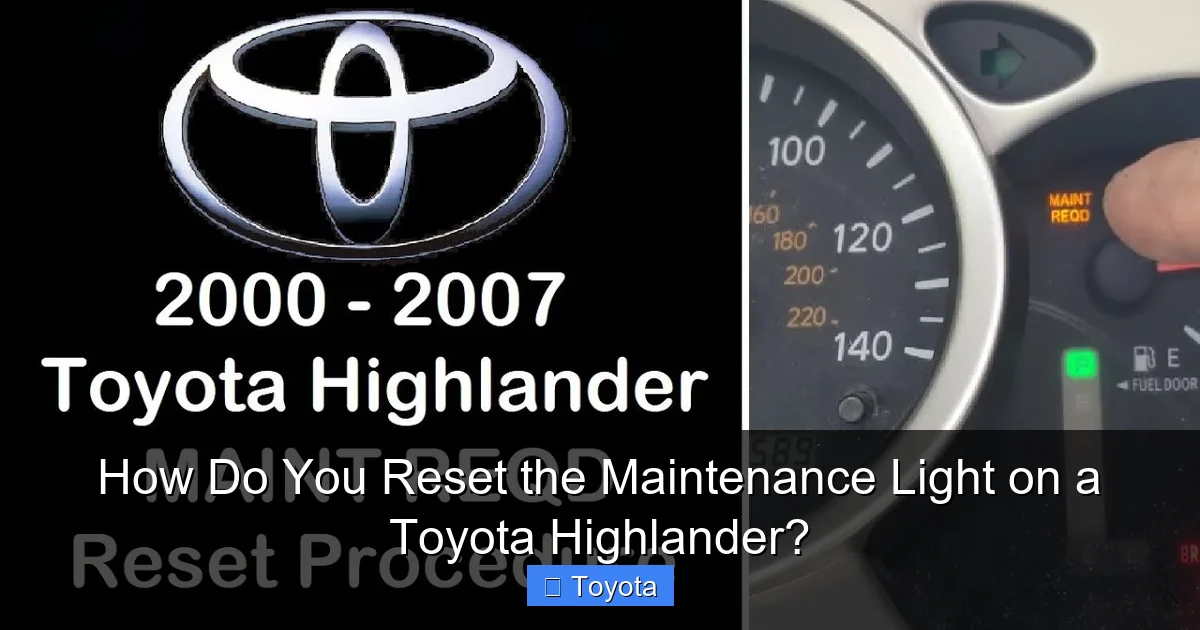
Visual guide about How Do You Reset the Maintenance Light on a Toyota Highlander?
Image source: i.ytimg.com
- Mistake 1: Resetting Before Service. This is the cardinal sin. The light is a vital reminder system. Resetting it without changing the oil or performing the scheduled service is dangerous and voids the purpose of the system. Always do the work first.
- Mistake 2: Using the Wrong Button/Timing. On button-method models, if the trip meter (A or B) is showing instead of the total odometer (ODO), the reset will not work. Double-check your display. The timing—holding the button while turning the key—can be finicky. If it doesn’t work, turn everything off, take a breath, and try again slowly.
- Mistake 3: The Wrong OBD-II Pins (Paperclip Method). If you’re attempting the paperclip shortcut, identifying the wrong pins can cause no response or, in rare cases, trigger other warning lights. Pin 4 is almost always ground, but the second pin varies (often 13 for Toyota). When in doubt, use a proper adapter and app.
- Mistake 4: A Light That Won’t Stay Off. If you successfully reset the light, but it comes back on within a few days or after a short drive, this is a red flag. It means the system detected a fault—perhaps a bad oil pressure sensor, a problem with the maintenance reminder module itself, or that the service was not completed to the system’s standards (e.g., the oil level is low).
What to Do If the Light Returns Immediately
First, double-check your work. Repeat the reset procedure carefully. If it comes back on after a restart, perform the following checks:
- Verify Oil Level: Use the dipstick. Is the oil level correct? Low oil can trigger the light.
- Check for Other Warnings: Is the check engine light also on? If so, there’s a separate diagnostic trouble code stored. You’ll need a code reader.
- Inspect the Sensor: Some Highlanders have an oil level sensor or maintenance reset switch that can fail.
If all basic checks are good and the light persists, it’s time to visit a trusted mechanic or Toyota dealer. They have advanced diagnostic tools (like Techstream) that can communicate directly with the vehicle’s Body Control Module or Maintenance Computer to see why the reset is being rejected. This is beyond a simple DIY fix.
When to Reset vs. When to See a Professional
Resetting the light is a user-serviceable task, but it’s not a substitute for diagnosis. Knowing the boundary between a simple reset and a needed repair is key to keeping your Highlander healthy.
It’s Safe to Reset If…
- You have just completed the scheduled maintenance (oil/filter change, tire rotation, etc.) yourself or at a shop.
- The light came on at or just past the recommended mileage interval (e.g., 5,500 miles on a 5,000-mile interval).
- The vehicle is running normally with no strange noises, smoke, or performance issues.
- No other warning lights (check engine, oil pressure, battery) are illuminated.
You Should See a Mechanic If…
- The maintenance light comes on very early in your service interval (e.g., at 2,000 miles). This indicates a potential problem with the reminder system or an abnormal engine condition.
- The light illuminates along with the check engine light or an oil pressure warning light. This is a serious issue requiring immediate diagnosis.
- The light blinks rapidly (some models do this for a severe reminder).
- You have completed the service, reset the light, but it returns within one or two drive cycles.
- You are uncomfortable performing the reset procedure yourself.
Remember, a professional reset at a dealership often includes a full computer health check. They can also verify that all maintenance items were logged correctly in the vehicle’s long-term memory, which can be important for warranty and resale value.
Frequently Asked Questions (FAQs)
Is it safe to reset the maintenance light myself?
Yes, it is perfectly safe to reset the light yourself, but only after you have completed the required maintenance. The reset process simply tells the car’s computer that the service has been performed. It does not affect any engine or safety systems.
How often should the maintenance light come on?
The interval depends on your driving conditions and the specific service schedule in your owner’s manual. Under “normal” conditions, it’s typically every 5,000-7,500 miles for an oil change. Under “severe” conditions (lots of short trips, extreme temperatures, dusty environments), it may come on more frequently, around every 3,500-5,000 miles.
What’s the difference between the maintenance light and the oil pressure light?
This is a critical distinction. The maintenance light (wrench icon or “MAINT REQD”) is a pre-programmed reminder for scheduled service. It is usually yellow/amber. The oil pressure light (usually an old-fashioned oil can icon) is a red warning that indicates immediate, dangerously low oil pressure. If the oil pressure light comes on, stop the engine immediately. Do not confuse the two.
Can I reset the light if I had an oil change done at a quick-lube shop?
Absolutely. However, you should always verify that the shop used the correct oil type and filter and that the oil level is proper. Some less reputable shops may forget to reset the light. It’s a good practice to check the oil level yourself a day after the service before resetting the light.
My Highlander doesn’t have a traditional oil dipstick. Does that change anything?
For model years equipped with an oil level sensor and no dipstick (some newer models), the process is the same. The maintenance light is still based on the algorithm, not the dipstick reading. However, if you have an oil consumption issue, the system might light up sooner. Always ensure the oil level is correct via the sensor menu on your dash if equipped.
What if I have a Toyota Highlander Hybrid?
The process for resetting the maintenance light on a Highlander Hybrid is identical to the gasoline model of the same year. The maintenance reminder system accounts for the hybrid system’s operation. Follow the same method (Button for pre-2014, OBD-II for 2014+) based on your model year.
Conclusion: Taking Control of Your Highlander’s Care
Knowing how to reset the maintenance light on your Toyota Highlander empowers you as a vehicle owner. It transforms a dashboard nuisance into a simple, manageable task. Remember the golden rule: service first, reset second. Identify your model year to choose the correct method—the straightforward button sequence for older models or the reliable OBD-II adapter method for newer ones. Don’t be afraid to try it; it’s designed to be user-friendly. However, also know your limits. If the light behaves erratically, comes on too soon, or returns after a reset, don’t ignore it. That’s your Highlander’s way of asking for a deeper look. Treat its reminders with respect, perform the necessary maintenance, and you’ll enjoy many more reliable miles with your SUV. For model-specific nuances, always consult your owner’s manual first, and don’t hesitate to explore our other detailed guides, like the general Toyota maintenance light reset guide or information for other models like the Rav4. Safe driving!
Frequently Asked Questions
Will resetting the maintenance light erase my service history from the car’s computer?
No. Resetting the light only resets the countdown timer for the next service interval. Your Highlander’s computer maintains a long-term log of performed services (if entered by a dealer or scan tool) that is not affected by a simple reset.
Can I use a generic OBD-II scanner from an auto parts store to reset the light?
Yes, most basic OBD-II code readers that have a “Maintenance Reset” or “Service Reset” function will work with your Highlander. Look for that specific option in the menu. More advanced scanners will have it as well.
My 2015 Highlander’s light came on at 4,000 miles. Is that normal?
It’s unusual but not impossible. The system calculates based on driving habits. If you do a lot of severe driving (short trips, extreme cold, heavy loads), it may calculate the oil life depletion faster. First, check your oil level. If it’s fine and you’re past the recommended change interval (often 5k/6mo), just perform the service and reset it.
Is there a way to check how many miles are left before the light comes on?
Yes, on many newer Highlanders (2014+), you can view the remaining oil life percentage through the multi-information display on the dash. Look for a menu option like “Vehicle Settings” or “Service” that shows “Oil Life” or “Maint. Remaining.” It will show a percentage (e.g., 15%) rather than a mileage countdown.
I reset the light, but now the check engine light is on. What happened?
These are two separate systems. The maintenance light reset should not trigger a check engine light. If the check engine light illuminates after a reset, it means a new diagnostic trouble code (DTC) was stored. This could be coincidental or, in rare cases, a result of a loose gas cap or a disrupted sensor connection during your service. You’ll need to read the code to diagnose the issue.
Can I disable the maintenance light permanently?
Technically, yes, but it is strongly discouraged and may not be possible on all models without modifying the vehicle’s software. Disabling the light removes a critical safety reminder system and could negatively impact your warranty and vehicle resale value. Always reset it, don’t disable it.