
How Do You Reset the Check Engine Light on a Toyota Rav4 After an Oil Change?

It’s a common mix-up: the light that comes on for an oil change is almost always the “Maintenance Required” or “Oil Maintenance” light, not the “Check Engine” light. Resetting the maintenance light is a simple, manual process you can do yourself after an oil change. However, if the actual Check Engine Light (CEL) is on, it signals a potential engine or emissions problem that must be diagnosed with a scanner before resetting—never just ignore or blindly reset it. This guide clarifies the confusion and provides step-by-step instructions for both scenarios on your RAV4.
So, you just finished an oil change on your trusty Toyota RAV4. You’re feeling proud, maybe a little greasy, and you turn the key only to see a familiar glowing light on the dashboard. Panic sets in for a second. “Did I break something? Is the engine okay?” Take a deep breath. In the vast majority of cases, that light is not the dreaded Check Engine Light. It’s almost certainly the Maintenance Required light, a simple service reminder that your trusted mechanic (or you) needs to reset after the oil change. Confusing these two lights is one of the most common misconceptions in car ownership. This comprehensive guide will clear up that confusion forever, walk you through exactly how to reset the correct light on your specific RAV4 model year, and explain what to do if it’s genuinely the Check Engine Light that’s illuminated. We’ll cover everything from the old-school button-press method to the newer digital menu system, and crucially, when you should not reset a light and instead call for help.
Key Takeaways
- The “Check Engine” and “Maintenance Required” lights are completely different: The CEL (yellow/amber engine icon) indicates a fault code. The maintenance light (often “MAINT REQD” or a wrench) is a reminder for scheduled service like oil changes.
- You can reset the Maintenance Required light yourself: This is a simple, manual procedure using the odometer/trip meter button and does not require any tools after you’ve completed the oil change.
- Never reset a true Check Engine Light without diagnosing it first: Resetting the CEL without fixing the underlying issue is unsafe, can cause damage, and will cause the light to return, often with a stored code that makes diagnosis harder.
- An oil change itself rarely triggers a Check Engine Light: If the CEL comes on after an oil change, it’s usually coincidental (e.g., a loose gas cap, faulty sensor) or due to an error during the service (like disconnecting a sensor).
- The reset procedure varies slightly by RAV4 model year: Models from 2012-2018 typically use the odometer button method, while 2019+ models with a multi-information display use the menu system on the steering wheel buttons.
- Always ensure the oil level is correct and the cap is tight: Before resetting any light, double-check that the new oil filter is properly installed, the oil fill cap is secure, and the oil level is correct on the dipstick.
- If the light persists or you’re unsure, consult a professional: A persistent Check Engine Light requires a professional scan tool to read the specific Diagnostic Trouble Code (DTC) for an accurate repair.
📑 Table of Contents
- Understanding Your Dashboard: Check Engine Light vs. Maintenance Required Light
- How to Reset the Maintenance Required Light on Your Toyota RAV4
- Why Would a Check Engine Light Come On After an Oil Change? (The Real Concern)
- How to Properly Address and Reset a True Check Engine Light
- Common Mistakes and Crucial Safety Precautions
Understanding Your Dashboard: Check Engine Light vs. Maintenance Required Light
Before we touch a single button, we must become fluent in the language of our dashboard. Your RAV4’s instrument cluster is trying to communicate with you, and understanding the difference between its two most common messages is the first step to solving this puzzle. They look similar but mean wildly different things.
The Check Engine Light (MIL – Malfunction Indicator Lamp)
This is the serious one. It’s usually depicted as a yellow or amber silhouette of an engine. In some newer Toyotas, it might simply say “Check Engine.” Its official name is the Malfunction Indicator Lamp (MIL). When this light illuminates, it means the car’s onboard computer (ECM/PCM) has detected a problem outside of acceptable parameters in the engine, transmission, or emissions system. It has stored a specific Diagnostic Trouble Code (DTC) in its memory. This could be anything from a loose gas cap (which is actually common and easy to fix) to a failing catalytic converter, misfiring cylinder, or faulty oxygen sensor. The key rule: You should never, ever ignore or simply reset a Check Engine Light without first diagnosing and repairing the cause. Resetting it without repair is like turning off a fire alarm without putting out the fire. The light will likely return, and you could be causing expensive damage by continuing to drive with an unresolved issue.
The Maintenance Required Light (Service Indicator)
This is your friendly reminder. It’s often displayed as “MAINT REQD” or a small wrench icon. On many RAV4s, especially older models, it will come on steadily and then begin to blink once per drive cycle after you’ve driven approximately 5,000 miles since the last reset. Its sole purpose is to remind you that it’s time for routine, scheduled maintenance—primarily an oil and filter change, but also other services listed in your owner’s manual. This light has nothing to do with a current engine fault. It’s a mileage-based timer. Therefore, after you or your technician performs the oil change, this light must be manually reset to start the 5,000-mile countdown anew. This is the light you are almost certainly trying to reset after your oil change. It is perfectly safe and correct to reset this light yourself once the service is complete.
Now, why does this confusion happen? First, both lights are typically amber/yellow and located in the same general area of the gauge cluster. Second, and most importantly, some service centers are negligent. An inexperienced or rushed technician might see the maintenance light on, perform the oil change, and then—oops—forget to reset it. You drive away with the same light still on, naturally assuming something is wrong. Worse, some might mistakenly try to reset the Check Engine Light using a scanner if they think that’s the issue, which is incorrect. Always ask your technician, “Did you reset the maintenance required light?” If you do your own oil changes, this guide will make you the expert.
How to Reset the Maintenance Required Light on Your Toyota RAV4
The procedure for resetting the maintenance light has evolved slightly over the RAV4’s generations, but the core principle remains the same: you’re telling the car’s computer, “The service is done, start counting from zero again.” We’ll break it down by the two main system types you’ll encounter. Important: Ensure the ignition is in the “ON” position (all dash lights on, engine off) for all these steps. Do not start the engine during the reset procedure.

Visual guide about How Do You Reset the Check Engine Light on a Toyota Rav4 After an Oil Change?
Image source: autocarresource.com
Method 1: The Classic Odometer/Trip Button Method (Pre-2019 Models)
This method applies to RAV4 models from roughly 2006 through 2018, including the popular 2012-2018 fourth-generation models. You use the button that normally switches your odometer and trip meter displays. It’s usually located on the instrument panel, near the speedometer, or on the steering column stalk.
- Turn the ignition to the “ON” position. Do not start the engine. You should see all the dash lights illuminate, including the Maintenance Required light.
- Press and hold the “Trip/Odo” button. You’ll need to hold it down for about 5-10 seconds. You’ll see the odometer display begin to change, counting down or showing dashes.
- Continue holding until you see “MAINT REQD” or the wrench icon start to blink. This is your cue that the system is in reset mode.
- Release the button. The light should go out. If it’s still on, repeat the process, ensuring you hold the button long enough to see the blinking.
- Turn the ignition off and then back on. Start the car to confirm the light is off and will remain off until the next 5,000-mile interval.
Pro Tip: If you have a multi-function display that shows “A” and “B” service intervals (common on some models), you may need to cycle the odometer to show the “A” or “B” maintenance schedule before holding the button. Your owner’s manual will have the exact sequence for your specific year. For owners of models like the 2017 Toyota Highlander, the process is nearly identical, showcasing Toyota’s consistency across its SUV lineup.
Method 2: The Digital Menu System (2019+ Models, Including 2021-2023)
Starting with the fifth-generation RAV4 (2019+), Toyota moved to a fully digital gauge cluster and steering wheel-mounted controls for most functions. The reset is done through the vehicle settings menu on the multi-information display.
- Turn the ignition to the “ON” position. Engine off.
- Use the buttons on the steering wheel to navigate. You’ll use the “▲” (up) or “▼” (down) arrow buttons to scroll through the menu options on the left side of the display. The “Enter” or “Set” button is usually the central button on the steering wheel stalk or a dedicated button.
- Navigate to the “Settings” menu. Scroll until you find “Settings” and press Enter.
- Find the “Vehicle Settings” or “Maintenance” menu. This can be a sub-menu. Scroll to find “Maintenance” or “Service Interval.”
- Select “Maintenance Reset” or “Oil Maintenance Reset.” Highlight this option and press Enter.
- Confirm the reset. The system will likely ask you to confirm (e.g., “Yes/No”). Select “Yes” or “Reset.” You should see a confirmation message like “Maintenance Reset Completed” or the wrench icon disappear from the display.
- Turn the car off and restart. Verify the light is gone.
For owners of a 2021 Toyota RAV4, this menu-based method is the standard. The exact menu names can vary slightly by trim level (LE, XLE, Limited, Adventure), but the general path is Settings -> Vehicle Settings -> Maintenance. If you get stuck, your owner’s manual’s instrument cluster section has a precise diagram and path for your VIN’s specific configuration.
Why Would a Check Engine Light Come On After an Oil Change? (The Real Concern)
Now, let’s address the scenario you might actually be worried about: the Check Engine Light (the engine icon) is on, and it started either during or immediately after your oil change service. This is less common but possible, and it requires a different, more serious approach. Here are the most likely culprits:

Visual guide about How Do You Reset the Check Engine Light on a Toyota Rav4 After an Oil Change?
Image source: static.cargurus.com
1. A Pre-Existing, Unrelated Problem
This is the most frequent reason. The timing is purely coincidental. Your RAV4’s emissions system is complex. A failing oxygen sensor, a small evaporative (EVAP) system leak (like a loose gas cap), or a minor misfire could have been developing slowly. The ECM might have finally detected it and logged a code, illuminating the CEL right after your service. It’s easy to connect the two events in your mind, but they are likely unrelated. Action: You must have the codes scanned to know for sure.
2. A Loose or Improperly Sealed Gas Cap
This is the #1 cause of a Check Engine Light that isn’t catastrophic. During an oil change, the technician (or you) might have opened the fuel filler door to check something, or the cap might not have been tightened fully after a previous fill-up. A loose gas cap breaks the seal in the EVAP system, causing a large leak code (P0440, P0441, P0455, etc.). Action: Turn the cap until it clicks at least three times. If the light doesn’t go off after a few drive cycles, get it scanned. This is a very easy fix.
3. Oil Level Issues (Overfilled or Underfilled)
While less common with modern service centers, it happens. Overfilling the oil can cause aeration (foaming), which can lead to low oil pressure, erratic variable valve timing (VVT-i) operation, and potentially trigger a low oil pressure warning or even a CEL for cam/crank sensor correlation. Underfilling can cause low oil pressure, which might trigger a dedicated low oil pressure light (a red oil can icon), but severe cases could also set a CEL. Action: Immediately check the oil level with the dipstick on level ground. The level should be between the “F” (Full) and “L” (Low) marks, ideally near the top of the crosshatching. If it’s above “F,” drain a little. If it’s below “L,” add the correct oil specified in your manual (e.g., 0W-20).
4. Accidental Disconnection of a Sensor or Harness
This is a genuine service error. A technician working around the engine bay might accidentally unplug an electrical connector—like an oxygen sensor, mass airflow sensor (MAF), or a sensor related to the VVT-i system—and not reconnect it fully. An unplugged sensor sends an “improbable” or “no signal” reading to the ECM, instantly triggering a CEL. Action: Visually inspect the engine bay for any obviously dangling connectors. A quick scan will reveal which circuit is open.
5. Damage to the Oil Pressure Sensor or Switch
The oil pressure sensor is usually located near the oil filter or on the engine block. If it was struck during filter removal/installation, or if its connector was damaged or not reconnected, it will send a faulty signal. A “P0520” or similar code for oil pressure sensor circuit is common. Action: Locate the sensor (consult a repair manual for your specific RAV4 engine—2.5L 2AR-FE vs. 2.5L A25A-FKS differ) and check its connection and condition.
How to Properly Address and Reset a True Check Engine Light
If you’ve confirmed it’s the actual Check Engine Light (engine icon) that is on, the process is fundamentally different from resetting the maintenance reminder. You are entering diagnostic territory.
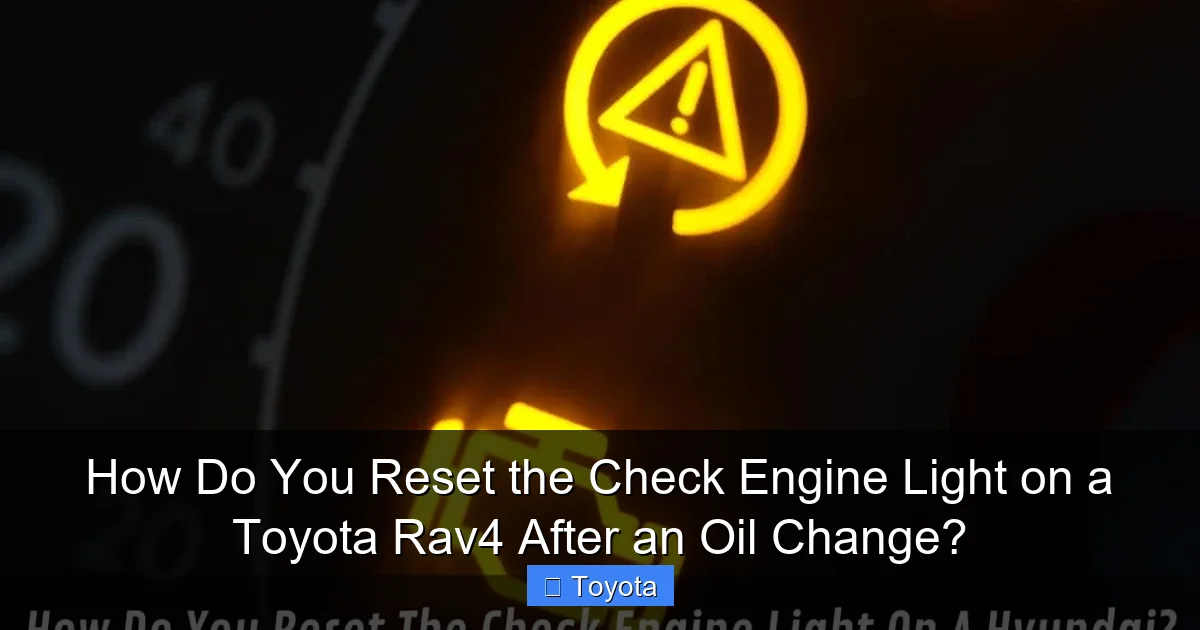
Visual guide about How Do You Reset the Check Engine Light on a Toyota Rav4 After an Oil Change?
Image source: iloadengine.com.au
Step 1: Do NOT Reset It Blindly. Read the Code First.
The golden rule. The light is a symptom, not the problem. The ECM has stored a specific DTC (e.g., P0171 – System Too Lean, P0302 – Cylinder 2 Misfire Detected). This code is your starting point. To read it, you need an OBD-II scanner.
Step 2: Obtain the Diagnostic Trouble Code (DTC)
You have three main options:
- Free Scan at an Auto Parts Store: Major chains like AutoZone, Advance Auto Parts, and O’Reilly will scan your codes for free. This is the easiest first step. They plug in a basic scanner, read the code(s), and print them out for you. They may also offer a basic explanation.
- Buy a Basic OBD-II Code Reader: For $30-$60, you can own a simple scanner that reads and clears generic OBD-II codes. This is a worthwhile tool for any car owner. Models like the ANCEL or BlueDriver are popular. Ensure it works with your RAV4 (all post-1996 vehicles use OBD-II, but some advanced Toyota-specific functions may require a more expensive scanner).
- Visit a Mechanic or Dealership: They have professional-grade scanners (like the Toyota Techstream) that can read all manufacturer-specific codes and live data. This is necessary for complex issues.
When you get the code, write it down exactly (e.g., “P0455”). Then, use a reliable source—like the manufacturer’s description, a repair database (AlldataDIY, Mitchell1), or a trusted mechanic—to understand what it means. A “P0420” (Catalyst System Efficiency Below Threshold) is very different from a “P0300” (Random/Multiple Cylinder Misfire Detected).
Step 3: Perform the Necessary Repair
This is the most important and variable step. The code points you in a direction, but it doesn’t always tell you the exact failed part. For example:
- P0440/P0441/P0455 (EVAP Leak): Often a loose gas cap. If tightening doesn’t work, it could be a cracked hose, faulty purge valve, or leaky charcoal canister.
- P0171/P0174 (System Too Lean): Could be a vacuum leak (cracked hose, bad gasket), weak fuel pump, dirty MAF sensor, or clogged fuel filter.
- P0300-P0304 (Misfire): Could be spark plugs, ignition coils, fuel injector, or low compression.
Troubleshooting requires knowledge and sometimes specialized tools (like a smoke machine for EVAP leaks). If you are not comfortable, this is the step where you take it to a professional. Do not skip to step 4.
Step 4: Clear the Code and Verify the Repair
Once you are confident the repair is complete (e.g., you replaced the spark plugs, tightened the gas cap, fixed the vacuum leak), you can clear the code.
- Use your OBD-II scanner. Connect it to the port under the dash (usually near the driver’s knee).
- Turn the ignition to “ON” (engine off).
- Follow the scanner’s menu: typically “Read Codes” -> then “Erase Codes” or “Clear DTCs.”
- Confirm the erase.
Critical Verification: After clearing, the light should go off immediately. However, the ECM needs to run its self-tests (monitors) to confirm the problem is truly gone. This can take several drive cycles (a combination of city and highway driving, often 50-100 miles). Do not assume it’s fixed just because the light is off. Use your scanner to check that all monitors have set to “Complete” or “Ready.” If a monitor (like EVAP or Catalyst) is “Incomplete” or “Not Supported,” the ECM may not have had enough data to confirm the fix, and the light could return. If the light comes back on after clearing, the repair was incomplete or a new problem exists.
Common Mistakes and Crucial Safety Precautions
Let’s review the pitfalls to avoid, ensuring your RAV4 stays healthy and you stay safe.
Mistake 1: Confusing the Lights and Resetting the Wrong One
As emphasized throughout, resetting the CEL without repair is dangerous. If you perform the odometer button reset and the engine icon goes away, you’ve just reset the maintenance light—that’s correct and intended. But if you use a scanner to clear a CEL without fixing the problem, you’re creating a bigger issue. Always identify the icon first: “MAINT REQD” or wrench = safe to reset. Engine outline = diagnose first.
Mistake 2: Resetting the Maintenance Light Before the Oil Change is Complete
This seems obvious, but it happens. Never reset the maintenance light until the new oil and filter are installed, the oil level is verified on the dipstick, and the old oil is properly disposed of. Resetting it prematurely defeats the purpose of the reminder system.
Mistake 3: Using the Wrong Procedure for Your Model Year
Trying the old odometer button method on a 2022 RAV4 will fail. It simply won’t enter reset mode. Conversely, trying to navigate the digital menu on a 2015 model will be frustrating and impossible. Identify your RAV4’s generation. A quick VIN decode or visual inspection of the dash will tell you which method you need. When in doubt, the owner’s manual is your ultimate authority.
Mistake 4: Ignoring a Persistent or Flashing Check Engine Light
A steady CEL means “get it checked soon.” A flashing CEL means “STOP DRIVING NOW.” A flashing light indicates a severe misfire that is dumping unburned fuel into the exhaust, which can overheat and destroy the catalytic converter in minutes. If your CEL is flashing, pull over safely, shut off the engine, and have the vehicle towed. Do not continue driving. For more on dashboard warning lights across different models, resources on resetting a battery light on a Toyota Corolla or an airbag light on a Camry highlight that different systems have different levels of urgency.
Safety First: When to Call a Professional
If you’ve completed your oil change, reset the maintenance light successfully, but the Check Engine Light remains on or comes on shortly after, it’s time for professional diagnostics. The cost of a proper diagnosis (often $100-$150) is an investment that saves you from a small problem becoming a $2,000+ repair. A professional technician will:
- Pull all stored and pending codes.
- Check freeze frame data (the conditions when the fault occurred).
- Perform live data stream analysis to see sensor values in real-time.
- Conduct targeted tests based on the code (e.g., smoke test for EVAP, compression test for misfires).
Trying to guess the repair based on a code alone is like treating a symptom without knowing the disease. For instance, a P0420 code could mean a bad catalytic converter ($1,500+), or it could mean a faulty oxygen sensor ($200) or an exhaust leak ($100). Diagnosis is key.
Frequently Asked Questions
What’s the difference between the Check Engine Light and the Maintenance Required Light on my RAV4?
The Maintenance Required Light (often “MAINT REQD” or a wrench) is a simple mileage-based reminder for scheduled service like oil changes and can be reset manually after the service is done. The Check Engine Light (an engine icon) indicates a detected fault in the engine or emissions system, stores a diagnostic code, and must be properly diagnosed and repaired before it is reset. Confusing the two is the most common error.
Can I reset the Check Engine Light on my RAV4 without a scanner?
For the Maintenance Required Light, yes, you can use the odometer button or steering wheel menu as detailed above. For the Check Engine Light, no, you cannot and should not reset it without a scanner. The light will not turn off on its own unless the fault clears itself after multiple drive cycles (which is rare). You must read the underlying code with an OBD-II scanner to know why it’s on before any reset is considered.
Is it safe to drive my RAV4 with the Check Engine Light on?
It depends. If the light is steady, you can generally drive cautiously to a safe location for diagnosis, but you should not delay. A steady light means a problem that could harm emissions, fuel economy, or cause gradual damage. If the light is flashing, you must stop driving immediately. A flashing light indicates a severe misfire that can destroy the catalytic converter within minutes. Tow the vehicle.
Why did my Check Engine Light come on right after an oil change?
It’s likely coincidental. The most common post-oil-change triggers are: 1) A loose gas cap (tighten it until it clicks), 2) An accidentally unplugged sensor (like an oxygen sensor), 3) An overfilled or underfilled oil level (check dipstick), or 4) A pre-existing issue that just happened to set a code at that moment. Have the codes scanned to identify the specific cause.
Will the Check Engine Light reset itself after I fix the problem?
Sometimes, but not reliably. The ECM requires the fault to be absent for a series of specific drive cycles (often 2-3, involving specific speeds, temperatures, and engine loads) before it will automatically turn off the light and clear the code as “History.” This can take days or weeks. The proper procedure is to fix the problem, then use a scanner to clear the code, which immediately turns off the light and resets the monitor status.
How much does it cost to diagnose a Check Engine Light?
Many national auto parts stores (AutoZone, Advance, O’Reilly) offer free code scanning. For a full professional diagnosis at a repair shop or dealership, expect to pay a diagnostic fee of $75-$150, sometimes more. This fee is often waived if you proceed with the recommended repair at that facility. The diagnostic cost is separate from the cost of parts and labor for the actual repair.