
How Do You Remove the Maint Req’d on a 2009 Toyota Camry

The “Maint Req’d” light on a 2009 Toyota Camry is a service reminder, not an emergency. You can reset it yourself using the odometer or trip meter buttons after performing the required oil change and maintenance. The process is simple but must be done correctly to avoid the light returning prematurely. Always address the underlying maintenance need before resetting the light to keep your Camry running reliably.
Key Takeaways
- The light is a reminder: The “Maint Req’d” indicator signals scheduled maintenance, typically an oil change, is due based on mileage or time.
- Two primary reset methods: You can reset it using the odometer display button or the trip meter button, with slightly different sequences.
- Maintenance first, reset second: Always complete the necessary service (like an oil and filter change) before resetting the light. Resetting without servicing is ineffective and harmful.
- Ensure proper display: The reset sequence only works when the multi-information display shows “ODO” (odometer) or “Trip A/B,” not other settings.
- If it returns quickly: The light coming back on soon after resetting usually means the maintenance wasn’t completed correctly or a sensor issue exists.
[FEATURED_IMAGE_PLACEHOLDER]
📑 Table of Contents
- Understanding the “Maint Req’d” Light on Your 2009 Camry
- Essential Preparation Before You Reset
- Method 1: The Odometer Button Reset (Most Common)
- Method 2: The Trip Meter Reset Button Method
- What to Do After a Successful Reset
- Common Mistakes and Troubleshooting
- The Bigger Picture: Beyond Just Resetting a Light
- Conclusion: A Simple Task with Significant Responsibility
Understanding the “Maint Req’d” Light on Your 2009 Camry
That little wrench icon glowing on your dashboard—the “Maint Req’d” light—is your 2009 Toyota Camry’s way of politely asking for attention. It’s not a warning of immediate danger like the check engine light. Instead, it’s a sophisticated maintenance scheduler built into your car’s computer. This system, often called the Maintenance Required Indicator (MRI), tracks your driving conditions and mileage to remind you that it’s time for routine service, most commonly an oil and filter change. Understanding this light is the first step to knowing how to properly address it.
What Triggers the Light?
The system is primarily mileage-based. For the 2009 model year, it typically illuminates after you’ve driven approximately 5,000 miles since the last reset. However, it can also activate based on time intervals (like every 6 months) if the mileage threshold isn’t met, as engine oil degrades over time even with low mileage. Severe driving conditions—frequent short trips, extreme temperatures, dusty environments, or heavy loads—can cause the oil to degrade faster, and the car’s algorithm accounts for this to some degree. The light is a proactive tool designed to prevent long-term engine wear by ensuring timely oil changes, which are the single most important regular maintenance item for your engine’s health.
It’s crucial to differentiate this from the check engine light. The check engine light (MIL) indicates a fault in the emissions or engine management system detected by a sensor. The “Maint Req’d” light is a simple countdown timer for scheduled service. They are completely separate systems. If your check engine light is on, you must diagnose that issue with a scan tool; resetting the maintenance light will not turn it off.
Essential Preparation Before You Reset
Before you even think about pressing buttons, the most critical step is to perform the required maintenance. The entire purpose of the light is to ensure you get your oil changed. If you simply reset the light without changing the oil, you are resetting a timer that counts down to potential engine damage. This is not a trick to make a light go out; it’s a necessary step in a maintenance cycle.

Visual guide about How Do You Remove the Maint Req’d on a 2009 Toyota Camry
Image source: i.pinimg.com
What Service is Typically Due?
For a 2009 Camry, the primary trigger is the oil change. At this service interval, a technician would also typically perform a multi-point inspection, check fluid levels (coolant, brake, transmission, power steering), inspect belts and hoses, and check tire pressure. If you’re doing it yourself, at a minimum, you must:
- Drain and replace the engine oil with the correct viscosity (usually 5W-20 or 5W-30, check your owner’s manual).
- Replace the oil filter with a high-quality filter.
- Reset the maintenance light to restart the service interval count.
Skipping the oil change and just resetting the light is like tearing the battery out of a smoke detector because it’s beeping—it stops the noise but creates a dangerous situation.
Gather Your Tools and Know Your Trim
You don’t need any special tools for the reset procedure—just your finger and the buttons on your steering column. However, you do need to know which trim level you have, as the button layout can differ slightly. The 2009 Camry came in several trims: the base model often has a simpler odometer button, while higher trims like the SE or XLE have a more complex trip meter switch with a separate reset button. The procedure is fundamentally the same, but the button you press changes. Locate the button(s) on your instrument cluster. You’ll use either the “Trip/Odo” button or a dedicated “Reset” button, often a small black button near the odometer display.
Method 1: The Odometer Button Reset (Most Common)
This is the standard method for many 2009 Camry models, particularly the base and LE trims. It uses the primary odometer display button, which is usually the larger, more prominent button on the instrument cluster. The key is to get the display into the correct mode first.

Visual guide about How Do You Remove the Maint Req’d on a 2009 Toyota Camry
Image source: i.pinimg.com
Step-by-Step Odometer Method
Follow these steps precisely. The timing is important, so read through first.
- Turn the ignition ON. Do not start the engine. Simply turn the key to the “ON” position (the position right before “START” where all dashboard lights illuminate).
- Ensure the odometer is displayed. Use the button on the instrument cluster to cycle through the display modes. You need the screen to show the total odometer reading, not the trip meter A or B. The display should read something like “ODO 123456.” If it shows “Trip A” or “Trip B,” press the button once to switch it to “ODO.” This step is critical; the reset will not work in any other display mode.
- Turn the ignition OFF. Turn the key to the “OFF” position. You may need to wait about one second.
- Press and hold the odometer button. While holding the button down, turn the ignition back to the “ON” position. Keep holding the button.
- Watch for the light to blink. The “Maint Req’d” light should begin to blink. Continue holding the button until the light goes out completely. This usually takes about 5-10 seconds of holding.
- Release the button. Once the light is off, you can release the button. Turn the ignition off and then back on to verify the light stays off. You may also see the odometer display change temporarily or show dashes during the process.
If the light does not blink or reset, ensure you are in the true “ODO” display mode and that you are performing the sequence quickly enough. Some models require you to turn the key to “ON” while holding the button, not before. Try variations if the first attempt fails.
Method 2: The Trip Meter Reset Button Method
This method is common on SE, XLE, and other higher-trim 2009 Camrys that have a separate, smaller “Reset” button, usually located near the trip meter display. The principle is identical, but the button used is different.
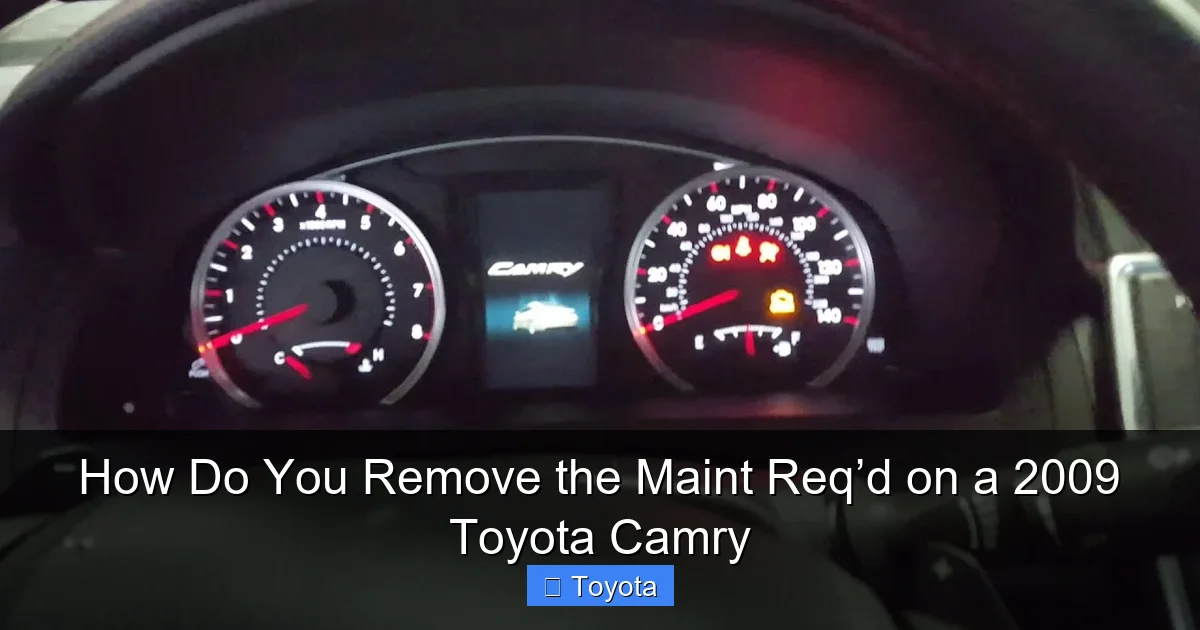
Visual guide about How Do You Remove the Maint Req’d on a 2009 Toyota Camry
Image source: i.ytimg.com
Step-by-Step Trip Meter Button Method
This process is very similar but uses a different button.
- Turn the ignition ON. Again, do not start the engine.
- Display the odometer (“ODO”). Use the main trip/odo button to cycle the display until you see the total odometer mileage, not a trip meter reading.
- Turn the ignition OFF.
- Press and hold the dedicated RESET button. This is usually the small black button. While holding it, turn the ignition back to the “ON” position. Continue holding.
- Observe the light. The “Maint Req’d” wrench icon should blink several times and then go out.
- Release the button. After the light extinguishes, release the reset button. Cycle the ignition off and on to confirm.
Pro Tip: On some models, you can perform the reset without turning the key off in between. With the ignition ON and odometer displayed, you can simply press and hold the reset button (or odometer button) for about 5-10 seconds until the light blinks and goes out. If your first method fails, try this “continuous” approach. Always consult your owner’s manual for the exact procedure for your specific VIN, as there were minor production changes during the 2009 model year.
What to Do After a Successful Reset
Congratulations! The wrench is gone. But your job isn’t quite finished. The reset process restarts the maintenance counter, but you need to ensure your service is properly documented and your car is in good shape.
Record the Service
The best practice is to keep a maintenance log, either in a notebook or using a smartphone app. Note the date, mileage at the time of service, and what was done (e.g., “Oil & filter change, 5W-20, rotated tires”). This creates a valuable service history that increases your car’s resale value and helps you or any future mechanic track its care. If you had a professional do the work, they should have provided a receipt and stamped your owner’s manual maintenance schedule.
Verify the Reset and Monitor
After resetting, start your engine. The light should remain off. Drive the car normally for a few days. The light should not reappear. If it comes back on almost immediately—within a day or two—it means the reset sequence was not completed correctly. Go back and repeat the steps, ensuring you are in the “ODO” display mode. If it comes back on after a few hundred miles, it could indicate a faulty sensor or that the maintenance light system itself has an issue, though this is rare. A persistent, incorrectly reset light can be annoying, but it shouldn’t affect your car’s operation.
Link to Related Dashboard Information
Dashboard lights can be confusing. For instance, knowing how many miles you can drive when the gas light comes on in a Toyota Camry is another piece of useful knowledge for every driver. Different lights have different levels of urgency, and understanding them all helps you prioritize vehicle care.
Common Mistakes and Troubleshooting
Even with clear instructions, things can go wrong. Here’s how to diagnose why your reset might have failed.
Mistake 1: Not in the Correct Display Mode
This is the #1 reason for a failed reset. The multi-information display must show the total odometer (“ODO”). If it shows “Trip A,” “Trip B,” “Avg MPG,” or any other metric, the reset sequence will be ignored. Use the button on the cluster to firmly cycle until you see the permanent odometer reading. It’s a small, non-resettable number that always shows your car’s total lifetime miles.
Mistake 2: Incorrect Button or Sequence
Pressing the wrong button or holding it for too short a time will fail. On trims with a separate reset button, using the main trip/odo button won’t work. On trims with only one button, using a non-existent second button is impossible! Refer to your owner’s manual’s index for “Maintenance Required Reset” for the definitive guide for your exact vehicle. The sequence of turning the key off and on while holding the button is also critical for some models.
Mistake 3: Rushing the Process
After turning the key to “ON” while holding the button, you must continue holding it until you see the light blink and go out. Don’t release it after one blink. Hold for a solid 5-10 seconds to ensure the computer registers the command. The light will typically blink a few times, then stay solid for a moment before turning off. That final “off” state is your confirmation.
When to Seek Professional Help
If you have meticulously followed the correct procedure for your trim level, performed the oil change, and the light still will not reset or comes back on instantly, there may be an underlying electrical issue. A problem with the instrument cluster, a faulty button, or a glitch in the Body Control Module (BCM) could be the culprit. At this point, a professional technician with a diagnostic scan tool can communicate with the car’s computer to force a reset or diagnose a deeper issue. Similarly, if your airbag light is on, that requires immediate professional attention, as it’s a safety system—unlike the maintenance reminder.
The Bigger Picture: Beyond Just Resetting a Light
Resetting the maintenance light is a small task, but it symbolizes a commitment to your vehicle’s longevity. A 2009 Toyota Camry is known for its reliability, but that reputation is earned through consistent, proper maintenance.
The Importance of Full Service
The oil change is the anchor of this service interval, but a good technician (or a diligent DIYer) will use this opportunity to perform a comprehensive check. This includes checking all exterior lights, tire pressure and tread depth, brake pad thickness, coolant level and condition, transmission fluid level, power steering fluid, and windshield washer fluid. They’ll inspect for any leaks, check the condition of drive belts, and look at the battery terminals. Catching a small issue—like a slightly worn belt or a low coolant level—during this regular service can prevent a costly breakdown later. The maintenance light is your car’s nudge to perform this holistic check-up.
Driving Habits and Light Frequency
If you find your maintenance light is coming on more frequently than the standard 5,000-mile interval, it may be a sign of “severe” driving conditions. Short trips where the engine doesn’t fully warm up are particularly hard on oil. If your driving routine consists mainly of trips under 5-10 miles, you should be changing your oil more often, perhaps every 3,000-4,000 miles. The car’s computer doesn’t perfectly account for every nuance of driving style. Being proactive and changing the oil a bit earlier than the light dictates is a wise insurance policy for your engine, especially as the car ages. For context on other vehicle intervals, you might look at how long ignition coils last on a Toyota, as these components are also affected by maintenance habits.
Conclusion: A Simple Task with Significant Responsibility
Removing the “Maint Req’d” light on your 2009 Toyota Camry is a straightforward, five-minute procedure you can do at home with no tools. Whether you use the odometer button method or the trip meter reset method, the steps are designed to be user-friendly. However, this simplicity comes with a crucial caveat: the reset must only be performed after the required maintenance is actually completed. Treating the light as a mere annoyance to be silenced without servicing is a shortcut that compromises your engine’s health and your car’s legendary reliability.
By understanding what the light means, preparing properly by doing the oil change, and following the precise button sequence for your specific trim, you can confidently manage this aspect of your Camry’s care. Keep a service log, drive responsibly, and remember that this small reset is part of a much larger picture of responsible ownership. A well-maintained 2009 Camry can easily surpass 200,000 miles, and respecting these service reminders is a key part of achieving that milestone. Now that you know how, that glowing wrench is no longer a mystery—it’s just a simple prompt to keep your trusted Camry on the road for years to come.
Frequently Asked Questions
Will the “Maint Req’d” light turn off by itself after I drive?
No. The light is a manual reset system. It will remain illuminated until you perform the specific reset procedure after completing the required maintenance. Driving will not clear it.
What’s the difference between the “Maint Req’d” light and the “Check Engine” light?
The “Maint Req’d” light (a wrench icon) is a scheduled service reminder, usually for an oil change. The “Check Engine” light (an engine icon) indicates a problem detected by the car’s computer in the engine or emissions system, requiring diagnostic scanning.
Can I reset the light without changing the oil?
Technically yes, but you should never do this. Resetting the light without performing the oil change means you are driving with degraded, potentially harmful oil, which can cause accelerated engine wear and serious damage.
My light came back on right after I reset it. What went wrong?
>This usually means the reset sequence wasn’t completed correctly (most commonly, the display wasn’t on “ODO”). Double-check you followed the steps precisely for your specific trim level. If it persists, the oil change may not have been done, or there could be a rare electrical fault.
How many miles can I drive after the light comes on before I must service the car?
You should plan to service the car as soon as convenient after the light illuminates. The system is designed for a ~5,000-mile interval. Driving an additional 500-1,000 miles is generally safe, but don’t ignore it for thousands of miles, as you’ll be operating with oil past its service life.
Is there a fuse for the “Maint Req’d” light I can pull to turn it off?
No. There is no dedicated fuse. The light is controlled by the instrument cluster and the car’s main computer. Pulling fuses will not target it and could disable other important systems. The only correct way to turn it off is via the button reset procedure after maintenance.
