

How Do I Turn Off Toyota Maintenance Required Message

Contents
- 1 Key Takeaways
- 2 📑 Table of Contents
- 3 Understanding the “Maintenance Required” Message vs. Other Warnings
- 4 Why Properly Resetting the Light is Important for Your Toyota
- 5 Step-by-Step: How to Turn Off the Toyota Maintenance Required Message
- 6 Model-Specific Considerations and Variations
- 7 Common Mistakes and Misconceptions to Avoid
- 8 When to Seek Professional Help: It’s Not Just a Light
- 9 Pro Tips for Managing Your Toyota’s Maintenance Schedule
- 10 Frequently Asked Questions

Torque Wrench Set

Car Neck Pillow

Dashboard Polish

Anti-Slip Dashboard Mat
The Toyota Maintenance Required message is a helpful reminder for scheduled service. You can reset it yourself after completing maintenance, but never ignore the underlying need. Follow our model-specific guides to turn it off correctly and keep your Toyota running reliably for years to come.
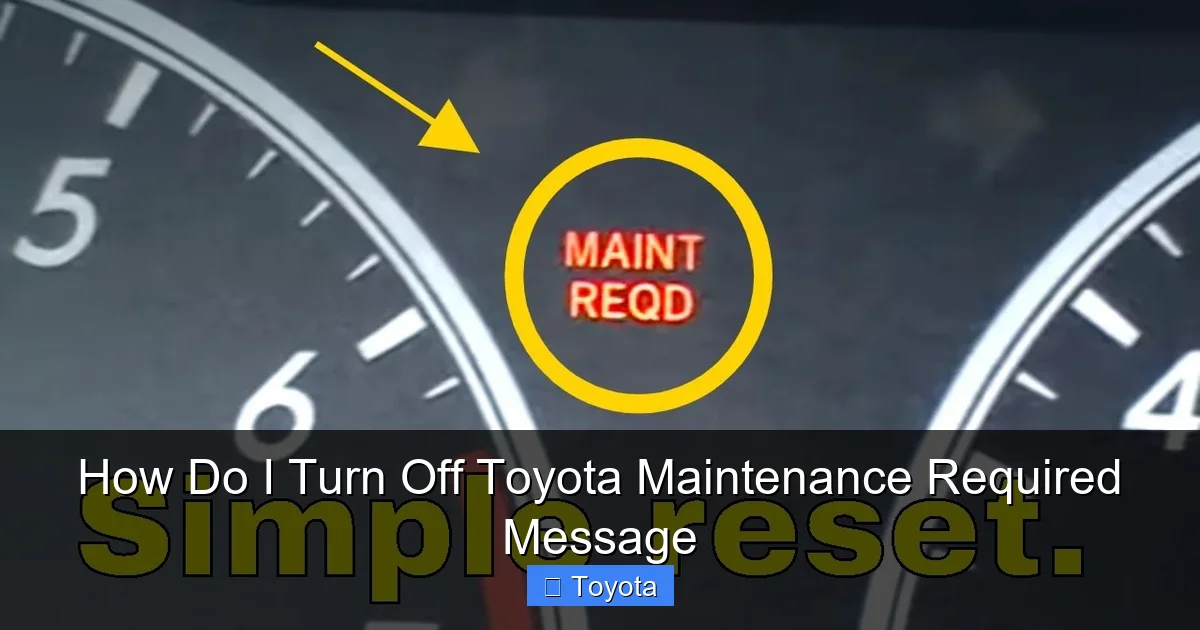
That little amber wrench icon glowing on your dashboard can be a real nuisance. You know your Toyota is generally reliable, so why is it nagging you? The “MAINT REQD” or “Maintenance Required” message is not a cause for panic, but it is a crucial piece of information from your vehicle’s computer. It’s your car’s way of saying, “Hey, it’s time for some scheduled love based on the miles you’ve driven or the time that’s passed.” This article is your complete, friendly guide to understanding what this message truly means and, most importantly, how to safely turn off the Toyota Maintenance Required message after you’ve done the necessary work. We’ll walk through every step for various models, so you can handle it with confidence.
First, let’s get one thing absolutely clear: turning off the light is not the same as doing the maintenance. The light is a timer. When your Toyota’s maintenance interval is reached, the computer triggers the reminder. If you simply reset the timer without performing the oil change, tire rotation, or other scheduled service, you are effectively lying to your car and yourself. This can lead to accelerated wear, potential damage, and voided warranties. Think of it like a medication reminder on your phone—you wouldn’t just dismiss the alert without taking your medicine. Your Toyota needs its scheduled “medicine” too. So, our guide assumes you have completed the required service as outlined in your owner’s manual. If you haven’t, please schedule that service first.
Key Takeaways
- It’s a reminder, not an emergency: The “MAINT REQD” light indicates scheduled maintenance is due based on mileage/time, not a critical fault.
- Reset only after service: You must perform the required maintenance (like an oil change) before resetting the light. Resetting without service is unsafe and dishonest.
- Method varies by model year: The reset procedure differs between older models (using the odometer button) and newer models (using steering wheel menu buttons).
- It’s part of Toyota’s reliability system: This light is a key feature that helps maintain your vehicle’s longevity, resale value, and safe operation.
- A persistent light needs a pro: If the light returns immediately after a correct reset or illuminates with other warnings, have a mechanic diagnose the system.
- Keep your service records: Document all maintenance. Resetting the light is simply acknowledging the work was done; your records prove it.
📑 Table of Contents
- Understanding the “Maintenance Required” Message vs. Other Warnings
- Why Properly Resetting the Light is Important for Your Toyota
- Step-by-Step: How to Turn Off the Toyota Maintenance Required Message
- Model-Specific Considerations and Variations
- Common Mistakes and Misconceptions to Avoid
- When to Seek Professional Help: It’s Not Just a Light
- Pro Tips for Managing Your Toyota’s Maintenance Schedule
Understanding the “Maintenance Required” Message vs. Other Warnings
Before we dive into the “how-to,” it’s vital to understand what you’re looking at. Toyota’s dashboard is a communication center, and not all lights are created equal. The Maintenance Required light is distinct from more urgent warnings.
The Purpose of the MAINT REQD Light
This light is part of Toyota’s sophisticated maintenance reminder system. It’s primarily based on your driving conditions and the engine oil’s expected lifespan. In most modern Toyotas, the system calculates oil degradation based on engine run time, coolant temperature, and vehicle speed. When the algorithm determines the oil has reached the end of its effective life, it illuminates the wrench icon. For older models or specific services, it may simply be a mileage-based counter (e.g., every 5,000 miles). Its sole purpose is to prompt you for routine, preventive maintenance.
How It Differs from the Check Engine Light
This is a common point of confusion. The Check Engine Light (CEL) is a diagnostic warning. It illuminates when the vehicle’s onboard computer (OBD-II) detects a problem with the emissions system, engine performance, or a sensor. It can indicate anything from a loose gas cap to a serious engine misfire. The Maintenance Required light is not a diagnostic light. It does not point to a malfunction. It is a pre-programmed service interval reminder. You can typically drive with the MAINT REQD light on for a short period to complete your service, but you should never ignore a steady or flashing Check Engine Light.
Other Relevant Dashboard Indicators
Sometimes, other lights can accompany or be mistaken for the maintenance reminder. For instance, an oil pressure warning light (usually an oil can icon) is a critical emergency indicating low oil pressure, which can cause engine destruction in minutes. If you see that, stop driving immediately. The tire pressure monitoring system (TPMS) light is another separate system. Understanding these distinctions ensures you respond appropriately to each alert your Toyota presents.
Why Properly Resetting the Light is Important for Your Toyota
You might wonder, “Why can’t I just put a piece of tape over it?” While that might hide the annoyance, it solves nothing. Properly resetting the light after genuine service is a critical part of vehicle ownership for several key reasons.
Visual guide about How Do I Turn Off Toyota Maintenance Required Message
Image source: i.ytimg.com
Maintaining Your Toyota’s Legendary Reliability
Toyota’s reputation for building durable, long-lasting vehicles is no accident. A significant part of that is adherence to a strict maintenance schedule. The manufacturer designs components to last specific intervals. Oil changes keep the engine clean and lubricated. Cabin air filter changes maintain HVAC efficiency and air quality. Brake inspections ensure safety. By resetting the light only after completing these tasks, you close the loop on that maintenance cycle and keep your Toyota on its designed reliability path.
Protecting Your Investment and Resale Value
When it’s time to sell or trade your Toyota, a complete service history is a huge selling point. Prospective buyers and dealerships look for proof of consistent care. A vehicle with a history of timely maintenance, indicated by a properly managed maintenance light system, commands a higher price. Conversely, a car with a history of ignoring service reminders or resetting the light fraudulently raises red flags about its true condition.
Ensuring Safety Systems Function Optimally
Many scheduled maintenance items directly impact safety. This includes brake pad/rotor inspections, tire rotations (for even wear and traction), steering and suspension component checks, and fluid inspections (brake fluid, coolant). By treating the maintenance reminder seriously, you are proactively ensuring that these vital safety systems are inspected and serviced as needed, protecting you and your passengers.
Preventing Costly Future Repairs
The old adage “an ounce of prevention is worth a pound of cure” applies perfectly here. A $50 oil change is far cheaper than a $5,000 engine rebuild due to oil sludge from neglected changes. A $100 brake service is better than a $1,000 caliper replacement because pads were worn to metal. The maintenance light is your cheapest insurance policy against major breakdowns. Resetting it acknowledges you’ve paid that small, preventive price.
Step-by-Step: How to Turn Off the Toyota Maintenance Required Message
Now for the practical part. The method depends heavily on your Toyota’s model year and whether it has a traditional odometer display or a modern multi-information display (MID) with steering wheel controls. We’ll break it down into two primary methods.

Visual guide about How Do I Turn Off Toyota Maintenance Required Message
Image source: i.ytimg.com
Method 1: The Odometer Button Method (Common on Older Models, ~2004-2012)
This classic method is straightforward and requires no special tools—just your ignition key and the trip/odometer reset button on your dashboard.
- Step 1: Turn the ignition key to the “ON” position (the position right before starting the engine, where all dashboard lights illuminate). Do not start the engine.
- Step 2: Press the “Trip/Odometer” button on your instrument cluster repeatedly until the display shows the total odometer reading (not the trip meter A or B). You should see the total miles/kilometers of the vehicle.
- Step 3: Turn the ignition key to the “OFF” position.
- Step 4: Now, press and hold the “Trip/Odometer” button down.
- Step 5: While continuing to hold the button, turn the ignition key back to the “ON” position (again, do not start). Keep holding the button.
- Step 6: After a few seconds (usually 5-10), the maintenance required light should begin to blink, and the odometer display will show a series of dashes (—–) or a reset countdown. Keep holding the button until the light goes out completely and the normal odometer reading reappears.
- Step 7: Release the button. Turn the ignition off and then back on to verify the wrench icon is no longer illuminated.
Pro Tip: If the light doesn’t reset, ensure you are starting from the total odometer display, not a trip meter. Also, some models require you to be in the “RUN” position (engine on) for step 5. Consult your owner’s manual for your specific year and model. For owners of popular models like the Camry or Corolla from this era, this is the standard procedure. You can find model-specific nuances by checking resources dedicated to your vehicle, such as guides for how to reset the maintenance required light on a Toyota Tacoma, which often uses this same method.
Method 2: The Multi-Information Display (MID) Menu Method (Common on Newer Models, ~2013-Present)
Modern Toyotas with color screens and steering wheel controls use a menu-driven system. The process is cleaner but requires navigating the vehicle’s settings.
- Step 1: Turn the ignition to the “ON” position (do not start).
- Step 2: Using the arrow buttons on your steering wheel (often the “Mode,” “Up/Down,” or “Enter” buttons), navigate to the Settings or Vehicle Settings menu on the driver’s display screen.
- Step 3: Within that menu, look for an option called “Maintenance” or “Maintenance Reset” or “Scheduled Maintenance”.
- Step 4: Select the maintenance reset option. The screen may display the mileage or date of the last reset and ask you to confirm.
- Step 5: Select “Yes” or “Reset” to confirm. You should see a confirmation message like “Maintenance Reset Complete” or similar.
- Step 6: Exit the menu. The wrench icon should immediately extinguish. Turn the car off and back on to confirm.
Important Note: The exact menu path varies. On a 2020 Toyota RAV4, for example, you use the “DISP” button on the steering wheel to cycle through the MID until you find “Settings,” then “General,” then “Maintenance Reset.” On a newer Camry or Highlander, it’s often under “Vehicle Settings.” Your owner’s manual is your best friend here. If you can’t find it, a quick online search for “how to turn off maintenance light on [Your Year, Make, Model]” will yield precise instructions. For complex models, a dedicated guide for your specific vehicle, like a 2020 RAV4, is invaluable.
Model-Specific Considerations and Variations
While the two methods above cover the vast majority of Toyotas, there are always exceptions. Here’s what you need to know for different vehicle types.

Visual guide about How Do I Turn Off Toyota Maintenance Required Message
Image source: i.ytimg.com
For Trucks: Toyota Tacoma, Tundra, and T100
These often use the odometer button method, but some newer Tundras with large touchscreens use the MID menu. The Tacoma, especially, is famous for its simple, reliable reset procedure via the odometer button. If you own a Tacoma and the standard method isn’t working, double-check that you are holding the correct button (the one that resets the trip meter) and that your display is showing the full odometer. Detailed steps for the Tacoma are widely available due to its popularity.
For SUVs and Crossovers: RAV4, Highlander, 4Runner
The RAV4 switched to the MID menu method around the 2013-2014 model year. The 4Runner has consistently used the odometer button method for many generations, even recent ones, which can surprise owners expecting a menu. The Highlander generally follows the MID menu path on newer models. Always verify by checking your specific model year’s manual.
For Hybrids: Prius, RAV4 Hybrid, Camry Hybrid
Hybrid models almost exclusively use the MID menu method. The process is identical to the non-hybrid counterparts of the same era. There is no separate “hybrid-specific” reset. The system calculates maintenance based on a combination of engine hours and mileage, but the user reset procedure is the same.
When the Standard Methods Fail
If you’ve followed the correct procedure for your model and the light remains on, there are a few possibilities. First, you may have not held the button long enough or started from the wrong display screen. Second, and more importantly, the maintenance interval may not have been fully completed in the car’s computer. Some Toyota systems require a scan tool to fully reset certain service intervals if they were not addressed (e.g., if a brake service was performed but the system wasn’t notified). In this case, a visit to a Toyota dealer or a reputable independent shop with the proper diagnostic software (like Techstream) is necessary. This is also true if the light comes back on very shortly after a reset, indicating a potential fault in the reminder system itself.
Common Mistakes and Misconceptions to Avoid
Even with the best instructions, it’s easy to slip up. Here are the most common pitfalls owners encounter when trying to turn off the Toyota Maintenance Required message.
Resetting Without Performing the Service
This is the cardinal sin. We’ve stressed it before, but it bears repeating. Disabling the reminder without doing the oil change, filter replacement, or inspection is dangerous and dishonest. You are essentially resetting a countdown timer without addressing the event it’s counting down to. This practice leads to neglected maintenance, accelerated wear, and potential breakdowns. The reset is an acknowledgment of completed work, not a magic “off” switch.
Using the Wrong Procedure for Your Model Year
Assuming all Toyotas are the same is a mistake. A 2010 Camry owner trying to use the 2020 RAV4’s menu method will fail. Always identify your exact model year and trim. A general search like “how to turn off maintenance light on Toyota” can be misleading. Be specific: “how to turn off maintenance light on 2012 Toyota Corolla.”
Confusing It with Other Systems
As mentioned earlier, don’t confuse the MAINT REQD light with the Check Engine Light, Oil Pressure Light, or TPMS light. Each has a completely different meaning and reset procedure. Trying to reset a Check Engine Light by using the maintenance reset method will not work and could be illegal in some areas if you’re trying to mask an emissions problem.
Ignoring Other Needed Services
The maintenance reminder system often tracks multiple items (oil, tire rotation, cabin filter, etc.). Resetting the light typically resets the entire interval. If you only did an oil change but ignored a needed cabin air filter or coolant flush, you are still not fully caught up. The light going off gives you a false sense of completeness. Always cross-reference the reminder with your owner’s manual’s maintenance schedule to ensure all due items for that interval are addressed.
Forgetting to Check the Owner’s Manual
Your owner’s manual is the definitive source. It has the exact procedure for your specific vehicle, including any special notes. If you’ve lost it, most manufacturers offer free PDFs online, or you can find it through enthusiast forums for your model. Taking 10 minutes to check it can save you hours of frustration.
When to Seek Professional Help: It’s Not Just a Light
While resetting the Maintenance Required light is a simple DIY task for most, there are scenarios where you should consult a professional. Knowing the difference saves time and prevents damage.
The Light Returns Immediately or Very Quickly
If you perform the reset procedure correctly and the light comes back on within a day or two of normal driving, it indicates the system did not accept the reset or has detected a fault. This could be a problem with the mileage sensor, the instrument cluster itself, or the engine control module’s memory. A technician with a proper scan tool can diagnose if the system is functioning or if there’s an electrical issue.
Multiple Warning Lights Are On Simultaneously
If the Maintenance Required light is accompanied by the Check Engine Light, VSC (Vehicle Stability Control) light, or any other warning, you have a more serious issue. The maintenance reminder should not trigger other systems. This combination points to a diagnostic trouble code that needs to be read and addressed. Do not just try to reset the lights; have the codes pulled.
You’re Unsure What Maintenance is Actually Due
The light tells you that service is due, not what service is due. If your car is older, you may have missed several intervals. A professional mechanic can perform a full inspection and tell you exactly what needs to be done to bring your vehicle up to date, based on the mileage and your driving history. They can also reset the system appropriately for the work completed.
Your Vehicle is Under a Complex Warranty or Lease
If your Toyota is still under its original warranty or a lease, improper maintenance or resetting the light without documented service could void your powertrain warranty. In these cases, it’s often best to have the maintenance performed at a Toyota dealer or a certified independent shop that provides detailed, stamped records. They will also handle the reset correctly within their system.
Pro Tips for Managing Your Toyota’s Maintenance Schedule
Going beyond just turning off the light, here’s how to master your Toyota’s maintenance schedule for long-term health and value.
Use Your Owner’s Manual as the Gospel
The maintenance reminder is a helpful nudge, but your owner’s manual is the complete blueprint. It lists the exact services required at every mileage interval (e.g., 5k, 10k, 15k, 30k, etc.). Refer to it when the light comes on. It will specify whether you need just an oil change, or if a tire rotation, brake inspection, fluid top-off, and cabin filter replacement are also due at that interval.
Keep a Digital or Physical Service Log
Maintain a detailed record of every service performed, no matter how small. Note the date, mileage, shop/dealer, and specific services (e.g., “5W-20 oil change, tire rotation, cabin filter replaced”). This log is your proof of care. When you reset the light, make a corresponding entry in your log. This is invaluable for personal tracking and for future buyers.
Leverage Toyota’s Connected Services (If Equipped)
Many newer Toyotas come with Toyota Safety Sense and connected app features (like Toyota app). Some of these systems can send maintenance reminders to your phone based on the vehicle’s data, sometimes even before the dash light comes on. Enable these notifications for an extra layer of reminders.
Don’t Reset a Light for a Problem You Haven’t Fixed
If your Toyota needed an oil change because it was low on oil due to a leak, simply changing the oil and resetting the light masks the real problem—the leak. The light will come back very quickly. Always address the root cause of any service need. The maintenance light is for routine wear items; leaks, abnormal noises, or performance issues are separate problems that need diagnosis.
Understand the “Severe Service” Schedule
Your owner’s manual has two schedules: “Normal” and “Severe Service.” If your driving habits match the severe service criteria (frequent short trips, extremely hot/cold climates, dusty conditions, heavy loads, taxi/ride-share use), you should follow the more frequent severe service schedule. The maintenance reminder system is generally calibrated for normal service. If you drive under severe conditions, you may need to service your vehicle more often than the light suggests. Refer to your manual’s severe service definition.
Frequently Asked Questions
What does the Toyota Maintenance Required message actually mean?
It’s a pre-programmed reminder that your vehicle is due for scheduled maintenance based on mileage or time intervals, such as an oil change, tire rotation, or inspection. It is not an indication of a current malfunction.
Can I turn off the Maintenance Required light without getting an oil change?
Technically yes, by following the reset steps. However, you should never do this. The light exists to protect your engine and ensure your car’s longevity. Resetting it without performing the required service is unsafe, can cause engine damage, and is dishonest to future owners.
Why does the Maintenance Required light come back on after I reset it?
If it returns immediately, you likely didn’t follow the reset procedure correctly. If it returns after a few hundred miles, it means the maintenance interval has been reached again because the required service was not actually completed. If it returns very quickly (within a day) after a correct reset, there may be a fault in the reminder system that needs diagnostic scanning.
Is the Maintenance Required light the same as the Check Engine light?
No. The Maintenance Required light is a simple service reminder. The Check Engine Light indicates a problem with the engine or emissions system that needs diagnosis. They have different meanings and require different responses.
Do I need a special tool to reset the Maintenance Required light?
For most older and many newer Toyotas, no tool is needed. You use the ignition and the trip/odometer button or the steering wheel menu. However, on some complex models or if the system is faulty, a professional scan tool (like Techstream) may be required.
Will disconnecting the battery turn off the Maintenance Required light?
No. Disconnecting the battery may reset some electronic systems, but the maintenance reminder data is stored in non-volatile memory that retains the mileage count. You must use the specific reset procedure for your model. Disconnecting the battery can also cause other issues like radio code locks and steering angle sensor calibration needs.







