
How Do I Turn Off the Maintenance Light on My Toyota Camry 2007?

The maintenance light on your 2007 Toyota Camry, labeled “MAINT REQD,” is a simple mileage-based reminder for scheduled service, most commonly an oil change. It is not an emergency warning. You can turn it off yourself in under 30 seconds using a manual button-press sequence on your dashboard—no tools required. This process resets the service interval timer but does not address the underlying maintenance need. Always perform the required service first, then follow the precise reset procedure for your specific trim level to ensure the light stays off until the next service interval.
Key Takeaways
- The “MAINT REQD” light is a maintenance reminder, not a diagnostic trouble code. It illuminates after a preset mileage interval (usually 5,000 miles) to remind you of scheduled service like an oil and filter change.
- You must perform the required maintenance before resetting the light. Resetting the light without changing the oil or performing the service defeats its purpose and can lead to engine damage.
- The reset is a manual, electronic procedure using your odometer button. It requires no special tools, scanners, or disconnecting the battery. The process involves a specific sequence of button presses while the ignition is in a particular position.
- The exact steps vary slightly by trim level (CE, LE, SE, XLE). Your 2007 Camry’s procedure depends on whether it has a standard odometer or a multi-information display. Identifying your dash layout is the first critical step.
- If the reset fails, the process was likely not executed correctly. Double-check the ignition position and button sequence. A weak battery can sometimes interfere with the electronic reset process.
- This light is completely separate from the Check Engine Light. A Check Engine Light indicates an emissions-related fault and requires diagnosis with a scan tool. Do not confuse the two.
- The process is nearly identical for most Toyota models from this era. If you own another Toyota vehicle, the general method of using the trip/odometer button to reset the maintenance light will be very similar.
📑 Table of Contents
- Understanding the “MAINT REQD” Light on Your 2007 Toyota Camry
- Preparing for the Reset: The Golden Rule
- Method 1: The Manual Odometer/Button Reset Procedure
- Method 2: Using an OBD2 Scan Tool (The Tech’s Way)
- After the Reset: What to Expect and Verification
- Common Mistakes and Troubleshooting
- Conclusion: Empowerment Through Simple Maintenance
Understanding the “MAINT REQD” Light on Your 2007 Toyota Camry
That little wrench icon or the words “MAINT REQD” glowing on your dashboard isn’t trying to scare you. It’s actually a helpful friend. In your 2007 Toyota Camry, this light is part of Toyota’s maintenance reminder system. Its sole job is to count miles and, in some cases, time, to remind you that your car is due for its scheduled maintenance. Think of it as your car’s way of saying, “Hey, it’s been about 5,000 miles (or 6 months) since my last oil change. It’s time for some TLC!” It is a preventive alert, not a reactive warning like a Check Engine Light. The system is based on a simple mileage timer that starts counting down after you reset it following a service. When it hits zero, the light comes on. This system was a significant step forward from the old-school, rigid 3,000-mile oil change rule, as it adapts to your actual driving, though the 2007 model uses a basic mileage counter.
What It Definitely Is NOT
It is crucial to understand what this light does not mean. It is not the Check Engine Light (which is usually a yellow engine icon). It is not an oil pressure warning (which is a red oil can icon and requires immediate shutdown). It is not indicating a current fault or dangerous condition with your engine. It is purely a service interval timer. Ignoring it for a few hundred miles after your oil change is due won’t cause immediate harm, but consistently delaying oil changes leads to sludge buildup, increased wear, and potentially catastrophic engine failure. So, while the light itself is not an emergency, the service it reminds you of is critically important.
Preparing for the Reset: The Golden Rule
Before you touch a single button, you must commit to one non-negotiable rule: only reset the maintenance light after you have completed the required service. For a 2007 Camry, this is almost always an oil and filter change, but it could also include tire rotation, brake inspection, fluid top-offs, and a general safety check according to your owner’s manual schedule. Resetting the light without doing the work is like erasing a to-do list without doing the tasks—it leaves you vulnerable to future problems. If you’re a DIY enthusiast, change the oil yourself. If you prefer a professional, have your trusted mechanic do the work and ask them to reset the light before you leave. If they forget or you do the work yourself, you’ll need to reset it manually, which is what this guide is for.
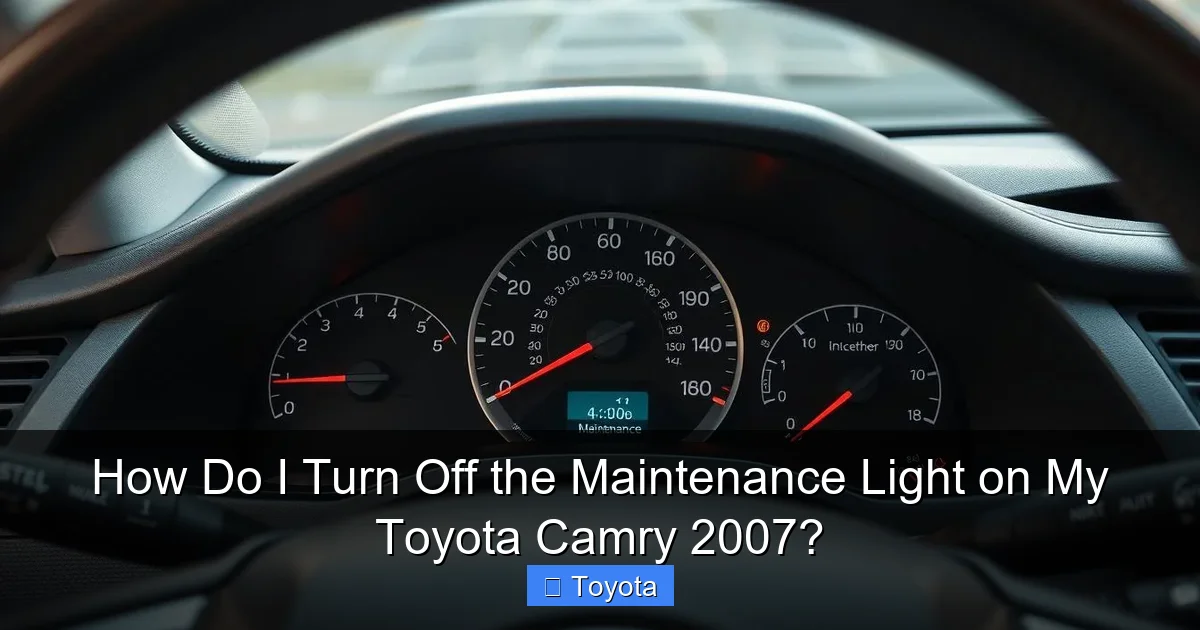
Visual guide about How Do I Turn Off the Maintenance Light on My Toyota Camry 2007?
Image source: vehiclebright.com
Gathering Your Thoughts (and Nothing Else)
The beauty of this procedure is that you need no tools. No wrenches, no OBD2 scan tools, no battery disconnection. You only need your ignition key and your finger. However, you do need to know which type of instrument cluster your Camry has. There are two common types for the 2007 model year:
- Standard Odometer Display: This is the basic setup with a digital odometer and a single line for trip meters. The “MAINT REQD” light is a separate icon.
- Multi-Information Display (MID): This is a more advanced screen that can show multiple data points (like fuel economy, outside temp, trip A/B). The maintenance reminder message (“MAINT REQD”) often appears within this text display area.
The button you press—usually the “trip/odometer” button on the gauge cluster—is the same, but the sequence and what you see on the screen will differ slightly. We’ll cover both scenarios.
Method 1: The Manual Odometer/Button Reset Procedure
This is the standard, factory-prescribed method. It works by putting the car’s computer into a “settings” mode via the odometer button. The key is getting the ignition position exactly right. Your Camry’s ignition has three positions: OFF, ACC (Accessory/On), and ON (Engine Running). The reset must be done with the key in the “ACC” or “ON” position but with the engine off.
Step-by-Step for Standard Odometer Models
Follow these steps precisely for Camrys with the simple digital odometer display:
- Turn the ignition OFF. Remove the key if it’s in the run position.
- Press and hold the “trip/odometer” button. This is the button you normally press to toggle between odometer and trip meter readings. It’s usually on the gauge cluster, near the speedometer.
- While continuing to hold the button, turn the ignition to the “ACC” or “ON” position. Do not start the engine. The dash lights will come on, and you’ll likely see the odometer display.
- Continue holding the button for about 5-10 seconds. You should see the odometer display start to blink, or you may see dashes “—–” appear. The “MAINT REQD” light may start to blink as well.
- Release the button. The blinking should stop, and the odometer will return to normal. The “MAINT REQD” light should be extinguished.
- Turn the ignition OFF and then back ON to verify. Start the car. The light should remain off. If it comes back on immediately, the reset was not successful; repeat the process, ensuring you hold the button long enough to see the dashes or blinking.
Step-by-Step for Multi-Information Display (MID) Models
If your Camry has the screen that displays trip meters and other info, the process is similar but the display feedback is different:
- Turn the ignition OFF.
- Press and hold the “trip/odometer” button.
- While holding, turn the key to the “ACC” or “ON” position.
- Watch the Multi-Information Display screen. Instead of the odometer, you should see the maintenance message (“MAINT REQD”) begin to blink, or the entire screen may go blank and then show “000000” or dashes.
- Hold the button until the display stops blinking and resets to normal. This can take 5-15 seconds.
- Release the button. The message should be gone.
- Cycle the ignition to confirm.
Pro Tip: If you are unsure which type you have, simply try the standard procedure first. If you see the odometer display blink and reset, you’re done. If nothing happens or you only see the trip meter reset, you likely have the MID, and the maintenance message will blink on the main screen area during the process.
Method 2: Using an OBD2 Scan Tool (The Tech’s Way)
While the manual button method is free and easy, some people prefer using a scan tool. This is the method a dealership or repair shop will use. Any basic OBD2 scanner that has “maintenance light reset” or “service reminder reset” capabilities can do this. This is particularly useful if the manual method fails for some reason, or if you already have a scanner out for other diagnostics.
- Locate the OBD2 port. It’s under the dashboard, just below the steering column, usually near the driver’s left knee. It’s a trapezoidal-shaped 16-pin connector.
- Plug in your scan tool. Turn the ignition to the “ON” position (do not start the engine). The scanner will power on and communicate with the car’s computer.
- Navigate the menu. The exact path varies by brand (Autel, Launch, ANCEL, etc.), but you’re looking for options like “Maintenance Reset,” “Service Reset,” “Oil Reset,” or “MAINT REQD Reset.” Avoid the generic “Erase Codes” button—that’s for Check Engine Lights.
- Select the correct vehicle. Ensure your scanner is set for a 2007 Toyota Camry.
- Follow the on-screen prompts. The tool will guide you, often asking you to confirm the reset. It may ask you to turn the ignition off and on again.
- Disconnect the scanner and verify. The light should be off. Start the engine to confirm.
Important: Not all budget OBD2 readers have this maintenance reset function. Many are only for reading/erasing engine diagnostic codes. If yours doesn’t have the option, you must use the manual button method. For a comprehensive guide on using scan tools for various Toyota models, you can refer to resources that cover how to reset the maintenance light on Toyota vehicles more broadly.
After the Reset: What to Expect and Verification
Once you’ve successfully reset the light, your dashboard will be clear. But your work isn’t entirely done. The system has been reset to zero, and it will begin counting miles again from that point. For a 2007 Camry, the factory interval is typically set to 5,000 miles. This means you have another 5,000 miles (or 6 months) before the light will illuminate again. You should mark your calendar or set a phone reminder for your next service. The light coming on is a good thing—it’s your car’s built-in maintenance scheduler working correctly.
Driving with the Light On vs. Reset Without Service
There’s a key difference between these two scenarios. Driving with the light on after your service interval has passed is risky but common. It means you’re operating your engine past its recommended oil change interval, which increases wear. Resetting the light without performing the service is deceptive and harmful. It tricks the system into thinking you just had an oil change, so it won’t remind you again for another 5,000 miles. During that time, your oil is old, dirty, and losing its protective properties. You are essentially guaranteeing accelerated engine wear. Always, always service the car first.
Common Mistakes and Troubleshooting
Even with a simple procedure, things can go wrong. Here’s how to fix the most common issues:
- The light won’t turn off, or it comes back on immediately. You likely did not hold the button long enough to see the dashes or blinking display. The reset sequence requires a continuous press for 5-15 seconds. Try again, holding firmly until you see clear confirmation on the display.
- Nothing happens when I press the button. Ensure the ignition is in the correct position: all the way to “ON” (where the dash lights are on) but the engine is not cranking or running. Also, confirm you are pressing the correct button—it’s the one that toggles between odometer and trip A/B, not the “reset” button on the turn signal stalk.
- The light blinked but didn’t go out completely. This can sometimes happen if the car’s computer is in a slightly unstable state. Turn the ignition completely OFF, wait 10 seconds, and try the sequence again from the beginning.
- I have a weak or old battery. A low voltage can confuse the car’s modules. If your battery is more than 4-5 years old, consider charging it or jump-starting the car before attempting the reset. A stable voltage supply is key for the electronic reset to be accepted.
- I accidentally reset it before the oil change. Don’t panic. The system is now on a new 5,000-mile cycle. Simply get your oil changed as soon as possible. The light won’t come on for another 5,000 miles, so you must rely on your own memory or a calendar reminder for that service. This is why the “perform service first” rule is so important.
If you’ve tried the manual method multiple times with no success, and your scan tool doesn’t have the reset function, your last resort is a visit to a mechanic or dealership. They have more advanced diagnostic systems that can access the body or instrument cluster module directly to force a reset. This is rare for a 2007 Camry, as the manual method is very reliable when done correctly.
Conclusion: Empowerment Through Simple Maintenance
Turning off that maintenance light on your 2007 Toyota Camry is one of the easiest and most satisfying DIY car care tasks there is. It takes less than a minute, costs nothing, and gives you a tangible sense of control over your vehicle’s upkeep. Remember the core principle: service first, reset second. The light is a tool for your benefit, not a burden. By understanding its purpose and mastering this simple reset procedure, you’re taking an active role in your car’s longevity and reliability. You’ve now joined the ranks of owners who don’t panic at a dashboard light but instead know exactly what it means and how to handle it. Keep up with those scheduled services, and your Camry will reward you with many more years of dependable, worry-free driving. For other Toyota models, the process is often very similar—you can find specific guides for vehicles like the 2017 Toyota Highlander or the Toyota Avalon that follow the same fundamental logic.
Frequently Asked Questions
Can I just disconnect the battery to turn off the maintenance light?
No. Disconnecting the battery will reset the clock and radio presets, but it will not reset the mileage-based maintenance timer on a 2007 Camry. The maintenance light is stored in a non-volatile memory that retains the mileage count even without power. You must use the specific button-press sequence or a scan tool.
How many miles can I drive after the maintenance light comes on before it’s a serious problem?
The light comes on at a preset interval (typically 5,000 miles) as a reminder. It’s not an immediate “stop now” signal. You have some buffer, but you should plan to get the service done within 500-1,000 miles of the light illuminating. Delaying an oil change beyond 1,000 miles past due increases the risk of engine sludge and wear.
Why did my maintenance light come back on just 100 miles after I reset it?
This almost always means you reset the light before performing the required service, most likely an oil change. The system’s internal counter was not reset to zero because the car’s computer may have detected that the service interval had not been completed (some later models use more complex logic, but even on a 2007, if you reset it too early, it may not take). You must complete the oil change, then perform the reset procedure again correctly.
Will this reset procedure work for the tire pressure light?
No. The maintenance light (“MAINT REQD”) and the tire pressure monitoring system (TPMS) light (a cross-section of a tire with an exclamation point) are completely separate systems with different sensors and reset procedures. Resetting one will have no effect on the other. If your tire pressure light is on, you need to adjust the tire pressures to the correct PSI (found on the driver’s door jamb sticker), and the light should self-reset after a short drive. If not, the TPMS may need a manual relearn procedure.
My 2007 Camry has a “Check Engine” light on, not the maintenance light. Can I use this same method?
Absolutely not. The “Check Engine” or “Service Engine Soon” light indicates a detected fault in the engine, transmission, or emissions system. This requires diagnostic scanning to identify the trouble code. Using the maintenance light reset procedure will do nothing for a Check Engine Light and will not fix the underlying problem. You must diagnose and repair the issue causing the Check Engine Light first, then use a scan tool to clear the codes.
Is the process the same for a 2006 or 2008 Toyota Camry?
Yes, the process is virtually identical for the 2006, 2007, and 2008 Toyota Camry models. They share the same instrument cluster design and maintenance reminder system. The steps involving the ignition position and holding the trip/odometer button are the same across these three model years. You can confidently follow this guide for any of those years.