
How Do I Reset the Maintenance Light on a 2009 Toyota Camry?

Seeing that persistent “MAINTENANCE REQUIRED” light on your 2009 Toyota Camry can be annoying, but it’s a simple fix. This light is a reminder for scheduled service, not an indication of a problem. You can reset it yourself in under 30 seconds using just the ignition key and the odometer button. This guide provides the precise, model-specific steps to turn off that light after you’ve performed the necessary maintenance, ensuring your dashboard is clear and your mind at ease.
That little wrench icon glowing on your dashboard isn’t trying to stress you out—it’s your 2009 Toyota Camry’s way of being a helpful friend. It’s a simple mileage-based reminder that your car is due for its scheduled service, typically an oil change and a multi-point inspection. But once you’ve handed over the keys to your trusted mechanic or completed the work yourself, that persistent light can feel like a nagging guest who won’t leave. The good news? You don’t need to be a mechanic or buy expensive software to make it disappear. Resetting the maintenance required light on a 2009 Toyota Camry is a straightforward, do-it-yourself procedure anyone can master. It’s one of the most basic pieces of Toyota maintenance knowledge. This guide will walk you through every step, explain why the light exists, and give you the confidence to clear that dash and get back to enjoying your reliable Camry.
Before we dive into the button-pushing, it’s important to understand what you’re dealing with. The 2009 Camry uses a maintenance reminder system that calculates service intervals based on both mileage and sometimes engine runtime or operating conditions. When the predetermined interval is reached, the system triggers the “MAINTENANCE REQUIRED” message to appear on your odometer display. This system is brilliant because it tailors reminders to your actual driving habits rather than a generic, fixed schedule. However, its brilliance means you must manually reset the counter after each service. If you don’t, the light will continue to illuminate every time you start the car, a constant reminder of work that’s already been done. This reset process tells the car’s computer, “Hey, the oil was changed, the tires were rotated, the filters were inspected—you can start counting down to the next service now.”
Key Takeaways
- The light is a reminder, not an error: The “MAINTENANCE REQUIRED” light on your 2009 Camry illuminates based on a mileage or time interval to remind you of scheduled service like oil changes and tire rotations. It does not indicate a fault with the car’s systems.
- Reset only after maintenance: You should only perform the reset procedure after the required maintenance (typically an oil change and inspection) has been completed by a professional or yourself. Resetting it without doing the work is unsafe and defeats the purpose of the system.
- The process is manual and tool-free: For this model year, the reset is done through the vehicle’s instrument cluster using the ignition and the “Trip/ODO” button. No special scan tools or OBD-II interfaces are needed for the standard maintenance light reset.
- A temporary reset vs. a real fix: If the light comes back on immediately or very soon after resetting, it may indicate the maintenance interval was not properly updated or there is an underlying electrical issue. The reset must be done correctly to “take.”
- Consult your owner’s manual: Your vehicle’s specific maintenance schedule and the official reset procedure can always be verified in the owner’s manual. It’s the definitive source for your particular car.
- Know the difference from other warning lights: This is distinct from the “Check Engine” light (which signals an engine management fault) or other indicator lights. The methods for resetting those, like the airbag light on a Camry, are completely different and often require diagnostic tools.
- Safety first: Always ensure your vehicle is parked safely with the parking brake set before attempting any dashboard procedures. The engine should be off during the initial steps of the reset sequence.
📑 Table of Contents
- Understanding Your 2009 Camry’s Maintenance Light System
- Essential Preparation Before You Reset
- Step-by-Step Reset Procedure for a 2009 Toyota Camry
- What to Do If the Light Won’t Reset
- Why Regular Maintenance is Non-Negotiable (Even After the Light is Off)
- Beyond the Camry: A Universal Toyota Principle
- Conclusion: Your Camry, Your Confidence
Understanding Your 2009 Camry’s Maintenance Light System
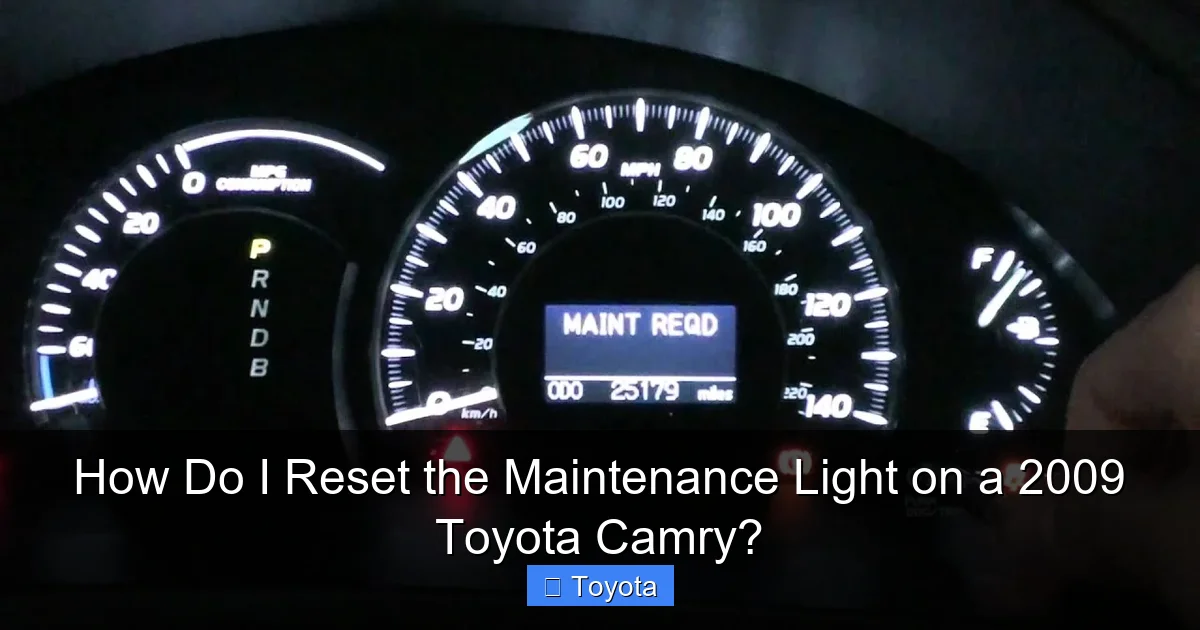
Knowing your adversary—or in this case, your friendly reminder—is half the battle. The maintenance light on your 2009 Camry is part of Toyota’s integrated dashboard messaging system. It’s not a single bulb but a message displayed on the odometer screen, usually between the speedometer and tachometer. When it’s time for service, you’ll see the words “MAINTENANCE REQUIRED” or a wrench icon, depending on your trim level’s display style. This light is governed by the vehicle’s Engine Control Unit (ECU) or a dedicated body computer that tracks service intervals.
How the System Knows When to Light Up
The system doesn’t just count miles in a simple way. It uses a complex algorithm that considers factors like engine temperature, average driving speed, and engine load to estimate oil degradation. Severe driving conditions—like frequent short trips, extreme temperatures, or dusty environments—can cause the oil to break down faster, and the system is designed to account for this. This is why sometimes the light might come on at, say, 3,500 miles instead of the traditional 5,000-mile mark. It’s adapting to how you actually use your vehicle. When the system determines the oil life or other service parameters have dropped below a threshold, it flags the need for service and illuminates the light after you cycle the ignition from OFF to ON (position II, where dash lights come on but engine is off) a few times.
What the Light Does NOT Mean
This is a critical distinction. The maintenance required light is not a diagnostic trouble code indicator. It does not mean your engine is about to fail, your oil pressure is low, or there’s a sensor malfunction. Those are serious issues that would trigger the “Check Engine” light or other dedicated warning lights (like oil pressure). If your “MAINTENANCE REQUIRED” light is on, your car is mechanically fine for the moment—it just needs its scheduled TLC. Confusing this light with a critical warning can lead to unnecessary panic or, conversely, ignoring a real problem. If you see other lights like the battery light or a red oil can symbol, those require immediate professional attention.
Essential Preparation Before You Reset
Now, let’s get practical. The actual reset procedure takes seconds, but a little preparation ensures it goes smoothly. The most important rule is this: Only reset the maintenance light after the required service has been completed. Resetting it without changing the oil or inspecting the vehicle is dishonest to yourself and dangerous for your car’s longevity. You’re essentially telling the car’s computer to forget about the service it just reminded you about, which could lead to neglected maintenance and costly repairs down the line. Think of it like erasing a calendar reminder for a dentist appointment after you’ve already gone—it’s fine. Erasing it without going? That’s a problem.
Visual guide about How Do I Reset the Maintenance Light on a 2009 Toyota Camry?
Image source: i.ytimg.com
Tools and Prerequisites You’ll Need
The beauty of the 2009 Camry’s system is its simplicity. You need precisely zero special tools. Here’s your checklist:
- Your vehicle’s keys. You’ll need to use the physical key or key fob to operate the ignition.
- A safe, level parking spot. Park your Camry on a flat surface, set the parking brake firmly, and make sure the transmission is in Park (P) for automatics or Neutral (N) for manuals.
- The engine must be OFF. The car should not be running at any point during the reset sequence.
- A clear mind. The steps involve a precise sequence of turning the key and pressing a button. It’s easy, but you need to follow the order correctly.
You do not need a scan tool, a laptop, or any mechanical expertise for this specific reset on this model year. Some later model vehicles or different brands might require a diagnostic tool, but not your 2009 Camry. This is a fully manual, driver-controlled reset.
Confirming the Light is the “Maintenance Required” Light
Before you start, double-check what you’re looking at. Turn the ignition to the ON position (all the way forward, but don’t start the engine). Look at the odometer display in the gauge cluster. If you see “MAINTENANCE REQUIRED” or a wrench symbol, you’re in the right place. If you see a different message, a check engine symbol, or a tire pressure warning, you are dealing with a different system that requires a different approach. For instance, resetting a tire pressure light involves a different button-press sequence, often through a dedicated TPMS button. You’re specifically targeting the service reminder light here.
Step-by-Step Reset Procedure for a 2009 Toyota Camry
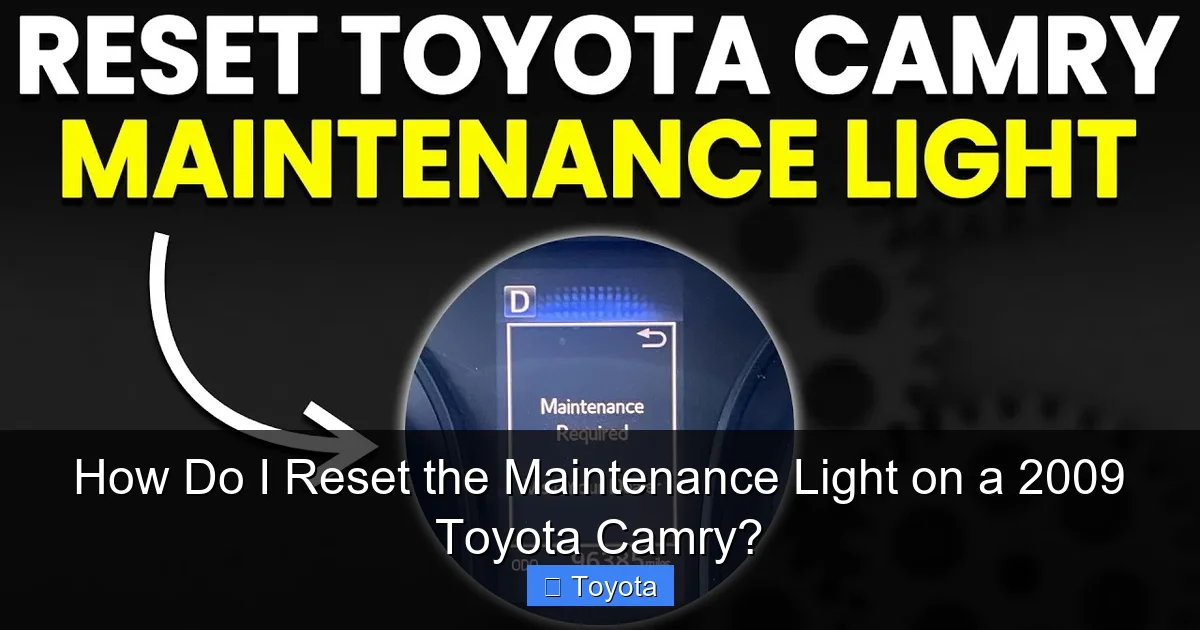
Alright, it’s go time. This procedure is standardized for most 2007-2011 Toyota Camry models. The key is the sequence. You will be using the ignition key and the button on the instrument panel that normally cycles your odometer between Trip A, Trip B, and the total odometer reading (often labeled “Trip/ODO” or just a single black button). Follow these steps exactly:
Visual guide about How Do I Reset the Maintenance Light on a 2009 Toyota Camry?
Image source: i.ytimg.com
The 5-Second Method (The Standard Procedure)
- Turn the ignition to the OFF position. Make sure your key is out of the ignition or the engine is completely off.
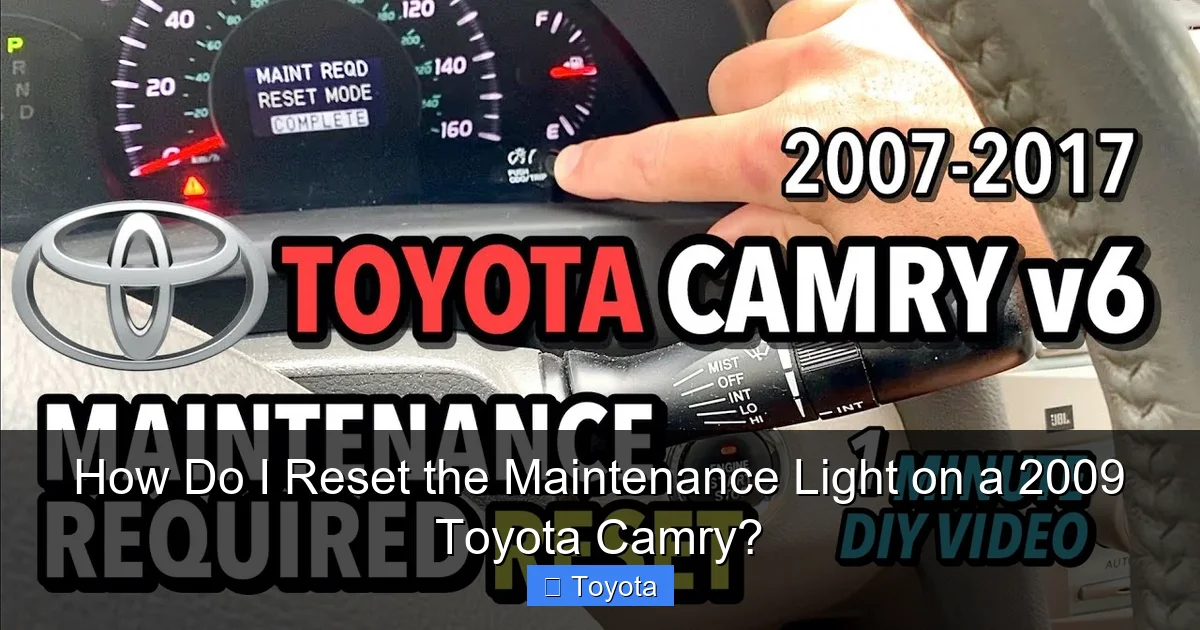
- Press and hold the “Trip/ODO” button. Locate the button on your dashboard, usually near the speedometer. Press it in and hold it down. Don’t let go yet.
- While holding the button, turn the ignition to the ON position. Insert your key and turn it to the position where the dashboard lights come on (the second click). Do not start the engine. Continue to hold the “Trip/ODO” button.
- Watch the odometer display. After a few seconds (typically 3-5 seconds), you should see the “MAINTENANCE REQUIRED” message begin to blink, or you might see dashes “—–” appear. Keep holding the button.
- Release the button. Once the display starts blinking or shows dashes, you can release the “Trip/ODO” button.
- Turn the ignition OFF and then back ON. Turn the key back to the OFF position, wait a second, and then turn it back to the ON position to check your work.
If you’ve done it correctly, the “MAINTENANCE REQUIRED” message should be gone. The odometer should now display your normal mileage reading. If the light is still there, turn the ignition off and try the sequence again, making sure you hold the button long enough in step 4 for the display to change.
Alternative Method (If the Above Fails)
On very rare occasions, a slightly different sequence might be needed. Try this variation:
- Turn ignition ON (do not start).
- Press the “Trip/ODO” button to cycle the display until you see the “MAINTENANCE REQUIRED” message.
- Now, turn the ignition OFF.
- Press and hold the “Trip/ODO” button.
- While holding it, turn the ignition back ON.
- Continue holding until the message blinks and disappears.
- Release and verify.
The core principle is the same: you are tricking the car’s computer into a reset mode by holding the trip meter button during the power-on cycle. This action tells the ECU to clear the stored maintenance interval flag.
What to Do If the Light Won’t Reset
So you followed the steps perfectly, but that wrench is still glaring at you. Don’t panic. This doesn’t mean your car is broken, but it does mean the reset didn’t “take.” Here’s your troubleshooting flowchart.
Visual guide about How Do I Reset the Maintenance Light on a 2009 Toyota Camry?
Image source: i.ytimg.com
First: Double-Check Your Procedure
Human error is the most common culprit. Re-read the steps above. Did you hold the button long enough? Did you start with the ignition OFF? Did you accidentally press another button? Try the sequence 2-3 more times, being meticulous about the timing. Sometimes it takes a full 5-7 seconds of holding the button after turning the key ON for the display to react. Have a friend read the steps aloud to you as you do it to eliminate doubt.
Second: Consider the “Service” Wasn’t Done
Some independent shops or DIYers forget to reset the light after the oil change. If you just had service done and the light is still on, it’s possible they simply overlooked this step. Call your mechanic and ask them to perform the reset. It’s a 10-second favor they’ll likely be happy to do. This is also a good check to ensure they actually changed your oil!
Third: A Potential Electrical or System Glitch
If you’ve confirmed the service is done and the procedure is correct, there could be a minor glitch. Try disconnecting the car’s battery for about 10 minutes. WARNING: Disconnecting the battery will reset your radio presets, clock, and any other memory settings (like seat positions on some models). It may also require a “re-learn” procedure for the engine computer, which usually just means letting the car idle for a few minutes after reconnection. To disconnect, open the hood, locate the negative (black) battery terminal, and loosen the nut with a wrench to remove the clamp. Wait 10 minutes, then reconnect and tighten. After reconnection, turn the ignition to ON (without starting) and see if the light is gone. Sometimes this full power cycle clears sticky memory flags. If the light returns after a drive cycle, there may be a deeper issue with the maintenance reminder module that requires a professional scan tool to diagnose and reset.
When to Seek Professional Help
If you’ve exhausted the manual reset attempts and the light persists, it’s time to visit a professional. A technician at a Toyota dealership or a reputable independent shop can connect their diagnostic computer to your Camry’s OBD-II port. This port, located under the dashboard near the steering column, gives them full access to the vehicle’s computer systems. They can force a reset of the maintenance module and also check for any stored fault codes that might be interfering with the light’s operation. This is rarely needed for a simple reset, but it’s the definitive solution if all else fails.
Why Regular Maintenance is Non-Negotiable (Even After the Light is Off)
Let’s take a moment to talk about why we’re even bothering with this light. Resetting it is satisfying, but the real victory is the maintenance it represents. Your 2009 Toyota Camry is a marvel of engineering known for durability, but even the best machines need care. That maintenance light is your car’s way of implementing the factory-recommended service schedule, which is based on thousands of hours of engineering and testing. Following it is the single best way to ensure your Camry reaches 300,000 miles or more.
The Heart of the Matter: Oil and Filter Changes
The most common trigger for the light is the oil change interval. Engine oil is the lifeblood of your engine. It lubricates moving parts, reduces friction, cools components, and carries away contaminants. Over time, oil breaks down, loses viscosity, and becomes contaminated with metal shavings and combustion byproducts. Running on degraded oil is like running a marathon without water—it causes excessive wear, reduces fuel efficiency, and can lead to catastrophic engine failure. The 2009 Camry’s system is smart enough to adjust the oil change interval based on your driving style, but the principle remains: clean, fresh oil is paramount. Along with the oil, the oil filter must be replaced to trap the new contaminants.
The Full Service: What’s Typically Included
A “maintenance” service on your Camry is more than just oil. It’s a comprehensive health check. A standard service (often called a “B” service in Toyota lingo) typically includes:
- Oil and filter change.
- Tire inspection and rotation. This promotes even tire wear and extends tire life.
- Brake system inspection. Pads, rotors, calipers, and fluid levels are checked.
- Fluid top-off and inspection. This includes coolant, brake fluid, power steering fluid, and windshield washer fluid.
- Battery check and terminal cleaning.
- Multi-point inspection. Technicians check belts, hoses, suspension components, lights, and more.
Adhering to this schedule prevents small issues from becoming big, expensive problems. It’s an investment that pays for itself in reliability, safety, and resale value. Ignoring the light because “the car still runs” is a false economy. You’re borrowing time from your engine’s future.
Beyond the Camry: A Universal Toyota Principle
The great news for Toyota owners is that this basic reset philosophy is incredibly consistent across models and many years. While the exact button-press sequence might vary slightly (some newer models use a “Menu” button on the steering wheel), the core concept of turning the key while holding the trip meter button is a hallmark of Toyota engineering. If you own a different Toyota, the knowledge transfers. You can find guides for resetting the maintenance light on a Toyota Highlander, a Toyota Avalon, or even a Toyota Yaris. The underlying system is the same: a reminder that requires a manual acknowledgment after service. This consistency is part of what makes Toyota ownership so user-friendly. You learn the pattern once, and you can apply it to your family’s fleet of Camrys, Corollas, and RAV4s.
Furthermore, understanding this simple procedure demystifies your car. It empowers you to take control of one of the most common maintenance tasks. You’re no longer at the mercy of a dealership’s service lane for a 10-second reset. You can change your own oil in the driveway, perform the work, and immediately clear the light, feeling a direct connection to your vehicle’s upkeep. This sense of competence is invaluable. It also helps you communicate better with your mechanic; you can say, “I reset the light after the oil change, but it came back on two days later,” which gives them a specific, valuable data point.
Conclusion: Your Camry, Your Confidence
Resetting the maintenance required light on your 2009 Toyota Camry is a perfect blend of simple action and meaningful responsibility. It’s the final, satisfying step in the ritual of car care—a way to tell your vehicle, “I’ve got you.” The process, as we’ve detailed, requires no tools, no apps, and no special knowledge. Just your key, the “Trip/ODO” button, and a precise sequence of actions. Remember the golden rule: only reset after the work is truly done. That little wrench on your dash is not an enemy; it’s a helpful prompt from a car designed to last a lifetime. By acknowledging its request with proper maintenance and then clearing the reminder, you participate in a cycle of care that keeps your Camry running smoothly, safely, and efficiently for years to come. So next time that light glows, smile, knowing exactly what to do. You’ve got this.
Frequently Asked Questions
Will disconnecting the battery reset the maintenance light on my 2009 Camry?
Yes, disconnecting the negative battery terminal for about 10 minutes will clear the maintenance light, as it cuts power to all vehicle computers. However, this is a “sledgehammer” approach that will also reset your radio presets, clock, and other memory settings. The manual button-press method described above is faster, cleaner, and preserves all your other settings.
What if the maintenance light comes back on immediately after I reset it?
If the light returns right away or after a very short drive, it usually means the reset procedure wasn’t completed correctly. Try the sequence again, ensuring you hold the “Trip/ODO” button long enough to see the display blink. If it persists, verify that the actual maintenance (oil change, etc.) was performed, as some systems may re-illuminate if they detect no change in oil condition sensors (though the 2009 Camry’s system is primarily mileage/time-based).
Is there a difference between the “MAINTENANCE REQUIRED” light and the “Check Engine” light?
Absolutely. The “MAINTENANCE REQUIRED” light (usually a wrench icon or text) is a simple reminder for scheduled service like oil changes. It is not an emergency. The “Check Engine” light (an engine-shaped icon) indicates a fault detected by the engine management system, which could range from a loose gas cap to a serious engine problem. The Check Engine light requires diagnostic scanning and should not be ignored or reset without investigating the cause.
Can I reset the light if I changed the oil myself?
Yes, you can and should reset the light yourself after performing your own oil and filter change. This is a standard part of DIY car maintenance. Just follow the reset procedure outlined in this guide once your oil change is complete and the old oil is properly disposed of. It’s important to reset it to maintain an accurate service interval count from your new oil.
My 2009 Camry has a multi-information display. Does the reset process change?
The process is the same. Whether your Camry has a basic odometer screen or a more advanced multi-information display (MID), the maintenance required message appears in that central display area, and the reset is initiated by holding the “Trip/ODO” button (or the button used to toggle between odometer and trip meters) during the ignition cycle. The location of the button may vary slightly, but its function is identical.
How often should I expect the maintenance light to come on?
For a 2009 Camry, the standard oil change interval is typically every 5,000 miles or 6 months, whichever comes first. However, the car’s computer may shorten this interval based on your driving conditions (severe service). You can expect the light to illuminate approximately every 5,000-7,500 miles under normal driving. Always refer to your owner’s manual for the exact maintenance schedule for your specific vehicle and driving habits.
