
How Do I Reset My Subaru Battery After Replacing It

Replacing your Subaru’s battery is just the first step—resetting it ensures your vehicle’s electronics work properly. Without a proper reset, you might face warning lights, poor fuel economy, or even drivability issues. This guide walks you through the entire process safely and effectively.
Key Takeaways
- Why a reset is necessary: Modern Subarus rely on electronic control modules that need recalibration after a power loss.
- Simple reset steps: Turn the ignition on and off, drive in a specific pattern, and allow systems to relearn.
- Warning lights may appear: Don’t panic—many lights disappear after a short drive as systems recalibrate.
- Use genuine Subaru parts: Aftermarket batteries may not communicate properly with your vehicle’s electronics.
- Check your owner’s manual: Some models require special procedures or dealer tools for full reset.
- Avoid common mistakes: Don’t disconnect the battery while the engine is running or skip the drive cycle.
- When to see a dealer: If issues persist after 50–100 miles, professional diagnostics may be needed.
📑 Table of Contents
Why Resetting Your Subaru Battery Matters
So, you’ve just replaced the battery in your Subaru. Great job! But here’s the thing—simply swapping out the old battery for a new one isn’t always enough. Many Subaru owners don’t realize that their vehicle’s onboard computers and electronic systems need a “reset” or recalibration after the battery is disconnected or replaced. Think of it like restarting your computer after a software update—it needs a moment to get everything back in sync.
Modern Subarus are packed with advanced technology. From the EyeSight driver-assist system to the continuously variable transmission (CVT), engine management, and even climate control, these systems rely on constant power and stored data. When the battery is disconnected—even for a few minutes—those systems lose their memory. This can lead to erratic behavior, warning lights on the dashboard, poor fuel economy, or even reduced performance.
For example, your Subaru’s engine control unit (ECU) learns your driving habits over time to optimize fuel delivery and ignition timing. When the battery is replaced, that learned data is wiped. Without a reset, your car might feel sluggish, hesitate during acceleration, or show a check engine light—even though nothing is mechanically wrong.
That’s why resetting your Subaru battery after replacement isn’t just a good idea—it’s essential for maintaining optimal performance, safety, and efficiency. In this guide, we’ll walk you through exactly how to do it, step by step, so you can get back on the road with confidence.
Understanding Subaru’s Electronic Systems
Visual guide about How Do I Reset My Subaru Battery After Replacing It
Image source: wikihow.com
Before diving into the reset process, it helps to understand why Subarus are so sensitive to battery changes. Unlike older cars that ran mostly on mechanical systems, today’s Subarus are essentially rolling computers. Every major component—engine, transmission, brakes, infotainment, and safety systems—is managed by electronic control modules (ECMs) that communicate with each other over a network.
One of the most important systems is the Engine Control Module (ECM), which monitors sensors throughout the engine and adjusts fuel injection, spark timing, and emissions. When the battery is disconnected, the ECM loses its adaptive learning data—essentially, it forgets how you drive. This can cause the engine to run rich (too much fuel) or lean (too little fuel), leading to poor mileage and rough idling.
Another key system is the Transmission Control Module (TCM), especially in vehicles with a CVT. The TCM learns your driving style to provide smooth shifts and optimal power delivery. After a battery reset, the CVT may feel jerky or hesitant until it relearns your habits.
Then there’s the EyeSight system—Subaru’s suite of advanced driver assistance features like adaptive cruise control, lane departure warning, and pre-collision braking. EyeSight relies on cameras mounted near the rearview mirror, and these cameras need to be calibrated. While a simple battery reset usually doesn’t require full recalibration, power loss can cause the system to enter a fault mode, triggering warning lights.
Even something as simple as the radio or climate control might act up. Preset stations could disappear, or the automatic climate system might not remember your preferred temperature settings. These are all signs that the vehicle’s electronics need time to reboot and relearn.
Understanding this helps explain why a proper reset is so important. It’s not just about getting the car to start—it’s about restoring the harmony between all these systems so your Subaru performs the way it was designed to.
Step-by-Step Guide to Resetting Your Subaru Battery
Visual guide about How Do I Reset My Subaru Battery After Replacing It
Image source: i.ytimg.com
Now that you know why a reset is necessary, let’s get into the actual process. The good news is that resetting your Subaru battery after replacement is usually straightforward and doesn’t require special tools—just your key, a little patience, and a short drive. Here’s how to do it safely and effectively.
Step 1: Install the New Battery Correctly
First, make sure the new battery is installed properly. Double-check that the terminals are tight and secure, and that the positive and negative cables are connected to the correct posts. Use a wrench to tighten the terminal clamps—don’t overtighten, but make sure they’re snug. Loose connections can cause electrical issues and prevent a proper reset.
If you’re using a battery maintainer or trickle charger during the replacement, disconnect it before starting the reset process. Also, ensure the new battery is fully charged. A weak or undercharged battery can cause voltage fluctuations that confuse the vehicle’s electronics.
Step 2: Turn the Ignition On and Off
With the new battery installed, close the hood and get into the driver’s seat. Insert the key into the ignition (or press the start button if your Subaru has keyless ignition) and turn it to the “ON” position—but don’t start the engine yet. You should see the dashboard lights illuminate, including the check engine light, ABS light, and possibly the EyeSight warning light.
Leave the ignition in the “ON” position for about 10 to 15 seconds. This allows the vehicle’s computers to power up and begin initializing. Then, turn the key back to the “OFF” position and wait another 10 seconds. This brief power cycle helps reset the ECM and other modules.
Repeat this process one more time: turn the ignition to “ON” for 10–15 seconds, then back to “OFF” for 10 seconds. This double cycle is a common recommendation in Subaru forums and service manuals, as it helps ensure all systems recognize the new power source.
Step 3: Start the Engine and Let It Idle
Now, start the engine. It may take a few extra cranks than usual, especially if the new battery was slightly low on charge. Once it starts, let it idle for about 5 to 10 minutes. Don’t rev the engine or drive off immediately—this idle time allows the ECM to begin relearning basic parameters like idle speed and air-fuel mixture.
During this time, you might notice the engine sounds a bit rough or the idle is uneven. That’s normal. The ECM is essentially “relearning” how to manage the engine without its previous adaptive data. Avoid turning on accessories like the radio, air conditioning, or headlights during this idle period, as they can draw power and interfere with the reset process.
Step 4: Drive the Vehicle to Complete the Reset
After idling, take your Subaru for a short drive—about 10 to 15 minutes. This drive cycle is crucial because it allows the various control modules to relearn your driving patterns and operating conditions. Here’s what to do during the drive:
– Start with gentle acceleration and avoid hard braking.
– Drive at varying speeds, including city driving (25–35 mph) and highway speeds (55–65 mph) if possible.
– Use the cruise control briefly if your vehicle has it—this helps the TCM relearn shift patterns.
– Make a few turns and come to complete stops to allow the ABS and stability control systems to recalibrate.
Avoid aggressive driving or towing during this initial drive. The goal is to give the systems a calm, consistent environment to relearn from.
After the drive, park the vehicle and turn off the engine. Wait a few minutes, then restart it. If the reset was successful, most warning lights should be gone, and the engine should run smoothly.
Step 5: Check for Warning Lights and Recalibrate Systems
Once you’ve completed the drive cycle, check the dashboard for any remaining warning lights. Common ones after a battery reset include:
– Check Engine Light
– ABS Light
– EyeSight Warning Light
– Battery or Charging System Light
In most cases, these lights will disappear after a few drive cycles as the systems recalibrate. However, if the EyeSight light remains on, your vehicle may need a camera recalibration. This usually requires a visit to a Subaru dealership or certified technician, as it involves aligning the cameras with the road.
Similarly, if the transmission still feels jerky after several drives, the TCM may need more time to relearn. Some owners report that it takes 50 to 100 miles of normal driving for the CVT to feel completely smooth again.
Common Issues After a Battery Reset and How to Fix Them
Visual guide about How Do I Reset My Subaru Battery After Replacing It
Image source: tpmsreset.com
Even after following the reset steps, some Subaru owners encounter lingering issues. Here are the most common problems and how to address them.
Check Engine Light Stays On
If the check engine light remains illuminated after a few drive cycles, it could indicate a real issue—not just a reset artifact. Use an OBD2 scanner (available at most auto parts stores for free) to read the trouble code. Common codes after a battery reset include P0171 (system too lean) or P0300 (random misfire), which often resolve on their own as the ECM relearns.
However, if the code persists or returns, it may point to a sensor problem, vacuum leak, or fuel system issue. In that case, it’s best to have a professional diagnose the vehicle.
Radio or Infotainment System Not Working
If your radio, navigation, or touchscreen isn’t responding, try turning the ignition off and on again. Some infotainment systems need a full power cycle to reboot. If that doesn’t work, check the fuse box for a blown fuse related to the audio system.
Also, make sure your Subaru’s software is up to date. Some newer models allow over-the-air updates, or you can visit a dealer for a software refresh.
Climate Control Acts Erratically
If the automatic climate control isn’t maintaining temperature or the fan speed is inconsistent, it may need to relearn your preferences. Try setting the temperature manually for a few days. The system should adapt over time.
In some cases, the cabin air temperature sensor may need cleaning or recalibration. This is usually a simple fix at a service center.
Battery Light or Charging System Warning
If the battery or charging system light comes on after a reset, it could mean the alternator isn’t charging properly or the new battery isn’t compatible. Check the battery terminals for corrosion or looseness. If everything looks good, have the charging system tested—most auto parts stores offer this service for free.
When to Visit a Subaru Dealer
While most battery resets can be done at home, there are situations where professional help is needed.
If warning lights persist after 50–100 miles of driving, or if your vehicle exhibits drivability issues like stalling, hesitation, or loss of power, it’s time to see a Subaru technician. They have access to factory diagnostic tools that can perform a full system reset and recalibrate advanced features like EyeSight.
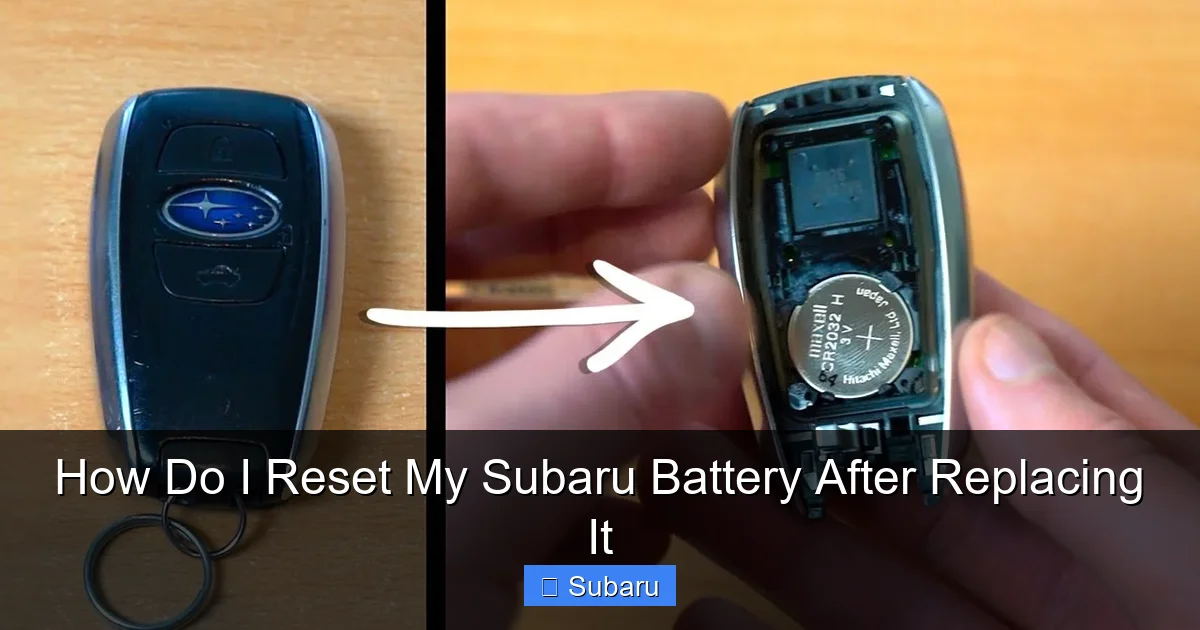
Additionally, if your Subaru has a smart key system or push-button start, the key fob may need to be reprogrammed after a battery replacement. This is especially true if the fob stops working or the vehicle doesn’t recognize it. A dealer can quickly sync the fob using their diagnostic equipment.
Finally, if you’ve installed an aftermarket battery, especially one that’s not AGM (Absorbent Glass Mat) type, it may not meet Subaru’s electrical demands. Subaru recommends using genuine Subaru batteries or equivalent AGM batteries to ensure compatibility with the vehicle’s start-stop system (if equipped) and high electrical load.
Tips to Avoid Future Battery Issues
Prevention is always better than a reset. Here are some tips to extend your Subaru’s battery life and avoid unexpected replacements:
– **Turn off accessories when the engine is off:** Leaving lights, the radio, or phone chargers on can drain the battery overnight.
– **Use a battery maintainer in cold climates:** Cold weather reduces battery capacity. A trickle charger can keep the battery topped up during winter months.
– **Drive regularly:** Short trips don’t give the alternator enough time to recharge the battery. Aim for at least 20–30 minutes of driving a few times a week.
– **Check for parasitic drain:** If your battery keeps dying, a component may be drawing power when the car is off. A mechanic can test for this.
– **Inspect terminals and cables:** Corrosion or loose connections can cause electrical problems. Clean terminals with a wire brush and baking soda solution if needed.
By taking these steps, you can reduce the chances of needing a battery reset and keep your Subaru running smoothly for years to come.
Conclusion
Resetting your Subaru battery after replacement is a simple but essential step that ensures your vehicle’s electronics function properly. From the engine and transmission to safety systems like EyeSight, every component relies on stable power and learned data. Skipping the reset can lead to warning lights, poor performance, and frustration.
By following the steps outlined in this guide—turning the ignition on and off, idling the engine, and completing a drive cycle—you give your Subaru the time it needs to recalibrate and return to peak performance. Most issues resolve within a few drives, but don’t hesitate to visit a Subaru dealer if problems persist.
Remember, using a high-quality battery and maintaining your vehicle’s electrical system can prevent many of these issues in the first place. With a little care and attention, your Subaru will continue to deliver the reliability and driving enjoyment it’s known for.
Frequently Asked Questions
Do I need to reset my Subaru after replacing the battery?
Yes, it’s highly recommended. Modern Subarus rely on electronic systems that lose learned data when the battery is disconnected. A reset helps these systems recalibrate for optimal performance.
How long does it take for a Subaru to reset after a battery change?
Most systems reset within 10–15 minutes of idling and a short 10–15 minute drive. Full relearning of transmission and engine patterns may take 50–100 miles of normal driving.
Why is my check engine light on after replacing the battery?
This is common and usually temporary. The ECM loses its adaptive data and may trigger a light as it relearns. If the light stays on after a few drives, have the code checked.
Can I drive my Subaru immediately after replacing the battery?
Yes, but it’s best to let it idle for 5–10 minutes first. This allows the engine control module to initialize. Avoid hard acceleration during the first drive.
Do I need special tools to reset my Subaru battery?
No, most resets can be done with just the key and a short drive. However, some advanced systems like EyeSight may require dealer tools for full recalibration.
What if my Subaru won’t start after replacing the battery?
Check that the terminals are tight and correctly connected. Ensure the new battery is fully charged. If it still won’t start, there may be an issue with the battery, alternator, or starter.
