Does Tesla Lock When You Walk Away

Contents
- 1 Key Takeaways
- 2 📑 Table of Contents
- 3 The Magic of Keyless Entry: An Introduction to Tesla’s Auto-Lock
- 4 How Tesla’s Walk-Away Auto-Lock Actually Works: The Tech Explained
- 5 Enabling, Customizing, and Disabling Your Walk-Away Lock
- 6 Tesla vs. The World: How Does This Compare to Traditional Cars?
- 7 Troubleshooting: Why Your Tesla Might Not Lock When You Walk Away
- 8 Security Deep Dive: Is Walk-Away Lock Truly Safe?
- 9 The Future of Car Entry: What’s Next After Walk-Away?
- 10 Conclusion: Embracing the Effortless Lock
- 11 Frequently Asked Questions
Foam Cannon

Octane Booster

Car Interior LED Light

Reflective Stickers
Tesla vehicles are equipped with a convenient walk-away auto-lock feature that secures your car automatically as you move away. This system uses Bluetooth connectivity between your phone key or key fob and the vehicle, engaging the locks after a short delay and distance threshold. You can easily customize or disable this function through the Tesla app if preferred.
Key Takeaways
- Tesla’s walk-away auto-lock is a standard feature: All modern Tesla models (Model S, 3, X, Y) automatically lock the doors when you walk away with an authenticated phone key or key fob, provided the feature is enabled in settings.
- It relies on Bluetooth Low Energy (BLE) proximity: The car continuously communicates with your paired device. When the signal weakens beyond a preset distance (typically 5-8 feet), a timer starts, and the locks engage after a few seconds.
- Customization is key: You can adjust the lock distance sensitivity, delay time, or completely disable the walk-away lock via the Tesla mobile app or the vehicle’s touchscreen under Safety & Security settings.
- It’s fundamentally different from traditional cars: Unlike many older vehicles that lock when you shift into drive or reach a certain speed, Tesla’s system is purely proximity-based and works when the car is parked and off.
- Security is multi-layered: The walk-away lock is just one layer. It works alongside PIN to Drive, Sentry Mode, and the Tesla app’s remote lock/unlock to provide comprehensive protection against theft.
- Common issues are usually connectivity-related: If the auto-lock fails, it’s often due to Bluetooth being off on your phone, a dead phone battery, or interference. Simple troubleshooting like restarting the phone or car often resolves it.
- This feature enhances daily convenience: It eliminates the need to manually lock doors, especially when your hands are full, and provides peace of mind that the car is secured without a second thought.
📑 Table of Contents
- The Magic of Keyless Entry: An Introduction to Tesla’s Auto-Lock
- How Tesla’s Walk-Away Auto-Lock Actually Works: The Tech Explained
- Enabling, Customizing, and Disabling Your Walk-Away Lock
- Tesla vs. The World: How Does This Compare to Traditional Cars?
- Troubleshooting: Why Your Tesla Might Not Lock When You Walk Away
- Security Deep Dive: Is Walk-Away Lock Truly Safe?
- The Future of Car Entry: What’s Next After Walk-Away?
- Conclusion: Embracing the Effortless Lock
The Magic of Keyless Entry: An Introduction to Tesla’s Auto-Lock
Picture this: You’ve just finished a long day, loaded up your Tesla with groceries, and are juggling your phone, keys, and a bag of dog food. As you walk toward your front door, you glance back and—wait—did you lock the car? With a traditional car, you’d have to fumble for the key fob, press the lock button, or worse, walk back to check. But in a Tesla? That worry vanishes. One of the most elegant and useful features of Tesla’s modern electric vehicles is the walk-away auto-lock. It’s a silent, seamless guardian that secures your investment the moment you stroll away.
This isn’t just a gimmick; it’s a fundamental shift in how we interact with our vehicles. Rooted in Bluetooth technology and smart software, the system feels less like a car feature and more like a personal assistant. But how exactly does it work? Is it reliable? Can you control it? And how does it stack up against the auto-locking systems in conventional cars, like those from Toyota? In this deep dive, we’ll unlock (pun intended) every detail about Tesla’s walk-away lock, from the tech under the hood to practical tips for everyday use. Whether you’re a new Tesla owner or just curious, this guide will make you an expert on one of the brand’s most convenient features.
How Tesla’s Walk-Away Auto-Lock Actually Works: The Tech Explained
At its heart, Tesla’s walk-away auto-lock is a beautiful example of simple user experience built on sophisticated technology. It’s not magic, but it’s close. The system operates on a continuous, low-energy conversation between your car and your authenticated device—either your smartphone (using the Tesla app as a Phone Key) or the optional Tesla key fob.
Visual guide about Does Tesla Lock When You Walk Away
Image source: carstale.com
The Role of Bluetooth Low Energy (BLE)
Both the phone key and key fob use Bluetooth Low Energy (BLE) to communicate with the vehicle. BLE is perfect for this because it uses very little power, meaning your phone’s battery won’t drain just from being paired. The car’s multiple antennas constantly scan for the unique signal from your authenticated device. When you’re inside the car or standing right beside it, the signal is strong and constant. The car knows you’re present and keeps the doors unlocked (or locked, depending on your last action).
Distance Threshold and the Lock Delay
Here’s where the “walk-away” part kicks in. Tesla sets a specific signal strength threshold that corresponds to a physical distance—generally estimated between 5 to 8 feet. As you walk away, the signal weakens. Once it drops below that threshold, the car’s software initiates a short countdown timer, usually about 2-5 seconds. This delay is crucial; it prevents the locks from engaging the instant you take a single step back, which would be annoying if you were just readjusting your bag or reaching for something in the back seat. If your authenticated device remains out of range after the timer expires, the car sends a command to the door locks, and you hear the satisfying clunk of all doors securing. The mirrors fold in (if configured), and the car is secure.
Which Tesla Models Have This Feature?
The walk-away auto-lock is available on all Tesla models manufactured with the necessary hardware and software. This includes the Model S, Model X, Model 3, and Model Y. However, it’s almost exclusively tied to using the Phone Key (via the Tesla app) or the official Tesla key fob. If you are using an older, non-BLE key card or have a third-party key solution, this specific automatic feature may not function. It’s a feature of the modern, connected Tesla ecosystem.
Enabling, Customizing, and Disabling Your Walk-Away Lock
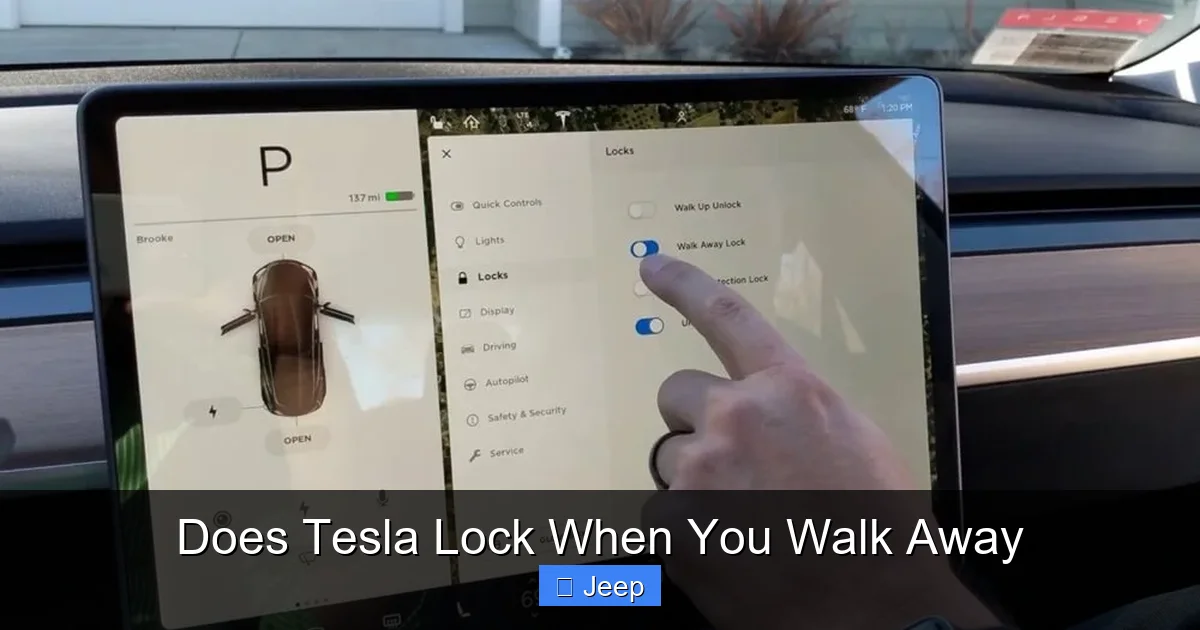
One of the best parts of this feature is that you’re in control. Tesla understands that one size doesn’t fit all, so they’ve built in several ways to tailor the auto-lock behavior to your preferences. The controls live in two primary places: your Tesla mobile app and the vehicle’s own touchscreen interface.
Visual guide about Does Tesla Lock When You Walk Away
Image source: tesla-lock-sounds.com
Setting It Up via the Tesla App
The Tesla app is your command center. To configure the walk-away lock:
- Open the Tesla app and ensure you’re connected to your vehicle.
- Tap on Safety & Security.
- Look for the toggle switch labeled Walk-Away Lock. This is the master on/off switch.
- Below that, you may see an option for Lock when doors close. Enabling this will lock the car as soon as all doors and the trunk are closed after you exit, even if you’re still standing nearby. This is a more aggressive setting for high-security situations.
These settings are straightforward and take effect immediately. It’s a good idea to play with these settings in a safe, familiar location to see how they change the car’s behavior.
Touchscreen Controls: Fine-Tuning the Experience
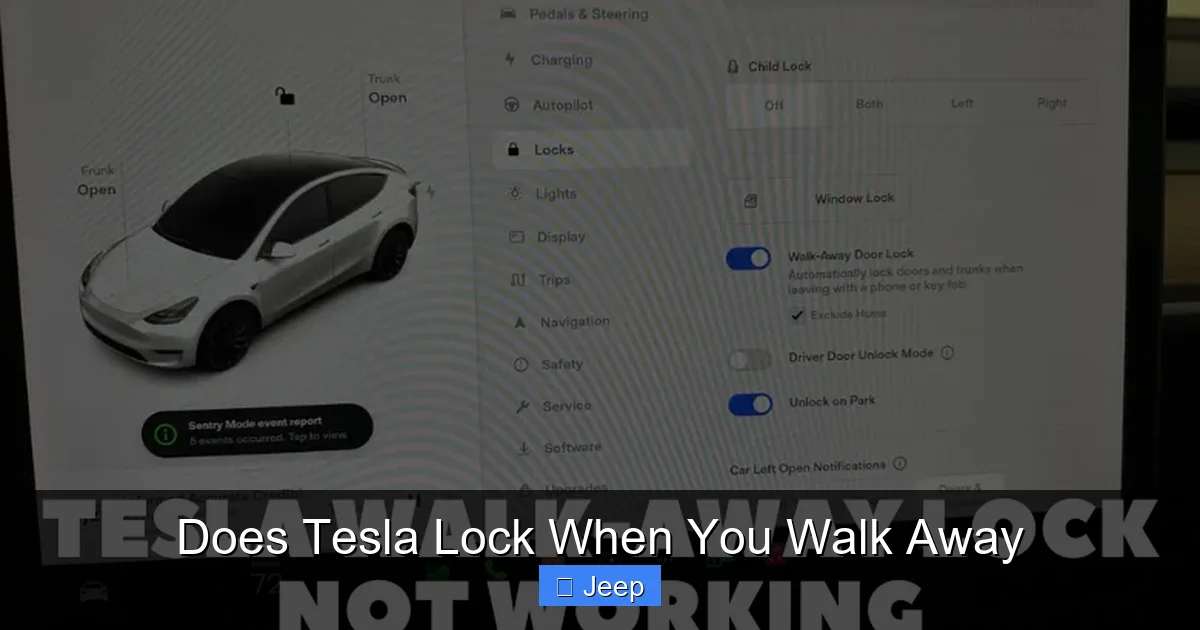
Inside the car, navigate to Controls > Safety & Security on the touchscreen. Here you’ll find the same Walk-Away Lock toggle. More importantly, you might find sliders for Lock Distance or Lock Delay (the exact naming can vary by software version). The lock distance slider lets you adjust how sensitive the system is. Slide it towards “Near” and the car will lock sooner after you start walking. Slide it towards “Far” and you have to get farther away before the timer starts. The delay slider adjusts how long the car waits after losing the signal before actually locking. This is perfect if you often load items into the car and need a few extra seconds before it locks you out. Experiment to find your sweet spot.
How and Why to Disable It Temporarily
There are valid reasons to turn off the walk-away lock. Maybe you’re washing the car and need the doors unlocked to access all panels. Or you’re parked in a tight spot and plan to leave the driver door ajar temporarily for ventilation. You can disable it easily via the app or touchscreen. A more elegant solution for temporary needs is the Keep Doors Unlocked option, often found in the same menu. When enabled, the car will not automatically lock for that session, even if walk-away lock is globally on. This is safer than disabling the entire feature and forgetting to turn it back on. For permanent disabling, simply toggle off Walk-Away Lock. Remember, with it off, you’ll need to manually lock the car using the app, key fob, or by touching the door handle.
Tesla vs. The World: How Does This Compare to Traditional Cars?
This is where things get interesting. The walk-away auto-lock feels like a futuristic Tesla-exclusive feature, but the concept of a car locking itself isn’t new. Many traditional automakers have offered some form of automatic locking for years. The experience, however, is worlds apart. Understanding the differences highlights why Tesla’s implementation is considered so superior.

Visual guide about Does Tesla Lock When You Walk Away
Image source: teslord.com
The Conventional Auto-Lock: Speed and Gear-Dependent
In most non-electric cars, the auto-lock feature is tied to vehicle movement. You might have a setting that locks all doors when you shift into drive, or once you reach a speed of about 10-15 mph. This is a safety feature designed to prevent doors from flying open in an accident and to secure the car once you’re moving. Some higher-end models from brands like Toyota (including the RAV4) and BMW also offer a walk-away auto-lock using their smart key systems. However, these systems are often less refined. The distance threshold can be inconsistent, and the feature might not be as seamlessly integrated into the overall keyless entry experience. For a detailed look at how one popular model handles this, you can read about the Toyota RAV4’s walk-away auto-lock system and its specific behaviors.
The Proximity Key Fob: A Step Closer, But Not There Yet
Many modern cars use proximity key fobs. As you approach, the car detects the fob and unlocks. As you walk away, it locks. This is conceptually similar to Tesla’s phone key. The difference lies in reliability and integration. Tesla’s BLE-based phone key is more power-efficient and, for many users, more convenient (you always have your phone). Traditional key fobs can also be susceptible to signal blocking or relay attacks. Furthermore, the user interface for customizing the lock distance and delay is typically buried in a non-intuitive menu in a conventional car’s infotainment system, if it exists at all. Tesla puts it front and center in the app, where you can adjust it anytime, even before you get in the car.
The Smartphone as a Key: A Paradigm Shift
This is Tesla’s true innovation. By making your smartphone the primary key, Tesla eliminated the separate fob (though you can buy one). Your phone is always with you, always charged (mostly), and the connection is encrypted with rolling codes to prevent theft. The walk-away lock is a natural extension of this phone-as-key philosophy. The car knows exactly which authenticated device is present. There’s no ambiguity if you have multiple key fobs. It’s a single, unified digital identity. For those exploring keyless entry across brands, understanding whether Toyota has a walk-away auto lock shows that the industry is moving this way, but Tesla’s software-first approach allows for faster iteration and better user control.
Troubleshooting: Why Your Tesla Might Not Lock When You Walk Away
For a system so elegant, it’s remarkably reliable. But it’s not infallible. If your Tesla is failing to lock automatically, don’t panic. It’s almost always a connectivity issue, not a mechanical failure. Here’s a systematic guide to diagnose and fix the problem.
First, Check the Obvious: Phone Settings and Battery
The #1 culprit is your phone. Is Bluetooth turned on? This seems silly, but it’s easy to accidentally toggle it off while saving battery or during a flight. Is the Tesla app running in the background? On iOS, the app needs to be permitted to use Bluetooth and run in the background. On Android, battery optimization settings can sometimes kill the app’s background process. Go to your phone’s settings and ensure the Tesla app is exempt from battery optimization. Is your phone’s battery critically low? When a phone’s battery dips below a certain threshold (often 5-10%), it may disable Bluetooth to conserve power. Plug your phone in or charge it. Also, ensure your phone’s operating system and the Tesla app are updated to the latest versions. Software glitches are common in early versions.
Vehicle-Side Checks and Resets
If your phone is fine, look at the car. Is the vehicle’s Bluetooth module functioning? A simple reboot often clears temporary glitches. To reboot your Tesla while parked, press and hold both scroll wheels on the steering wheel until the screen goes black and the Tesla logo reappears. This restarts the infotainment system without affecting driving settings. After it boots up, try the walk-away test again. Also, check your Safety & Security settings on the touchscreen to confirm Walk-Away Lock is still toggled on. Sometimes a software update can reset preferences.
Environmental and Physical Interference
Bluetooth signals are radio waves. They can be blocked or weakened. Are you parked in a location with thick concrete walls or a lot of metal between you and the car? Are there other strong Bluetooth or Wi-Fi signals causing interference? This is rare but possible. Try walking away from the car in an open space to see if the behavior changes. Also, consider your phone’s case. Some thick, metal-reinforced cases can attenuate the Bluetooth signal. Try removing the case temporarily to test.
When to Seek Professional Help
If you’ve tried all the above—phone is charged, app is updated, car is rebooted, settings are correct—and the feature still doesn’t work consistently, it may indicate a hardware issue with the car’s Bluetooth antenna or module. This is uncommon but possible. In this case, you should schedule a service appointment through the Tesla app. A technician can run a full diagnostic on the vehicle’s connectivity systems. For context on other automotive electronic quirks, issues like a Nissan beeping when turned off are often simpler, but Tesla’s complex software means some bugs require a software update from Tesla itself, which is often pushed over-the-air (OTA).
Security Deep Dive: Is Walk-Away Lock Truly Safe?
Convenience is great, but security is paramount. The thought of a car locking itself automatically might raise questions: Could it be hacked? Could it lock me out by mistake? What about relay attacks? Let’s separate myth from reality.
Encryption and Rolling Codes: The Digital Padlock
Tesla’s Phone Key and key fob communication uses strong, encrypted rolling codes. This means every time the car and device communicate, they generate a new, unique code. Even if a thief could eavesdrop on one signal (extremely difficult due to the encryption), that code is useless for the next interaction. It’s far more secure than the fixed codes used in many older remote keyless entry systems. The walk-away lock command itself is part of this encrypted session, so a spoofed signal won’t trigger the locks.
The Relay Attack Threat and Mitigations
A relay attack is a sophisticated theft method where thieves use devices to capture and amplify the signal from your key fob (or phone) inside your house to a car parked outside. The car thinks the key is nearby and unlocks/starts. This is a genuine threat for many keyless entry systems. Tesla combats this in several ways. First, the BLE protocol is more resistant to simple amplification than older RF systems. Second, and more importantly, Tesla’s PIN to Drive feature is a mandatory secondary layer. Even if a thief somehow got the car unlocked and started, they couldn’t drive it without entering the 4-digit PIN on the touchscreen. This renders a relay attack largely pointless for theft. For maximum security, always enable PIN to Drive. Additionally, Sentry Mode, which uses the car’s cameras to monitor its surroundings, acts as a powerful deterrent and records any suspicious activity.
User Error and Accidental Lockouts
The most common “security” issue is user error: locking your phone (with the key) inside the car. If you do this, the car will see the phone’s signal disappear and, after the delay, lock the doors—trapping the phone inside. This is a classic “keys in the car” scenario. The solution is to have a backup method: either carry the optional key fob, or ensure you have the Tesla app logged in on another device (like a tablet or spouse’s phone) that you can use to unlock the car remotely. Tesla’s remote app access via cellular connection is a lifesaver here. It’s also why disabling the aggressive “Lock when doors close” setting is wise—it gives you a final moment to check for your phone before all doors shut.
The Future of Car Entry: What’s Next After Walk-Away?
As impressive as Tesla’s current system is, the automotive industry is already prototyping the next leaps in keyless entry. The walk-away lock is a stepping stone to a world where you never think about keys at all.
Ultra-Wideband (UWB): The Precision Upgrade
Current Bluetooth has a range of about 30 feet, but it’s not great at precise location. Is your phone in your pocket (inside the car) or in your bag on the passenger seat? Bluetooth can’t always tell. Ultra-Wideband (UWB) is a new radio technology that can measure distance with centimeter-level accuracy. This means your car could know exactly where your phone is. Imagine approaching the trunk with arms full; the car could automatically open the trunk only when you’re standing right behind it, not when you’re just walking toward the car from the sidewalk. It could also virtually eliminate accidental lockouts by confirming the phone is truly outside before engaging locks. Tesla has already started integrating UWB into newer models for more precise Phone Key functionality, and future auto-lock behaviors will leverage this precision.
Biometrics and Facial Recognition
Why carry a phone or fob at all? Biometric sensors could recognize the driver as they approach. Cameras or in-car sensors could identify you via face or iris scan, automatically adjusting settings and unlocking the car. This is the ultimate in convenience and security—your body is the key. Challenges include privacy concerns, reliability in different lighting conditions, and cost. Tesla’s current driver profile system, which automatically adjusts seats and mirrors based on the phone key or key fob present, is a primitive version of this. The next step is eliminating the token entirely.
Seamless Smart Home Integration
The future is an interconnected ecosystem. Your car, home, and phone will be in constant dialogue. Your Tesla could unlock as you pull into your driveway because your smart home knows you’re arriving. It could lock automatically when your home security system is armed at night. Geofencing (using GPS) could trigger these actions. Tesla is already a leader in this with its app and Summon/Smart Summon features. The walk-away lock is just one current node in this network; the future is a fully automated, context-aware transition between your car and your living space.
Conclusion: Embracing the Effortless Lock
The simple answer to “Does Tesla lock when you walk away?” is a resounding yes, and it does so in a way that quickly becomes second nature. This feature exemplifies Tesla’s philosophy: use software to solve real-world annoyances and create a frictionless experience. It’s more reliable, customizable, and integrated than the auto-lock systems found in many traditional vehicles, including popular models from Toyota where the feature is often a more basic afterthought. While it’s not without its occasional hiccups—usually related to phone connectivity—the benefits of never having to consciously lock your car are immense. It provides daily peace of mind and a small but significant touch of futuristic convenience.
As an owner, your best practice is to understand the settings, keep your phone’s Bluetooth and app updated, and leverage the customization options to fit your lifestyle. Enable PIN to Drive for a critical security backup. And remember, if the system ever fails you, the Tesla app’s remote lock is always a tap away. The walk-away auto-lock is more than just a lock; it’s a small, daily promise from your car to take care of the little things, so you can focus on the drive. In the grand evolution of the automobile, from manual locks to key fobs to phone keys, Tesla’s implementation represents the current pinnacle of thoughtful, user-centric design.
Frequently Asked Questions
Does the walk-away auto-lock work on all Tesla models?
Yes, the feature is available on Model S, Model X, Model 3, and Model Y, provided they are using the Phone Key (Tesla app) or the official Tesla key fob. It requires the vehicle to have the necessary Bluetooth hardware and compatible software.
Can I completely turn off the walk-away auto-lock?
Absolutely. You can disable it permanently via the toggle in your Tesla app under Safety & Security or on the vehicle’s touchscreen under Controls > Safety & Security. You can also use the “Keep Doors Unlocked” setting for a temporary override.
What happens if my phone battery dies while the car is locked?
If your phone dies and it’s your only authenticated key, you won’t be able to unlock or start the car using Phone Key. However, you can use the Tesla app on another logged-in device (like a tablet or spouse’s phone) with cellular connectivity to unlock and drive. Alternatively, if you have the optional key fob or a credit card key, you can use that. It’s always wise to have a backup method.
Will extreme weather (very cold or heat) affect the walk-away lock?
Extreme temperatures can slightly affect Bluetooth range, but the system is designed to operate in all conditions Tesla vehicles are rated for. You might notice a marginal change in the effective distance, but the feature should still work reliably. If performance degrades significantly, it’s more likely a phone battery issue (cold drains batteries faster) than the car’s system.
Is it possible for the car to lock me out while I’m still near it?
It’s unlikely but possible if the lock distance sensitivity is set to “Near” and you step away very quickly. The delay timer is designed to prevent this. If it happens frequently, adjust the lock distance slider to “Far” in your vehicle’s settings to give yourself more buffer space.
How do I know for sure that my Tesla has locked when I walk away?
You’ll typically hear the door locks engage with a solid clunk and see the side mirrors fold in (if mirror folding is enabled). You can also check the lock status on the Tesla app, which will show the car as “Locked” shortly after you walk away. The app provides the ultimate confirmation if you’re unsure.