
Where Is the Tpms Reset Button on a Hyundai Elantra?

Finding the TPMS reset button on a Hyundai Elantra depends heavily on your model year. Older models (typically 2011-2015) have a physical button located under the dashboard, while newer models (2016+) integrate the reset function into the vehicle’s infotainment menu system. This guide provides precise locations, detailed reset procedures for each generation, and solutions for common issues like a persistent TPMS light. Properly resetting your system ensures accurate tire pressure monitoring for safety and fuel efficiency.
Key Takeaways
- Location Varies by Model Year: The physical reset button is only found on pre-2016 Elantras, located under the driver’s side dash. Post-2016 models use a menu-driven digital reset via the steering wheel controls or infotainment screen.
- Reset Requires Proper Inflation First: You must adjust all four tires to the manufacturer’s recommended PSI (found on the driver’s door jamb sticker) before initiating the reset sequence for it to be successful.
- Not All Issues Are Fixed by Reset: A persistent TPMS light after a successful reset often indicates a faulty sensor, dead sensor battery, or damaged valve stem, requiring professional diagnosis.
- The “Drive Cycle” is Crucial: After a reset, the system needs time (10-20 minutes of driving above 30 mph) to relearn and confirm sensor signals before the light will turn off.
- Scan Tools are Required for Some Models: Certain Hyundai Elantra trims and model years, especially those with indirect TPMS, may require a professional scan tool to complete the reset/relearn procedure.
- Consult Your Owner’s Manual: Your specific vehicle’s manual is the final authority, containing the exact procedure and diagrams for your exact trim and model year.
- Safety is the Primary Goal: The TPMS is a critical safety system. Never ignore a malfunctioning light; address the root cause promptly to maintain optimal handling, tire wear, and fuel economy.
📑 Table of Contents
- Understanding Your Hyundai Elantra’s TPMS
- The Great Divide: How TPMS Reset Methods Changed Over the Years
- Step-by-Step: Resetting Your TPMS Light on an Elantra
- What If There’s No Button and the Menu Option is Missing?
- Troubleshooting: Why Your TPMS Light Might Still Be On After a Reset
- When to Call a Professional: Beyond a Simple Reset
- Conclusion: Knowledge is Safety
Understanding Your Hyundai Elantra’s TPMS
Before we hunt for that elusive reset button, let’s get on the same page about what TPMS is and why it matters. TPMS stands for Tire Pressure Monitoring System. It’s a mandatory safety feature in all modern vehicles, including your Hyundai Elantra, designed to warn you when your tire pressure falls significantly below the recommended level. A glowing or blinking tire pressure light on your dashboard isn’t just an annoyance—it’s your car’s way of saying, “Hey, my grip, fuel efficiency, and handling are compromised!”
The system uses small electronic sensors mounted inside each valve stem (on most direct systems) to transmit real-time pressure data to your car’s computer. When pressure is low, a warning light—usually a yellow or orange icon resembling a cross-section of a tire with an exclamation point—illuminates. Resetting this light after you’ve corrected the pressure tells the system, “Okay, we’ve fixed it, start monitoring again.” The method to send that “all clear” signal is what changes across different Hyundai Elantra model years, which is why the location of the “reset button” is such a common point of confusion.
The Great Divide: How TPMS Reset Methods Changed Over the Years
Hyundai, like many manufacturers, evolved its TPMS interface. The transition from a simple, physical button to a digital, menu-based process is the single most important factor in locating your reset procedure. Let’s break it down by generations.

Visual guide about Where Is the Tpms Reset Button on a Hyundai Elantra?
Image source: ranwhenparked.net
For Elantras Model Year 2011-2015 (GD/6th Generation)
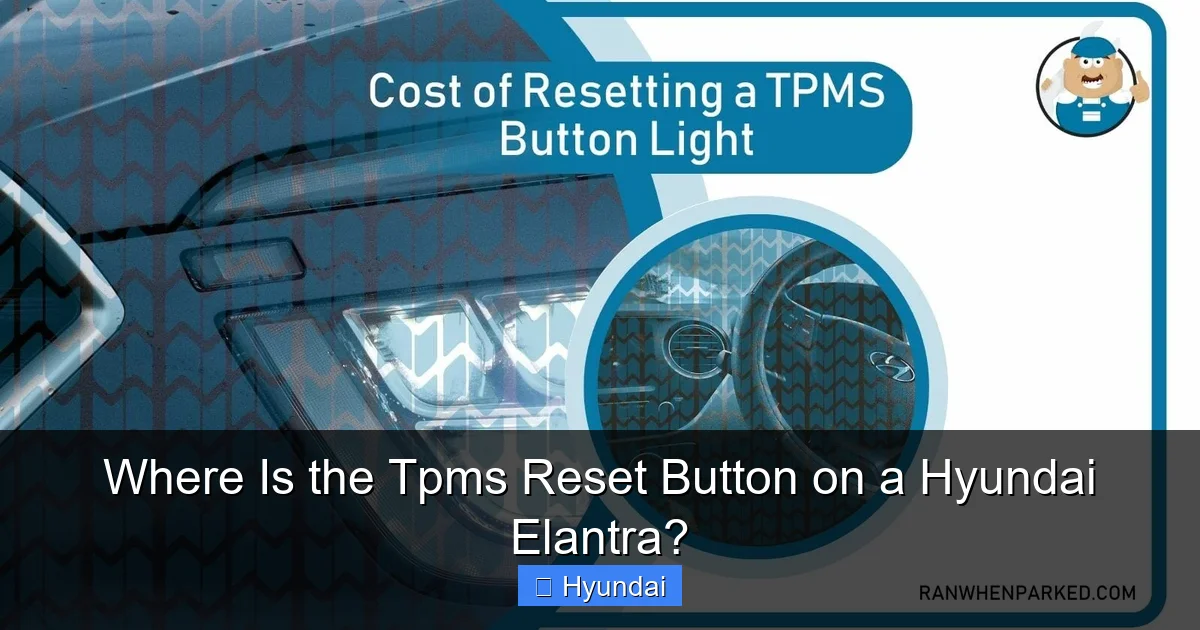
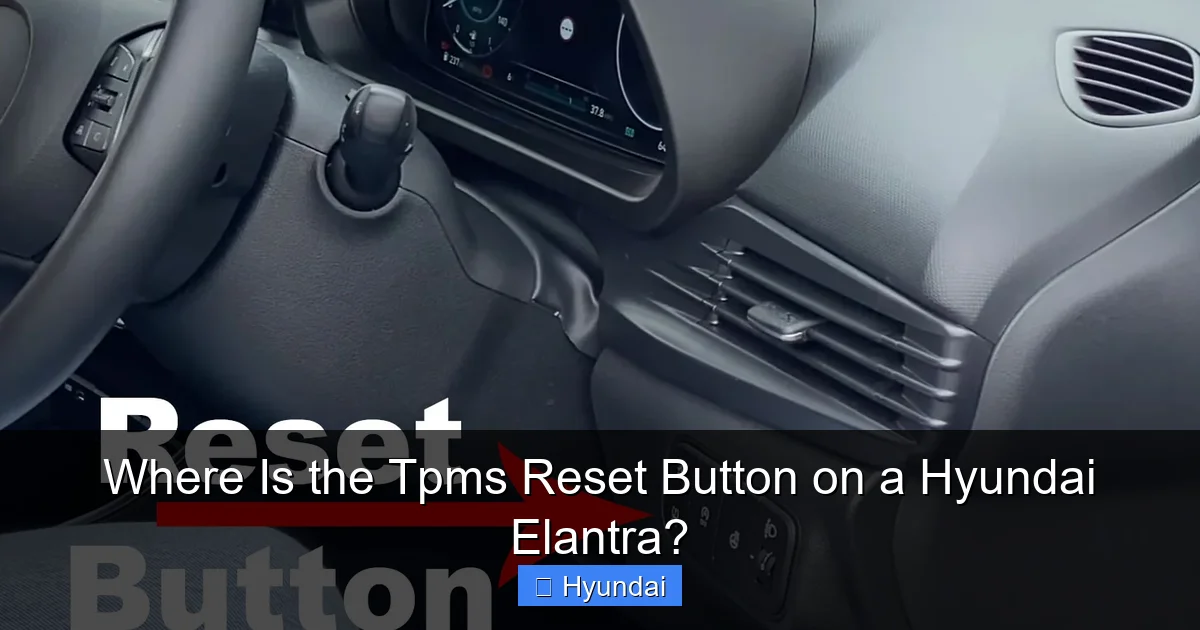
If your Elantra is from this era, you’re in luck—it’s the simplest. Hyundai installed a dedicated, physical TPMS reset button. You’ll find it tucked away under the driver’s side dash, near the steering column. It’s a small, usually yellow or white, button that you press and hold. The exact location can vary slightly:
- Look for it on the lower portion of the dash panel, to the left of the steering column, often behind a small removable cover or in a cavity.
- It may be labeled with “TPMS” or a tire pressure icon.
- On some models, you might need to reach up from underneath the dash to feel for it.
Pro Tip: Crouch down on the driver’s side floorboard and look up at the underside of the dash panel. Shining a flashlight will help immensely. If you have your owner’s manual, the index will point you directly to the “TPMS” section with a diagram.
For Elantras Model Year 2016-Present (7th & 8th Generations)
Starting with the completely redesigned 2016 Elantra, Hyundai moved away from the physical button. Now, the reset is performed through a sequence using buttons on your steering wheel or, in some cases, the touchscreen infotainment system. There is no separate reset button to press. This change aligns with Hyundai’s broader move toward digital interfaces. The process is typically:
- Turn the ignition to the “ON” position (do not start the engine).
- Use the steering wheel control buttons (often labeled “OK,” “Mode,” or with arrow icons) to navigate to the “Vehicle Settings” or “TPMS” menu on the instrument cluster screen.
- Select the option to “Reset TPMS” or “Relearn TPMS.”
- Confirm the reset. You may hear a chime or see a message like “TPMS Reset Completed.”
The exact menu path can differ. For example, “Settings > Vehicle > TPMS > Reset” is a common path. Your owner’s manual is critical here, as the menu structure might vary slightly between model years and trims (like the 2021 Elantra N-Line vs. a base model).
Step-by-Step: Resetting Your TPMS Light on an Elantra
Now that you know where to find the interface, let’s walk through the universal first step and then the model-specific procedures.
Visual guide about Where Is the Tpms Reset Button on a Hyundai Elantra?
Image source: ranwhenparked.net
Step 1: The Non-Negotiable Prelude – Inflate Your Tires Correctly
This is the most critical step people skip. You cannot reset a TPMS system if the underlying problem—low pressure—isn’t fixed. Before you even think about resetting:
- Find the manufacturer’s recommended tire pressure. This is on a sticker on the driver’s side door jamb or inside the fuel filler door. It’s NOT on the tire sidewall (that’s the max pressure).
- Use a reliable tire pressure gauge (digital is easiest). Check all four tires when they are cold (driven less than 2 miles).
- Inflate or deflate each tire to match the recommended PSI exactly. Don’t just “air them up” to a round number.
- Don’t forget the spare tire if it’s a full-size one with a sensor!
If you’ve recently had a tire rotation, puncture repair, or new tires installed, this step is essential. Note: If you own a vehicle like a Toyota Camry, the reset process after a tire rotation is similar in that correct inflation is first, but the button location differs significantly from most Hyundai models. This is a good point to reference our article on Toyota Camry TPMS reset procedures to see how other brands handle it.
Step 2: Performing the Reset (2011-2015 Models)
With tires properly inflated:
- Turn the ignition key to the “ON” position (dashboard lights on, engine off).
- Locate the physical TPMS reset button under the dash.
- Press and hold the button. You should hear a single beep after about 3-5 seconds.
- Release the button. The TPMS warning light should blink three times, then turn off. This indicates the reset was successful and the system is now relearning the sensor positions.
If the light stays solid or doesn’t blink, the reset wasn’t acknowledged. Try again, holding the button a bit longer. Ensure the ignition is in the “ON” position, not just “ACC.”
Step 3: Performing the Reset (2016+ Models)
- Ensure all tires are correctly inflated.
- Turn the ignition to “ON.”
- Use the steering wheel “Mode” or “OK” button to scroll through the instrument cluster display menus until you find “Vehicle Settings” or “TPMS.”
- Select “TPMS Reset” or “Relearn.”
- You may be prompted to confirm. Select “Yes” or “OK.”
- A message should appear indicating the reset is in progress or completed, often accompanied by a chime. The TPMS light should extinguish.
Important: On some newer Hyundai models with indirect TPMS (which uses wheel speed sensors instead of dedicated pressure sensors), the reset might be called “Calibration” and may require you to drive the vehicle for a set period to complete. The menu will guide you.
What If There’s No Button and the Menu Option is Missing?
This is a frustrating but common scenario. Some Elantra trims, particularly those with base instrument clusters or specific model years, may not have a user-accessible TPMS reset in the menu. Additionally, if a sensor is faulty, the system may not allow a reset. In these cases, you have two main options:
Visual guide about Where Is the Tpms Reset Button on a Hyundai Elantra?
Image source: puretyre.co.uk
Option 1: The Drive Cycle (Automatic Relearn)
Sometimes, simply driving the car can solve the problem. After correcting tire pressure:
- Drive at speeds above 30 mph (50 km/h) for 10-20 minutes.
- The TPMS sensors will continuously transmit signals. The system should automatically recognize the correct pressures and turn the light off after verifying consistent readings.
- This is the system’s default “relearn” mode when no manual reset is initiated.
Option 2: Professional Scan Tool Reset
This is the most reliable method when user resets fail. A mechanic or tire shop will use a specialized TPMS scan tool. They will:
- Activate each sensor to read its ID and pressure.
- Tell the vehicle’s computer to “learn” or “register” the sensor IDs and their positions (front left, rear right, etc.).
- This is often necessary after replacing a sensor or if the system has lost communication with one.
Cost: This service typically costs $30-$60 at a shop or tire retailer. It’s a quick, definitive fix. If you’re working on other vehicles, you might find that a Subaru Legacy requires a very similar professional scan tool procedure for its TPMS, as detailed in our guide for Subaru Legacy TPMS systems.
Troubleshooting: Why Your TPMS Light Might Still Be On After a Reset
You followed all steps perfectly, but the little tire icon is still glaring at you. Don’t panic. Here’s a diagnostic checklist:
1. The Obvious: Still Low Pressure?
Re-check all four tires with your gauge. A slow leak from a nail or a faulty valve stem could have let pressure drop again during your reset attempt. Also, check the spare if equipped.
2. Faulty or Dead Sensor
TPMS sensors have internal batteries that last 7-10 years. If your Elantra is within that age range and a sensor battery dies, the light will activate and cannot be reset until the sensor is replaced. A scan tool will identify which sensor is not responding.
3. Sensor Damage
Impact from potholes or curbs can damage the sensor or its valve stem. A visual inspection might show a cracked or damaged valve stem. A professional can pressure-test the sensor.
4. System Needs More Time
After a reset, the system needs to confirm stable pressure readings from all four corners. If you reset and then immediately check the light while parked, it may still be on. Drive for 15-20 minutes as described above.
5. Electrical/Software Glitch
Rarely, the vehicle’s computer module may need a reboot. Disconnecting the car battery for 10 minutes (negative terminal) can reset the entire system. Warning: This will also reset other systems like your radio presets and clock. After reconnecting, you may need to perform the TPMS reset procedure again.
When to Call a Professional: Beyond a Simple Reset
While resetting the light is often a DIY task, certain situations absolutely require a professional:
- Multiple Sensor Failures: If more than one sensor is dead or damaged, replacing them all at once is cost-effective and ensures system reliability.
- Post-Tire Service: After getting new tires, a rotation, or a repair, reputable shops will reset/relearn the TPMS as part of the service. If they didn’t, or the light came back on, take it back.
- Persistent Light After All Attempts: If you’ve correctly inflated tires, performed the reset (button or menu), driven the relearn cycle, and the light remains on, there is a hardware fault. A TPMS-specific diagnostic scan is needed.
- Flashing Light: A rapidly flashing TPMS light (for 30-60 seconds then solid) often indicates a system malfunction, not just low pressure. This requires immediate professional attention.
Remember, the TPMS is a safety system. Driving with a malfunctioning TPMS means you are unaware of potentially dangerous under-inflation. If the light is on and you cannot resolve it, get it checked promptly.
Conclusion: Knowledge is Safety
Knowing where and how to reset the TPMS light on your Hyundai Elantra empowers you to handle a common maintenance task with confidence. The key takeaway is to first identify your model year to determine if you have a physical button (pre-2016) or a menu-based system (2016+). Always start by ensuring your tires are perfectly inflated to the spec on your door jamb sticker. For the vast majority of simple pressure corrections, a DIY reset is straightforward and saves you a service visit.
However, the system is not infallible. Be prepared to diagnose further if the light persists, and don’t hesitate to seek professional help for sensor replacements or complex relearns. By respecting this small but vital system, you maintain your Elantra’s optimal safety, handling, and efficiency on every drive. Keep your owner’s manual handy, maintain proper tire pressure, and you and your TPMS will be happy co-pilots.
Frequently Asked Questions
Does every Hyundai Elantra have a physical TPMS reset button?
No. Elantras from the 2011 through 2015 model years have a physical button located under the driver’s dash. All model years from 2016 onward use a digital reset accessed through the steering wheel controls or infotainment menu; there is no separate reset button to press.
How do I know if my TPMS light needs a reset or indicates a real problem?
First, check your tire pressures with a gauge. If any tire is more than 25% below the recommended PSI, inflate it. If the light was on due to low pressure, it should turn off after a reset and short drive. If the light is steady after correcting pressure, a reset is likely needed. If it’s flashing, it indicates a system fault requiring professional diagnosis.
Why is my TPMS reset button not working on my 2014 Elantra?
First, ensure all tires are inflated to the exact recommended pressure. With the ignition in the “ON” position, press and hold the button firmly for at least 5 seconds until you hear a beep and see the light blink. If it still doesn’t work, the button may be faulty, or there could be a communication issue with one of the sensor modules that requires a scan tool.
Can I reset the TPMS by disconnecting the car battery?
Disconnecting the battery will reboot the car’s computer and may clear the TPMS light temporarily, but it is not a proper reset procedure. The system will likely turn the light back on because it hasn’t been told to forget the old low-pressure data. Always use the designated reset method for your model year first.
What does “TPMS Relearn” mean on my 2020 Elantra’s menu?
“Relearn” is the digital equivalent of the old reset button. It tells the car’s computer to start fresh and recognize the current tire pressure sensor signals as the new normal. You select this option after correcting tire pressures. The system then monitors the sensors during your next drive to confirm they are all present and reporting correctly.
My TPMS light came on after a tire rotation. What do I do?
After a rotation, the system may need to be told which sensor is now in which position (especially on models with direct TPMS). First, ensure all tires are set to the correct pressure. Then, perform the TPMS reset procedure for your model year (button or menu). This “relearns” the sensor locations. If the light persists, the shop may need to use a scan tool to reprogram the sensor positions.
