
How Do I Update Bmw Navigation Maps for Free?

Updating BMW navigation maps for free is notoriously difficult because BMW typically charges for map updates. Official updates require purchasing a subscription or download from BMW. While a few limited-time complimentary updates exist for new cars, truly free methods are rare and often involve unofficial, risky third-party tools. Your best bet is to check your BMW’s current map version and explore official channels for any promotions.
Key Takeaways
- BMW’s Standard Model is Paid: Unlike some competitors, BMW generally charges for navigation map updates through its official ConnectedDrive Store or dealer.
- Limited Complimentary Updates: Some new BMWs come with a short period of free map updates (e.g., 1-3 years), but this is not universal and expires.
- The USB Method Exists (But Isn’t Free): You can update via USB using files purchased from BMW’s online store; this is the primary official DIY method, but the maps cost money.
- Third-Party “Free” Maps Are Risky: Unofficial maps from forums or websites can brick your system, lack critical data, and violate terms of service.
- Your VIN & System Dictate Compatibility: You must know your exact BMW model, year, and iDrive system version to find the correct, compatible map update.
- Always Verify Before Updating: Check your current map version in the iDrive menu to confirm an update is actually available and necessary.
- Resetting iDrive Can Help: If your navigation acts up, a simple system reset is a safe first step before attempting any map update.
📑 Table of Contents
- The Eternal Quest: Free BMW Navigation Updates
- Understanding Your BMW’s Navigation System
- The Only Official Path: Paid Updates (With a Glimmer of Hope)
- The Shadowy World of “Free” Maps: Risks and Realities
- Smart Alternatives: Saving Money Without Breaking the Law
- Why Are BMW Updates So Expensive? The Business of Maps
- Step-by-Step: How to Check and Proceed for YOUR Car
- Conclusion: Managing Expectations for BMW Navigation
Let’s be honest. Staring at an outdated BMW navigation screen, watching it suggest a left turn onto a road that’s been a housing development for five years, is incredibly frustrating. You want fresh maps, but you also don’t want to shell out hundreds of dollars to BMW. The dream of a free BMW navigation map update is a common one. This guide dives deep into the reality of that dream. We’ll separate myth from reality, explore every possible avenue, and give you a clear, actionable plan. Spoiler alert: truly free, official, and safe updates from BMW are almost non-existent. But understanding why—and knowing your limited options—is the first step to solving your outdated map problem.
Why This Feels So Unfair
You might be thinking, “My friend with a Toyota gets free map updates!” or “My old Garmin had lifetime maps.” The automotive industry’s approach to map licensing is messy. BMW, like many premium German brands, treats its navigation data as a high-value, recurring revenue product. The cost isn’t just for the map files; it covers licensing from providers like HERE Technologies, integration development, and ongoing support. This business model is why the phrase “update BMW navigation maps for free” is often followed by a long silence or a price tag. However, the landscape isn’t completely barren. There are nuances based on your car’s age, its specific iDrive system, and a few clever workarounds that *can* save you money, even if they don’t equate to “free” in the purest sense.
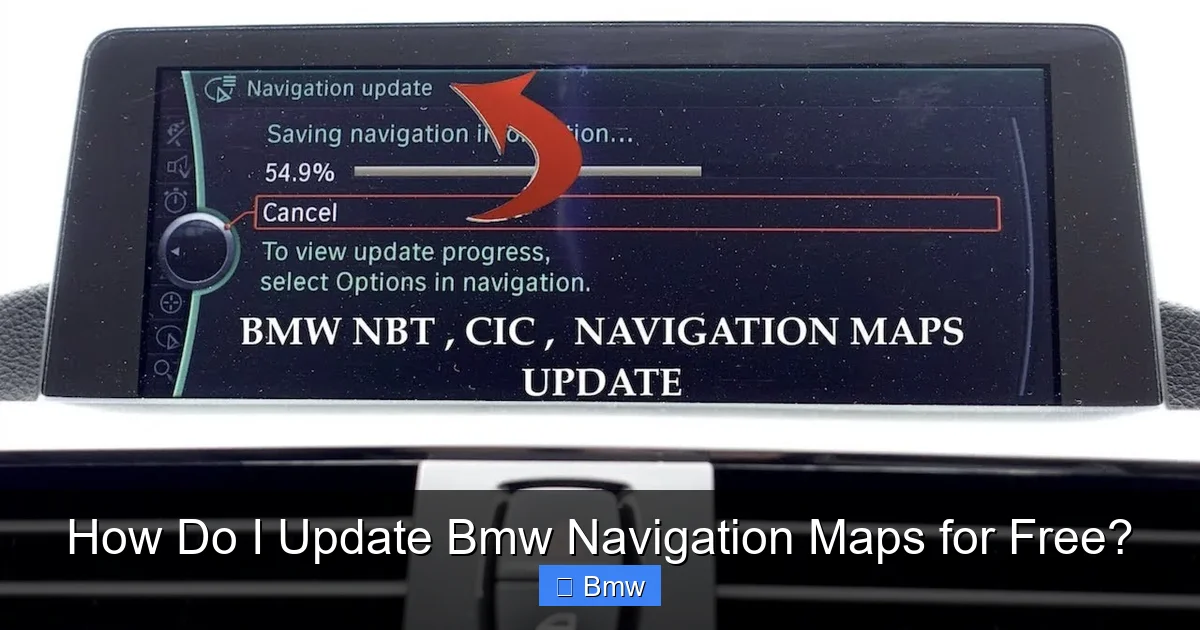
Before we talk updates, we need to talk hardware and software. Your BMW’s navigation isn’t one single thing; it’s a combination of hardware (the hard drive or solid-state drive in your car), software (the iDrive operating system), and the map data itself. These components must be perfectly compatible. An update meant for an F30 3 Series from 2016 will not work on a G20 3 Series from 2020. Identifying your exact system is the non-negotiable first step.
Visual guide about How Do I Update Bmw Navigation Maps for Free?
Image source: i.ytimg.com
Identifying Your iDrive Generation
BMW’s infotainment system, iDrive, has evolved through several generations. The generation dictates the update process and compatibility. Here’s a quick, practical guide:
- iDrive 5 (CIC): Found in models roughly from 2008-2013 (E90 LCI, F10, E70 LCI). Uses a DVD drive or USB for updates. Maps are often on a separate hard drive.
- iDrive 6 (NBT EVO): Common in models from 2013-2018 (F30, F32, X5 F15). Primarily uses USB for map updates. This is a very common system on the road today.
- iDrive 7 (MGU): Launched around 2018/2019 (G20, G30, X3 G01). Often uses over-the-air (OTA) updates for both software and maps, but OTA map updates still typically require a paid subscription.
- iDrive 8/8.5: The latest systems in current models. Fully integrated with BMW’s connected services. Map updates are almost exclusively OTA and subscription-based.
To check your version, go to Menu > iDrive > Software Update > Display Software Version. The version string often contains clues like “NBT” or “MGU.” You can also use your VIN on the official BMW website’s “ConnectedDrive” section to see your car’s capabilities. If you’re unsure, forums like BimmerPost are invaluable for identifying your exact system based on model year and body style.
The Only Official Path: Paid Updates (With a Glimmer of Hope)
This is the critical, often disappointing, section. BMW’s official channel for map updates is the BMW ConnectedDrive Store. You access it via your car’s iDrive menu or online through your BMW account. Here, you purchase map updates for your specific region (e.g., “North America” or “Europe”). Prices vary by region and system but typically range from $150 to $400+ for a full map update. Once purchased, you download a large file (often 20-40 GB) to a USB drive and install it in your car, or in newer models, the update downloads directly via Wi-Fi or OTA if you have a ConnectedDrive services subscription active.
Visual guide about How Do I Update Bmw Navigation Maps for Free?
Image source: fsc.codes
The “New Car” Loophole: Complimentary Updates
Here’s the closest thing to a free BMW navigation update. When you buy a new BMW, the factory often installs a map version that is a few years old. BMW sometimes includes a complimentary subscription to map updates for a limited time—typically 1, 2, or 3 years from the initial sale. This is your golden window. If your BMW is still under this complimentary period, you can update for free via the ConnectedDrive Store without paying a dime. This is why a 2020 model might still get free updates in 2023, while a 2016 model definitely pays. Your first task is to log into your BMW account or check the ConnectedDrive Store in your car to see if any updates are listed as “Available” or “Included.” This is the only legitimate, risk-free way to get a free official update.
The USB Method: The Standard DIY Approach
For most pre-2020 BMWs with iDrive 5 or 6, the update process involves a USB stick. It’s straightforward but not free.
- Purchase the Update: Buy the correct map update for your VIN/region from the ConnectedDrive Store.
- Prepare the USB Drive: You need a specific, high-quality USB 3.0 drive (16GB or 32GB, formatted FAT32). BMW is picky; cheap or large-capacity drives often fail.
- Extract & Copy: Download the large .zip file to your computer. Extract it. It will create a folder structure with files like “updater.man” and “data.” You must copy the entire extracted folder (not just the .zip) to the root directory of the USB drive.
- Install in Car: Insert the USB drive. Go to Menu > iDrive > Software Update. The system should detect the “BMW Map Update” and guide you through a 30-90 minute installation. Do not turn off the car or remove the USB during this process.
Pro Tip: Before starting, ensure your car’s battery is healthy. A dying battery during an update can corrupt the system. For older cars, a reset of your iDrive system can sometimes clear minor glitches that might interfere with the update detection. It’s a safe, zero-cost first step if you’re having trouble.
The Shadowy World of “Free” Maps: Risks and Realities
Search online forums, and you’ll find whispers of “free map downloads” or “cracked BMW maps.” This is the third-party, unofficial path. It involves finding a .iso or .ncd map file from a source other than BMW, placing it on a USB drive, and attempting to install it. We must be unequivocally clear: this is not recommended, is unsupported, and carries significant risks.
Visual guide about How Do I Update Bmw Navigation Maps for Free?
Image source: ikdiagnostics.co.uk
Why Unofficial Maps Are a Bad Idea
- System Corruption (“Bricking”): BMW’s update process includes digital signatures. Unofficial files lack these. Your iDrive may reject them, or worse, accept them and cause a system failure, leaving your entire infotainment—radio, climate controls, everything—dead. Fixing this requires a costly dealer visit or a new iDrive unit.
- No Support, No Recourse: If it fails, you have no one to blame but yourself. BMW will not help you.
- Outdated & Incomplete Data: Even if you find a “free” map file, it’s likely an old version ripped from someone else’s paid update. It won’t be current, defeating the purpose.
- Missing POIs & Features: Points of Interest (restaurants, gas stations) and real-time traffic data are often tied to BMW’s connected services and won’t work with a static, cracked file.
- Legal & Ethical Gray Area: You’re using licensed data without payment. While unlikely to lead to legal trouble for an individual, it violates BMW’s terms of service.
The allure is strong, but the risk-reward ratio is terrible. You risk a $2,000+ repair to save $300. It’s simply not a wise strategy for a BMW owner.
Smart Alternatives: Saving Money Without Breaking the Law
If the official price stings, don’t turn to piracy. Turn to strategy.
1. Check for Promotions and Regional Deals
BMW occasionally runs promotions. Sometimes, they offer discounts on map updates for specific regions or as a loyalty perk. Check the official ConnectedDrive Store around holidays or at the end of a quarter. Also, map update pricing can vary by country. If you have a European-spec BMW in the US, sometimes purchasing the European map update (if available for your system) and swapping the map DVD/drive (in older systems) was a historical hack, but this is largely obsolete for modern USB-based systems and can cause region-lock issues.
2. The Dealer “Package” Negotiation
When you take your BMW in for service—an oil change, brake pads, or an alignment—ask the service advisor about the cost of a map update. Sometimes, they can bundle it with your service for a small discount, or you might find a service package that includes it. Never pay the sticker price without asking. For context, a BMW alignment might cost $200-$300. Bundling a $300 map update with that service feels more palatable than a standalone charge.
3. Consider the “Used Map” Market (Extreme Caution)
On eBay and forums, you sometimes find sellers offering “original BMW map USB drives” for less than the official store. The theory is they bought an update, used it once, and are reselling the physical USB. This is a legal gray area. BMW’s license is typically for one vehicle, tied to the VIN used to purchase it. Using someone else’s USB might work, or it might detect a VIN mismatch and refuse to install. Proceed with extreme caution, understand you’re likely violating the license, and have no support if it fails.
4. Learn to Live with It & Use Alternatives
This is the pragmatic choice for many. If your maps are only a few years old, the errors might be minimal. For new construction or recent road changes, rely on your smartphone. Most modern BMWs with iDrive 6+ support Apple CarPlay or Android Auto. Plug in your phone, and use Google Maps or Waze, which are always up-to-date, free, and superior for real-time traffic. The factory navigation screen will still work for basic routing, but you delegate the heavy lifting to your phone. This is, for many, the most cost-effective and high-quality solution.
Why Are BMW Updates So Expensive? The Business of Maps
To feel better about the cost, it helps to understand it. Map data isn’t static. Companies like HERE, TomTom, and Google spend billions annually on fleets of cars, aerial imagery, and user data collection to detect every new roundabout, speed limit change, and newly opened restaurant. BMW pays a hefty licensing fee to these providers. They then invest in integrating that data seamlessly into their iDrive interface, with BMW-specific styling, 3D buildings, and traffic integration. The update fee covers these recurring costs and the development of the update installer itself. It’s a premium product for a premium brand. While frustrating, it’s a sustainable model for them. Compare this to brands like Subaru or Acura, which have historically offered more generous or cheaper update policies, and you see the brand-specific strategy at play.
Step-by-Step: How to Check and Proceed for YOUR Car
Enough theory. Let’s get practical. Here is your action plan:
Step 1: Identify Your System & Current Map Version
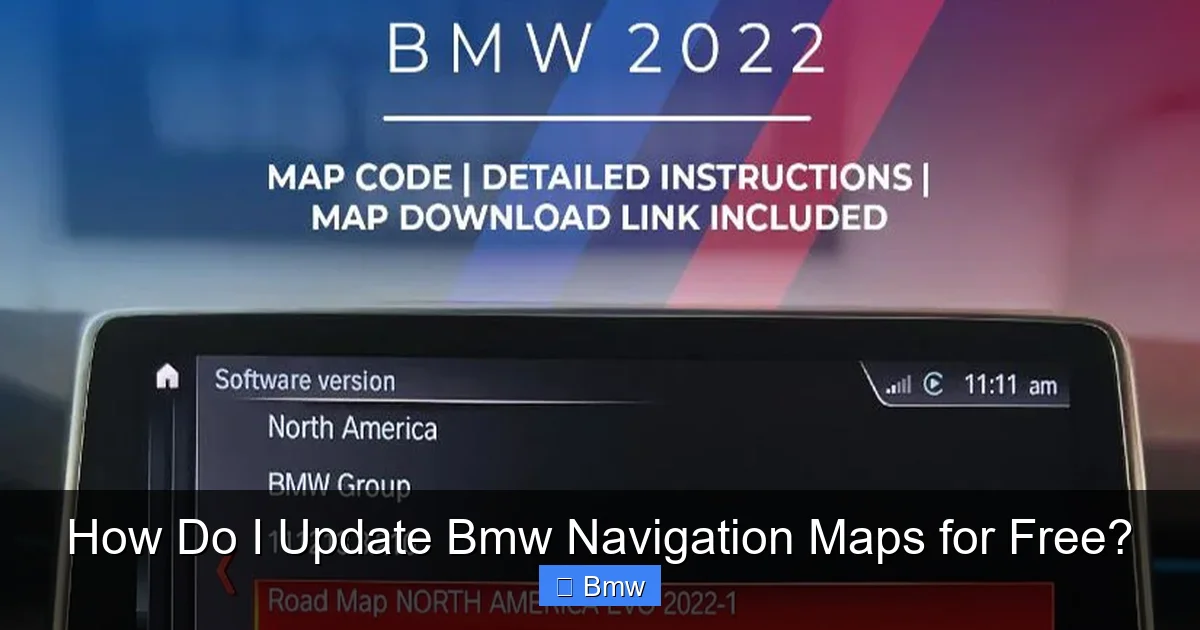
Get in your car. Turn on the ignition. Go to Menu > iDrive > Navigation > Settings > About Navigation (paths vary slightly). Write down the “Map Version” (e.g., “NBT_EU_WEST_2019-2”). Also note your iDrive software version from the Software Update menu. This is your baseline.
Step 2: Check the Official ConnectedDrive Store
Either in your car (requires an active ConnectedDrive services account, sometimes a SIM card) or online at the BMW website (you’ll need your VIN), log in. Navigate to the “Map Update” section. It will tell you if an update is available and its cost. If it says “Your maps are up-to-date,” you’re done. If it lists a price, that’s your official path.
Step 3: Search for Complimentary Eligibility
If you have a relatively new BMW (2019-2022), call your local BMW dealer’s service department. Give them your VIN and ask, “Is my vehicle still under the complimentary map update period?” They can look it up in the system. This is the only way to confirm for sure.
Step 4: Evaluate the Smartphone Alternative
If your car supports CarPlay/Android Auto (most 2016+ models do), test it. Connect your phone. Use Google Maps/Waze for a week. If the experience is good, you may decide the $300+ update isn’t worth it. The navigation in your car will still work for basic “take me home” functions, but your phone will be your daily driver for maps.
Step 5: If You Pay, Do It Right
If you buy the update, follow the USB prep instructions exactly. Use a known-good USB 3.0 stick, format it FAT32, and copy the files correctly. Ensure the car battery is charged. Do the update at home with the engine running or connected to a battery tender. Be patient.
The honest answer to “How do I update BMW navigation maps for free?” is: you almost certainly can’t, at least not through official, safe channels. The era of complimentary, lifetime map updates for luxury vehicles is largely over. BMW’s model is a paid subscription or one-time purchase. Your realistic paths are: 1) Use your car’s complimentary period if it still exists, 2) Pay the official price for a guaranteed, safe update, 3) Use your smartphone via CarPlay/Android Auto as a superior, free alternative, or 4) Live with the outdated factory maps for minor inaccuracies. The third option is increasingly popular and often the best user experience. Before spending a dime, ensure your iDrive system is running smoothly—a proper iDrive reset can resolve many quirks that might be mistaken for map errors. Ultimately, your BMW’s navigation is a tool. If it’s no longer serving you cost-effectively, the most modern and free solution is already in your pocket.
Frequently Asked Questions
Can I update my BMW navigation maps completely for free?
No, not through official BMW channels. BMW charges for map updates. The only exception is if your BMW is still within its initial complimentary update period (usually 1-3 years from new), which you must verify with your VIN.
Is there a hack or trick to get free BMW maps?
Unofficial “cracked” map files circulate online, but using them is extremely risky. They can permanently damage your iDrive system, void warranties, and provide incomplete or outdated data. The potential cost of a bricked system far exceeds the price of an official update.
How often does BMW release new map updates?
BMW typically releases major map updates once per year, usually in the spring or summer. Smaller, incremental updates for specific regions or points of interest may occur more frequently, but the full map database refresh is an annual paid product.
What is the typical cost for a BMW map update?
Costs vary by region and iDrive generation but generally range from $150 to $400 USD for a full country/region update. You must purchase the specific update for your vehicle’s VIN and system.
Can I use a map update from a different BMW or region on my car?
No. Map updates are digitally locked to your vehicle’s unique VIN and the specific region (e.g., North America, Europe) your car is configured for. Using an incorrect update will fail or cause system errors.
How do I know if my BMW needs a map update?
Check your current map version in the iDrive menu under Navigation Settings > About. Then, log into the BMW ConnectedDrive Store online or in your car with your VIN. It will clearly state if an update is available and its cost. If the store shows no updates, your maps are current.
