
How to Turn Off Smart Cruise Control on a Hyundai Palisade

Turning off Smart Cruise Control on your Hyundai Palisade is a simple process designed for driver convenience and safety. You can disengage the system using the dedicated button on the steering wheel, the cruise control main switch, or through the vehicle settings menu in the digital cluster. Understanding these methods ensures you have full control over this advanced driver-assist feature, allowing you to adapt instantly to changing road conditions like heavy traffic or inclement weather.
So, you’re cruising down the highway in your Hyundai Palisade, enjoying the comfort and that smooth, set-it-and-forget-it feeling of Smart Cruise Control. Then, traffic slows to a crawl, a construction zone appears, or the weather turns nasty. Suddenly, you need that system off—now. Don’t fumble. The Palisade is designed with intuitive, multiple ways to disengage this intelligent feature instantly. This guide will walk you through every method, explain the visual cues, and help you understand exactly when and why you might need to take back full control. Think of it as your friendly, detailed manual for mastering this specific piece of your SUV’s tech.
Key Takeaways
- Multiple Disengagement Methods: The Palisade offers three primary ways to turn off Smart Cruise Control: the steering wheel “CRUISE” button, the main “CRUISE ON/OFF” switch, or the in-vehicle settings menu.
- Instant vs. Temporary Off: Pressing the “CRUISE” button provides a quick, temporary disengagement that retains your set speed in memory. Using the main switch or menu turns the system fully off, clearing the set speed.
- Visual and Audible Confirmation: The system always provides clear feedback. A green icon appears when active, white when standby, and disappears when off. An audible chime also confirms disengagement.
- Safety First: Smart Cruise Control is a driver-assist tool, not an autonomous system. You must remain alert and ready to take control at any moment, which is why easy disengagement is critical.
- Integration with Other Systems: Disabling Smart Cruise Control does not affect other safety features like Forward Collision-Avoidance Assist (FCA) or Lane Following Assist (LFA), which operate independently.
- Consult Your Owner’s Manual: While this guide covers standard operation, your specific Palisade model year may have slight variations. The owner’s manual is the definitive source for your vehicle.
📑 Table of Contents
- Understanding Your Palisade’s Smart Cruise Control System
- Method 1: The Quick Disengage – Using the CRUISE Button
- Method 2: The Full Shutdown – Using the Main CRUISE ON/OFF Switch
- Method 3: The Digital Disable – Through the Vehicle Settings Menu
- Temporary Disengage vs. Permanent Deactivation: What’s the Difference?
- Troubleshooting: Why Won’t My Smart Cruise Control Turn Off?
- Safety Considerations: When and Why You Should Turn It Off
- Maintenance and Care for Your Smart Cruise Control System
- Conclusion: Confidence Through Control
Understanding Your Palisade’s Smart Cruise Control System
Before we dive into the “how,” let’s quickly clarify “what.” Smart Cruise Control (SCC) on the Hyundai Palisade is an advanced adaptive cruise control system. Unlike traditional cruise control that maintains only your set speed, SCC uses a front-facing radar camera to detect the speed and distance of the vehicle ahead. It automatically accelerates or brakes to maintain your preset following distance, making highway driving less stressful. It’s part of Hyundai’s suite of Hyundai SmartSense safety features.
Because it’s an active system that controls acceleration and braking, knowing how to disengage it swiftly is not just convenient—it’s a core part of safe operation. The system is engineered to be deactivated easily, recognizing that driver intent and road conditions change in an instant. You’ll interact with it primarily through controls on the steering wheel, but there’s also a menu-based method. We’ll cover all three.
The Core Controls on Your Steering Wheel
Your Palisade’s steering wheel houses the primary controls for both traditional and Smart Cruise Control. Look for a button labeled “CRUISE” with a small speedometer icon, typically on the right spoke. This is your main disengagement button. Nearby, you’ll often find a separate “CRUISE ON/OFF” switch, which may be a toggle or a button. The exact layout can vary slightly by model year (2020-2023+), but the function remains consistent. The “CRUISE” button is for quick, momentary disengagement, while the main switch is for a complete system shutdown. We’ll detail the difference shortly.
Method 1: The Quick Disengage – Using the CRUISE Button
This is the fastest, most common method you’ll use in everyday driving. It’s designed for situations where you need to slow down temporarily—like following a slower car into an exit lane or reacting to a sudden traffic slowdown—but you plan to resume your set speed once clear.
Visual guide about How to Turn Off Smart Cruise Control on a Hyundai Palisade
Image source: thecarhow.com
- Step 1: Ensure Smart Cruise Control is active. You’ll see a green “SCC” icon (or a car with a speedometer) illuminated on your instrument cluster or head-up display (if equipped). Your set speed will also be displayed.
- Step 2: When you need to disengage, simply press the “CRUISE” button on the steering wheel once.
- Step 3: Listen for a gentle “ding” or chime. Watch the cluster: the green SCC icon will change to a white icon (often just a speedometer without the car) or disappear entirely, depending on your model year. Your set speed is now in standby memory.
- Step 4: To resume, press the “RES+” button on the steering wheel. The system will accelerate back to your stored set speed and re-engage the following distance logic.
Pro Tip: This method is perfect for passing another vehicle. Tap the “CRUISE” button to disengage, complete your pass, and then hit “RES+” to seamlessly return to your cruise. It’s also the correct way to respond to a vehicle cutting into your lane too closely; the system will brake automatically if needed, but a manual tap ensures you’re in command.
Method 2: The Full Shutdown – Using the Main CRUISE ON/OFF Switch
There are times when you want Smart Cruise Control completely off, not just on standby. This clears your set speed from memory and requires you to set it again from scratch when you next want to use it. Use this method for extended periods in stop-and-go traffic where the system would constantly cycle on and off, for driving on winding roads, or simply when you prefer full manual control for the rest of your trip.
Visual guide about How to Turn Off Smart Cruise Control on a Hyundai Palisade
Image source: thecarhow.com
- Step 1: Locate the main “CRUISE ON/OFF” switch. This is often a separate button or a toggle switch on the steering wheel, sometimes positioned near the “CRUISE” button. It might have a clear “ON/OFF” label or a symbol.
- Step 2: Press or toggle this switch to the “OFF” position. You may need to press and hold it for a second on some models.
- Step 3: The system will give a confirmation chime, and all SCC-related icons (green or white) will disappear from your instrument cluster. The set speed number will vanish.
- Step 4: To reactivate Smart Cruise Control later, you must press the main “CRUISE ON/OFF” switch to the “ON” position first, then use the “SET-” button on the steering wheel to establish a new speed and following distance.
Why Use This? This method prevents any inadvertent reactivation. If you’re driving in a city or on a scenic route where constant speed maintenance isn’t practical, a full shutdown avoids the system trying to engage itself unexpectedly.
Method 3: The Digital Disable – Through the Vehicle Settings Menu
Your Palisade’s vibrant touchscreen and digital instrument cluster are not just for entertainment. They house deeper vehicle settings, including the ability to enable, disable, and customize driver-assist features. This method is less about quick reaction and more about personal preference setup.
Visual guide about How to Turn Off Smart Cruise Control on a Hyundai Palisade
Image source: thecarhow.com
- Step 1: With the vehicle parked (or in park, though it’s safer to do this stopped), press the “Menu” or “Setup” button on your steering wheel or center console. Alternatively, use the touchscreen.
- Step 2: Navigate to “Vehicle Settings” or “Driver Assistance” using the menu options.
- Step 3: Look for a submenu called “Smart Cruise Control” or “Driving Convenience”. Within it, you may find options like “Smart Cruise Control Status” or “Auto Resume”.
You can often toggle the entire system off here. This setting will persist until you change it back, even after turning the car off and on. Some models also allow you to set the default following distance or disable the “auto-resume” feature that reactivates SCC after a complete stop.
Important Note: This menu-based method typically disables the system’s readiness. If you turn it off here, pressing the steering wheel “CRUISE ON/OFF” switch will not activate Smart Cruise Control until you re-enable it in the settings menu. It’s a more permanent preference change rather than a temporary drive-time action.
Temporary Disengage vs. Permanent Deactivation: What’s the Difference?
This is a crucial distinction that often causes confusion. Understanding it prevents frustration when your system seems to “turn itself back on.”
- Temporary Disengage (Method 1): Pressing the “CRUISE” button on the wheel is like hitting the pause button. The system is off, but it’s holding your last set speed in its memory. A tap of “RES+” instantly brings it back. It’s for momentary lapses in following distance or speed.
- Full System Off (Method 2): Using the main “CRUISE ON/OFF” switch is like stopping the movie and ejecting the tape. The system is completely off, and the set speed is cleared. To use SCC again, you must press the main switch to ON and then set a new speed with “SET-”. This is for when you know you won’t want SCC active for a while.
- Menu-Based Disable (Method 3): This is like unplugging the DVD player. It disables the feature’s availability entirely until you go back into the settings and plug it back in. The steering wheel buttons won’t activate SCC at all in this state. This is for drivers who rarely or never want to use the system.
Real-World Scenario: You’re on a long, clear highway and using SCC. You approach a toll booth. You press the “CRUISE” button to slow down and pay. After the booth, you press “RES+” and continue. Later, you exit onto a winding country road. You flip the main “CRUISE ON/OFF” switch off because SCC would be useless and annoying on the curves. At the end of the day, you decide you never want SCC. You go into the settings menu and disable it for good.
Troubleshooting: Why Won’t My Smart Cruise Control Turn Off?
Rarely, you might encounter a situation where pressing the button doesn’t seem to work. Don’t panic. Here’s a systematic check:
- Check for System Faults: If a warning light (like a orange car with an exclamation point) illuminates on your dash, SCC may be disabled due to a sensor issue. Common causes are a dirty or obstructed front radar/camera (often behind the front grille or windshield near the rearview mirror). Clean these areas carefully. A fault will also log a message in the cluster; consult your owner’s manual or a dealer.
- Confirm the Setting: Go to the vehicle settings menu (Method 3). Ensure the Smart Cruise Control option is toggled to “ON.” If it’s off, the steering wheel controls are inert.
- Button or Switch Failure: If the physical button feels sticky or unresponsive, it may be faulty. This requires diagnostic testing by a Hyundai technician.
- Understand System Limits: SCC will automatically disengage if you press the brake pedal. It may also disengage if you turn the steering wheel sharply (for models without Lane Following Assist integration). This is normal behavior. If it disengages and won’t re-engage, you likely need to press the “CRUISE ON/OFF” switch again to reset it.
- Battery Reset: In some cases of electronic glitches, turning the car off, opening and closing the driver’s door (to fully power down the vehicle), waiting a minute, and restarting can reset the system.
If problems persist after these checks, it’s time to schedule service. A diagnostic scan can identify any stored trouble codes related to the radar, camera, or control module. For related issues with other Hyundai driver-assist systems, our guide on turning off lane departure on a Honda Civic discusses similar sensor-dependent troubleshooting steps that can apply conceptually.
Safety Considerations: When and Why You Should Turn It Off
Smart Cruise Control is a fantastic tool, but it has operational boundaries. Knowing when to disengage it is as important as knowing how.
- Severe Weather: Heavy rain, snow, fog, or bright glare can confuse the radar and camera. The system may behave erratically or disengage itself. Manually turn it off and drive with your full attention.
- Construction Zones & Unpredictable Traffic: In areas with frequent stops, merging traffic, or workers near the roadway, the system’s reactions may not be fast or appropriate enough. Full manual control is safer.
- Winding Mountain Roads: SCC is designed for relatively straight highways. On tight, curving roads, it may struggle to maintain lane position or react to vehicles appearing around bends. Turn it off.
- When Towing: Check your owner’s manual. Many manufacturers recommend against using adaptive cruise while towing due to the increased mass and different braking dynamics.
- If You Feel Uncomfortable: If the system’s acceleration or braking feels too aggressive or too timid for your preference, or if you simply don’t trust it in a given situation, turn it off. You are always the final authority.
Remember, disabling Smart Cruise Control does not disable your vehicle’s passive safety systems. Features like Forward Collision-Avoidance Assist (which can apply automatic emergency braking) and Lane Keeping Assist (which provides gentle steering inputs) will still function independently. However, always read your manual to understand the exact interplay of all Hyundai SmartSense features. For a deeper dive into other Hyundai systems, our guide on traction control systems explains a different kind of electronic intervention that also affects vehicle dynamics.
Maintenance and Care for Your Smart Cruise Control System
To ensure your SCC is always ready and accurate when you need it, a little preventative care goes a long way.
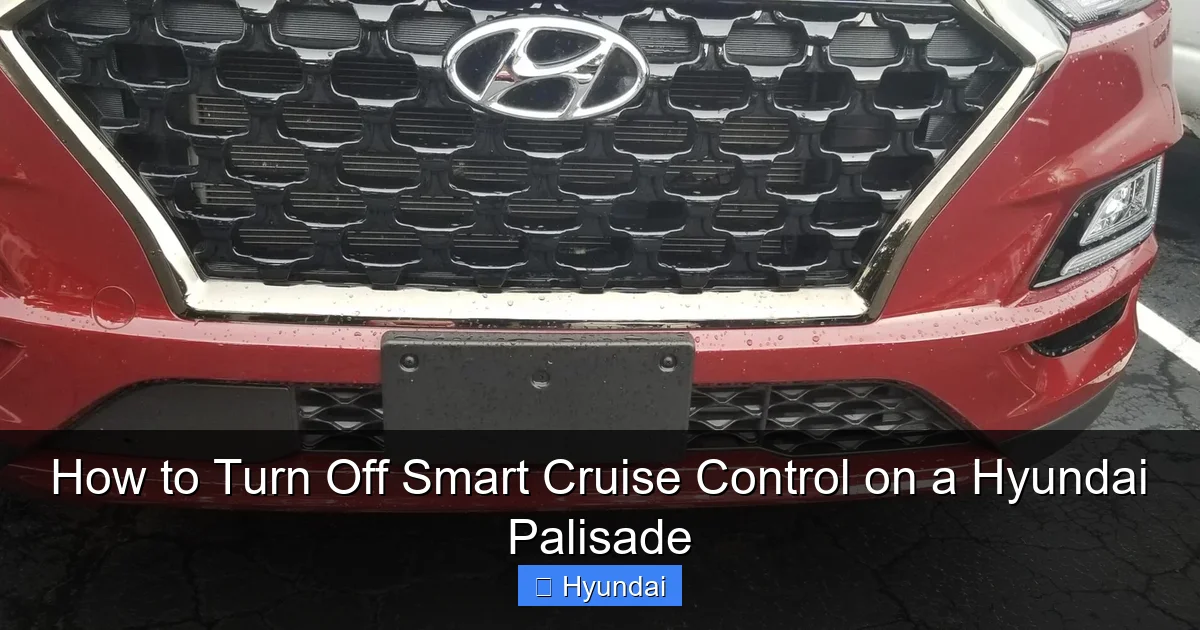
- Keep the Front Grille Clean: The radar sensor is usually located behind the front grille emblem or within the lower grille area. Regularly wash this area, removing bugs, mud, and snow. Ice buildup can completely block the sensor.
- Maintain a Clear Windshield: The forward-facing camera is typically located behind the rearview mirror, attached to the windshield. Keep this area clean on both sides. Avoid placing dashboard objects that might obstruct the camera’s view. Use proper wiper fluid that doesn’t leave heavy residue.
- Mind Aftermarket Accessories: Be cautious with front license plate frames, large bumper stickers, or aftermarket grilles. They can interfere with radar signals. Hyundai designs the bumper and grille to work in harmony with the sensor; altering them can cause malfunctions.
- System Recalibration: If you ever have your windshield replaced (since the camera is mounted to it), the SCC system will likely need to be recalibrated by a professional using special equipment. This is a critical step often overlooked. Inform your glass technician about the advanced driver-assist systems.
- Software Updates: Hyundai occasionally releases software updates for vehicle systems, including SCC, to improve performance or fix bugs. Stay informed through your dealer or official owner’s portal.
By treating the sensors with care, you minimize the chances of encountering a “Smart Cruise Control temporarily unavailable” message, which is often just the system’s way of saying it can’t see clearly. For other common warning lights and their meanings, our article on resetting the tire pressure light covers a different but equally important vehicle monitoring system.
Conclusion: Confidence Through Control
Your Hyundai Palisade’s Smart Cruise Control is a sophisticated co-pilot, but you are the captain. Mastering its disengagement—whether via the quick “CRUISE” button tap, the definitive main switch, or the settings menu—gives you the authority to adapt instantly to every driving scenario. It’s not about rejecting technology; it’s about using it wisely. Remember the feedback cues: the green icon for active, white for standby, and gone for off. Keep your sensors clean, understand the system’s limits in bad weather or complex traffic, and never hesitate to take full manual control when your intuition says to. With this knowledge, you can enjoy the convenience of SCC on long, open stretches while being fully prepared to command your Palisade the moment conditions change. Safe travels!
Frequently Asked Questions
What is the difference between pressing the CRUISE button and the main CRUISE ON/OFF switch?
Pressing the “CRUISE” button on the steering wheel provides a temporary disengagement, storing your set speed in memory for a quick “RES+” resume. Flipping the main “CRUISE ON/OFF” switch turns the entire system off and clears your set speed, requiring you to set it again from scratch.
Can I permanently disable Smart Cruise Control so it never comes on?
Yes. You can permanently disable the system’s availability by going into the vehicle’s settings menu (Vehicle Settings > Driver Assistance > Smart Cruise Control) and toggling it off. With this setting, the steering wheel controls will not activate SCC until you re-enable it in the menu.
Will turning off Smart Cruise Control also turn off other safety features like automatic emergency braking?
No. Smart Cruise Control is a separate convenience feature. Disabling it does not affect Forward Collision-Avoidance Assist (FCA), Lane Keeping Assist (LKA), or other Hyundai SmartSense systems. Those features will continue to function independently.
My Smart Cruise Control icon is flashing or won’t turn on. What’s wrong?
A flashing or unavailable SCC icon usually indicates a sensor obstruction or fault. Check that the front grille and windshield (near the rearview mirror) are clean and free of ice, mud, or damage. A system fault may also require a dealer diagnostic scan to reset or repair.
Do I need to turn off Smart Cruise Control when I stop at a red light?
It depends on your Palisade’s model year and settings. Many newer Palisades with Stop & Go functionality will bring the car to a complete stop and can resume automatically after a brief stop (usually 3 seconds). If your vehicle does not have this feature, SCC will disengage when you come to a full stop, and you must press the “RES+” button to go again. In heavy, unpredictable traffic, manually turning it off is often safer.
Is there a way to turn off just the automatic braking function but keep the speed-holding part?
No. Smart Cruise Control is an integrated system. You cannot separate the adaptive braking/acceleration function from the speed-holding function. If you want traditional, non-adaptive cruise control that only holds speed without adjusting for traffic, you must turn off Smart Cruise Control entirely and use the basic cruise control mode, if your Palisade model offers that separate mode (consult your owner’s manual).
