
How to Find a Lost Tesla Key Card

Losing your Tesla key card is stressful, but don’t panic. Immediately retrace your steps and use the Tesla mobile app’s built-in “Find” features to locate it or disable it remotely. If it’s truly gone, you’ll need to order a replacement through Tesla Service, which involves a cost and a short wait. Prevention is key, so always establish a dedicated spot for your card and consider a backup key fob or phone key setup.
That sinking feeling in the pit of your stomach is all too familiar. You pat your pockets, check your bag, and rifle through the couch cushions for the tenth time. Your Tesla key card—the sleek, minimalist piece of tech that lets you drive your car—is nowhere to be found. It’s not in the last place you looked, because that’s how this works, right? Before frustration takes over, take a deep breath. While inconvenient, losing a Tesla key card is a solvable problem. This guide will walk you through every practical step, from immediate search tactics to understanding your replacement options, all designed to get you back on the road with as little hassle as possible.
First, let’s understand what we’re dealing with. Unlike a traditional key fob with a battery and a button, the Tesla key card is a credit-card-sized piece of plastic embedded with a passive RFID chip and a small antenna. It has no power source of its own. It works by drawing a tiny amount of energy from the card reader located in your car’s door handle or center console when you tap it. This means it’s incredibly durable and has a virtually infinite “battery life,” but it also means you can’t make it beep or use a “find my device” feature like you can with a phone or a key fob with an active transmitter. Its simplicity is its strength, but also its biggest weakness when lost. Your primary tools are your memory, your eyes, and the intelligent software in your Tesla and the companion app on your phone.
Key Takeaways
- Act quickly: The first moments after realizing it’s lost are critical for retracing your steps effectively.
- Use the Tesla app: Your smartphone is your best tool for locating the card (if within range) or disabling it to prevent unauthorized use.
- Understand the technology: The Tesla key card is a passive RFID card; it doesn’t have a battery or GPS, so you can’t track it like a phone.
- Replacement is through Tesla: You must order a new card via your Tesla account or Service; third-party key cutters won’t work for the card’s encrypted security.
- Cost and time: Replacement costs vary by model and region, and delivery can take a few days to a couple of weeks.
- Prevent future loss: Designate a specific, consistent spot for your card at home and consider using a key holder or wallet with a dedicated slot.
- Set up a backup: Enable Phone Key or purchase a key fob as a secondary access method to avoid being locked out again.
📑 Table of Contents
Immediate Action Plan: The First 30 Minutes
The golden rule for finding any lost item is to stop, think, and methodically retrace your steps. Panic leads to a frantic, ineffective search. Here’s a structured approach to take the moment you realize your key card is missing.
Stop and Systematically Retrace Your Steps
Do not just glance around your current location. Get a piece of paper or open a notes app. Mentally walk backward through your last 1-2 hours. Start from the moment you last used the card. Did you tap it to unlock your car in the parking lot? Did you use it to lock the car after parking at the grocery store? Did you take it out to pay for coffee? Write down every location, in reverse order. Then, physically visit those places. Check under furniture, inside jacket pockets you haven’t worn since, between couch cushions, and in any bags or backpacks you carried. Don’t forget your car itself—it could have fallen out onto the floor mat or slid under a seat.
Call Your Last Verified Location
If your mental timeline points to a specific store, restaurant, or friend’s house, call them immediately. Lost and found items are turned in regularly. Be specific: describe the Tesla key card (black, credit-card size, Tesla logo), and if you have a custom sleeve or sticker on it, mention that. For a coffee shop, ask if they’ve seen it behind the counter or in the seating area. A quick phone call can save you hours of searching.
Leverage the Tesla Mobile App
This is your most powerful tool. Open the Tesla app on your phone. Ensure your phone’s Bluetooth is on and you are within roughly 30-50 feet of your car (the approximate range for Bluetooth Low Energy communication). The app will show your car’s status and location.
- Use “Honk & Flash”: In the app’s control panel, there is a “Honk & Flash” feature. While this is primarily for finding your car in a parking lot, activating it can help you locate your key card if it’s nearby. The loud horn and flashing lights can create a moment of panic for anyone nearby who might have picked it up, prompting them to look around and potentially spot it. It also helps you confirm your car is where you think it is.
- Check “Controls” > “Locks”: The app will show the lock status of your car. If your car is locked and the key card is inside, you might be able to unlock it via the app (on newer models with connectivity). This is a good check to perform.
- Important Limitation: Remember, the app cannot *track* the physical key card. It cannot show you a map of its location. Its power is in controlling the car and confirming the card’s last *interaction*.
Using Technology to Your Advantage: Beyond the App
While the Tesla app is your main tech ally, don’t forget other everyday tools. If you have a Tile, Apple AirTag, or Samsung SmartTag attached to your key card or keychain, use their respective apps to locate it. These Bluetooth trackers have their own speaker and can play a sound, and their network can help locate it if it’s out of direct Bluetooth range. If you don’t use one now, consider it for the future. For now, think about other wireless devices. If you have a home with a smart speaker system (Alexa, Google Home), you could ask it to find your phone if you think you had the key card with your phone. Sometimes, the key card is in the same pocket or bag as your phone.
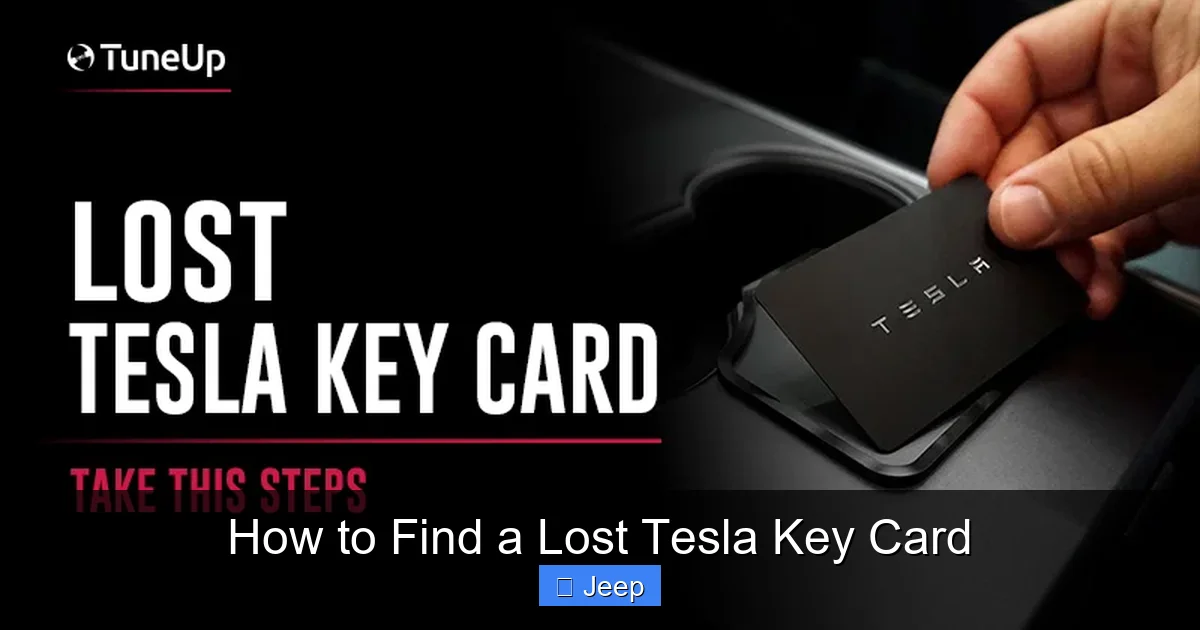
Visual guide about How to Find a Lost Tesla Key Card
Image source: teslatuneup.com
Understanding the Key Card’s “Blind Spots”
It’s crucial to accept the key card’s limitations. It is a passive object. It cannot be pinged from a distance. If it fell out in a public place and someone else picked it up, you have no way to electronically recover it. Your search is a physical one. This is why the immediate, methodical retracing of steps is so vital. The window for finding it where you dropped it is small before it’s moved or turned in.
When to Consider It Truly Lost
After a thorough, calm search of all probable locations spanning the last 24 hours, it’s time to face the possibility that the card is gone for good. This is the moment to shift from “finding” to “replacing.” Continuing to search fruitlessly will only cause more stress. Making the decision to replace allows you to move forward with securing your vehicle.
Securing Your Vehicle: Disabling the Lost Card
Before you even finish your search, you should take the security step of disabling the lost key card through the Tesla app. This is non-negotiable. A lost key card is a security risk; anyone who finds it can unlock and drive your car if they also know your PIN to drive (if set).

Visual guide about How to Find a Lost Tesla Key Card
Image source: ecarcraze.com
How to Disable a Lost Key Card
Open your Tesla app. Go to Security & Drivers > Key Card (or similar menu path, which can vary slightly by app version). You will see a list of all keys and key cards paired to your vehicle. Find the lost key card in the list. There should be an option to Remove or Delete it. Confirm the action. This immediately de-authorizes that specific card’s unique cryptographic identifier from your car’s system. Even if someone finds it, tapping it on your car will do nothing. Your car will only respond to the other authorized keys (your phone key, another key card, or key fob).
Critical Note: Disabling the card is a permanent action for that specific card. You cannot re-enable it if you later find it under the couch cushion. You would have to re-pair it as a new key. So, only disable it when you are 99% sure it is permanently lost.
What If You Have No Other Key?
This is a worst-case scenario. If the lost card was your *only* key and you have no Phone Key set up or second key card, disabling it via the app requires you to already be logged into the app on a paired phone. If your phone is the only other access method and it’s with you, you’re fine. You can disable the card and then use your phone to drive. However, if your phone is also lost or not set up, you have a serious problem. You would need to contact Tesla Roadside Assistance or a Service Center for help gaining physical access to your car to set up a new key, which may involve a fee and proof of ownership. This underscores the importance of always having a backup access method.
The Replacement Process: Ordering Your New Key Card
Once you’ve disabled the old card and accepted its loss, it’s time to get a new one. The process is straightforward but not instantaneous.

Visual guide about How to Find a Lost Tesla Key Card
Image source: ecarcraze.com
Ordering Through Your Tesla Account
The primary method is ordering online via your Tesla account. Log in to your account on the Tesla website. Navigate to your vehicle details and look for Parts & Accessories or a Order Key option. Select “Key Card” as the part. The system will verify your vehicle’s VIN and compatibility. You will place an order and pay for the part. The cost varies by region and model year but typically ranges from $150 to $300 for the card itself. There may be an additional fee for expedited shipping.
Scheduling a Service Appointment (Sometimes Required)
For some older models or in certain regions, you may need to schedule a mobile service or visit a Service Center for the new key card to be programmed to your car. The card you receive is a blank, unpaired card. It must be physically added to your vehicle’s system. Often, you can do this yourself by following instructions in your owner’s manual or a video guide, which involves placing the new card in the center console and following on-screen prompts. However, if you are uncomfortable or if your car doesn’t recognize the new card, a Service appointment will be necessary. They will pair it for you, sometimes for an additional labor fee. When you order, the website will indicate if self-programming is possible.
For a broader understanding of car key replacement costs and processes across different brands, you can read our general guide on how to replace a lost car key.
What to Do While You Wait
Shipping times for the new card can be 3-10 business days, sometimes longer depending on your location and supply. During this time, if you have your phone key set up, you are fully functional. If you only had the one key card and disabled it, you need to ensure you have another way to unlock and drive. If you have a second, still-functional key card or a key fob, you’re covered. If not, and you are relying on a phone that you must keep on you at all times, be extra vigilant. Do not let your phone battery die. You may also want to contact Tesla Support to explain your situation; in rare cases of extreme hardship, they may offer guidance or a loaner key, but this is not guaranteed.
Prevention: Never Lose It Again
The best solution to a lost key card is to never lose it in the first place. These simple habits and accessories can save you from future stress.
Designate a “Home” for Your Key Card
This is the single most effective rule. Choose one specific spot in your home—a small bowl by the door, a dedicated pocket in a bag you always carry, a specific drawer. The moment you walk in, the card goes there. The moment you leave, you check that spot. Consistency is everything. Never put it down on a random surface like a kitchen counter or coffee table.
Use a Key Card Holder or Wallet Sleeve
The sleek card can easily slip out of a standard wallet or pocket. Invest in a dedicated leather or silicone sleeve designed for the Tesla key card. Many third-party sellers on Etsy or Amazon make these. Some even attach a small loop or clip so you can attach it to a keyring or lanyard. Adding a slight texture or bulk makes it easier to feel and less likely to slip away unnoticed. For a more integrated solution, some wallets have a dedicated, snug pocket for cards that won’t allow them to fall out.
Set Up and Rely on Phone Key
This is Tesla’s intended primary keyless entry method. Ensure Phone Key is set up on at least one trusted smartphone (iPhone or Android). Once set up, it works seamlessly—just walk up to the car and it unlocks. You can then drive using your phone’s presence. With Phone Key active, you can literally leave the physical key card at home in its designated spot. Treat the key card as a true backup, not your daily driver. The setup process is simple: go to your car’s touchscreen > Controls > Locks > + Add Phone Key, and follow the instructions. Make sure all authorized drivers set up their Phone Key as well. Our guide on how to find a car key fob has principles that apply to any keyless system.
Consider a Key Fob as a Secondary Backup
If you find the key card too easy to lose, Tesla sells a traditional-style key fob for most models. It has buttons and a battery, but it still uses the same secure pairing technology. It’s more substantial and less likely to be misplaced accidentally. Having *both* a Phone Key (primary) and a Key Fob (secondary) means you could potentially lose both the key card and your phone and still have a way in. You can purchase a key fob through your Tesla account’s parts department.
Conclusion
Losing your Tesla key card is a momentary crisis, not a permanent disaster. The path forward is clear: first, conduct a calm, methodical search using the Tesla app’s features as a tool. Second, immediately disable the lost card via the app to secure your vehicle. Third, order a replacement through your Tesla account, understanding the cost and timeframe. Finally, and most importantly, implement a prevention strategy—designate a home for your keys, use a holder, and absolutely set up Phone Key to make the physical card a secondary accessory. By following these steps, you transform a panicked scramble into a manageable process. Your Tesla is designed for a keyless future; embrace that technology to make losing a little piece of plastic a problem of the past.
Frequently Asked Questions
Can I use the Tesla app to track my lost key card’s location?
No. The Tesla key card is a passive RFID device without a battery or GPS. The app can control your car and disable the card, but it cannot show the card’s physical location on a map.
How do I permanently disable a lost Tesla key card?
Open the Tesla app, go to Security & Drivers, find the lost key card in your list of keys, and select “Remove.” This instantly de-authorizes it from your car’s system.
How much does a replacement Tesla key card cost?
The cost varies by model and region but typically ranges from $150 to $300 for the card itself. There may be additional fees for shipping or if you require a Service Center to program it.
How long does it take to get a new Tesla key card?
Shipping from Tesla typically takes 3-10 business days. The total time to receive and program your new card depends on whether you can self-program or need a Service appointment.
Can I drive my Tesla without the key card if I have Phone Key set up?
Yes, absolutely. If Phone Key is properly configured on your smartphone and it’s with you, you can unlock, start, and drive your Tesla without ever needing the physical key card.
What should I do if I lost my only key card and haven’t set up Phone Key?
You need to contact Tesla Roadside Assistance or Service. They can help you gain access to your car to set up a new key, but you will likely need to provide proof of ownership and pay for a replacement key and possibly a service fee. For other common key-related lockouts, you might find solutions in our article on how to get a new car key if lost.
