
How to Enter the Honda Civic Radio Code

Losing your Honda Civic’s radio code is a common frustration that leaves you with a dead stereo and a blinking “CODE” display. This guide provides the complete, step-by-step process to retrieve your unique code from your owner’s manual or Honda and then enter it correctly to unlock your audio system. We cover everything from finding the code to troubleshooting failed attempts, ensuring you get your music and news back on the road quickly.
That moment of dread is unmistakable. You get into your Honda Civic, turn the key (or push the start button), and the radio display doesn’t show your favorite station. Instead, it blinks a stark, frustrating message: “CODE.” Or perhaps it just says “ENTER CODE” or shows a series of dashes. Your heart sinks. The music, the podcasts, the morning news—all gone. But here’s the most important thing to know: this is not a broken radio. This is your car’s anti-theft security system working exactly as designed. It has locked the stereo to deter thieves. The good news? Unlocking it is a straightforward process, but it requires finding one small, easy-to-lose piece of information: your unique Honda Civic radio code.
This guide will walk you through everything, from locating that elusive code to entering it perfectly on the first try. We’ll talk about where Honda hides it, what to do if you’ve truly lost it, and the common mistakes that can leave you locked out even longer. Consider this your official decoder ring for the Civic’s audio system. By the end, you’ll be back to streaming tunes or catching traffic reports with confidence.
Key Takeaways
- The code is unique: Each Honda Civic has a unique anti-theft radio code, not a universal one like “12345.”
- Find it in your manual: The most common location is on a sticker in the owner’s manual pouch or on the back cover.
- Contact Honda if lost: If you can’t find the card, Honda dealers or customer service can retrieve it using your VIN and radio serial number.
- Enter carefully: Use the preset buttons (1-6) to input each digit. A wrong entry locks the system for a period.
- Don’t confuse it with other lights: The radio code is separate from the maintenance light or tire pressure light; resetting those won’t help.
- Prevent future loss: Once you find it, store the code card in your glove box or save a photo to your phone.
- Power cycle on failure: If you enter the wrong code too many times, turn the car off and on to reset the timer before trying again.
📑 Table of Contents
What Is the Honda Civic Radio Code and Why Does It Exist?
Before we dive into the “how,” let’s quickly cover the “why.” The radio code is part of Honda’s anti-theft system, often called the “Honda Theft Deterrent System.” The logic is simple: if a thief steals your radio, it’s useless without the unique, pre-assigned code. When the car’s battery is disconnected—either for replacement, jump-starting, or a major electrical fault—the radio loses power and assumes it’s been stolen. It goes into a security lockout mode, displaying “CODE” to prompt the owner for the secret password.
This is a feature, not a bug. It’s designed to protect your investment. The code is not something you set; it’s a unique number generated for your specific vehicle’s stereo unit. There is no master code for all Honda Civics. This is why guessing or using common defaults won’t work and will actually make things worse by triggering a lockout timer.
The Code vs. Other Civic Lights and Systems
It’s crucial not to confuse the radio code request with other warning lights or service indicators on your Civic’s dashboard. For instance, you might see a wrench icon (maintenance reminder), a TPMS light (tire pressure), or an engine light. Resetting the maintenance light on a Honda Civic involves a completely different button sequence on the dash or steering wheel. Similarly, procedures to reset the tire pressure light on a Honda Civic are unrelated to the audio system. The radio code is solely for the stereo head unit. Mixing up these systems is a common pitfall, so keep your focus on the radio display itself.
Step 1: Locating Your Lost Honda Civic Radio Code
This is the most critical step. You cannot enter a code you don’t have. Honda provides the code to the original owner in a very specific way. Don’t worry; we’ll explore all the avenues.
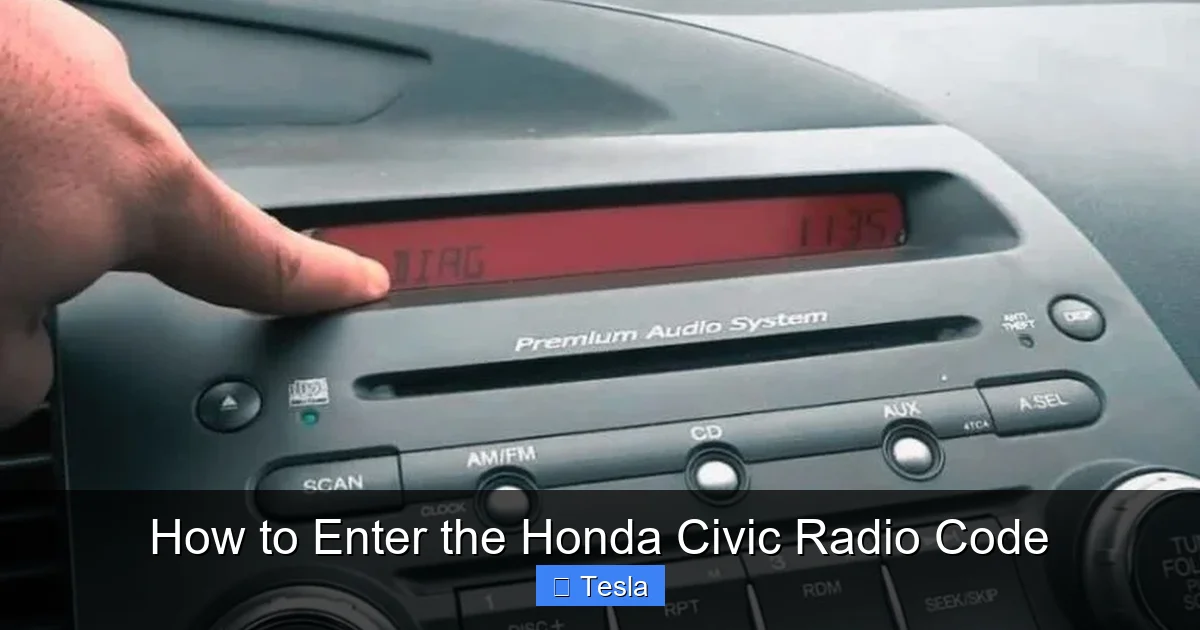
Visual guide about How to Enter the Honda Civic Radio Code
Image source: roadsumo.com
The Owner’s Manual Card (The Gold Standard)
When your Civic was new, the radio code was printed on a small, credit-card-sized sticker or a card. This card was almost always placed inside the plastic sleeve of the owner’s manual. Sometimes it’s on a separate card tucked into the pouch. Other times, it’s printed directly on the inside cover of the manual itself. Look for words like “Anti-Theft Radio Code” or “Security Code” followed by a 4-digit or 5-digit number (e.g., 12345 or 123456). This is your code. If you still have the original manual, this is your fastest solution. Check every pocket and sleeve meticulously.
Alternative Physical Locations
If the manual card is missing, check these other likely spots:
- Glove Box: Some owners, knowing the importance, have moved the card to a more permanent spot like the glove box.
- Trunk Liner: Rare, but possible if the car was detailed.
- Under the Center Console: A previous owner might have stashed it there.
- With Other Car Documents: Check where you keep your insurance, registration, or loan paperwork.
The code card is typically a small, white, yellow, or orange sticker. It might also have a barcode.
When All Else Fails: Contacting Honda
If you’ve turned your Civic upside down and still can’t find the card, you must contact an authorized source. You will need two key pieces of information:
- Your Vehicle Identification Number (VIN): This 17-digit number is on your registration, insurance card, driver’s side dashboard (viewable through the windshield), and door jamb sticker.
- The Radio’s Serial Number: This is not the VIN. You must get this from the radio itself. With the car ON (but engine off) and the radio showing “CODE,” press and hold the 1 and 6 preset buttons simultaneously. Hold for about 5-10 seconds. The display should change from “CODE” to a series of letters and numbers (e.g., “U1234” or “V5678”). This is the radio’s serial number. Write it down exactly.
With your VIN and radio serial number, you have two options:
- Call Honda Customer Service: 1-800-999-1009 (U.S.). They can often provide the code over the phone after verifying ownership.
- Visit a Honda Dealer: A service department can look it up in their system. There may be a small fee. This is the most reliable method if the customer service line is unable to help.
Important: Be prepared to prove ownership. Have your registration or title handy. This security process prevents just anyone from calling in and getting your code.
Step 2: How to Correctly Enter the Honda Civic Radio Code
You have the code. Now, the moment of truth. The process is simple but must be done correctly. The “CODE” display must be active. If your radio shows anything else, turn the car off and back on. The radio should power up and then default to the “CODE” request.
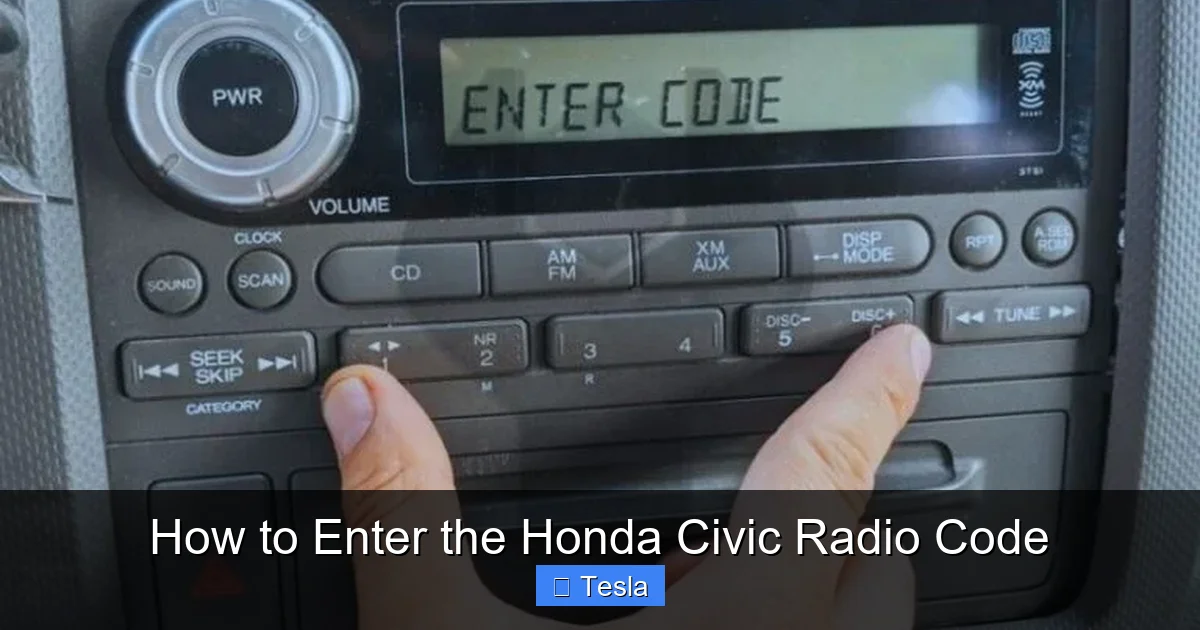
Visual guide about How to Enter the Honda Civic Radio Code
Image source: roadsumo.com
Here is the exact sequence, using a sample code “12345” for demonstration:
- Look at your preset buttons. These are the numbered buttons 1 through 6 (or sometimes 1 through 5) on your radio faceplate.
- Enter the first digit (1): Press the 1 button once. The display should change from “CODE” or “—-” to show “1—-“.
- Enter the second digit (2): Press the 2 button once. The display should now read “12—“.
- Enter the third digit (3): Press the 3 button once. Display: “123–“.
- Enter the fourth digit (4): Press the 4 button once. Display: “1234-“.
- Enter the fifth digit (5): Press the 5 button once. Display: “12345”.
If your code has only 4 digits, simply use buttons 1-4 and ignore 5 & 6. The system will recognize the shorter input.
After pressing the final digit, the radio should accept the code within a second or two. You’ll hear a click or the display will change, and the radio will turn on normally, returning to your last used source (AM, FM, CD, etc.). Success!
What Happens If You Enter the Wrong Code?
The system is designed to punish incorrect attempts. If you enter a wrong digit at any point:
- The display will briefly show “ERR” or “ERROR”.
- It will then revert to “CODE” and reset the input field.
- You can try again immediately. However, if you enter the wrong code 10 times in a row, the system will lock you out completely. The display will change to “LOCKOUT” or similar, and you will be unable to enter any code.
If you get a lockout, you must perform a “power cycle.” Turn the car’s ignition completely OFF. Wait at least 60 minutes (some models require longer, up to an hour). Then turn the car back ON. The “CODE” display should return, and the attempt counter will reset to zero. Now you can carefully try entering your correct code again. This is why it’s vital to have the correct code written down clearly before you start.
Common Problems and Troubleshooting
Even with the right code, things can go wrong. Let’s troubleshoot the most frequent issues.
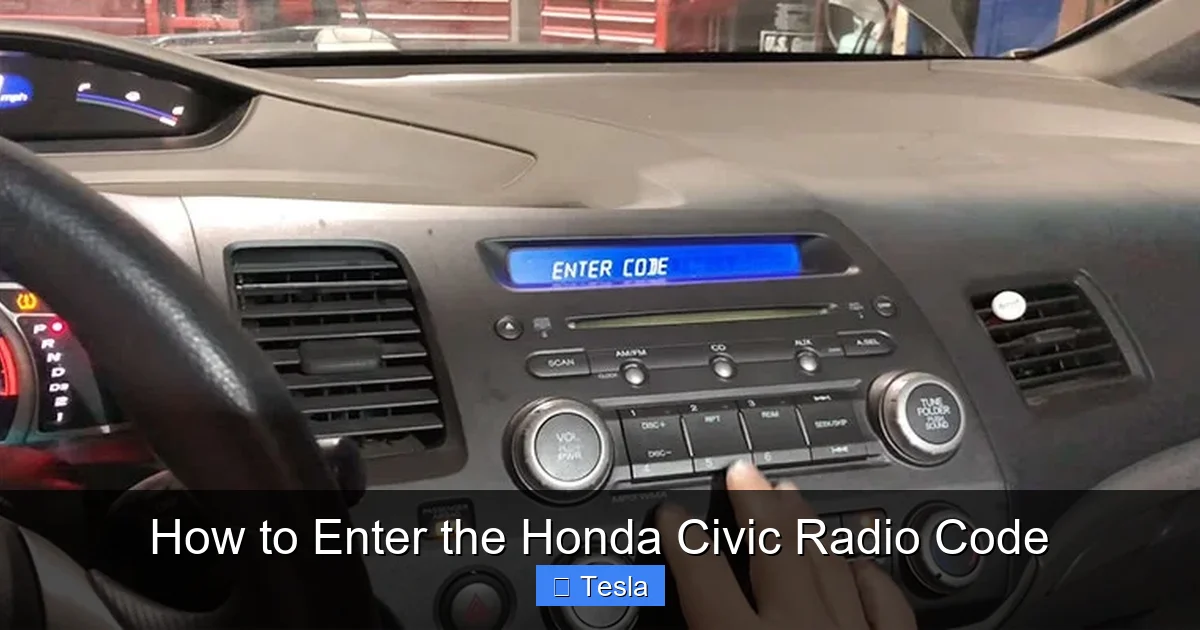
Visual guide about How to Enter the Honda Civic Radio Code
Image source: hondaradiocodebyvin.com
“CODE” Display Won’t Appear
If your radio is dead and silent but shows no “CODE” message, the issue might be deeper. First, ensure the car is in the ON/RUN position (engine off or on). Check your other fuses related to the audio system (see your owner’s manual fuse box diagram). A blown fuse could prevent the radio from powering up at all, meaning it never gets to the code request stage. If fuses are good, the radio unit itself may have failed.
The Code Doesn’t Work After 10+ Tries
Double and triple-check the code. Is it 4 digits or 5? Did you misread a ‘0’ (zero) for an ‘O’ or a ‘1’ for an ‘I’? The card is usually very clear. If you’re certain the code is correct, it’s possible the radio’s memory has corrupted. The only solution here is the 60-minute power cycle. After waiting, try one more time, entering each digit slowly and deliberately.
I Have a 2006+ Civic with Navigation
Civics equipped with the factory navigation system have a slightly different process. The code entry might use a knob or a different button combination. The code itself is often longer (5 or 6 digits). The method for finding the code (owner’s manual card, VIN + serial number) is identical. The key is to consult your specific navigation system manual if you have it. The basic principle of using preset buttons or the navigation controller to input digits remains the same.
Preventing Future Radio Code Disasters
You’ve just spent time and possibly money retrieving your code. Don’t lose it again! Here’s your prevention plan:
- Digitally Save It: As soon as you locate or receive your code, take a clear photo of the card with your smartphone. Save it in a dedicated “Car Docs” photo album or a secure notes app. You can also email it to yourself.
- Physical Backup: Keep the original card in your glove box, taped to the inside of the lid. This is a common and logical spot for important car documents.
- Write It Down: Use a permanent marker to write the code on a piece of paper and put it in your owner’s manual. Even if the card falls out, the number is still there.
- Understand the Trigger: Know what causes the lockout: mainly, a battery disconnect. If you ever need to jump-start or replace the battery, have your code ready beforehand. You might also consider using a memory saver device when working on the electrical system to preserve radio presets and avoid the code lockout entirely.
The Bigger Picture: Other Civic Electronic Systems
Your Honda Civic is a network of computers and modules. The radio code is just one of many “reset” procedures you might encounter. Modern vehicles have numerous systems that require specific steps after a power loss or fault.
For example, after changing the cabin air filter in a Honda Civic, you generally don’t need a reset. But after certain maintenance, you might need to reset the maintenance light on a Honda Civic. If you work on the tire pressure monitoring system, you’ll need to reset the tire pressure light on a Honda Civic. Even your key fob battery replacement is a simple procedure that, if done incorrectly, could cause other electronic gremlins. It’s all part of owning a tech-filled car. Each system has its own language and its own reset. The radio code is simply the most notorious because it immobilizes your entertainment system.
This interconnectedness means that while dealing with a radio code, you might also be thinking about other scheduled services. Perhaps you just disconnected the battery to change the air filter in a Honda Civic, which triggered the radio lockout. Or maybe you’re troubleshooting a green key light on a Honda Civic (which relates to the immobilizer system, separate from the radio). Being a informed owner means knowing where to find reliable, model-specific guides for each of these little puzzles.
Frequently Asked Questions
Where is the Honda Civic radio code located?
First, check the owner’s manual. The code is on a card or sticker in the manual’s pouch or on its back cover. If not there, you must retrieve it from Honda using your VIN and the radio’s serial number (obtained by holding preset buttons 1 & 6).
What happens if I enter the wrong radio code too many times?
After 10 consecutive incorrect entries, the system enters a “LOCKOUT” mode. To reset it, turn the car completely off and wait at least 60 minutes before trying again with the correct code.
Can I get my Honda Civic radio code from the VIN number alone?
No. Honda requires both the Vehicle Identification Number (VIN) and the radio’s unique serial number to look up and release your specific code. The VIN identifies the car, but the serial number identifies that particular radio unit.
Is there a universal default code for all Honda Civics?
Absolutely not. There is no master code like 0000 or 1234. Each radio has a unique, pre-assigned code. Using guesses will only trigger the lockout timer and waste your attempts.
Will disconnecting the battery always trigger the radio code?
Yes, for most model years. Any complete loss of power to the radio—from a battery disconnect, a dead battery that gets jumped, or a main fuse being pulled—will cause the anti-theft system to engage and request the code upon restart.
Once I enter the code, will I need to do it again?
No. The code is stored in the radio’s memory. You should only need to enter it after a complete power loss. Normal use, like turning the car off and on, will not erase it. That’s why saving the code permanently is so important.
