
How to Program the 2023 Nissan Rogue Garage Door Opener

Programming the 2023 Nissan Rogue garage door opener is simple and convenient once you know the right steps. This guide walks you through the entire process, from locating the HomeLink system to syncing with your garage door, ensuring a hassle-free experience every time you drive home.
If you’ve recently purchased a 2023 Nissan Rogue, you’re probably excited about its sleek design, advanced safety features, and impressive fuel efficiency. But there’s one feature that might not get as much attention—yet makes daily life significantly easier—the built-in garage door opener. Yes, your Rogue comes equipped with HomeLink, a wireless control system that lets you open and close your garage door without fumbling for a separate remote. No more digging through your purse or glove compartment when it’s raining or dark. Just press a button on your rearview mirror, and voilà—your garage door responds like magic.
But here’s the catch: it doesn’t work right out of the box. You need to program it. And while the idea might sound intimidating, especially if you’re not tech-savvy, the truth is that programming the 2023 Nissan Rogue garage door opener is straightforward, quick, and totally doable in under 10 minutes. Whether you’re setting it up for the first time or replacing an old remote, this guide will walk you through every step with clarity and confidence. We’ll cover everything from finding the right buttons to troubleshooting common hiccups—so you can get back to enjoying your drive (and your driveway) without frustration.
Key Takeaways
- Locate the HomeLink buttons: Found on the rearview mirror or overhead console, these are used to program your garage door opener.
- Clear previous settings first: Always erase old codes before programming a new device to avoid interference.
- Use the “Learn” or “Smart” button on your garage door opener: This is essential for syncing with your Nissan Rogue’s system.
- Follow timing precisely: Most steps require pressing buttons within 30 seconds—don’t delay.
- Test the connection multiple times: Ensure reliability by testing the opener from different distances and angles.
- Keep your vehicle running during setup: The ignition should be on (or in accessory mode) to power the HomeLink system.
- Consult your owner’s manual if stuck: Nissan provides model-specific guidance that can resolve common issues.
📑 Table of Contents
- What Is HomeLink and Why Does It Matter?
- Locating the HomeLink Buttons in Your 2023 Nissan Rogue
- Preparing Your Garage Door Opener for Programming
- Step-by-Step Guide to Programming the 2023 Nissan Rogue Garage Door Opener
- Troubleshooting Common Programming Issues
- Advanced Tips for Maximizing HomeLink Efficiency
- Conclusion
What Is HomeLink and Why Does It Matter?
Before diving into the how-to, let’s talk about what HomeLink actually is—and why it’s such a game-changer for Nissan owners. HomeLink is a proprietary wireless communication system developed by Gentex Corporation and integrated into many modern vehicles, including the 2023 Nissan Rogue. It uses rolling-code technology (also called hopping codes), which means each time you press the button, a new, encrypted signal is sent. This prevents hackers from “capturing” your code and duplicating it—a major security upgrade over older fixed-code remotes.
The system typically consists of three programmable buttons mounted on the rearview mirror or, in some models, on the overhead console. These buttons can control not just garage doors but also gates, lighting systems, and even security systems—all from inside your car. Imagine pulling up to your house after a long day, pressing one button, and having your garage door open, your porch lights turn on, and your security system disarm—all without stepping out of the vehicle. That’s the kind of seamless convenience HomeLink delivers.
For the 2023 Nissan Rogue, HomeLink is standard on most trims, including the SV, SL, and Platinum. It’s designed to work with the vast majority of garage door openers manufactured after 1996, especially those using rolling-code technology. Even if your opener is a bit older, there’s a good chance it’ll still sync—thanks to HomeLink’s backward compatibility and adaptive learning features. So whether you have a Chamberlain, LiftMaster, Genie, or Craftsman opener, chances are your Rogue can talk to it.
Locating the HomeLink Buttons in Your 2023 Nissan Rogue
Visual guide about How to Program the 2023 Nissan Rogue Garage Door Opener
Image source: turbochaos.com
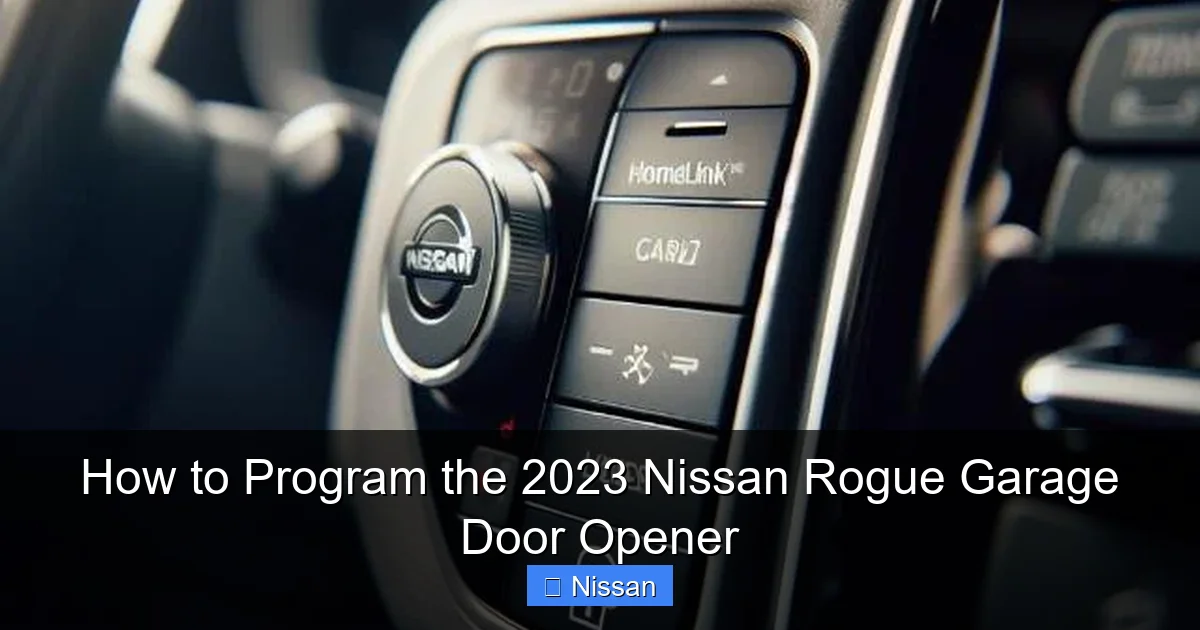
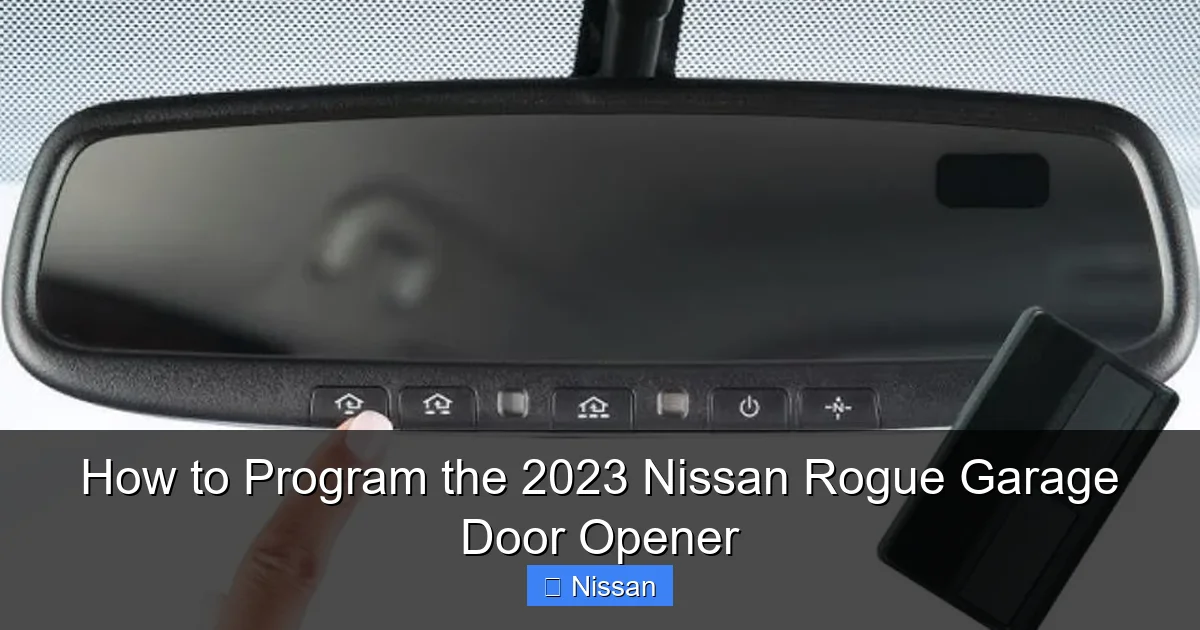
Now that you understand what HomeLink does, let’s find where it lives in your vehicle. In the 2023 Nissan Rogue, the HomeLink buttons are integrated directly into the rearview mirror. Look closely at the bottom edge of the mirror—you’ll see three small, rectangular buttons labeled with a house icon or simply numbered 1, 2, and 3. These are your programming keys to garage door freedom.
It’s important to note that the exact placement can vary slightly depending on whether your Rogue has an auto-dimming mirror or a standard one. On trims with advanced driver-assistance features (like blind-spot monitoring or lane departure warning), the mirror may be thicker or have additional sensors. But don’t worry—the HomeLink buttons are always front and center, easy to reach without taking your eyes off the road for too long.
If you’re having trouble spotting them, try turning on your interior lights at night. The buttons often have a subtle backlight that makes them easier to identify in low-light conditions. Alternatively, consult your owner’s manual—Nissan includes a detailed diagram showing the location of all controls, including HomeLink.
One common mistake people make is confusing the HomeLink buttons with other mirror-mounted controls, such as the compass or ambient light sensor. Remember: HomeLink buttons are always tactile—you can feel them when you press—and they’re usually grouped together in a row. If you press one and nothing happens, don’t panic. That just means it hasn’t been programmed yet. We’ll fix that in the next section.
Preparing Your Garage Door Opener for Programming
Visual guide about How to Program the 2023 Nissan Rogue Garage Door Opener
Image source: turbochaos.com
Before you start pressing buttons in your car, you need to prepare your garage door opener. This step is crucial because HomeLink needs to “learn” the specific signal your opener uses. Most modern openers have a “Learn” or “Smart” button located on the motor unit—the big box mounted on the ceiling of your garage. This button is typically yellow, red, orange, or purple, and it’s often labeled clearly.
Here’s how to find it:
First, locate the motor unit hanging from your garage ceiling. It’s usually near the center, connected to the rail that moves the door. Look for a small button—it might be behind a light lens or under a cover. If you can’t find it, check your garage door opener’s manual. Brands like Chamberlain and LiftMaster often place the Learn button near the antenna wire or under the main light bulb.
Once you’ve found the Learn button, press and release it. You’ll usually see a light blink or hear a click—this tells you the opener is now in programming mode and ready to accept a new signal. Important: You typically have about 30 seconds to complete the next step, so don’t dawdle. Also, make sure your garage door is fully closed before starting—this prevents accidental activation during setup.
If your opener is older (pre-1996) and doesn’t have a Learn button, it likely uses DIP switches—small toggle switches inside the remote. In that case, you’ll need to match the switch pattern between your existing remote and the HomeLink system. We’ll cover that method later, but for now, assume you have a modern opener with a Learn button—which applies to over 90% of homes today.
Step-by-Step Guide to Programming the 2023 Nissan Rogue Garage Door Opener
Visual guide about How to Program the 2023 Nissan Rogue Garage Door Opener
Image source: turbochaos.com
Alright, now for the main event: actually programming your HomeLink system. Follow these steps carefully, and you’ll be opening your garage with a touch in no time.
Step 1: Clear Existing Codes (If Needed)
If this is your first time using HomeLink, you can skip this step. But if you’ve previously programmed a device (or bought a used Rogue), it’s smart to clear old codes first. To do this, press and hold the first and third HomeLink buttons simultaneously for about 10–15 seconds. You’ll see the indicator light blink rapidly, then stay solid. Release the buttons—this erases all stored codes. Now your system is a clean slate.
Step 2: Enter Programming Mode
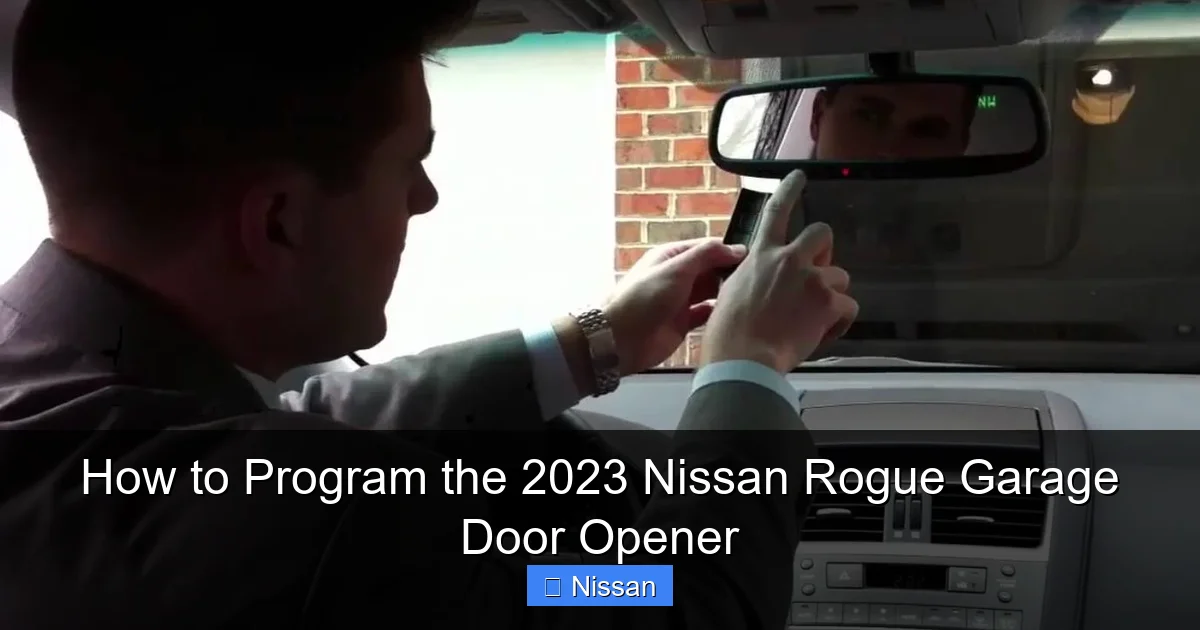
Turn your ignition to the “On” position (you don’t need to start the engine, but the car must be powered). Press and hold the HomeLink button you want to program (say, Button 1). While holding it, also press and hold the “Learn” button on your garage door opener motor unit. Hold both for about 10 seconds. You’ll notice the HomeLink indicator light changes from slow blink to rapid blink—this means it’s ready to receive the signal.
Step 3: Sync the Signals
Now, within 30 seconds, press and hold the same HomeLink button again—but this time, don’t touch the opener’s Learn button. Just hold the car button for 2–3 seconds, then release. The HomeLink light should go from rapid blink to solid. If it does, congratulations—you’ve successfully synced the devices!
Step 4: Test the Connection
Drive your Rogue to within 3–5 feet of the garage door (but don’t hit it!). Press the programmed HomeLink button. The door should begin to open or close. If it doesn’t work, try moving slightly closer or farther away—sometimes signal strength varies. Also, make sure there are no large metal objects or electronic interference blocking the signal.
Step 5: Finalize and Repeat (If Needed)
Once it works, test it multiple times from different distances and angles to ensure reliability. If you have a second garage door or want to control lights, repeat the process with Button 2 or 3. Remember: each button can control a separate device.
Pro tip: Keep your vehicle running during this entire process. If the ignition turns off, the HomeLink system may lose power and reset, forcing you to start over.
Troubleshooting Common Programming Issues
Even with perfect instructions, things don’t always go smoothly. Here are some common problems—and how to fix them.
The Garage Door Doesn’t Respond
First, double-check that your opener has power and the Learn button was pressed correctly. If the door works with your handheld remote but not HomeLink, the issue is likely in the programming sequence. Try clearing all codes and starting over. Also, ensure your Rogue is within range—HomeLink signals weaken with distance.
The HomeLink Light Blinks But Doesn’t Stay Solid
This usually means the signal wasn’t captured properly. Repeat Step 3, but press the HomeLink button more firmly and hold it slightly longer (up to 5 seconds). Some older openers require a stronger or longer signal.
Interference from Other Devices
Wi-Fi routers, LED bulbs, or even neighboring garage doors can cause interference. Try turning off nearby electronics during programming. If that doesn’t help, move your car to a different spot in the driveway.
Opener Uses DIP Switches (Older Models)
If your opener has physical DIP switches, you’ll need to match them to your existing remote. Open the remote, note the switch positions (on/off), then use a small tool to set the same pattern on the HomeLink system. This method is less common but still supported.
Battery Issues in Handheld Remote
Sometimes, a weak battery in your existing remote can prevent proper signal transmission. Replace the battery and try again.
If all else fails, consult your Nissan owner’s manual or contact Nissan Customer Support. They can walk you through model-specific nuances or reset the system remotely in some cases.
Advanced Tips for Maximizing HomeLink Efficiency
Once your garage door opener is working, consider these pro tips to get even more out of your HomeLink system.
Program Multiple Devices
Use Button 2 for a second garage door (great for dual-car households) and Button 3 for exterior lights or a gate. This turns your Rogue into a centralized home access hub.
Update Firmware (If Available)
Some newer HomeLink systems support firmware updates via USB or dealership tools. Check Nissan’s website periodically for updates that improve compatibility or security.
Use It in All Weather Conditions
HomeLink works in rain, snow, and extreme heat. Unlike handheld remotes, it’s sealed inside your car—so no more frozen buttons or water damage.
Teach Family Members
Show your spouse, teen driver, or house sitter how to use it. It’s safer than handing out extra remotes, and everyone appreciates the convenience.
Keep a Backup Remote
Just in case your car battery dies or HomeLink malfunctions, keep a traditional remote in your glove box. Better safe than locked out!
Conclusion
Programming the 2023 Nissan Rogue garage door opener might seem like a small task, but it’s one of those little upgrades that makes daily life noticeably smoother. With HomeLink, you eliminate the clutter of extra remotes, reduce the risk of losing keys, and add a layer of security with rolling-code technology. Plus, it just feels futuristic to open your garage with a button on your mirror.
The process is simpler than most people think—just locate the buttons, prepare your opener, follow the sync steps, and test thoroughly. If you hit a snag, don’t stress. Most issues are easily resolved with a retry or a fresh battery. And remember: your owner’s manual is your best friend. Nissan designed this system to be user-friendly, so trust the process.
Now that you’re armed with this knowledge, go ahead and program that opener. The next time you pull into your driveway after a long day, you’ll appreciate the quiet convenience of pressing one button and watching your garage welcome you home.
Frequently Asked Questions
Can I program my 2023 Nissan Rogue garage door opener without the original remote?
Yes, you can. As long as you have access to the “Learn” button on your garage door opener motor unit, you don’t need the original remote. The HomeLink system learns directly from the opener itself during programming.
How many devices can I program with HomeLink in my Rogue?
You can program up to three devices—one for each of the three HomeLink buttons. Common setups include two garage doors and one exterior light or gate.
Will my HomeLink system work if my car battery dies?
No, HomeLink requires power from your vehicle’s electrical system. If the battery is completely dead, the system won’t function. That’s why it’s wise to keep a backup remote handy.
Can I use HomeLink with a smart garage door opener like MyQ?
Absolutely. HomeLink works alongside smart openers. You can still use the app for remote access while enjoying the convenience of the in-car button for daily use.
What if my garage door opener is more than 20 years old?
It may still work if it uses DIP switches. Match the switch pattern from your existing remote to the HomeLink system. If it’s very old and lacks any programming capability, consider upgrading your opener for better security and compatibility.
Does programming HomeLink void my Nissan warranty?
No, programming HomeLink is a standard feature and does not affect your vehicle’s warranty. It’s designed to be user-configurable and fully supported by Nissan.
