
How to Turn Off Traction Control on a Subaru Outback

Turning off traction control on a Subaru Outback can improve performance in certain off-road or snowy conditions, but it should be done with caution. This guide walks you through the process for different model years, explains when it’s safe to disable it, and highlights important safety considerations.
Key Takeaways
- Understand what traction control does: It prevents wheel spin by reducing engine power or applying brakes to individual wheels, enhancing stability on slippery surfaces.
- Know when to turn it off: Disabling traction control is useful in deep snow, mud, or when using tire chains, but it increases the risk of losing control on dry pavement.
- Use the correct method for your model year: Older Outbacks (pre-2015) use a physical button, while newer models require using the touchscreen or steering wheel controls.
- Partial vs. full disable: Some models allow you to turn off only the Vehicle Dynamics Control (VDC), while others let you disable both VDC and ABS—know the difference.
- Re-enable it after use: Always turn traction control back on once you’re back on normal roads to maintain safety and comply with driving best practices.
- Check your owner’s manual: Subaru’s instructions vary by year and trim level, so always refer to your specific vehicle’s manual for accurate steps.
- Practice in a safe environment: If you’re testing the effects of disabled traction control, do so in an empty parking lot or closed course—never on public roads.
📑 Table of Contents
- Introduction: Why You Might Want to Turn Off Traction Control
- What Is Traction Control and How Does It Work?
- When Should You Turn Off Traction Control?
- How to Turn Off Traction Control on a Subaru Outback (Step-by-Step)
- Safety Considerations and Risks
- Tips for Safe Use and Best Practices
- Conclusion: Use Caution, Know Your Vehicle
Introduction: Why You Might Want to Turn Off Traction Control
If you own a Subaru Outback, you’re likely familiar with its reputation for all-weather capability and rugged reliability. One of the key technologies that makes this possible is the Vehicle Dynamics Control (VDC) system—Subaru’s version of traction control. Designed to keep your wheels from spinning out on icy roads, wet pavement, or loose gravel, VDC is a safety net that most drivers appreciate.
But what if you need more wheel spin? Maybe you’re stuck in deep snow, trying to rock your way out of a muddy trail, or installing tire chains and want the wheels to turn freely. In these situations, the very system meant to help can actually hinder your progress. That’s when knowing how to turn off traction control on a Subaru Outback becomes essential.
This guide will walk you through everything you need to know—from understanding how the system works to safely disabling it based on your model year. We’ll also cover when it’s appropriate to turn it off, the risks involved, and how to reactivate it when you’re done. Whether you’re a weekend adventurer or just preparing for winter driving, this information will help you get the most out of your Outback—safely and effectively.
What Is Traction Control and How Does It Work?
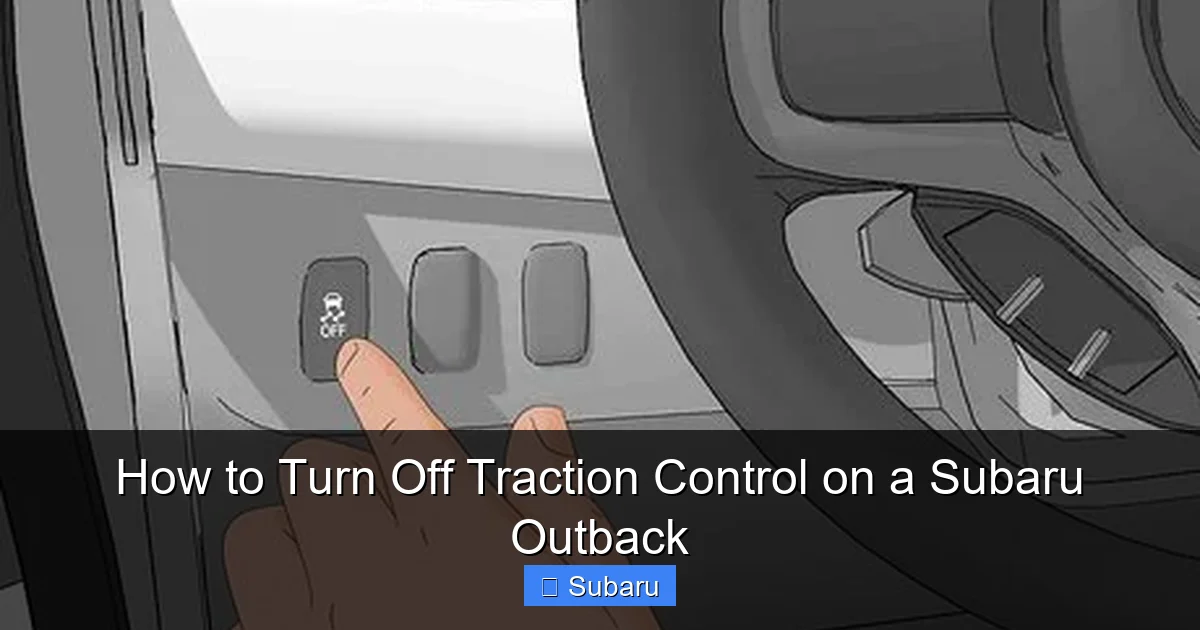
Visual guide about How to Turn Off Traction Control on a Subaru Outback
Image source: wikihow.com
Before diving into the “how,” it’s important to understand the “why.” Traction control—known as Vehicle Dynamics Control (VDC) in Subaru vehicles—is an electronic system designed to prevent wheel slip during acceleration. It works by monitoring the speed of each wheel using sensors. If one or more wheels begin to spin faster than the others (indicating loss of grip), the system intervenes.
How VDC Intervenes
When the system detects wheel spin, it can respond in two main ways:
- Reduce engine power: The engine control unit (ECU) cuts fuel or spark to lower horsepower temporarily.
- Apply braking force: The system applies the brake to the spinning wheel, redirecting torque to the wheels with better traction.
This helps maintain directional control and prevents skidding, especially during sudden acceleration on slippery surfaces. In most everyday driving scenarios, VDC is a silent guardian—working behind the scenes to keep you safe.
The Role of ABS and Stability Control
It’s easy to confuse traction control with other safety systems like Anti-lock Braking System (ABS) and electronic stability control (ESC). While they’re related, they serve different purposes:
- ABS: Prevents wheels from locking up during hard braking, allowing you to steer while stopping.
- Stability Control (ESC): Helps correct oversteer or understeer by selectively braking wheels and adjusting engine power.
- Traction Control (VDC): Focuses specifically on preventing wheel spin during acceleration.
In Subaru Outbacks, VDC often includes both traction and stability functions. That means turning it off may disable both systems, depending on your model and how you disable it.
Why Subaru Uses VDC
Subaru’s symmetrical all-wheel-drive (AWD) system is already excellent at distributing power evenly. VDC enhances this by adding a layer of electronic intelligence. It’s especially useful in regions with harsh winters or mountainous terrain—common stomping grounds for Outback owners.
But like any automated system, VDC isn’t perfect. In certain off-road or low-traction scenarios, it can be overly aggressive, cutting power when you actually need it to get moving. That’s where knowing how to turn it off becomes valuable.
When Should You Turn Off Traction Control?
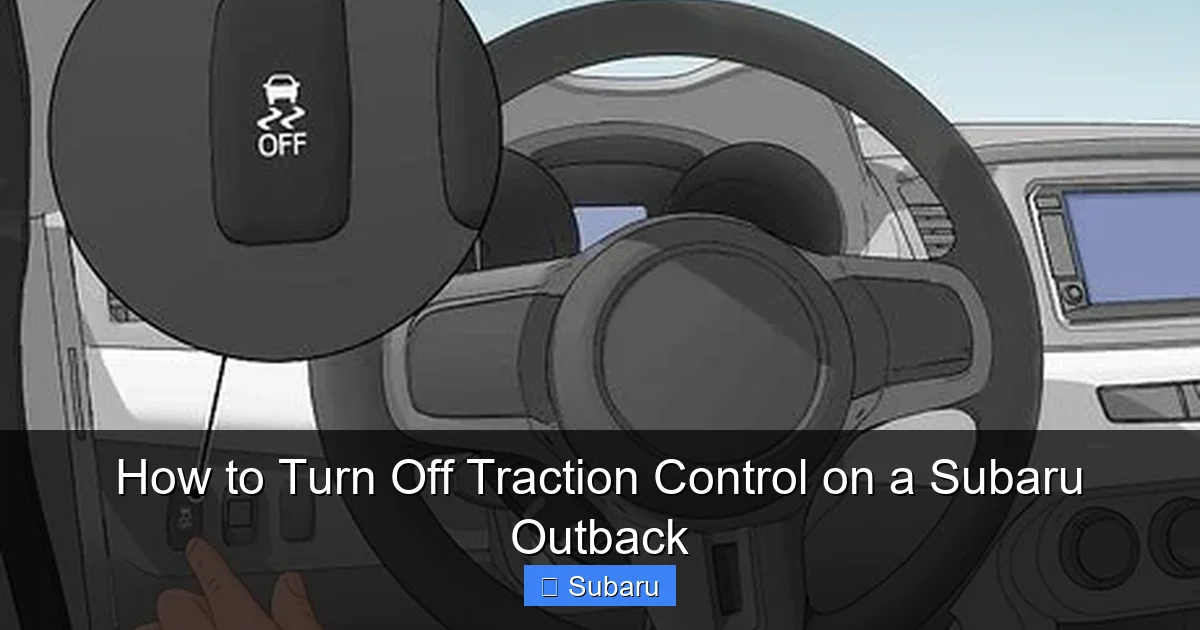
Visual guide about How to Turn Off Traction Control on a Subaru Outback
Image source: wikihow.com
Disabling traction control isn’t something you should do lightly. It removes a critical safety feature, increasing the risk of losing control—especially at higher speeds or on dry pavement. However, there are legitimate situations where turning it off can be beneficial.
Driving in Deep Snow or Powder
One of the most common reasons Outback owners disable VDC is when driving in deep snow. When your wheels are buried, the system may interpret spinning as a loss of control and cut power prematurely. This can leave you stuck.
By turning off traction control, you allow the wheels to spin freely, which can help you “dig out” or gain momentum. Many drivers use a technique called “rocking”—alternating between drive and reverse to slowly free the vehicle. VDC can interfere with this process by limiting power or applying brakes.
Mud, Sand, or Loose Gravel
Similar to snow, loose surfaces like mud or sand require controlled wheel spin to gain traction. If your Outback is bogged down, disabling VDC lets the tires churn through the material instead of being electronically restrained.
For example, if you’re on a dirt trail and hit a muddy patch, the system might reduce engine output just when you need a burst of power to push through. Turning it off gives you that extra edge.
Using Tire Chains
Installing tire chains can sometimes trigger false readings in the VDC system. The uneven surface of the chains may cause slight variations in wheel speed, leading the system to think a wheel is slipping. This can result in reduced power or unwanted braking.
Disabling VDC while using chains can prevent these issues. Just remember to re-enable it once the chains are removed.
Towing or Off-Roading
If you’re towing a trailer or driving on rugged off-road trails, you may need more throttle control and wheel spin than VDC allows. In these cases, turning off traction control can improve performance—but only if you’re experienced and driving at low speeds.
Performance Driving (Rare Cases)
While the Outback isn’t a sports car, some enthusiasts enjoy pushing its limits on closed courses. In controlled environments, disabling VDC can allow for more aggressive driving, such as drifting or high-speed cornering. However, this should never be attempted on public roads.
How to Turn Off Traction Control on a Subaru Outback (Step-by-Step)
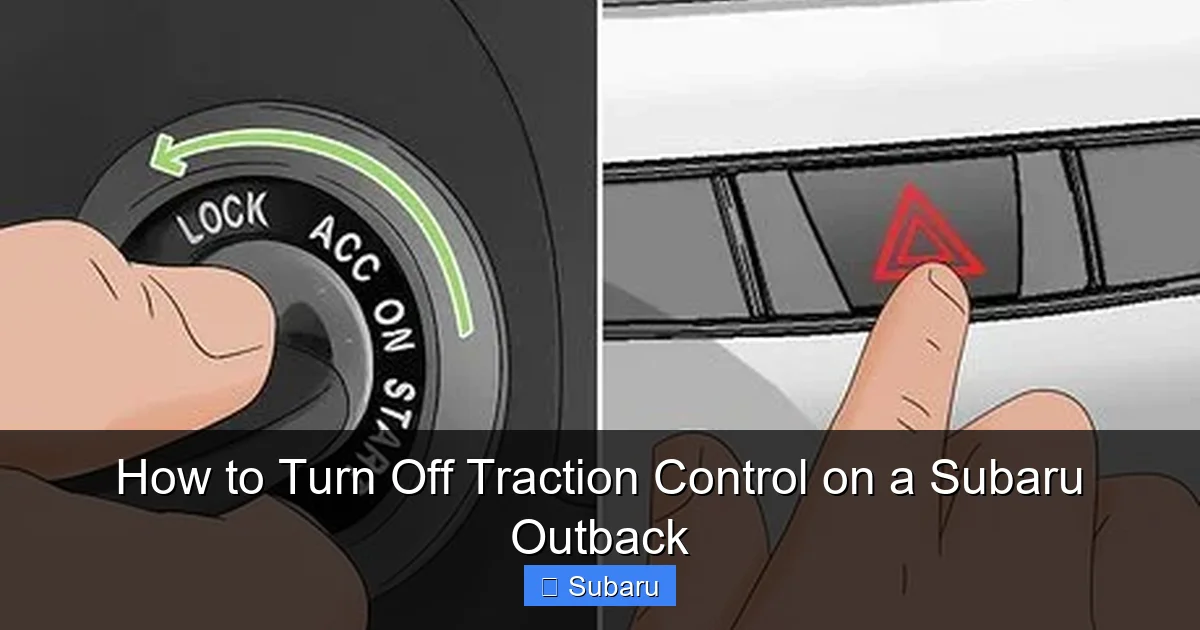
Visual guide about How to Turn Off Traction Control on a Subaru Outback
Image source: wikihow.com
Now that you understand when and why to disable VDC, let’s get into the practical steps. The method varies depending on your Outback’s model year and trim level. Below, we’ll cover the most common scenarios.
For 2005–2014 Subaru Outbacks (Physical VDC Button)
Older Outbacks (typically 2005 to 2014) come equipped with a physical VDC OFF button, usually located on the center console near the gear shifter or climate controls.
Steps to disable VDC:
- Start your vehicle and ensure it’s in park.
- Locate the VDC OFF button. It’s often labeled with a car icon and skid marks or the words “VDC OFF.”
- Press and hold the button for 2–3 seconds. You should see the “VDC OFF” indicator light illuminate on the dashboard.
- The system is now disabled. Note: This usually turns off both traction and stability control.
To re-enable VDC:
- Press the VDC OFF button again. The light should turn off, indicating the system is active.
- Alternatively, turning the ignition off and on will reset VDC to its default (on) state.
Tip: Some models allow partial disable. A short press may turn off only traction control, while a long press disables both VDC and ABS. Check your owner’s manual to confirm.
For 2015–2019 Subaru Outbacks (Touchscreen or Steering Wheel Controls)
Starting in 2015, Subaru began integrating VDC controls into the infotainment system or steering wheel buttons. The physical button was removed on many trims.
Method 1: Using the Touchscreen
- Start the vehicle and ensure the screen is active.
- Tap the “Settings” icon (usually a gear or wrench symbol).
- Navigate to “Vehicle” or “Driving Settings.”
- Select “VDC” or “Traction Control.”
- Toggle the switch to “Off.” The dashboard will show a “VDC OFF” warning light.
Method 2: Using Steering Wheel Controls (if equipped)
- Press the “Menu” or “Info” button on the steering wheel.
- Use the arrow keys to scroll to “Vehicle Settings” or “Driving Aids.”
- Select “VDC” and choose “Off.”
- Confirm the change. The indicator light will appear.
Important: On some 2015–2019 models, you may only be able to turn off VDC temporarily. The system may automatically re-engage after a restart or after driving a certain distance.
For 2020–2024 Subaru Outbacks (Latest Models)
Newer Outbacks (2020 and later) use a more integrated approach. The VDC system is deeply tied to the EyeSight driver-assist suite, and disabling it requires navigating through multiple menus.
Steps to disable VDC:
- Start the vehicle and ensure the infotainment system is on.
- Press the “Home” button or tap the main screen.
- Go to “Settings” > “Vehicle” > “Driving Assistance.”
- Select “Vehicle Dynamics Control.”
- Toggle “VDC” to “Off.”
- A warning message may appear. Confirm by selecting “OK” or “Disable.”
Note: On some trims, you may need to hold the “VDC OFF” option for a few seconds to fully disable it. The dashboard will display a persistent “VDC OFF” light.
Re-enabling VDC:
- Return to the same menu and toggle VDC back to “On.”
- Alternatively, turning the car off and on will usually reset VDC to active.
Special Case: Disabling ABS Along with VDC
In rare cases—such as when stuck in deep snow or mud—you may want to disable both VDC and ABS. This allows maximum wheel spin and prevents the system from interfering with recovery efforts.
How to disable both:
- Turn off the ignition.
- Press and hold the brake pedal.
- Turn the ignition to “ON” (do not start the engine).
- Continue holding the brake for 10–15 seconds.
- You may see the ABS and VDC lights flash or stay on. This indicates both systems are disabled.
Warning: Disabling ABS removes anti-lock braking, meaning your wheels can lock during hard stops. Only do this in extreme off-road situations and re-enable immediately afterward.
Safety Considerations and Risks
While turning off traction control can be helpful in specific scenarios, it comes with significant risks. Understanding these will help you make informed decisions.
Increased Risk of Skidding and Loss of Control
Without VDC, your Outback has no electronic assistance to correct oversteer or understeer. On wet or icy roads, this can lead to spinouts, especially during sharp turns or sudden maneuvers.
For example, if you’re driving on a snowy highway and need to swerve to avoid an obstacle, the lack of stability control could cause the rear end to swing out—potentially leading to a rollover.
Reduced Braking Efficiency (If ABS Is Off)
If you’ve disabled both VDC and ABS, your braking performance is compromised. Hard braking can cause wheels to lock, making it impossible to steer while stopping. This is extremely dangerous on public roads.
False Sense of Security
Some drivers assume that turning off VDC makes their vehicle “tougher” or “more capable.” In reality, it removes a critical safety net. Overconfidence can lead to risky driving behaviors, especially in adverse conditions.
Impact on Other Safety Systems
Modern Outbacks integrate VDC with other systems like EyeSight, lane departure warning, and adaptive cruise control. Disabling VDC may reduce the effectiveness of these features or cause warning lights to appear.
Legal and Insurance Implications
In some regions, tampering with safety systems may violate vehicle regulations or affect insurance claims in the event of an accident. Always check local laws before modifying your vehicle’s settings.
Tips for Safe Use and Best Practices
If you decide to turn off traction control, follow these best practices to minimize risk:
Only Disable It When Necessary
Don’t leave VDC off as a default setting. Only disable it when you’re in a situation where it’s clearly beneficial—like being stuck in snow or mud.
Drive Slowly and Smoothly
When VDC is off, avoid sudden acceleration, hard braking, or sharp turns. Smooth inputs give you the best chance of maintaining control.
Practice in a Safe Environment
If you’re new to driving without traction control, practice in an empty parking lot or closed course. Get a feel for how your Outback responds without electronic aids.
Re-Enable Immediately After Use
Once you’re back on normal roads, turn VDC back on. This restores full safety functionality and ensures your vehicle operates as designed.
Check Your Owner’s Manual
Subaru updates its systems frequently. Always refer to your specific model’s manual for the most accurate instructions.
Consider Aftermarket Solutions
For frequent off-roaders, some aftermarket modules allow more granular control over VDC without fully disabling it. These can be a safer alternative for advanced users.
Conclusion: Use Caution, Know Your Vehicle
Knowing how to turn off traction control on a Subaru Outback is a valuable skill—especially for those who venture off the beaten path. Whether you’re navigating deep snow, muddy trails, or installing tire chains, being able to disable VDC can make the difference between getting stuck and getting home.
But with great power comes great responsibility. Disabling traction control removes a key safety feature, increasing the risk of accidents if not used wisely. Always assess the situation, drive defensively, and re-enable the system as soon as possible.
Your Outback is designed to handle tough conditions—thanks in part to its advanced safety systems. Use them to your advantage, but don’t hesitate to take control when the situation demands it. With the right knowledge and caution, you can enjoy both the capability and confidence that come with driving a Subaru.
Frequently Asked Questions
Can I permanently turn off traction control on my Subaru Outback?
No, you cannot permanently disable traction control on a Subaru Outback through normal means. The system is designed to reset to “on” after each ignition cycle. Some aftermarket modules claim to allow permanent disable, but these may void your warranty or violate regulations.
Will turning off VDC improve my fuel economy?
Not significantly. While VDC uses minimal engine power when active, disabling it won’t noticeably improve fuel efficiency. The system only intervenes when wheel slip is detected, so it’s rarely active during normal driving.
Does disabling VDC affect my warranty?
Using the factory method to turn off VDC does not void your warranty. However, modifying the system with aftermarket tools or software could affect coverage. Always check with your dealer if unsure.
Can I turn off VDC while driving?
Yes, you can disable VDC while the vehicle is in motion, but it’s safer to do so when stopped. Some models require the vehicle to be in park or neutral to access the settings.
Why won’t my VDC turn off even after pressing the button?
This could be due to a faulty button, software glitch, or system error. Try restarting the vehicle or checking for dashboard warning lights. If the issue persists, consult a Subaru technician.
Is it safe to drive long distances with VDC off?
No, it’s not recommended. Driving extended distances without traction control increases the risk of skidding, especially in wet or icy conditions. Only disable VDC for short durations in specific off-road or recovery situations.