
How Do I Reset My Subaru Battery After Replacing It?

Replacing your Subaru’s battery is only half the job—resetting it properly ensures your vehicle’s systems function correctly. Without a reset, you may face warning lights, poor fuel economy, or even drivability issues. This guide walks you through the process safely and effectively.
Key Takeaways
- Turn off all electronics before disconnecting the battery to prevent electrical surges or damage to sensitive components.
- Use the correct replacement battery that matches your Subaru’s specifications for voltage, size, and cold cranking amps (CCA).
- Reconnect the battery terminals in the correct order—positive first, then negative—to avoid short circuits.
- Perform an idle relearn procedure to allow the engine control unit (ECU) to recalibrate throttle response and idle speed.
- Reset the infotainment and driver assistance systems to restore navigation, audio presets, and safety features like EyeSight.
- Check for warning lights and test drive to confirm everything is working properly after the reset.
- Keep your owner’s manual handy—it contains model-specific instructions for your Subaru’s reset procedures.
📑 Table of Contents
Why Resetting Your Subaru Battery Matters
So, you’ve just replaced the battery in your Subaru—great job! Whether it was a slow crank, a dead cell, or simply time for an upgrade, swapping out the old battery is a common maintenance task. But here’s the thing: installing a new battery isn’t the end of the story. In fact, for many Subaru owners, it’s just the beginning.
Modern Subarus are packed with advanced electronics. From the EyeSight driver assistance system to the infotainment unit and engine control module (ECU), these systems rely on consistent power and stored data. When you disconnect the battery, you’re essentially cutting power to the brain of your vehicle. While the new battery provides fresh energy, the car’s computers may not “remember” how to operate optimally without a reset.
Think of it like restarting your computer after a major update. The hardware is fine, but the software needs a moment to recalibrate. The same goes for your Subaru. Without a proper reset, you might notice strange behavior: the idle might be rough, the radio presets could be gone, or warning lights might pop up on the dashboard—even though everything is technically working.
That’s why resetting your Subaru battery after replacement is so important. It’s not just about restoring power; it’s about re-syncing your vehicle’s systems so they communicate properly. Skipping this step can lead to frustration, reduced performance, and even unnecessary trips to the dealership.
When Do You Need to Reset the Battery?
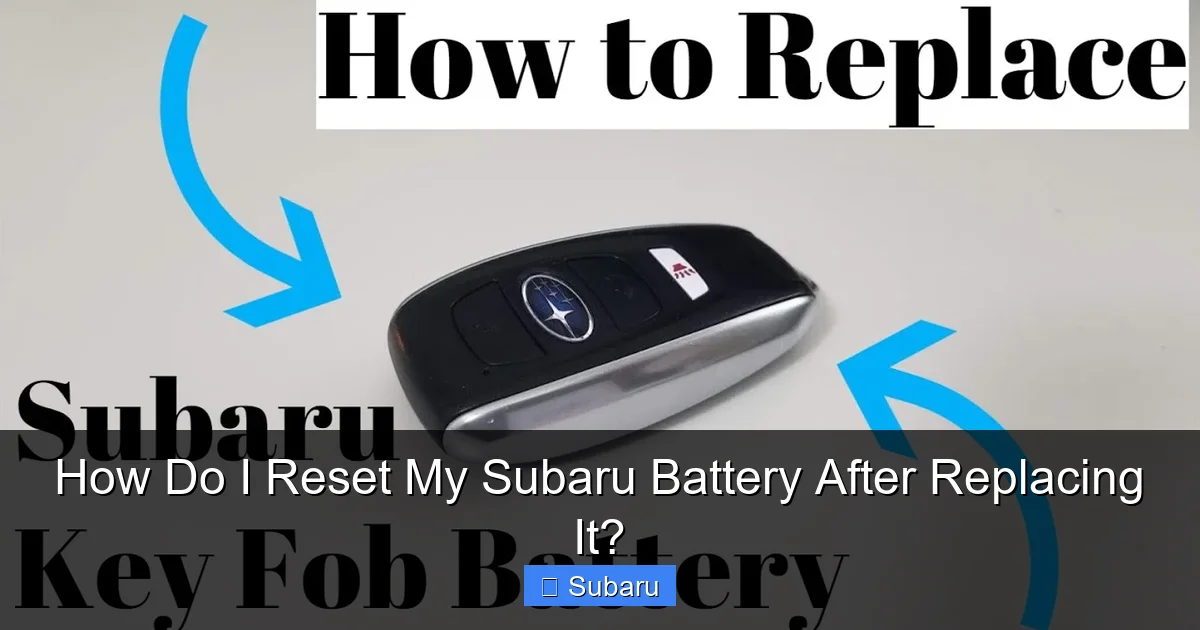
Visual guide about How Do I Reset My Subaru Battery After Replacing It?
Image source: i.ytimg.com
Not every battery replacement requires a full reset, but in most cases with modern Subarus, it’s highly recommended. Let’s break down when you should definitely perform a reset.
First, if your Subaru is a 2010 model or newer, chances are it has sophisticated electronics that depend on battery voltage and stored memory. These include the ECU, transmission control module, and safety systems like EyeSight. Disconnecting the battery interrupts the power supply to these modules, which can cause them to lose calibration or enter a “limp mode” until they’re properly reset.
Second, if you’ve replaced the battery due to a deep discharge or complete failure, a reset is almost always necessary. A dead battery can cause voltage drops that confuse the ECU, leading to poor idle quality, hesitation during acceleration, or even transmission shifting issues. Resetting helps the system relearn normal operating parameters.
Third, if you’re experiencing any of the following symptoms after a battery change, a reset is likely needed:
– The engine idles roughly or stalls at stoplights
– The “Check Engine” or “Battery” warning light is on
– The radio, navigation, or climate controls aren’t responding normally
– The EyeSight system is disabled or showing a warning
– The key fob doesn’t unlock the doors remotely
Even if everything seems fine at first, it’s still a good idea to perform a reset as a preventive measure. Some issues don’t appear immediately—they can develop over time as the ECU tries to compensate for missing data.
Step-by-Step Guide to Resetting Your Subaru Battery

Visual guide about How Do I Reset My Subaru Battery After Replacing It?
Image source: madisonrising.com
Now that you understand why a reset is important, let’s walk through the actual process. Don’t worry—it’s simpler than it sounds, and you don’t need to be a mechanic to do it. Just follow these steps carefully, and you’ll have your Subaru running smoothly in no time.
Step 1: Prepare Your Vehicle
Before you even touch the battery, make sure your Subaru is parked on a flat surface, the engine is off, and the key is removed from the ignition. Engage the parking brake for safety. Open the hood and locate the battery—it’s usually on the driver’s side, but in some models like the Forester or Outback, it might be on the passenger side.
Next, turn off all electrical accessories. That means the radio, headlights, climate control, and any USB devices plugged in. This prevents power surges when you disconnect the battery, which can damage sensitive electronics.
Step 2: Disconnect the Old Battery
Using a wrench or socket set, loosen the nut on the negative terminal (marked with a “-” or black cover). Always disconnect the negative terminal first—this reduces the risk of short circuits. Once it’s loose, carefully lift the cable off the terminal and secure it away from the battery with a zip tie or tape.
Then, do the same for the positive terminal (marked with a “+” or red cover). Remove the battery hold-down clamp if there is one, and gently lift the old battery out of the tray. Be careful—batteries are heavy and contain acid, so wear gloves and safety glasses.
Step 3: Install the New Battery
Place the new battery into the tray, ensuring it’s oriented correctly (terminals on the right side for most Subarus). Reattach the hold-down clamp to secure it. Now, connect the positive terminal first—this is the opposite of disconnecting. Tighten the nut securely, but don’t over-tighten, as it can damage the terminal.
Then, connect the negative terminal. Again, tighten it firmly but gently. Once both terminals are connected, double-check that everything is secure.
Step 4: Turn the Ignition On (But Don’t Start the Engine)
Insert the key and turn it to the “ON” position—this powers up the electronics but doesn’t crank the engine. You’ll see the dashboard lights come on. Leave it in this position for about 10–15 seconds. This allows the ECU and other modules to recognize the new battery and begin initializing.
Step 5: Start the Engine and Let It Idle
Now, start the engine. It may take a few extra cranks than usual, but that’s normal. Once it’s running, let it idle for at least 10–15 minutes. During this time, the ECU is performing what’s called an “idle relearn” procedure. It’s adjusting the throttle body and idle air control valve to match the new battery’s voltage and your driving habits.
Don’t rev the engine or drive off immediately. Let it sit and stabilize. You might notice the idle is a bit high at first—this is normal and should settle down as the system recalibrates.
Step 6: Drive Gently for the First Few Miles
After idling, take your Subaru for a short, gentle drive—about 10–15 minutes. Avoid hard acceleration, high speeds, or sudden braking. This gives the transmission control module time to relearn shift patterns and helps the ECU fine-tune fuel delivery and ignition timing.
Step 7: Reset Infotainment and Driver Assistance Systems
Once the engine is warmed up and the car has been driven, it’s time to reset the non-engine systems. Start with the radio: re-enter your preset stations and adjust the equalizer settings if needed.
Next, check the EyeSight system (if your Subaru has it). This system includes adaptive cruise control, lane departure warning, and pre-collision braking. To reset it, turn the ignition on, wait for the system to initialize (you’ll see a green light on the dashboard), and then drive at least 10 mph for a few minutes. The system will recalibrate using real-world data.
If you have a navigation system, it may need to reacquire satellite signals. Just drive around for a few minutes with the system on, and it should reconnect automatically.
Common Issues After Battery Replacement and How to Fix Them

Visual guide about How Do I Reset My Subaru Battery After Replacing It?
Image source: images.simplepart.com
Even with a proper reset, you might encounter a few hiccups. Here are some common issues and how to resolve them.
Rough Idle or Stalling
If your Subaru idles roughly or stalls at stoplights, it’s likely due to the ECU not having completed the idle relearn procedure. This is especially common in models with electronic throttle bodies, like the Impreza, Legacy, or Crosstrek.
To fix this, let the engine idle for at least 15–20 minutes without touching the accelerator. If the problem persists, try driving at a steady speed (around 40–50 mph) for 10 minutes, then stop and let it idle again. Repeat this cycle a few times. The ECU should eventually adapt.
Warning Lights on the Dashboard
After a battery change, it’s not uncommon to see the “Check Engine,” “Battery,” or “EyeSight” warning light. These usually go away after the reset and a short drive. However, if they stay on, use an OBD2 scanner to check for trouble codes. Many auto parts stores offer free scans, or you can buy a basic scanner for under $50.
Common codes after a battery reset include P0507 (idle control system RPM higher than expected) or U0121 (lost communication with ABS module). These often clear themselves after a few drive cycles, but if not, a professional diagnosis may be needed.
Radio or Navigation Not Working
If your radio won’t turn on or the navigation screen is blank, it could be a fuse issue. Check the fuse box under the dashboard or in the engine bay. Look for blown fuses related to the audio system or infotainment.
Also, some Subarus require a security code to reactivate the radio after a power loss. This code is usually found in the owner’s manual or on a sticker in the glove box. Enter it using the radio buttons to restore functionality.
Key Fob Not Working
If your key fob won’t unlock the doors or start the car, it may need to be re-synced. For most Subarus, this involves:
1. Inserting the key into the ignition and turning it to “ON” (not start).
2. Pressing the lock and unlock buttons on the fob simultaneously for 5–10 seconds.
3. Turning the key back to “OFF” and removing it.
Repeat this process 2–3 times. The fob should reconnect automatically.
EyeSight System Disabled
The EyeSight system is sensitive to power interruptions. If it’s disabled after a battery change, make sure the windshield camera area is clean and unobstructed. Then, drive at speeds above 10 mph for at least 5 minutes. The system should reactivate on its own.
If it doesn’t, check the EyeSight switch (usually near the steering column) and ensure it’s turned on. Some models also require a dealership reset if the system has been offline for too long.
Tips for a Smooth Battery Reset Experience
To make the reset process as painless as possible, keep these tips in mind.
Use the Right Battery
Not all batteries are created equal. Always use a battery that matches your Subaru’s specifications. Check the owner’s manual or the label on the old battery for details like group size, cold cranking amps (CCA), and reserve capacity. Subaru recommends AGM (absorbent glass mat) batteries for many newer models, especially those with start-stop technology.
Keep the Radio Code Handy
If your Subaru has a factory radio, it likely requires a security code after a power loss. Write this code down and store it in a safe place—like your wallet or phone. Without it, you won’t be able to use the radio until you contact a dealer.
Don’t Rush the Idle Relearn
The idle relearn procedure can take up to 30 minutes in some cases. Be patient. Turning the engine off too soon can reset the process and prolong the issue.
Check for Software Updates
After a battery reset, it’s a good time to check if your Subaru has any pending software updates. These can improve system performance and fix bugs. Visit a Subaru dealer or use the STARLINK app (if equipped) to check for updates.
Monitor Battery Health
Once everything is reset, keep an eye on your battery’s performance. Use a multimeter to check voltage (should be 12.6V when off, 13.7–14.7V when running). If the voltage drops quickly, there may be a parasitic drain or alternator issue.
When to Visit a Subaru Dealer
While most battery resets can be done at home, there are times when you should seek professional help.
If your Subaru has a push-button start or keyless entry system, the reset process may be more complex. Some models require a diagnostic tool to re-sync the immobilizer system.
Also, if the EyeSight system won’t reactivate after several drive cycles, or if warning lights persist, a dealer may need to perform a full system reset using specialized equipment.
Finally, if you’re uncomfortable working with car electronics or don’t have the right tools, it’s always safer to let a certified technician handle the job. They can ensure everything is reset correctly and diagnose any hidden issues.
Conclusion
Resetting your Subaru battery after replacement isn’t just a good idea—it’s essential for maintaining your vehicle’s performance, safety, and comfort. From rough idles to disabled driver assistance systems, skipping this step can lead to a host of problems that are easily avoidable.
By following the step-by-step guide above, you can reset your Subaru’s systems safely and effectively. Remember to be patient during the idle relearn, reset your infotainment and safety features, and monitor for any lingering issues. With a little care and attention, your Subaru will run like new—just as it should.
And the next time your battery needs replacing, you’ll know exactly what to do. No dealership visit required, no frustration, just smooth driving ahead.
Frequently Asked Questions
Do I need to reset my Subaru after changing the battery?
Yes, in most cases. Modern Subarus rely on electronic systems that need to recalibrate after a power interruption. Skipping the reset can cause rough idle, warning lights, or disabled features.
How long should I let my Subaru idle after a battery reset?
Let it idle for at least 10–15 minutes. This allows the engine control unit (ECU) to perform an idle relearn and stabilize throttle response.
Will my radio presets be lost after a battery change?
Yes, unless your radio has a backup power source. You’ll need to re-enter your favorite stations and may need a security code to reactivate the radio.
Can I drive my Subaru immediately after replacing the battery?
You can start it, but avoid driving right away. Let it idle for 10–15 minutes first, then take a gentle 10–15 minute drive to allow systems to recalibrate.
Why is the EyeSight light on after a battery reset?
The EyeSight system may need time to recalibrate. Drive at speeds above 10 mph for 5–10 minutes. If the light stays on, check for obstructions or visit a dealer.
Do I need special tools to reset my Subaru battery?
No special tools are needed for most resets. A wrench, patience, and your owner’s manual are usually enough. However, some advanced systems may require a diagnostic tool.