
How Long Should I Disconnect Car Battery to Reset

Disconnecting your car battery can reset the vehicle’s computer and clear error codes, but timing matters. Most experts recommend waiting at least 15 minutes—but sometimes longer—depending on your car’s make and model. This guide covers the ideal duration, safety tips, and what to expect after reconnecting.
Key Takeaways
- Wait at least 15 minutes: This gives the car’s computer (ECU) enough time to fully power down and reset.
- Some vehicles need 30+ minutes: Luxury or newer models with advanced electronics may require longer disconnection.
- Use a memory saver if possible: Prevents loss of radio presets, seat settings, and navigation data during the reset.
- Always disconnect the negative terminal first: Reduces the risk of short circuits or sparks.
- Reconnect carefully and test systems: Turn on accessories gradually to avoid overloading the system.
- Not all issues are fixed by a reset: Persistent warning lights or performance problems may need professional diagnosis.
- Keep safety gear handy: Wear gloves and eye protection when handling car batteries.
📑 Table of Contents
- Why Would You Need to Reset Your Car Battery?
- How Long Should You Disconnect the Car Battery?
- Step-by-Step Guide to Safely Disconnect Your Car Battery
- What Happens After You Reconnect the Battery?
- Common Mistakes to Avoid When Resetting Your Car Battery
- Alternatives to Disconnecting the Battery
- Final Thoughts: Is a Battery Reset Right for You?
Why Would You Need to Reset Your Car Battery?
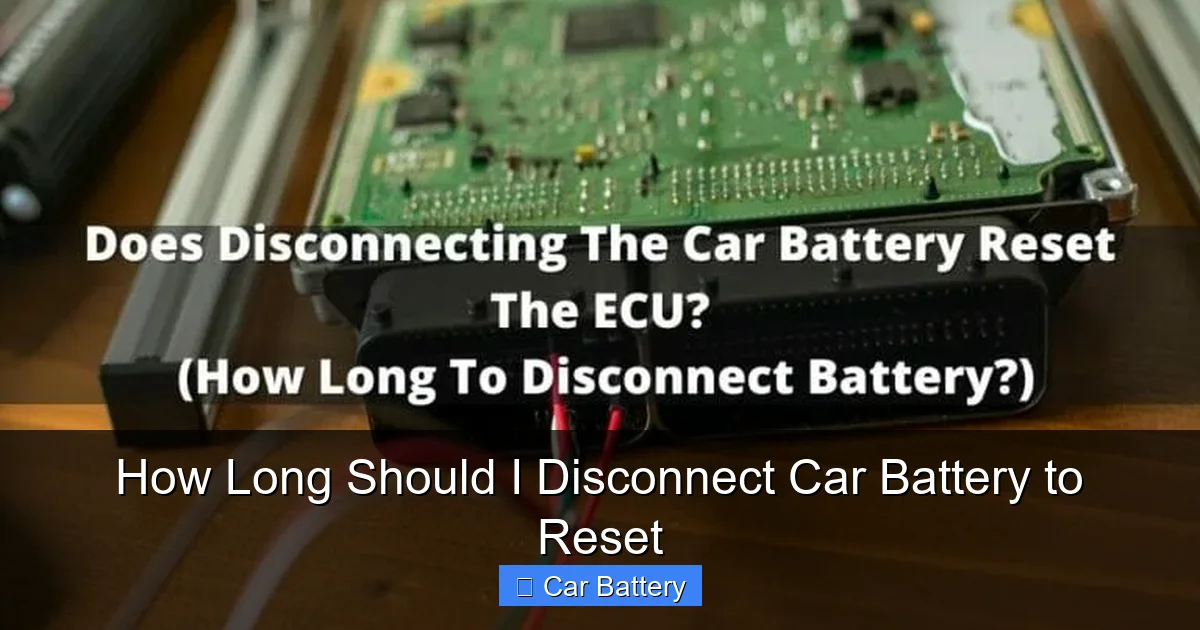
Have you ever turned the key and noticed a check engine light, a glitchy infotainment system, or your car acting sluggish? Sometimes, these issues aren’t caused by a failing part—they’re just a hiccup in your vehicle’s electronic brain, known as the Engine Control Unit (ECU). Just like your smartphone or laptop, your car’s computer can get confused, store incorrect data, or freeze up. When that happens, a simple battery reset can often bring things back to normal.
Disconnecting the car battery is one of the oldest and most effective ways to perform a hard reset on your vehicle’s electronics. It’s like turning your computer off and on again—except with more wires and a bit more caution. This process cuts power to the ECU and other control modules, forcing them to clear temporary memory and restart fresh. It’s commonly used after clearing diagnostic trouble codes (DTCs), fixing minor electrical glitches, or preparing for software updates.
But here’s the catch: how long should I disconnect car battery to reset properly? The answer isn’t always the same. While 15 minutes is a common rule of thumb, some cars need more time. Others might reset faster. The key is understanding your vehicle’s electrical system and following safe, effective steps. In this guide, we’ll walk you through everything you need to know—from timing and safety to what happens after you reconnect.
How Long Should You Disconnect the Car Battery?
The short answer? At least 15 minutes. But let’s dig deeper. Most modern vehicles have capacitors and backup power sources that keep certain systems alive even when the main battery is disconnected. These “memory keepers” help preserve settings like radio stations, clock time, and seat positions. However, they also mean the ECU might not fully power down right away.
Visual guide about How Long Should I Disconnect Car Battery to Reset
Image source: mycarmakesnoise.com
The 15-Minute Rule
For the majority of cars—especially those made in the last 10 to 15 years—disconnecting the battery for 15 minutes is usually enough to reset the ECU. This gives the internal capacitors time to drain and the computer to fully shut down. After reconnecting, the system will boot up as if it’s starting fresh, clearing temporary errors and recalibrating sensors.
For example, if you’ve just cleared a check engine light with an OBD2 scanner but the light came back, a 15-minute disconnect might help the ECU “forget” the old data and recognize the fix. Similarly, if your car’s idle is rough or your transmission shifts oddly after a repair, a reset can help the computer relearn proper operation.
When 30 Minutes or More Is Needed
Some vehicles—especially luxury brands like BMW, Mercedes-Benz, Audi, or Tesla—have more complex electrical systems. These cars often use multiple control modules, advanced infotainment systems, and persistent memory storage. In these cases, 15 minutes might not be enough.
For instance, a 2020 BMW X5 may require 30 to 45 minutes of disconnection to fully reset its adaptive systems, including transmission learning, throttle response, and climate control settings. Similarly, hybrid or electric vehicles (like a Toyota Prius or Nissan Leaf) have high-voltage systems and sophisticated battery management that may need extra time to reset safely.
Older cars (pre-2000) with simpler electronics might reset in as little as 10 minutes, but it’s still safer to wait 15 to ensure a complete power-down.
Factors That Affect Reset Time
- Vehicle age and model: Newer cars with more electronics generally need longer.
- Type of issue: Simple sensor glitches may reset faster than adaptive learning problems.
- Battery condition: A weak or old battery may drain capacitors faster, shortening reset time.
- Ambient temperature: Cold weather can slow capacitor discharge, so winter resets may need extra time.
- Use of a memory saver: If you use a device to maintain power to certain systems, the reset may take longer because the ECU doesn’t fully power down.
So, while 15 minutes is a solid starting point, don’t be afraid to wait 30 minutes if you’re dealing with a high-end or hybrid vehicle. Better safe than sorry!
Step-by-Step Guide to Safely Disconnect Your Car Battery
Now that you know how long to wait, let’s talk about how to do it safely. Disconnecting a car battery isn’t rocket science, but it does require attention to detail. One wrong move could cause a short circuit, damage electronics, or even injure you. Follow these steps to get it right.
Visual guide about How Long Should I Disconnect Car Battery to Reset
Image source: vehiclefreak.com
1. Park Safely and Turn Off the Engine
Start by parking your car on a flat, level surface. Turn off the engine, remove the keys, and engage the parking brake. Make sure all lights, radio, and accessories are off. This prevents any power surges when you disconnect the battery.
2. Wear Safety Gear
Car batteries contain sulfuric acid and produce flammable hydrogen gas. Always wear safety gloves and protective eyewear. Avoid loose clothing or jewelry that could come into contact with terminals.
3. Locate the Battery
Most batteries are under the hood, but some are in the trunk (common in BMWs) or under the rear seat (like in some Honda models). Check your owner’s manual if you’re unsure.
4. Disconnect the Negative Terminal First
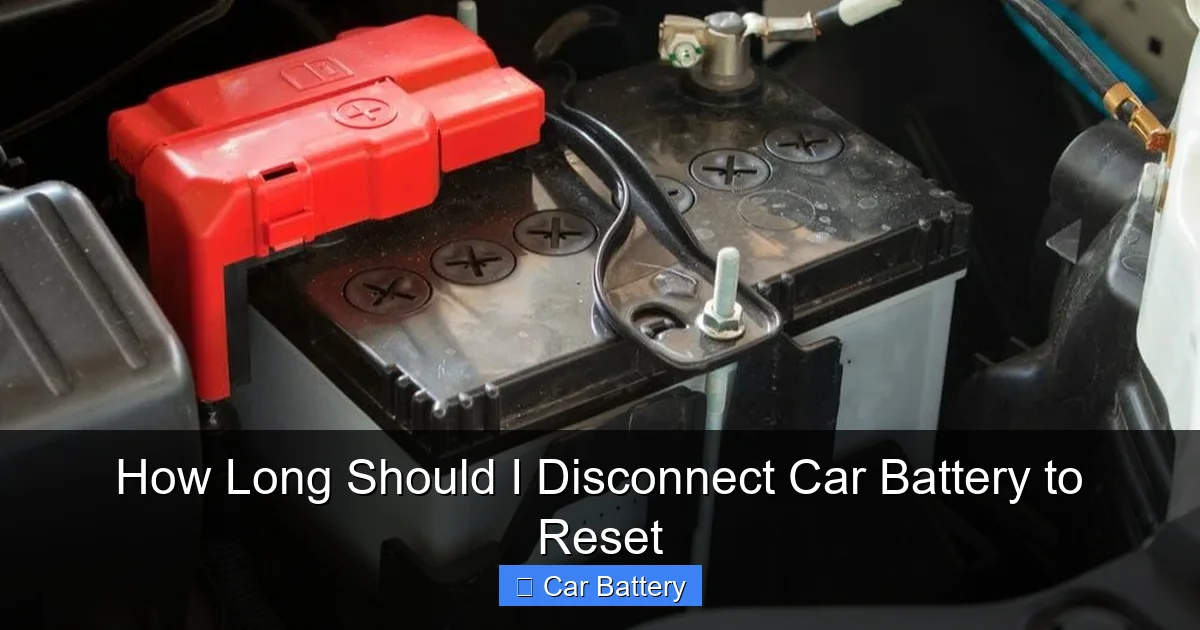
This is critical. Always disconnect the negative terminal (marked with a “-” or black cover) before the positive one. Why? The negative terminal is connected to the car’s chassis. If you disconnect the positive first and your wrench touches metal, you could create a short circuit. By removing the negative first, you reduce that risk.
Use a wrench or socket to loosen the nut on the negative clamp. Once loose, wiggle the clamp gently and lift it off the terminal. Tuck it away from the battery so it doesn’t accidentally touch the terminal during the reset.
5. Disconnect the Positive Terminal (Optional)
For a full reset, some mechanics recommend disconnecting both terminals. However, if you’re just resetting the ECU, the negative terminal alone is usually sufficient. If you do disconnect the positive, follow the same safety steps—loosen the nut, remove the clamp, and secure it away from the battery.
6. Wait the Recommended Time
Now, set a timer. Wait at least 15 minutes—or longer if your vehicle requires it. Use this time to clean the battery terminals with a wire brush if they’re corroded. Corrosion can interfere with electrical connections and cause starting issues later.
7. Reconnect the Battery
When the wait is over, reconnect the terminals in reverse order: positive first, then negative. This minimizes the risk of sparks. Tighten the clamps securely, but don’t over-tighten—you could crack the terminal.
8. Test Your Vehicle
Turn the key to the “on” position (but don’t start the engine yet). Check that the dashboard lights up normally. Then start the engine. It may run a bit rough at first as the ECU relearns idle settings—this is normal. Let it idle for a few minutes.
Test your radio, climate control, power windows, and other accessories. If everything works, you’ve successfully reset your car’s system.
What Happens After You Reconnect the Battery?
Once you reconnect the battery, your car’s electronics will begin to reboot. But don’t expect everything to work perfectly right away. Here’s what to expect and how to handle it.
Visual guide about How Long Should I Disconnect Car Battery to Reset
Image source: vehiclefreak.com
The “Relearning” Phase
Modern cars use adaptive learning. The ECU constantly adjusts fuel delivery, ignition timing, and transmission shifts based on driving habits. When you reset the battery, the computer loses this learned data and must start over.
For the first 50 to 100 miles, your car might feel a bit different. The idle could be rough, shifts might be delayed, or fuel economy could drop slightly. This is normal. Drive gently during this period—avoid hard acceleration or towing—to help the system relearn smoothly.
Resetting Accessories and Settings
You may notice that your radio presets are gone, the clock needs resetting, or your seat and mirror positions are back to default. This is because these systems rely on constant power. If you want to avoid this, consider using a memory saver—a small device that plugs into your cigarette lighter or OBD2 port and keeps power flowing to key systems during the reset.
Memory savers are inexpensive (usually under $20) and can save you a lot of frustration. Just make sure your car is off and the memory saver is compatible with your vehicle’s voltage.
Warning Lights and Error Codes
After a reset, some warning lights (like the check engine light) may stay off—especially if the issue was temporary. However, if the underlying problem still exists, the light will likely come back on within a few drive cycles.
For example, if you reset the battery after fixing a loose gas cap, the light should stay off. But if you reset it without fixing a faulty oxygen sensor, the light will return. Use an OBD2 scanner to check for pending codes if the light comes back.
When to Seek Professional Help
A battery reset is a great first step, but it’s not a cure-all. If your car continues to have performance issues, strange noises, or persistent warning lights, it’s time to visit a mechanic. There could be a deeper mechanical or electrical problem that requires diagnosis and repair.
Common Mistakes to Avoid When Resetting Your Car Battery
Even simple tasks can go wrong if you’re not careful. Here are some common mistakes people make when disconnecting their car battery—and how to avoid them.
Disconnecting the Positive Terminal First
As mentioned earlier, always remove the negative terminal first. Reversing the order increases the risk of a short circuit, which can damage electronics or cause sparks near flammable gases.
Not Waiting Long Enough
Rushing the process is a big mistake. If you reconnect the battery after just 5 minutes, the ECU may not have fully reset. This can leave error codes in memory or prevent adaptive systems from recalibrating properly.
Forgetting to Reconnect Terminals Securely
A loose connection can cause intermittent power loss, flickering lights, or difficulty starting. Always double-check that both clamps are tight and seated properly on the terminals.
Ignoring Corrosion
Corroded terminals can prevent a good electrical connection. If you see white or green buildup on the terminals, clean them with a wire brush and a mixture of baking soda and water before reconnecting.
Using the Wrong Tools
Using pliers or the wrong size wrench can strip the terminal nuts. Always use the correct socket or wrench size (usually 10mm or 13mm) to avoid damage.
Not Testing Systems After Reconnection
Don’t assume everything is fine just because the car starts. Test all electrical systems—lights, radio, wipers, power windows—to ensure nothing was damaged during the process.
Alternatives to Disconnecting the Battery
While disconnecting the battery is effective, it’s not the only way to reset your car’s computer. Here are a few alternatives, depending on your situation.
Using an OBD2 Scanner
Many OBD2 scanners have a “reset” or “clear codes” function that can reset the ECU without disconnecting the battery. This is faster and preserves your settings. However, it may not be as thorough as a full power cycle, especially for adaptive learning issues.
Fuse Pulling Method
Some mechanics recommend pulling the ECU fuse instead of disconnecting the battery. Locate the fuse box (usually under the hood or dashboard), find the ECU fuse (check your manual), and remove it for 15–30 minutes. This cuts power to the computer without affecting other systems. Reinsert the fuse to restore power.
Professional Reset at a Dealership
For high-end or hybrid vehicles, a dealership or certified technician may use specialized tools to perform a factory reset. This ensures all modules are properly recalibrated and avoids potential issues.
While these methods can work, disconnecting the battery remains the most universal and reliable option for most drivers.
Final Thoughts: Is a Battery Reset Right for You?
So, how long should I disconnect car battery to reset? The answer depends on your car, but 15 minutes is a solid baseline—extend to 30 minutes or more for complex vehicles. Done correctly, a battery reset can clear error codes, fix minor glitches, and restore normal operation.
But remember: a reset is not a repair. If your car has a mechanical issue—like a bad sensor, worn spark plugs, or a failing alternator—disconnecting the battery won’t fix it. It’s a troubleshooting step, not a solution.
Always prioritize safety, follow the correct steps, and be patient during the relearning phase. And if problems persist, don’t hesitate to consult a professional. Your car’s computer may need more than just a restart—it might need expert care.
In the end, knowing how to reset your car battery is a valuable skill. It empowers you to take control of minor issues, save money on unnecessary repairs, and keep your vehicle running smoothly. Just remember: when in doubt, wait a little longer. A few extra minutes could make all the difference.
Frequently Asked Questions
How long should I disconnect car battery to reset the ECU?
Most vehicles require at least 15 minutes of disconnection to fully reset the ECU. Luxury or hybrid cars may need 30 minutes or more due to advanced electronics.
Will disconnecting the battery reset the check engine light?
It can, but only if the underlying issue is fixed. A reset clears temporary codes, but if the problem persists, the light will return.
Do I need to disconnect both battery terminals?
No, disconnecting the negative terminal is usually enough. However, disconnecting both ensures a complete power drain.
Can I use a memory saver when resetting the battery?
Yes, a memory saver keeps power to accessories like the radio and clock, preventing data loss during the reset.
Why does my car run rough after reconnecting the battery?
This is normal. The ECU is relearning driving patterns. Drive gently for the first 50–100 miles to allow proper recalibration.
Is it safe to disconnect the car battery myself?
Yes, as long as you follow safety steps: wear gloves, disconnect the negative terminal first, and avoid short circuits.
