

Why Does My Toyota Say the Pre Collision System Is Unavailable

Contents
- 1 Key Takeaways
- 2 📑 Table of Contents
- 3 What Exactly is the Toyota Pre-Collision System (PCS)?
- 4 The Most Common Culprits: Why PCS Says “Unavailable”
- 5 Software and Calibration Issues
- 6 How to Diagnose and Troubleshoot: A Step-by-Step Guide
- 7 Solutions, Fixes, and What to Expect at the Shop
- 8 Can I Drive with the Pre-Collision System Unavailable?
- 9 Conclusion: A Manageable Problem with a Clear Path Forward
- 10 Frequently Asked Questions

Carburetor Cleaner

Car Vacuum Cleaner (Portable)
Wiper Blade Refills

Waterless Car Wash Spray
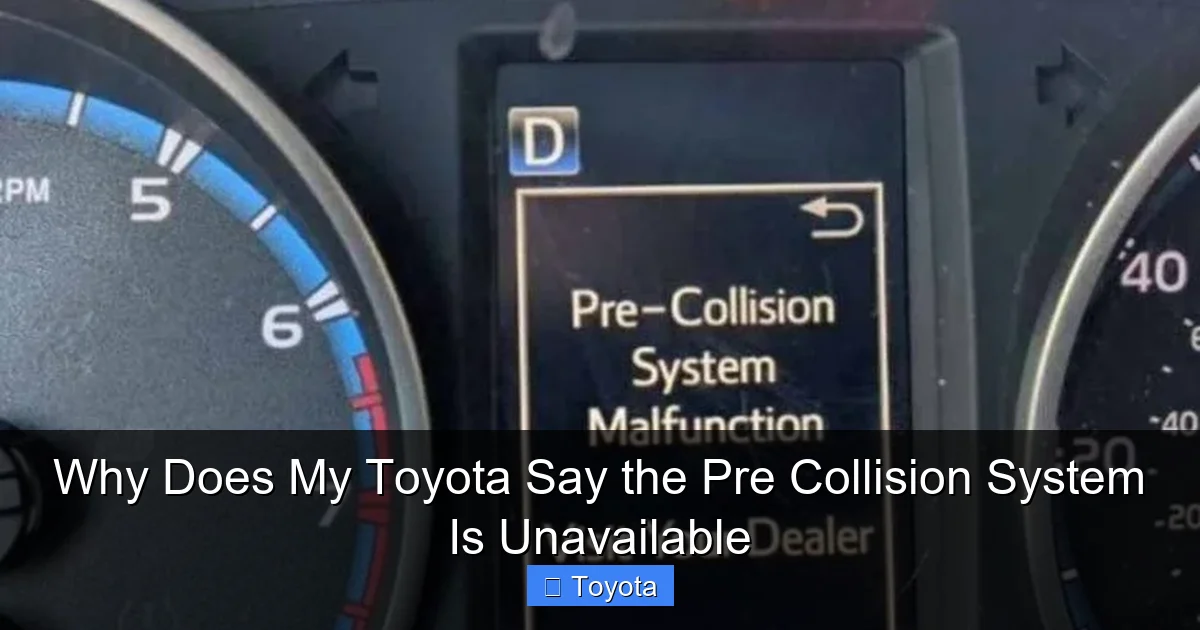
Seeing “Pre-Collision System Unavailable” on your Toyota’s dashboard can be alarming, but it’s often a fixable issue. This message means your car’s forward-facing camera and radar can’t “see” clearly, disabling automatic braking and other safety features. The most common culprits are a dirty or obstructed camera/radar, adverse weather, or a minor electrical glitch. Solutions range from a simple windshield wash to a professional sensor recalibration.
You’re driving along, and suddenly a new, somewhat worrying message pops up on your multi-information display: “Pre-Collision System Unavailable.” Your heart might skip a beat. After all, you bought your Toyota in part for its reputation for safety and reliability. That little message feels like a friend just told you they can’t watch your back anymore. Don’t panic. This is a common issue with a wide range of causes, most of which are not catastrophic for your vehicle. This guide will walk you through exactly what this message means, why it happens, and what you can do about it, from the easiest DIY fix to when you absolutely need to call your dealer.
Key Takeaways
- It’s a Safety Warning: This message indicates your Toyota’s automatic emergency braking and related features are temporarily offline, so you must be extra vigilant.
- Obstruction is the #1 Cause: A dirty, muddy, snow-covered, or damaged front grille/radar, or a badly tinted or cracked windshield over the camera, will trigger the alert.
- Weather is a Frequent Trigger: Heavy rain, snow, fog, or even bright sunlight glare can temporarily blind the camera and radar systems.
- Electrical Gremlins Happen: A weak 12V battery, blown fuse, or loose wiring connection can starve the system of power.
- Software May Need a Reset: Sometimes, the system just needs a system reboot or a software update from the dealer to function correctly again.
📑 Table of Contents
- What Exactly is the Toyota Pre-Collision System (PCS)?
- The Most Common Culprits: Why PCS Says “Unavailable”
- Software and Calibration Issues
- How to Diagnose and Troubleshoot: A Step-by-Step Guide
- Solutions, Fixes, and What to Expect at the Shop
- Can I Drive with the Pre-Collision System Unavailable?
- Conclusion: A Manageable Problem with a Clear Path Forward
What Exactly is the Toyota Pre-Collision System (PCS)?
Before we dive into why it’s unavailable, let’s understand what we’re talking about. The Toyota Pre-Collision System is a suite of advanced safety features designed to help prevent or mitigate a frontal collision. It’s not one single part, but a team of sensors and computers working together. The two primary components are:
- The Forward-Facing Camera: Usually located behind the rearview mirror, at the top center of your windshield. It “reads” the road, identifying vehicles, pedestrians, and sometimes even cyclists and traffic signals.
- The Millimeter-Wave Radar: Typically hidden in the lower grille or front bumper. It sends out radio waves to detect the distance and speed of objects ahead, even in conditions where a camera might struggle.
These systems talk to your car’s computer. If they detect an imminent collision and you’re not reacting, the system can provide audio and visual alerts, and in many models, apply the brakes automatically. It’s a brilliant piece of technology, but its effectiveness relies entirely on these sensors having a clear, unobstructed view and a solid electrical connection. When the car’s computer determines the sensors can’t see properly or are malfunctioning, it proactively shuts the system down and warns you with that “Unavailable” message. This is a fail-safe; it’s better to have no automatic braking than to have a system that might malfunction and brake at the wrong time.
How the System “Knows” It’s Unavailable
The car’s computer runs constant, silent diagnostics. It checks for signal strength from the radar, image clarity from the camera, and communication with other modules. If the radar signal is weak or returning nonsense data, or if the camera’s view is blocked or its lens is dirty, the diagnostic fails. The system also cross-references with other vehicle systems. For instance, if your vehicle’s stability control (VSC) system has a fault, it can sometimes cause a cascading effect that disables PCS, as they share sensor data and computing resources. If you’ve ever seen a “Check VSC System” warning, it’s worth noting that these systems are deeply interconnected.
Now, let’s get to the heart of the matter. In the vast majority of cases, the reason is surprisingly simple and often something you can address yourself. Think of it like trying to see through a dirty or foggy window.

Visual guide about Why Does My Toyota Say the Pre Collision System Is Unavailable
Image source: i.ytimg.com
1. Obstructed or Dirty Sensors (The #1 Offender)
This is, by far, the most frequent cause. The camera and radar need a crystal-clear path.
- Windshield Camera Obscured: The camera lens behind the rearview mirror can get coated with dirt, mud, bug splatter, or even a fine layer of road grime. An aftermarket windshield tint, especially metallic or dark tint, can also interfere with the camera’s ability to “see.” A cracked or chipped windshield directly in the camera’s line of sight is a guaranteed trigger.
- Radar Grille Blocked: The radar sensor in the front grille/bumper is vulnerable. A buildup of snow, ice, mud, or even a large bug carcass stuck in the grille can block its signal. This is very common in winter or after driving on dusty, muddy roads. Some aftermarket front license plate brackets or bull bars can also obstruct the radar’s field of view.
- Aftermarket Accessories: Large, bulky front-end protectors, certain types of grille guards, or even poorly installed dash mats that hang too low can physically block the sensors.
Practical Tip: Regularly clean the area around your rearview mirror on the inside and outside of the windshield. Use a soft, lint-free cloth. For the grille, gently wash the front bumper area. If you have winter, make a habit of clearing snow and ice from the entire front end, not just the windshield.
2. Adverse Weather Conditions
Even with clean sensors, Mother Nature can be a formidable obstacle.
- Heavy Precipitation: Torrential rain, dense fog, or heavy snow can scatter the radar waves and completely obscure the camera’s view. The system is designed to deactivate in these conditions rather than give you false or unreliable information.
- Glare: Low-angle sunlight, especially when reflecting off a wet road or a dirty windshield, can blind the camera. This is common during sunrise and sunset in the winter.
- Road Spray: Driving through deep puddles can spray a film of water directly onto the radar sensor in the grille, temporarily disrupting its signal until it dries or is cleared by airflow.
What to do: If the message appears during a storm, it’s likely temporary. Once you reach your destination and the weather clears, the system often reactivates on its own after a minute or two of clear driving. If it doesn’t, a manual restart (turning the car off and on) can help.
3. Electrical System Glitches
The sensors are hungry for a clean, steady supply of electricity. Any hiccup in the 12V system can affect them.
- Weak or Failing Battery: A battery on its last legs can cause voltage drops. The sensitive electronics in the PCS module may interpret this as a fault and shut down. This is a classic cause of intermittent “Unavailable” messages that appear randomly. If your Toyota is over 3-4 years old and you’re noticing other minor electrical quirks (like dim lights or slow cranking), the battery should be the first thing you check.
- Blown Fuse: The PCS system has its own dedicated fuse in the engine compartment fuse box. If this fuse blows, the system loses power completely. This can happen due to a short circuit elsewhere or simply an old fuse.
- Loose or Corroded Connections: The wiring harnesses that connect the camera and radar to the car’s computer can occasionally become loose, especially if you’ve had recent work done on the front end (like a bumper repair or radiator service). Corrosion at connector points is also possible.
Diagnostic Step: A quick visual inspection under the hood for the PCS fuse (check your owner’s manual for location and amperage) is a great first step. A battery test at any auto parts store is free and takes two minutes. If you suspect a loose connection, it’s best to have a technician inspect it.
Software and Calibration Issues
Sometimes, the problem isn’t physical; it’s digital. The system’s software or its calibration can get out of whack.

Visual guide about Why Does My Toyota Say the Pre Collision System Is Unavailable
Image source: trucksauthority.com
1. The System Needs a Reboot
Like your smartphone, the car’s computer can sometimes get into a confused state. A simple power cycle can clear temporary errors. To do this, turn your Toyota completely off, remove the key (or key fob if it’s a keyless model), open and close the driver’s door, and wait about 5 minutes. This ensures all modules fully power down. Then restart the car and see if the message clears after a minute of driving.
2. Outdated Software
Toyota periodically releases Technical Service Bulletins (TSBs) and software updates for its safety systems to improve performance and fix known bugs. If your vehicle hasn’t been to the dealer for a while, an overdue update could be the culprit. This is a common reason why a problem that was “fixed” before might reappear.
3. Misalignment After Front-End Work
This is a critical and often overlooked point. The camera and radar are precision-aligned from the factory. If you’ve ever had any work done that involved removing or disturbing the front bumper, grille, or windshield (even a replacement), the alignment of these sensors can be thrown off. They must be recalibrated using specialized dealer-grade equipment. Driving with a misaligned sensor means it might not detect objects correctly, or it might constantly think something is in the way. This is not a DIY fix and requires a visit to the dealer. If you recently had front-end bodywork done and the PCS message appeared immediately afterwards, this is almost certainly the cause.
How to Diagnose and Troubleshoot: A Step-by-Step Guide
Armed with this knowledge, you can play detective. Here is a logical, safe progression to diagnose the issue yourself before heading to a mechanic.
Visual guide about Why Does My Toyota Say the Pre Collision System Is Unavailable
Image source: trucksauthority.com
Step 1: The Immediate Visual Inspection
Get out of the car and look. This is the most important step.
- Windshield: Is the area directly behind the rearview mirror clean on the inside and outside? Look for cracks, chips, or deep scratches in the camera’s field of view (usually the top-center of the windshield). Is there an aftermarket tint? If so, does it have a metallized layer?
- Front Grille/Bumper: Is the front grille clean? Look directly at the area behind the Toyota emblem and the lower air intakes. Can you see the small, usually dark-colored radar sensor? Is it covered in mud, snow, or bugs? Check for any damage to the grille or bumper that might have shifted the sensor.
- Check for DTCs: Some Toyota models allow you to access simple Diagnostic Trouble Codes (DTCs) through the odometer display by holding a button (consult your manual). A code like “P1A00” or similar often relates to the Pre-Collision System camera. This can give a technician a huge head start.
Step 2: The Simple Clean and Restart
If you found dirt, clean it thoroughly. Use a proper automotive glass cleaner for the windshield (avoid ammonia-based cleaners on tinted glass). For the grille, use a gentle car wash soap and a soft brush. Do not use high-pressure wasers directly on the sensor area, as this can damage it. Once clean, perform the system reboot: turn the car off, remove the key/fob, wait 5 minutes, restart, and drive for a few minutes on a clear road to see if the system reinitializes.
Step 3: Check Simple Electricals
Find your owner’s manual. Locate the fuse box diagram (usually in the fuse box cover or the manual). Find the fuse for “Pre-Collision System,” “Radar,” or “Camera.” Pull it with a fuse puller or needle-nose pliers and inspect the metal strip inside. If it’s broken, replace it with a new fuse of the exact same amperage (e.g., 10A). Never use a higher amperage fuse. If it blows immediately, there’s a short circuit that needs professional diagnosis.
Step 4: Consider Context and History
Ask yourself these questions:
- Did the message start after a specific event? (e.g., a minor bumper tap, a windshield replacement, a new dash cam installed?)
- Is the message constant, or does it come and go? (Intermittent issues often point to electrical problems or loose connections).
- Are there any other warning lights on? A check engine light, VSC light, or airbag light could indicate a broader network problem.
Step 5: Know When to Call a Professional
If steps 1-4 don’t resolve the issue, it’s time for expert help. Specifically, you need a technician with access to Toyota’s diagnostic software (Techstream). This software can read the specific fault codes from the PCS module, test the radar output, check camera data, and perform the necessary recalibration procedures. A general mechanic might be able to read a code, but for calibration, a dealer or a highly specialized independent shop with the right tools is usually required. The cost for diagnosis can range from $100-$200, but it’s essential to avoid unnecessary part replacement.
Solutions, Fixes, and What to Expect at the Shop
Based on the diagnosis, here are the likely solutions and their typical costs.
DIY Fixes (Cost: $0 – $20)
These are the easy wins you should always try first:
- Thorough Cleaning: A proper clean of the windshield camera area and front grille/radar. Use the right tools and techniques to avoid scratching lenses or sensors.
- Fuse Replacement: If a fuse is blown, replacing it is pennies. But remember, a blown fuse is a symptom. If it blows again, stop and seek help.
- Battery Check/Replacement: If your battery is old (4+ years), replacing it might solve the problem and many others. A good battery is the foundation of all vehicle electronics.
- System Reboot: As described, a full power-down cycle.
Professional Fixes (Cost: $100 – $1,500+)
When DIY isn’t enough, here’s what the pros do:
- Sensor Cleaning/Repair: A technician will use specialized cleaners and tools. If a sensor is damaged (cracked housing, water intrusion), it will need replacement. A radar sensor can cost $500-$1,200+ for the part, plus labor.
- Windshield Replacement: If the camera’s view is permanently obstructed by a crack or improper tint, you will need a windshield replacement with the correct OEM glass that has the proper coating for the camera. This is expensive ($1,000-$2,500) but necessary for full system functionality.
- Electrical Diagnosis & Repair: Tracking down a wiring issue, bad ground, or faulty module can be time-consuming. Labor rates apply.
- Software Update: A dealer can perform a software update, often as part of a larger service campaign. Sometimes there’s no charge; other times it’s billed as a software update procedure.
- Sensor Recalibration: This is the most common professional fix after front-end work. After any bumper/grille removal or windshield replacement, the camera and radar must be recalibrated. This is a precise process using a specialized calibration target (a large patterned board) placed a specific distance in front of the car. The technician connects a laptop with Techstream and runs the calibration routine. This typically costs $150-$400 at a dealer. It is not something that can be done by guesswork.
Yes, you can, but you absolutely should not. Your Toyota will still stop and steer normally. The brakes, steering, and engine are not disabled. However, you are driving without one of your most important modern safety nets. The automatic emergency braking, which can prevent a low-speed collision or significantly reduce the impact of a higher-speed one, is offline. You must compensate by:
- Increasing your following distance dramatically.
- Scanning the road far ahead more actively.
- Being extra cautious in heavy traffic or poor weather.
- Eliminating distractions (put the phone away).
Think of it as your car telling you, “I can’t help you with frontal collisions right now. You’re on your own.” The responsible action is to diagnose and fix the issue as soon as possible. Driving for weeks with this light on is an unnecessary risk. If the message appears and you have a long trip planned, consider postponing it or using an alternative vehicle until the system is restored. Your safety and the safety of others on the road is the priority.
Conclusion: A Manageable Problem with a Clear Path Forward
The “Pre-Collision System Unavailable” message is your Toyota’s way of communicating a sensor or system fault. It is rarely a sign of a doomed computer or a car that’s falling apart. In fact, it’s a testament to the car’s sophisticated self-diagnostic capabilities. Start with the simplest, most logical causes: clean your sensors thoroughly and check your battery. If that fails, the problem likely lies in the electrical system, a needed software update, or—most commonly—a requirement for professional recalibration after some form of front-end service. Remember the connection to other systems; a persistent VSC light can sometimes be a clue. By following the troubleshooting steps in this guide, you can approach the problem with confidence, have an informed conversation with your mechanic or dealer, and get your Toyota’s vital safety systems back online where they belong. Don’t ignore the warning, but don’t fear it either. Tackle it methodically, and you’ll be back to having a watchful co-pilot on the road in no time. For more on how these systems function when they are working, you can read our detailed explanation of how the Toyota Pre-Collision System works. And if you’re in a situation where you need to temporarily disable it for a specific reason, our guide on how to turn off the Toyota Pre-Collision System covers those procedures.
Frequently Asked Questions
Will a simple windshield wash fix the “Pre-Collision System Unavailable” message?
Often, yes! If the message is caused by a dirty camera lens or grille, a thorough cleaning is the fastest fix. Make sure to clean both the inside and outside of the windshield behind the mirror and the front grille area where the radar sensor is located.
Why does the system turn off in heavy rain or snow?
The camera and radar can be temporarily blinded by intense precipitation, fog, or spray. The system is designed to deactivate itself rather than provide unreliable data. It should automatically return once you’re through the worst of it and the sensors have a clear view again.
How do I reset the Pre-Collision System myself?
Perform a full system reboot: park safely, turn the ignition off, remove the key fob (if applicable), open and close the driver’s door, and wait 5-10 minutes. This ensures all computers power down. Then restart the car and drive for a minute or two on a clear road to allow the system to reinitialize.
Is it safe to drive with this message on permanently?
While the car is mechanically safe to drive, you are operating without automatic emergency braking. You must increase your following distance and stay hyper-alert. It is not recommended to delay the repair, as you are missing a critical crash-avoidance feature.
How much does it cost to fix a “Pre-Collision System Unavailable” warning?
The cost varies wildly. If it’s just dirt, it’s free. A battery replacement is $150-$300. A fuse is $5. If it requires professional recalibration after bumper work, expect $150-$400. If a sensor itself is damaged, parts can be $500-$1,200+.
My car was in a minor front-end fender bender. Could that cause this warning?
Absolutely. Even a minor bump can misalign the radar sensor behind the grille or damage its mounting. If any front-end bodywork was done, a professional recalibration of the PCS sensors is almost certainly required for the system to function again.







