
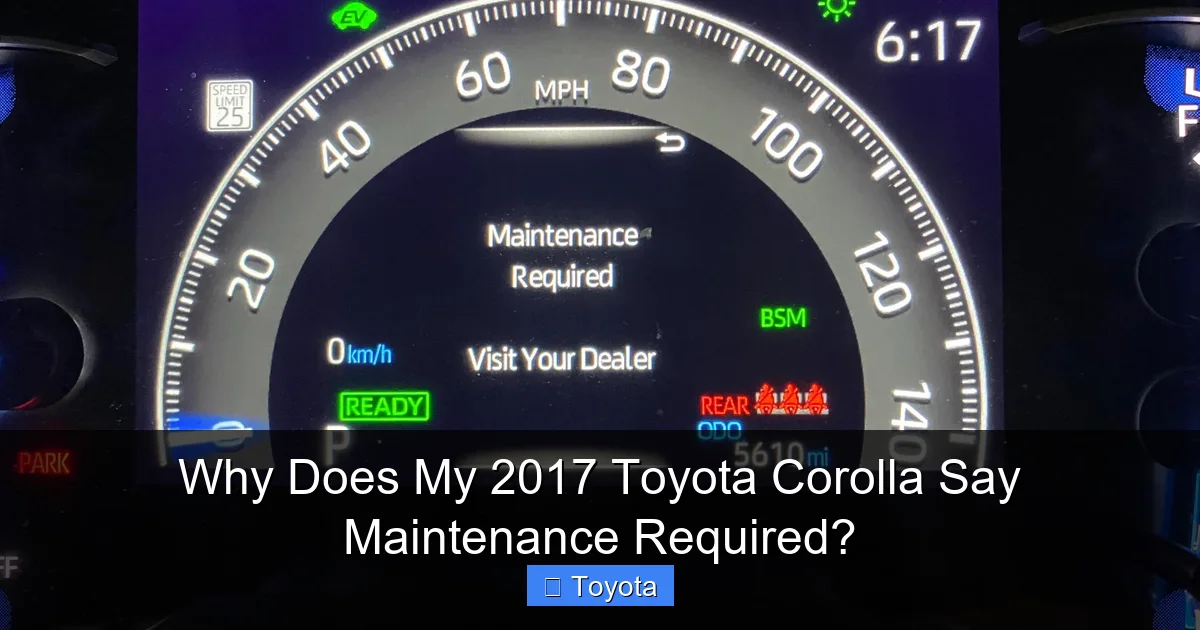
Why Does My 2017 Toyota Corolla Say Maintenance Required?

Contents
- 1 Key Takeaways
- 2 📑 Table of Contents
- 3 The Most Common Reason: Engine Oil Life Monitoring
- 4 Other Scheduled Services That Trigger the Light
- 5 How to Reset the “Maintenance Required” Light
- 6 Why You Should Never Ignore the Light
- 7 Maintenance Light vs. Check Engine Light: A Critical Distinction
- 8 What To Do When the Light Comes On: Your Action Plan
- 9 Frequently Asked Questions
Car Wash Mitt

Tire Shine Spray

Car Dent Repair Kit

Windshield Cleaning Tool
The “Maintenance Required” light on your 2017 Toyota Corolla is a friendly, pre-programmed reminder from your car’s computer that a scheduled service is due, based on time or mileage intervals. It is not an emergency warning like a check engine light, but a proactive nudge to perform routine maintenance like an oil change, tire rotation, or inspection to keep your Corolla running reliably. Ignoring it can lead to decreased performance, higher repair costs, and potential voiding of warranty coverage.
You’re driving your reliable 2017 Toyota Corolla, maybe on your way to work or running errands, when suddenly a small icon illuminates on your dashboard. It’s not the alarming, bright orange check engine light. Instead, it’s a more subdued, yet persistent, message: “MAINTENANCE REQUIRED.” Your first thought might be a pang of anxiety. “What’s wrong with my car? Is it safe to drive? How much is this going to cost?” Take a deep breath. In the vast majority of cases, this light on your 2017 Corolla is not a sign of an imminent breakdown or a major malfunction. It is, fundamentally, your car’s way of tapping you on the shoulder and saying, “Hey, it’s time for our check-up.” This article will demystify everything about that message, explaining exactly why your 2017 Toyota Corolla says “Maintenance Required,” what it means, what you should do about it, and how to manage it confidently.
The “Maintenance Required” system in your Corolla is a brilliant piece of simple, effective automotive technology. It’s part of Toyota’s long-standing commitment to reliability and owner convenience. Unlike the check engine light, which is triggered by sensor data indicating a fault, the maintenance light is based on a pre-programmed algorithm. Your car’s computer, the Engine Control Unit (ECU), tracks two primary things: the total distance you’ve driven (odometer mileage) and the time that has passed since your last maintenance reset. When either of those values reaches a threshold set by Toyota engineers—typically every 5,000 miles or 6 months, depending on your model year and driving conditions—the light comes on. It’s a proactive, scheduled maintenance reminder system, designed to help you stay on top of essential care before small issues become big, expensive problems.
Think of it like the calendar reminder on your phone for a dentist appointment. The phone isn’t telling you your tooth is currently aching; it’s telling you that based on your last cleaning (the reset), it’s time to schedule the next one to prevent future cavities. Your Corolla’s system works the same way. It doesn’t know if your oil is actually dirty or your tires are worn; it simply knows that according to the maintenance schedule for your 2017 Corolla, it’s time to have a technician inspect these items. This system is a cornerstone of Toyota’s philosophy of “preventative ownership.” In this guide, we’ll walk through everything from the most common reasons it illuminates to the exact steps to reset it after service, and we’ll clarify the crucial differences between this light and other, more serious dashboard warnings.
Key Takeaways
- It’s a Reminder, Not a Breakdown: The “Maintenance Required” light is a scheduled service alert from your Corolla’s onboard computer, indicating routine maintenance is due based on preset intervals.
- Common Triggers Include: The most frequent cause is an overdue oil and filter change, but it can also signal the need for tire rotation, fluid checks, brake inspection, or other manufacturer-specified services.
- You Can Reset It Yourself (Temporarily): After performing the required service, you can reset the light using a specific button-press sequence within the odometer menu. However, this only turns off the light, not the underlying need for service.
- Never Ignore It Long-Term: Prolonged disregard for the maintenance reminder can lead to accelerated engine wear, poor fuel economy, compromised safety systems, and costly repairs down the line.
- It’s Different From a Check Engine Light: The “Maintenance Required” light is a general calendar/odometer reminder. A check engine light indicates a specific, often immediate, problem with the engine or emissions system that requires diagnostic scanning.
📑 Table of Contents
- The Most Common Reason: Engine Oil Life Monitoring
- Other Scheduled Services That Trigger the Light
- How to Reset the “Maintenance Required” Light
- Why You Should Never Ignore the Light
- Maintenance Light vs. Check Engine Light: A Critical Distinction
- What To Do When the Light Comes On: Your Action Plan
The Most Common Reason: Engine Oil Life Monitoring
By a significant margin, the number one culprit for a “Maintenance Required” light on a 2017 Toyota Corolla is the engine oil life monitoring system. This isn’t just a simple mileage counter; it’s a sophisticated algorithm that actually estimates the degradation of your engine oil. It doesn’t just count miles; it considers your driving habits. Short trips, stop-and-go traffic, extreme temperatures, and dusty conditions all cause oil to break down faster than steady highway cruising. The system uses data from engine sensors to calculate this “oil life” percentage.
How the Oil Life System Works
When you start your Corolla, the multi-information display (the screen between your speedometer and tachometer) will briefly show a message like “Oil Life: 100%.” As you drive, this percentage gradually decreases. Once it drops to a predetermined threshold—usually around 15% or 0%—the “MAINTENANCE REQUIRED” light will illuminate on your next startup. This is the system’s way of saying, “The lubricant protecting your engine’s internal components is nearing the end of its effective life. Please change it soon.” For most drivers under normal conditions, this typically happens around the 5,000 to 7,500-mile mark, but it can vary. It’s a personalized reminder based on *your actual driving*, which is far more accurate than a generic “change oil every 3,000 miles” sticker from decades past.
If you recently had your oil changed at a quick-lube shop or even a dealership and the light came back on almost immediately, it’s likely because the technician simply changed the oil but forgot to reset the maintenance light. The oil is new, but the car’s computer still thinks it’s at 0% life. This is a very common frustration, and we’ll cover the reset procedure in detail later. You can also read more about this specific issue in our article on why your car might still say oil change required after an oil change.
Other Scheduled Services That Trigger the Light
While oil change is the headliner, the “Maintenance Required” light is a catch-all for the entire Toyota recommended service schedule for your 2017 Corolla. The intervals are designed in a cycle, often every 5,000 miles (or 6 months), and include a bundle of inspections and replacements. When the computer hits that interval, it lights up, signaling it’s time for that specific “service A” or “service B” visit. Here’s a breakdown of what that typically includes for a 2017 Corolla:

Visual guide about Why Does My 2017 Toyota Corolla Say Maintenance Required?
Image source: i.ytimg.com
- Tire Rotation: Essential for even tire wear and prolonging tire life. Usually performed at every service interval.
- Multi-Point Inspection: A technician will check brakes, suspension components, fluid levels (coolant, brake, transmission, washer), belts, hoses, and battery health.
- Air Filter Replacement: The engine air filter keeps dirt out of your engine. A clogged filter reduces power and fuel economy.
- Cabin Air Filter Replacement: This filter cleans the air coming into your car’s HVAC system. A dirty one makes your AC smell and reduces airflow.
- Fluid Top-Offs: All essential fluids are checked and topped off as needed.
- Brake Inspection: Pads, rotors, and calipers are checked for wear.
For higher-mileage vehicles, the service intervals may include more significant items like spark plug replacement, transmission fluid service, or coolant flush. Your owner’s manual has the definitive, detailed schedule for your specific trim (LE, SE, etc.). The beauty of the system is that it bundles these items logically, so one light covers all of them, ensuring you don’t miss critical preventative maintenance. If you’re curious about what other maintenance lights mean on different vehicles, we have an article explaining why a Kia might say service required, which covers a similar system.
How to Reset the “Maintenance Required” Light
Once you have completed the necessary service—whether you did it yourself or took it to a trusted mechanic—the light will need to be manually reset. This tells the car’s computer, “The required maintenance for this interval has been performed. Start the countdown for the next one.” Here is the standard procedure for a 2017 Toyota Corolla:
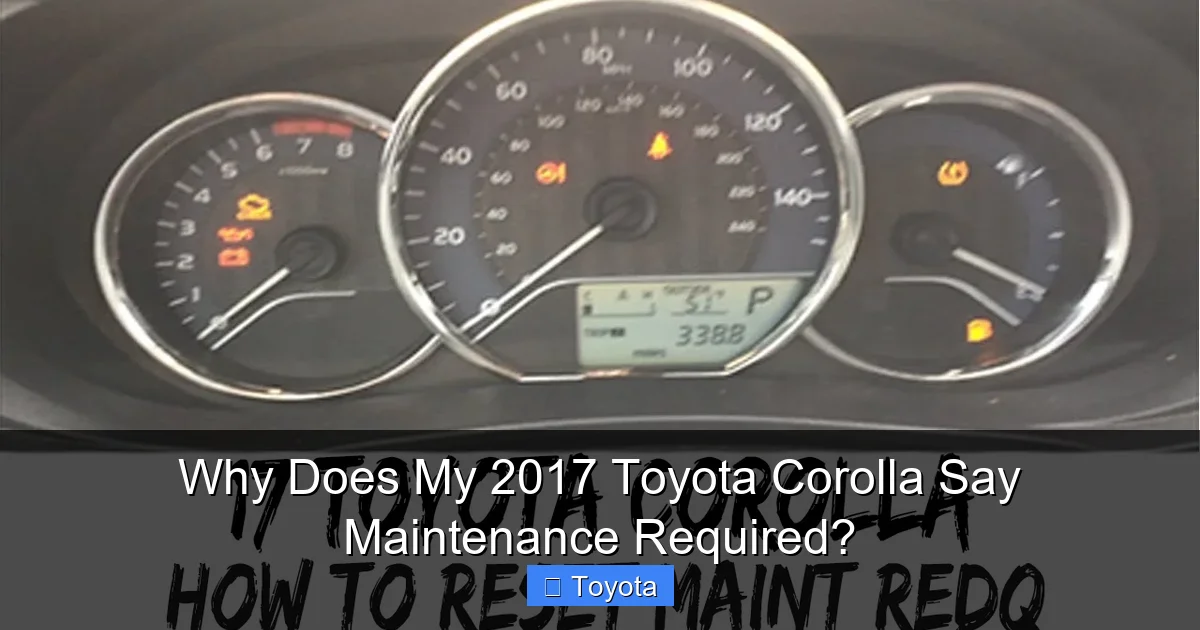
Visual guide about Why Does My 2017 Toyota Corolla Say Maintenance Required?
Image source: i.ytimg.com
- Turn the ignition ON. Do not start the engine. Simply press the “Start” button without your foot on the brake (or turn the key to the “ON” position, which is the first click before “START”).
- Use the odometer/trip meter button. On your instrument cluster, locate the button used to toggle between the odometer and trip meters (often on the gauge cluster itself or on the steering column stalk).
- Navigate to the “Settings” or “Maintenance” menu. Press the button repeatedly until you see a menu on the multi-information display that says something like “Settings” or has a wrench icon. Press and hold the button to enter the menu.
- Find the “Maintenance Reset” option. Use the button to scroll through the settings until you find “Maintenance Reset” or “Oil Maintenance Reset.”
- Confirm the reset. Select “Yes” or “Reset” when prompted. You should see a confirmation message like ” Maintenance Reset Completed” or the oil life percentage return to 100%.
- Turn the ignition OFF and back ON. Start the car to verify the “MAINTENANCE REQUIRED” light is no longer illuminated on the dash.
Important: This reset only turns off the light. It does not perform the maintenance. You must actually perform the required service (oil change, tire rotation, etc.) before resetting. Resetting without doing the work is like erasing the reminder from your phone calendar without going to the appointment—you’re just setting yourself up for future problems.
Why You Should Never Ignore the Light
It’s tempting to see a non-flashing, non-red light and think, “I’ll get to it next week.” But making a habit of ignoring the “Maintenance Required” reminder is a false economy that can cost you dearly. Here’s what’s at stake:

Visual guide about Why Does My 2017 Toyota Corolla Say Maintenance Required?
Image source: i.ytimg.com
Engine Damage and Wear
Driving with severely degraded oil is the most direct risk. As oil ages, it loses its viscosity and its ability to lubricate, cool, and clean the engine’s internal parts. This leads to increased metal-on-metal friction, excessive heat, and the formation of harmful sludge and deposits. What starts as a $50 oil change can escalate into a $3,000-$5,000 engine rebuild if you run the engine with no oil pressure for too long. The light is your final warning before this point of no return.
Poor Fuel Economy
Dirty air filters, under-inflated tires (from lack of rotation), and old, sludgy oil all force your engine to work harder. This directly impacts your miles per gallon. You might notice your Corolla’s fantastic fuel economy dropping by several MPG, costing you significantly more at the pump over time. Staying on top of maintenance keeps your car running as efficiently as Toyota designed it to.
Safety Risks
The maintenance schedule includes critical safety checks. Worn brake pads or rotors, low brake fluid, bad suspension bushings, or degraded wiper blades all compromise your ability to stop and control your vehicle safely. The “Maintenance Required” light ensures these systems are inspected regularly.
Costly, Preventable Repairs
A small coolant leak caught during an inspection can be fixed with a hose clamp. Ignored, it leads to overheating, a warped cylinder head, and a catastrophic engine failure. A minor transmission fluid leak addressed early is cheap; a transmission rebuild is not. The scheduled service is the single most cost-effective way to avoid major repair bills.
Resale Value and Warranty
A complete, verifiable service history from a reputable source (like a dealership or certified mechanic) significantly increases your car’s resale value. Potential buyers for a used Corolla want to see that it was cared for. Furthermore, if your Corolla is still under its original powertrain warranty, Toyota may deny a warranty claim for a failure if they can prove you neglected required maintenance.
Maintenance Light vs. Check Engine Light: A Critical Distinction
This is the most common point of confusion for drivers, and understanding the difference is crucial for your peace of mind and your wallet.
- Maintenance Required Light: As we’ve detailed, this is a scheduled service reminder. It is usually an amber or yellow wrench icon or the text “MAINTENANCE REQUIRED.” It comes on predictably based on time/mileage. It means “time for a check-up.” It is not an immediate danger. You can usually drive for a few hundred miles after it comes on to schedule service, but you should not delay indefinitely.
- Check Engine Light (MIL): This is a diagnostic trouble code indicator. It is usually an orange outline of an engine. It comes on when a sensor detects a fault in the engine management, fuel, or emissions systems. It means “something is wrong right now.” The severity can range from a loose gas cap (which you can often fix yourself) to a failing catalytic converter or engine misfire. A flashing check engine light indicates a severe problem, like a misfire that could damage the catalytic converter, and you should stop driving immediately.
If both lights come on at the same time, prioritize the check engine light. Have the codes scanned at an auto parts store (often free) or a repair shop. The “Maintenance Required” light can be addressed at your convenience during that same service visit. For more on the check engine light, our article on why a car might say low oil pressure discusses another critical dashboard warning, though that one is usually red and requires immediate attention.
What To Do When the Light Comes On: Your Action Plan
So, the light is on. Don’t panic. Follow this clear, step-by-step plan:
- Check Your Mileage and Service History. Look at your odometer. Has it been about 5,000-7,500 miles since your last oil change? Do you have a record of your last service? This will give you a strong clue about what’s due.
- Check Your Oil Level (The 60-Second Check). Pop the hood, pull the dipstick, wipe it clean, reinsert it fully, and pull it out again. Is the oil level between the “Low” and “Full” marks? Is it dark black and gritty (normal) or does it look like chocolate milk (a serious problem)? This quick check tells you if you have an immediate low-oil crisis.
- Schedule Service. Call your trusted mechanic or dealership. Tell them, “My 2017 Corolla’s Maintenance Required light is on, and my mileage is [X,XXX]. I’d like to schedule the recommended service.” They will look up the exact interval requirements for your car.
- Perform the Reset AFTER Service. Once the technician has completed all the scheduled items for that interval, they should reset the light for you. If you do the work yourself, follow the reset procedure outlined above carefully.
- Monitor. After resetting, the light should stay off. It will only return when the next service interval is due. If it comes back on very quickly (within 500 miles), double-check that the reset was done correctly or that there isn’t a deeper electrical issue.
For owners of other Toyota models, the reset procedure can vary. For instance, the steps to reset the maintenance light on a 2017 Toyota Highlander are different, highlighting the importance of using the correct method for your specific vehicle.
Frequently Asked Questions
Can I keep driving my Corolla with the Maintenance Required light on?
Yes, but only for a limited time and distance. The light indicates overdue maintenance, not an immediate failure. You should schedule service within the next few hundred miles. Driving long distances or ignoring it for months risks engine damage from old oil or other failing components.
What is the average cost to turn off the Maintenance Required light?
The cost to turn off the light is $0 if you reset it yourself after doing the work. The actual cost is for the required service itself. A standard oil change and tire rotation for a Corolla typically ranges from $50 to $100, depending on the oil type and where you go. More involved services at higher mileage intervals will cost more.
Why did my Maintenance Required light come on after I just changed my oil?
This almost always means the maintenance light was not reset after the previous oil change. The oil is new, but the car’s computer still has the old “0% oil life” counter running. Simply perform the reset procedure outlined in your owner’s manual to clear the light.
Is the Maintenance Required light the same as the Service Engine Soon light?
No. The “Maintenance Required” light is a scheduled service reminder based on time/mileage. The “Service Engine Soon” or “Check Engine” light indicates a detected fault in the engine or emissions system that requires diagnostic attention. They are two separate systems with different meanings.
How do I know what specific maintenance my 2017 Corolla needs?
The exact service requirements are listed in your owner’s manual’s maintenance schedule section. You can also ask your Toyota dealer or a reputable repair shop; they can look up the required items for your specific VIN and current mileage. The light itself does not specify the service; it just indicates that one of the scheduled items in the current interval is due.
Will the light turn off by itself after I drive for a while?
No. The “Maintenance Required” light will stay on continuously once it illuminates. It will not turn off on its own, no matter how much you drive. The only way to extinguish it is to perform the required maintenance and then manually reset the system using the procedure in your owner’s manual.







