
Where Is the Tpms Button on a Kia Sportage?

Knowing where the TPMS button is on your Kia Sportage can save you time and stress when dealing with tire pressure warnings. This guide covers the exact location across different model years, how to use it, and troubleshooting tips to keep your tires properly monitored.
Key Takeaways
- TPMS Button Location Varies by Model Year: Earlier Kia Sportage models (2010–2016) often have a physical TPMS reset button, while newer models (2017+) may use the infotainment system or instrument cluster menu.
- Common Locations Include the Glove Box, Dashboard, or Under the Steering Wheel: Check near the fuse panel, under the dashboard, or inside the glove compartment for a small, labeled button.
- TPMS Resets Are Needed After Tire Inflation or Rotation: Always reset the system after adjusting tire pressure or rotating tires to ensure accurate monitoring.
- Use the Owner’s Manual for Model-Specific Guidance: Your Sportage’s manual provides the most accurate information for your exact year and trim level.
- Newer Models Use Menu-Based Resets: From 2017 onward, most Sportage trims require navigating the touchscreen or steering wheel controls to reset TPMS.
- A Faulty TPMS Sensor May Require Professional Help: If the warning light stays on after resetting, one or more sensors might need replacement.
- Regular Tire Maintenance Prevents TPMS Issues: Check tire pressure monthly and before long trips to avoid unnecessary alerts.
📑 Table of Contents
Where Is the TPMS Button on a Kia Sportage?
If you’ve ever seen the tire pressure monitoring system (TPMS) warning light flicker on your Kia Sportage’s dashboard, you know how unsettling it can be. That little yellow icon shaped like a flat tire isn’t just annoying—it’s a signal that one or more of your tires may be underinflated. But here’s the good news: once you know where the TPMS button is and how to use it, you can often resolve the issue quickly and safely.
The TPMS button on a Kia Sportage is designed to reset the tire pressure monitoring system after you’ve adjusted your tire pressure or rotated your tires. This ensures the system recognizes the new pressure levels and stops showing false warnings. However, finding this button isn’t always straightforward—especially because its location has changed over the years. Older models have a physical button, while newer ones rely on digital menus. Whether you drive a 2011 Sportage or a 2023 model, this guide will help you locate the TPMS reset option and use it correctly.
Understanding your TPMS isn’t just about convenience—it’s about safety. Properly inflated tires improve fuel efficiency, extend tire life, and reduce the risk of blowouts. So, let’s dive into where you can find the TPMS button on your Kia Sportage, how to reset it, and what to do if the light won’t go away.
What Is TPMS and Why Does It Matter?
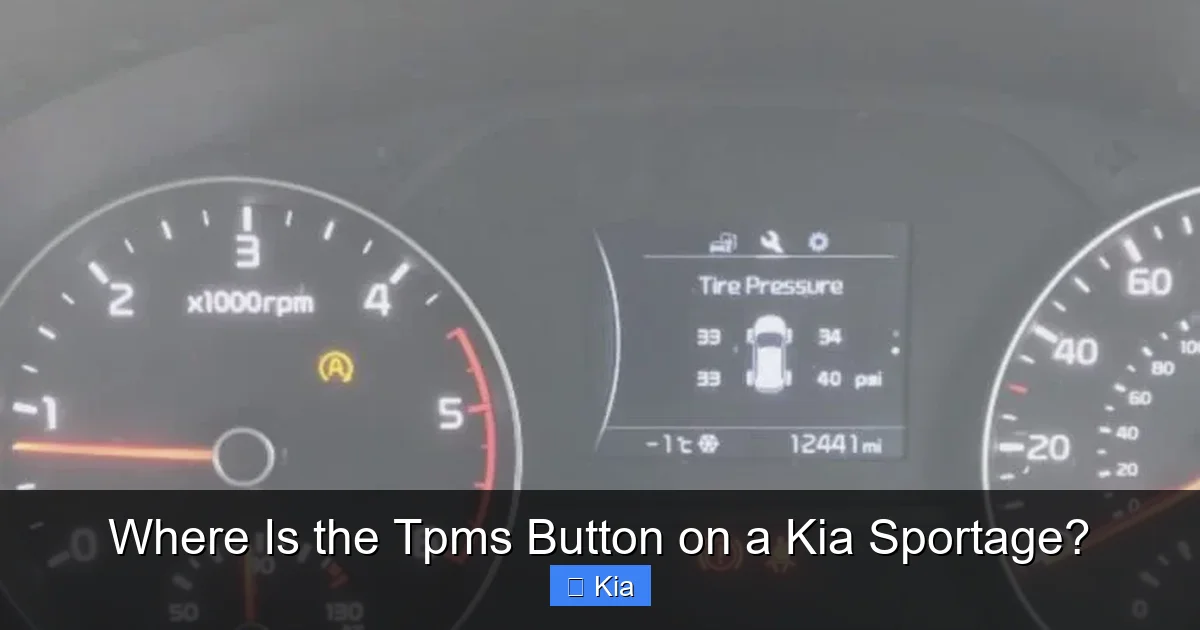
Visual guide about Where Is the Tpms Button on a Kia Sportage?
Image source: vehiclechef.com
Before we get into the nitty-gritty of button locations, let’s talk about what TPMS actually does. The Tire Pressure Monitoring System is a safety feature required in all vehicles sold in the U.S. since 2008. It constantly monitors the air pressure in each of your tires and alerts you if any drop below the recommended level—usually by 25% or more.
There are two types of TPMS: direct and indirect. The Kia Sportage uses a direct TPMS system, which means each tire has a sensor inside that measures pressure and sends data wirelessly to your vehicle’s computer. These sensors are typically located in the valve stem or mounted inside the wheel.
Why does this matter? Underinflated tires can cause poor handling, reduced fuel economy, and increased tire wear. In extreme cases, they can overheat and lead to a blowout—especially at high speeds. The TPMS warning light is your first line of defense against these risks. But it only works if you respond to it properly.
That’s where the TPMS button comes in. After you’ve checked and inflated your tires to the correct pressure (usually listed on a sticker inside the driver’s door jamb), you’ll need to reset the system so it stops showing the warning. This tells the car, “Yes, I’ve fixed the issue—everything’s good now.”
How TPMS Works in the Kia Sportage
In the Kia Sportage, the TPMS sensors are battery-powered and designed to last 5–10 years. They transmit pressure data every few minutes or when there’s a significant change. The vehicle’s onboard computer processes this information and triggers the warning light if needed.
When you inflate your tires or rotate them, the system may not immediately recognize the new pressure levels. That’s why a reset is necessary. Without it, the light might stay on even though your tires are fine—leading to confusion and unnecessary worry.
It’s also worth noting that extreme temperature changes can affect tire pressure. Cold weather causes air to contract, which can drop pressure by 1–2 PSI per 10°F drop in temperature. That’s why you might see the TPMS light come on in winter, even if your tires were fine in the summer.
TPMS Button Location by Kia Sportage Model Year
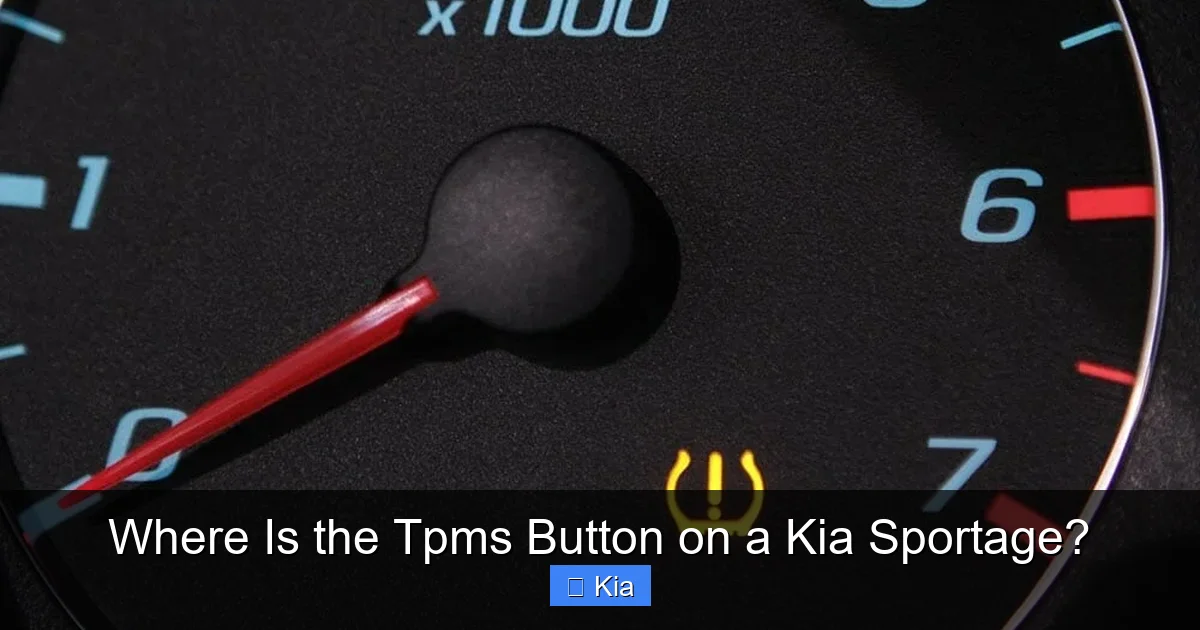
Visual guide about Where Is the Tpms Button on a Kia Sportage?
Image source: vehiclefreak.com
One of the most common questions Kia Sportage owners ask is: “Where is the TPMS button?” The answer depends heavily on your vehicle’s model year. Kia has updated the system over time, shifting from physical buttons to digital controls. Let’s break it down by generation.
2010–2016 Kia Sportage: Physical TPMS Reset Button
If you drive a first- or second-generation Kia Sportage (2010–2016), you’re likely to have a physical TPMS reset button. This is a small, often unmarked button located in one of several common spots:
– **Under the dashboard, near the steering column:** Look on the left side of the steering wheel, close to the fuse panel. It’s usually a small black or gray button, sometimes labeled “SET” or “TPMS.”
– **Inside the glove box:** Some models have the button tucked inside the glove compartment, near the top or side. Open the glove box and feel around the edges.
– **Near the center console:** In a few trims, the button is located below the climate controls or near the gear shifter.
To use it:
1. Turn the ignition to the “ON” position (don’t start the engine).
2. Press and hold the TPMS button until the TPMS light blinks three times.
3. Release the button. The system will reset and the light should turn off after a few minutes of driving.
Tip: If you can’t find the button, check your owner’s manual. It often includes a diagram showing the exact location.
2017–2023 Kia Sportage: Menu-Based TPMS Reset
Starting with the third-generation Sportage (2017 and newer), Kia moved away from physical buttons in favor of digital controls. These models use the infotainment system or instrument cluster menu to reset the TPMS.
Here’s how to do it:
1. Turn the ignition to “ON” or start the engine.
2. Use the steering wheel controls to navigate to the “Settings” or “Vehicle” menu on the instrument cluster.
3. Select “Tire Pressure” or “TPMS.”
4. Choose “Reset” or “Initialize.”
5. Confirm the reset when prompted.
On models with a touchscreen (like the UVO system), you may also find the TPMS reset option under:
– **Settings > Vehicle > Tire Pressure**
– **Maintenance > Tire Pressure Monitoring**
The system will then recalibrate and the warning light should go off after driving for a few minutes.
2024 Kia Sportage: Latest Updates
The 2024 Kia Sportage continues the trend of digital TPMS controls. Depending on your trim (LX, EX, SX, SX-Prestige), the reset process may vary slightly, but it’s still menu-driven. Higher trims with the 12.3-inch touchscreen offer a more intuitive interface, with clear prompts and visual guides.
Some 2024 models also feature automatic TPMS relearning. This means that after you inflate your tires, the system may automatically detect the change and reset itself—no button or menu needed. However, it’s still a good idea to manually reset it after tire rotation or replacement to ensure accuracy.
How to Reset the TPMS on Your Kia Sportage

Visual guide about Where Is the Tpms Button on a Kia Sportage?
Image source: i.ytimg.com
Now that you know where to find the TPMS button (or menu), let’s walk through the step-by-step process for resetting it. Whether you have a physical button or a digital system, the goal is the same: tell your car that the tire pressure is correct and the warning can be dismissed.
Step-by-Step Reset for 2010–2016 Models
1. **Park your vehicle on a flat surface** and turn off the engine.
2. **Check tire pressure** using a reliable gauge. Inflate all tires to the recommended PSI (found on the driver’s door jamb sticker).
3. **Turn the ignition to “ON”** (do not start the engine).
4. **Locate the TPMS button** (usually under the dashboard or in the glove box).
5. **Press and hold the button** for 3–5 seconds until the TPMS warning light blinks three times.
6. **Release the button** and wait. The light should turn off after driving for 10–15 minutes.
7. **Test the system** by driving at least 10 mph for a few minutes to allow the sensors to relearn.
Note: If the light doesn’t turn off, repeat the process or check for a faulty sensor.
Step-by-Step Reset for 2017–2024 Models
1. **Ensure all tires are properly inflated** to the recommended pressure.
2. **Turn the ignition to “ON”** or start the engine.
3. **Use the steering wheel controls** to access the instrument cluster menu.
4. **Navigate to “Settings” > “Vehicle” > “Tire Pressure”** (or similar).
5. **Select “Reset” or “Initialize.”**
6. **Confirm the reset** when prompted.
7. **Drive the vehicle** for 10–15 minutes at speeds above 20 mph to complete the relearn process.
On touchscreen models:
– Go to **Settings > Vehicle > Tire Pressure > Reset**
– Follow the on-screen instructions
Tip: Some models require you to drive in a straight line for a few minutes after resetting to allow the system to calibrate.
What to Do If the Light Won’t Turn Off
If you’ve reset the TPMS and the warning light remains on, don’t panic—but don’t ignore it either. Here are a few troubleshooting steps:
– **Double-check tire pressure:** Use a high-quality gauge to ensure all tires are at the correct PSI. Even a small difference can trigger the light.
– **Check for a faulty sensor:** TPMS sensors can fail due to battery depletion, damage, or corrosion. A mechanic can scan the system to identify which sensor is malfunctioning.
– **Look for a slow leak:** A small puncture or damaged valve stem can cause gradual pressure loss. Inspect tires for nails, cracks, or worn valve caps.
– **Try a hard reset:** Disconnect the battery for 10–15 minutes to reset the vehicle’s computer. Reconnect and try the TPMS reset again.
If none of these steps work, visit a Kia dealership or certified mechanic. They have specialized tools to diagnose and replace TPMS sensors.
Common TPMS Issues and How to Fix Them
Even with proper maintenance, TPMS problems can arise. Here are some of the most common issues Kia Sportage owners face—and how to address them.
TPMS Light Comes On and Off Randomly
This often happens in cold weather or after driving over bumps. It could mean:
– The sensors are losing signal temporarily.
– There’s a weak battery in one of the sensors.
– The system is in the process of relearning.
Solution: Reset the TPMS and monitor the light. If it keeps returning, have the sensors checked.
TPMS Light Stays On After Reset
If the light won’t turn off after a proper reset, one or more sensors may be faulty. Sensors typically last 5–10 years, so older vehicles are more prone to this issue.
Solution: Visit a tire shop or dealership for a TPMS diagnostic scan. They can identify which sensor is failing and replace it.
No TPMS Button Found
If you can’t locate a physical button on a 2010–2016 model, double-check the glove box, under the dashboard, and near the fuse panel. Some buttons are hidden or unmarked.
Solution: Consult your owner’s manual or search online for a diagram specific to your trim and year.
TPMS Light Flashes Then Stays On
A flashing TPMS light usually indicates a system malfunction—not just low pressure. This could mean a communication error between the sensors and the vehicle.
Solution: Have the system scanned by a professional. It may require a software update or sensor replacement.
Tips for Maintaining Your TPMS
Prevention is always better than repair. Here are some best practices to keep your TPMS working smoothly:
– **Check tire pressure monthly:** Use a digital gauge for accuracy. Don’t rely solely on the TPMS warning—it only alerts you after pressure drops significantly.
– **Inspect valve stems and caps:** Damaged or missing valve caps can let air escape and expose sensors to moisture.
– **Rotate tires regularly:** Follow Kia’s recommended rotation schedule (usually every 5,000–7,500 miles). Always reset the TPMS afterward.
– **Replace sensors when needed:** If a sensor fails, replace it with an OEM or high-quality aftermarket part. Cheap sensors may not last.
– **Avoid extreme temperature swings:** Park in a garage when possible to reduce pressure fluctuations.
Conclusion
Finding the TPMS button on your Kia Sportage doesn’t have to be a guessing game. Whether you drive an older model with a physical button or a newer one with digital controls, knowing where to look and how to reset the system can save you time, money, and stress.
For 2010–2016 Sportage owners, check under the dashboard, in the glove box, or near the fuse panel for a small reset button. For 2017 and newer models, use the steering wheel controls or touchscreen menu to access the TPMS reset option. Always reset the system after inflating or rotating tires, and don’t ignore a persistent warning light—it could signal a deeper issue.
By staying proactive with tire maintenance and understanding your TPMS, you’ll enjoy safer drives, better fuel economy, and longer-lasting tires. And the next time that little tire icon pops up, you’ll know exactly what to do.
Frequently Asked Questions
Where is the TPMS button on a 2015 Kia Sportage?
The TPMS button on a 2015 Kia Sportage is typically located under the dashboard, near the steering column on the driver’s side. It may also be inside the glove box. Look for a small, unmarked button and press it with the ignition on to reset the system.
How do I reset the TPMS on a 2020 Kia Sportage?
To reset the TPMS on a 2020 Kia Sportage, use the steering wheel controls to navigate to the instrument cluster menu. Go to Settings > Vehicle > Tire Pressure > Reset, then confirm. Drive the vehicle for 10–15 minutes to complete the relearn process.
Why won’t my TPMS light turn off after resetting?
If the TPMS light stays on after resetting, one or more sensors may be faulty, there could be a slow leak, or the system hasn’t finished relearning. Check tire pressure, inspect for damage, and consult a mechanic if the issue persists.
Do I need to reset TPMS after adding air to my tires?
Yes, it’s recommended to reset the TPMS after inflating your tires to the correct pressure. This ensures the system recognizes the new pressure and stops showing a warning light.
Can I drive with the TPMS light on?
You can drive short distances with the TPMS light on, but it’s not safe for long trips. Low tire pressure can lead to poor handling, reduced fuel economy, and tire damage. Inflate your tires and reset the system as soon as possible.
How often do TPMS sensors need to be replaced?
TPMS sensors typically last 5–10 years, depending on usage and environmental conditions. If your Sportage is over 7 years old and the TPMS light won’t reset, a sensor replacement may be needed.
