
Where Is the Obd2 Port on a Dodge Ram 1500?

Knowing where the OBD2 port is on a Dodge Ram 1500 is essential for diagnostics, maintenance, and troubleshooting. This guide covers exact locations across model years, how to access it, and tips for using OBD2 scanners effectively.
Key Takeaways
- Standard Location: The OBD2 port in most Dodge Ram 1500 models is located under the dashboard, near the driver’s side knee panel, just below the steering column.
- Easy Access: No tools are typically needed—just reach under the dash and feel for the 16-pin connector.
- Model Year Variations: While the location is consistent from 1996 onward, slight differences may exist in older or heavily modified trucks.
- Common Uses: The port allows you to read trouble codes, monitor engine performance, reset check engine lights, and perform emissions testing.
- Scanner Compatibility: Most modern OBD2 scanners work seamlessly with Dodge Ram 1500s, but ensure your device supports Chrysler-specific protocols.
- Maintenance Tip: Keep the port clean and free of debris to ensure reliable connections during diagnostics.
- Troubleshooting Access Issues: If you can’t find the port, check behind trim panels or consult your owner’s manual for model-specific guidance.
📑 Table of Contents
- Where Is the OBD2 Port on a Dodge Ram 1500?
- Why the OBD2 Port Matters for Your Dodge Ram 1500
- Standard Location of the OBD2 Port in Dodge Ram 1500 Models
- How to Use the OBD2 Port: A Step-by-Step Guide
- Common Issues and Troubleshooting Tips
- Maintenance and Care for the OBD2 Port
- Frequently Asked Questions About the OBD2 Port
- Conclusion: Master Your Dodge Ram 1500’s Diagnostics
Where Is the OBD2 Port on a Dodge Ram 1500?
If you own a Dodge Ram 1500—or you’re thinking about buying one—you’ve probably heard about the OBD2 port. But where exactly is it? And why does it matter? Whether you’re a DIY mechanic, a weekend warrior, or just someone who likes to stay on top of vehicle maintenance, knowing where to find this little diagnostic hub can save you time, money, and a trip to the dealership.
The OBD2 (On-Board Diagnostics, second generation) port is a standardized interface that allows you—or a technician—to plug in a scanner and read data from your truck’s computer system. It’s your direct line to understanding what’s going on under the hood, especially when that dreaded “Check Engine” light pops up. In the Dodge Ram 1500, this port has been consistently placed in a convenient, driver-accessible spot since the OBD2 standard became mandatory in 1996.
But let’s be honest—finding it isn’t always as simple as it sounds. Some drivers spend precious minutes fumbling under the dash, wondering if they’re even looking in the right place. That’s why this guide exists: to take the guesswork out of locating the OBD2 port on your Dodge Ram 1500, no matter the year or trim level.
Why the OBD2 Port Matters for Your Dodge Ram 1500
Visual guide about Where Is the Obd2 Port on a Dodge Ram 1500?
Image source: m.media-amazon.com
You might be wondering, “Do I really need to know where this thing is?” The short answer: yes. The OBD2 port is more than just a plug—it’s a gateway to your truck’s health. Modern vehicles, including every Dodge Ram 1500 made from 1996 onward, rely heavily on electronic control systems. These systems monitor everything from engine performance and fuel efficiency to emissions and transmission behavior.
When something goes wrong, your truck’s computer stores a diagnostic trouble code (DTC). These codes are like secret messages that tell you—or a mechanic—what’s malfunctioning. Without accessing the OBD2 port, you’re essentially driving blind. You might notice poor fuel economy, rough idling, or reduced power, but you won’t know the root cause until you plug in a scanner.
For example, let’s say your Ram 1500 starts hesitating during acceleration. You could spend hundreds at a shop just for diagnostics, or you could buy a $20 OBD2 scanner, plug it in, and read the code yourself. That code might point to a faulty oxygen sensor, a clogged fuel injector, or even a loose gas cap. Knowing where the port is means you can act fast—and often fix simple issues without professional help.
Beyond troubleshooting, the OBD2 port is also essential for emissions testing. Many states require a vehicle to pass an OBD2 readiness check before renewing registration. If your truck hasn’t completed all its self-tests (like the evaporative emissions test), it could fail inspection—even if there’s no actual problem. Regularly connecting a scanner helps ensure your system is “ready” and compliant.
Standard Location of the OBD2 Port in Dodge Ram 1500 Models
Visual guide about Where Is the Obd2 Port on a Dodge Ram 1500?
Image source: klavkarr.com
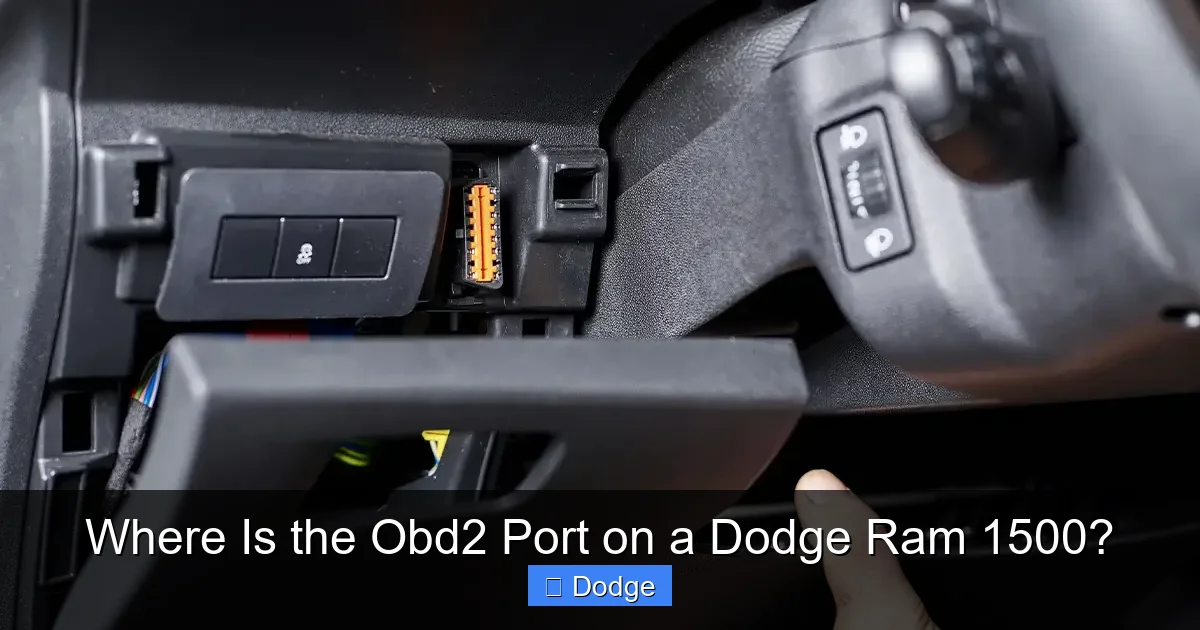
So, where is the OBD2 port on a Dodge Ram 1500? The good news is that Dodge has kept the location remarkably consistent across model years. In nearly every Ram 1500 produced from 1996 to the present, the OBD2 port is located under the dashboard on the driver’s side, just below the steering column.
More specifically, it’s usually found within arm’s reach when you’re sitting in the driver’s seat—often tucked behind or just above the knee panel. You don’t need to crawl under the truck or remove any major components. In most cases, you can simply reach under the dash and feel for a rectangular, 16-pin connector. It’s typically black or gray and has a trapezoidal shape, making it easy to identify once you know what to look for.
For example, in a 2020 Dodge Ram 1500 Laramie, the port is positioned about 6 to 8 inches below the bottom edge of the steering wheel, slightly to the left of center. It’s recessed into the dashboard frame but remains unobstructed. In older models like the 2005 Ram 1500, the location is nearly identical—just a bit closer to the center console due to slight dashboard design changes.
One helpful tip: if you’re having trouble spotting it, try turning on the ignition (without starting the engine) and look for a small light on the port itself. Some OBD2 scanners or adapters have indicator lights that illuminate when connected, which can help you confirm you’ve found the right spot.
How to Access the OBD2 Port
Accessing the OBD2 port in a Dodge Ram 1500 is usually straightforward, but a few tips can make the process even easier:
– Sit in the driver’s seat: This gives you the best angle and reach.
– Look under the dashboard: Focus on the area directly below the steering column.
– Feel around: If visibility is poor, use your hand to locate the port. It’s typically mounted securely and won’t move around.
– Check for obstructions: In some models, wiring harnesses or trim pieces might partially block the port. Gently move them aside if needed.
No tools are required in most cases. However, if your truck has aftermarket accessories like a steering wheel cover or floor mats that extend too far up, they might interfere. Simply adjust them to gain clear access.
Model Year Variations to Be Aware Of
While the general location remains the same, there are minor differences depending on the model year and trim level:
– 1996–2001 Dodge Ram 1500: The port is located under the dash, slightly to the left of the steering column. In some early models, it may be partially hidden behind a plastic cover or wiring bundle.
– 2002–2008 Dodge Ram 1500: The port is more accessible, often mounted directly into the dashboard frame with no cover.
– 2009–2018 Dodge Ram 1500: The location remains consistent, but the dashboard design is more streamlined. The port is still within easy reach.
– 2019–Present (Fifth Generation): The Ram 1500 received a major redesign, but the OBD2 port stayed in the same general area. It’s now slightly more recessed but still easy to access.
One exception: some heavily customized or lifted trucks may have aftermarket modifications that relocate or obstruct the port. If you’ve installed a new steering column, custom dash, or auxiliary switches, double-check that the OBD2 port hasn’t been moved.
How to Use the OBD2 Port: A Step-by-Step Guide
Visual guide about Where Is the Obd2 Port on a Dodge Ram 1500?
Image source: cdn11.bigcommerce.com
Now that you’ve found the port, how do you actually use it? Using an OBD2 scanner with your Dodge Ram 1500 is simpler than you might think. Here’s a step-by-step guide to get you started:
Step 1: Choose the Right Scanner
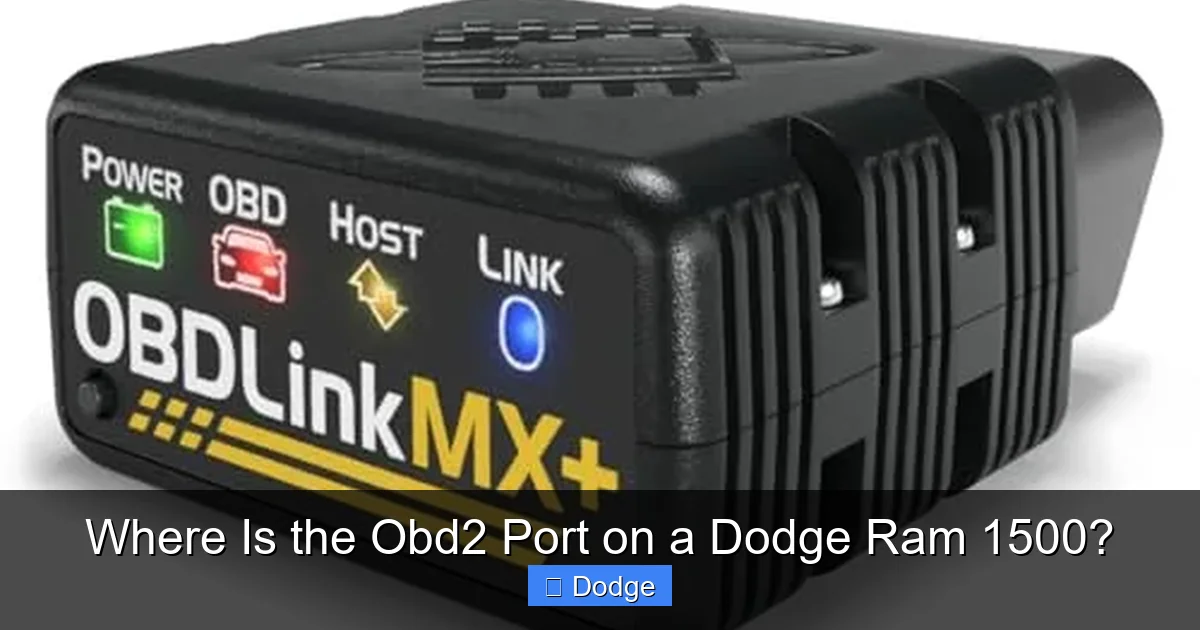
Not all OBD2 scanners are created equal. For basic code reading and clearing, a simple Bluetooth or USB scanner (like the BlueDriver or FIXD) works great. These devices connect to your smartphone via an app, giving you real-time data and easy-to-understand explanations.
If you’re more advanced—or planning to do regular diagnostics—consider a handheld scanner like the Autel MaxiCOM or Launch CRP129. These offer deeper system access, including transmission, ABS, and airbag codes, which are especially useful for Chrysler vehicles.
Step 2: Prepare Your Truck
Before plugging in:
– Turn off the engine.
– Ensure the ignition is in the “OFF” position.
– Make sure the scanner is compatible with Chrysler/Dodge protocols (most modern ones are).
Step 3: Plug In the Scanner
Insert the scanner’s connector into the OBD2 port. It only fits one way—don’t force it. Once connected, turn the ignition to the “ON” position (but don’t start the engine). This powers up the truck’s computer and allows the scanner to communicate.
Step 4: Read the Codes
Follow the scanner’s instructions to retrieve trouble codes. Most devices will display codes like “P0301” (cylinder 1 misfire) or “P0420” (catalytic converter efficiency below threshold). The app or screen will usually explain what each code means and suggest possible fixes.
Step 5: Clear Codes (If Needed)
If you’ve fixed the issue—say, replaced a faulty spark plug—you can use the scanner to clear the code. This turns off the “Check Engine” light. However, be cautious: clearing codes without fixing the problem will only result in the light coming back on.
Step 6: Monitor Live Data (Optional)
Many scanners allow you to view live data streams, such as engine RPM, coolant temperature, oxygen sensor readings, and fuel trim. This is especially helpful for diagnosing intermittent issues or tuning performance.
Common Issues and Troubleshooting Tips
Even with the port in a standard location, you might run into a few hiccups. Here are some common issues and how to solve them:
Can’t Find the Port?
If you’re having trouble locating the OBD2 port, try these tips:
– Consult your owner’s manual—it often includes a diagram.
– Look for a small plastic cover labeled “OBD” or “Diagnostics.”
– Check behind the knee panel—some models have a removable trim piece.
– Ask a friend to help: sometimes a second pair of eyes makes all the difference.
Scanner Won’t Connect?
If your scanner isn’t communicating with the truck:
– Ensure the ignition is on.
– Check that the scanner is compatible with Chrysler vehicles.
– Try a different scanner or cable.
– Inspect the port for dirt, corrosion, or bent pins—clean gently with compressed air or a soft brush.
Port Is Damaged or Loose?
Over time, the OBD2 port can become loose or damaged from frequent use. If the connector feels wobbly or won’t stay plugged in:
– Avoid forcing it—this can break the pins.
– Consider having a mechanic inspect the wiring harness.
– In rare cases, the port may need to be replaced, which involves removing the dashboard panel.
Aftermarket Modifications Interfering?
If you’ve installed a new stereo, steering wheel, or auxiliary switches, they might block access. In such cases:
– Temporarily remove the obstruction to access the port.
– Consider relocating the scanner connection point if you use it frequently.
– Use a longer OBD2 extension cable (available online) to reach the port more easily.
Maintenance and Care for the OBD2 Port
Just like any other part of your truck, the OBD2 port benefits from regular care. A clean, well-maintained port ensures reliable connections and accurate diagnostics.
Keep It Clean
Dust, dirt, and moisture can accumulate in the port, especially in trucks used for off-roading or hauling. To clean it:
– Use a can of compressed air to blow out debris.
– Wipe the exterior with a dry cloth.
– Avoid using liquids or solvents—they can damage the electronics.
Protect from Damage
Avoid yanking the scanner cable out by the wire—always grip the connector itself. Repeated stress can loosen the port or break internal pins.
If you frequently use the port, consider installing a protective cover or using a right-angle adapter to reduce strain on the connection.
Check for Corrosion
In humid or salty environments, corrosion can develop on the pins. If you notice greenish residue or poor connectivity:
– Disconnect the battery before cleaning.
– Use a contact cleaner spray designed for electronics.
– Gently scrub with a soft-bristled brush.
Frequently Asked Questions About the OBD2 Port
Even with all this information, you might still have questions. Here are some of the most common ones—answered clearly and simply.
Can I use any OBD2 scanner with my Dodge Ram 1500?
Most modern OBD2 scanners work with Dodge Ram 1500s, but it’s best to choose one that supports Chrysler-specific protocols. Look for scanners that mention compatibility with Dodge, Jeep, or Chrysler vehicles.
Will using the OBD2 port drain my battery?
No, simply plugging in a scanner won’t drain the battery. However, leaving a scanner or Bluetooth adapter plugged in for extended periods (days) can slowly discharge the battery, especially in older trucks.
Can I reset the check engine light myself?
Yes, you can clear the check engine light using an OBD2 scanner. But remember: clearing the code doesn’t fix the problem. If the issue persists, the light will come back on.
Is the OBD2 port the same in all Ram 1500 trims?
Yes, the location and function of the OBD2 port are the same across all trims—from the base Tradesman to the high-end Limited. The only differences might be in dashboard styling, not the port itself.
What if my scanner shows “No Communication”?
This usually means the scanner can’t connect to the truck’s computer. Check the ignition, scanner compatibility, and port condition. If the problem persists, there may be an electrical issue requiring professional diagnosis.
Can I use the OBD2 port to improve performance?
While the port itself doesn’t enhance performance, you can use it with tuning devices (like a performance programmer) to adjust fuel maps, shift points, and throttle response. These devices plug into the OBD2 port and modify engine parameters for better power or efficiency.
Conclusion: Master Your Dodge Ram 1500’s Diagnostics
Knowing where the OBD2 port is on your Dodge Ram 1500 isn’t just a handy piece of trivia—it’s a practical skill that empowers you to take control of your truck’s maintenance. Whether you’re diagnosing a check engine light, preparing for emissions testing, or just curious about your engine’s performance, this small port is your gateway to valuable information.
From 1996 to the latest models, Dodge has kept the OBD2 port in a consistent, driver-friendly location under the dashboard. With a little know-how and the right tools, you can access it quickly and use it effectively. And with regular care, your port will remain reliable for years to come.
So the next time you’re under the dash, don’t fumble in the dark. Reach confidently for that 16-pin connector, plug in your scanner, and let your Ram 1500 tell you what it needs. After all, the best mechanics aren’t just the ones with the most tools—they’re the ones who know where to look.
Frequently Asked Questions
Where exactly is the OBD2 port located in a Dodge Ram 1500?
The OBD2 port is typically located under the dashboard on the driver’s side, just below the steering column. It’s within easy reach when seated and usually mounted directly into the dashboard frame.
Do all Dodge Ram 1500 models have the OBD2 port in the same spot?
Yes, from 1996 onward, the OBD2 port has been consistently placed under the driver’s side dashboard. While dashboard designs have evolved, the port location remains largely unchanged.
Can I access the OBD2 port without tools?
Yes, in most cases, no tools are needed. The port is designed for easy access, though some models may have minor obstructions like wiring or trim that can be moved aside by hand.
What should I do if my OBD2 scanner won’t connect?
First, ensure the ignition is on and the scanner is compatible with Chrysler vehicles. Check for dirt or damage in the port, and try a different scanner if possible.
Is it safe to leave an OBD2 scanner plugged in?
It’s safe for short periods, but leaving a scanner or Bluetooth adapter plugged in for days can slowly drain the battery. Unplug it when not in use.
Can I use the OBD2 port to improve my truck’s performance?
While the port itself doesn’t boost performance, you can use it with tuning devices to modify engine settings for better power, fuel economy, or towing capability.
