
What Oil Life Percentage to Change Oil in a Gmc?

GMC’s Oil Life System typically alerts you to change your oil when the percentage drops to 15-20%. This smart system calculates oil degradation based on engine revolutions, temperature, and driving habits—not just mileage. Ignoring the warning or waiting until 0% can cause severe engine wear. Always reset the system after a professional oil change to ensure accurate future calculations. Understanding this system saves you money and protects your engine.
Key Takeaways
- 15-20% is the Sweet Spot: Plan your oil change when the GMC Oil Life System reads 15-20% remaining. Waiting until 0% risks engine damage.
- The System is Algorithmic: It tracks engine run time, RPMs, and temperature, not just miles. Severe driving shortens the interval dramatically.
- Always Reset After Service: Failure to reset the Oil Life Monitor after an oil change renders it useless for the next cycle. Your technician should do this.
- Manual Checks are Still Vital: The system monitors oil condition, not level. Check your dipstick monthly to ensure proper oil volume.
- Severe Conditions Cut Intervals Short: Frequent short trips, extreme heat/cold, or towing can degrade oil faster, triggering the 15% alert much sooner.
- 0% Means “Change Now”: The system will continue to remind you aggressively at 0%. Prolonged operation at this point accelerates engine wear.
- It’s a Guide, Not a Guarantee: While highly accurate, the system doesn’t detect oil leaks or contamination from coolant (a serious issue). Learn the signs of oil contamination here.
📑 Table of Contents
- Introduction: Your GMC’s Silent Guardian
- How GMC’s Oil Life System Actually Works
- The Golden Rule: The 15-20% Threshold
- Factors That Can Wreak Havoc on Your Oil Life Calculation
- How to Check and Reset the Oil Life Percentage
- The Cost of Neglect: What Happens If You Ignore the Warning
- Conclusion: Trust the System, But Verify
Introduction: Your GMC’s Silent Guardian
Under the dashboard of your GMC Sierra, Yukon, or Acadia, a silent guardian is constantly working. It’s not a mechanical part, but a sophisticated piece of software: the Oil Life Monitoring System (OLMS). For many drivers, that little percentage number on the driver information display is a source of confusion. “What does it really mean?” “When should I *actually* change the oil?” Understanding this system is one of the simplest and most effective ways to protect your engine and avoid costly repairs. Forget the old “every 3,000 miles” rule—your GMC is smart enough to tell you exactly what it needs. This guide will decode everything you need to know about that oil life percentage, giving you the confidence to make the right call at the right time.
How GMC’s Oil Life System Actually Works
GMC’s system isn’t a simple mileage counter. It’s an algorithm-based life estimator. Think of it as a highly experienced mechanic living in your truck’s computer, constantly evaluating the oil’s condition. It doesn’t measure the oil directly with a sensor (on most models). Instead, it uses data from multiple engine control modules to calculate a “stress score” on the lubricant.

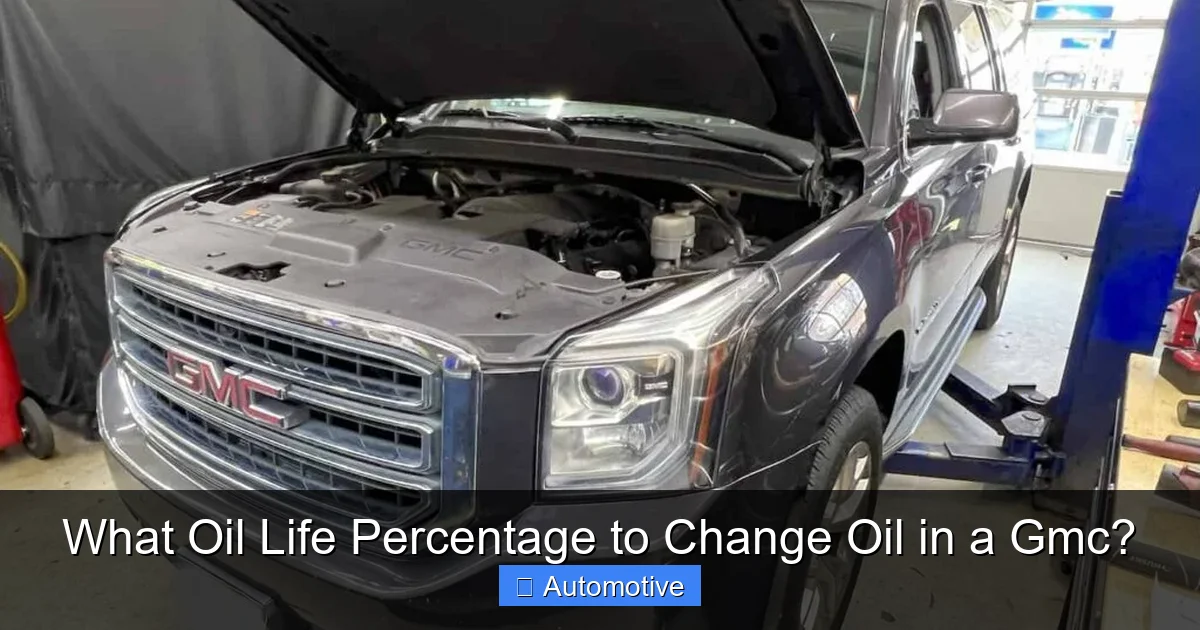
Visual guide about What Oil Life Percentage to Change Oil in a Gmc?
Image source: seventrumpet.com
The Science Behind the Percentage
The system primarily considers:
- Engine Run Time: How long the engine has been operating since the last reset.
- Engine Revolutions: High-RPM driving puts more stress on oil than steady highway cruising.
- Engine Temperature: Cold starts and extreme heat cycles break down oil additives faster.
- Driving Patterns: The system recognizes patterns like frequent short trips (where oil never fully heats up and contaminants burn off) versus long, steady drives.
This data is fed into a complex formula that estimates the depletion of the oil’s anti-wear additives, its ability to suspend soot, and its overall viscosity. The result is a percentage that reflects remaining useful life, not just volume. For a deep dive into how different manufacturers approach this technology, you can see how Toyota’s similar system functions in a RAV4.
The Critical “Change Oil” Warning
When the percentage drops to a pre-determined threshold (typically 15-20%), the “Change Engine Oil Soon” message will illuminate on your Driver Information Center (DIC). This is your primary, non-negotiable warning. The system will continue to remind you more persistently as the percentage approaches 0%. At 0%, the message will often change to “Oil Life 0% – Change Engine Oil Now.” This is your final, urgent alert. The system is designed this way to give you ample, but not excessive, time to schedule service.
The Golden Rule: The 15-20% Threshold
So, what’s the magic number? Industry standard and GMC’s own engineering points to the 15-20% remaining oil life mark as the optimal time to schedule your oil change. Here’s why you should never wait for the dreaded 0%:
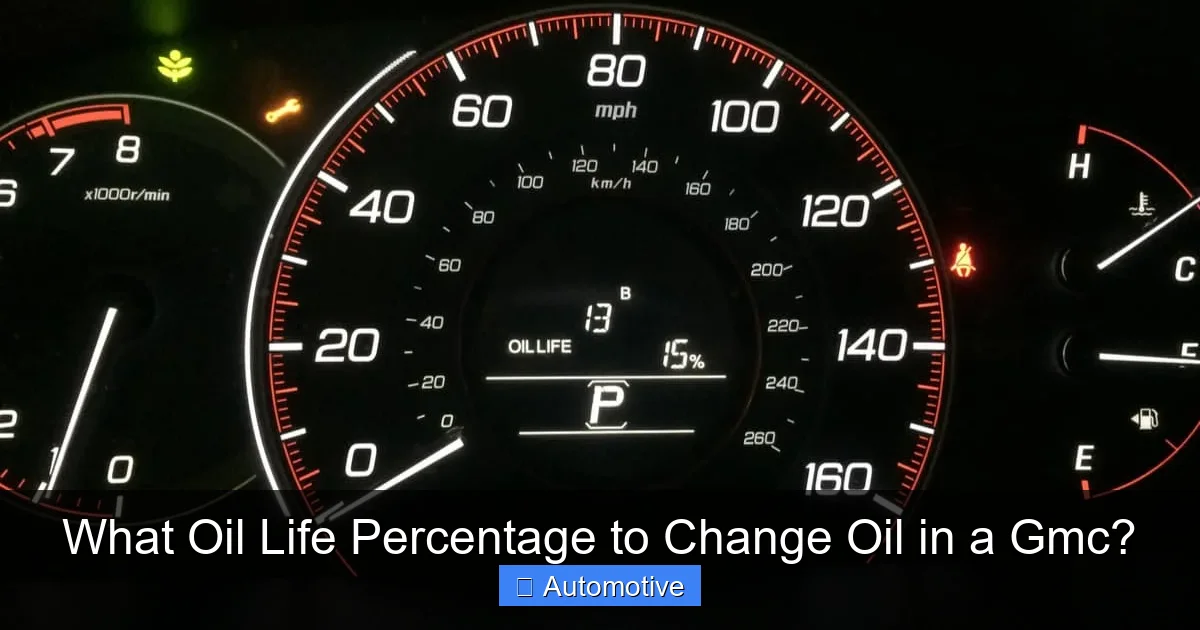
Visual guide about What Oil Life Percentage to Change Oil in a Gmc?
Image source: dashboardlightreset.com
Why You Shouldn’t Wait for 0%
Oil is a finite resource in your engine. Its additives are consumed over time. By the time the system calculates 0% remaining life, the oil’s protective additives are largely depleted. The oil itself may still be present in the sump, but its ability to prevent metal-on-metal contact, neutralize acids, and keep the engine clean is severely compromised. Driving at 0% is like running a marathon in worn-out shoes—you’ll finish, but you’ll cause damage. Prolonged operation at this stage leads to:
- Increased Engine Wear: Microscopic scoring on cylinder walls, cam lobes, and bearings.
- Sludge and Varnish Formation: Degraded oil turns into sticky deposits that block oil passages.
- Potential for Engine Failure: In extreme cases, bearing failure or seized components can occur.
If you’ve already hit 0%, change the oil immediately. Do not drive further than absolutely necessary to reach a service center. Understanding the cascade of problems that begins when oil is neglected is crucial for every vehicle owner.
What “15%” Means in Real-World Time
The time between 15% and 0% can vary wildly. For a driver with mostly highway miles, it might be 1,000-1,500 miles. For someone with severe, stop-and-go city driving in a hot climate, it could be just 500 miles. This is the brilliance of the system—it adapts to *your* driving. A common mistake is to see “15%” and think, “I have 15% of my 5,000-mile interval left,” which is incorrect. You have 15% of the oil’s *functional life* left, which may equate to very few miles under harsh conditions.
Factors That Can Wreak Havoc on Your Oil Life Calculation
Your GMC’s computer is smart, but it’s only as good as the data it receives. Your driving habits and environment are the biggest variables. If your oil life percentage seems to be dropping faster than expected, one of these “severe service” factors is likely the culprit.
Visual guide about What Oil Life Percentage to Change Oil in a Gmc?
Image source: mechanicbase.com
Defining “Severe” Driving for Your GMC
GMC’s owner’s manual defines severe service conditions. If you regularly encounter these, expect your oil life percentage to plummet faster, and take the 15% warning even more seriously:
- Frequent Short Trips: Driving less than 5-10 miles per trip, especially in cold weather. The oil never reaches full operating temperature to burn off moisture and fuel dilution.
- Extreme Temperatures: Consistent operation in very hot (>100°F) or very cold (<0°F) environments.
- Dusty or Sandy Conditions: Off-roading or driving on unpaved roads forces the air filter to work harder, allowing more particulates into the oil.
- Heavy Loads & Towing: Regularly hauling a trailer or carrying maximum cargo in your Sierra or Yukon puts immense load and heat on the engine and oil.
- Extended Idling: Taxis, delivery vehicles, or trucks left running for long periods.
- Aggressive Driving: Consistent high-RPM acceleration and braking.
If your lifestyle fits these descriptions, consider yourself in the “severe service” bracket. The standard recommendation to change at 15% is even more critical. Some mechanics even suggest changing oil at 25% for extreme cases.
The Oil Itself Matters
The type of oil used during your last service impacts the calculation. Modern full synthetic oils last longer and withstand higher temperatures better than conventional oils. If you or your shop used a lower-quality oil or an incorrect viscosity, the oil may degrade faster than the system anticipates. Always ensure the correct oil specification (like GM dexos1™ Gen 3 for gasoline engines) is used. The differences between oil types for different engines are significant and using the wrong one can invalidate the entire monitoring system’s accuracy.
How to Check and Reset the Oil Life Percentage
Knowing how to access and reset this information is empowering. The process is straightforward but varies slightly by GMC model year and trim.
Checking the Percentage
For most modern GMCs (2015 and newer):
- Turn the ignition to the “ON” or “RUN” position (do not start engine).
- Use the steering wheel-mounted controls or the DIC buttons to navigate to the “Vehicle Information” or “Oil Life” menu.
- The remaining oil life percentage will be displayed clearly, often alongside a “Change Engine Oil Soon” message if it’s below the threshold.
On older models (pre-2015), you may need to use the trip odometer button while turning the key on to access the diagnostic display. The process in a Toyota is a good reference point for the general method, though button combinations differ.
Resetting After an Oil Change
This is the most important step you must verify! If the system is not reset, it will continue counting down from the old percentage, giving you a false sense of security. There are two ways this happens:
- Professional Service: A reputable shop will always reset the Oil Life Monitor using a scan tool or the vehicle’s onboard procedure. Always ask, “Did you reset the oil life?” and verify it’s at 100% before you leave.
- DIY Reset: If you change your own oil, you must reset it. The standard procedure for most GMCs: With ignition ON, press the accelerator pedal to the floor three times within five seconds. You should hear a chime and see the display change to “100%.” Consult your owner’s manual for the exact procedure for your specific year and model, as it can vary.
Failing to reset is the #1 reason why the system becomes useless. Resetting procedures are similar across many GM and Stellantis brands, but always double-check your manual.
The Cost of Neglect: What Happens If You Ignore the Warning
It’s easy to think, “It’s just a little past due.” But the cost of that procrastination can be astronomical. The oil life percentage is a direct reflection of your engine’s health. Ignoring it is a gamble with one of your most expensive assets.
The Slow Creep of Damage
When oil degrades, it stops doing its job effectively. First, you get increased wear on precision engine parts. This wear creates microscopic metal particles that circulate in the oil, turning it into a grinding paste. This is the beginning of sludge formation. As sludge builds up in oil passages, it starves critical components like the camshaft and crankshaft bearings of lubrication. The engine runs hotter, oil pressure drops, and efficiency plummets. You might not notice anything at first—just a slow decline in performance and fuel economy.
The Catastrophic Failure
The final stage is catastrophic. A bearing can seize, a camshaft can lock up, or a piston can score the cylinder wall. At this point, you’re not talking about an oil change; you’re talking about an engine replacement or a rebuild. The cost can easily exceed $5,000-$10,000 or more. For context, a typical professional oil change costs between $50 and $120. The comparison makes the choice painfully clear. Protecting your engine with timely maintenance is the single most cost-effective automotive strategy you can employ.
Conclusion: Trust the System, But Verify
Your GMC’s Oil Life Monitoring System is a fantastic tool that, when used correctly, optimizes engine protection and can even save you money by preventing unnecessary changes. The rule of thumb is simple: when the percentage hits 15-20%, schedule your oil change immediately. Do not wait for 0%. Remember that your driving habits dictate the system’s accuracy—if you drive under severe conditions, treat the warning with even greater urgency. Always, always verify that the system is reset after every service. Combine this smart technology with the old-fashioned habit of checking your oil level monthly, and you have a winning combination for long-term engine health. Treat that percentage not as a suggestion, but as your engine’s direct line of communication to you. Heed it, and your GMC will reward you with years of reliable service.
Frequently Asked Questions
Can I reset the oil life percentage without changing the oil?
Technically yes, but you should never do this. Resetting without changing the oil means the system will start counting down from 100% on degraded, worn-out oil, completely defeating the purpose of the safety system and putting your engine at serious risk.
What happens if I drive with 0% oil life?
Driving with 0% oil life means your oil has severely depleted additives and is no longer providing adequate protection. You will cause accelerated wear, increased sludge buildup, and risk a sudden, catastrophic engine failure. Change the oil immediately and avoid driving further than absolutely necessary.
Does using full synthetic oil change the percentage threshold?
No. The Oil Life System is calibrated for the oil type specified by GMC (usually a dexos1™ certified oil, which is synthetic-blend or full synthetic). Using a high-quality synthetic that meets the specification may help the oil last longer in extreme conditions, but the 15-20% alert threshold remains the same. The system’s algorithm already accounts for the properties of the recommended oil.
Should I still check my oil dipstick if the percentage is high?
Absolutely, yes. The Oil Life System monitors the *condition* of the oil, not the *quantity*. It has no way of knowing if you have a slow leak or have burned oil. A monthly manual dipstick check is non-negotiable to ensure the oil level is correct, regardless of what the percentage display shows.
Is the oil life percentage accurate if I use an aftermarket oil filter?
It can be. The system doesn’t monitor the filter. However, a low-quality aftermarket filter may allow more contaminants to circulate, which could degrade the oil faster than the system predicts. Using a high-quality filter (like those from ACDelco, Mobil 1, or Wix) is recommended to ensure the system’s calculations match real-world oil degradation.
My “Service Engine Soon” light is on, but my oil life is at 50%. What gives?
The “Service Engine Soon” light is a generic emissions-related warning, completely separate from the dedicated “Change Engine Oil” message based on oil life. An oil change will not turn off a “Service Engine Soon” light. That light indicates a problem with the engine’s management or emissions system that needs to be diagnosed with a scan tool. Performing a proper oil change is always good practice, but it won’t fix an underlying emissions issue triggering that separate light.