
What Is Toyota Smart Key System with Push Button Start?

Contents
- 1 Key Takeaways
- 2 📑 Table of Contents
- 3 Introduction: The End of Fumbling for Keys
- 4 How It Works: The Invisible Conversation Between Key and Car
- 5 The Core Components: More Than Just a Fob
- 6 The User Experience: A Step-by-Step Guide to Daily Use
- 7 Troubleshooting and Common “What If” Scenarios
- 8 Security, Safety, and Special Features
- 9 The Future: Where Smart Key Technology Is Headed
- 10 Conclusion: Embracing Keyless Living
- 11 Frequently Asked Questions

Tire Repair Kit

Car LED Headlight Bulb

Dash Cam

Dashboard Polish
The Toyota Smart Key System with Push Button Start is an advanced keyless entry and ignition system that allows you to unlock your doors and start your engine without ever removing a physical key from your pocket or purse. It uses encrypted radio signals between your key fob and the vehicle for seamless, secure access. This system combines significant convenience with robust security features, representing Toyota’s move toward a modern, key-free driving experience.
Key Takeaways
- Keyless Convenience: The system allows for hands-free unlocking of doors and trunk when you are within proximity of the vehicle, eliminating the need to fumble for keys.
- Push-Button Ignition: The engine is started by pressing a dedicated button on the dashboard, but only after the system verifies the presence of the authorized smart key and the brake pedal is depressed.
- Advanced Security: It uses rolling, encrypted codes and multiple antennas to prevent relay attacks and unauthorized access, making it far more secure than traditional remote keyless entry.
- Emergency Protocols: The system includes a hidden mechanical key and a specific procedure to start the car if the smart key’s battery is completely dead or the system malfunctions.
- Smart Key Deactivation: A physical deactivation switch exists (often in the glove box) to temporarily disable the system, which is useful for valet parking or to prevent accidental unlocking.
- Component Integration: It’s not just a key fob; it’s a network involving the key fob, vehicle antennas, the Engine Control Unit (ECU), and the Body Electronic Control Module (BECM) working in concert.
- Future-Proof Foundation: This technology is the essential hardware base for Toyota’s evolving connected services and potential digital key (smartphone-based) functionality in newer models.
📑 Table of Contents
- Introduction: The End of Fumbling for Keys
- How It Works: The Invisible Conversation Between Key and Car
- The Core Components: More Than Just a Fob
- The User Experience: A Step-by-Step Guide to Daily Use
- Troubleshooting and Common “What If” Scenarios
- Security, Safety, and Special Features
- The Future: Where Smart Key Technology Is Headed
- Conclusion: Embracing Keyless Living
Introduction: The End of Fumbling for Keys
Remember the days of digging through a bag or pocket, jingling keys, and finally getting the right one into the lock? Those days are fading fast, thanks to innovations like the Toyota Smart Key System with Push Button Start. This isn’t just a fancy new button on your dashboard; it’s a complete rethinking of how you interact with your car. It represents a seamless blend of convenience and security that feels like magic the first time you use it. You simply walk up to your Toyota, the doors unlock automatically, you get in, press the brake, and push a button—the engine roars to life. No key ever needed to be in your hand.
But what’s actually happening behind the scenes? How does your car know it’s you and not a thief with a signal booster? This system, often called “keyless entry and ignition,” is a sophisticated dance of encrypted radio frequencies and electronic verification. Understanding it helps you use it more effectively and troubleshoot the rare moments when it might not work as expected. In this deep dive, we’ll unpack every layer of this technology, from the chip in your fob to the computer in your car, ensuring you have a complete mastery over one of Toyota’s most user-friendly features.
How It Works: The Invisible Conversation Between Key and Car
At its heart, the Toyota Smart Key System is a constant, low-power conversation. Your smart key fob isn’t just a transmitter; it’s a transceiver, meaning it both sends and receives radio signals. The car is equipped with multiple low-frequency antennas—typically in the door handles, trunk, and cabin. When you approach the vehicle, these antennas emit a “wake-up” signal. If your authorized key fob is within range (usually about 5-10 feet), it responds with its unique encrypted ID code.

Visual guide about What Is Toyota Smart Key System with Push Button Start?
Image source: images-na.ssl-images-amazon.com
The Rolling Code Security Dance
This isn’t a static code that could be copied. The system uses a “rolling code” or “changing code” algorithm. Every time you use the system, both the key fob and the car’s computer generate a new, synchronized code from a complex algorithm. Even if a thief were to capture the code used to unlock your door today, it would be useless tomorrow because both devices have already moved on to the next code in the sequence. This encryption is what makes the system so resistant to traditional “code-grabbing” relay attacks.
Once the car’s Body Electronic Control Module (BECM) verifies the rolling code matches its prediction, it commands the door locks to disengage. For engine start, an additional layer of verification occurs. The system checks that the key is inside the vehicle (using interior antennas) and that the brake pedal is depressed. Only then does it allow the engine start button circuit to complete, signaling the Engine Control Unit (ECU) to crank the engine.
The Core Components: More Than Just a Fob
To understand the system, you need to see it as a trio of essential hardware components working in unison.
Visual guide about What Is Toyota Smart Key System with Push Button Start?
Image source: mlc90rgrwcsy.i.optimole.com
The Smart Key Fob Itself
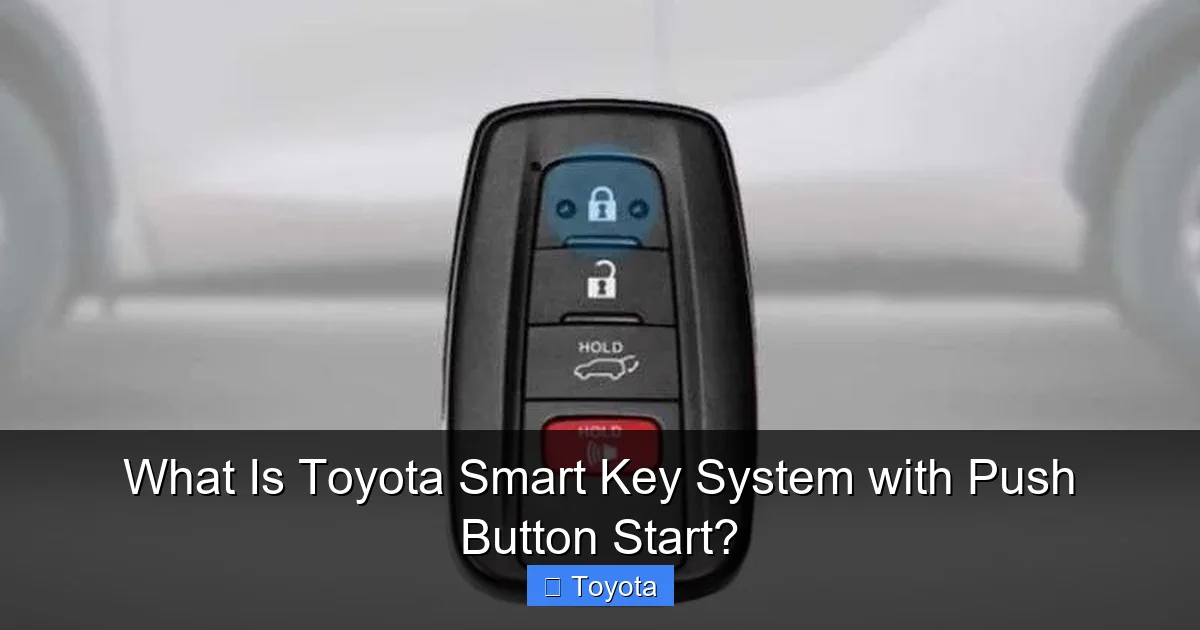
This is your physical credential. Inside its plastic shell lies a tiny integrated circuit chip with a unique ID, a battery (usually a CR2032), and a low-frequency transceiver. It also has traditional buttons for lock/unlock/trunk as a manual override. The fob’s signal is low-power for proximity detection but can be boosted for longer-range remote functions. If you’ve ever wondered what is a smart key for a car, it’s precisely this: an electronic credential that communicates with your vehicle wirelessly. You can learn more about the general concept of smart keys in our dedicated article on the topic.
The Vehicle’s Antenna Network
Your Toyota has a discreet network of antennas. You’ll find them in the exterior door handles (for touch-sensing), the rear bumper (for trunk release), and distributed around the passenger compartment. This network creates a “bubble” of detection. The system can tell if the key is outside (approaching), inside the cabin, or even in the trunk, which is why you can lock the doors with the key inside and not get locked out (in most cases).
The Brain: Control Modules
The intelligence resides in two main computers: the Body Electronic Control Module (BECM) and the Engine Control Unit (ECU). The BECM manages all the “body” functions—door locks, lights, and the smart key’s proximity verification. It’s the gatekeeper for access. Once you’re inside and press the brake, the BECM communicates with the ECU, confirming a valid key is present before the ECU engages the starter motor. This two-step verification is a critical security feature.
The User Experience: A Step-by-Step Guide to Daily Use
Using the system is designed to be intuitive, but knowing the precise steps can prevent minor hiccups.

Visual guide about What Is Toyota Smart Key System with Push Button Start?
Image source: statics.mylandingpages.co
Approaching and Unlocking
As you walk within about 3 feet of the driver’s door with the fob on your person, simply touch the inner surface of the door handle. You should hear a click and see the door unlock. There’s no need to press any button on the fob. This is “passive entry.” The same works for the rear hatch—stand near it and press the release button on the hatch itself. A pro tip: if the automatic unlock doesn’t trigger, ensure your fob isn’t buried deep in a metal-filled bag or against a large phone, which can block the signal.
Entering and Starting
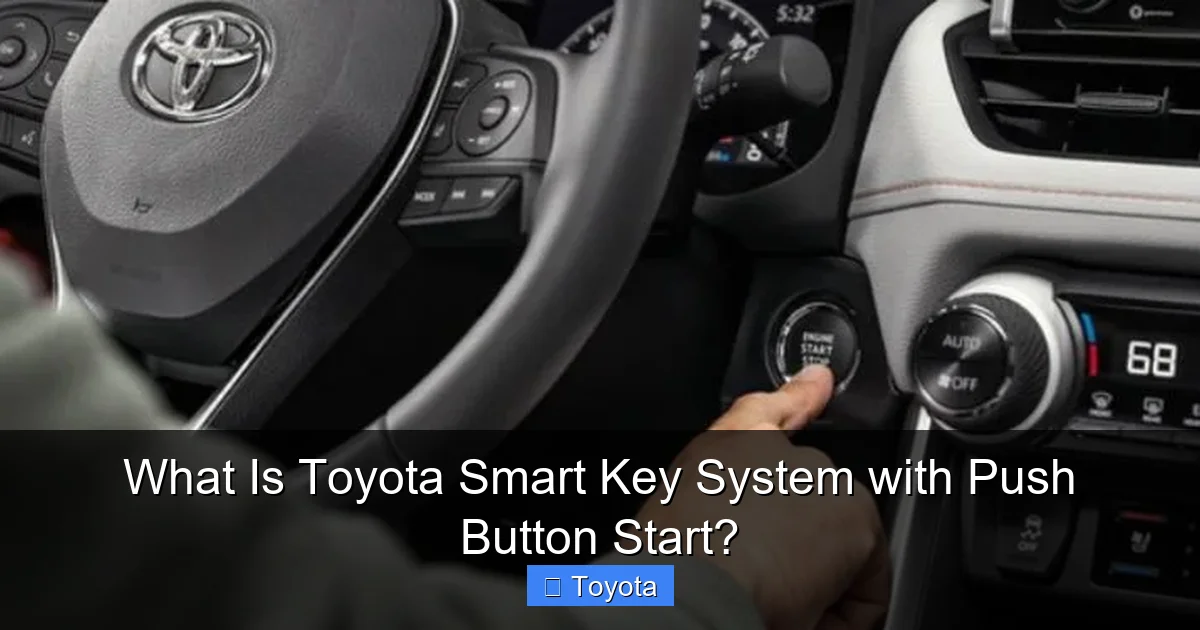
Once inside, you don’t need to insert a key. The system, knowing the key is nearby (inside the cabin bubble), allows you to press the engine start/stop button. However, you must have your foot firmly on the brake pedal for the button to activate. This is a critical safety interlock. Press and hold the button, and the engine will start. To turn off, press the button again while the vehicle is in Park.
Locking and Trunk Release
To lock all doors as you exit, simply press the lock button on any door handle (or the fob’s lock button). The system will check that the key is not inside the vehicle before locking. If you accidentally leave the key inside, you’ll typically hear a warning chime and see a dash message. For the trunk, the fob’s dedicated trunk button works anywhere within range, or you can use the physical button on the trunk lid if the fob is nearby.
Troubleshooting and Common “What If” Scenarios
For all its brilliance, the system can occasionally be confused. Knowing how to respond is key.
“The Smart Key Battery is Low”
This is the most common warning. The fob’s battery (CR2032) typically lasts 1-2 years. When it gets low, you’ll see a dashboard warning. The key will still work for passive entry at very close range (by touching the fob to the start button), but its long-range reliability will fade. Replacing the battery is a simple DIY task—just pry open the fob case. Be sure to use a fresh, high-quality battery.
Starting with a Dead Key Fob Battery
If your fob battery dies completely, the system will fail. You’ll need your emergency mechanical key. This is hidden inside the fob (usually accessible via a small slider or button). You’ll then use this key to manually unlock the driver’s door. Once inside, the car has a specific procedure: place the dead fob against the engine start button (the exact location is marked with a key icon on some models) and press the brake pedal. The car’s antenna can read the fob’s chip through close proximity, even without power. This is where knowing the emergency start procedure is vital. For model-specific instructions on using a manual key, our guide on how to start a Toyota Camry with a manual key provides a clear example of this process.
Signal Interference and “Key Not Detected”
Strong radio interference from cell towers, large power lines, or even a bag full of electronics can temporarily block the signal. If you get a “Key Not Detected” message, try moving away from potential sources of interference, remove other electronics from your pocket, and hold the fob near the start button. Also, a weak fob battery is a frequent culprit for intermittent detection issues.
Security, Safety, and Special Features
The system is engineered with multiple layers of protection and useful functions.
Anti-Theft and Relay Attack Mitigation
The rolling code encryption is the primary defense. Furthermore, the low-frequency wake-up signal has a very short range (a few feet). This makes classic “relay attacks,” where thieves amplify the signal from a key inside a house to a car outside, much more difficult, though not impossible with sophisticated equipment. Some newer Toyota models add a motion sensor to the fob that deactivates it when stationary for a period, further mitigating this risk.
The Smart Key Deactivation Switch
There is a physical switch, often located inside the glove box or on the side of the steering column, that can disable the smart key system’s passive functions. This is useful when valet parking, when you want to hand over a key but not allow the car to be unlocked or started by the fob in your pocket. It also prevents accidental unlocking if the fob is in your bag while you’re near the car. Always check your owner’s manual for the exact location of your Toyota Smart Key deactivation switch.
Walk-Away Auto Lock
This convenient feature automatically locks the doors and trunk when you walk away from the vehicle with the fob, provided all doors are closed. It’s a great security habit-builder. You can usually enable or disable this in the vehicle’s settings menu.
The Future: Where Smart Key Technology Is Headed
The Toyota Smart Key System is the foundation for the next leap in vehicle access: the digital key. Using your smartphone’s Bluetooth or NFC, you could soon lock, unlock, and start your compatible Toyota without carrying a physical fob at all. The physical smart key system you have today is fully compatible with this future, as the car’s antenna and control module architecture is already in place. This evolution will allow for easy key sharing via a smartphone app and integration with other connected services. As Toyota continues to roll out its Toyota SmartPath connected ecosystem, the humble smart key fob may eventually become a backup to your phone.
Conclusion: Embracing Keyless Living
The Toyota Smart Key System with Push Button Start is more than a convenience feature; it’s a paradigm shift in vehicle interaction. It removes friction from your daily routine, offering a “key-in-pocket” experience that becomes second nature. By understanding its components—the intelligent fob, the antenna network, and the vigilant control modules—you gain appreciation for the engineering that makes it possible. You’re also better equipped to handle the rare hiccup, from a low battery to signal interference. Remember to keep your fob’s battery fresh, be mindful of its location in bags to avoid signal blocking, and know where your deactivation switch and emergency key are. This system is a perfect example of technology working silently in the background to make your life easier and your car more secure. As you use it, you’re not just starting an engine; you’re experiencing the smooth, integrated future of automotive access.
Frequently Asked Questions
What happens if the smart key battery dies?
If the battery dies, the fob will not work for remote functions or passive entry. However, you can use the hidden mechanical key to unlock the door. To start the car, hold the dead fob directly against the engine start button while pressing the brake pedal; the car’s antenna can still read the chip through close proximity.
Can I accidentally lock my smart key inside the car?
The system is designed to prevent this. If you attempt to lock the doors with the key fob inside the vehicle (detected by interior antennas), the locks will not engage, and you will usually hear a warning chime. However, if the key’s battery is dead or the system is deactivated, this safeguard may not function, so it’s always good to confirm visually.
Is the push-button start safe? Could the car start accidentally?
Yes, it is very safe. The engine start button is inert unless two conditions are met simultaneously: the smart key is verified to be inside the vehicle, and the brake pedal is fully depressed. This dual-interlock system prevents accidental starting.
Can I use an aftermarket or non-Toyota key fob with this system?
No. The smart key system uses proprietary, encrypted communication that must be programmed to your specific vehicle’s ECU by a Toyota dealer or a certified locksmith using specialized equipment. Generic or unprogrammed fobs will not work.
Will changing the key fob battery require reprogramming?
No. Replacing the CR2032 battery in the fob is a simple physical swap. It does not affect the programmed encryption codes or require any reprogramming to the vehicle. Just open the fob, replace the battery, and reassemble it.
Is the system vulnerable to relay theft?
While no system is 100% foolproof, Toyota’s rolling code encryption and the very short-range low-frequency wake-up signal make relay attacks significantly more difficult than with older systems. Storing your key fob in a Faraday bag or away from doors/windows at home adds a strong layer of protection against signal amplification.







