
What Does the Maintenance Light Mean on a 2010 Toyota Corolla?

The maintenance light on your 2010 Toyota Corolla is not a warning of imminent failure, but a friendly reminder from your car’s computer that it’s time for scheduled service, typically an oil change and inspection. This light is part of Toyota’s Maintenance Required System (MRS), which tracks your mileage and time since your last service. When it illuminates, you should plan to have your vehicle inspected and serviced according to the factory schedule. You can reset the light yourself after the maintenance is performed, but ignoring it for too long can lead to increased wear and potential damage.
Key Takeaways
- It’s a Reminder, Not an Emergency: The maintenance light indicates scheduled service is due, based on mileage/time intervals, not a critical system failure.
- Primarily for Oil Changes: On the 2010 Corolla, the main trigger for this light is the recommended oil change interval (typically every 5,000 miles).
- The System Tracks Your Driving: The car’s computer calculates service intervals based on both mileage and engine operating conditions, not just a simple timer.
- You Must Perform Maintenance First: The light is designed to be reset only after the required service (oil, filter, inspection) has been completed.
- Resetting is a Simple Procedure: The process for turning off the light on a 2010 Corolla is a manual, tool-free sequence done via the odometer button.
- Ignoring It Has Consequences: Prolonged neglect can lead to sludge buildup, poor performance, and costly repairs, voiding aspects of your warranty.
- It’s Different from the Check Engine Light: The maintenance required light (usually “MAINTENANCE REQUIRED”) is separate from the check engine light, which signals a specific problem code.
📑 Table of Contents
- So, That Light is On. Now What?
- Decoding the “MAINTENANCE REQUIRED” Light
- How the Maintenance Required System Actually Works
- What to Do When the Light Comes On
- How to Reset the Maintenance Light on a 2010 Toyota Corolla
- The 2010 Corolla’s Maintenance Schedule: Beyond the Oil Change
- Common Misconceptions and FAQs
- The Bottom Line: Respect the Reminder
So, That Light is On. Now What?
You’re driving your trusty 2010 Toyota Corolla, a car known for its reliability and efficiency, when suddenly a new icon catches your eye on the dashboard. It’s not the bright red oil pressure warning or the ominous check engine light. This one is a little more subtle—often a small wrench icon or the words “MAINTENANCE REQUIRED.” A wave of questions hits you: What does it mean? Is my car about to break down? How much is this going to cost? Take a deep breath. In the vast majority of cases for a 2010 Corolla, this light is your car’s polite and slightly insistent way of saying, “Hey, it’s probably time for my oil change and a check-up.” It’s a scheduled service reminder, not a SOS signal. This article will be your complete guide to understanding, responding to, and ultimately silencing that maintenance light on your specific vehicle. We’ll dive into the how and why, what steps to take, and exactly how to reset it once the work is done.
First, let’s establish the most important thing: do not panic. The maintenance required system in your Corolla is a fantastic tool designed to help you stay on top of routine care, which in turn protects your investment and ensures the long, healthy life of your engine. Ignoring it is where the real problems begin. But understanding it is the first step to mastering your vehicle’s care. We’re going to break it all down, from the technology under the hood to the button you press on the dash.
Decoding the “MAINTENANCE REQUIRED” Light
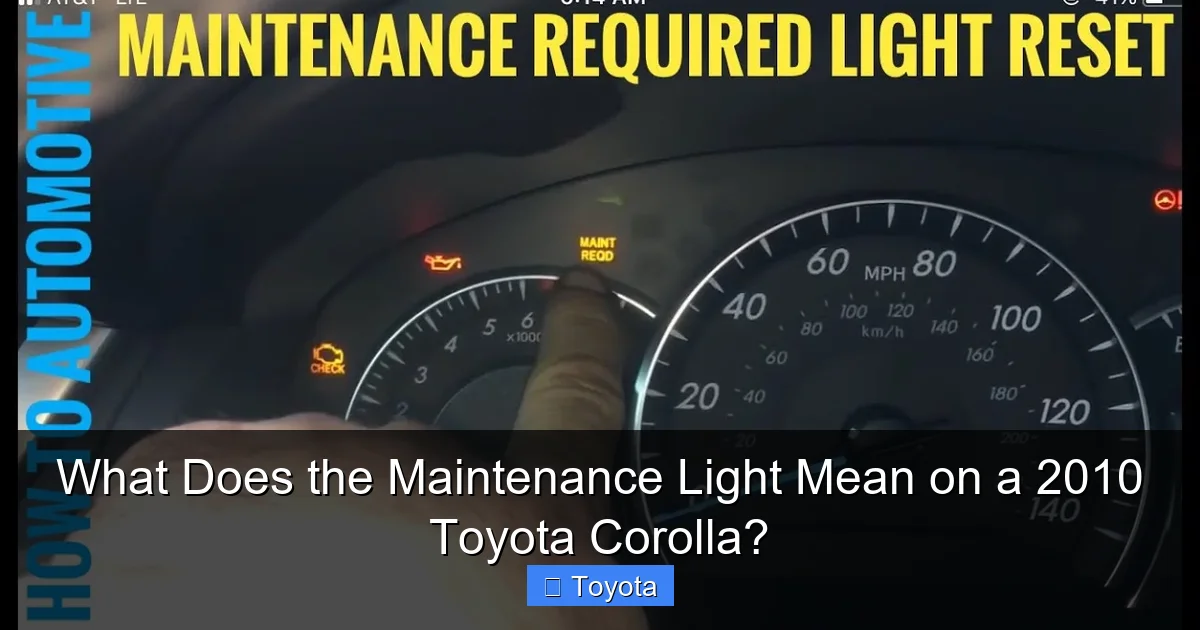
On the 2010 Toyota Corolla, the dashboard light in question is explicitly labeled “MAINTENANCE REQUIRED.” It is illuminated by the car’s onboard computer, often called the Engine Control Unit (ECU) or the Maintenance Required System (MRS) module. This isn’t a sensor that detects a problem; it’s a timer and mileage counter that has been pre-programmed by Toyota engineers. The system is designed to illuminate the light after a predetermined interval, which for the 2010 Corolla with a conventional gasoline engine is typically every 5,000 miles or approximately every 6 months, whichever comes first. This interval aligns with the classic recommendation for oil changes in its day.
Visual guide about What Does the Maintenance Light Mean on a 2010 Toyota Corolla?
Image source: i.ytimg.com
The Wrench Icon and Its Meaning
In some model years or trim levels, you might see a small wrench icon instead of text. This icon is a universal symbol for “maintenance” or “service.” It means the exact same thing as the text: your car is notifying you that a set period or mileage has elapsed since your last reset of the system. It has no connection to the “wrench” or service indicator lights you might see on other brands like Honda, which can sometimes indicate a different system. For your Toyota, think of the wrench simply as a shorthand for “maintenance required.” If you’re ever curious about other dashboard symbols, you can read about what the wrench light means on a Honda Civic for comparison, but for your Corolla, it’s a straightforward reminder.
What Triggers It?
The system is primarily mileage-based. When your odometer rolls past a set threshold (e.g., 5,000 miles since the last reset), the computer triggers the light. However, it’s more sophisticated than a simple clock. The MRS also considers engine runtime and operating conditions. If you do a lot of short trips, stop-and-go driving, or operate in extreme temperatures, the engine accumulates more stress and contaminants in the oil. The system is designed to account for this “severe” driving pattern and may prompt the light earlier than the pure mileage count would suggest. This is why the manual advises following the “severe service” schedule if your driving habits fit that description.
How the Maintenance Required System Actually Works
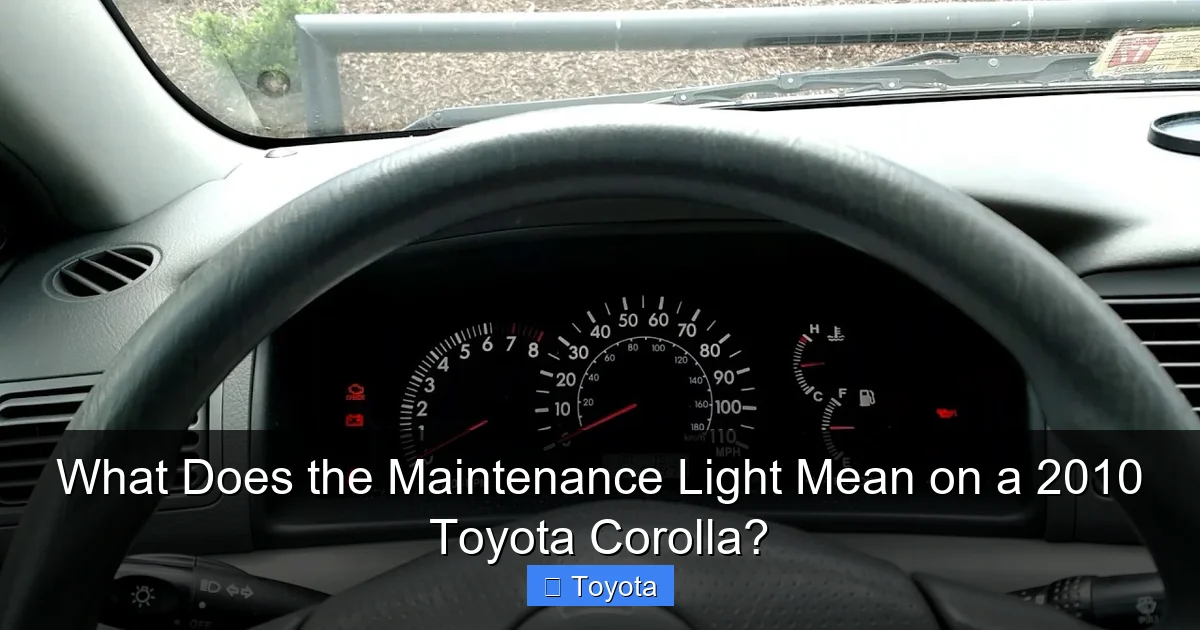
Understanding the mechanics behind the light demystifies it completely. Think of the system as a very basic, dedicated computer program. Here’s a step-by-step look at its operation:
Visual guide about What Does the Maintenance Light Mean on a 2010 Toyota Corolla?
Image source: i.ytimg.com
- Initialization: Every time you have a certified oil change and service, the technician (or you, if you do it yourself) is supposed to manually reset the maintenance required counter to zero. This is a crucial step. The system doesn’t know service was performed unless someone tells it.
- Counting: After the reset, the MRS module begins counting. It monitors the vehicle’s speed sensor and calculates total distance traveled. It may also tally engine run-time from ignition cycles.
- The Threshold: The manufacturer’s programmed threshold for the 2010 Corolla is 5,000 miles. As you approach this number, nothing happens. The moment the cumulative mileage since the last reset exceeds 5,000 miles, the system sets a flag.
- Illumination: On the next ignition cycle (when you start the car), the ECU sees the flag and commands the “MAINTENANCE REQUIRED” light to turn on. It will stay on steadily until it is manually reset, usually by a procedure involving the odometer/trip meter button.
- No Sensors, No Codes: Crucially, this light is not tied to any engine sensor. It will not throw a diagnostic trouble code (DTC) that a mechanic’s scan tool can read in the same way a check engine light will. Its sole job is to count miles and remind you.
This is why resetting the light without performing the actual maintenance is a bad idea. You’re simply telling the computer to start counting to 5,000 again while your old, potentially degraded oil is still in the engine. This defeats the entire purpose of the system and risks engine damage.
What to Do When the Light Comes On
So, the wrench is lit. Your action plan should be methodical and calm. Here is your step-by-step guide.
Visual guide about What Does the Maintenance Light Mean on a 2010 Toyota Corolla?
Image source: i.ytimg.com
Step 1: Assess Your Immediate Situation
First, check your oil level. Even though the light is a reminder, not an alarm, it’s good practice to confirm your engine has adequate oil. Pop the hood, pull the dipstick, wipe it clean, reinsert it, and check the level. It should be between the “L” (Low) and “F” (Full) marks. If it’s low, top it up with the correct oil type (likely 5W-20 or 5W-30 for a 2010 Corolla—check your owner’s manual) before doing anything else. A severely low oil level could trigger other warnings, but the maintenance light itself won’t tell you that.
Step 2: Check Your Mileage and Service History
Look at your current odometer reading. How many miles have you actually driven since your last oil change? If it’s been 4,800 miles, you have a little time. If it’s 7,000 miles, you’re overdue. Also, think about the time. Has it been over a year? Even if you haven’t hit 5,000 miles, oil degrades over time and should be changed annually. The light is a helpful prompt to check both metrics.
Step 3: Schedule Your Service
This is the non-negotiable step. Based on the 2010 Corolla’s factory schedule, the service associated with the 5,000-mile interval typically includes:
- An oil and filter change.
- A multi-point inspection (tires, brakes, fluids, belts, hoses, etc.).
- Possible tire rotation (recommended every 5,000-7,500 miles).
You can have this done at a Toyota dealership, a trusted independent mechanic, or perform the oil change yourself if you’re mechanically inclined. The key is that the work gets done. If you’re due for other major services (like a 30,000 or 60,000-mile service), the maintenance light will still come on at the 5,000-mile mark. It’s a periodic reminder, not a comprehensive service list. Always refer to the maintenance schedule in your owner’s manual for your specific model’s full requirements at different mileage points.
Step 4: Perform or Verify the Reset
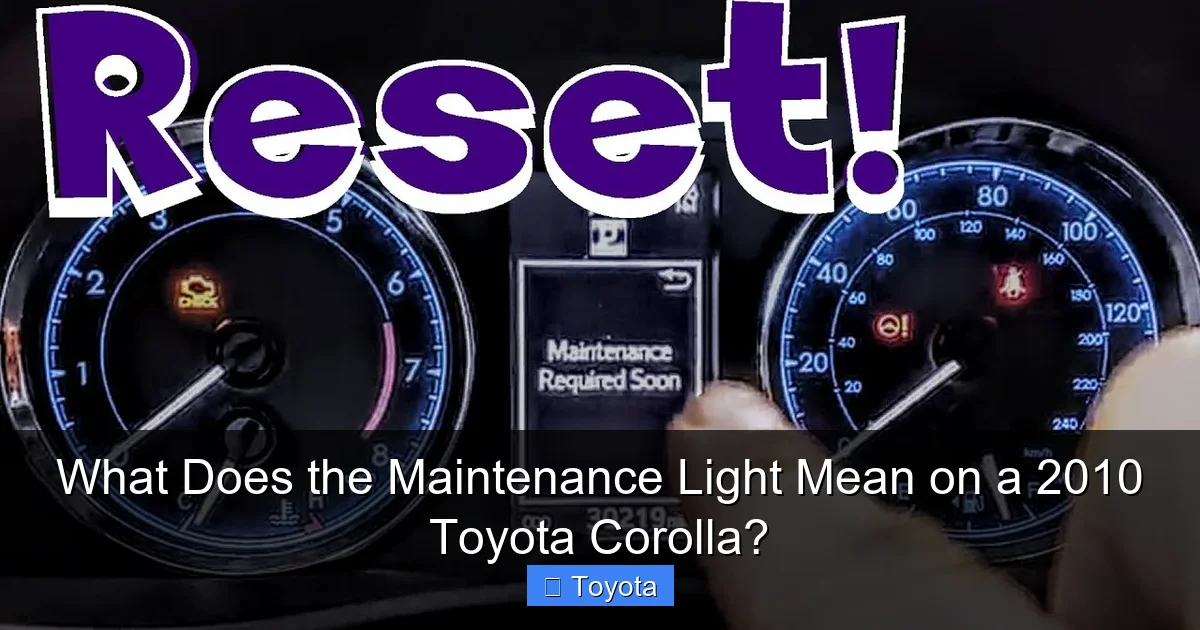
Once the oil and filter are changed and any other due services are completed, the light must be reset. This tells the car’s computer that the maintenance has been performed and it can start counting down to the next 5,000-mile interval. The reset procedure for a 2010 Corolla is a manual process using the odometer button on the dash. We will detail the exact steps in the next section. Important: If you have a service center do the work, they should reset it for you. It’s good practice to verify before you leave that the light is off. If you do it yourself, follow the steps precisely.
How to Reset the Maintenance Light on a 2010 Toyota Corolla
Resetting the light is a simple, tool-free procedure you can do at home in under a minute. Here is the definitive step-by-step guide for the 2010 model year.
The Step-by-Step Button Sequence
Make sure the car is parked, the parking brake is set, and the engine is off. The ignition should be in the “ON” position (where the dashboard lights are on, but the engine is not running).
- Turn the ignition to the “ON” position. Do not start the engine. You should see all your dashboard lights illuminate, including the “MAINTENANCE REQUIRED” light.
- Locate the odometer/trip meter button. This is the small button, often on the instrument cluster near the speedometer, used to toggle between odometer and trip meter readings (Trip A, Trip B).
- Press and hold the button. While holding the button down, switch the ignition key to the “OFF” position. Keep holding the button.
- While still holding the button, turn the ignition back to the “ON” position. Do not start the engine. Continue to hold the button.
- Watch the odometer display. After a few seconds (3-5 seconds), the odometer display should change. The “MAINTENANCE REQUIRED” light will begin to blink, and you should see the word “DONE” or a series of dashes appear on the odometer screen.
- Release the button. Once you see “DONE” or the blinking stops, you can release the button. The maintenance light should be off.
- Start the engine. Turn the key to start the car to verify the light does not come back on. Then turn the car off and back on again to be absolutely certain.
If this doesn’t work on the first try, repeat the sequence carefully. The timing of switching the ignition while holding the button is key. If you continue to have trouble, your owner’s manual will have the exact procedure for your specific Corolla trim. There are also video tutorials online that visually demonstrate this process. For other Toyota models, the reset procedure can vary slightly. For instance, the steps to reset the maintenance light on a Toyota Highlander involve a different button combination, which is why it’s always best to confirm for your specific year and model.
The 2010 Corolla’s Maintenance Schedule: Beyond the Oil Change
The 5,000-mile maintenance light is your most frequent reminder, but it’s just one part of a larger maintenance lifecycle. Understanding the full schedule helps you plan for future services and costs.
Major Service Intervals
Your owner’s manual outlines services at specific mileage markers. Here’s a simplified breakdown for a typical 2010 Corolla with a 1.8L engine:
- Every 5,000 miles / 6 months: Oil & filter change, tire rotation, basic inspection. (This is what the light reminds you of).
- Every 15,000 miles / 1 year: All of the above, plus inspection of drive belts, engine air filter, and cabin air filter.
- Every 30,000 miles: All of the above, plus replacement of engine air filter and cabin air filter, inspection of fuel system, and more detailed brake, suspension, and fluid checks.
- Every 60,000 miles: Major service including spark plug replacement (if not done earlier), timing belt inspection (the 1ZZ-FE engine in most 2010 Corollas uses a timing chain, which is generally “lifetime” but still inspected), and all fluid flushes (coolant, transmission, etc.).
Pro Tip: Keep a detailed service log, either in the manual’s provided pages or in a digital app. Note the date, mileage, and service performed. This is invaluable for your own records and for proving maintenance to a future buyer.
Understanding “Severe” vs. “Normal” Driving
The factory schedule has two columns: “Normal” and “Severe.” Most drivers mistakenly think they fall under “Normal.” “Severe” conditions are actually quite common and include:
- Frequent short trips (less than 5-10 miles) where the engine doesn’t fully warm up.
- Extreme temperatures (very hot or very cold).
- Extensive idling or stop-and-go traffic.
- Driving on dusty, sandy, or muddy roads.
- Carrying heavy loads or towing.
If your driving matches any of these, you should follow the “Severe” schedule, which typically calls for more frequent oil changes (e.g., every 3,750 miles for severe service in older manuals) and earlier inspections. The maintenance required light is programmed for the standard interval, so if you’re a severe driver, you might want to get service done before the light even comes on.
Common Misconceptions and FAQs
Let’s clear up some frequent points of confusion about the maintenance light.
Misconception 1: “It means my oil is low right now.”
False. The light does not monitor oil level or pressure. A separate oil pressure warning light (usually a red oil can icon) does that. The maintenance light is purely a mileage/time counter. Your oil could be perfectly full and still trigger the light because it’s “time” according to the calendar or mileage.
Misconception 2: “I can just reset it and forget about it.”
This is the worst thing you can do. Resetting the light without changing the oil means you’re starting the next 5,000-mile cycle with used, degraded oil. This accelerates engine wear, leads to sludge buildup, and can cause catastrophic engine failure far sooner than if you had performed the service. The light is a reminder for a reason.
Misconception 3: “It’s the same as the Check Engine Light.”
Absolutely not. The Check Engine Light (or Malfunction Indicator Lamp – MIL) is a completely different system. It illuminates when the ECU detects a fault from one of the dozens of sensors and systems it monitors (oxygen sensor, catalytic converter, misfire, etc.). It often requires a diagnostic scan to identify the problem code. The Maintenance Required Light is a simple, pre-programmed reminder with no diagnostic function. They serve entirely different purposes. You can have one without the other.
Misconception 4: “If I reset it, my car’s computer will know I changed the oil.”
The computer doesn’t “know” anything. It simply counts. Resetting it is you manually telling the counter, “Start counting from zero again now.” The computer has no way of verifying if you actually performed the service. That’s why the ethical (and smart) thing to do is to perform the maintenance first, then reset the light.
The Bottom Line: Respect the Reminder
Your 2010 Toyota Corolla’s maintenance required light is one of its best features. It’s a direct line of communication from the engineers who built your car, giving you a clear, unbiased schedule to follow. Heeding its call—changing the oil and filter on schedule and getting regular inspections—is the single most effective thing you can do to ensure your Corolla reaches 200,000 miles or more with minimal problems. It protects your engine, maintains fuel efficiency, and preserves the legendary reliability you bought a Toyota for. The reset procedure is the final, simple step in that maintenance cycle. Think of it as closing the loop: you did the work, now you tell the car it’s done. By understanding this system, you move from being a passive driver who sees a mysterious light to an informed owner who takes proactive control of their vehicle’s health and longevity. That small wrench on your dash isn’t an annoyance; it’s a tool for ownership. Use it wisely.
Frequently Asked Questions
Is it safe to drive with the maintenance light on?
Yes, it is generally safe to drive for a reasonable distance (hundreds of miles) with the maintenance light on. It is a reminder, not an immediate danger signal. However, you should avoid driving for an excessively long time or many thousands of miles with it on, as you will be operating with oil that is past its recommended service life, which increases engine wear.
What’s the difference between the maintenance light and the check engine light?
The maintenance required light (wrench or “MAINTENANCE REQUIRED”) is a pre-programmed reminder for scheduled service like oil changes. The check engine light (usually an engine-shaped icon) indicates a detected fault in the engine or emissions system and requires diagnostic scanning. One is for routine care; the other is for troubleshooting a problem.
Can I reset the maintenance light without changing the oil?
Technically, yes, you can follow the reset procedure without changing the oil. However, this is strongly discouraged and defeats the purpose of the system. You will be starting a new service interval with old oil, which accelerates engine wear and can lead to costly damage. Always perform the required maintenance before resetting the light.
How often does the maintenance light come on?
On a 2010 Toyota Corolla, the maintenance required light is programmed to illuminate approximately every 5,000 miles or every 6 months, whichever occurs first. This interval assumes “normal” driving conditions. For “severe” driving, service is needed more frequently, but the light will still trigger at the standard 5,000-mile interval.
Why did my maintenance light come on after just 3,000 miles?
This is unlikely if the system was properly reset after the last service. If it happens, it could indicate a fault in the MRS module itself, though this is rare. More commonly, it means the light was not fully reset during the last service, and the system still had a few thousand miles left on its previous count. Double-check the reset procedure or have a professional verify the system’s status.
Will the maintenance light ever turn itself off?
No. The maintenance required light will remain steadily illuminated once it comes on until it is manually reset using the specific button sequence with the ignition. It does not have an automatic shut-off like some warning lights that disappear when the condition is corrected (e.g., a door ajar light). You must complete the reset procedure after servicing the vehicle.
