
How to Unlock Chevrolet Radio

How to Unlock Chevrolet Radio is an essential topic that provides valuable insights and practical knowledge for anyone interested in learning more about this subject.
Key Takeaways
- Understanding How to Unlock Chevrolet Radio: Provides essential knowledge for making informed decisions
- Practical applications: Can be applied in various real-world scenarios
- Key benefits: Offers significant advantages when properly implemented
- Important considerations: Requires attention to specific details and best practices
- Future implications: Continues to evolve and impact related fields
📑 Table of Contents
How to Unlock Chevrolet Radio
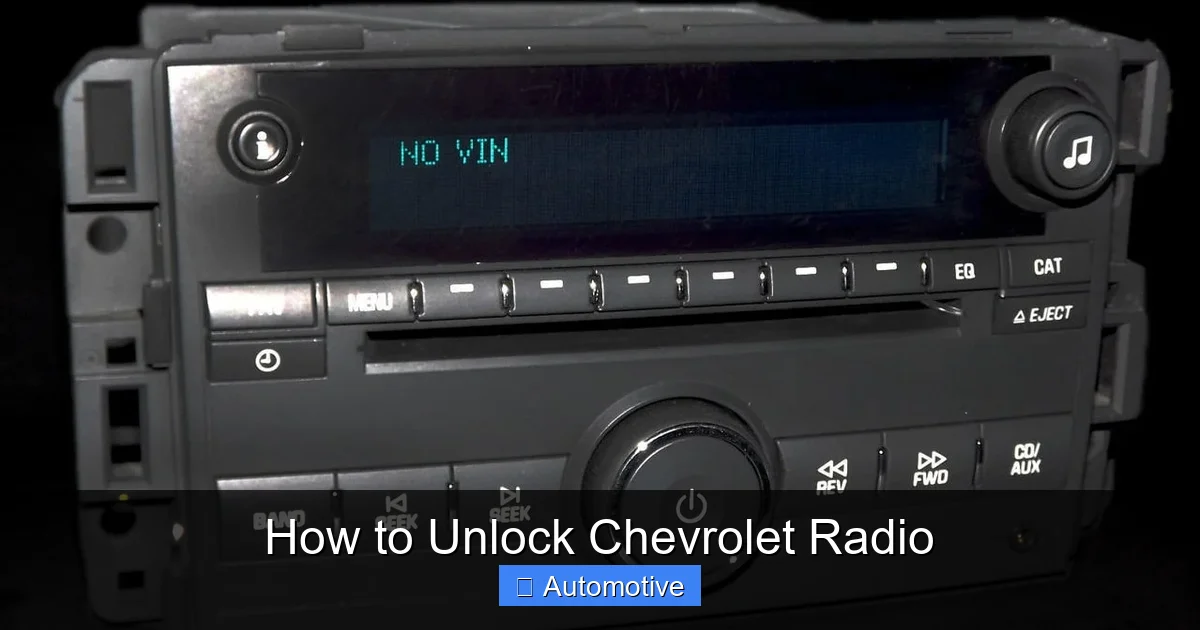
Have you ever turned on your Chevrolet and been greeted not by your favorite playlist, but by a blinking “LOCKED” message on the radio screen? If so, you’re not alone. It’s one of those frustrating little quirks that can turn a simple morning commute into a mini-crisis. I remember the first time it happened to me—I’d just jumped in my Chevy Silverado after a weekend trip, excited to blast some classic rock, only to be met with silence and a cryptic code prompt. Panic set in. Had I broken something? Was my radio fried? Turns out, it was just doing what it was designed to do: protecting itself.
Chevrolet radios come with a built-in security feature called TheftLock. It’s meant to deter theft—if someone tries to steal your radio and install it in another vehicle, it won’t work without the correct unlock code. But sometimes, this feature kicks in even when there’s no theft involved. A dead battery, a jump start, or even disconnecting the battery for routine maintenance can trigger the lock. And while the intention is good, the execution can leave drivers scratching their heads. The good news? Unlocking your Chevrolet radio is usually straightforward—if you know where to look and what steps to follow. In this guide, I’ll walk you through everything you need to know to get your tunes back on track, from finding your radio’s serial number to entering the correct code. No dealership visit required.
Why Does My Chevrolet Radio Keep Locking?
Before we dive into the how-to, let’s talk about the why. Understanding why your Chevrolet radio locks in the first place can help you prevent it from happening again—and save you time and stress down the road. The primary reason your radio locks is due to a power interruption. This could be as simple as replacing the battery, jump-starting your vehicle, or even a sudden voltage drop during a storm. When the radio loses power, it assumes it’s been removed from the vehicle and activates TheftLock as a security measure.
Visual guide about How to Unlock Chevrolet Radio
Image source: instant-radio-code.com
Common Triggers for Radio Lock
- Dead or disconnected battery: Even a brief disconnection can trigger the lock.
- Jump-starting the vehicle: Sudden power surges can confuse the radio’s memory.
- Replacing the radio fuse: If the fuse blows and is replaced, the radio may reset.
- Vehicle repairs involving electrical work: Mechanics often disconnect the battery, which can trigger the lock.
- Extreme temperature changes: In rare cases, cold weather can cause electrical glitches.
It’s important to note that not all Chevrolet models behave the same way. Older models (pre-2006) often require a physical code entry, while newer models may have digital interfaces or even allow code retrieval through the infotainment system. Some vehicles also come with a backup power source for the radio, which can prevent locking—but only if it’s functioning properly.
How TheftLock Works
TheftLock is a factory-installed anti-theft system that ties the radio to your vehicle’s VIN (Vehicle Identification Number). When the radio is powered on after a disruption, it checks for a match between its internal memory and the vehicle’s system. If it doesn’t recognize the environment (like after being removed and reinstalled), it locks down until the correct code is entered. This code is unique to your radio and is typically provided by the manufacturer or dealership at the time of purchase.
One thing to keep in mind: if you’ve recently purchased a used Chevrolet, the previous owner may not have transferred the radio code. In that case, you’ll need to contact Chevrolet customer service or use online tools to retrieve it. And if you’ve replaced your radio with an aftermarket unit, TheftLock won’t apply—but you may still encounter compatibility issues with your vehicle’s wiring or steering wheel controls.
Finding Your Chevrolet Radio’s Serial Number
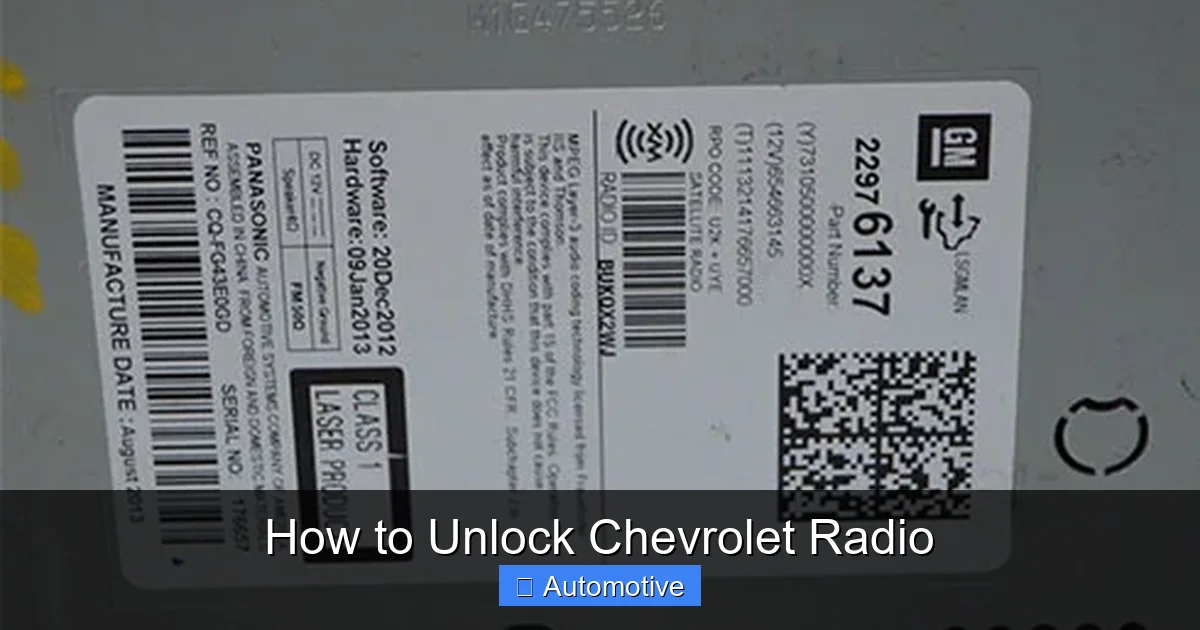
The first step to unlocking your Chevrolet radio is locating its serial number. This alphanumeric code is essential because it’s used to generate or verify your unlock code. Without it, you won’t be able to proceed. The good news is that most Chevrolet radios make this number relatively easy to find—though the exact method depends on your vehicle’s model and year.
Visual guide about How to Unlock Chevrolet Radio
Image source: radiocodescalculator.com
Locating the Serial Number on Older Models (Pre-2006)
For older Chevrolet vehicles, the serial number is usually printed on a label attached to the radio itself. To access it, you’ll need to remove the radio from the dashboard. Here’s how:
- Turn off the ignition and disconnect the negative terminal of the battery for safety.
- Use a set of radio removal keys (also called DIN tools) to gently pry the radio out of the dashboard. These tools slide into the small slots on either side of the radio and release the locking clips.
- Once the radio is out, look for a white or silver label on the side or back. The serial number is typically labeled as “S/N,” “Serial No.,” or “VIN.” It’s usually 8 to 10 characters long and may include letters and numbers (e.g., V1234567).
Pro tip: Take a photo of the serial number before reinserting the radio. This way, you’ll have it handy if the radio locks again in the future.
Finding the Serial Number on Newer Models (2006 and Later)
Newer Chevrolet vehicles often display the serial number directly on the radio screen, eliminating the need to remove the unit. Here’s how to access it:
- Turn the ignition to the “ON” position (but don’t start the engine).
- Press and hold the radio’s “AM/FM” and “SEEK” buttons simultaneously for about 10 seconds.
- The screen should display a series of numbers—this is your radio’s serial number.
- Write it down or take a photo before proceeding.
Some models may require a different button combination. For example, in certain Chevrolet Malibu or Impala models, you might need to press “Preset 1” and “Preset 6” while turning the radio on. If the above method doesn’t work, consult your owner’s manual or search online for your specific model’s procedure.
What If the Serial Number Is Missing or Unreadable?
In rare cases, the label may be faded, damaged, or missing altogether. If you can’t find the serial number, don’t panic. You still have options:
- Check the owner’s manual: Some manuals include a section where the previous owner may have written down the code or serial number.
- Look in the glove compartment or center console: Previous owners sometimes leave notes or documentation with the code.
- Contact Chevrolet customer service: Provide your VIN and proof of ownership, and they may be able to retrieve the serial number from their database.
- Visit a dealership: A certified technician can often pull the serial number using diagnostic tools.
Remember, the serial number is the key to unlocking your radio—so take the time to locate it properly. Skipping this step will only delay the process.
How to Get Your Chevrolet Radio Unlock Code
Once you have your radio’s serial number, the next step is obtaining the unlock code. This is a 4-digit number that tells the radio it’s safe to operate. There are several ways to get it, depending on your vehicle’s age and your access to documentation.
Visual guide about How to Unlock Chevrolet Radio
Image source: radiocodescalculator.com
Using the Original Owner’s Documentation
If you’re the original owner of the vehicle, check the following places for the unlock code:
- Owner’s manual: Some Chevrolet manuals include a small card or sticker with the radio code.
- Glove compartment: Look for a white or yellow sticker with “Radio Code” printed on it.
- Center console or sun visor: Previous owners sometimes tape the code in a hidden spot.
- Service records: If you’ve had the radio serviced, the code may be noted in the paperwork.
When I bought my first Chevy, the previous owner had left a sticky note with the code tucked behind the sun visor. It was a lifesaver—and a reminder to always check the small spaces in a used car.
Contacting Chevrolet Customer Service
If you can’t find the code in your documentation, your best bet is to contact Chevrolet directly. Here’s how:
- Call Chevrolet Customer Support at 1-800-CHEVY-USA (1-800-243-8982).
- Have your vehicle’s VIN, radio serial number, and proof of ownership ready (registration or title).
- Explain that your radio is locked and you need the unlock code.
- A representative will verify your information and provide the code over the phone.
Be prepared to wait on hold, especially during peak hours. I once spent 20 minutes on the line, but the agent was helpful and had my code within minutes of verifying my details.
Using Online Code Retrieval Services
Several third-party websites offer radio code retrieval for a small fee (usually $10–$20). These services use databases compiled from dealership records and user submissions. To use them:
- Visit a reputable site like RadioCodeCalculator.net or ChevyRadioCode.com.
- Enter your radio’s serial number and vehicle details.
- Pay the fee and receive the code via email or on-screen.
While convenient, be cautious with online services. Stick to well-reviewed sites and avoid sharing sensitive information like your full VIN or Social Security number. Most legitimate services only require the radio serial number.
Visiting a Chevrolet Dealership
If all else fails, a trip to the dealership is your safest option. Technicians have access to manufacturer databases and can generate the code on the spot. Just bring:
- Your driver’s license
- Vehicle registration or title
- Radio serial number
Most dealerships provide this service for free or for a nominal fee (under $20). It’s also a good opportunity to have them check if your radio has any other issues.
Step-by-Step Guide to Entering the Unlock Code
Now that you have your code, it’s time to unlock your radio. The process is simple, but it must be done correctly to avoid locking the radio further. Most Chevrolet radios allow three incorrect attempts before disabling for an hour—so take your time.
Entering the Code on Older Models
For vehicles with analog radios (common in models like the Silverado, Tahoe, or Impala from the early 2000s), follow these steps:
- Turn the ignition to the “ON” position.
- The radio will display “LOC” or “LOCKED.”
- Press the “AM/FM” button to enter code mode.
- Use the preset buttons (1–4) to enter each digit of the code. For example, if your code is 1234:
- Press Preset 1 once for “1”
- Press Preset 2 twice for “2”
- Press Preset 3 three times for “3”
- Press Preset 4 four times for “4”
- After entering all four digits, press the “AM/FM” button again to confirm.
- If correct, the radio will unlock and resume normal operation.
If you make a mistake, don’t panic. Wait a few seconds and try again. But remember: three wrong attempts will lock the radio for one hour.
Entering the Code on Newer Models with Touchscreens
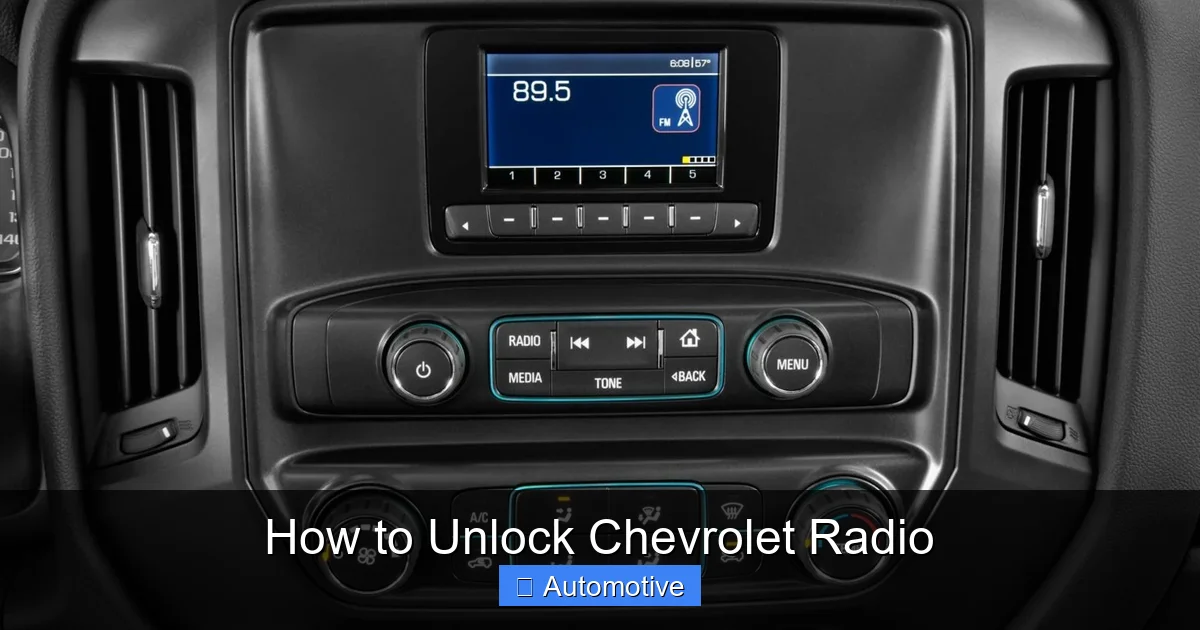
For vehicles with infotainment systems (like the Chevrolet Malibu, Equinox, or Traverse from 2010 onward), the process is more intuitive:
- Turn on the ignition.
- The screen will display “Enter Code” or “Radio Locked.”
- Use the on-screen keypad to enter the 4-digit code.
- Tap “OK” or “Submit.”
- If correct, the radio will unlock and load your saved stations.
Some models may require you to press and hold the “Power” button for a few seconds to access the code entry screen. Refer to your owner’s manual if you’re unsure.
What to Do If the Code Doesn’t Work
If the code fails after three attempts, the radio will display “OFF” or “LOCKED” and disable for one hour. During this time, do not attempt to enter another code. Wait the full hour, then try again. If the code still doesn’t work, double-check the following:
- Did you enter the correct serial number when requesting the code?
- Is the code for the correct radio model?
- Did you transpose any digits (e.g., 1234 vs. 1324)?
In rare cases, the radio’s internal memory may be corrupted. If the code still doesn’t work after multiple attempts, consider visiting a technician for diagnostics.
Preventing Future Radio Locks
Now that your radio is unlocked, you’ll want to avoid this hassle in the future. While you can’t disable TheftLock entirely, there are steps you can take to minimize the risk of accidental locking.
Maintain Your Vehicle’s Battery
A healthy battery reduces the chance of power interruptions. Have your battery tested annually, especially before winter. If your battery is more than three years old, consider replacing it proactively. A weak battery is more likely to die unexpectedly, triggering the lock.
Use a Memory Saver When Disconnecting the Battery
If you need to disconnect the battery for maintenance, use a memory saver device. This small plug connects to the OBD-II port or cigarette lighter and provides temporary power to the radio and ECU, preventing data loss. Memory savers cost around $15–$25 and are available at auto parts stores.
Keep a Record of Your Radio Code
Once you’ve retrieved your code, store it in a safe place. Consider:
- Writing it in your owner’s manual
- Storing it in a password manager
- Keeping a copy in your glove compartment (hidden from view)
- Emailing it to yourself for digital backup
I keep mine in my phone’s notes app under “Car Stuff”—easy to find and secure.
Avoid Unnecessary Radio Removal
Unless you’re upgrading or repairing the radio, leave it in place. Removing and reinstalling the unit increases the risk of triggering TheftLock. If you must remove it, use a memory saver and handle the connectors carefully.
When to Seek Professional Help
Most radio locks can be resolved with the steps above. But sometimes, the issue goes deeper. Here’s when it’s time to call in a pro:
- The radio displays “ERR” or “FAIL” after code entry
- The screen is blank or unresponsive
- You’ve tried multiple codes and none work
- The radio makes unusual noises or overheats
In these cases, the radio’s internal circuitry may be damaged. A certified technician can diagnose the issue and recommend repair or replacement. While aftermarket radios are an option, they may not integrate fully with your vehicle’s steering wheel controls or OnStar system.
Conclusion
Getting your Chevrolet radio locked can feel like a major setback—especially when all you want is to listen to your favorite podcast or playlist. But as frustrating as it is, the process to unlock it is usually straightforward once you know what to do. From locating your serial number to entering the correct code, each step brings you closer to restoring your audio experience.
Remember, TheftLock is there to protect your investment, not punish you. With a little preparation—like keeping your radio code handy and maintaining your battery—you can avoid most lock situations altogether. And if it does happen again, you’ll know exactly what to do. So the next time you see that dreaded “LOCKED” message, take a deep breath. You’ve got this. Your music—and your peace of mind—are just a few button presses away.
| Chevrolet Model | Radio Type | Serial Number Location | Code Entry Method |
|---|---|---|---|
| Silverado (2003–2006) | Analog | Back of radio unit | Preset buttons (1–4) |
| Malibu (2010–2015) | Touchscreen | On-screen display | On-screen keypad |
| Equinox (2016–2020) | Infotainment | Settings menu or back of unit | Touchscreen input |
| Tahoe (1999–2006) | Analog | Side label on radio | Preset buttons |
| Traverse (2021–Present) | Digital | Vehicle settings menu | Steering wheel controls |
Whether you’re driving a classic Suburban or a brand-new Blazer, the principles remain the same: find the serial number, get the code, and enter it carefully. With this guide in hand, you’re well-equipped to handle any radio lock situation that comes your way. Safe driving—and happy listening!
Frequently Asked Questions
How do I unlock a Chevrolet radio after battery replacement?
If your Chevrolet radio displays “LOCKED” after a battery replacement, you’ll need the radio’s security code to unlock it. This code is often found in your owner’s manual or on a card provided at purchase.
Where can I find the radio code for my Chevrolet?
The radio code for your Chevrolet may be located in the glove compartment, owner’s manual, or on a sticker inside the trunk. If not, contact a Chevrolet dealer with your VIN and radio serial number to retrieve it.
How do I enter the code to unlock my Chevrolet radio?
Turn on the radio and use the preset buttons to enter the 4-digit security code. After entering the correct code, the radio should unlock and function normally.
What if I don’t have the code for my Chevrolet radio?
If you don’t have the code, visit a Chevrolet dealership with proof of ownership. They can access the code using your vehicle’s VIN and radio serial number to help you unlock the radio.
Can I unlock my Chevrolet radio without the code?
Unlocking a Chevrolet radio without the code is not recommended and may require professional assistance. Attempting unauthorized methods could damage the radio or void its warranty.
How do I prevent my Chevrolet radio from locking again?
To avoid future lockouts, keep your radio code in a safe place and avoid disconnecting the battery unless necessary. If you must disconnect it, use a memory saver to maintain power to the radio.