
How to Check If Your Car Insurance Is Active Online

Checking if your car insurance is active online is fast, easy, and essential for staying compliant with the law. Whether you’re renewing, switching providers, or just confirming coverage, digital tools from insurers and state agencies make verification simple and secure.
Key Takeaways
- Use your insurer’s online portal or mobile app: Most insurance companies offer 24/7 access to policy details, including active status, coverage dates, and documents.
- Check your state’s Department of Motor Vehicles (DMV) website: Many states allow drivers to verify insurance electronically through official DMV portals or verification systems.
- Look for digital insurance cards: Downloadable or mobile insurance cards often include real-time status and are accepted as proof of coverage in most states.
- Contact your insurance agent or customer service: If online tools aren’t working, a quick call or live chat can confirm your policy status instantly.
- Set up policy alerts and reminders: Enable email or text notifications for renewals, payments, and lapses to avoid accidental coverage gaps.
- Keep personal information updated: Ensure your name, address, and vehicle details match across all platforms to prevent verification issues.
- Be cautious of third-party sites: Only use official insurer or government websites to avoid scams or outdated information.
📑 Table of Contents
- Why It’s Important to Know If Your Car Insurance Is Active
- How to Check Your Car Insurance Status Through Your Insurer’s Website
- Checking Insurance Status Through Your State’s DMV or Verification System
- Using Digital Insurance Cards to Confirm Active Coverage
- Contacting Your Insurance Provider for Confirmation
- Tips to Avoid Lapsing Coverage and Stay Protected
- Common Mistakes to Avoid When Checking Your Insurance Status
- Conclusion
Why It’s Important to Know If Your Car Insurance Is Active
Driving without active car insurance isn’t just risky—it’s illegal in almost every state in the U.S. Whether you’re commuting to work, running errands, or taking a weekend road trip, having valid coverage protects you financially and legally. But what happens when you’re not sure if your policy is still in effect? Maybe you missed a payment, switched providers, or simply forgot to renew. That’s why knowing how to check if your car insurance is active online is a crucial skill for every driver.
Imagine pulling over during a routine traffic stop and being asked for proof of insurance. If your policy has lapsed, you could face fines, license suspension, or even vehicle impoundment. Worse, if you’re involved in an accident without coverage, you could be personally responsible for thousands—or even hundreds of thousands—of dollars in damages. That’s a financial burden no one wants to face.
The good news? Thanks to digital tools and online platforms, verifying your insurance status has never been easier. Most insurance companies now offer user-friendly websites and mobile apps that let you check your policy status in seconds. Additionally, many state DMVs provide online verification systems that allow you to confirm coverage directly through government portals. With just a few clicks, you can rest assured that you’re legally protected on the road.
How to Check Your Car Insurance Status Through Your Insurer’s Website
Visual guide about How to Check If Your Car Insurance Is Active Online
Image source: wandersurecoverage.com
The fastest and most reliable way to check if your car insurance is active is by logging into your insurance provider’s official website. Nearly all major insurers—such as Geico, State Farm, Progressive, Allstate, and USAA—offer secure online accounts where you can view your policy details in real time.
Step-by-Step Guide to Using Your Insurer’s Online Portal
Start by visiting your insurer’s official website. Look for a “Login” or “My Account” button, usually located in the top-right corner of the homepage. If you’re a new user, you’ll need to register using your policy number, email address, and personal information. Once logged in, you’ll typically land on a dashboard that displays your current policies.
Look for a section labeled “Auto Insurance,” “Policy Summary,” or “Coverage Details.” Here, you’ll find key information such as your policy number, effective dates, coverage types (liability, collision, comprehensive), and the status of your policy—whether it’s active, expired, or pending renewal. Many portals also show your next payment due date and whether your premium has been paid.
For example, if you’re a Geico customer, logging into your account will show a clear “Policy Status” indicator. If it says “Active,” you’re covered. If it shows “Lapsed” or “Expired,” you’ll need to contact customer service immediately to reinstate your policy. Similarly, Progressive’s website displays a green checkmark next to active policies and red alerts for expired ones.
Using the Mobile App for On-the-Go Verification
If you’re away from your computer, your insurer’s mobile app is a convenient alternative. Most apps are designed to mirror the website experience, offering quick access to policy details, digital insurance cards, and even roadside assistance. Simply download the app from the Apple App Store or Google Play, log in with your credentials, and navigate to your auto policy.
One major advantage of using the app is the ability to store your digital insurance card on your phone. This is especially helpful during traffic stops or when renting a car. For instance, Allstate’s mobile app allows you to pull up your digital ID card instantly, complete with your name, vehicle info, and policy expiration date. As long as your policy is active, this digital card is legally accepted in most states.
What to Do If You Can’t Access Your Account
Sometimes, you might forget your login details or encounter technical issues. Don’t panic. Most insurers offer a “Forgot Password” or “Reset Username” option. You’ll usually need to verify your identity using your policy number, Social Security number, or registered email address. If that doesn’t work, contact customer support via phone or live chat. Representatives can verify your policy status over the phone and help you regain access to your account.
Checking Insurance Status Through Your State’s DMV or Verification System
Visual guide about How to Check If Your Car Insurance Is Active Online
Image source: tatacapital.com
In addition to your insurer’s portal, many states offer official online tools to verify car insurance status. These systems are especially useful if you’ve recently switched providers or if your insurer’s website is down. They provide an independent confirmation that your vehicle is properly insured.
State Electronic Insurance Verification (EIV) Programs
Over 40 states in the U.S. participate in Electronic Insurance Verification (EIV) programs. These systems allow the DMV to automatically check whether a vehicle has active insurance by cross-referencing data from insurers. While you can’t directly query the EIV database as a driver, many states offer public-facing portals where you can confirm your coverage.
For example, in California, you can use the Department of Motor Vehicles (DMV) website to verify your insurance. Simply enter your vehicle’s license plate number or VIN (Vehicle Identification Number), and the system will tell you whether your policy is active. If it shows “No Record Found,” that could mean your insurer hasn’t reported your coverage yet—or worse, your policy may have lapsed.
Similarly, in Texas, the Texas Department of Public Safety (DPS) offers an online insurance verification tool. You can check your status by entering your license plate number or VIN. The system updates in real time, so if you just renewed your policy, it should reflect within 24 to 48 hours.
How Long Does It Take for Insurance to Appear in State Systems?
After purchasing or renewing a policy, it typically takes 24 to 72 hours for your insurance information to appear in your state’s verification system. This delay occurs because insurers must report new or updated policies to the state electronically. If you’ve just bought coverage and need immediate proof, your insurer’s digital card or a temporary policy document will suffice until the state system updates.
What If Your Insurance Doesn’t Show Up?
If your policy isn’t showing up in the state database after several days, contact your insurance company. There may have been a reporting error, or your policy might not have been processed correctly. In rare cases, the insurer may have canceled your policy due to non-payment or other issues without notifying you. Prompt communication can resolve the issue before it leads to legal trouble.
Using Digital Insurance Cards to Confirm Active Coverage
Visual guide about How to Check If Your Car Insurance Is Active Online
Image source: cms-img.coverfox.com
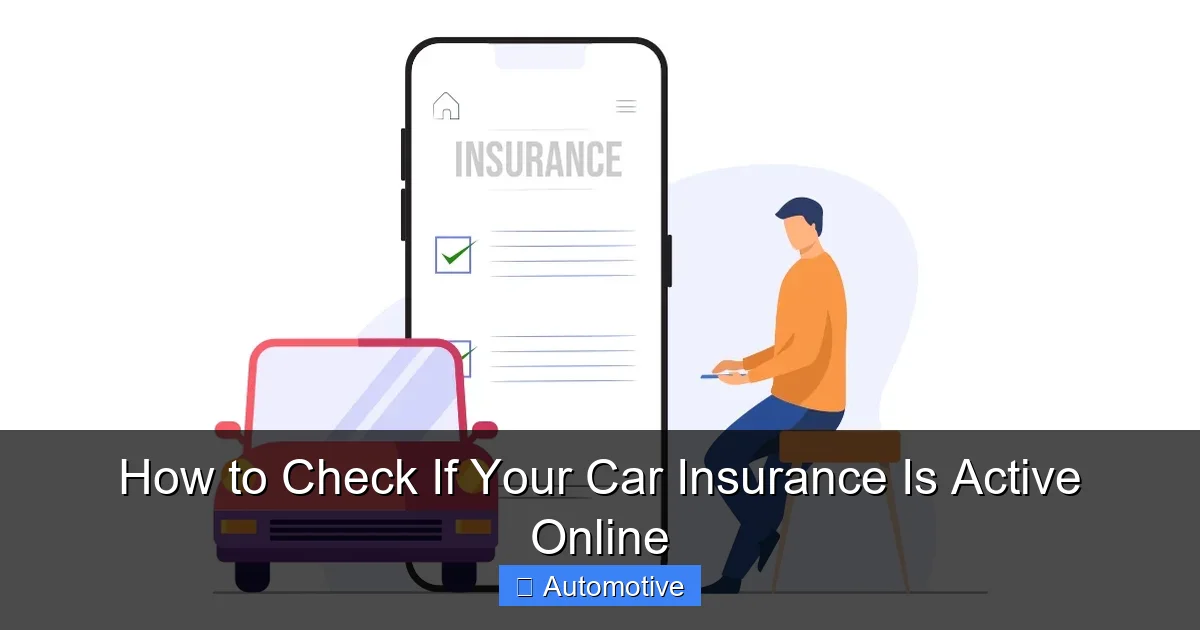
Digital insurance cards have revolutionized how drivers prove they’re insured. Instead of fumbling through your glove compartment for a paper card, you can now store a secure, up-to-date version on your smartphone. These digital cards often include real-time status information, making them a reliable way to check if your car insurance is active.
How to Access Your Digital Insurance Card
Most insurers allow you to download or view your digital insurance card directly from their website or mobile app. For example, State Farm users can access their digital ID card by logging into their account and selecting “Insurance Cards” from the menu. The card displays your name, vehicle details, policy number, and expiration date—just like a physical card.
Progressive offers a similar feature through its mobile app. Once logged in, tap “My Policies,” select your auto policy, and choose “View Insurance Card.” The app generates a scannable QR code that law enforcement or rental agencies can use to verify your coverage instantly.
Are Digital Insurance Cards Legally Accepted?
Yes—in most states, digital insurance cards are legally accepted as proof of coverage. As of 2024, 48 states (all except New Hampshire and Virginia) allow drivers to present electronic proof of insurance during traffic stops or vehicle inspections. However, it’s always a good idea to check your state’s specific laws, especially if you frequently travel across state lines.
Even in states that accept digital cards, make sure your phone is charged and accessible. If your battery dies during a traffic stop, you may still need to provide a physical backup. Some drivers print a copy of their digital card and keep it in their glove box as a precaution.
Keeping Your Digital Card Updated
One of the biggest advantages of digital cards is that they update automatically when your policy changes. If you renew your policy or make a payment, the expiration date on your digital card will reflect the new term. This eliminates the risk of carrying outdated information.
However, if you switch insurers, you’ll need to download a new digital card from your new provider. Don’t rely on an old card from a previous insurer—it won’t be valid and could lead to fines or penalties.
Contacting Your Insurance Provider for Confirmation
Sometimes, online tools aren’t enough. If you’re unable to access your account, your state’s verification system shows an error, or you simply prefer speaking to a human, contacting your insurance provider directly is a smart move.
Calling Customer Service
Most insurers offer 24/7 customer support via phone. Have your policy number, driver’s license, and vehicle information ready when you call. A representative can quickly verify your policy status, confirm payment history, and explain any issues—such as a missed payment or pending renewal.
For example, if you call Geico’s customer service line, you’ll be prompted to enter your policy number or Social Security number for verification. Once authenticated, the agent can tell you whether your policy is active, when it expires, and whether any payments are overdue.
Using Live Chat or Email Support
Many insurers also offer live chat or email support through their websites. This is a great option if you’re at work or in a quiet environment where a phone call isn’t practical. Live chat agents can access your account in real time and provide instant confirmation of your coverage status.
Progressive, for instance, offers a robust live chat feature on its website. You can ask questions like, “Is my policy active?” or “When does my coverage expire?” and receive immediate answers. The chat transcript can even be emailed to you for your records.
Visiting a Local Agent
If you prefer face-to-face interaction, schedule a visit with your local insurance agent. They can pull up your policy on their system, explain your coverage, and provide printed proof of insurance if needed. This is especially helpful if you’re preparing for a vehicle inspection or registering a new car.
Tips to Avoid Lapsing Coverage and Stay Protected
Even with all these tools, it’s easy to accidentally let your insurance lapse—especially if you’re busy or forgetful. Here are some practical tips to keep your coverage active and avoid legal or financial trouble.
Set Up Automatic Payments
One of the most common reasons for lapsed coverage is missed payments. To prevent this, enable automatic payments through your insurer’s website or mobile app. You can choose to pay monthly, quarterly, or annually from your bank account or credit card. This ensures your premium is paid on time, even if you forget.
Most insurers offer a small discount for enrolling in auto-pay, so it’s a win-win. Just make sure your payment method has sufficient funds to avoid overdraft fees.
Enable Policy Alerts and Reminders
Take advantage of email and text alerts offered by your insurer. These notifications can remind you when your policy is up for renewal, when a payment is due, or if there’s an issue with your account. For example, Allstate sends automated reminders 30, 15, and 7 days before your policy expires.
You can usually customize these alerts in your account settings. Choose the delivery method (email, text, or app notification) and the timing that works best for you.
Keep Your Contact Information Updated
If your insurer can’t reach you, they may cancel your policy for non-communication—even if you’ve paid on time. Make sure your email address, phone number, and mailing address are current in your online account. This ensures you receive important updates and renewal notices.
Review Your Policy Annually
Life changes—so should your insurance. Review your policy at least once a year to ensure it still meets your needs. Have you bought a new car? Moved to a different state? Started driving less? These factors can affect your coverage and rates. An annual review helps you stay protected and potentially save money.
Keep Digital and Physical Copies Handy
Store your digital insurance card on your phone and keep a printed copy in your vehicle. This dual approach ensures you’re prepared no matter the situation. If your phone dies or gets lost, you’ll still have proof of coverage.
Common Mistakes to Avoid When Checking Your Insurance Status
Even with the best tools, drivers sometimes make errors that lead to confusion or coverage gaps. Here are a few common pitfalls to watch out for.
Using Outdated or Third-Party Websites
Avoid searching for “check car insurance status” on general search engines and clicking on unfamiliar sites. Many third-party websites claim to verify insurance but are actually scams or outdated directories. Always use your insurer’s official website or your state’s DMV portal.
Ignoring Policy Expiration Dates
Just because your policy was active last month doesn’t mean it still is. Always check the expiration date on your digital card or online account. If it’s within 30 days of expiring, start the renewal process immediately.
Assuming Coverage Transfers Automatically
If you buy a new car, your existing policy doesn’t automatically cover it—even if it’s from the same insurer. You must add the new vehicle to your policy or purchase a new one. Similarly, if you move to a new state, your current policy may not be valid. Update your coverage promptly to avoid gaps.
Not Verifying After a Payment
After making a payment—especially if it’s late—check your account to confirm it was processed. Sometimes payments take a day or two to appear, and your policy could be at risk of cancellation during that time.
Conclusion
Knowing how to check if your car insurance is active online is a simple but essential part of responsible driving. With digital tools from insurers and state agencies, verifying your coverage takes just minutes. Whether you use your insurer’s website, mobile app, state DMV portal, or digital insurance card, staying informed helps you avoid fines, legal trouble, and financial risk.
Make it a habit to check your policy status regularly—especially before long trips, vehicle inspections, or renewals. Set up automatic payments and alerts to stay on top of due dates, and always keep your contact information updated. By taking these proactive steps, you’ll ensure you’re always covered, no matter where the road takes you.
Remember, car insurance isn’t just a legal requirement—it’s your financial safety net. A few minutes of verification today could save you thousands tomorrow. So log in, check your status, and drive with confidence.
Frequently Asked Questions
How can I check if my car insurance is active online?
You can check your car insurance status by logging into your insurer’s official website or mobile app, where you’ll find real-time policy details. Many state DMVs also offer online verification tools using your license plate or VIN.
Are digital insurance cards legally accepted?
Yes, digital insurance cards are legally accepted in 48 states as proof of coverage. Always ensure your phone is charged and the card is up to date, especially during traffic stops or vehicle inspections.
How long does it take for insurance to appear in state verification systems?
It typically takes 24 to 72 hours for your insurance information to appear in your state’s electronic verification system after purchase or renewal. If it doesn’t show up after a few days, contact your insurer.
What should I do if my policy shows as expired online?
If your policy appears expired, contact your insurance provider immediately to confirm the status. It could be a reporting delay, or your policy may have lapsed due to non-payment or other issues.
Can I check my car insurance status without logging in?
Some state DMV websites allow you to verify insurance using your license plate or VIN without logging in. However, for detailed policy information, you’ll need to access your insurer’s secure portal.
What happens if I drive with lapsed insurance?
Driving without active insurance can result in fines, license suspension, vehicle impoundment, and increased premiums when you reinstate coverage. In the event of an accident, you could be personally liable for damages.
