

How to Turn Off X-mode on Subaru Outback

Contents
- 1 Key Takeaways
- 2 📑 Table of Contents
- 3 What Is X-Mode and How Does It Work?
- 4 How to Turn Off X-Mode on Subaru Outback (Step-by-Step)
- 5 Model-Specific Differences and Tips
- 6 Why You Should Turn Off X-Mode When Not Needed
- 7 Troubleshooting Common X-Mode Issues
- 8 Safety Tips and Best Practices
- 9 Conclusion
- 10 Frequently Asked Questions


Turning off X-mode on your Subaru Outback is simple and can be done in seconds using the dashboard button or touchscreen. This guide walks you through the process for every model year, explains when to disable it, and shares safety tips to keep you in control on any terrain.
If you’ve ever driven your Subaru Outback up a snowy driveway, through a muddy trail, or down a steep hill, you’ve probably noticed a little green light on your dashboard that says “X-mode.” It’s a reassuring sign that your vehicle is in enhanced off-road mode, helping you maintain control in tricky conditions. But what happens when you’re back on smooth pavement or cruising down the highway? That’s when you’ll want to know how to turn off X-mode on your Subaru Outback.
X-mode is one of Subaru’s most intelligent driver-assist features, designed to make off-roading and low-traction driving safer and more manageable. It’s not just for hardcore adventurers—everyday drivers benefit from it during winter storms, gravel roads, or steep parking garages. However, leaving X-mode on when it’s not needed can affect your driving experience. It changes how your throttle responds, how the transmission shifts, and how the brakes engage. While that’s great for climbing a snowbank, it’s not ideal for highway driving or quick acceleration on dry roads.
The good news? Turning off X-mode is incredibly easy. Whether you drive a 2015 Outback or a brand-new 2024 model, the process is straightforward. In this guide, we’ll walk you through every step, explain how X-mode works, and help you understand when it’s best to keep it on—or switch it off. We’ll also cover model-specific differences, troubleshooting tips, and safety advice so you can get the most out of your Subaru’s advanced technology.
By the end of this article, you’ll feel confident managing X-mode like a pro. No more guessing whether that green light should be on or off. You’ll know exactly what to do, when to do it, and why it matters. Whether you’re a new Outback owner or a seasoned driver, this guide is your go-to resource for mastering one of Subaru’s smartest features.
Key Takeaways
- X-mode is designed for off-road and low-traction conditions: It optimizes throttle response, braking, and transmission for steep hills, mud, snow, or gravel.
- You can turn off X-mode at any time: Simply press the X-mode button or use the touchscreen menu—no restart required.
- X-mode automatically deactivates above 25 mph: Once you exceed this speed, the system turns off to protect the drivetrain and improve fuel efficiency.
- Knowing when to disable X-mode improves performance: On dry pavement or highways, turning it off restores normal driving dynamics and responsiveness.
- Different Outback trims have slightly different controls: Premium, Limited, and Wilderness models may use buttons or touchscreen interfaces—know your setup.
- X-mode doesn’t affect AWD functionality: Your Subaru’s all-wheel drive remains active even when X-mode is off.
- Regularly check your owner’s manual: Model-specific details and updates are always best found in your vehicle’s official guide.
📑 Table of Contents
What Is X-Mode and How Does It Work?
Before we dive into how to turn off X-mode on your Subaru Outback, it’s important to understand what X-mode actually does. Think of it as your vehicle’s “off-road assistant.” When activated, X-mode takes control of several key systems to help you navigate challenging terrain with confidence.
At its core, X-mode is an advanced traction and stability management system. It works by adjusting the engine’s throttle response, transmission shift points, and brake application to maintain optimal grip and control. For example, if you’re climbing a steep, slippery hill, X-mode will prevent wheel spin by limiting power to the wheels and applying subtle braking to the wheels that are losing traction. This helps your Outback crawl up or down inclines smoothly, without jerking or sliding.
One of the smartest features of X-mode is its hill descent control. When going downhill on loose gravel or snow, the system automatically applies the brakes to keep your speed low and steady—usually around 2 to 4 mph—so you don’t have to ride the brake pedal. This reduces wear on your brakes and keeps you in control without constant input.
X-mode also enhances the performance of Subaru’s Symmetrical All-Wheel Drive system. While AWD is always active, X-mode fine-tunes how power is distributed between the front and rear axles, as well as side to side. This is especially helpful in deep snow, mud, or when one wheel is off the ground.
It’s worth noting that X-mode is not a replacement for safe driving. It’s a tool to help you in specific situations. It won’t make your Outback invincible, but it will make tough conditions more manageable. And because it’s designed for low-speed, low-traction scenarios, it’s not meant to be used on dry pavement or highways.
When Should You Use X-Mode?
Knowing when to activate X-mode is just as important as knowing how to turn it off. Here are the most common situations where X-mode shines:
– **Driving in deep snow or icy conditions:** X-mode helps prevent wheel spin and keeps you moving steadily.
– **Navigating muddy or loose gravel roads:** The system maintains traction and prevents slipping.
– **Climbing or descending steep hills:** Hill descent control keeps your speed in check without constant braking.
– **Crossing shallow streams or wet terrain:** Enhanced traction helps you maintain control.
– **Parking on steep inclines:** X-mode can help you start smoothly without rolling backward.
If you’re driving on dry, flat roads or highways, X-mode is unnecessary and can actually make your driving feel sluggish. That’s why it’s important to turn it off when conditions improve.
How to Turn Off X-Mode on Subaru Outback (Step-by-Step)
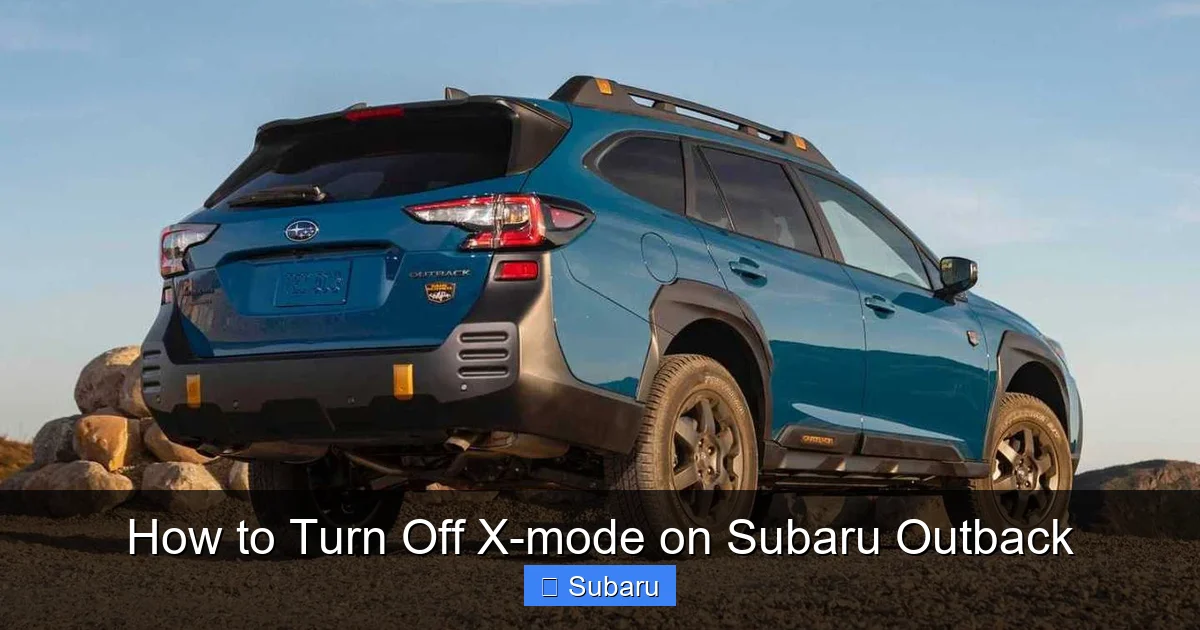
Visual guide about How to Turn Off X-mode on Subaru Outback
Image source: cdn.motor1.com
Now that you understand what X-mode does, let’s get to the main event: how to turn off X-mode on your Subaru Outback. The process is quick, easy, and can be done while the vehicle is in motion—though we recommend doing it when it’s safe to take your eyes off the road for a second.
The exact method depends on your Outback’s model year and trim level. Subaru has updated the interface over the years, so older models use physical buttons, while newer ones rely on touchscreen menus. Don’t worry—we’ll cover all the variations.
Method 1: Using the X-Mode Button (2015–2020 Models)
If you drive a 2015 to 2020 Subaru Outback, you likely have a dedicated X-mode button on the center console. Here’s how to use it:
1. **Locate the X-mode button:** It’s usually on the dashboard, near the gear shifter, and labeled with “X-MODE” and a small icon of a car on a hill.
2. **Check the indicator light:** If X-mode is on, a green light will be illuminated on the button or on the instrument cluster.
3. **Press the button once:** A single press will turn off X-mode. You’ll hear a chime, and the green light will go out.
4. **Confirm it’s off:** Look at your dashboard. The “X-MODE” indicator should no longer be lit.
That’s it! The system deactivates immediately, and your Outback returns to normal driving mode. No restart required.
Method 2: Using the Touchscreen (2021–2024 Models)
Starting with the 2021 model year, Subaru introduced a larger touchscreen and moved some controls into the infotainment system. If you have a newer Outback, here’s how to turn off X-mode:
1. **Turn on the ignition:** Make sure the vehicle is powered on (you don’t need to be in Park).
2. **Tap the “Home” button:** This is usually at the bottom of the screen.
3. **Select “Vehicle Settings” or “Drive Modes”:** The exact label may vary, but look for a menu related to driving systems.
4. **Find “X-MODE” in the list:** Tap on it to open the options.
5. **Toggle X-mode off:** You’ll see a switch or button. Tap it to disable the system.
6. **Exit the menu:** The change takes effect immediately.
You’ll know it’s off when the green X-mode light on your dashboard disappears. Some models also display a brief message confirming the change.
Method 3: Automatic Deactivation Above 25 mph
Here’s a helpful feature you might not know about: X-mode automatically turns off when your speed exceeds 25 mph. This is a built-in safety measure to protect your drivetrain and ensure optimal performance on highways.
So, if you’re driving off-road and then hit a paved road, you don’t always need to manually turn it off. Once you accelerate past 25 mph, the system will disengage on its own. The green light will go out, and you’ll feel the throttle and transmission return to normal.
However, we still recommend manually turning it off when you no longer need it. This ensures you’re in full control and avoids any confusion about whether the system is active.
Model-Specific Differences and Tips
Not all Subaru Outbacks are created equal when it comes to X-mode. Depending on your trim level and model year, the controls and behavior can vary slightly. Let’s break it down.
Outback Premium and Limited (2015–2020)
These trims typically come with the physical X-mode button. The button is easy to find and use, even with gloves on. One thing to note: on some Limited models, the button may be backlit and located near the climate controls instead of the gear shifter.
If your button feels unresponsive, try pressing it firmly. Sometimes dust or debris can interfere with the contact. A quick clean with a soft cloth can help.
Outback Touring and Wilderness (2021–2024)
The 2021 and newer models, especially the rugged Wilderness trim, use the touchscreen interface. While this looks modern, it can be a bit slower to navigate, especially while driving.
Tip: Practice turning X-mode on and off in a safe, parked location so you know exactly where the menu is. This way, you won’t be fumbling with the screen when you need to make a quick change.
The Wilderness trim also includes an additional “Deep Snow/Mud” mode, which is a more aggressive version of X-mode. Turning this off follows the same steps as regular X-mode—just look for the specific mode in the menu.
Hybrid Models (2020–2024)
Subaru’s hybrid Outbacks also feature X-mode, but the interface may differ slightly due to the hybrid system’s unique power delivery. The steps to turn it off are the same, but you might notice a slight delay in throttle response even after deactivation, due to the hybrid motor’s behavior.
Always refer to your owner’s manual for hybrid-specific guidance.
Why You Should Turn Off X-Mode When Not Needed
You might be thinking, “If X-mode is so helpful, why turn it off at all?” Great question. While X-mode is a fantastic tool, it’s not meant for everyday driving. Here’s why you should disable it when conditions allow.
Improved Throttle Response
When X-mode is active, the throttle is intentionally softened to prevent wheel spin. This means your Outback feels less responsive when you press the gas. On dry pavement, this can make acceleration feel sluggish and unresponsive.
Turning off X-mode restores normal throttle mapping, giving you quicker, more predictable power delivery. This is especially noticeable when merging onto highways or passing other vehicles.
Better Fuel Efficiency
X-mode keeps the transmission in lower gears longer and adjusts engine output for maximum traction. While this is great for off-roading, it increases fuel consumption.
Once you’re back on paved roads, turning off X-mode allows the transmission to shift normally, improving fuel economy. Over time, this can make a noticeable difference in your gas mileage.
Smoother Braking and Shifting
X-mode alters brake application and shift points to maintain control on slippery surfaces. On dry roads, this can make braking feel jerky or overly sensitive.
Disabling X-mode returns your Outback to its standard braking and shifting behavior, making for a smoother, more comfortable ride.
Prevents Unnecessary Wear
Keeping X-mode on when it’s not needed can put extra strain on your drivetrain and brakes. The system is designed for short-term use in specific conditions, not continuous operation.
Turning it off when you don’t need it helps prolong the life of your vehicle’s components and ensures everything operates as intended.
Troubleshooting Common X-Mode Issues
Even though turning off X-mode is simple, you might run into a few hiccups. Here are some common issues and how to fix them.
X-Mode Won’t Turn Off
If pressing the button or toggling the menu doesn’t work, try these steps:
– **Check your speed:** If you’re below 25 mph, the system may not respond immediately. Try accelerating slightly and then turning it off.
– **Restart the vehicle:** Turn the ignition off, wait 10 seconds, then restart. This resets the system.
– **Check for error messages:** If the dashboard shows a warning light (like “Check Engine” or “AWD”), there may be an underlying issue. Visit a Subaru dealer for diagnosis.
X-Mode Keeps Reactivating
Some drivers report that X-mode turns back on after being disabled. This is usually due to a software glitch or a stuck button.
– **Clean the button:** Use a cotton swab and rubbing alcohol to clean around the X-mode button.
– **Update software:** Visit a Subaru service center to check for infotainment or ECU updates.
– **Avoid accidental presses:** Be mindful of where your hand rests while driving.
X-Mode Light Flashes or Stays On
A flashing X-mode light usually indicates a system fault. This could be due to a sensor issue, low brake fluid, or a problem with the AWD system.
In this case, it’s best to have your vehicle inspected by a professional. Continuing to drive with a fault could lead to reduced performance or safety risks.
Safety Tips and Best Practices
Now that you know how to turn off X-mode on your Subaru Outback, let’s talk about using it safely and effectively.
Always Assess Road Conditions
Before activating or deactivating X-mode, take a moment to evaluate the terrain. If you’re unsure, it’s better to leave it on until you’re confident the road is safe.
Don’t Rely Solely on X-Mode
X-mode is a helpful tool, but it doesn’t replace good driving habits. Always maintain a safe speed, increase following distance in bad weather, and avoid sudden maneuvers.
Educate Your Passengers
If you share your Outback with family or friends, make sure they know what X-mode is and how it affects driving. This prevents confusion and ensures everyone feels comfortable.
Keep Your Owner’s Manual Handy
Subaru occasionally updates software and features. Your owner’s manual is the most reliable source for model-specific information.
Practice in a Safe Environment
If you’re new to X-mode, try using it in an empty parking lot or quiet gravel road. Get a feel for how it changes your driving before taking it on a real adventure.
Conclusion
Knowing how to turn off X-mode on your Subaru Outback is a small but important skill that enhances your driving experience. Whether you’re navigating a snowy mountain pass or cruising down the interstate, understanding when and how to use this feature keeps you safe and your vehicle performing at its best.
X-mode is a powerful tool, but like any tool, it’s only effective when used correctly. By turning it off when conditions improve, you restore normal throttle response, improve fuel efficiency, and protect your drivetrain. And with the simple steps outlined in this guide, you can do it in seconds—no matter which Outback model you drive.
Remember, the key is awareness. Pay attention to your surroundings, know your vehicle’s controls, and don’t hesitate to consult your owner’s manual. With a little practice, managing X-mode will become second nature.
So the next time you see that green light on your dashboard, you’ll know exactly what to do. Whether you’re turning it on for a weekend adventure or turning it off for your daily commute, you’re in full control. And that’s what driving a Subaru is all about.
Frequently Asked Questions
Can I turn off X-mode while driving?
Yes, you can safely turn off X-mode while driving. The system deactivates immediately, and there’s no need to stop or restart the vehicle.
Does turning off X-mode affect my AWD system?
No, turning off X-mode does not disable your Subaru’s all-wheel drive. AWD remains active at all times, providing power to all four wheels.
Why won’t my X-mode turn off?
If X-mode won’t turn off, try accelerating above 25 mph, restarting the vehicle, or checking for dashboard warning lights. A stuck button or software glitch may also be the cause.
Is it bad to leave X-mode on all the time?
Yes, leaving X-mode on when not needed can reduce throttle response, lower fuel efficiency, and increase wear on drivetrain components. It’s best to use it only in low-traction conditions.
Does X-mode work in reverse?
Yes, X-mode functions in reverse, helping with hill descent and traction when backing up steep or slippery slopes.
Do all Subaru Outbacks have X-mode?
Most Outback models from 2015 onward include X-mode, but base trims or older models may not have it. Check your owner’s manual or look for the button or menu option.







