
How to Turn Off the Seatbelt Alarm on a Ford F-150

This comprehensive guide details safe, model-specific methods to disable the seatbelt chime on your Ford F-150. Critical safety and legal warnings are emphasized throughout. Procedures range from simple buckle tricks for older models to OBD2 programming for newer trucks. Permanent disabling is strongly discouraged and may violate laws in your area.
That familiar, insistent ding-ding-ding. It’s the sound of your Ford F-150’s seatbelt alarm reminding you to buckle up. For most drivers, it’s a welcome nudge toward safety. But for others—maybe you’re making frequent short stops in a work truck, towing a trailer where you’re constantly getting in and out, or you’ve disabled the driver belt for a specific off-road maneuver—that chime can become a genuine nuisance. If you’ve found yourself wondering how to turn off the seatbelt alarm on a Ford F-150, you’re not alone. It’s one of the most common “how-to” questions for owners of these popular trucks. This guide will walk you through every verified method, organized by your specific model year, and crucially, explain the serious safety and legal implications you must consider before proceeding.
We’re going to get technical, but we’ll break it down simply. The approach for a 2010 F-150 is completely different from a 2023 model. Understanding why the system works the way it does is the first step to making an informed decision. Let’s pop the hood and look under the dash at the technology that’s been nagging you.
Key Takeaways
- Safety First: The seatbelt alarm is a critical safety feature. Disabling it increases risk of injury in a crash and should only be considered for specific, temporary off-road or utility scenarios.
- Model Year is Everything: Methods change drastically between pre-2015, 2015-2020, and 2021+ F-150s due to different computer systems (BCM vs. SYNC).
- The OBD2 Method is a Last Resort: Using a scan tool to reprogram the Body Control Module (BCM) works on many models but requires specific software and carries risks of altering other settings.
- “Temporary” Often Means Just That: Many tricks, like buckling the belt before starting, reset when the truck is powered down or after a drive cycle.
- Legality Varies by Jurisdiction: Some states have laws requiring seatbelt use and may cite tampering with safety systems. Check your local regulations.
- Professional Help is Available: A Ford dealer or qualified mechanic can often perform a BCM reflash to disable the chime, but they may refuse due to liability and safety policies.
- Aftermarket Solutions Exist but Are Risky: Plug-in modules that mimic a fastened buckle are available but can fail, cause other warnings, or damage the wiring.
📑 Table of Contents
Understanding Your F-150’s Seatbelt Alarm System
Before we start pulling wires, it helps to know what you’re dealing with. The seatbelt warning system in your F-150 isn’t just a simple switch and a buzzer. It’s a networked computer system.
How the System Works
At its core, each seatbelt buckle has a small, two-pin electrical switch. When the latch plate (the metal part) is inserted, a plunger is depressed, closing the circuit and sending a “belt fastened” signal to the truck’s Body Control Module (BCM). The BCM is the brain that manages many of your truck’s creature features, from power windows to interior lights. If the ignition is on or the truck is running, and the BCM doesn’t receive a “fastened” signal from the driver’s seat (and sometimes the front passenger seat, depending on year and configuration), it triggers the chime and illuminates the warning light on the instrument cluster. In newer models with the SYNC infotainment system, a message also appears on the screen.
This system is designed to be persistent. It’s not easily fooled by a simple unplugged wire because the BCM monitors for circuit resistance. A broken circuit looks different to the computer than a properly closed switch. This is why many simple “hacks” you might find online don’t work or cause other warning lights.
Why It Exists (Safety First)
Let’s be absolutely clear: the primary purpose of this alarm is to save your life. The National Highway Traffic Safety Administration (NHTSA) states that seatbelts reduce the risk of fatal injury for front-seat passengers by 45% and the risk of moderate-to-critical injury by 50%. The audible alarm is a proven, low-cost intervention that dramatically increases buckling rates. Disabling it removes a critical layer of protection. You should only consider these methods for very specific, temporary scenarios where you are acutely aware of the increased risk, such as operating a company truck for frequent, very short (<2-minute) stops where buckling and unbuckling is impractical and hazardous in itself. For normal daily driving, the alarm is your friend.
Methods to Turn Off the Alarm (By Model Year)
Ford changed the architecture of the F-150’s computer systems significantly over the years. The method you use depends entirely on your truck’s generation. We’ll break it into three broad categories.

Visual guide about How to Turn Off the Seatbelt Alarm on a Ford F-150
Image source: roadmomentum.com
Pre-2015 Models (The Classic Buckle Trick)
For F-150s from the late 2000s through the 2014 model year (the 12th and 13th generations), there is a well-known, non-invasive trick that works almost every time. It exploits a quirk in the older BCM programming.
The Procedure: Before you start the truck, fasten your seatbelt. Then, start the engine. The alarm will not sound because the system sees a fastened belt at startup. Now, while the engine is running, you can unbuckle the seatbelt. The alarm will remain silent for the rest of that drive cycle. The trick resets when you turn the truck off and restart without the belt fastened.
Why It Works: The older BCMs only checked the belt status at the moment of ignition “on.” If it was fastened then, the chime was suppressed for that entire session. This is the simplest and safest method in terms of not altering any systems, but it’s purely temporary and requires you to remember the extra step each time you start the truck.
2015-2020 Models (The Dashboard Sequence)
With the introduction of the 13th generation (2015-2020), Ford moved to a more integrated system. The simple buckle trick no longer works. The BCM now continuously monitors the belt status. However, there is a hidden diagnostic or “service mode” sequence that can temporarily silence the chime. Note: This may not work on all trims, especially those with the basic instrument cluster.
The Procedure (Attempt This Carefully):
- Turn the ignition to the “ON” position (do not start the engine).
- Within 5 seconds, press and release the “ODO/TRIP” button on your instrument cluster to switch to the trip odometer.
- Now, press and hold the “ODO/TRIP” button.
- While holding it, turn the ignition to “OFF.”
- Continue holding the button and turn the ignition back to “ON.”
- The seatbelt light should flash, and the chime will be disabled for that drive cycle. You can now start the truck.
This sequence essentially tells the BCM you are performing a system check, and it mutes non-critical warnings. It is not a permanent fix and often resets after a set number of drive cycles or when the battery is disconnected. Some owners report this works, while others find it has no effect, indicating possible software updates that closed this loophole.
2021 and Newer (The Digital Dash & SYNC)
The current, 14th-generation F-150 (2021+) has a fully digital, configurable instrument cluster and the latest SYNC 4 system. The seatbelt alarm logic is even more deeply embedded. The old dashboard button tricks are almost certainly ineffective. The only reliable methods for these models are either a physical “defeat” device or a software reflash via OBD2.
The physical method involves purchasing an aftermarket seatbelt buckle emulator. This is a small plastic plug that inserts into the buckle receptacle. It has an internal resistor that mimics the exact resistance of a fastened belt’s switch, fooling the BCM into thinking the belt is always clicked in. These are sold online under names like “seatbelt alarm silencing plug” or “truck seatbelt bypass.” Quality varies wildly. A cheap one can cause intermittent warnings, damage the delicate buckle connector, or fail, causing the alarm to return with a vengeance.
The software method is the most reliable for a newer truck but requires an advanced scan tool or a specialized BCM reflash. We’ll cover that in the next section.
The OBD2 Method – A Universal Approach?
On-Board Diagnostics II (OBD2) is the port under your dash that mechanics use to read trouble codes. In the hands of an expert, it’s also a gateway to reconfigure many vehicle settings, including the seatbelt chime duration or its activation entirely. This is the method that can provide a permanent solution across many model years, but it’s not without significant hurdles.

Visual guide about How to Turn Off the Seatbelt Alarm on a Ford F-150
Image source: i.ytimg.com
What You Need
You cannot do this with a basic, $20 code reader from the auto parts store. You need a professional-grade scan tool with access to the manufacturer’s specific software. For Ford, this means a tool like the Ford IDS (Integrated Diagnostic System) or a high-end aftermarket tool like a MOTOR J2534 pass-thru device paired with compatible software (e.g., FORScan, which is a powerful but complex Windows-based program). You also need a laptop and a stable internet connection to connect to Ford’s official servers if using IDS.
Step-by-Step Guide (Using FORScan as an Example)
Disclaimer: This is for informational purposes. Incorrect use can brick your BCM or cause other system failures. Proceed at your own risk.
- Setup: Download and install FORScan on a Windows laptop. Purchase a compatible OBD2 adapter (like an OBDLink EX) that supports the MS-CAN network used by the BCM.
- Connection: Connect the adapter to your F-150’s OBD2 port. Turn the ignition to “ON” (engine off). Open FORScan and connect to the vehicle.
- Identify the BCM: In FORScan, go to the “Service Functions” or “Module Programming” section. You need to find the Body Control Module (BCM). Its exact location in the menu varies.
- Access Configuration: Once you’ve selected the BCM, look for a “Configuration” or “Reprogram” function. This is where you can change default settings.
- Find the Seatbelt Parameter: This is the tricky part. The parameter name isn’t always obvious. It might be called “Driver Seatbelt Warning,” “Seatbelt Chime Enable,” “Seatbelt Alert Active,” or something similar. You may need to browse through a long list of configurable options. Do not change anything you do not fully understand.
- Change the Value: Typically, you would change the setting from “Enabled” or “On” to “Disabled” or “Off.”
- Write to the Module: After making the change, you must “Write” or “Program” the new configuration to the BCM. This process takes a few minutes. Do not interrupt the power supply.
- Verification: Once complete, turn the ignition off and on again. Start the truck with the seatbelt unbuckled. The chime should be silent.
A Critical Note on Other Brands: This process is highly vehicle-specific. The steps, software requirements, and even the existence of a configurable parameter vary wildly. For instance, the process to turn off the seatbelt alarm on a 2022 Toyota RAV4 involves different software and menu paths. What works for a Ford will not work for a Toyota, and vice versa. This is why generic “OBD2 disable” claims are often misleading.
Risks and Considerations
- Bricking the BCM: If the programming is interrupted or the wrong file is used, the BCM can become corrupted, requiring a dealer to reload the original software, which can cost hundreds of dollars.
- Unintended Consequences: Changing one configuration can sometimes affect related systems. You might accidentally disable the seatbelt reminder light but also disrupt the airbag system’s ability to detect an unbuckled occupant, which is a key input for advanced airbag algorithms.
- Warranty: Tampering with the BCM software could be grounds for Ford to deny warranty claims related to safety systems or electrical gremlins, though this is rarely pursued for a single setting change.
- Recalls and Updates: A future dealer software update for your BCM will likely overwrite your custom setting, reverting the alarm to factory default.
Temporary vs. Permanent Disabling
It’s vital to categorize the methods by their longevity. Your goal should dictate your chosen method.
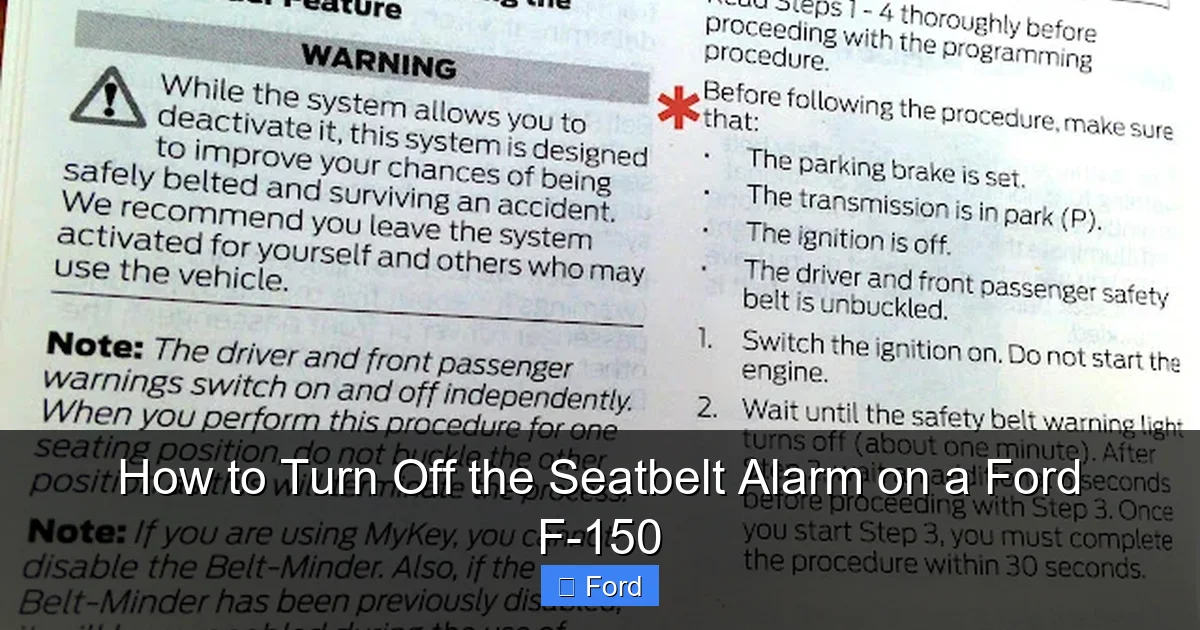
Visual guide about How to Turn Off the Seatbelt Alarm on a Ford F-150
Image source: lh3.googleusercontent.com
Quick Fixes That Reset
The buckle-trick for pre-2015 models and the dashboard sequence for some 2015-2020 trucks fall into this category. They are non-destructive and require no tools. Their downside is impermanence. They work for that drive, or maybe that day, but they reset. They are perfect for a one-off situation like a long day of constant truck entry/exit for deliveries where you’ll be buckling and unbuckling constantly anyway. You just do the trick each morning. These methods have zero impact on the vehicle’s long-term software.
True Permanent Solutions
These are the methods that change the truck’s default behavior until a dealer reflash or major electrical work. They include:
- Physical Bypass Plug: Installing an aftermarket resistor plug in the driver’s buckle. This is permanent until removed. It’s cheap and easy but carries the risks of poor fitment, connector damage, and potential corrosion.
- BCM Reprogramming: The OBD2 software change. This is the most “factory-like” permanent solution. It alters the truck’s default programming so the chime never activates, even after a battery disconnect. It’s clean, with no extra parts under the seat, but it is technical, carries software risk, and can be undone by a dealer.
- Hardwiring a Resistor: The DIY electronics project. You locate the two wires going to the buckle connector, cut them, and solder in a resistor of a specific value (usually around 1-2k ohms) to simulate a closed switch. This is the most “permanent” but also the most invasive. It can cause wiring corrosion, make it impossible to use the original buckle switch correctly, and will trigger a diagnostic trouble code (DTC) in the BCM for a “seatbelt circuit malfunction,” which could illuminate the service engine soon light. This method is not recommended.
Legal and Safety Implications You Must Know
Before you proceed, you must understand the landscape beyond your truck’s dashboard. Disabling a factory safety feature is not a neutral act.
Is It Even Legal?
The legality of disabling your seatbelt alarm is a gray area that depends entirely on where you live. Federal motor vehicle safety standards (FMVSS 208) require the alarm, but they don’t explicitly forbid an owner from modifying their *personal* vehicle after purchase. However, many states have primary or secondary seatbelt use laws. While these laws typically mandate that the occupant wears the belt, an officer could potentially cite you for tampering with a required safety device if they discovered your modification during a stop for another reason. More importantly, if you are in an accident and it’s discovered you disabled the alarm, an insurance company could use that as evidence of comparative negligence, potentially reducing your payout. A court might also view it unfavorably. The safest legal position is to leave the system factory-functional.
Safety Risks Beyond the Alarm
The chime is just the tip of the iceberg. That “fastened” signal feeds multiple systems:
- Airbag System: The Occupant Classification System (OCS) uses the seatbelt buckle status as a key input to determine airbag deployment strategy. A false “belted” signal when you are actually unbelted could cause the airbag to deploy in a way that is dangerous for an unbelted occupant (e.g., deploying with too much force).
- Parking Brake/Transmission Interlocks: Some trucks won’t allow you to shift out of “Park” without the brake pedal pressed and the seatbelt fastened (a feature on some models). Disabling the belt signal could cause unexpected behavior.
- Driver Monitoring: In newer F-150s with optional Co-Pilot360 features, the system’s understanding of driver presence and readiness could be subtly affected.
Insurance and Warranty Concerns
As mentioned, an insurer may argue that disabling a safety feature contributed to your injuries. While this is a complex legal argument, it’s a risk. Regarding warranty, Ford’s warranty booklet states that damage caused by “alterations or modifications” is not covered. If a BCM failure occurs and they trace it back to a software reflash they didn’t perform, they could deny coverage for that component. It’s unlikely for a simple setting change, but it’s a possibility.
When to Call a Professional
Given the complexity and risks, for most owners of 2015 and newer F-150s, seeking professional help is the wisest path. But who do you call, and what should you expect?
Dealership vs. Independent Shop
Ford Dealership: This is the most authoritative source. Their technicians have the official IDS software and the deepest knowledge of F-150 systems. However, they are also the most bound by corporate policy and liability concerns. Do not expect a dealer to willingly disable your seatbelt alarm. It is a direct violation of their safety protocols. You might get a service advisor to humor you with a quote, but the technician will almost certainly refuse, citing safety and legal concerns. Their reflash software may also have safeguards that prevent changing certain safety-critical parameters.
Independent Ford Specialist / Mobile Tuner: This is your best bet. These are shops or individuals who specialize in Ford trucks and have invested in the necessary Ford-specific tools (IDS) or powerful aftermarket tools like the Honda Civic’s lane departure system can be complex, but Ford specialists are adept at navigating the BCM menus. They understand the risks and can often perform the reflash discreetly. Search for “Ford F-150 tuning” or “BCM programming” in your area. Call and ask directly if they offer “seatbelt chime disable” as a service. Be prepared for a charge of $100-$300 for the service, depending on the shop’s expertise and your model’s complexity.
What to Expect Cost-Wise
If you find a willing professional, the cost is primarily for their time and expertise with the diagnostic software. The physical bypass plug, if they install it, might cost $15-$40 in parts. A full BCM reprogramming via IDS will be on the higher end of the scale ($200-$400) because it requires a licensed technician and the use of Ford’s official software, which often has a per-use fee. Always get a clear quote upfront that specifies whether it’s a software change or hardware installation.
Conclusion: A Weighted Decision
Turning off the seatbelt alarm on your Ford F-150 is technically possible, but the path you take must be chosen with eyes wide open to the consequences. For owners of pre-2015 trucks, the simple buckle-before-start trick is a harmless, temporary fix for specific situations. For 2015-2020 models, the dashboard sequence is a gamble that may or may not work. For 2021+ owners, the choice is between a risky physical bypass plug and a technical but more reliable OBD2 software change.
Weigh your need for convenience against the fundamental safety purpose of the system. Remember, that annoying chime is a decades-proven, life-saving prompt. If your reason for disabling it is mere irritation, we strongly urge you to adapt your habits—buckle up. The few seconds it takes are an investment in your well-being and that of your passengers. If your need is operational—for a truck used in a unique commercial or off-road capacity—pursue the most reversible, least invasive method first, and consider if a simple seatbelt extender or a different work pattern might solve the problem without tampering with a critical safety system. Your life, and the integrity of your truck’s safety net, is worth more than silencing a few beeps.
Frequently Asked Questions
Is it legal to turn off my Ford F-150’s seatbelt alarm?
There is no federal law against modifying your personal vehicle’s alarm system. However, many states have primary seatbelt use laws. While you likely won’t be pulled over solely for a disabled chime, an officer could cite you for tampering with a safety device if discovered during a traffic stop. More critically, disabling it could negatively impact your insurance claim or legal standing in an accident.
Will disabling the seatbelt alarm affect my truck’s other safety systems or trigger a warning light?
It can. The seatbelt status signal is an input for the airbag system’s Occupant Classification System. A permanent, incorrect signal (like from a cheap bypass plug) may cause the airbag warning light to illuminate. A proper BCM reprogram should not trigger other warnings, but an error during programming certainly could.
What is the single best method for a 2022 Ford F-150?
For a 2022 model, the only reliable permanent method is a BCM reprogram using professional Ford IDS software or a high-end aftermarket tool like FORScan. The physical bypass plug is a temporary hardware fix that can fail. The old dashboard tricks do not work on this generation.
If I disconnect my truck’s battery, will the seatbelt alarm stay off after I reconnect it?
It depends on the method used. A simple “temporary” trick like the pre-2015 buckle method will reset. A physical bypass plug will remain effective. A BCM software change (reprogram) is stored in non-volatile memory and will persist through a battery disconnect. A hardwired resistor might also persist but would likely set a fault code.
Can I temporarily turn off the alarm just for one drive without making permanent changes?
Yes, for older models (pre-2015). The “buckle before start” trick works for that single drive cycle. For newer models, there is no known simple, temporary user-activated trick. Your only temporary option is to physically plug in a bypass device for the duration of your trip and then remove it.
Are there aftermarket modules that plug into the seatbelt connector to silence the alarm?
Yes, these are commonly sold online. They are small plastic plugs with an embedded resistor. They are inexpensive and easy to install. However, their quality is highly variable. A poor-quality unit can cause intermittent alarm returns, damage the delicate buckle connector over time, or corrode. They also do not address the underlying software logic and may still cause a “seatbelt circuit malfunction” code in some trucks.
