How to Turn Off the Low Tire Pressure Light
Turning off the low tire pressure light isn’t just about silencing a warning—it’s about ensuring your tires are properly inflated and your TPMS is functioning correctly. This guide walks you through simple steps to reset the light on most cars, whether you’ve filled your tires or replaced a sensor.
In This Article
- 1 Key Takeaways
- 2 📑 Table of Contents
- 3 Why the Low Tire Pressure Light Comes On
- 4 How to Check Your Tire Pressure Correctly
- 5 Manual Reset Methods for Common Vehicles
- 6 Using a TPMS Scan Tool for Advanced Resets
- 7 Common Reasons the Light Won’t Turn Off
- 8 Preventing the Low Tire Pressure Light from Coming Back
- 9 Conclusion
- 10 Frequently Asked Questions
- 10.1 Why won’t my low tire pressure light turn off after inflating the tires?
- 10.2 Can I drive with the low tire pressure light on?
- 10.3 How often should I check my tire pressure?
- 10.4 Do all cars have a TPMS reset button?
- 10.5 Can a dead TPMS sensor battery be replaced?
- 10.6 Will the light turn off automatically after adding air?
Key Takeaways
- Check tire pressure first: Always verify that all tires are inflated to the manufacturer’s recommended PSI before attempting to reset the light.
- Use the TPMS reset button: Many vehicles have a physical button under the steering wheel or in the glove box to reset the system after inflation.
- Drive to reset automatically: Some cars require a short drive (5–10 minutes) at speeds above 30 mph to allow the system to recalibrate.
- Use a TPMS scan tool: For advanced systems or after sensor replacement, a professional scan tool may be needed to sync new sensors.
- Battery or sensor issues matter: A dead sensor battery or damaged sensor can prevent the light from turning off—diagnosis may require professional help.
- Seasonal changes affect pressure: Cold weather can cause pressure drops, triggering the light—regular checks are essential in winter.
- Don’t ignore the light: Driving with underinflated tires reduces fuel efficiency, handling, and increases blowout risk.
📑 Table of Contents
Why the Low Tire Pressure Light Comes On
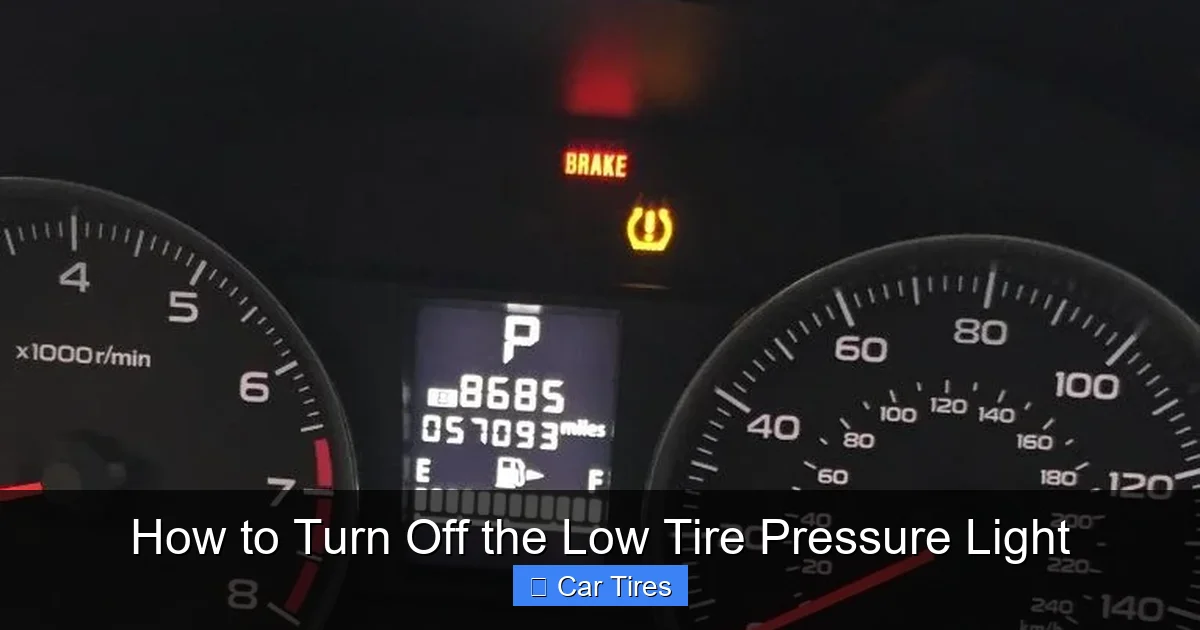
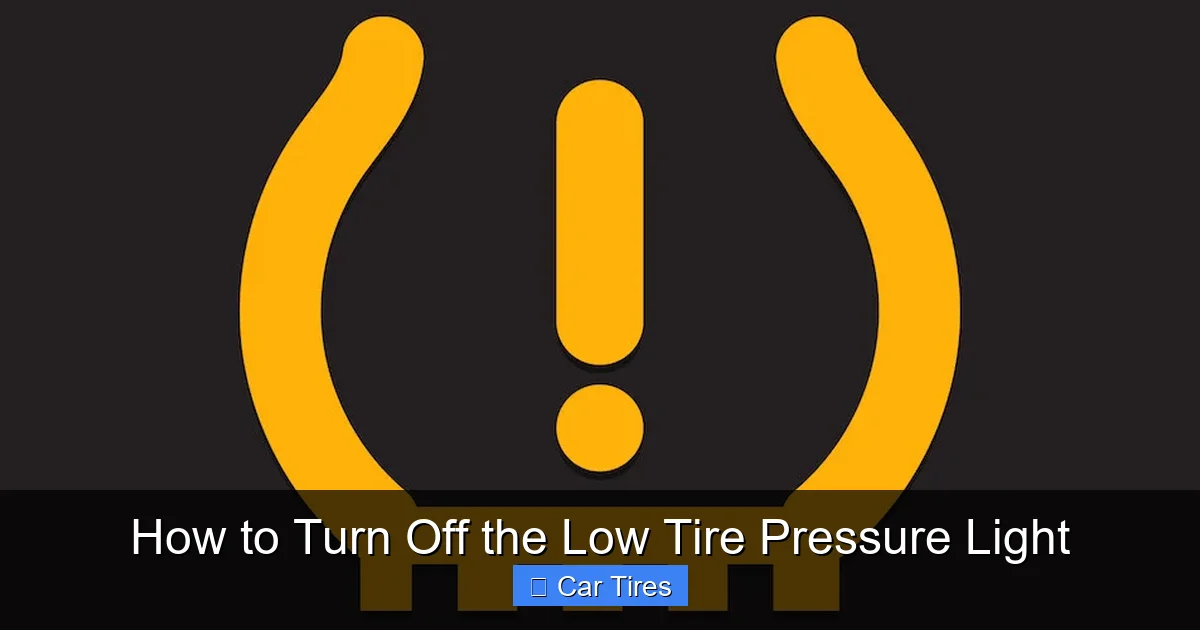
The low tire pressure light—often called the TPMS (Tire Pressure Monitoring System) warning light—is one of the most common dashboard alerts drivers see. It looks like a horseshoe with an exclamation point inside and usually glows yellow or orange. When it lights up, your car is telling you that one or more tires may be underinflated. But why does it come on in the first place?
Tire pressure naturally fluctuates with temperature changes. Cold weather causes air inside tires to contract, lowering pressure. In fact, tire pressure can drop about 1 PSI for every 10°F decrease in temperature. That means a chilly morning in winter could be enough to trigger the light—even if your tires were fine the day before. On the flip side, hot weather can increase pressure, though overinflation is less likely to set off the warning.
Other common causes include slow leaks from punctures, valve stem damage, or worn-out tire beads. Sometimes, the light appears after a tire has been serviced—like during a rotation or replacement—because the system needs to be reset. In rare cases, a faulty TPMS sensor or a dead battery inside the sensor can cause the light to stay on despite correct tire pressure.
Understanding why the light comes on is the first step to fixing it. It’s not just a nuisance—it’s a safety feature designed to protect you. Underinflated tires wear out faster, reduce fuel economy, and increase the risk of a blowout, especially at high speeds. So, when that little light pops up, don’t just hit the reset button and hope for the best. Take a moment to check your tires and address the root cause.
How to Check Your Tire Pressure Correctly
Visual guide about How to Turn Off the Low Tire Pressure Light
Image source: i.ytimg.com
Before you can turn off the low tire pressure light, you need to make sure your tires are actually at the right pressure. Guessing won’t cut it—even a small difference can affect performance and safety. Here’s how to check your tire pressure the right way.
Start by finding the recommended PSI for your vehicle. This isn’t the number printed on the tire sidewall—that’s the maximum pressure the tire can handle, not what your car needs. Instead, look for a sticker inside the driver’s side door jamb, in the glove box, or in your owner’s manual. It will list the correct front and rear tire pressures, usually between 30 and 35 PSI for most passenger cars.
Next, grab a reliable tire pressure gauge. Digital gauges are easy to read and often more accurate than analog ones, but both work fine if they’re calibrated. Avoid using the gauges at gas stations—they’re often worn out or inaccurate.
Check your tires when they’re cold, meaning the car hasn’t been driven for at least three hours. Driving heats up the tires, which increases pressure and gives a false reading. Remove the valve cap, press the gauge firmly onto the valve stem, and read the pressure. Compare it to the recommended PSI. If it’s low, add air using an air compressor—most gas stations have one. If it’s too high, press the center pin in the valve stem to release a little air.
Don’t forget the spare tire! Some TPMS systems monitor it too, and a flat spare could trigger the light. Also, check all four tires—even if only one looks low, the system might detect a difference between them.
Once all tires are properly inflated, you’re ready to reset the light. But remember: if the pressure was significantly low, recheck it after a day or two. A slow leak could mean you’ll need a repair.
Manual Reset Methods for Common Vehicles
Visual guide about How to Turn Off the Low Tire Pressure Light
Image source: tirepressurefault.com
Many cars allow you to turn off the low tire pressure light manually using a built-in reset procedure. These methods vary by make and model, but they’re usually simple and don’t require special tools. Here’s how to do it on some of the most popular vehicles.
Resetting the Light on Honda and Acura
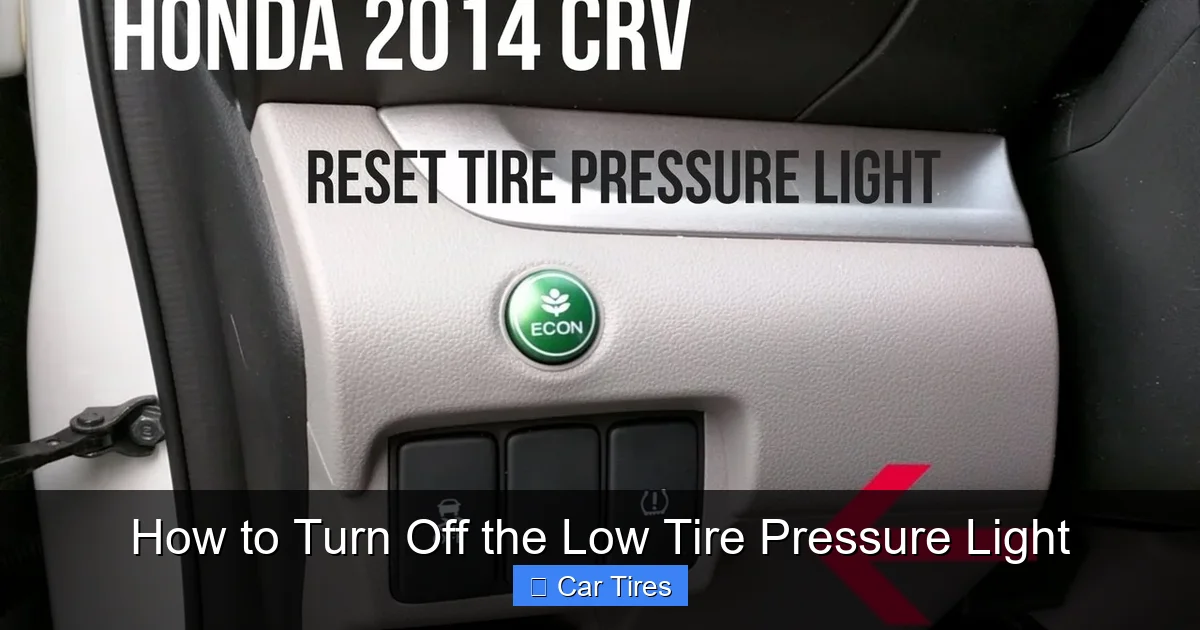
Honda and Acura vehicles often use a straightforward button reset. Start by turning the ignition to the “ON” position (but don’t start the engine). Look for a TPMS reset button—it’s usually located under the steering column or near the fuse box. Press and hold the button until the TPMS light blinks twice, then release it. The system will recalibrate after you drive the car for about 10–15 minutes at speeds above 30 mph.
If your Honda has a touchscreen infotainment system, you might find the reset option in the vehicle settings menu. Navigate to “Vehicle,” then “Tire Pressure,” and select “Reset.” Follow the on-screen prompts.
Resetting the Light on Toyota and Lexus
Toyota and Lexus models typically require a similar process. Turn the ignition to “ON,” then locate the TPMS reset button—often near the steering wheel or under the dashboard. Press and hold it until the light flashes three times. Release the button, then start the engine and drive for about 10 minutes at 35 mph or more. The light should turn off once the system confirms proper pressure.
Some newer Toyotas use a menu-based reset. Use the steering wheel controls to access the “Settings” menu, then go to “Vehicle Settings” > “TPMS” > “Reset.” Confirm the action and drive to complete the process.
Resetting the Light on Ford and Lincoln
Ford vehicles usually have a reset button on the instrument panel or near the glove box. Turn the ignition to “ON,” then press and hold the TPMS reset button until the light blinks three times. Release it, start the engine, and drive for 10–15 minutes. The system will automatically detect the correct pressure and turn off the light.
For Ford models with a digital display, you can often reset the TPMS through the message center. Use the steering wheel buttons to navigate to “Settings” > “Vehicle” > “Tire Pressure” > “Reset.”
Resetting the Light on Chevrolet, GMC, and Cadillac
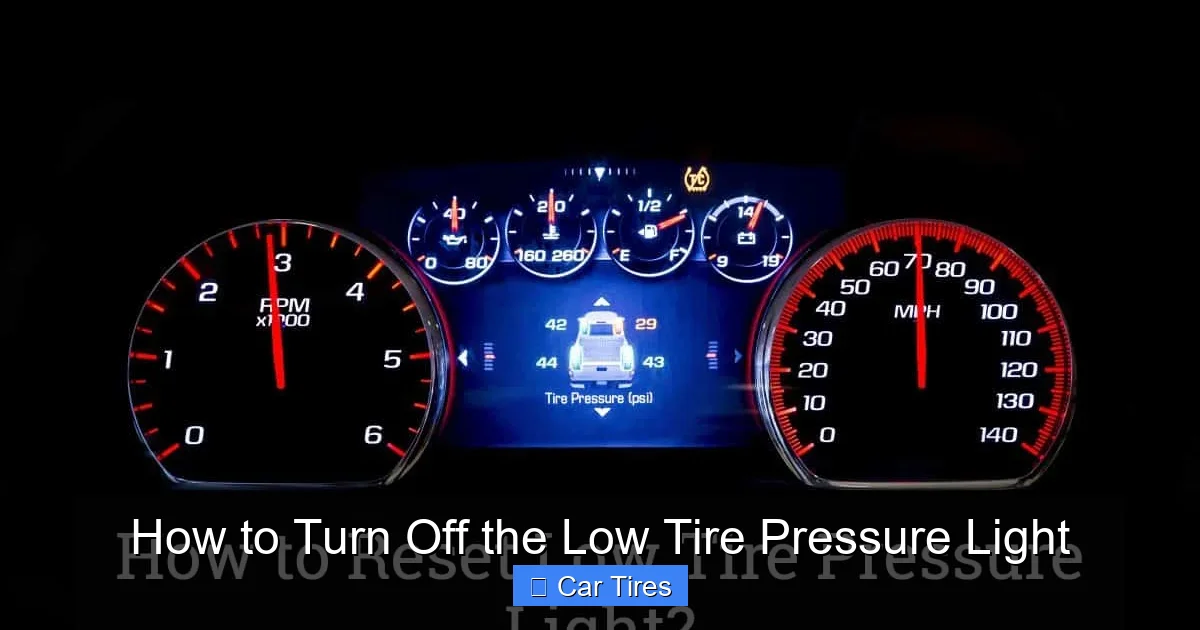
GM vehicles often use a combination of ignition cycling and button presses. Turn the ignition to “ON,” then press and hold the TPMS reset button (usually near the steering column) until the light flashes. Release it, then turn the ignition off and back on. Drive the vehicle for about 10 minutes at 50 mph or more to allow the system to recalibrate.
Some newer GM models require you to use the driver information center. Use the steering wheel controls to go to “Settings” > “Vehicle” > “Tire Pressure” > “Reset.”
Resetting the Light on Nissan and Infiniti
Nissan and Infiniti vehicles may require a two-step process. First, inflate all tires to the correct pressure. Then, turn the ignition to “ON” and press the TPMS reset button (often near the fuse box) until the light blinks twice. Release it, then drive for 10–15 minutes at 30 mph or more.
On some models, you’ll need to use the navigation or display screen. Go to “Settings” > “Vehicle” > “Tire Pressure” > “Reset.”
Always consult your owner’s manual for the exact steps for your vehicle. If the light doesn’t turn off after following the correct procedure, there may be a deeper issue—like a faulty sensor or a persistent leak.
Using a TPMS Scan Tool for Advanced Resets
Visual guide about How to Turn Off the Low Tire Pressure Light
Image source: dealerinspire-image-library-prod.s3.us-east-1.amazonaws.com
While manual resets work for many vehicles, some cars—especially newer models or those with direct TPMS systems—require a scan tool to turn off the low tire pressure light. These tools communicate directly with the car’s computer and can reprogram sensors, clear error codes, and sync new sensors after a tire change.
What Is a TPMS Scan Tool?
A TPMS scan tool is a handheld device that plugs into your car’s OBD2 port (usually under the dashboard) or connects wirelessly via Bluetooth. It reads data from the TPMS sensors and allows you to reset the system, activate sensors, or diagnose problems. Some tools are basic and only reset the light, while others can program new sensors, check battery life, and even locate which tire is low.
Professional mechanics use advanced scan tools, but many affordable options are available for DIYers. Popular brands include Autel, Foxwell, and ACDelco. Some models cost under $100 and work with most domestic and import vehicles.
When Do You Need a Scan Tool?
You’ll likely need a scan tool in these situations:
– After replacing a TPMS sensor (common during tire rotations or replacements)
– When the light won’t turn off after manual reset and proper inflation
– If you’ve installed new tires with different sensors
– When diagnosing a faulty sensor or dead battery
For example, if you take your car to a tire shop and they replace one sensor, they’ll use a scan tool to “teach” the car to recognize the new sensor. Without this step, the light may stay on or behave erratically.
How to Use a TPMS Scan Tool
Using a scan tool is simpler than it sounds. Here’s a general step-by-step guide:
1. Turn the ignition to “ON” (engine off).
2. Plug the scan tool into the OBD2 port or pair it via Bluetooth with your smartphone app.
3. Follow the on-screen prompts to select your vehicle make, model, and year.
4. Choose “TPMS Reset” or “Sensor Relearn” from the menu.
5. The tool will guide you through the process—this may involve driving the car, pressing buttons, or scanning each tire with a trigger tool.
6. Once complete, the tool will confirm the reset and the light should turn off.
Some tools require you to “wake up” each sensor by pressing a button near the valve stem or using a magnetic trigger. This tells the system which sensor is in which position (front left, rear right, etc.).
DIY vs. Professional Help
If you’re comfortable with basic car maintenance, a TPMS scan tool can be a worthwhile investment—especially if you rotate your own tires or drive a newer vehicle. However, if the process seems overwhelming or the light still won’t turn off, it’s best to visit a mechanic or tire shop. They have professional-grade tools and can diagnose issues like sensor failure, wiring problems, or module malfunctions.
Common Reasons the Light Won’t Turn Off
Even after inflating your tires and trying a reset, the low tire pressure light might stay on. When that happens, it’s usually a sign of a deeper issue. Here are the most common reasons the light won’t turn off—and what you can do about it.
Faulty or Dead TPMS Sensor
TPMS sensors are small devices mounted inside each tire, usually attached to the valve stem. They monitor pressure and send data to the car’s computer. But like any electronic device, they can fail—especially the battery inside, which typically lasts 5–10 years. When the battery dies, the sensor can’t transmit data, and the light may stay on or flash.
Symptoms of a dead sensor include:
– The light stays on even with correct tire pressure
– The light flashes for a minute then stays solid
– One tire consistently shows “—” or “LOW” on the display
Replacing a sensor usually requires removing the tire, which is best done at a tire shop. Costs range from $50 to $150 per sensor, including labor.
Damaged or Corroded Valve Stem
The valve stem is where you add air, and it’s also part of the TPMS sensor in direct systems. If it’s bent, cracked, or corroded (common in snowy areas with road salt), it can cause air leaks or prevent the sensor from working. A damaged valve stem often requires replacing the entire sensor assembly.
Incorrect Sensor Programming
After a tire rotation or replacement, the car may not recognize which sensor is in which position. This is especially common in vehicles that use sensor IDs tied to specific wheel locations. Without proper reprogramming, the system may think a tire is low when it’s not.
This is where a scan tool comes in handy—it can relearn the sensor positions. Some cars also have an automatic relearn mode that activates after driving a certain distance.
System Malfunction or Wiring Issue
In rare cases, the TPMS control module or wiring harness may be damaged. This can happen due to moisture, impact, or electrical issues. Symptoms include erratic light behavior, multiple warning messages, or failure of other dashboard lights.
Diagnosing this requires professional equipment and expertise. A mechanic can run a full system scan to identify the faulty component.
Spare Tire Sensor Issue
Some vehicles monitor the spare tire, especially SUVs and trucks. If the spare is underinflated or has a faulty sensor, it can trigger the light. Check the spare’s pressure and condition, and consider disabling spare monitoring if your car allows it (usually through the settings menu).
Preventing the Low Tire Pressure Light from Coming Back
Once you’ve turned off the low tire pressure light, you don’t want it coming back every few weeks. Prevention is key—and it starts with regular maintenance and awareness.
Check Tire Pressure Monthly
Make it a habit to check your tire pressure at least once a month. Use a quality gauge and check when tires are cold. This simple habit can catch slow leaks early and prevent the light from activating unexpectedly.
Rotate Tires Regularly
Tire rotation (every 5,000–7,000 miles) ensures even wear and helps maintain consistent pressure. It’s also a good time to inspect valves and sensors for damage.
Watch for Seasonal Changes
As mentioned earlier, temperature drops can lower tire pressure. In fall and winter, check your tires more frequently—especially after a cold snap. Consider using nitrogen inflation, which is less affected by temperature changes (though the benefit is debated).
Inspect Tires for Damage
Look for nails, cracks, bulges, or uneven wear during your monthly checks. A small puncture can cause a slow leak that triggers the light days or weeks later.
Replace Sensors Before They Fail
If your car is 7–10 years old, consider replacing TPMS sensors proactively. It’s cheaper than emergency repairs and avoids unexpected light issues.
Use a Tire Pressure Monitoring App
Some aftermarket TPMS systems come with smartphone apps that alert you to pressure changes in real time. These can be especially helpful for RVs, trailers, or drivers who want extra peace of mind.
Conclusion
Turning off the low tire pressure light is more than just a quick fix—it’s part of responsible car ownership. By understanding why the light comes on, checking your tires regularly, and using the right reset method for your vehicle, you can keep your TPMS system working smoothly and your tires in top condition.
Whether you’re using a simple button reset, driving to recalibrate, or investing in a scan tool, the key is to address the root cause, not just silence the warning. A properly inflated tire improves safety, fuel efficiency, and tire life. And when the light does come on, you’ll know exactly what to do.
Don’t ignore that little horseshoe light. Treat it as a helpful reminder—not a nuisance. With the tips in this guide, you’ll be able to turn it off confidently and keep rolling safely down the road.
Frequently Asked Questions
Why won’t my low tire pressure light turn off after inflating the tires?
The light may stay on if the TPMS hasn’t been reset, a sensor is faulty, or there’s a slow leak. Try the manual reset procedure for your vehicle. If that doesn’t work, have a mechanic check the sensors.
Can I drive with the low tire pressure light on?
It’s not recommended. Underinflated tires can overheat, wear unevenly, and increase the risk of a blowout. Check your tire pressure immediately and inflate as needed.
How often should I check my tire pressure?
Check your tire pressure at least once a month and before long trips. Cold weather can cause pressure drops, so check more often in winter.
No. Some vehicles require a scan tool or menu-based reset. Check your owner’s manual to find the correct method for your car.
Can a dead TPMS sensor battery be replaced?
No, the battery is sealed inside the sensor. You’ll need to replace the entire sensor, which typically costs $50–$150 per tire including labor.
Will the light turn off automatically after adding air?
On some vehicles, yes—after driving for 10–15 minutes. Others require a manual reset. Refer to your owner’s manual for specifics.