
How to Turn Off Maintenance Required 2007 Toyota Corolla

The “MAINTENANCE REQUIRED” light on your 2007 Toyota Corolla is a service reminder, not an emergency. You can reset it yourself after completing the scheduled maintenance, like an oil change, using the odometer button. However, never reset it without performing the actual service, as this defeats the purpose of the system and can lead to costly engine damage.
That little amber “MAINTENANCE REQUIRED” text glowing on your 2007 Toyota Corolla’s dashboard can be a real nuisance. It’s there to get your attention, but once you’ve actually changed the oil or completed the scheduled service, it just seems to taunt you. The good news is that turning it off is a straightforward, do-it-yourself task that takes less than a minute. But before we get to the “how,” we need to talk about the “why” and the critical “when.” This isn’t just about silencing an annoying light; it’s about respecting the engineering and maintenance minder system designed to keep your reliable Corolla running smoothly for years to come.
The 2007 Corolla, like many Toyotas of its era, uses a maintenance minder system. It’s not a smart, sensor-based system that checks oil life in real-time. Instead, it’s a sophisticated mileage and time counter. When your car’s computer calculates that you’ve reached a predetermined service interval—based on both miles driven and months since the last reset—it illuminates that steady, nagging message. It’s a calendar reminder from your car, saying, “Hey, it’s time for some TLC.” Understanding this is the first step to properly managing your vehicle’s health. Ignoring it or, worse, resetting it without doing the work, is like ignoring a check from your doctor—you might feel fine now, but problems can build up unseen.
Our goal here is to empower you with the knowledge to handle this correctly. We’ll walk through the exact steps for your specific model year, discuss what the light truly means, highlight common pitfalls to avoid, and talk about what to do if things don’t go as planned. By the end, you’ll not only know how to turn off that light but also understand why that simple act is a small but vital part of being a responsible car owner. Let’s get into it.
Key Takeaways
- The light is a reminder, not a diagnosis: It illuminates based on mileage and time intervals to remind you of scheduled maintenance like oil changes, tire rotations, and inspections.
- Reset only after service is complete: You must perform the required maintenance first. Resetting the light without doing the work is unsafe and voids the system’s purpose.
- The 2007 Corolla uses a simple button method: The reset procedure typically involves the odometer/trip meter reset button on the dashboard, requiring no special tools.
- Model year and trim matter: While most 2007 Corollas follow the same process, some higher trims with a multi-information display may have a slightly different menu-based reset.
- If the light returns quickly, investigate: A light that comes back on soon after a reset often indicates the maintenance wasn’t performed correctly or there’s a separate underlying issue.
- Consult your owner’s manual: It contains the definitive, model-specific procedure and maintenance schedule for your vehicle.
- Regular maintenance is key to longevity: Heeding this light and performing timely service is one of the best ways to ensure your Corolla’s reliability and resale value.
📑 Table of Contents
What the “MAINTENANCE REQUIRED” Light Actually Means
Many drivers mistakenly think this light indicates a specific problem, like low oil pressure or an engine fault. It’s crucial to dispel that myth. On your 2007 Corolla, this light is purely a maintenance scheduler. It’s part of Toyota’s Maintenance Minder system, which was a significant step forward from the old, rigid “change oil every 3,000 miles” rule. This system tailors reminders to your driving conditions. Severe, stop-and-go city driving wears a car differently than gentle highway cruising, and the system accounts for that by using algorithms based on engine run time, vehicle speed, and engine temperature.
The Two Main Triggers
The light comes on for one of two primary reasons, both tied to the service schedule:
- Oil & Filter Change: This is the most common trigger. The system calculates when the engine oil has likely degraded enough to need replacement based on your driving patterns.
- Other Scheduled Services: At other intervals, it may remind you of other critical items from your maintenance schedule, such as tire rotation, cabin air filter replacement, spark plug inspection/replacement, or a comprehensive multi-point inspection. The light itself doesn’t specify *what* is needed; you have to look up the code in your owner’s manual or remember what service was last performed.
For a 2007 model, the system is relatively simple. It typically illuminates the “MAINTENANCE REQUIRED” message after you’ve driven approximately 5,000 miles or 6 months since the last reset, whichever comes first. This interval aligns with the then-standard recommendation for synthetic oil. However, if your driving is mostly severe (short trips, extreme temperatures, dusty conditions), the system may calculate a shorter interval. The key takeaway is: the light is your car’s way of telling you it’s time to check the owner’s manual for the specific service due at your current mileage.
Why You Should NEVER Reset It Prematurely
This bears repeating: resetting the light without performing the underlying service is a terrible idea. Here’s why:
- Engine Damage Risk: If you reset it instead of changing the oil, you’re running old, degraded oil. Oil loses its lubricating and cooling properties over time. This leads to increased friction, higher engine temperatures, and accelerated wear on bearings, piston rings, and other critical components. An engine failure from neglected oil changes can cost thousands.
- Voiding the System’s Purpose: You’ve effectively broken your car’s maintenance reminder. The next reminder will be based on the false mileage you entered, meaning you could easily forget a crucial service down the line.
- Resale Value: Savvy buyers or dealerships can often check the maintenance history via the car’s computer. A pattern of resetting the light without corresponding service records is a major red flag and will lower your car’s value.
- Safety: Other services, like brake inspections or tire rotations, are linked to safety. Skipping them because you turned off a light is dangerous.
Think of the maintenance light like a low-fuel warning. You don’t reset the warning light and then keep driving without gas; you go to the gas station. Here, you go to your trusted mechanic or get your hands dirty and perform the service yourself.
The Step-by-Step Reset Procedure for a 2007 Toyota Corolla
Alright, you’ve changed the oil, rotated the tires, and checked everything off your list. The service is complete. Now, let’s silence that dashboard alert. The process for the 2007 Corolla is remarkably simple and requires no tools—just your finger and a clear understanding of the instrument cluster. There are two primary methods, depending on your specific Corolla’s trim level and instrument panel.
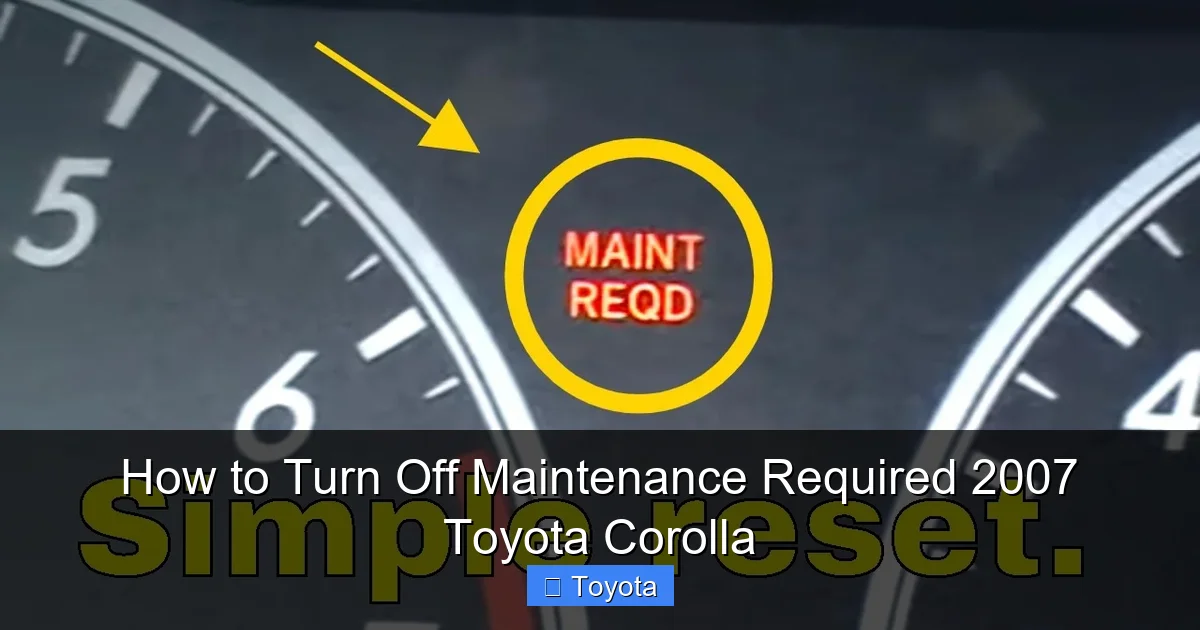
Visual guide about How to Turn Off Maintenance Required 2007 Toyota Corolla
Image source: i.ytimg.com
Method 1: The Standard Odometer Button Reset (Most Common)
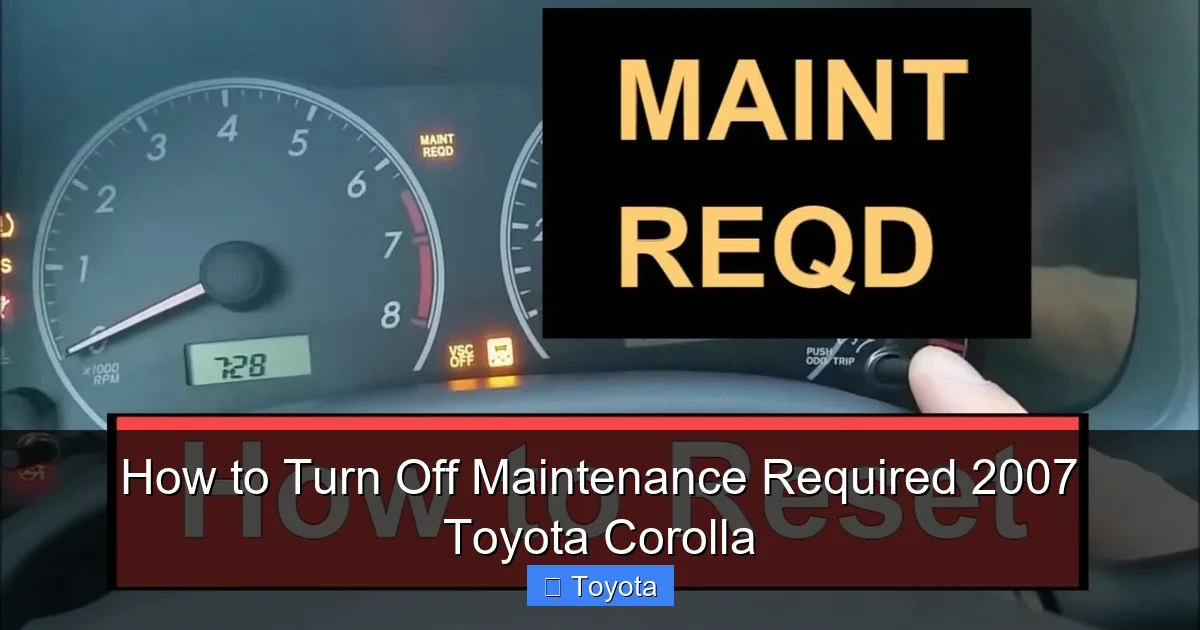
This method works for the vast majority of 2007 Corolla models, especially the LE and CE trims. It uses the button that controls your odometer and trip meter display.
Here is the exact sequence:
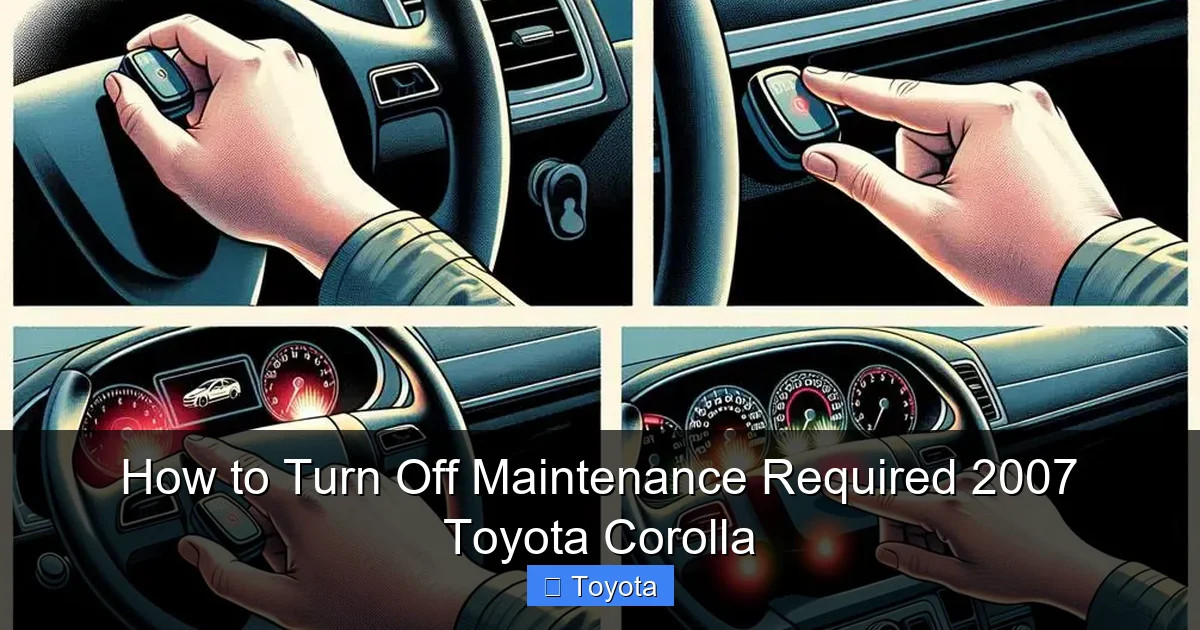
- Turn the ignition ON. Do not start the engine. Simply insert the key and turn it to the “ON” or “ACC” position, where your dashboard lights are illuminated but the engine is off.
- Ensure the odometer is displayed. Use the “ODO/TRIP” button on the instrument cluster to cycle through the displays until you see the total vehicle mileage (the main odometer reading). You should NOT be looking at trip meter A or B. The display should show something like “0000000” with your actual miles.
- Turn the ignition OFF. Now, turn the key completely to the “OFF” position.
- Press and hold the “ODO/TRIP” button. While continuing to hold the button down, turn the ignition back to the “ON” position (step 1). Keep holding the button.
- Watch the display. After a few seconds (usually 3-5), you should see the odometer display change. It will often show “0000000” or a series of dashes “——” for a moment, and then it will revert to showing your actual mileage. The “MAINTENANCE REQUIRED” message should be gone.
- Release the button and start the engine. You can now let go of the button. Start your car to confirm the light does not reappear. Turn it off and on again to be absolutely sure.
Pro Tip: The timing for step 4 is key. You must start holding the button *before* you turn the key to “ON” and continue holding it for several seconds after. If it doesn’t work the first time, turn everything off, take a breath, and try again slowly. It can be a finicky sequence.
Method 2: Reset via Multi-Information Display (MID)
Some higher trim 2007 Corollas, particularly those equipped with a more advanced multi-information display (often found on the S trim or with certain packages), may store the maintenance reminder in the display’s menu system. If the button method above fails, try this:
- Turn the ignition ON. Engine off, dashboard lights on.
- Navigate to the “Settings” or “Maintenance” menu. Use the buttons on the steering wheel or the dash to scroll through the display options. Look for a menu titled “Settings,” “Vehicle Settings,” or “Maintenance.”
- Find the “Maintenance Reset” option. Within that menu, you should see an option to reset the maintenance system. It might be labeled “Maint. Reset” or “Oil Reset.”
- Select and confirm. Highlight the reset option and press the “Enter” or “Set” button. You will likely get a confirmation prompt (e.g., “Reset?”). Confirm “Yes” or “OK.”
- Exit and verify. Return to the main display. The message should be cleared. Start the engine to confirm.
If you cannot find this menu, your Corolla likely uses the standard odometer button method. Your owner’s manual is the ultimate authority here—it will have the exact procedure and diagrams for your specific VIN’s configuration.
What to Do After You Successfully Reset the Light
Click! The light is off. The task is done, right? Not quite. The reset is the final administrative step, but your job as a car owner isn’t over until the maintenance itself is verified. Here’s your post-reset checklist to ensure everything is truly in order.
Visual guide about How to Turn Off Maintenance Required 2007 Toyota Corolla
Image source: i.ytimg.com
Double-Check Your Work
Before you consider this closed, do a quick visual and physical inspection of what you serviced:
- Oil Change: Is the oil level correct on the dipstick? Is the drain plug and filter properly tightened with no leaks? Is the new oil the correct viscosity (usually 5W-20 or 5W-30 for a 2007 Corolla)?
- Tire Rotation: Are all tires properly inflated to the PSI listed on the driver’s door jamb sticker? Are the lug nuts torqued to spec?
- Other Services: Were any replaced filters (engine air, cabin) installed correctly? Were any inspected items (belts, hoses, brakes) noted for future attention?
A clean reset with a botched service is a false sense of security. A quick once-over can catch a simple mistake before it causes a problem on the road.
Record the Service
This is non-negotiable for long-term care. Write down the date, mileage at the time of service, and what was done in a permanent log. This can be a physical notebook stored in the glove compartment, a spreadsheet on your computer, or a dedicated app like “myCARFAX” or “Fuelly.” Why is this so important?
- It creates a verifiable history. If you ever sell the car, a complete service record significantly boosts buyer confidence and value.
- It helps you track patterns. You can see if you’re burning oil between changes, if tires are wearing unevenly, or if a particular component is failing prematurely.
- It prevents forgetting. With the light now off, it’s easy to forget what was done and when the next service is due. Your log reminds you.
If you had a professional mechanic do the work, they should provide a detailed invoice. Keep this with your records. If you did it yourself, create your own receipt noting parts and labor.
Plan for the Next Interval
Now that you’ve reset the counter, it has started counting down to the next service. Based on your owner’s manual, estimate the next mileage or time interval. For a 2007 Corolla with conventional oil, it’s typically 5,000 miles/6 months. With full synthetic, it might be 7,500 miles/6 months. The system will automatically trigger the light again at that interval. Knowing what’s coming helps you budget and schedule time for the next service. You might even want to set a calendar reminder on your phone a few hundred miles before the estimated trigger point.
Common Problems and Troubleshooting
What if you followed the steps perfectly, but the light is still on? Or, worse, what if it comes back on after just a week or a few hundred miles? Don’t panic. Let’s troubleshoot.
Visual guide about How to Turn Off Maintenance Required 2007 Toyota Corolla
Image source: diycarexpert.com
The Reset Procedure Didn’t Work
First, ensure you are using the correct method for your specific trim. Did you try both the button method and the menu method (if applicable)? Re-read the steps carefully. The most common error is not having the odometer (not trip meter) displayed before turning the key off. Try it again, methodically. If it still fails, consult your owner’s manual—the procedure is in there. If the manual is missing, you can often find a digital copy online by searching for “2007 Toyota Corolla owner’s manual.” Sometimes, a weak battery can cause electronic quirks. Ensure your battery is in good health. In rare cases, a faulty instrument cluster or body control module could be the culprit, but this is unlikely.
The Light Came Back On Too Soon
This is a more serious issue with two primary causes:
- The Maintenance Was Not Performed Correctly: This is the most likely culprit. Did the oil change actually happen? Was the correct oil and filter used? Was the oil filter installed properly (gasket lubed, tightened correctly)? Was the drain plug tightened to spec and has it developed a leak? A minor leak can cause low oil level, triggering the system’s logic to think it’s time for service again. Re-check your work or have a professional verify the service was done right.
- A Separate Fault Code Was Set: While the maintenance light is independent, some vehicles have interconnected systems. If another sensor or system failed (e.g., a faulty oil pressure sensor, a major EVAP system leak), it might cause the maintenance light to illuminate as a generic alert. This is less common in this model but possible. If you’ve verified the oil level is perfect and the service was done, you may need a professional diagnosis with an OBD2 scanner to read any stored trouble codes. For general Toyota maintenance light issues across different models, our comprehensive guide covers additional diagnostic steps.
Other Warning Lights Are On
Is the “MAINTENANCE REQUIRED” light on, but so is the “CHECK ENGINE” light or an oil pressure warning light? This changes everything. The maintenance light is a low-priority reminder. If any red, yellow warning lights (like oil pressure, battery, brake, or CHECK ENGINE) are also illuminated, you must address those immediately. Do not just reset the maintenance light. A CHECK ENGINE light could indicate a serious emissions or engine problem. An oil pressure light means you could be seconds away from catastrophic engine failure. In this scenario, stop the vehicle safely if possible, check oil levels, and have the car towed to a mechanic for diagnosis.
When to Seek Professional Help
Resetting the light is a simple DIY task, but it exists within the larger ecosystem of car care. There are clear times when you should stop, drop the socket wrench, and call a pro.
You’re Uncomfortable or Unsure
If the concept of turning a wrench makes you nervous, or if you can’t confidently identify the correct oil type, filter, or torque specifications, that’s okay! There’s no shame in paying a professional. The cost of an oil change at a reputable shop is money well spent for peace of mind, proper disposal of old oil, and a warranty on the work. They will also reset the light for you as part of the service. Your safety and your car’s health are worth more than saving a few dollars on a DIY job you’re not equipped for.
The Service Is Beyond Basic Maintenance
The reset process is for *routine* maintenance. If your scheduled service includes things like:
- Brake pad/rotor replacement
- Suspension component inspection or replacement
- Transmission fluid drain and fill
- Coolant system flush
- Major timing belt/chain service
…these are complex, safety-critical jobs that require expertise, special tools, and precise procedures. Attempting them without experience can lead to dangerous failures. Have a certified technician perform these services. They will reset the light upon successful completion.
The Light Persists After Verified Service
You’ve done the oil change yourself (or had it done), triple-checked everything, and followed the reset procedure to the letter. The light goes off. But 50 miles later, it’s back on. This is a clear signal that something is wrong. As discussed, it could be a service error (leaking drain plug, wrong filter) or an electronic fault. At this point, continuing to reset it is pointless and dangerous. You need a professional diagnosis. Take it to a trusted mechanic. Explain that you just performed the maintenance and reset the light, but it returned immediately. They can check for leaks, verify oil level and condition, and scan for any hidden trouble codes that might be interfering with the system.
Remember, the maintenance light is a helpful tool. When it behaves erratically, it’s telling you that the tool itself or the system it’s monitoring needs a closer look by an expert.
Preventive Maintenance: The Real Key to a Happy Corolla
Let’s zoom out. The “how-to” of resetting a light is a tiny piece of the car ownership puzzle. The much bigger, more important picture is building a habit of consistent, preventive maintenance. Your 2007 Corolla is a testament to Toyota’s legendary reliability, but even the most robust engineering needs care. That maintenance light is your most direct line of communication from the car about its needs.
Follow the Schedule, Not Just the Light
The maintenance minder is great, but it’s a backup to your own knowledge. Your owner’s manual contains a detailed mileage- and time-based service schedule. For a 2007 Corolla, this typically looks like:
- Every 5,000 miles / 6 months: Oil & filter change, tire rotation, basic inspection.
- Every 10,000 miles / 12 months: All of the above, plus inspection of brakes, fluids, belts, hoses, and steering/suspension.
- Every 30,000 miles: Replace engine air filter, cabin air filter, spark plugs (if not platinum/iridium), and inspect/replace other wear items as needed.
- Every 60,000 miles: Major service including transmission fluid (if automatic), coolant, and a very thorough inspection of all major systems.
Don’t wait for the light. If you know you’re approaching a major interval (say, 58,000 miles), go ahead and schedule the 60,000-mile service. The light might not come on for another 2,000 miles, but it’s better to be proactive. Understanding all your Corolla’s features, from maintenance reminders to driving modes like Sport, helps you get the most from your vehicle.
Build a Relationship with a Trusted Mechanic
Find a local, independent mechanic or a dealership service department you trust. Stick with them. A shop that knows your car’s history can spot potential problems early, offer honest advice, and provide consistent, quality work. They will also manage your maintenance minder resets correctly as part of their service.
Keep Meticulous Records
We mentioned this before, but it’s the cornerstone of good car ownership. A complete, organized service record is invaluable. It proves you’ve cared for the car, which is powerful when selling. It also helps your mechanic see what’s been done and what’s coming up. Use a simple spreadsheet with columns for: Date, Mileage, Service Performed, Parts Used, Cost, and Shop/Mechanic.
By treating your Corolla to regular, scheduled maintenance and properly managing the maintenance minder system, you’re not just turning off a light. You’re investing in reliability, safety, fuel efficiency, and the long-term value of your vehicle. That little amber reminder is your car’s way of asking for help to be its best. Answer that call promptly and correctly, and it will reward you with many more miles of faithful service.
Conclusion
Turning off the “MAINTENANCE REQUIRED” light on your 2007 Toyota Corolla is a simple, five-step process involving your odometer button and ignition key. It’s a task you can, and should, do yourself after you’ve completed the actual service. This guide has walked you through the exact procedure, explained the critical importance of only resetting after genuine maintenance has been performed, and provided a roadmap for troubleshooting if things go awry. Remember, this light is a helpful ally in your car care journey, not an enemy to be silenced. Respect its message, perform the required work, reset it correctly, and keep good records. By doing so, you honor the engineering of one of the most reliable cars ever built and ensure your Corolla continues to be a source of dependable, worry-free transportation for years to come. Now, go ahead, get that light off, and enjoy the clear, uncluttered dashboard—you’ve earned it.
Frequently Asked Questions
What does the “MAINTENANCE REQUIRED” light mean on a 2007 Toyota Corolla?
It means your car’s computer has calculated that you’ve reached a scheduled service interval, typically an oil change or tire rotation, based on mileage and time since the last reset. It is a reminder, not an indication of an immediate problem.
Can I reset the maintenance light without changing the oil?
Technically yes, but you absolutely should not. Resetting it without performing the required maintenance defeats the system’s purpose and risks serious engine damage from neglected oil changes. Always do the service first.
What if the maintenance light comes back on right after I reset it?
This usually means the maintenance wasn’t performed correctly (e.g., an oil leak, incorrect filter) or there is a separate electronic fault. Verify the oil level and check for leaks. If everything looks fine, you may need a professional diagnosis with a scan tool.
How often does the maintenance light come on?
For a 2007 Corolla, it typically illuminates every 5,000 miles or 6 months, whichever comes first, assuming conventional oil. The interval adapts slightly based on your driving conditions.
Will resetting the maintenance light affect my emissions test?
No. The maintenance light is unrelated to your emissions system. However, if you have a CHECK ENGINE light on for an emissions-related fault, that will cause you to fail an emissions test. The maintenance light alone will not.
Where can I find the exact procedure for my specific Corolla?
Your owner’s manual is the definitive source. It contains the step-by-step instructions and diagrams for your exact trim level. If you don’t have it, digital copies are often available online by searching for your model year and “owner’s manual.”
