
How to Turn Off the Maintenance Light on Toyota

Resetting the maintenance light on your Toyota doesn’t require a trip to the dealership. With a few simple steps, you can clear the reminder yourself and keep your vehicle running smoothly. This guide covers all major Toyota models and years.
Key Takeaways
- Understand the purpose of the maintenance light: It’s a reminder for scheduled service, not a warning of immediate danger.
- Know your model and year: Reset procedures vary slightly between Toyota models like Camry, Corolla, RAV4, and Tacoma.
- Use the trip meter and ignition method: Most Toyotas from 2000–2020 use a combination of ignition position and trip button presses.
- Check the owner’s manual: Always refer to your specific vehicle’s manual for model-specific instructions.
- Reset after every service: Don’t forget to turn off the light after oil changes or inspections to avoid confusion later.
- Use a scan tool for newer models: Some 2021+ Toyotas require an OBD2 scanner or dealership tool to reset.
- Don’t ignore regular maintenance: The light is there to help—keep up with oil changes, tire rotations, and inspections.
📑 Table of Contents
Why Does the Maintenance Light Come On?
If you’ve ever been driving your Toyota and noticed a small wrench icon or “MAINT REQD” message on your dashboard, you’re not alone. This light is designed to remind you that your vehicle is due for routine maintenance—like an oil change, tire rotation, or inspection. It’s not a sign of a serious problem, but rather a helpful nudge from your car’s onboard computer.
Toyota vehicles use a maintenance reminder system that tracks mileage and time intervals. Once you hit a certain threshold—usually every 5,000 to 10,000 miles, depending on your driving habits and model—the light will illuminate. This system helps ensure you don’t forget important upkeep that keeps your car running efficiently and safely.
It’s easy to ignore this light, especially if you’ve already had your car serviced. But leaving it on can be confusing later. You might wonder if a new issue has arisen, or you could forget when your last service was. That’s why knowing how to turn off the maintenance light on Toyota vehicles is a useful skill for any owner.
What Triggers the Maintenance Light?
The maintenance light is triggered by your vehicle’s Engine Control Unit (ECU), which monitors various factors like mileage, engine runtime, and driving conditions. Toyota’s system is smart—it doesn’t just count miles. It considers things like short trips, cold starts, and stop-and-go traffic, which can affect oil life more than highway driving.
For example, if you mostly drive short distances in the city, your oil may degrade faster than someone who drives long highway commutes. The ECU adjusts the maintenance schedule accordingly. Once the calculated interval is reached, the light comes on.
It’s important to note that this light is different from the “Check Engine” light. The maintenance light is preventive, while the Check Engine light indicates a potential mechanical issue that needs immediate attention.
Is It Safe to Drive with the Maintenance Light On?
Yes, it’s generally safe to drive with the maintenance light on—for a short time. The light is a reminder, not a warning of imminent failure. However, you should schedule service soon to avoid potential issues down the road.
Ignoring regular maintenance can lead to reduced fuel efficiency, engine wear, and even costly repairs. For instance, old oil can become sludge-like and fail to lubricate engine parts properly. That’s why it’s best to treat the maintenance light as a friendly heads-up, not something to ignore.
If you’ve already had your car serviced and the light is still on, it’s likely just waiting to be reset. That’s where this guide comes in.
How to Turn Off the Maintenance Light on Toyota: General Steps
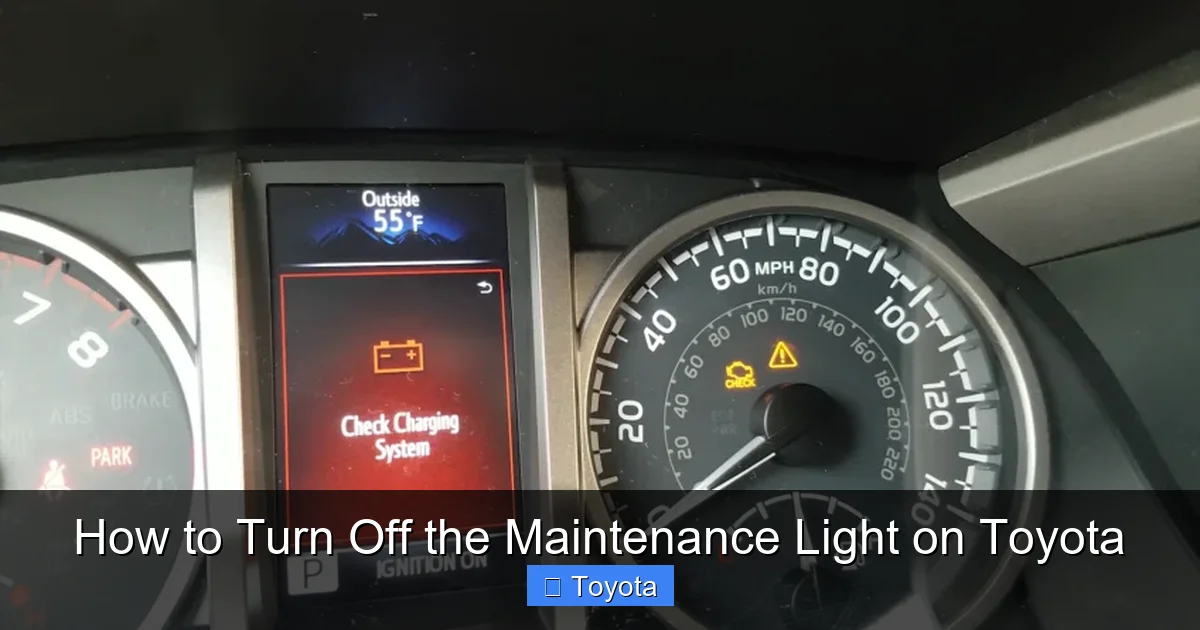
Visual guide about How to Turn Off the Maintenance Light on Toyota
Image source: outlawoffroad.com
The good news is that most Toyota vehicles allow you to reset the maintenance light yourself—no need to visit a mechanic or pay a fee. The process is straightforward and usually takes less than two minutes.
While the exact steps can vary slightly depending on your model and year, the general method involves using the trip meter button and the ignition switch. Here’s a step-by-step overview that works for many popular Toyota models, including the Camry, Corolla, RAV4, and Highlander.
Step 1: Turn the Ignition to “ON” (But Don’t Start the Engine)
Start by getting into your car and closing the door. Insert your key into the ignition and turn it to the “ON” position. This powers up the dashboard and electronics, but the engine should remain off. You’ll see all the warning lights briefly illuminate—this is normal.
If your Toyota has a push-button start, press the “Start” button twice without pressing the brake pedal. This will turn on the ignition without cranking the engine.
Step 2: Locate the Trip Meter Button
Next, find the trip meter button on your dashboard. It’s usually located on the instrument cluster, near the speedometer or tachometer. On most Toyotas, it’s a small button labeled “TRIP” or “ODO/TRIP.”
This button allows you to switch between odometer (total mileage) and trip meter (distance for a specific journey). You’ll use it to navigate the reset menu.
Step 3: Cycle to the Trip A or Trip B Display
Press the trip meter button repeatedly until you see “Trip A” or “Trip B” on the display. Either one will work for the reset process. The key is to make sure you’re not on the main odometer reading.
Some newer models may show a “Maintenance” or “Oil Life” percentage instead. In that case, you’ll want to navigate to that screen.
Step 4: Press and Hold the Trip Button
With the ignition on and the trip meter displayed, press and hold the trip button. Keep holding it for about 10 seconds. You should see the mileage or oil life percentage begin to count down or reset.
On many models, the display will flash or show “0” once the reset is complete. This indicates that the maintenance light has been cleared.
Step 5: Turn Off the Ignition
Once the reset is confirmed, release the trip button and turn the ignition back to the “OFF” position. Remove the key or press the start button to shut down the system.
The next time you start your car, the maintenance light should be off. If it comes back on immediately, you may need to repeat the process or check for a different issue.
Model-Specific Reset Instructions
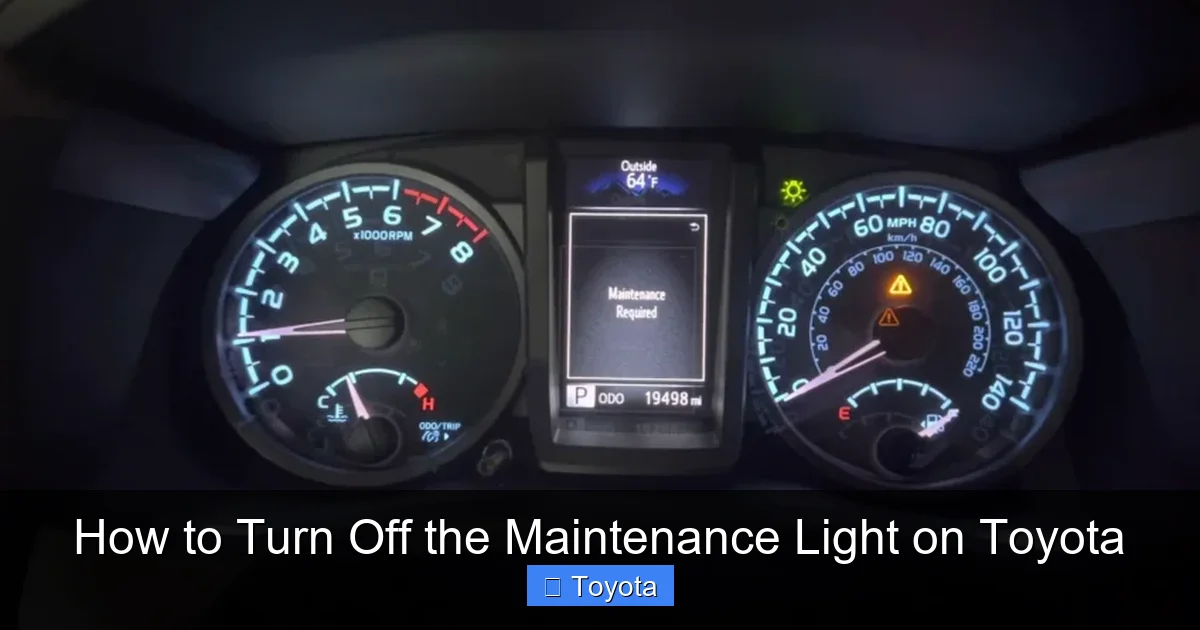
Visual guide about How to Turn Off the Maintenance Light on Toyota
Image source: outlawoffroad.com
While the general method works for many Toyotas, some models have slight variations. Below are detailed instructions for some of the most popular Toyota vehicles.
Toyota Camry (2007–2020)
The Camry is one of Toyota’s best-selling models, and the reset process is fairly consistent across these years.
1. Turn the ignition to “ON” (do not start the engine).
2. Press the trip button until “Trip A” is displayed.
3. Turn the ignition back to “OFF.”
4. Turn the ignition to “ON” again.
5. Press and hold the trip button for about 10 seconds. The odometer should reset to 0 or show a flashing display.
6. Turn the ignition off. The maintenance light should now be off.
For Camry models with a digital display (like the 2018+), you may need to use the steering wheel controls to navigate to the “Maintenance” menu and select “Reset.”
Toyota Corolla (2009–2020)
The Corolla follows a similar pattern, but with a key difference in timing.
1. Turn the ignition to “ON.”
2. Press the trip button to select “Trip A.”
3. Turn the ignition off.
4. Turn the ignition back to “ON.”
5. Press and hold the trip button. After about 5 seconds, the odometer will start to count down.
6. Continue holding until it reaches 0, then release.
7. Turn the ignition off. The light should be reset.
Some Corolla models (especially 2014+) may require you to press the trip button three times quickly after turning the ignition on, then hold it.
Toyota RAV4 (2013–2020)
The RAV4 has a slightly different approach, especially in hybrid models.
1. Turn the ignition to “ON.”
2. Use the trip button to display “Trip A.”
3. Turn the ignition off.
4. Turn the ignition back to “ON.”
5. Press and hold the trip button. The odometer will reset after about 10 seconds.
6. Turn the ignition off.
For RAV4 hybrids, the process is the same, but you may see an “EV” or “Hybrid” indicator during the reset. That’s normal.
Toyota Tacoma (2005–2020)
The Tacoma, especially older models, uses a similar method but with a longer hold time.
1. Turn the ignition to “ON.”
2. Press the trip button to select “Trip A.”
3. Turn the ignition off.
4. Turn the ignition back to “ON.”
5. Press and hold the trip button for 15–20 seconds. The odometer will reset to 0.
6. Turn the ignition off.
Some Tacoma owners report needing to cycle the trip button multiple times or press it in a specific sequence. If the first attempt doesn’t work, try repeating the steps.
Toyota Highlander (2008–2020)
The Highlander reset process is straightforward and consistent.
1. Turn the ignition to “ON.”
2. Press the trip button to display “Trip A.”
3. Turn the ignition off.
4. Turn the ignition back to “ON.”
5. Press and hold the trip button until the odometer resets.
6. Turn the ignition off.
For Highlander models with a multi-information display, you may need to use the steering wheel controls to access the “Settings” menu and reset the maintenance reminder.
Newer Toyota Models (2021 and Up): What’s Different?
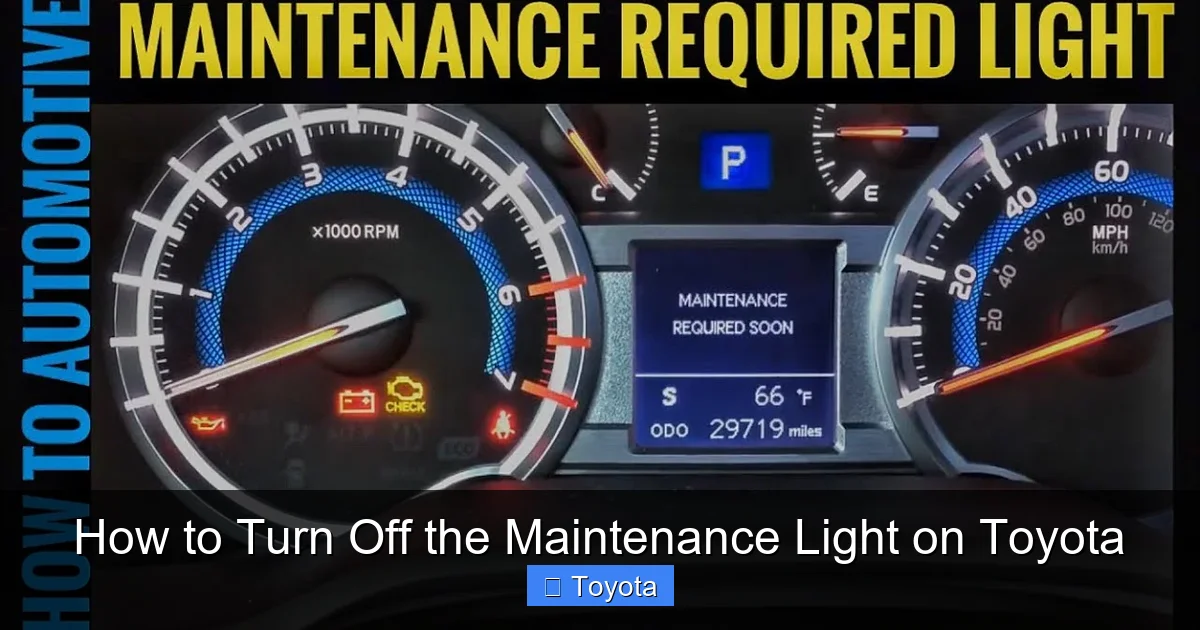
Visual guide about How to Turn Off the Maintenance Light on Toyota
Image source: i.ytimg.com
Starting around 2021, Toyota began phasing out the manual reset method in favor of digital systems. Many newer models—like the 2022 Camry, 2023 RAV4, and 2024 Corolla—require an OBD2 scanner or dealership tool to reset the maintenance light.
This change is part of Toyota’s move toward more advanced vehicle diagnostics and connected car technology. The maintenance system is now integrated with the vehicle’s telematics and can sync with the Toyota app.
Why the Change?
The shift to digital resets is driven by several factors. First, it prevents owners from accidentally resetting the light without actually performing maintenance. This ensures better compliance with service schedules.
Second, it allows Toyota to collect data on vehicle usage and maintenance habits, which can improve future models and service offerings.
Finally, it supports features like remote diagnostics and over-the-air updates, which are becoming more common in modern vehicles.
How to Reset Newer Models
If your Toyota is a 2021 or newer model, you’ll likely need one of the following:
– A compatible OBD2 scanner with reset capabilities
– A visit to a Toyota dealership or certified mechanic
– The Toyota app (if your vehicle supports it)
Some aftermarket scanners, like the BlueDriver or Autel MaxiCOM, can reset the maintenance light on newer Toyotas. These tools connect to your car’s OBD2 port (usually under the dashboard) and allow you to access the service menu.
Alternatively, you can use the Toyota app to schedule service and, in some cases, reset the light remotely. However, this feature is still rolling out and may not be available on all models.
If you’re unsure, check your owner’s manual or contact your local Toyota dealer. They can confirm whether your vehicle requires a scan tool or if a manual reset is still possible.
Common Mistakes to Avoid
Even with clear instructions, it’s easy to make small mistakes that prevent the reset from working. Here are some common pitfalls and how to avoid them.
Not Turning the Ignition On Fully
One of the most common errors is not turning the ignition to the correct position. You need to be in the “ON” position (with dashboard lights on), not just accessory mode. If the engine starts, you’ve gone too far—turn it off and try again.
Using the Wrong Trip Display
Make sure you’re on “Trip A” or “Trip B,” not the main odometer. If you’re on the total mileage screen, the reset won’t work. Press the trip button until you see the trip meter.
Not Holding the Button Long Enough
The trip button needs to be held for at least 10 seconds—sometimes longer. If you release too soon, the reset won’t complete. Be patient and wait for the display to change.
Trying to Reset Without Service
The maintenance light is there for a reason. Don’t reset it unless you’ve actually performed the required service. Skipping maintenance can lead to engine problems and void your warranty.
Ignoring the Owner’s Manual
Every Toyota model is slightly different. Always check your owner’s manual for the exact reset procedure. It’s the most reliable source of information.
When to Visit a Mechanic
While most maintenance light resets can be done at home, there are times when you should seek professional help.
The Light Won’t Turn Off
If you’ve followed the steps correctly and the light still won’t reset, there may be an underlying issue. It’s possible the vehicle’s computer hasn’t recognized the service, or there’s a sensor problem.
In this case, visit a Toyota service center. They can run a diagnostic scan and ensure everything is working properly.
You’re Uncomfortable Doing It Yourself
Not everyone feels confident working with their car’s electronics. If you’re unsure, it’s perfectly fine to let a professional handle it. Many dealerships will reset the light for free when you bring your car in for service.
Your Vehicle Is Under Warranty
If your Toyota is still under warranty, it’s best to have all maintenance and resets done by an authorized dealer. This ensures your warranty remains valid and all work is documented.
Tips for Maintaining Your Toyota
Resetting the maintenance light is just one part of vehicle care. To keep your Toyota running smoothly, follow these tips:
Follow the Maintenance Schedule
Your owner’s manual includes a recommended maintenance schedule. Stick to it for oil changes, tire rotations, brake inspections, and fluid checks.
Use Genuine Toyota Parts
Whenever possible, use OEM (Original Equipment Manufacturer) parts. They’re designed specifically for your vehicle and ensure optimal performance.
Keep Records
Maintain a log of all services performed, including dates, mileage, and work done. This helps with resale value and warranty claims.
Check Fluids Regularly
Even between services, check your oil, coolant, brake fluid, and windshield washer fluid. Low levels can cause problems.
Listen to Your Car
Unusual noises, vibrations, or warning lights should never be ignored. Address them promptly to avoid bigger issues.
Conclusion
Knowing how to turn off the maintenance light on Toyota vehicles is a simple but valuable skill. It saves you time and money, and helps you stay on top of your car’s health. Whether you drive a Camry, Corolla, RAV4, or Tacoma, the process is usually quick and easy.
For older models, the trip meter and ignition method works like a charm. For newer vehicles, you may need a scan tool or app. Either way, the goal is the same: keep your Toyota running smoothly and safely.
Remember, the maintenance light is your friend. It’s there to remind you when it’s time for service—not to scare you. By resetting it properly and staying on schedule, you’ll enjoy better performance, fuel efficiency, and peace of mind.
So the next time that little wrench icon appears, don’t panic. Grab your owner’s manual, follow the steps, and get back on the road with confidence.
Frequently Asked Questions
How often should I reset the maintenance light on my Toyota?
You should reset the maintenance light every time you complete a scheduled service, such as an oil change or inspection. This ensures the reminder system stays accurate and doesn’t confuse you later.
Can I reset the maintenance light without doing an oil change?
Technically, yes—but it’s not recommended. The light is there to remind you of necessary maintenance. Resetting it without service can lead to engine problems and may void your warranty.
Why won’t my Toyota maintenance light turn off after resetting?
If the light won’t turn off, you may have missed a step in the reset process, or there could be a sensor or computer issue. Try repeating the steps or visit a Toyota service center for diagnostics.
Do I need a special tool to reset the maintenance light on newer Toyotas?
Yes, many 2021 and newer Toyota models require an OBD2 scanner or dealership tool to reset the maintenance light. Check your owner’s manual or contact your dealer for confirmation.
Is it safe to drive with the maintenance light on?
Yes, it’s safe to drive for a short time, but you should schedule service soon. The light is a reminder, not a warning of immediate danger, but ignoring it can lead to long-term issues.
Can I reset the maintenance light using the Toyota app?
Some newer Toyota models support remote reset via the Toyota app, but this feature is still limited. Check if your vehicle is compatible and connected to the app for this option.