How to Turn Off Auto Hold on Hyundai

Contents
- 1 Key Takeaways
- 2 📑 Table of Contents
- 3 Understanding Hyundai’s Auto Hold System
- 4 Why Would You Want to Turn Off Auto Hold?
- 5 How to Turn Off Auto Hold: The Step-by-Step Guide
- 6 Troubleshooting: What If Auto Hold Won’t Disengage?
- 7 Safety Considerations and Best Practices
- 8 Auto Hold in the Ecosystem: How It Works With Other Hyundai Features
- 9 Conclusion: Your Car, Your Rules
- 10 Frequently Asked Questions



Auto Hold is a convenient feature that keeps your Hyundai stationary without brake pressure, but some drivers prefer to disable it for a more traditional driving feel. This guide covers how to turn off Auto Hold on various Hyundai models, troubleshooting tips, and safety considerations. Whether you’re navigating tight spaces or simply prefer manual control, you’ll find step-by-step instructions here.
Key Takeaways
- Auto Hold is an electronic brake hold system: It maintains brake pressure when you come to a complete stop, freeing your foot from the pedal until you press the accelerator.
- Reasons to disable it vary: Common motives include preference for traditional driving, navigating steep hills, or avoiding unexpected activation in stop-and-go traffic.
- The deactivation method differs by model year: Newer Hyundais often use a dedicated button, while older models may require navigating the infotainment menu settings.
- Disabling is usually temporary: Most Hyundai models reset Auto Hold to “on” when you power cycle the vehicle, unless changed in the settings menu.
- It is a driver-convenience feature, not a primary safety system: Turning it off does not disable your core braking or stability control systems.
- Consult your owner’s manual for model-specific details: The exact button location and menu path can vary between the Sonata, Tucson, Santa Fe, and other models.
- You can always re-enable it: The process is reversible, allowing you to experiment and find what suits your driving style best.
📑 Table of Contents
- Understanding Hyundai’s Auto Hold System
- Why Would You Want to Turn Off Auto Hold?
- How to Turn Off Auto Hold: The Step-by-Step Guide
- Troubleshooting: What If Auto Hold Won’t Disengage?
- Safety Considerations and Best Practices
- Auto Hold in the Ecosystem: How It Works With Other Hyundai Features
- Conclusion: Your Car, Your Rules
Understanding Hyundai’s Auto Hold System
So, you’re sitting at a long red light in your Hyundai, foot comfortably resting on the floor instead of hovering over the brake pedal. That smooth, hands-free wait is thanks to Auto Hold. It’s one of those modern features that feels like magic until it doesn’t. For many drivers, it’s a fantastic convenience, especially in city traffic. But for others, it can feel intrusive, unpredictable, or just plain unnecessary. If you’re in that second group, you’ve probably wondered, “How do I turn this thing off?” You’re not alone. This guide will walk you through everything you need to know about disabling Hyundai’s Auto Hold system, from the simple button press to navigating the in-car menus.
First, let’s quickly clarify what Auto Hold actually does. It’s an electronic system that, once activated, automatically applies and maintains the brake pressure when you bring your Hyundai to a complete stop. You lift your foot off the brake pedal, and the car stays put. When you’re ready to move, a simple press of the accelerator pedal releases the brakes. It’s different from Hill Assist Control (HAC), which only prevents rollback for a few seconds on an incline. Auto Hold keeps the brakes applied indefinitely at a stop. This system is part of Hyundai’s broader suite of driver-assistance technologies designed to reduce fatigue, but personal preference is king behind the wheel.
The Core Function: What Makes Auto Hold Tick?
Under the hood, Auto Hold relies on the same anti-lock braking system (ABS) and electronic stability control (ESC) sensors that keep you safe in an emergency. When you press the Auto Hold button (usually on the center console or dash), the system primes itself. The next time you come to a stop, it takes over the brake pedal’s job via the ABS modulator. A green “A” or “Auto Hold” indicator light on your instrument cluster tells you it’s active. The system is smart enough to disengage automatically if it detects you’re trying to pull away without enough accelerator input, or if you manually press the brake pedal again. Understanding this helps you troubleshoot—if it won’t disengage, it might be sensing a fault in the braking system sensors.
Why Would You Want to Turn Off Auto Hold?
Before we dive into the “how,” it’s worth exploring the “why.” Disabling a convenience feature might seem odd, but there are several legitimate and common reasons drivers choose to turn off Auto Hold in their Hyundai.
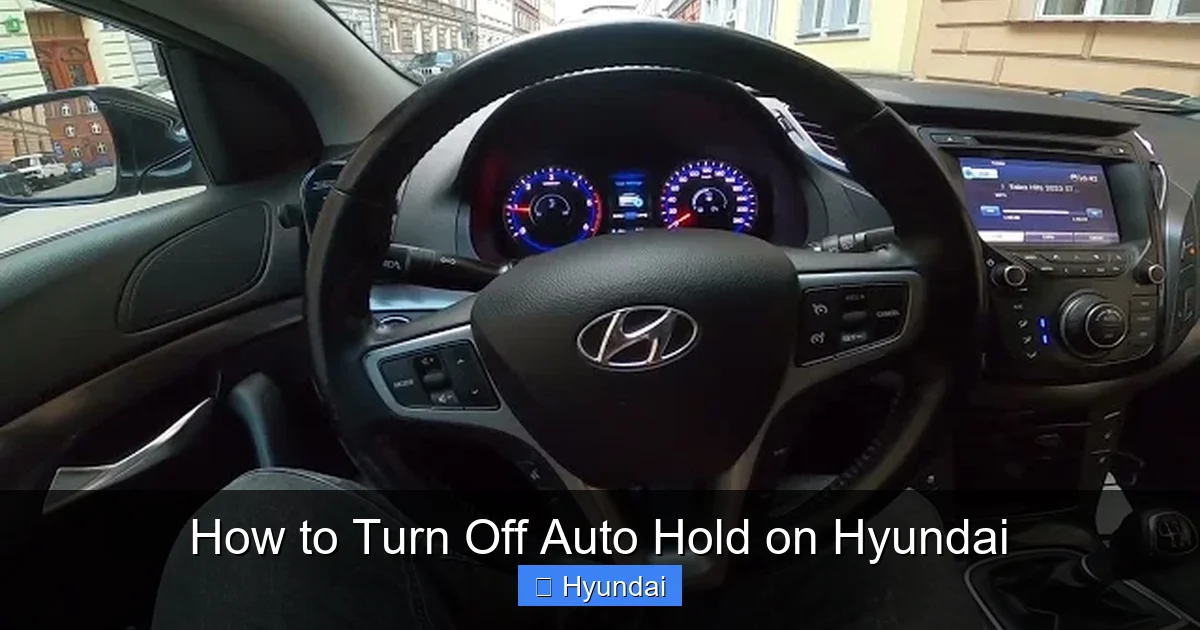
Visual guide about How to Turn Off Auto Hold on Hyundai
Image source: img.youtube.com
- Preference for Traditional Control: Some drivers simply like the direct connection of having their foot on the brake pedal at a stop. They find it more engaging and feel more in control, especially on uneven surfaces.
- Hilly Terrain and Tight Maneuvers: In steep hill starts, Auto Hold can sometimes feel hesitant to release, causing a slight delay when you press the gas. In very tight parking maneuvers or drive-thru lines, the system might activate unexpectedly when you’re trying to creep forward inch-by-inch.
- Stop-and-Go Traffic Quirks: In heavy, slow-moving traffic where cars are constantly moving a few feet, Auto Hold can engage and disengage rapidly. This can lead to a jerky feeling as the brakes apply and release, which some find more annoying than helpful.
- System Misinterpretation: On rare occasions, the system might engage when you don’t expect it to,比如 if you stop just short of a car in front and then roll back an inch. This sudden brake application can be startling.
- Learning and Familiarity: New drivers or those switching from a car without this feature might find it distracting while they build muscle memory for driving.
It’s important to note that wanting to turn it off doesn’t mean the feature is flawed—it just means it doesn’t align with your personal driving style or specific needs. Many drivers happily use it every day. The key is that the choice should be yours.
Comparing Auto Hold to Similar Features
Hyundai packs its vehicles with several letters and acronyms that can be confusing. It’s easy to mix up Auto Hold with other systems. Hill Assist Control (HAC) is a brief, 2-3 second brake hold to prevent rollback when starting on a hill. You don’t turn it on or off; it’s always active when you’re on a slope and press the brake. Auto Brake Hold is often just another name for Auto Hold. Electronic Parking Brake (EPB) is the switch you pull or push to engage the parking brake mechanically. Disabling Auto Hold does not affect your EPB, HAC, or the fundamental ABS/ESC safety systems. They all work independently. If you’re looking to turn off other automated features, you might find guides for related systems like turning off lane departure warnings on a Honda Civic helpful for understanding the broader landscape of driver-assist customization.
How to Turn Off Auto Hold: The Step-by-Step Guide
Now, for the main event. The method to disable Auto Hold depends heavily on your Hyundai’s model year and specific trim. Hyundai has evolved the interface over time. Generally, you have two paths: a physical button or a menu in the instrument cluster or infotainment screen. We’ll cover the most common methods.

Visual guide about How to Turn Off Auto Hold on Hyundai
Image source: hyundaimobil.co.id
Method 1: The Dedicated Auto Hold Button (Most Common in 2019+)
This is the simplest and fastest way. Look for a button on your center console, near the gear shifter, or on the lower dash. It’s usually labeled with a circular icon and the letter “A” or the words “Auto Hold.”
- Start your Hyundai and ensure it’s in Park (P) or Neutral (N). Some models require the vehicle to be stopped.
- Press the Auto Hold button once. You should see an indicator light illuminate on the button itself and a corresponding icon (often a green “A” inside a circle) appear on your instrument cluster display.
- To turn it off, simply press the button again. The indicator light on the button and the cluster icon should go out.
- Important: On many Hyundai models, this deactivation is temporary. The next time you start the car, Auto Hold will default back to “ON” if it was on when you last turned the car off. To make the change permanent, you must use the vehicle settings menu (see Method 2).
Pro Tip: The button might have a faint illumination when the headlights are on. If you can’t find it, consult your owner’s manual’s index for “Auto Hold” or “Brake Hold.” It’s often located near the electronic parking brake switch.
Method 2: Using the Vehicle Settings Menu (For Permanent Disable)
If you want to disable Auto Hold permanently so it never activates unless you manually turn it on, you need to dive into the settings. This is also the method for models that lack a dedicated physical button.
- With the car on and in Park (P), use the steering wheel controls or the infotainment touchscreen to access the Vehicle Settings or Driver Assistance menu. The exact name varies (e.g., “Settings” > “Vehicle” > “Driver Assistance”).
- Scroll through the options until you find Auto Hold, Brake Hold, or Auto Brake Hold.
- Select it and change the setting from ON to OFF.
- Exit the menu. The change should be saved automatically.
Now, Auto Hold will remain off even after you restart the vehicle. You can still activate it manually with the button (if your car has one) by pressing it, but it won’t come on automatically when you stop. This is the best method for drivers who want full, consistent control. The menu structure can differ between a Hyundai Santa Fe, Tucson, Elantra, or Kona, so exploring the settings menu is worth your time.
Model-Specific Nuances and Button Locations
While the principles are the same, the devil is in the details. Here’s a quick reference for popular models:
- Hyundai Sonata (2020+): Typically features a dedicated Auto Hold button on the center console, to the left of the electronic parking brake switch. The permanent setting is in the cluster menu under “Vehicle Settings.”
- Hyundai Tucson (2022+): The button is usually on the lower dash, to the right of the steering column, or on the center console near the shifter. The menu path is “Settings” > “Vehicle” > “Driver Assistance.”
- Hyundai Santa Fe (2021+): Often places the button on the center console, integrated with the drive mode select button on some trims. The settings menu is your go-to for permanent changes.
- Hyundai Elantra (2021+): The button is commonly found on the center console, near the HVAC controls. For permanent disable, use the cluster screen’s “User Settings” or “Vehicle Settings.”
- Older Models (2017-2019): These are less likely to have a physical button. Disabling usually requires navigating the instrument cluster menu using the steering wheel thumbwheel controls. Look for “Driver Assistance” or “Convenience” settings.
If you’re ever stuck, your owner’s manual is the ultimate authority. It has diagrams of your exact model’s controls and menus.
Troubleshooting: What If Auto Hold Won’t Disengage?
You’ve pressed the button, but the green “A” light stays on. Or you turned it off in the menu, but it still activates when you stop. Before you panic, there are a few common reasons and fixes.
Visual guide about How to Turn Off Auto Hold on Hyundai
Image source: media.autoexpress.co.uk
The “Temporary vs. Permanent” Confusion
This is the #1 issue. You pressed the button to turn it off, but the next time you start the car, it’s back on. That’s normal behavior for the button press method. The button acts like a light switch for that drive cycle. To make it stay off, you must change the setting in the vehicle’s settings menu (Method 2). Go back and double-check that you changed the default setting, not just pressed the button.
System Faults and Warning Lights
If Auto Hold is refusing to disengage even when you press the button or change settings, and you see a warning light on your dash (like a brake system warning, ABS light, or ESP/ESC light), then there’s a problem. Auto Hold relies on the health of your brake system sensors and the ESC module. A fault in any of these systems will cause Auto Hold to deactivate itself for safety, and it may not allow you to turn it back on until the issue is fixed. In this case:
- Note any other warning lights on your dashboard.
- Safely pull over and restart your vehicle.
- If the problem persists, you will need to have your Hyundai scanned for diagnostic trouble codes (DTCs) by a qualified mechanic or a Hyundai dealership. This is not something you can fix at home.
Extreme Conditions
In very cold weather, on extremely steep hills, or if your brake fluid is low, the system might behave erratically or refuse to activate/disengage. These are protective measures. Ensure your brake fluid level is adequate and consult your manual for any operating temperature limitations.
Safety Considerations and Best Practices
Is it safe to turn off Auto Hold? The short answer is yes, but with important context. Auto Hold is a convenience and driver-assist feature, not a primary safety system like your seatbelts or airbags. Disabling it simply returns your braking control to the traditional, manual method where you must keep your foot on the brake pedal at a stop. Millions of drivers have been doing this for decades. There is no safety penalty for choosing not to use it.
When You Should Probably Keep It On
While disabling is safe, there are scenarios where keeping Auto Hold active is highly beneficial:
- Frequent Hill Starts: If you live in a hilly area, Auto Hold can prevent rollback and make starts smoother, especially in a manual-transmission Hyundai (though Auto Hold is typically automatic-only).
- Traffic Light Demolition Derby: In heavy, stop-and-go traffic, it can significantly reduce foot fatigue on your left (brake) leg.
- Towing or Hill Descents: It can help maintain a steady stop on a slope when you’re focused on other tasks, like checking your mirrors or a trailer connection.
Think of it as a tool. If you find it helpful, use it. If it gets in your way, turn it off. Your confidence and comfort are paramount.
The Psychological Factor: Muscle Memory
If you disable Auto Hold, be prepared for a short adjustment period. Your muscle memory has likely adapted to resting your foot at stops. You’ll need to retrain yourself to keep your foot on the brake pedal. This is especially important if you share the car with other drivers who may use it differently. Clear communication about the car’s settings is key to avoiding confusion or surprise at a red light.
Auto Hold in the Ecosystem: How It Works With Other Hyundai Features
Your Hyundai is a network of interconnected computers. Auto Hold doesn’t work in a vacuum. Understanding its relationship with other systems can help you make informed decisions about which features to use.
Relationship with Hill Assist Control (HAC)
As mentioned, HAC is always on and works for a few seconds on inclines. Auto Hold is a separate, user-controlled system that holds indefinitely. They can work together: you could use Auto Hold on a long hill stop, and when you press the gas, HAC might briefly assist to prevent rollback as the brakes release. Turning off Auto Hold does not affect HAC; HAC will still activate on hills as needed.
Interaction with Electronic Parking Brake (EPB)
The EPB is your manual parking brake. You engage it with a switch. Auto Hold is a dynamic brake hold while driving. You should never rely on Auto Hold as a parking brake. Always use the EPB or park in gear (for manual) when parked. If you try to exit the vehicle with Auto Hold active and the engine off, most Hyundais will sound a chime and warning to apply the parking brake, as a safety reminder.
Connections to Advanced Safety Suites
In Hyundai’s HIGHWAY DRIVING ASSIST (HDA) or similar systems, Auto Hold can be a component. For instance, when using Smart Cruise Control with stop-and-go capability, the system may automatically apply Auto Hold when it brings the car to a full stop behind another vehicle. Disabling Auto Hold manually might limit the functionality of these advanced cruise features, as the car would then require driver brake input to hold position. If you use these systems, test how your manual disable affects their behavior. This interplay is similar to how other manufacturers integrate their features; for example, Subaru’s Eyesight system has its own set of customizable parameters that affect how automated functions like pre-collision braking and lane centering operate.
A Note on Battery Drain
There’s a common myth that Auto Hold drains the battery. This is false. The system uses the existing brake hydraulic pressure and only activates when you’re already driving with the engine/alternator running. It does not engage when the car is off. The only minor battery draw would be from the button’s backlight or the memory of your setting, which is negligible.
Conclusion: Your Car, Your Rules
Turning off Auto Hold on your Hyundai is a straightforward process of finding the right button or menu setting. The key takeaways are simple: locate the physical “A” button for a quick, temporary disable, or dive into the Vehicle Settings menu for a permanent change. Remember that the default behavior often resets the feature to “on” at each start, so a one-time button press won’t stick unless you alter the default setting in the menu.
This feature, like many modern driver aids, is about personalization. There is no right or wrong choice—only what feels right for you. If the system enhances your comfort and reduces fatigue in traffic, embrace it. If it feels like an unwanted nanny that interferes with your driving rhythm, disable it without guilt. Your Hyundai is designed to adapt to you, not the other way around. Take a few minutes to explore your vehicle’s settings menu; you might discover other customizable features that tailor your driving experience even further. And if you ever encounter a situation where a system won’t disengage and warning lights appear, treat it as a sign to consult a professional. Safe and confident driving is the ultimate goal, whether you’re using every available tech tool or preferring the classic feel of full manual control.
Frequently Asked Questions
Will turning off Auto Hold affect my Hyundai’s warranty or damage the system?
No. Auto Hold is a user-configurable convenience feature. Disabling it through the button or settings menu is a normal, intended function and will not void your warranty or cause any damage to the braking system.
Does turning off Auto Hold also turn off Hill Assist Control (HAC)?
No. Hill Assist Control is a separate, always-active safety feature that prevents rollback for a few seconds on inclines. Disabling Auto Hold has no effect on HAC; it will continue to work automatically when needed.
My Hyundai doesn’t seem to have a physical Auto Hold button. How can I turn it off?
Many newer Hyundai models have a dedicated button, but some trims or older models (2018-2019) omit it. In those cases, you must use the vehicle settings menu accessed via the instrument cluster or infotainment screen. Look for “Auto Hold” or “Brake Hold” under Settings > Vehicle > Driver Assistance.
Can I permanently disable Auto Hold so it never comes on, even by accident?
Yes. Using the vehicle settings menu (not just the button), change the default setting for Auto Hold from “ON” to “OFF.” This will prevent it from automatically activating when you come to a stop. You can still manually turn it on for a single drive by pressing the button, if your model has one.
Is it safe to drive with Auto Hold turned off?
Absolutely. It is completely safe. You will simply return to the traditional method of keeping your foot on the brake pedal at complete stops. All primary braking and safety systems (ABS, ESC) remain fully operational. It’s a matter of personal driving preference, not safety.
Why does my Auto Hold sometimes feel like it’s fighting me when I try to pull away?
This can happen if you press the accelerator pedal too gently. The system is designed to release the brakes only when it senses a clear intent to move. Apply a little more pressure on the gas pedal. It can also occur on very steep hills where the system holds brake pressure more firmly to prevent rollback. If this happens frequently, you may prefer to disable it.