
How to Stop Toyota Beeping Noises

Toyota beeping noises can be annoying, but they’re usually easy to fix. These sounds often signal safety reminders or system alerts—not malfunctions. With a few quick checks and adjustments, you can silence most beeps and enjoy a quieter drive.
If you’ve ever been driving your Toyota in peace—only to be interrupted by a sudden, high-pitched beep—you’re not alone. These noises are common across nearly every Toyota model, from the compact Corolla to the rugged RAV4 and even the luxury-oriented Camry Hybrid. At first, they might seem alarming. Is something wrong? Is the car about to break down? In most cases, the answer is no. Those beeps are actually part of Toyota’s comprehensive safety and convenience system, designed to keep you informed and protected.
But let’s be honest: constant beeping can get old fast. Whether it’s a reminder that your door isn’t fully closed, a warning that your seat belt isn’t buckled, or a signal that your key fob battery is dying, these sounds can quickly shift from helpful to headache-inducing. The good news? Most Toyota beeping noises are easy to stop—once you know what’s causing them. This guide will walk you through the most common sources of beeping in Toyota vehicles, explain why they happen, and give you step-by-step solutions to silence them for good.
Understanding your Toyota’s beeping system is the first step toward a quieter, more enjoyable ride. These alerts are not random—they’re intentional signals built into the vehicle’s electronics. Toyota engineers these sounds to draw your attention to important conditions, like an open door, an unbuckled seat belt, or a low tire pressure. While they’re meant to be helpful, they can become repetitive or even distracting, especially during daily commutes or long trips. The key is learning how to interpret them and knowing when and how to disable them—without compromising safety.
In this article, we’ll explore the six most common causes of Toyota beeping noises and provide practical, easy-to-follow fixes. Whether you’re dealing with a persistent chirp from the key fob, a warning beep from the dashboard, or an annoying alert from the parking sensors, we’ve got you covered. You’ll also learn how to use your owner’s manual effectively, when to seek professional help, and how to prevent future beeping issues. By the end, you’ll have the knowledge and confidence to take control of your Toyota’s sound system—and enjoy a smoother, quieter drive.
Key Takeaways
- Understand the source: Most Toyota beeps are safety alerts, not errors—knowing why they happen helps you respond correctly.
- Check the key fob battery: A low battery can cause constant chirping; replacing it often stops the noise immediately.
- Close all doors and trunk properly: Unlatched doors trigger warning beeps—double-check seals and latches.
- Adjust seat belt reminders: If you’re not wearing a seat belt, the system beeps until you buckle up—or you can disable it temporarily.
- Disable parking sensor alerts: Overly sensitive sensors may beep unnecessarily; use the dashboard button to turn them off when needed.
- Reset the maintenance light: An unreset oil change reminder can cause persistent beeping—follow your owner’s manual to clear it.
- Consult your owner’s manual: Toyota designs each model with specific beep patterns—your manual holds the key to understanding them.
📑 Table of Contents
Common Causes of Toyota Beeping Noises
Toyota vehicles are packed with smart technology, and that includes a variety of audible alerts designed to keep drivers safe and informed. But when those alerts become constant or unexpected, they can quickly turn from helpful to frustrating. Understanding the root cause of the beeping is essential to stopping it. Below are the most frequent culprits behind Toyota beeping noises, along with explanations of why they occur.
One of the most common sources of beeping is the door and trunk warning system. If any door—including the rear hatch or trunk—is not fully closed or latched, your Toyota will emit a series of beeps to alert you. This is especially common after loading groceries, luggage, or passengers. The system detects an open circuit in the door sensor and triggers the warning. Similarly, if the fuel door is left open, some models will beep until it’s closed. This feature prevents you from driving away with an open door, which could be dangerous or lead to fuel evaporation.
Another frequent cause is the seat belt reminder system. Toyota takes passenger safety seriously, and many models are equipped with a persistent beep that sounds when the driver or front passenger isn’t wearing a seat belt. The beep typically starts a few seconds after the engine is turned on and continues until the belt is buckled. While this is a valuable safety feature, it can be annoying if you’re just moving the car a short distance in a driveway or parking lot. Some drivers mistakenly think the beep means a mechanical issue, but it’s usually just a reminder to buckle up.
The key fob battery is another often-overlooked source of beeping. When the battery in your remote key fob starts to die, it may send weak signals to the car, causing the vehicle to chirp intermittently. This is especially common when the fob is low on power but still functional enough to unlock the doors. The beeping usually occurs when you’re near the car or trying to start it, and it can be mistaken for an alarm or security alert. Replacing the battery often resolves the issue immediately.
Parking sensors and blind-spot monitoring systems also contribute to beeping noises. These advanced driver-assistance features use ultrasonic sensors to detect nearby objects and alert you with beeps when you’re too close to a wall, another vehicle, or a curb. While incredibly useful for avoiding collisions, these sensors can sometimes be overly sensitive—beeping at parked cars, low curbs, or even snow buildup. In some cases, dirt or ice on the sensors can cause false alerts, leading to constant beeping even when there’s no obstacle.
Finally, maintenance reminders can trigger beeping. After an oil change or scheduled service, your Toyota may beep to remind you to reset the maintenance light. If you ignore this alert, the beeping may continue until the system is properly reset. This is a common issue for drivers who perform their own oil changes or visit independent mechanics who may not reset the system. The beep serves as a nudge to complete the reset process, ensuring your vehicle stays on top of its maintenance schedule.
Door and Trunk Warning Beeps
One of the most straightforward causes of beeping in a Toyota is an improperly closed door or trunk. Every door in your vehicle—front, rear, and rear hatch—is equipped with a microswitch that detects whether it’s open or closed. When the switch senses an open door, it sends a signal to the vehicle’s computer, which triggers a warning beep. This is especially common after loading groceries, dropping off kids, or packing for a trip.
The beep usually starts as soon as you shift into drive or begin moving, and it continues until the door is fully closed. In some models, the beep is accompanied by a flashing light on the dashboard or a message on the multi-information display. For example, in a Toyota RAV4, you might see a “Door Open” warning in the instrument cluster. This visual cue helps you identify which door is the problem.
To fix this, simply check each door and the trunk. Make sure they’re not just latched but fully sealed. Sometimes, a door may appear closed but isn’t fully engaged in the latch mechanism. This can happen if the door was slammed too gently or if the weather stripping has worn down over time. In cold weather, ice or snow can also prevent a door from closing properly.
If you’ve confirmed all doors are closed and the beeping continues, the issue might be a faulty door switch. These small sensors can wear out or become misaligned, causing false alerts. Replacing a door switch is relatively inexpensive and can be done at a dealership or by a qualified mechanic. However, before replacing parts, try cleaning the door latch area and ensuring there’s no debris blocking the sensor.
Seat Belt Reminder Alerts
The seat belt reminder system is one of Toyota’s most persistent safety features—and one of the most common sources of beeping. When you start the engine, the system checks whether the driver and front passenger are buckled up. If not, it emits a series of beeps that grow louder and more frequent over time. In some models, the beep is accompanied by a flashing light or a message on the dashboard.
This feature is designed to encourage safe driving habits, but it can be irritating in certain situations. For example, if you’re just moving your car a few feet in a driveway or parking lot, you might not want to buckle up every time. Unfortunately, Toyota doesn’t allow you to permanently disable the seat belt reminder for the driver’s seat due to safety regulations. However, there are temporary workarounds.
One method is to buckle and then unbuckle the seat belt after starting the engine. This tricks the system into thinking the belt was worn, and the beeping usually stops. Another option is to use a seat belt extender or a buckle simulator (though this is not recommended for regular use, as it compromises safety). For passengers, some Toyota models allow you to disable the reminder via the vehicle settings menu—check your owner’s manual for instructions.
It’s important to remember that seat belts save lives. While the beeping may be annoying, the reminder serves a critical purpose. If you frequently drive short distances, consider keeping a seat belt extender in the glove box for convenience, but always prioritize safety when on the road.
Key Fob Battery Issues
A dying key fob battery is a sneaky cause of beeping that many Toyota owners overlook. When the battery in your remote key fob is low, it may struggle to communicate with the car’s immobilizer system. This can result in intermittent chirping or beeping, especially when you’re near the vehicle or trying to start it.
The beeping usually sounds like a series of short, high-pitched tones and may be mistaken for an alarm or security alert. In some cases, the car may not recognize the key fob at all, preventing you from starting the engine or unlocking the doors remotely. This is more common in older models or fobs that have been used frequently over several years.
Replacing the key fob battery is a simple and inexpensive fix. Most Toyota key fobs use a CR2032 coin cell battery, which costs just a few dollars and can be purchased at any hardware store or pharmacy. To replace it, carefully pry open the fob using a small screwdriver or a coin, remove the old battery, and insert the new one with the positive side facing up. Reassemble the fob and test it by locking and unlocking the doors.
If the beeping stops after replacing the battery, you’ve solved the problem. However, if the noise continues, the issue may be with the car’s receiver or the fob itself. In rare cases, the fob may need to be reprogrammed or replaced. Visit a Toyota dealership for assistance if the problem persists.
Parking Sensor and Blind-Spot Alerts
Toyota’s advanced safety systems, including parking sensors and blind-spot monitoring, are designed to prevent accidents—but they can also be a source of constant beeping. These systems use sensors mounted on the bumpers to detect nearby objects and alert you with audible and visual warnings.
Parking sensors beep faster as you get closer to an obstacle, helping you judge distance when reversing. Blind-spot monitoring systems beep or flash a light when a vehicle is in your blind spot, especially during lane changes. While these features are incredibly helpful, they can sometimes be overly sensitive.
For example, parking sensors may beep at low curbs, parked cars, or even snow buildup on the bumper. In winter, ice or dirt can cover the sensors, causing false alerts. Similarly, blind-spot monitors may detect motorcycles or bicycles that are passing safely, leading to unnecessary beeping.
To reduce false alerts, clean the sensors regularly with a soft cloth and mild soap. Avoid using high-pressure washers directly on the sensors, as this can damage them. If the beeping is persistent and not due to dirt, the sensors may be misaligned or faulty. A dealership can recalibrate or replace them if needed.
Most Toyota models allow you to temporarily disable parking sensors using a button on the dashboard or center console. Look for a button with a parking sensor icon—pressing it will turn off the system until you restart the car. This is useful when driving in tight spaces or on rough terrain where false alerts are common.
Maintenance and Service Reminders
After an oil change or scheduled maintenance, your Toyota may beep to remind you to reset the maintenance light. This is a common issue for drivers who perform their own maintenance or visit independent shops that don’t reset the system. The beep serves as a nudge to complete the reset process, ensuring your vehicle stays on track with its service schedule.
The reset procedure varies by model and year, so consult your owner’s manual for specific instructions. In many Toyota models, you can reset the maintenance light by turning the ignition to the “ON” position (without starting the engine), pressing the odometer button to access the service menu, and holding it until the light blinks and resets.
If you ignore the reminder, the beeping may continue until the system is reset. In some cases, the beep is accompanied by a message on the dashboard, such as “Maintenance Required” or “Oil Change Due.” Resetting the light not only stops the beeping but also ensures your vehicle’s maintenance schedule is accurate.
How to Diagnose the Beeping Source
Visual guide about How to Stop Toyota Beeping Noises
Image source: enginepatrol.com
When your Toyota starts beeping, the first step is to identify the source. Start by observing when and where the beeping occurs. Does it happen when you start the car? When you shift into drive? When you’re reversing? The timing and context can provide important clues.
Check the dashboard for warning lights or messages. Toyota’s multi-information display often shows icons or text that explain the cause of the beep. For example, a door icon means a door is open, while a seat belt icon indicates an unbuckled belt. If you see a key fob symbol, the battery may be low.
Listen carefully to the pattern of the beeps. Short, rapid beeps usually indicate an immediate issue, like an open door or unbuckled seat belt. Longer, intermittent beeps may signal a low battery or system error. Some models use different tones for different alerts—high-pitched for warnings, lower for reminders.
If you can’t identify the source, consult your owner’s manual. It contains a detailed list of beep patterns and their meanings, specific to your model and year. The manual also provides instructions for disabling certain alerts or resetting systems.
Step-by-Step Fixes for Common Beeping Issues
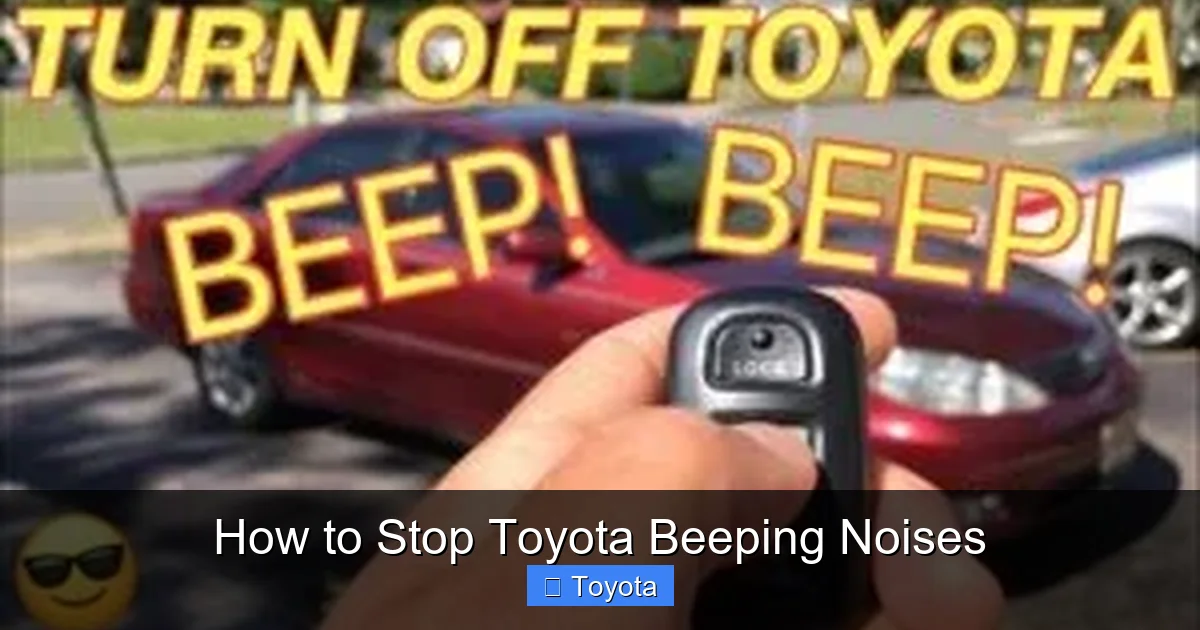
Visual guide about How to Stop Toyota Beeping Noises
Image source: thecarhow.com
Once you’ve identified the cause, follow these step-by-step fixes to stop the beeping.
For door-related beeps, close all doors and the trunk firmly. If the beeping continues, check the door switches and clean the latches. For seat belt reminders, buckle up or use the temporary disable method. Replace the key fob battery if it’s low. Clean parking sensors and use the disable button if needed. Reset the maintenance light using the procedure in your owner’s manual.
Always prioritize safety—don’t disable critical alerts like seat belt reminders for regular driving. If the beeping persists after trying these fixes, visit a Toyota service center for professional diagnosis.
When to Visit a Toyota Service Center
Visual guide about How to Stop Toyota Beeping Noises
Image source: s.wsj.net
While most beeping issues can be resolved at home, some problems require professional attention. If the beeping is accompanied by warning lights, strange smells, or performance issues, it could indicate a deeper electrical or mechanical problem. A certified Toyota technician can run diagnostics and identify the root cause.
Preventing Future Beeping Issues
To avoid future beeping, maintain your vehicle regularly. Replace key fob batteries every 2–3 years, clean sensors monthly, and reset maintenance lights after service. Keep your owner’s manual handy and familiarize yourself with your vehicle’s alert system.
Conclusion
Toyota beeping noises are usually harmless but can be annoying. By understanding the common causes—door warnings, seat belt reminders, key fob batteries, parking sensors, and maintenance alerts—you can quickly identify and fix the issue. Use your owner’s manual, follow the step-by-step fixes, and know when to seek professional help. With a little knowledge and attention, you can enjoy a quieter, more peaceful drive in your Toyota.
Frequently Asked Questions
Why is my Toyota beeping when I start the car?
This is usually a seat belt reminder or door warning. Check that all doors are closed and that you’re wearing your seat belt. If the beeping continues, the key fob battery may be low.
Can I permanently disable the seat belt beep in my Toyota?
No, Toyota does not allow permanent disabling of the driver’s seat belt reminder for safety reasons. However, you can temporarily stop it by buckling and unbuckling the belt after starting the engine.
How do I reset the maintenance light to stop the beeping?
Turn the ignition to “ON” without starting the engine, then press and hold the odometer button until the maintenance light blinks and resets. Refer to your owner’s manual for model-specific steps.
Why does my Toyota beep when I’m parking?
This is likely your parking sensor system detecting nearby objects. Clean the sensors and use the dashboard button to disable them temporarily if needed.
What does it mean if my key fob is beeping?
A beeping key fob usually indicates a low battery. Replace the CR2032 battery inside the fob to restore normal function and stop the noise.
Can weather cause false beeping in my Toyota?
Yes, ice, snow, or dirt on door latches or parking sensors can trigger false alerts. Clean these areas regularly, especially in winter, to prevent unnecessary beeping.
